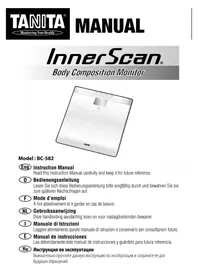
InnerScan BC582 - Scale TANITA - Free user manual and instructions
Find the device manual for free InnerScan BC582 TANITA in PDF.


| Product type | Connected impedance meter scale |
| Brand | Tanita |
| Model | InnerScan BC582 |
| Maximum weighing capacity | 150 kg |
| Weighing accuracy | 0.1 kg |
| Body fat percentage accuracy | 0.1% |
| Number of user memories | 5 |
| Power supply | 4 AAA batteries (supplied) |
| Power consumption | 50 mA maximum |
| Measurement current (impedancemetry) | 100 µA at 50 kHz and 6.25 kHz |
| Main functions | Weight, body fat %, muscle mass, bone mass, total body water, visceral fat, DCI/metabolic age, body shape evaluation |
| FITPLUS diet mode | Yes (for women, menstrual cycle tracking) |
| Guest mode | Yes |
| Measurement recall function | Yes |
| Display | LCD |
| Automatic shut-off | Yes (after 60 s of inactivity, or after measurement) |
| Low battery indicator | Yes |
| Maintenance and cleaning | Clean with a damp cloth soaked in alcohol; do not immerse |
| Safety | Not recommended for pacemaker wearers; pregnant women: use weight function only |
| Spare parts and repairability | Standard AAA batteries; no specific spare parts provided |
| General information | Compliant with Directive 2004/108/EC (electromagnetic compatibility) |
Frequently Asked Questions - InnerScan BC582 TANITA
User questions about InnerScan BC582 TANITA
0 question about this device. Answer the ones you know or ask your own.
Ask a new question about this device
Download the instructions for your Scale in PDF format for free! Find your manual InnerScan BC582 - TANITA and take your electronic device back in hand. On this page are published all the documents necessary for the use of your device. InnerScan BC582 by TANITA.
USER MANUAL InnerScan BC582 TANITA
Body Composition Monitor
Model:BC-582
Eng Instruction Manual
Read this Instruction Manual carefully and keep it for future reference.
Eng Table of Contents
Introduction 1
Features and functions 1
Preparations before use 2
Getting accurate readings 2
Automatic shut-down function 2
Setting (resetting) time 3
Setting and storing personal data in memory 3
Switching the weight mode 4
What is the RTPLUS mode? 5
Inputting your menstrual period start day according to your natural cycle 6
Reminder to program your menstruation period start day 8
Taking weight and body fat readings 8
Programming the guest mode 7
Taking weight measurement only 7
Troubleshooting 8
BbHn49
KApIeONIOOINIy BynHn5 49
PiOaIKoRkA KcNIOIb8HHN 50
PiOaIKoRkA TOnHHN NsOHn3H 51
PiOaIKoRkA TOnHHN OTOHHN 52
PiOaIKoRkA (oooc)BpHHN 53
BdJIaHHN HnHHN B nAnlNH pNOOHnHH 54
PiOaIKoRkA OHHN BnHOHH 55
BbDnHHN BnHOHH BnHOHH 56
PiOaIKoRkA BnHOHH BnHOHH 57
PiOaIKoRkA BnHOHH BnHOHH 58
PiOaIKoRkA BnHOHH BnHOHH 59
Eng
INTRODUCTION
Thank you for selecting a Tanita Body Composition Monitor. This monitor is one in a wide range of home healthcare products produced by Tanita.
This Instruction Manual will guide you through the setup procedures and outline the button features. Additional information on healthy living can be found on our website www.lanfa.eu.
Tanita products incorporate the latest clinical research and technological innovations.
Classical technology is based on a Tokyo Medical Aid in combination with an
Note: Read this Instruction Manual carefully and keep it handy for future reference.

Safety Precautions
Note that people with an electronic medical implant, such as a pacemaker, should not use a Body Composition Monitor as it passes a low-level electrical signal through the body, which may interfere with its operation. Pregnant women should use the weight function only. All other functions are not intended for pregnant women. Do not place this monitor on slippery surfaces such as a wet floor. Please do not use scale immediately after clothing or strenuous exercise. Scale platform will be slippery when wet. In addition, droplets of water or sweat may activate the switches on the display. Please wipe platform with clean, dry cloth to remove any liquids.
Important Notes for Users
This Body composition monitor is intended for adults and children (ages 5-17) standard and athletic body types. Tanita defines "athlete" as a person involved in intense physical activity of approximately 10 hours per week and who has a resting heart rate of approximately 60 beats per minute or less. Tanita's athlete definition includes "lifetime of fitness" Individuals who have been fit for years but currently exercise less than 10 hours per week. The body fat monitor function is not intended for pregnant women, professional athletes or bodybuilders.
Recorded date may be lost if the unit is used incorrectly or is exposed to electrical power surges. Tanita takes no responsibility for any kind of loss caused by the loss of recorded data.
Tanita takes no responsibility for any kind of damage or loss caused by these units, or any kind of claim made by a third person
Note: Body fat percentage estimates will vary with the amount of water in the body, and can be affected by dehydration or overhydration due to such factors as alcohol consumption, menstruation, illness, intense exercise, etc.
FEATURES AND FUNCTIONS
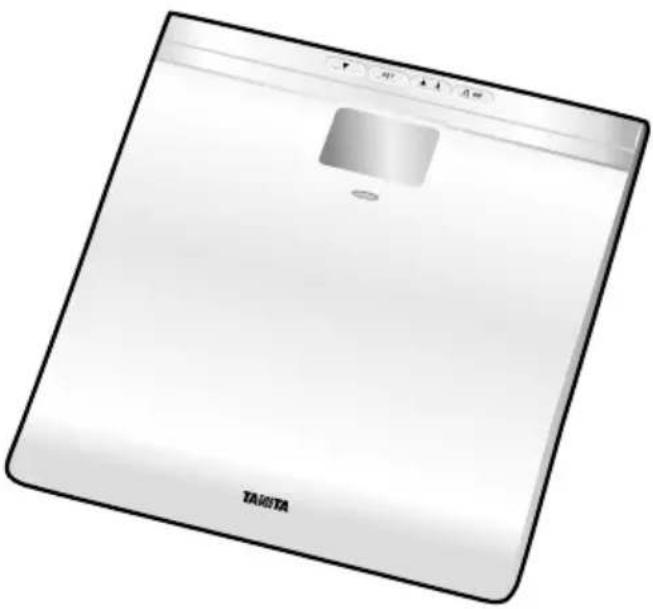
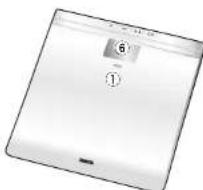
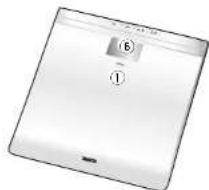
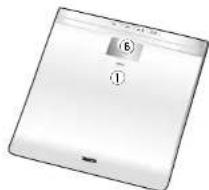
Measuring Platform
24235

SET
(▲
-
FITPLUS Indicator
-
Arrow (Select) Buttons
-
Set Button
-
FITPLUS Button
-
Weight-Only?Off Button
-
Display Screen
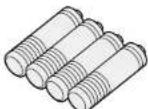
Accessories
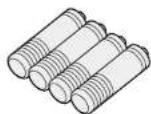
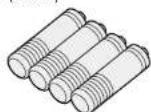
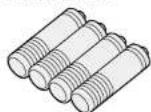
AA-SIZE Batteries (4) (Included)

PREPARATIONS BEFORE USE
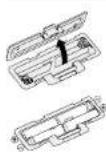
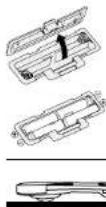
Open as shown.
Direction of the batteries.
Inserting the Batteries
Turn the scale over and remove the battery cover by releasing the latch. Insert 4 × AA batteries (included) with the correct polarity as indicated.
Note: Be sure that the polarity of the batteries is set properly. If the batteries are incorrectly positioned the fluid may leak and damage floors. If you do not intend to use this unit for a long period of time, it is advisable to remove the batteries before storage.
Please note that the included data from the factory may have decreased energy levels over time.

Positioning the Monitor
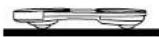
Place the measuring platform on a hard, flat surface where there is minimal vibration to ensure safe and accurate measurement.
Note: To avoid possible injury, do not sleep on the edge of the platform.
Handling Tips
This monitor is a precision instrument utilising state-of-the-art technology.
To keep the unit in the best condition, please follow these instructions carefully: Do not attempt to disassemble the measuring platform.
- Store the unit horizontally, and place it so that the buttons will not be pressed accidentally.
- Avoid excessive impact or vibration to the unit.
- Place the unit in an area free from direct sunlight, heating equipment, high humidity, or extreme temperature change.
- Never submerge in water. Use alcohol to clean the electrodes and glass cleaner (applied to a cloth first) to keep them shiny; avoid using soaps.
- Do not step on the platform with wet feet.
Do not drop any objects onto the platform.
GETTING ACCURATE READINGS
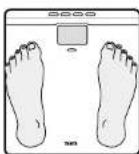
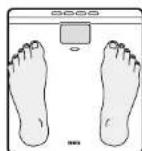
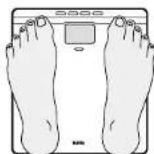
Haels cantered on electrodes
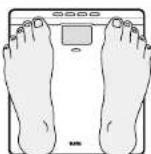
Does may overhang measuring platform
Note: An accurate reading will not be possible if the sales of your foot are not clean, or if your knees are bent or you are in a sitting position.
To ensure accuracy, readings should be taken without clothing and under consistent conditions of hydration. If you do not undress, always remove your socks or stockings, and be sure the soles of your feet are clean before stepping onto the measuring platform. Be sure your heels are correctly aligned with the electrodes on the measuring platform. Don't worry if your feet appear too large for the unit, accurate readings can still be obtained if your toes overhang the platform. It is best to take readings at the same time of day. Try to wait about three hours after rising, eating, or exercising before taking measurements. While readings taken under other conditions may not have the same absolute values, they are accurate for determining the percentage of change as long as the readings are taken in a consistent manner. To monitor progress, compare weight and body fat percentage taken under the same conditions over a period of time.
AUTOMATIC SHUT-DOWN FUNCTION
The automatic shut-down function shuts off the power automatically in the following cases:
- If you interrupt the measurement process, the power will shut down automatically within 10 to 20 seconds, depending upon the type of operation.
If an extreme weight is applied to the platform.
During programming, if you do not touch any of the buttons within 60 seconds.
After you have completed the measuring process.
*Nole: If the power shuts of automatically repeat the steps from "Selling and Storing Personal Data in Memory" (p.3).

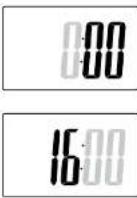
SETTING (RESETTING) TIME
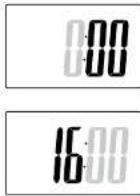
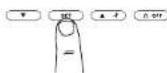
1. Set Hour
Press and hold for seconds to turn on the unit.
Press to get hours and then press.
The unit will beep once to confirm.
2. Set Minute
Press to set Dnflows and then press
The unit will bep twice to confirm the programming.
The unit will then shut down automatically.
- Resetting time
Press and hold for seconds to turn on the unit. Then follow the procedure 1 and 2.
Note: If you chose FitPlus mode, please re-input your menstrual period start date.
Saeet your personal number and enter how many days ago your menstrual period started.
SETTING AND STORING PERSONAL DATA IN MEMORY
You will receive readings only if data has been programmed into one of the personal data memories or the Guest mode. The monitor can store personal details for up to 5 people.
1. Turn on the Power
Press Confirm on the unit. The unit will be to confirm activation, the Personal Button numbers (1, 2, 3, 4, 5) will be displayed, and the display will flash.
Note: If you make a mistake or want to turn the unill off before you have finished programming it, press OK.
2. Select a Personal Key Number
Press OK Select a Personal Button. Once you reach the Personal Button, number you wish to use, press the Enter... The unit will be open once to confirm.
3. Set Age
Use 40.25ft through the numbers. When you reach your age, press SET. The unit will beep once to confirm.
Continue to the next page.
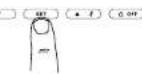


4. Select Female or Male
Press C to select through Female ( ) or Male ( ). For Athlete ( ) and Male/Athlete / settings, then press . The button will loop once to confirm.
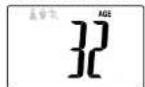
5. Specify the Height
Use to specify Hermit and then press. The unit will beep once to confirm.
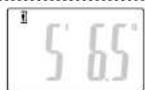
6. Select Activity Level
To use the DiCI (Daily Caloric Intake) feature properly, you need to set the Activity Level. Use
Level 1 = Inactive lifestyles (little or no exercise)
Level 2 = Moderately active lifestyles (occasional, low intensity exercise)
Level 3 = Adult involved in intense physical activity (see p.1 for Tanita's definition of Athlete)
Note: If you select the Athlete Mode, it will automatically set the Activity Level to Level 3.
The unit will be kept twice and the display will flash all data (Male/Female, Age, Height, Activity Level, etc.) three times to confirm the programming. The power will then shut down automatically.
7. Programming FiTPLUS Mode (Women Only)
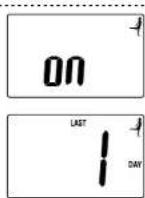
After selecting Activity Level, use Select On/Off of the FITPLUS Mode and press SET. The unit will keep on to confirm. The indication (appears on the upper right side of the display) indicates that you have selected the FITPLUS Mode.
After selecting "on", use + to show many days ago your menstrual period started and press to confirm. The unit will beep once to confirm. The unit will then beep twice and display will flash all of the programmed user data three times to confirm the programming. The power will then shut down automatically.
SWITCHING THE WEIGHT MODE
Select your preferred weight mode using the weight mode switch on the bottom of the scale.

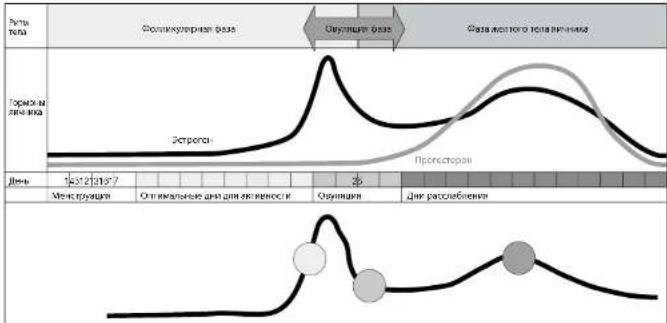
Women have an optimal fitness phase, ovulation window and days where their body naturally needs to rest. FITPLUS mode gives you healthy prompts according to your natural cycle, these are indicated using an easy-to-read traffic light system. -GREEN days, around days 5 to 14 in the Follicular Phase is when exercising is optimal with around double the calories being burnt than on other days -YELLOW days, around days 13 to 16 indicate likely ovulation
- 'RED' days, from days 17 to 28 in the Lutral Phase should be less active as the body naturally needs more rest
Measurement Results in FITPLUS Mode

Indicator color
Green=Good diet period
Yellow= Changing period
Rel-Relax period
Measurement Results in FiTPLUS Mode
When you have programmed the FITPLUS Mode, the FITPLUS Mode lamp is illuminated while all measurements are displayed. Note: The light does not turn on in the cases below. Have no menstrual period
Menopausal
Pregnant
Under 18 years old
No programming of menstrual period start day

INPUTTING YOUR MENSTRUAL PERIOD START DAY ACCORDING TO YOUR NATURAL CYCLE
To ensure you receive personalised readings your menstrual period start day needs to be input every month.
Program your menstrual period start day.
Press Dostn. Use to selct your data number. Press SET to confirm.
The unit will be and the display will show the programmed data
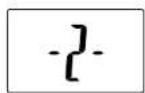
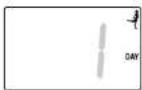
The unit will be again and the display will show "0". Press ↑ Use (↑) to set the menstrual period start day. Press set to confirm. The power will then shut down automatically.
REMARKER TO PROGRAM YOUR MENSTRUATION PERIOD START DAY
The lamp flashes to remind you to set the first day of your menstrual cycle.
Program the menstrual period start day while the lamp is flashing. The FITPLUS Mode lamp will not turn on again until the programming is executed.
TAKING WEIGHT AND BODY FAT READINGS
1. Select Personal Data Number
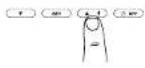
Press to turn on. Use to select your
Personal data number Press set to confirm. (Release the button within 3 seconds or the display will show 'Error'). The unit will beep and the display will show the programmed data.
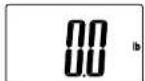
The unit will keep again and the display will show "0.0". Now step onto the platform.
Note: If you step onto the platform before "0.0" appears the display will show "Error" and you will not obtain a reading. Furthermore, if you do not step onto the measuring platform within 30 seconds after "0.0" appears, the power will shut-off automatically.
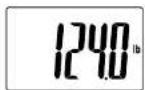
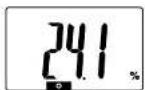
2. Obtain Your Readings
Your weight will be shown first.
Continue to stand on the platform.
"00000" will appear on the display and disappear one by one from left to right. Your Body Fat percentage (%FAT) and Body Fat Range will appear on the display screen.
Note: Do not step off until Body Fat % is shown.
Note: For children (age 5-17), the unit will only display the Weight and the Body Fat %.
To see other readings, carefully step off scale. press
continually to display readings in the order listed below (Press for reverse.)
wlnpunction while remaining on scale.
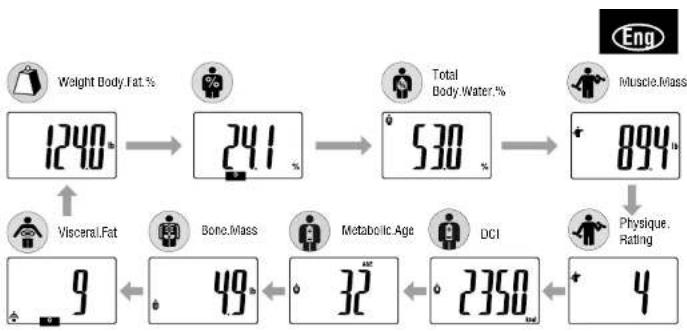
3. Recall Function
The previous readings of the following features can be obtained using the recall function.
Weight
Body Fat %
Total Body Water %
Muscle Mass/Physique Rating
DCIMStatcic Age
Bone Mass
Viscara Fat Lave
To obtain previous readings, press SET while the current readings are being displayed
The display will show the previous readings. To see other previous readings, press (A) forward dosed reading Press RET again to go back to the current result display.
Note: For Children (age-5-17), the unit will only display the previous Weight and the Body Fat %
PROGRAMMING THE GUEST MODE

Guest moda allows you to program the unit for a one-time use without recharging a Personal data number.
Press to activate the unit and select '6'. Then follow the steps set age, select female or male, and speeify height. Once programmed please press set to confirm. The unit will be then flash through the data and go to "0".
Note: If you step onto the platform before "0.0" appears the display will show "Error" and you will not obtain a coding.
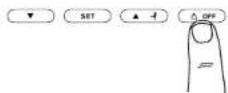
Select Weight-Only Key
Press Clear 2 or 3 seconds, "0.0" will appear in the display and the unit will be open. When "0.0" appears in the display, step onto the platform. The body weight value will appear. The power will then shut down automatically.

TROUBLESHOOTING
If the following problems occur ...then...
appears on the display, or all the data appears and immediately disappears.
Batteries are low. When this message appears, be sure to replace the batteries immediately, since weak batteries will affect the accuracy of your measurements. Change all the batteries at the same time with new batteries.
Note: Y our settings will not be erased from the memory when you remove the batteries.
- Error appears while measuring.
Please stand on the platform keeping movement to a minimum.
The unit cannot accurately measure your weight if it detects movement.
The Body Fat Percentage is more than 75%, readings cannot be obtained from the unit.
The Body Fat Percentage reading does not appear or appears after the weight is measured.
Make sure socks or stockings are removed, and the soles of your feet are clean and properly aligned with the guides on the measuring platform.
Reading cannot be obtained if the weight capacity is exceeded.
Specifications
B2-512
Weight Capacity
39唯(150吨)235吨)
Weight Increments
3.2b[2.1q](0.2B)
Body Fat Increments
0.1%
Personal Data
5memories
Power Supply
4.64Batteries (included)
Power Consumption
m
Measuring Current
50kH2.625H1.100L4

The device features radio interference suppression in compliance with EC regulation 2004/108/EC


EINLEITUNG
Cd = Battery enenhall Cadmium Hg Battery enenhall Qecksch
Piles AA (4) (fournies)
Piles 44 (4) (fournis)
This cannot be written in Latin but rather translated from Latin into Latin. The Latin translation is the second part of a long dialogue leading better.
Nivau 1 = Inactive levensstijl (weing of goen training)
Nneau 2 = Middelmatig acteive levensst (unregelmatige, waring intensire training)
Nvea 3 = Voswssne die innsicr faint [28 p. 25 wort nirnse somnile van en anlout]
m = 311
)
A
4
)
Accessor
4 batterie stio AA
(Incluse)
Baxhhe3aMeuHnIyIIOb3oBaTeJe
Tanita, a t HtmeoTHOTcK TAKeTbePHTaHnTHeNcTe. - KTO, kHMAHINsA, PHTHECnB TceHHeNcHbONHOHbNET, Ho B HactIOJIeue BDOHNHOCTN BCOCTOHNI BHKOHN DHPHNOXIE AHTBNHOCTM Nee 100ae B HeNIAO.
YHINHIN KONTPORA COEPAKHANKA JUPA E TENE HE PNDHAHAHNA DRA SEPMENHHX JEXHQUH, PPOFECHOHNAHNHX CNOPTOMHEK HAM 60BDOHNDEE.
3prrnpsbne baaenrty pnnep ennpnep nnon npnnnnae nnnnne eaepe
mnnn nnnnne nnnnne nnnnne nnnnne nnnnne nnnnne nnnnne nnnnne nnnnne nnnnne nnnnne nnnnne nnnnne nnnnne nnnnne nnnnne nnnnne nnnnne nnnnne nnnnne nnnnne nnnnne nnnnne nnnnne nnnnne nnnnnee nnnnne nnnnne nnnnne nnnnne nnnnne nnnnne nnnnne nnnnne nnnnne nnnnne nnnnne nnnnne nnnnne nnnnne nnnnne nannne nannne nannne nannne nannne nannne nannne nannne
H
CCHHNNH HINHINHINHINHINHINHINHINHINHINHINHINHINHINHINHINHINHINHINHINHINHINHINHINHINHINHINHINHINHINHINHINHINHINHINHINHINHINHINHINHINHINHINHINHINHINHINHINHINHINHIN
FIREHUE 4
XAPAKTEPNCTKN NΦYHKUN
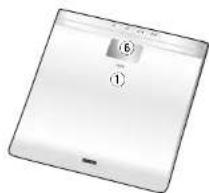
M3mepHTenbna natafopMa
24235
SET
A
A
-
Hsys4-ep HPIUS
-
KONJNTTENOS JNBCOAL
3.KEURACTOON
- KornovaFETLUS
Kcna"
0.5%
Akceccyapbi
harassien nioeepaA4
(B

IIOIITOBKA K ICSIOJIb3OBAHINIO
C
A BcTaBka 6aTapeek
Pekomehdaunno6paueHHIO cnpb6pom
Jaaeeepnepnepnepnepnepnepnepnepnepnepnepnepnepnepnepnepnepnepnepnepnepnepnepnepnepnepnepnepnepnepnepnepnepnepnepnepnepnepnepnepnepnepnepnepnepnepnepnepnepnep
40000000000000000000000000000000000000000000000
34a-107PnRnRnRnRnRnRnRnRnRnRnRnRnRnRnRnRnRnRnRnRnRnRnRnRnRnRnRnRnRnRnRnRnRnRnRnRnRnRnRnRnRnRnRnRnRnRnRnRnRnRn
0
RASHSC1:HC:PCNA:HAC 000788HNRN HAPC1553
F 1
+
IIOJIyUeHHe TOUHbIX IOKA3AHNI
1.1.1.2.2.3.4.5.6.7.8.9.10.11.12.13.14.15.16.17.18.19.20.21.22.23.24.25.26.27.28.29.30.31.32.33.34.35.36.37.38.39.40.41.42.43.44.45.46.47.48.49.50.51.52.53.54.55.56.57.58.59.60.61.62.63.64.65.66.67.68.69.70.71.72.73.74.75.76.77.78.79.80.81.82.83.84.85.86.87.88.89.90.91.92.93.94.95.96.97.98.99.
BIOCHEMICAL INFORMATION COMPANY
Note: An accurate listing will not be possible if the values of your feet are not clean, or if your shoes are bent or you are in a sitting position.
Tnntnntnntnntnnn nnnn nnnn nnnn nnnn nnnn nnnn nnnn nnnn nnnn nnnn nnnn nnnn nnnn nnnn nnnn nnnn nnnn nnnn nnnn nnnn nnnn nnnn nnnn nnnn nnnn nnnn nnnn nnnn nnnn nnnn nnnn nnnn nnnn nannn nnnn nnnn nnnn nnnn nnnn nnnn nnnn nnnn nnnn nnnn nnnn nnnn nnnn nnnn nnnn nnnn nnnn nnnn nnnn nnnn nnnn nnnn nnnn nnnn nnnn nnnn nnnn nnnn nnnn nnnn nnnn nnnn nnn.
ФУнкцИАВТOMATNUCHECKОTOOTKЛЮЕнИ
y
HNNNHNNNNNNNNNNNNNNNNNNNNNNNNNNNNNNNNNNNNNNNNNNNNNNNNNNNNNNNNNNNNNNNNNNNNNNNNNNNNNNNNNNNNNNNNN
10
O. 01.00.00.00.00.00.00.00.00.00.00.00.00.00.00.00.00.00.00.00.00.00.00.00.00.00.00.00.00.00.00.00.00.00.00
Pmme 170

YCTAHOBKA (CBPOC) BPEMEHIN
1.YCTaHOBka yacOB
FaeWnte 100000000000000000000000000000000000000000000000000000000
1
1pH@RyA CnH3SpyKxH 1000000000000000000000000000
2.YctahOBKa MMHT
Aanrre AOTFONNTNnTnAare 10
[1]P. R. K. D. J. J. A. N. S. L. H. B. H. P. K. K. P. A. Y. C. H. S. L.
[2]K. D. J. J. A. N. S. L. H. B. H. P. K. A. Y. C. H. S. L.
[3]P. R. K. D. J. J. A. N. S. L. H. B. H. P. K. A. Y. C. H. S. L
C6pocBpeMeHH
HaeWnem Cenngmpeepmae HaeKand 105bBnA-mvPv6oDares Bors nnepepaVt2
Pnepaane: npnpnpnpnpnpnpnpnpnpnpnpnpnpnpnpnpnpnpnpnpnpnpnpnpnpnpnpnpnpnpnpnpnpnpnpnpnpnpnpnpnpnpnpnpnpnpnpnpnpnpnpnpnpnpnpnpnpnpnpnpnpnpnpnpnpnpnpnpnpnpnpnpnpnpnpnpnpnpnpnpnpnpnpnpnpnpnpnpnpnpnpnpnpnpnpnpnpnpnpnp
3AADAHNE 3ANICb B NAMrTb NEPCOHALbHbIX DAHHbIX
Hn 1000000000000000000000000000000000000000000000000000
1.BknoeHneNTaHn
Haeane 5e7, mnc snnnupnpop npop nep 38p00000000000000000
H
IPINMENAHNE:ECHI MOYAKETI OTHOKA IKNI TPEBET BIKNYOKHNE PHNOPA DO OKOHANKA PNPAMPMNPOHARNA.CHEYET NAXATS (Orr)
2. BbIbOp Homepa nepcoHaJIbHOH KhoNKn
Haaa
HCHNCHSHOH-APKTE
X14H0-8A
3.YCTAHOBKA BO3pacta
HANNNN
SET.1pHOPBACCTCCHNHNH3yOBnONANFNO2TREWGENCTO0
Cmnpnne nreepnne


4. YCTAHOBKA MYXCKORO HNN XEHCKORONa
HnHnHnHnHnHnHnHnHnHnHnHnHnHnHnHnHnHnHnHnHnHnHnHnHnHnHnHnHnHnHnHnHnHnHnHnHnHnHnHnHnHnHnHnHnHnHnHnHnHnH
6. BbIbOp ypOBAKTHBHOCTN
nepnnnne nnnnne aenrnnnne ennnnne ennnnne ennnnne ennnnne ennnnne ennnnne
A

7p0e:1=ARRRnHcHmHxHnHnHnHnHnHnHnHnHnHnHnHnHnHnHnHnHnHnHnHnHnHnHnHnHnHnHnHnHnHnHnHnHnHnHnHnHnHnHnHnHnHnHnHnHnHnHnHnHnHnH
ypee-2 yepenHbAaBnCnBnBnBnBnBnBnBnBnBnBnBnBnBnBnBnBnBnBnBnBnBnBnBnBnBnBnBnBnBnBnBnBnBnBnBnBnBnBnBnBnBnBn
ype-3 Repocncknnhchnnk#pnyoan hyn (nepnncnncnna) npnoa 49
IppmeaHHe: Ecn BBbpaen peHMM aTeta, 30 o3Haayet ABToMaTHueckyO yTaHOBky ypoBn
AKTHBHOCTH,paBHOro 3.
HnepuBnue 1
[MYKORIKKAKINIO,SCPCLI,ICY]THHNOHNK-OMJINHINHINHINHINHINHINHINHINHINHINHINHINHINHINHINHINHINHINHINHINHINHINHINHINHINHINHINHINHINHINHINHINHINHINHINHINHINHINHINHINHINHINHINH
Suee eae aee aee aee aee aee aee aee aee aee aee aee

BBEDEHME B PEXIM FitPLUS
H
Pepnne pnnnne nnnnne nnnnne nnnnne nnnnne nnnnne nnnnne nnnnne nnnnne nnnnne nnnnne nnnnne nnnnne nnnnne nnnnne nnnnne nnnnne nnnnne nnnnne nnnnne nnnnne nnnnne nnnnne nnnnne nnnnne nnnnne
1
-3H-HFJH, HAPKPHO OORPCTBAYRHPN 14 5000000000000000000000000000000000000000
M
-10000000000000000000000000000000000000000000
PCHHcHncoBHTyHmH 17-28 Bpse HcTTO TnE PnHHN aYnssbAe HHehCpOCTo CHHsE-OR AAKTHOBHO,NOOCHOTPO
ETETBNNN NNNNNN NNNNNN NNNNNN NNNNNN
Peyntnne ANepeanee PrrnneFTL
LBeHmikatopa
3eennb-epnpo.6laonpnaTHbnn
XentbI = IepexoHn nepno
Kpaacb=epnoaaccn
Pe3yNbTaTbI H3MepeHn BpeKHe FiTPLUS
LAMPPAPAAHPSAHPKPNTPUS,PAPTPAAHNNNCCBNSAEPKNBHN BAGNNNNECENNTPPLS AOE.
PpmeaHne: TaanrAeTnBnBnBnBnBnBnBnBnBnBnBnBnBnBnBnBnBnBnBnBnBnBnBnBnBnBnBnBnBnBnBnBnBnBnBnBnBnBnBnBnBnBnBnBnBnBnBnBnBnBn
FENCTTNTWMEETTANOTUN
Bnno
BCCUHFFFSCCNCHC
1
PpOyTswBporpoKpOBaHnAaDae HnEeKeNtpytnoHm

BBOI DATbI HAYAIA CBOEFO MEHCTPYALbHOFO UKNIA B COFJIACOBAHIN C COBCTBEHHbIM ECTECTBEHHbIM UKNJOM
Oyepnepoepoeepoeepoeepoeepoeepoeepoeepoeepoeepoeepoeepoeepoeepoeepoeepoeepoeepoeepoeepoeepoeepoeepoeepoeepoeepoeepoeepoeepoeepoeepoeepoeepoeepoeepoeepoeepoeepoeepoeepoeepoeepoeepoeepoeepoeepoeepoeepoeepoeepoeepoepoeepoeepoeepoeepoeepoeepoeepoeepoe
·
A
:
-2018HbBnJ15h+3H
B
PpmeaeHHH: HTHH 10000000000000000000000000000000000000000000000000000000000000000
NCHIOJIb30BAHHe TOJIbKO DnI Y3MEPEHnBECA
Bb6op KhoNKn "TolboKo Bec"
Houhns 10000000000000000000000000000000000000000000000000000000000000000000000000000

NONCK HENCPABHOCTEIN
Ecn npocxognt yka3aHHoe HapyuweHne ...To...
Ha dncnne noonBnTcra 50 npomcxoDNT MOMENTaHbHe NCHE3HOBe HBe CEX daHHbx.
33PnHn Hn 33
mnyyepeyrreeppeeppeeppeeppeeppeeppeeppeeppeeppeeppeeppeeppeeppeeppeeppeeppeeppeeppeeppeeppeeppeeppeeppeeppeeppeeppeeppe
Pn
BbpeMaH3MepeHHN NOBnBnTc0o6ueHMe error
1111111111111111111111111111111
1000000000000000000000000000000000000000000000000000
He NORENERCT 3HAUHHE NPOUENTHO COEPKHNIA KINPA B TENE NHNO NOBANETC NOOEN HMEPEHNA BECA.
H
BoepmaM3MepeHHNnnoBnAETc
Pepn 10000000000000000000000000000000000000000000000
TexHHueckExapakTeepCTMKN
(-8)
Pepenbno doynctmbnBec
190
Wan npkaenn Beca
014
Wan nppaenncn codepannnn nnpa B tene
01%
PepcoanbHbe daHHbe
HOTWYN INTAHN
46apnnaaennnnne
Notpe6nreMaMoHocb
40
H3MeepTeBbHbT ToK
50nU,6.25uU,100μF

Paeeyyckn 10000000000000000000000000000000000000000000
Representative
Tanita Europe B.V.
Holland Office Centre. Kruisweg 813-A
2132NG Hoofddorp, the Netherlands
Tel: +31(0)23-5540188
Fax: +31(0)23-5579065
www.tanita.eu
Tanita Corporation of America Inc.
2625 South Clearbrook Drive
Arlington Heights, IL 60005 USA.
Tel: +1-847-640-9241
Fax: +1-847-640-9261
www.tanita.com
Business Location in UK
The Barn, Philpots Close, Yieldsley,
Middlesex, UB7 7RY,
United Kingdom
Tel: +44(0)1895-438577
Fax: +44(0)1895-438511
Tanita Health Equipment H.K. Ltd.
Unit 301-303 3/F Wing On Plaza,
62 Mody Road, Tsimshatsui East,
Kowloon, Hong Kong
Tel: +852-2838-7111
Fax:+852-2838-8667
Manufacturer
Tanita Corporation
1-14-2, Maeno-Cho, Itabashi-ku,
Tokyo, Japan 174-8630
Tel: +81(0)-3-3968-2123
Fax: +81(0)-3-3967-3766
www.tanita.co.jp
ISO 9001 Certified
TANITA India Private Limited
Level 9, Platina, C-59, G Block,
Bandra Kurla Complex, Bandra East,
Mumbai 400051, INDIA
Tel: +91-22-3953-0507
Fax: +91-22-3953-0604

- Body Composition Monitor
- Model:BC-582
- Eng Table of Contents
- Eng
- INTRODUCTION
- Safety Precautions
- Important Notes for Users
- FEATURES AND FUNCTIONS
- Measuring Platform
- Accessories
- PREPARATIONS BEFORE USE
- Inserting the Batteries
- Positioning the Monitor
- Handling Tips
- GETTING ACCURATE READINGS
- AUTOMATIC SHUT-DOWN FUNCTION
- SETTING (RESETTING) TIME
- Set Hour
- Set Minute
- - Resetting time
- SETTING AND STORING PERSONAL DATA IN MEMORY
- Turn on the Power
- Select a Personal Key Number
- Set Age
- Select Female or Male
- Specify the Height
- Select Activity Level
- Programming FiTPLUS Mode (Women Only)
- SWITCHING THE WEIGHT MODE
- Measurement Results in FiTPLUS Mode
- INPUTTING YOUR MENSTRUAL PERIOD START DAY ACCORDING TO YOUR NATURAL CYCLE
- Program your menstrual period start day.
- REMARKER TO PROGRAM YOUR MENSTRUATION PERIOD START DAY
- TAKING WEIGHT AND BODY FAT READINGS
- Select Personal Data Number
- Obtain Your Readings
- Recall Function
- PROGRAMMING THE GUEST MODE
- Select Weight-Only Key
- TROUBLESHOOTING
- EINLEITUNG
- Baxhhe3aMeuHnIyIIOb3oBaTeJe
- XAPAKTEPNCTKN NΦYHKUN
- Akceccyapbi
- IIOIITOBKA K ICSIOJIb3OBAHINIO
- A BcTaBka 6aTapeek
- Pekomehdaunno6paueHHIO cnpb6pom
- IIOJIyUeHHe TOUHbIX IOKA3AHNI
- ФУнкцИАВТOMATNUCHECKОTOOTKЛЮЕнИ
- YCTAHOBKA (CBPOC) BPEMEHIN
- 1.YCTaHOBka yacOB
- 2.YctahOBKa MMHT
- C6pocBpeMeHH
- 3AADAHNE 3ANICb B NAMrTb NEPCOHALbHbIX DAHHbIX
- 1.BknoeHneNTaHn
- BbIbOp Homepa nepcoHaJIbHOH KhoNKn
- 3.YCTAHOBKA BO3pacta
- YCTAHOBKA MYXCKORO HNN XEHCKORONa
- BbIbOp ypOBAKTHBHOCTN
- AKTHBHOCTH,paBHOro 3.
- BBEDEHME B PEXIM FitPLUS
- Peyntnne ANepeanee PrrnneFTL
- LBeHmikatopa
- Pe3yNbTaTbI H3MepeHn BpeKHe FiTPLUS
- BBOI DATbI HAYAIA CBOEFO MEHCTPYALbHOFO UKNIA B COFJIACOBAHIN C COBCTBEHHbIM ECTECTBEHHbIM UKNJOM
- NCHIOJIb30BAHHe TOJIbKO DnI Y3MEPEHnBECA
- Bb6op KhoNKn "TolboKo Bec"
- NONCK HENCPABHOCTEIN
- Representative
- Tanita Europe B.V.
- Tanita Corporation of America Inc.
- Business Location in UK
- Tanita Health Equipment H.K. Ltd.
- Manufacturer
- Tanita Corporation
- TANITA India Private Limited
Brand : TANITA
Model : InnerScan BC582
Category : Scale