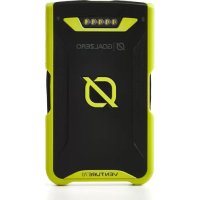
Venture 70 - Power bank GOAL ZERO - Free user manual and instructions
Find the device manual for free Venture 70 GOAL ZERO in PDF.


Frequently Asked Questions - Venture 70 GOAL ZERO
User questions about Venture 70 GOAL ZERO
0 question about this device. Answer the ones you know or ask your own.
Ask a new question about this device
Download the instructions for your Power bank in PDF format for free! Find your manual Venture 70 - GOAL ZERO and take your electronic device back in hand. On this page are published all the documents necessary for the use of your device. Venture 70 by GOAL ZERO.
USER MANUAL Venture 70 GOAL ZERO
Solar Ready ^a 3
Charge Your Gear 4
Smart Charge Sequence 5
Flashlight 5
Waterproof, Rugged Design 6
Troubleshooting 6
Technical Specifications 7
Français 8-13
日本語
14-19
Deutsch 20-25
Espanol 26-31
GET TO KNOW YOUR GEAR
SMART CHARGE
Charge a phone and a tablet - at the same time.
71Wh 19.00m4
19.200 mAh
Advanced, long-lasting lithium internal battery.

IP67
RATIN
Rugged DesignSmart 2.4A USB IP67 Waterproof, shock-proof design.
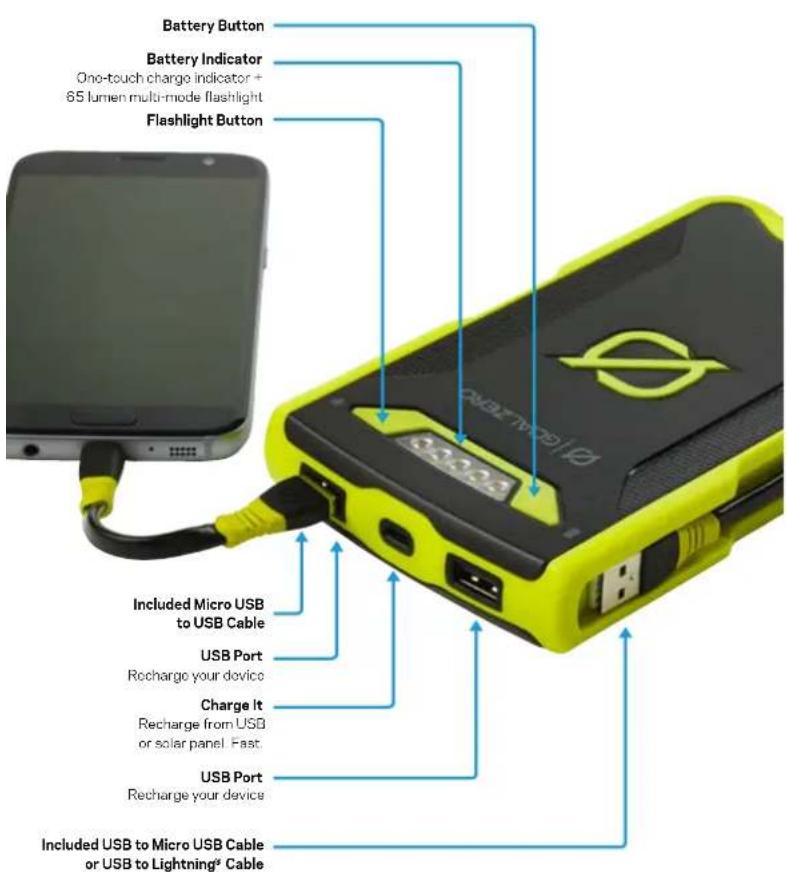
CHARGE BEFORE USE
Use a micro-USB cable to charge up Venture 70 from a Live USB source.
- Plug Venture 70 into any USB source using a micro-USB cable, like the one included with Venture 70.
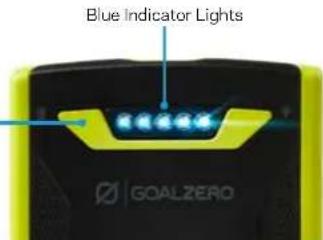
- Know it's charging when blue indicator lights on the top illuminate and pulse. Each blue indicator light represents 20% battery capacity. Blue indicator lights will flash according to how quickly Venture 70 is charging. A slow flash indicates a slow charge, while quicker flashing indicators faster charging.
- Venture 70 is full and ready to go when all lights are solid.
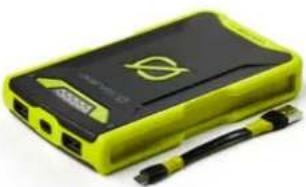
Venture 70 allows for pass through power so you can charge your gear and Venture 70 at the same time. When Venture 70's battery is dead, the first blue indicator light will flash when the battery button is pushed
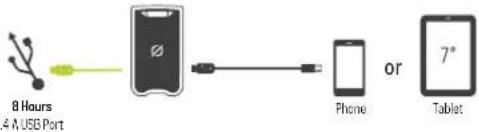
SOLAR READY
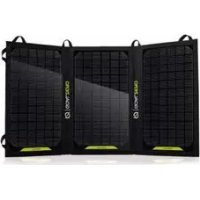
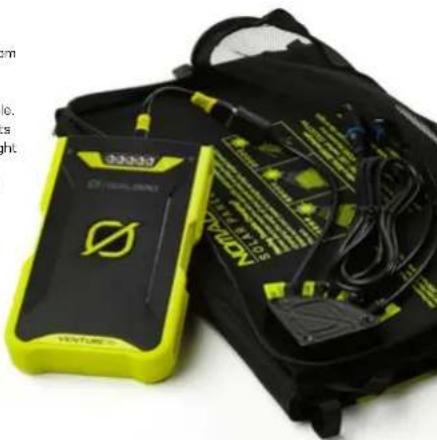
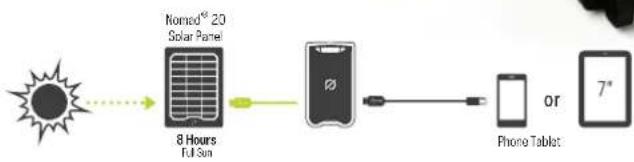
Venture 70 is engineered to charge quickly from Goal Zero Nomad Solar Panels.
4. Plug Venture 70 into the USB port on a Nomad Solar Panel using a micro-USB
5. Know it's charging when blue indicator lights illuminate and pulse. Each blue indicator light represents 20% battery capacity.
6. Venture 70 is full and ready to go when all lights are pulsing together.
7. Blue indicator lights will flash according to how quickly Venture 70 is charging. A slow flash indicates a slow charge, while quicker flashing indicates faster charging.
8. When charging from solar, angle your panel toward the sun to see how it affects charging.
CHARGE YOUR GEAR
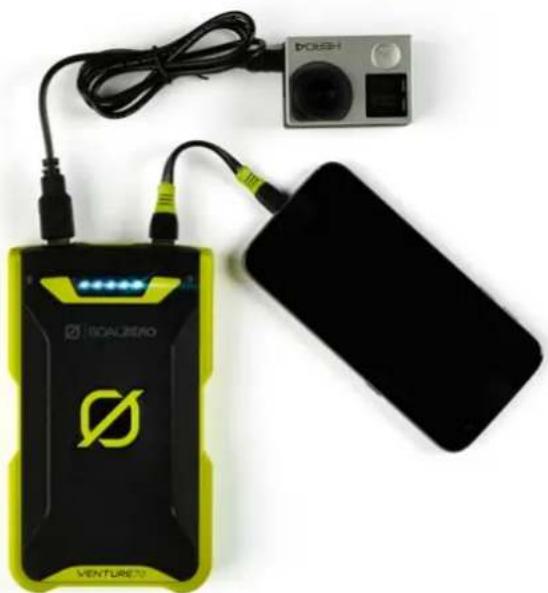
Venture 70 is designed to charge POV cameras, phones, tablets, and other USB powered devices.

Headlamp
10-20 Recharges

POV Camera
10 Recharges

Phone
5-6 Recharges

Tablet
2 Recharges
- Using your charging cable or the included cables, plug into Venture 70's USB ports - they'll both work at the same time so you can share power with a buddy.
- The blue indicator lights will flash according to how quickly your gear is charging. A slow flash indicates a slow charge, while quicker flashing indicates faster charging. If you're experiencing slow charge times, run the smart charge sequence (see next section).
SMART CHARGE SEQUENCE
Venture 70's advanced smart charging feature allows you to optimize and adapt its USB outputs to charge your gear as fast as possible. This sequence runs independently for both USB ports - meaning you can set different charging profiles for each port. Fastest profiles will be applied and saved until reset or the sequence is run again.
- With your goar plugged into Venture 70's USB port, press and hold the battery button for approximately 5 seconds to activate the smart charge sequence.
- The blue indicator lights will begin to flash as different profiles are tested with your gear.
- When the lights finish flashing, the fastest profile has been selected.
HOW IT WORKS: You might have noticed if you plug your device into a charger claiming a high output your device still charges slowly. How quickly your device charges comes down to communication between the charger and what you plug in. Every device has its own preference when it comes to charging, the challenge is identifying the language used by the manufacturer to decode that preference. Venture 70's smart charging feature acts as a translator, identifying your device's language, decoding and applying the fastest charging profile possible, without overcharging or overheating. This feature makes Venture 70 one of the most compatible chargers on the market.
We recommend running the smart charge sequence anytime you experience slow charge times or when plugging in new gear.
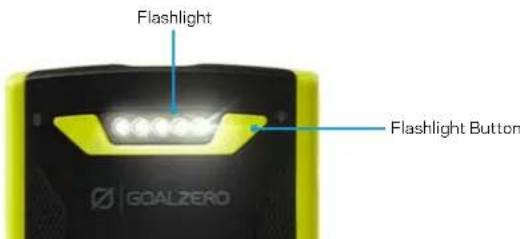
FLASHLIGHT
Ventura 70 comes with a built-in 65 lumen multi-mode flashlight with five settings: high, low, and multiple strobe modes (including SOS).
1. Press the flashlight button to activate the flashlight.
2. Press and hold the flashlight button for approximately 5 seconds - all the lights will flash once indicating you've entered flashlight selection mode.
- With the flashlight button still held down, press the battery button to cycle through 5 light modes. The SOS setting is the 5th light.
Whichever mode you are in when you release the flashlight button will become the default mode. Avoid looking into the light when you turn it on—it's pretty dang bright.
WATERPROOF, RUGGED DESIGN
Venture 70 comes equipped with an IP67 rating. Spray it down, take it to the beach, leave it in the rain - and never worry about rubber plugs. It's engineered to get out, stay out and handle whatever Mother Nature can throw your way - even a drop in a puddle.
TROUBLESHOOTING
- Check the battery level of Venture 70 by pressing the battery button. When Venture 70's battery is dead, the first blue indicator light will flash when the battery button is pushed.

- Charge up Venture 70 by using an included cable.
- Try a soft reset of Venture 70 (see below).
Soft Reset: Used to restart a frozen Venture 70, or if you're having trouble charging gear.
- Press and hold the flashlight button for approximately 35 seconds. You'll see an initial flash of the lights, indicating you're entering flashlight selection mode.

- When you release you will see the middle blue LED, indicating a successful reset.
- Press the battery button or wait 5 seconds to resume normal operation.

TECHNICAL SPECIFICATIONS
Venture 70
Battery:
Cell Chemistry Li-ion NMC
CellType18650
Cell Capacity 71Wh
(3.7V,19,200mA/h)
Lifecycles hundreds of cycles
Shelf life Charge every 3-6
Fuses none
Management System
Charging and low-battery protection built-in
Ports:
USB Port (output)
5V, up max; regulated
USB-micro Port (input)
5V, up to 3A (15W max)
General:
IP Rating IP67
LED output 65 Luminers, white LED
Chainable No
Weight 1 lb (454 gl)
Dimensione 6.4× 3.7× 0.9 in (16.3× 9.5× 2.35cm)
Operating Usage Temp. 32-113F (0-45C)
Certs
Warranty 12 months
Be sure to activate your warranty at goalzero.com/warranty
FRANCAIS

Telephone 5&6 recharges

Tablette 2 recharges
Designed in the U.S.A.
Made in China
1-888-794-6250
Venture and Nomad are trademarks of Goal Zero.
Hero and Apple are registered trademarks of GoPro, Inc. and Apple, Inc. respectively.
This equipment has been tested and found to comply with the limits for a Class B digital device, pursuant to part 15 of the FCC Rules. These limits are designed to provide reasonable protection against harmful interference in a residential installation. This equipment generates, uses and can radiate radio frequency energy and, if not installed and used in accordance with the instructions, may cause harmful interference to radio communications. However, there is no guarantee that interference will not occur in a particular installation. If this equipment does cause harmful interference to radio or television reception, which can be determined by turning the equipment off and on, the user is encouraged to try to correct the interference by one or more of the following measures:
—Reorient or relocate the receiving antenna.
—Increase the separation between the equipment and receiver.
- Connect the equipment into an outlet on a circuit different from that to which the receiver is connected.
—Consult the dealer or an experienced radio/TV technician for help.
This device complies with part 15 of the FCC Rules. Operation is subject to the following two conditions: (1) This device may not cause harmful interference, and (2) this device must accept any interference received, including interference that may cause undesired operation.