EasyManual
S350DB - Speaker EDIFIER - Free user manual and instructions
Find the device manual for free S350DB EDIFIER in PDF.



Frequently Asked Questions - S350DB EDIFIER
User questions about S350DB EDIFIER
0 question about this device. Answer the ones you know or ask your own.
Ask a new question about this device
Download the instructions for your Speaker in PDF format for free! Find your manual S350DB - EDIFIER and take your electronic device back in hand. On this page are published all the documents necessary for the use of your device. S350DB by EDIFIER.
USER MANUAL S350DB EDIFIER
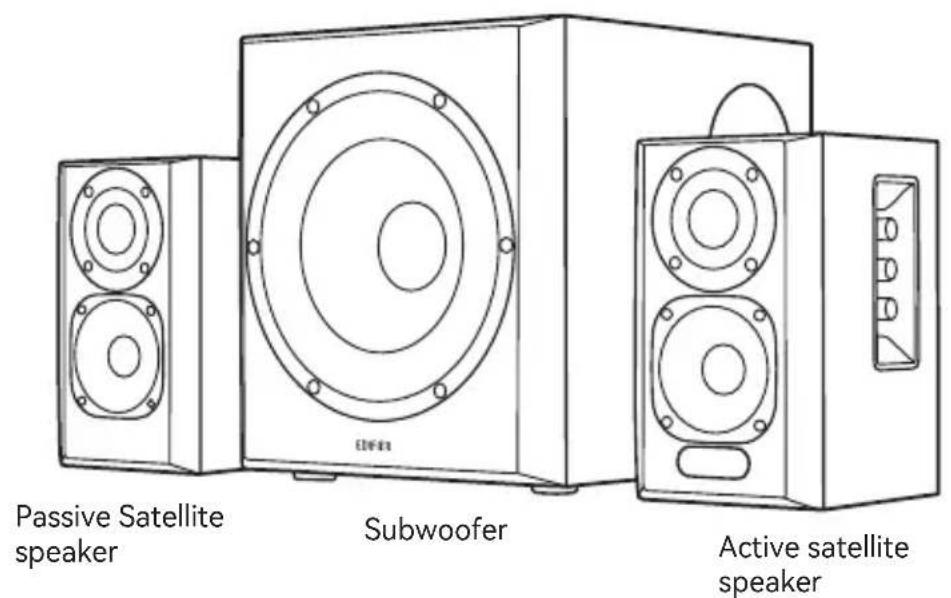
EN What's In The Box
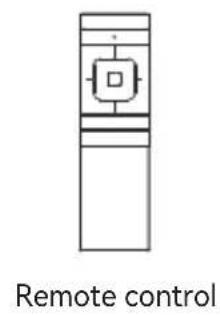





Note:
Images are for illustrative purposes only and may differ from the actual product.
- For the need of technical improvement and system upgrade, information and specifications contained herein may be slightly different from actual product. If any difference is found, the actual product prevails.
Illustrations
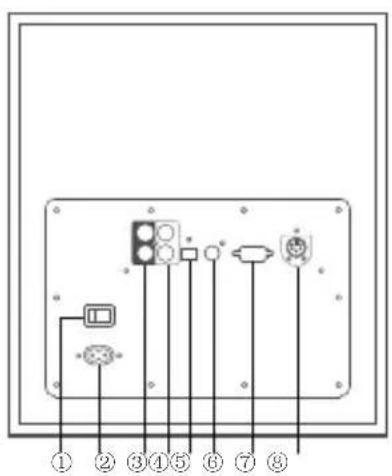
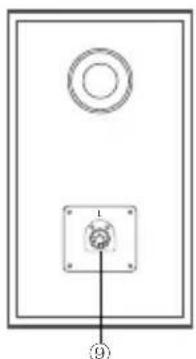
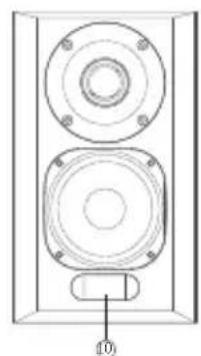
- Power switch
- Power cable connector
- PC input
- AUX input
- Optical input
- Coaxial input
- Connect to satellite speaker(R)
- Connect to satellite speaker(L)
-
Connect to subwoofer
-
Display screen
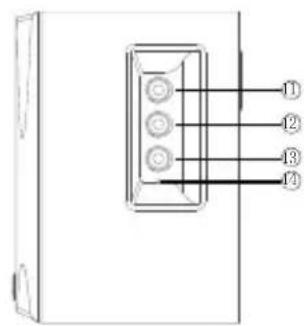
- Treble volume dial
- Bass volume dial
- Master volume dial/input selection Press it to navigate between audio inputs: AUX PC Optical Coaxial Bluetooth. Press and hold to enable and disable the standby function
- Power indicator
Remote control
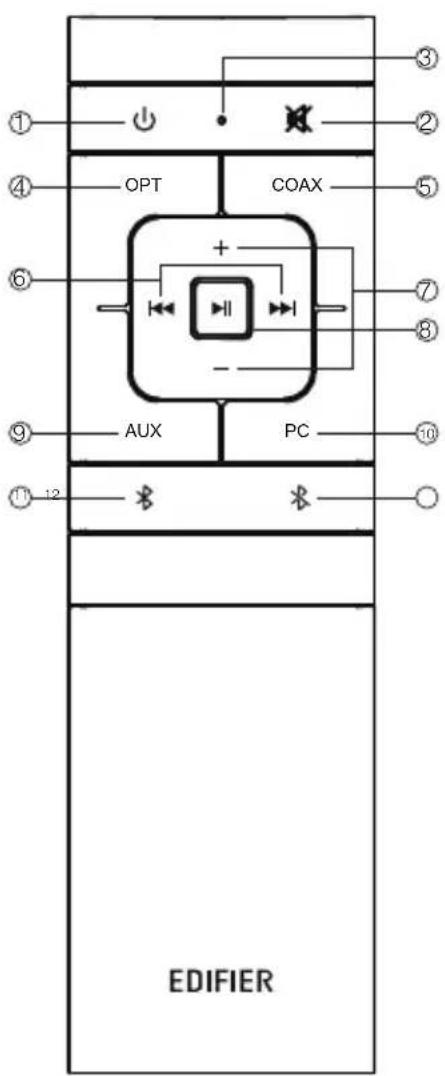
- On/Off
- Mute
- Remote control indicator
- Optical input
- Coaxial input
- Previous/next track (Bluetooth audio sources only)
- Volume up/down
- Play/pause (Bluetooth audio sources only)
- AUX input
- PC input
- Bluetooth input
- Press and hold to disconnect Bluetooth (connected status)
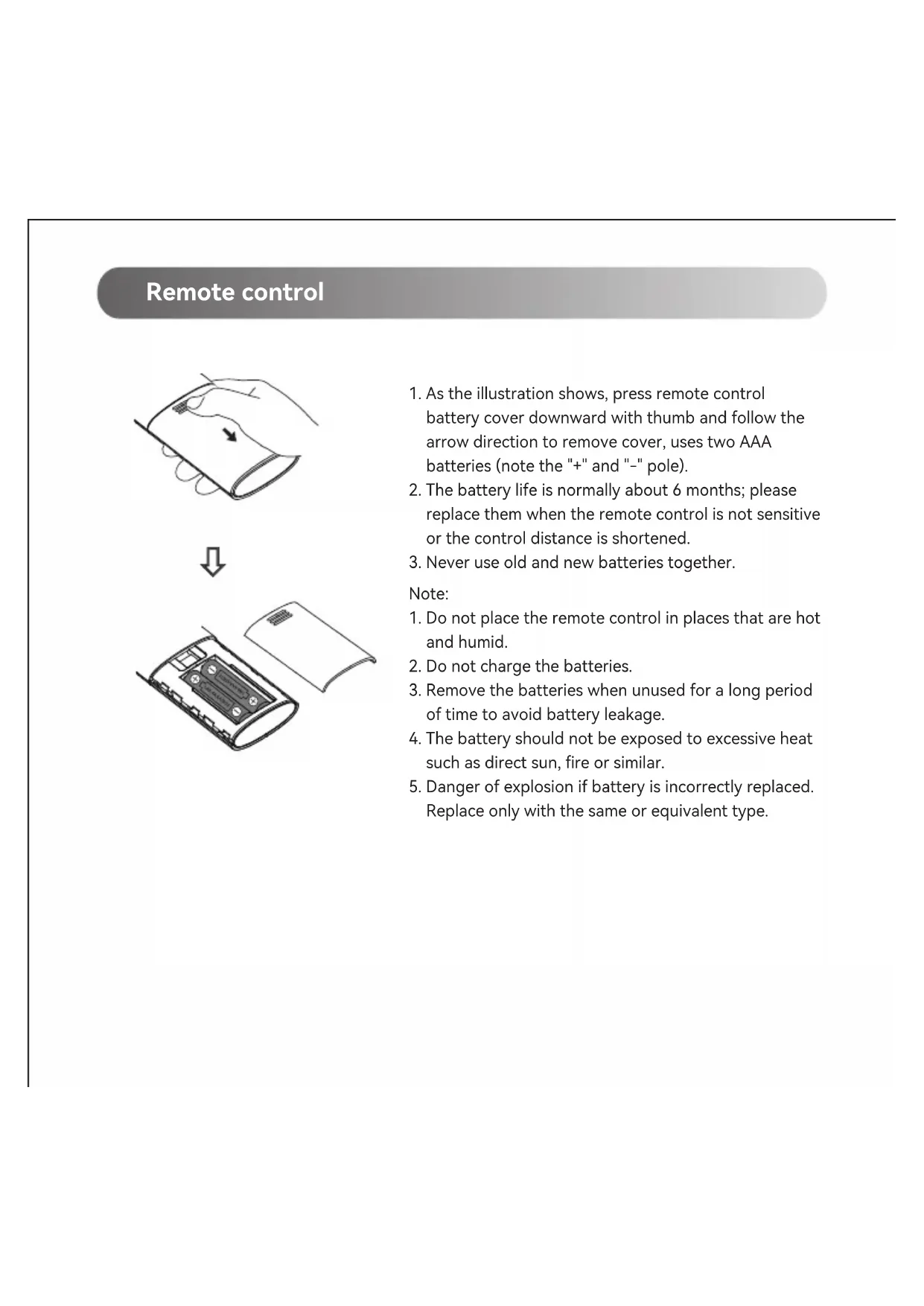
Remote control
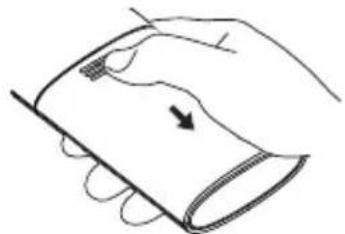
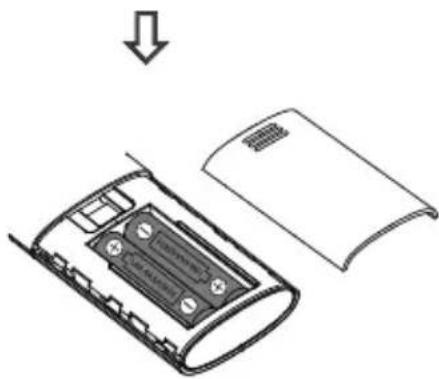
- As the illustration shows, press remote control battery cover downward with thumb and follow the arrow direction to remove cover, uses two AAA batteries (note the "+" and "-" pole).
- The battery life is normally about 6 months; please replace them when the remote control is not sensitive or the control distance is shortened.
- Never use old and new batteries together.
Note:
- Do not place the remote control in places that are hot and humid.
- Do not charge the batteries.
- Remove the batteries when unused for a long period of time to avoid battery leakage.
- The battery should not be exposed to excessive heat such as direct sun, fire or similar.
- Danger of explosion if battery is incorrectly replaced. Replace only with the same or equivalent type.
Connections
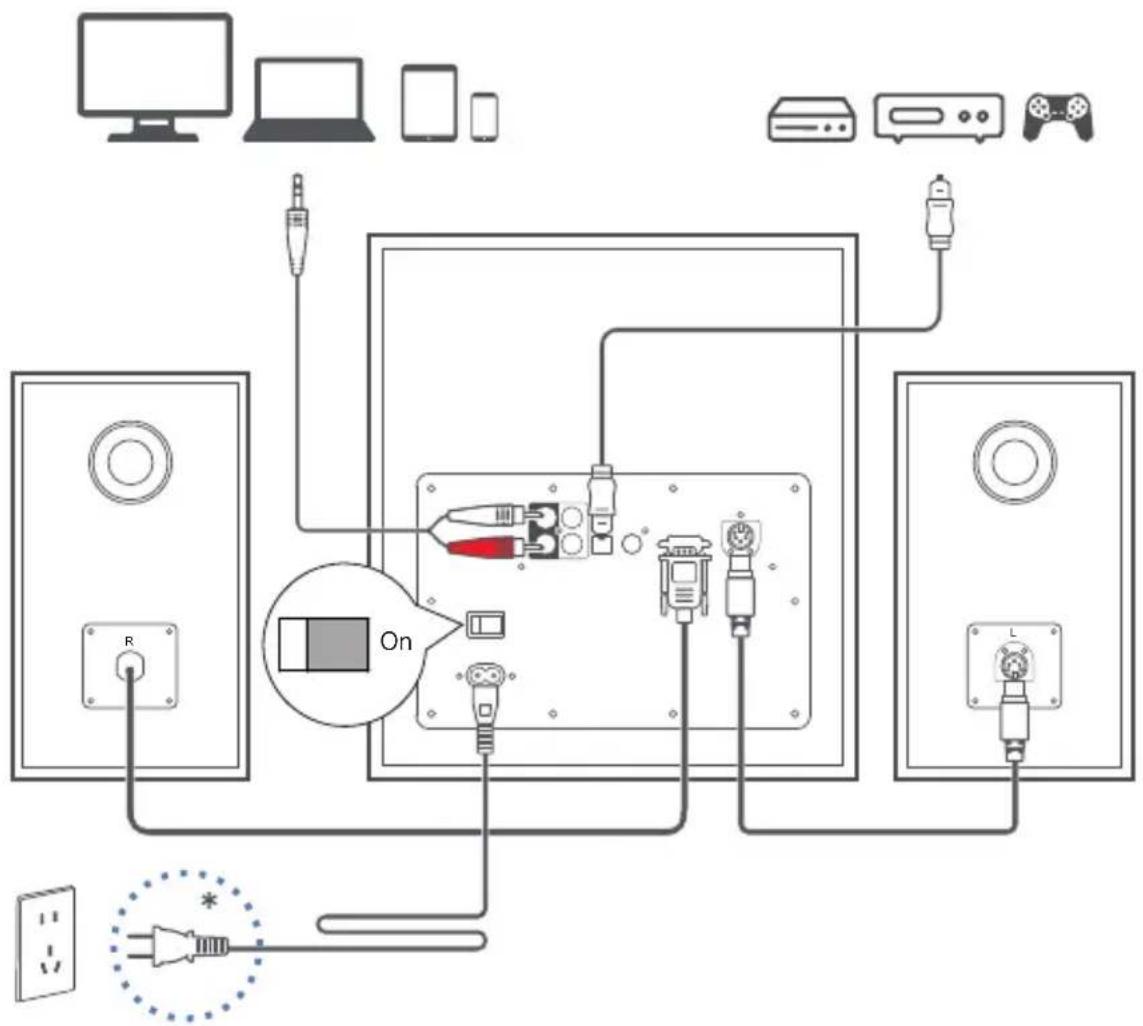
Power input: 100 - 240V 50 / 60Hz500mA
- This plug type is meant for illustration purpose only.
Optical and Coaxial Input
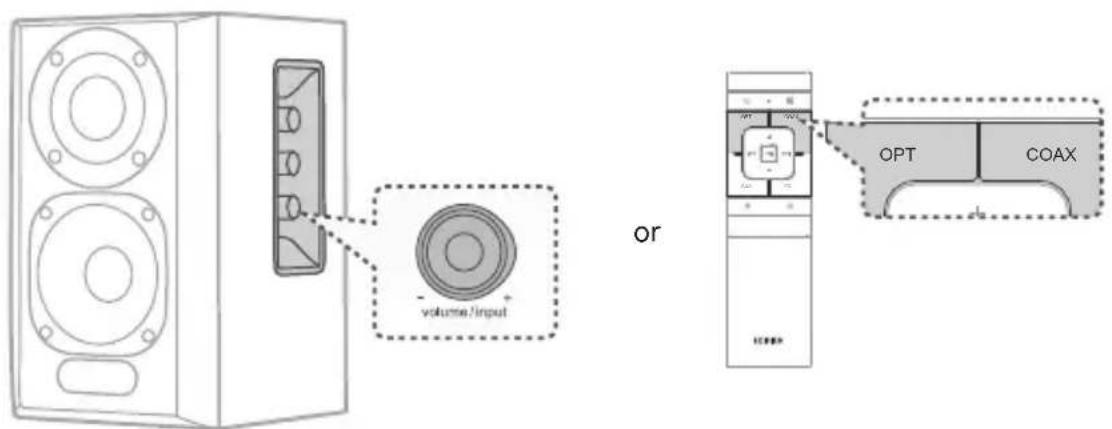
- Press the master volume control on the active satellite speaker or press the "OPT/COX" button on the remote control to select optical/coaxial input.
- Using optical or coaxial cable (optical cable included) to connect audio sources to your speaker.
- Play from your devices and adjust the volume accordingly.
Note:
In optical and coaxial modes, only PCM signal with 44.1kHz / 48kHz can be decoded.
PC/AUX Input
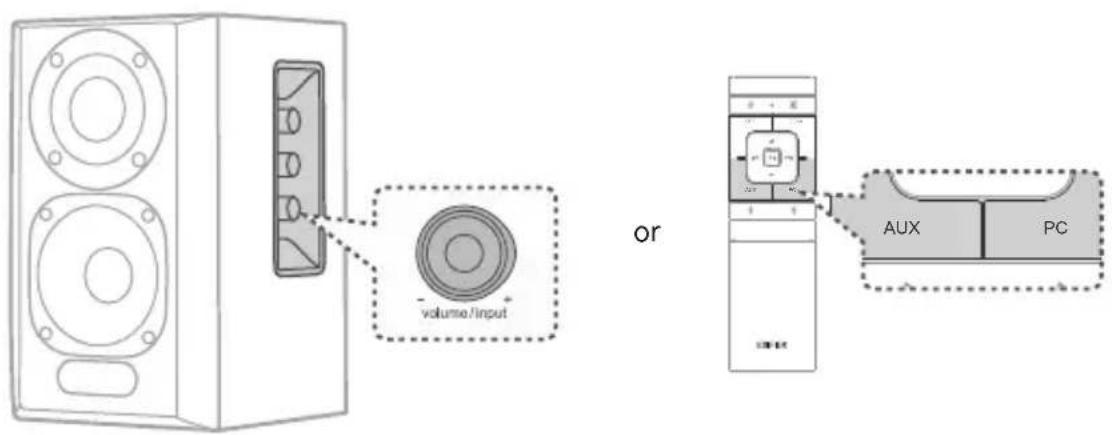
- Press the master volume control on the active satellite speaker or press the "PC/AUX" button on the remote control to select PC/AUX input.
- Use the audio cable to connect audio sources (mobile phones, tablets etc) to your speaker.
- Play from your device and adjust the volume accordingly.
Bluetooth Input
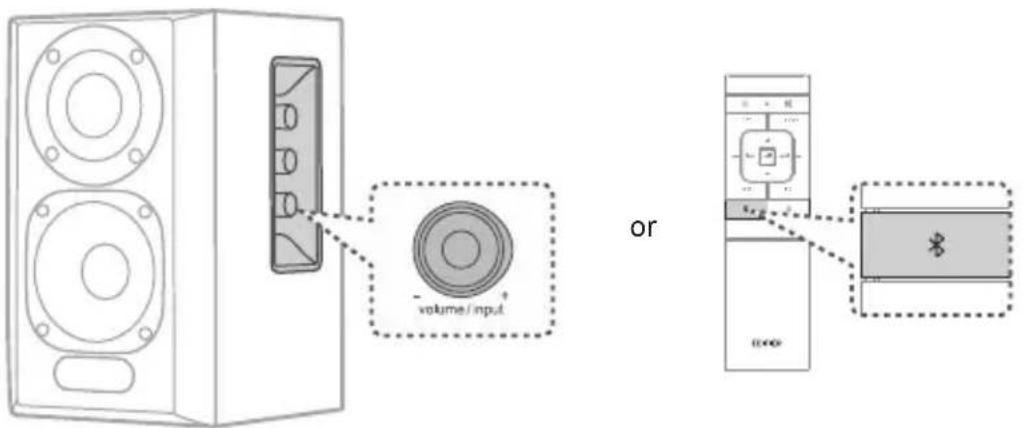
Pairing
- Turn on speaker and switch to Bluetooth mode by pressing the Bluetooth button on the remote control or press the master volume control on the active satellite speaker until Bluetooth icon comes on.
- Go to setup on your source devices (mobile phones, tablets, etc.) and search for nearby Bluetooth devices, you will find "EDIFIER S350DB" in the list.
- Pair your device with "EDIFIER S350DB".
- Play audio tracks on your device and adjust the volume to a desired level.
- To disconnect from the current Bluetooth device, press and hold the " 哭 button on the remote control for 2 seconds.
Note:
- Bluetooth on the product can be searched and connected only when speaker is ON and switch to the Bluetooth input. When the speaker is switch to other audio inputs, the Bluetooth connection will be disconnected. When switched to Bluetooth input, the speaker will try to connect the last connected Bluetooth source device.
- Bluetooth connectivity and compatibility may be different among different source devices, depending on the software version of source devices.
- To enjoy all Bluetooth functions of this product, make sure that your audio source device supports A2DP and AVRCP profiles.
- PIN code for connection is "0000" if needed.
- The built-in Qualcomm® aptX™ decoder in the product helps to achieve better wireless transmission sound quality, therefore please use the device supporting Qualcomm® aptX™ as the audio source.
Specifications
Total output power (RMS): R/L (Treble): 15W+15W
R/L (Mid-range and bass): 25W+25W
SW (Subwoofer): 70W
Frequency response: R/L: 160Hz-20kHz, SW: 41Hz-160Hz
Note: the rated test frequency is as follows: the treble test is 10kHz , mid-range and bass test is 500Hz , the bass test is 80Hz .
Declaration for EU
Frequency Band: 2.402GHz 2.480GHz
RF Power output: ≤ 10 dBm (EIRP)
There is no restriction of use.
Troubleshooting
Cannot connect to your Bluetooth device
- Make sure that the distance between this product and your Bluetooth device is less than 10 meters and there are no obstacles between them.
- Make sure that no device is connected to this product via Bluetooth.
- Make sure that this product is in Bluetooth pairing mode. If not, manually switch it to this mode.
- Restart this product, enable Bluetooth function on your Bluetooth device, and then try again.
- Reset this product to factory settings and try again.
No power
- Make sure that the power cable is properly connected.
- Make sure that the power supply is not disconnected.
- Make sure that the main power button on the rear panel is switched to "ON".
No sound
- Make sure that this product is powered on.
- Make sure that this product and your device is properly connected.
- Make sure that the playback is not paused.
- Make sure that this product and your device are not muted.
- Increase the volume of this product and your device.
Noise coming from speakers
- EDIFIER speakers generate little noise, while the background noise of some audio devices are too high. Please unplug audio cables and turn the volume up. If no sound can be heard at 1 meter away from the speaker, there is no problem with this product.
To learn more about EDIFIER, please visit www.edifier.com
For EDIFIER warranty queries, please visit the relevant country page on www.edifier.com and review the section titled Warranty Terms.
USA and Canada: service@editor.ca
South America: Please visit www.edifier.com (English) or www.edifierla.com (Spanish/Portuguese) for local contact information.
D/E (Medio alcance e graves): 25W+25W
SW (Subwoofer): 70W