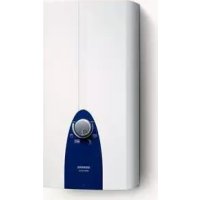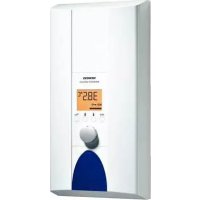
DE2427555 - Boiler SIEMENS - Free user manual and instructions
Find the device manual for free DE2427555 SIEMENS in PDF.


| Product type | Condensing gas boiler |
| Brand | Siemens |
| Model | DE2427555 |
| Dimensions (H x W x D) | 800 x 440 x 350 mm |
| Weight | 35 kg |
| Fuel | Natural gas / Propane (convertible) |
| Heat output | 24 kW |
| Power range | 5 - 24 kW (modulating) |
| Efficiency | 94 % (class A) |
| Operating pressure | 1 - 2 bar |
| Flow temperature | 30 - 80 °C |
| Expansion vessel capacity | 8 liters |
| Main functions | Central heating, domestic hot water production, climate control, weekly programming |
| Maintenance and cleaning | Annual cleaning mandatory, pressure check, radiator bleeding, combustion check |
| Safety | Frost protection, overheat safety, pressure switch, safety valve, flame detection |
| Repairability index | 7 / 10 |
| Spare parts | Available from authorized Siemens dealers |
Frequently Asked Questions - DE2427555 SIEMENS
User questions about DE2427555 SIEMENS
0 question about this device. Answer the ones you know or ask your own.
Ask a new question about this device
Download the instructions for your Boiler in PDF format for free! Find your manual DE2427555 - SIEMENS and take your electronic device back in hand. On this page are published all the documents necessary for the use of your device. DE2427555 by SIEMENS.
USER MANUAL DE2427555 SIEMENS
Operating instructions
text_image
40.0°C eco ← ← ←Eine Störung, was tun?
Please read the operating instructions carefully before you use the appliance!
Please observe the enclosed instructions.
Safety information

Risk of electric shock!
Switch off the mains voltage supply immediately if a fault occurs.
We do not accept liability for damage resulting from failure to heed these instructions.
The installation and initial start-up must be undertaken by a specialist who complies with these installation instructions.
■ Repairs may only be undertaken by a suitably qualified specialist to avoid potential sources of danger.
The continuous-flow heater may only be installed in a frost-free room.
Persons (including children) with diminished bodily, sensory or mental perception, or those who lack knowledge or experience should not operate the appliance, unless they are monitored or have received instruction concerning use of the appliance by persons responsible for their safety.
- Keep children away from the appliance. Please monitor children to ensure that they do not play with the appliance.
The mixer and the warm water pipe may be hot.
Please switch off all fuses immediately with a malfunction. Immediately shut off the cold water supply to the appliance should it leak. The malfunction can only be repaired by a specialist or an authorised service agent.
Your new appliance
The electronic continuous-flow heater is intended exclusively for heating water which flows through the appliance.
The continuous-flow heater switches on and heats the water when the warm water tap is opened. It switches off as soon as the tap is closed.
Operating the continuous-flow heater
The default temperature for the water temperature after the first start-up or a power failure is 40^ C.
text_image
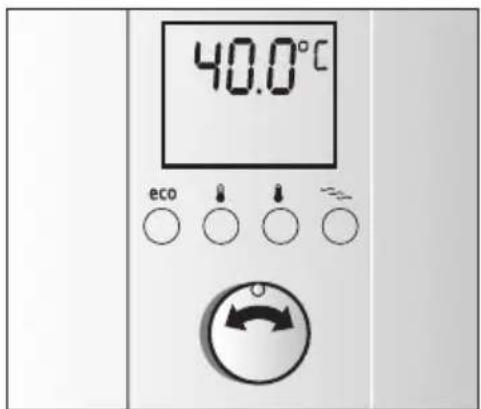
40.0°C eco ← ← ←Selecting shower temperature
Select the required temperature with the rotary knob used to vary the desired temperature from 20 °C to 60 °C in steps of 0.5 °C. The coloured display lighting indicates the temperature range during operation by means of blue or red hues.
Info: The temperature shown in the display is the water temperature inside the appliance. The temperature of the water leaving the tap can vary from this due to heat losses in the pipework.
Desired temperature
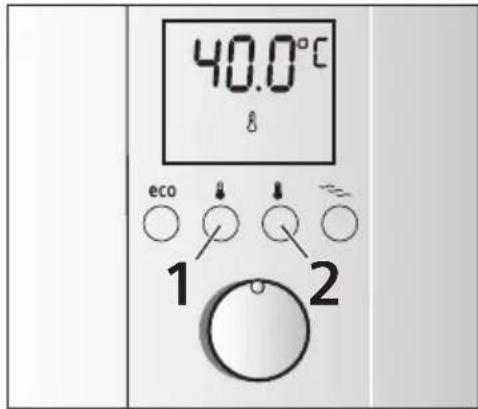
You may also simply select your personally programmed shower temperature at the touch of a button. You have two storage options.
text_image
40.0°C eco ↓ ↓ 2 1 2Desired temperature button 1 is preset to 40^ C, desired temperature button 2 is preset to 60^ C.
Simply press the corresponding button and the set temperature and a thermometer appear on the display.
Info: This setting remains active until a new setting is selected by pushing the button or turning the rotary knob.
Changing the desired temperature
The preset temperatures for button 1 (40°C) or button 2 (60°C) can be changed individually.
Presodesleasstenpeoards,ethatton
temperature display will start to flash rapidly.
Use the rotary knob to set the desired temperature between 20 °C and 60 °C.
- Keep desired temperature button 1 pressed for 3 seconds, the setting is stored.
The temperature for desired temperature button 2 can be set in the same way as button 1.
Wellness program
Two wellness programs can be set with the "exclusiv" continuous-flow heater.
These wellness programs commence with a warm phase and conclude with a cold phase. The temperature stimulus associated with this can lead to stimulation of the circulation and enhance blood circulation. Consult you doctor if you are unsure concerning your personal suitability for the wellness programs (particularly with an existing illness) and the degree of application.
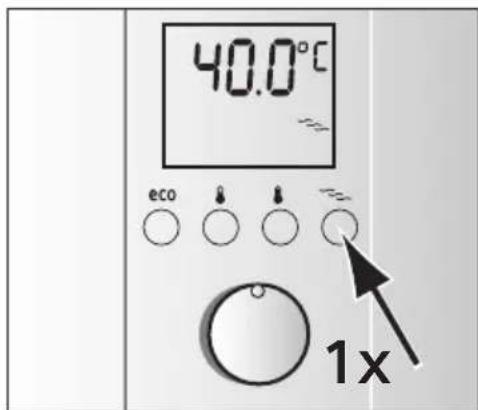
text_image
40.0°C eco 1xStarting wellness program 1
Preset the Tweed displayphlogram button
up in colour, the stored shower temperature appears in °C and the symbol ≈ is displayed.
Now turn on the tap within 2 minutes and wellness program 1 commences. At first, warm water whose temperature depends on your setting will run for 2 minutes and then 30°C cold water will be dispensed for 30 seconds.
Tip: The best effect is achieved with wellness program 1 with two showering cycles.
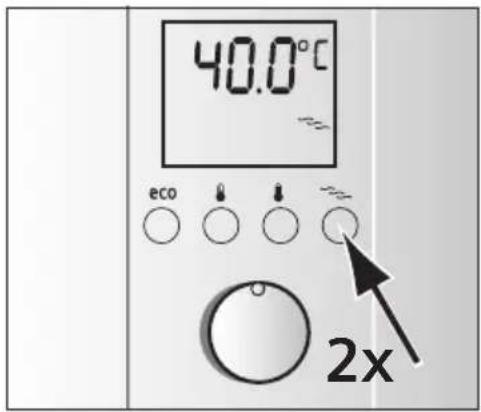
text_image
40.0°C eco 2xStarting wellness program 2
Briefly press the wellness program button twice in succession. The display lights up in colour, the stored shower temperature appears in °C and the symbol flashes.
Now turn on the tap within 2 minutes and wellness program 2 commences. At first, warm water will run for 1 minute (water temperature depends on your setting) and then 30 °C warm water will be dispensed for 30 seconds.
Tip: Wellness program 2 should be applied for several shower cycles. They can be repeated as often as required.
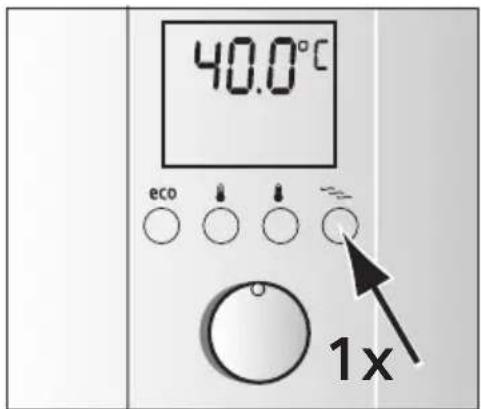
text_image
40.0°C eco 1xEnding wellness program 1 or 2
Both programs will repeat until either the selected wellness program button ≈ is pressed once or the tap is shut off for more than 1 minute. The temperature set before the program start in now reactivated.
The programs can also be activated while the water is running.
Changing the wellness program temperature
The preset temperature for the warm phase is 39 °C. This can be
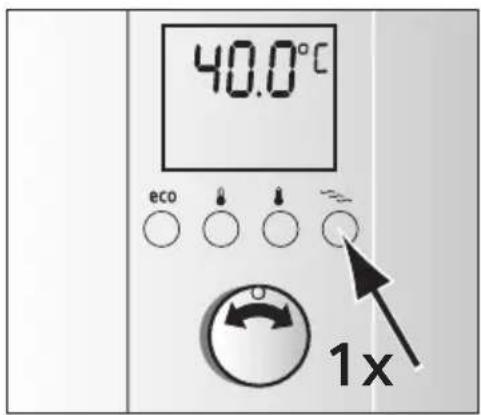
text_image
40.0°C eco 1xmodified in a range from 30 °C to 42 °C.
Prescete well to test program button program 1. The saved shower temperature in °C and the symbol appears.
Keep scored less programs button select the programming function. The symbol starts to flash rapidly.
■ Use the rotary knob to set the desired temperature between 30 °C and 42 °C.
Press the wellness program button ≈ for 3 seconds to store the new value.
The selected temperature is now saved in wellness program 1.
Use the same procedure to change the temperature in wellness program 2.
■PresideNovellectswplogasm button
program 2. The saved shower temperature in °C appears and the 🔔 symbol flashes.
KExpressed press pregrads button
lect the programming function. The symbol starts to flash at intervals.
Use the rotary knob to set the desired temperature between 30 °C and 42 °C.
Press the worldheets program button
the new value. The selected temperature is now saved in wellness program 2.
Child protection
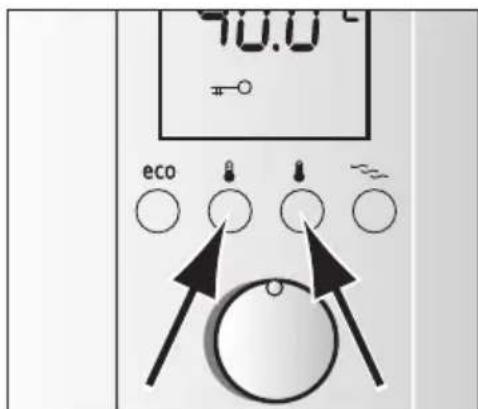
You have the option of limiting the temperature to 42^ C, e.g. to prevent children from being accidentally scalded.
text_image
40.0°C ecoActivating child protection
- Briefly press desired temperature buttons 1 and 2 simultaneously.
The symbol appears on the display, the temperature is limited to maximum 42 °C.
text_image
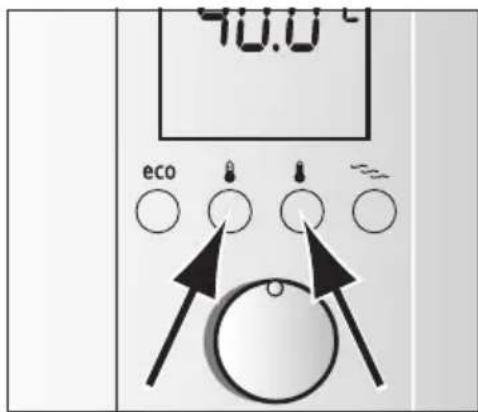
40.0°C ecoDeactivating child protection
- Briefly press desired temperature buttons 1 and 2 simultaneously.
The symbol on the display disappears, the temperature can now be freely selected between 20 ^ C and 60 ^ C.
Conserving energy and water at the touch of a button
Mixing in of cold water in the fitting requires unnecessary water and energy. You should therefore set the desired water flow directly on the continuous-flow heater and then open the water tap.
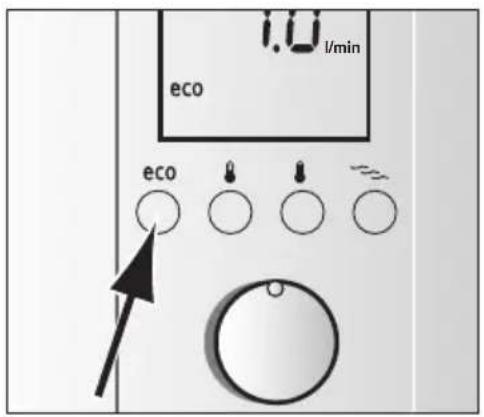
In "eco" program mode the appliance is operated economically.
text_image
1.0 l/min eco ecoPress the eco button to switch it on.
The preset flow is 7 l/min, the temperature setting is 42 °C (factory settings).
text_image
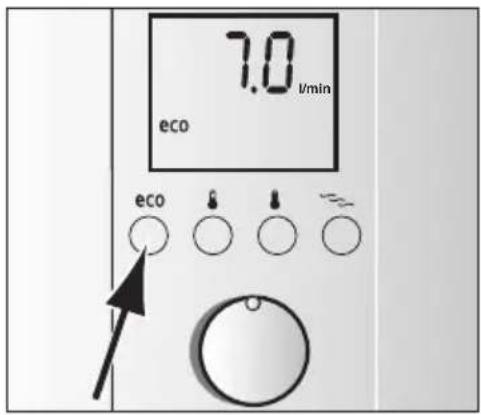
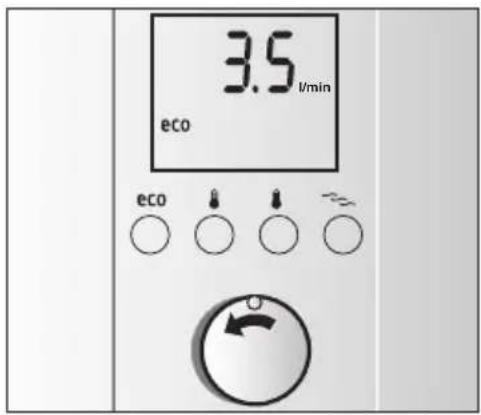
7.0 l/min eco ecoPersonal "eco" program setting
The preset flow can also be modified.
Press a bullet point 3 seconds, on the display the factory setting 7.0 l/min appears and eco flashes quickly.
■ Using the rotary knob you can set the desired water flow between 3.5 l/min to 7.5 l/min in steps of 0.5 l.
- Keep sat forest at least 3 seconds and the setting will be stored.
Info: After about three seconds the display will indicate the current water temperature of 42 °C and eco shows that it is activated.
text_image
3.5 L/min eco eco ecoChanging the "eco" program temperature
When the "eco" program is switched on, the preset temperature of 42 °C can be made warmer or colder.
Select the desired temperature with the rotary knob.
Info: The customized settings in the "eco" program are only active as long as eco is switched on. The settings of the eco program are maintained if another program or mode is selected.
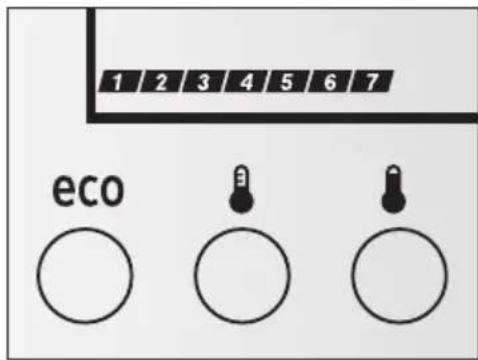
The meaning of display indications
text_image
1 2 3 4 5 6 7 eco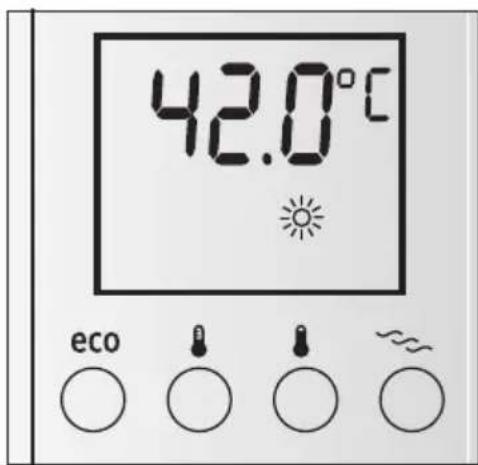
and electronic equipment – WEEE).
Printed in Germany 03/09
www.siemens-homeappliances.com
9000415459