Enslaved (Xbox 360) - Game MICROSOFT - Free user manual and instructions
Find the device manual for free Enslaved (Xbox 360) MICROSOFT in PDF.


Frequently Asked Questions - Enslaved (Xbox 360) MICROSOFT
User questions about Enslaved (Xbox 360) MICROSOFT
0 question about this device. Answer the ones you know or ask your own.
Ask a new question about this device
Download the instructions for your Game in PDF format for free! Find your manual Enslaved (Xbox 360) - MICROSOFT and take your electronic device back in hand. On this page are published all the documents necessary for the use of your device. Enslaved (Xbox 360) by MICROSOFT.
USER MANUAL Enslaved (Xbox 360) MICROSOFT
ENSLAVED-THEGAME.COM



ENSLAVED™: Odyssey to the West™ & © 2010 NAMCO BANDAI Games America Inc. All rights reserved. NAMCO logo is a trademark of NAMCO BANDAI Games. Created by Ninja Theory Ltd. Uses Bink Video. Copyright © 1997-2010 by RAD Game Tools, Inc. The ratings icon is a registered trademark of the Entertainment Software Association. KINECT, Xbox, Xbox 360, Xbox LIVE, and the Xbox logos are trademarks of the Microsoft group of companies and are used under license from Microsoft.

XBOX 360
text_image
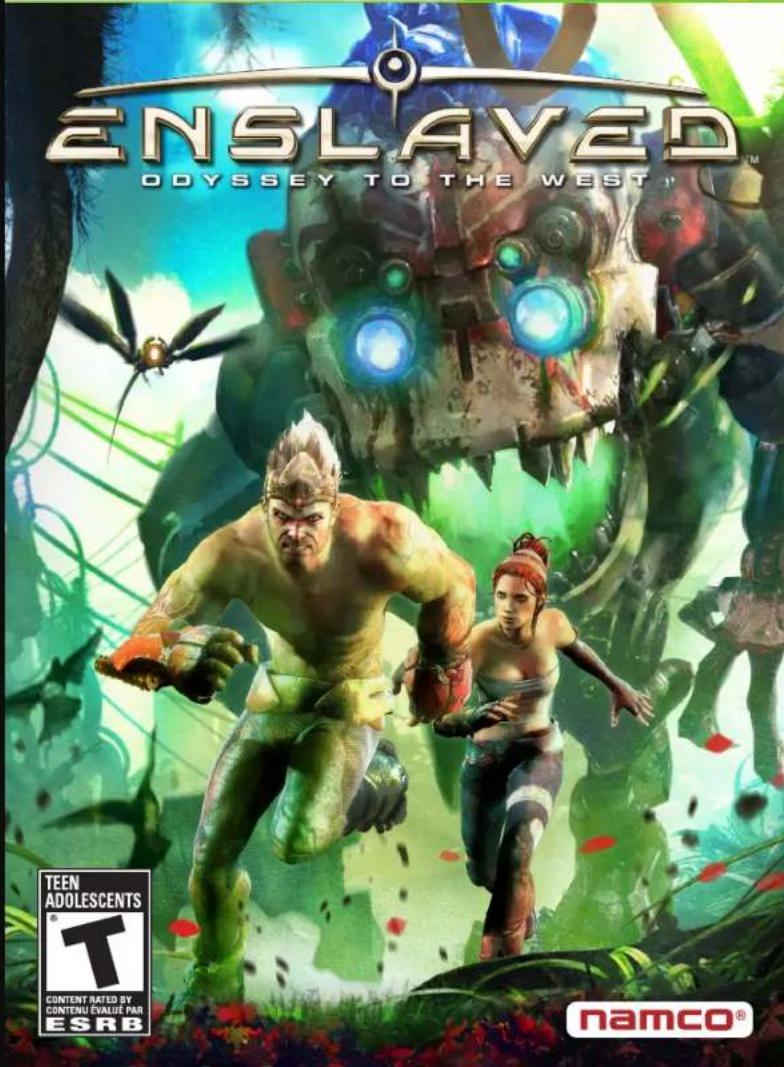
ENSLAVED ODYSSEY TO THE WEST TEEN ADOLESCENTS T CONTENT RATED BY CONTENU EVALUÉ PAR ESRB namco®WARNING Before playing this game, read the Xbox 360 ^® console and accessory manuals for important safety and health information. Keep all manuals for future reference. For replacement console and accessory manuals, go to www.xbox.com/support.
Important Health Warning About Playing Video Games
Photosensitive seizures
A very small percentage of people may experience a seizure when exposed to certain visual images, including flashing lights or patterns that may appear in video games. Even people who have no history of seizures or epilepsy may have an undiagnosed condition that can cause these "photosensitive epileptic seizures" while watching video games.
These seizures may have a variety of symptoms, including lightheadedness, altered vision, eye or face twitching, jerking or shaking of arms or legs, disorientation, confusion, or momentary loss of awareness. Seizures may also cause loss of consciousness or convulsions that can lead to injury from falling down or striking nearby objects.
Immediately stop playing and consult a doctor if you experience any of these symptoms. Parents should watch for or ask their children about the above symptoms—children and teenagers are more likely than adults to experience these seizures. The risk of photosensitive epileptic seizures may be reduced by taking the following precautions: Sit farther from the screen; use a smaller screen; play in a well-lit room; do not play when you are drowsy or fatigued.
If you or any of your relatives have a history of seizures or epilepsy, consult a doctor before playing.
ESRB Game Ratings
The Entertainment Software Rating Board (ESRB) ratings are designed to provide consumers, especially parents, with concise, impartial guidance about the age-appropriateness and content of computer and video games. This information can help consumers make informed purchase decisions about which games they deem suitable for their children and families.
ESRB ratings have two equal parts:
- Rating Symbols suggest age appropriateness for the game. These symbols appear on the front of virtually every game box available for retail sale or rental in the United States and Canada.
- Content Descriptors indicate elements in a game that may have triggered a particular rating and/or may be of interest or concern. The descriptors appear on the back of the box next to the rating symbol.

flowchart
graph LR
    A["ON FRONT"] --> B["VIDEO GAME"]
    B --> C["ON BACK"]

    subgraph ON FRONT
        D["UN GAMES & ELEMS"]
        E["ELEMS & ELEMS"]
        F["ELEMS & ELEMS"]
        G["ELEMS & ELEMS"]
        H["ELEMS & ELEMS"]
        I["ELEMS & ELEMS"]
        J["ELEMS & ELEMS"]
        K["ELEMS & ELEMS"]
        L["ELEMS & ELEMS"]
        M["ELEMS & ELEMS"]
        N["ELEMS & ELEMS"]
        O["ELEMS & ELEMS"]
        P["ELEMS & ELEMS"]
        Q["ELEMS & ELEMS"]
        R["ELEMS & ELEMS"]
        S["ELEMS & ELEMS"]
        T["ELEMS & ELEMS"]
        U["ELEMS & ELEMS"]
        V["ELEMS & ELEMS"]
        W["ELEMS & ELEMS"]
        X["ELEMS & ELEMS"]
        Y["ELEMS & ELEMS"]
        Z["ELEMS & ELEMS"]
    end

    subgraph ON BACK
        AA["EVERYONE & Carbon Violence Mid Lyrics"]
        AB["UN GAMES & ELEMS & ELEMS & ELEMS & ELEMS & ELEMS"]
        AC["ELEMS & ELEMS & ELEMS & ELEMS & ELEMS"]
        AD["ELEMS & ELEMS & ELEMS & ELEMS & ELEMS"]
        AE["ELEMS & ELEMS & ELEMS & ELEMS & ELEMS"]
        AF["ELEMS & ELEMS & ELEMS & ELEMS & ELEMS"]
        AG["ELEMS & ELEMS & ELEMS & ELEMS & ELEMS"]
        AH["ELEMS & ELEMS & ELEMS & ELEMS & ELEMS"]
        AI["ELEMS & ELEMS & ELEMS & ELEMS & ELEMS"]
        AJ["ELEMS & ELEMS & ELEMS & ELEMS & ELEMS"]
        AK["ELEMS & ELEMS & ELEMS & ELEMS & ELEMS"]
        AL["ELEMS & ELEMS & ELEMS & ELEMS & ELEMS"]
        AM["ELEMS & ELEMS & ELEMS & ELEMS & ELEMS"]
        AN["ELEMS & ELEMS & ELEMS & ELEMS & ELEMS"]
        AO["ELEMS & ELEMS & ELEMS & ELEMS & ELEMS"]
        AP["ELEMS & ELEMS & ELEMS & ELEMS & ELEMS"]
        AQ["ELEMS & ELEMS & ELEMS & ELEMS & ELEMS"]
        AR["ELEMS & ELEMS & ELEMS & ELEMS & ELEMS"]
        AS["ELEMS & ELEMS & ELEMS & ELEMS & ELEMS"]
        AT["ELEMS & ELEMS & ELEMS & ELEMS & ELEMS"]
        AU["ELEMS & ELEMS & ELEMS & ELEMS & ELEMS"]
        AV["ELEMS & ELEMS & ELEMS & ELEMS & ELEMS"]
        AW["ELEMS & ELEMS & ELEMS & ELEMS & ELEMS"]
        AX["ELEMS & ELEMS & ELEMS & ELEMS & ELEMS"]
        AY["ELEMS & ELEMS & ELEMS & ELEMS & ELEMS"]
        AZ["ELEMS & ELEMS & ELEMS & ELEMS & ELEMS"]
        BA["ELEMS & ELEMS & ELEMS & ELEMS & ELEMS"]
        BB["ELEMS & ELEMS & ELEMS & ELEMS & ELEMS"]
        BC["ELEMS & ELEMS & ELEMS & ELEMS & ELEMS"]
        BD["ELEMS & ELEMS & ELEMS & ELEMS & ELEMS"]
        BE["EILEDS, Carbon Violence Mid Lyrics"] --> BF["10% 10% 10% 10% 10% 10% 10% 10% 10% 10% 10% 10% 10% 10% 10% 10% 10% 10% 10% 10% 10% 10% 10% 10% 10% 10%"]
    end
For more information, visit www.ESRB.org.
TABLE OF CONTENTS
MAIN MENU....2
PAUSE MENU....3
GAME CONTROLS....4
THE JOURNEY HOME....5
TRIP COMMANDS....6
ON THE FIELD....7
FRANÇAIS....9
CREDITS....16
WARRANTY & PRODUCT SUPPORT....21
Xbox LIVE
Xbox LIVE ^ is your connection to more games, more entertainment, more fun. Go to www.xbox.com/live to learn more.
CONNECTING
Before you can use Xbox LIVE, connect your Xbox 360 console to a high-speed Internet connection and sign up to become an Xbox LIVE member. For more information about connecting, and to determine whether Xbox LIVE is available in your region, go to www.xbox.com/live/countries.
FAMILY SETTINGS
These easy and flexible tools enable parents and caregivers to decide which games young game players can access based on the content rating. Parents can restrict access to mature-rated content. Approve who and how your family interacts with others online with the Xbox LIVE service, and set time limits on how long they can play. For more information, go to www.xbox.com/familysettings.
MAIN MENU / PAUSE MENU
MAIN MENU
NEW JOURNEY
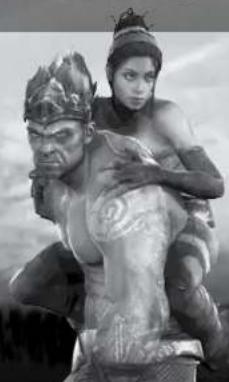
Embark on a new journey with Monkey and Trip.
CONTINUE JOURNEY
Return to your tale. You are taken to your last save point.
CHAPTER SELECT
Select any of the chapters you have completed thus far.
DOWNLOADABLE CONTENT
Access the Xbox LIVE® Marketplace to download additional content for Enslaved.
OPTIONS
Adjust control, audio, and storage device settings.
CONTROL OPTIONS: Alter the sensitivity of your reticle, invert your camera, and turn vibration On or Off.
AUDIO OPTIONS: Adjust Subtitles, Music Volume, and Effects Volume.
SELECT STORAGE DEVICE: Select where you would like to save your game.
CREDITS
View the credits for Enslaved.
PAUSE MENU
Press the 📋 button during the game to open the pause menu.
RESUME GAME
Exit the pause menu and return to your game.
OPTIONS
Access the Options menu. There, you can find the same options as those in the main menu.
RESTART FROM LAST CHECKPOINT
Restart your game from the last checkpoint. This position is often just before the last cinema.
EXIT TO MAIN MENU
Exit your game and return to the main menu. All unsaved gameplay will be lost.
natural_image
Monochrome illustration of a futuristic, armored creature resembling a giant robot or mechanical structure (no text or symbols visible)Go back to the previous menu...... B
GAME CONTROLS
Jump/climb....A
Normal strike....
Heavy strike....
Stun strike....Hold ✗ to charge
Clearing Attack (Purchased)....X + A
Focus Attack (Purchased).....Y + B when charged up
Evade....left stick and A
Shield....RT
Draw attention....
Aim staff....
Fire staff....RT
Select staff ammo.... D-pad ← or →
Trip commands....10 and left stick
CLOUD CONTROLS
Equip cloud/Store cloud......right stick button
Steer cloud....left stick
Jump....
natural_image
Black-and-white illustration of two figures, one carrying a large statue and the other holding an object (no text or symbols visible)THE JOURNEY HOME
SHIELD
This flickering gauge displays the strength left in Monkey's shield. The shield deploys automatically to deflect bullets, but only lasts until the gauge is empty. The shield is also reduced while Monkey blocks melee attacks. Monkey's shield regenerates automatically when it is not taking damage.
HEALTH
The health gauge is directly below the shield gauge. As Monkey takes damage, this gauge empties. Once Monkey's health is completely gone, it's game over. To regain health, collect a health pack from the field or use Trip's command menu to ask for assistance healing. Monkey can also recover health gradually if he has the correct health upgrades.
TRIP INDICATOR
Monkey needs to stay close to Trip in order to protect her—and himself. When Trip is in danger, red electric lines appear around the indicator. The gauge above the indicator displays Trip's decoy ability. When this gauge is full, Monkey can select the decoy icon from the Trip command menu. The EMP meter found below the Trip indicator lets Monkey know when Trip can set off her EMP.
STAFF AMMO
View the ammo count for Monkey's Staff Blast Ammo. The Plasma Blast Ammo is located on the left and the Stun Blast Ammo is located on the right.
DAMAGE
As Monkey takes damage, red flashes on the screen. The darker the red, the more powerful the damage.
TRIP COMMANDS / ON THE FIELD
TRIP COMMANDS
By holding the 📄 button, Monkey can lock-on to Trip's location and open the Trip command menu. There are often four options available in the menu. However, the four options may not always be the same. The four listed below are the default commands.
RUN
Indicate for Trip to run toward her destination.
DECOY
Command Trip to activate a decoy that draws the attention of all mechs in the area.
TRIP SHOP
Upgrade four features using points collected on the field.
SHIELD: Increase the shield's recharge time and strength.
COMBAT: Upgrade various combat and defensive attacks.
HEALTH: Increase the health gauge and add health regeneration.
STAFF AMMUNITION: Increase the strength, speed, and ammo count of the Plasma and Stun Blasts.
HEAL
Use any of Trip's collected health vials to heal Monkey.
ON THE FIELD
There are a number of items on the field that can be collected.
TECH ORBS
These red glowing orbs are found throughout the land and are also released by fallen mechs. Collect as many as possible then use them to pay for any upgrades purchased in the Trip Shop.
HEALTH PACKS
The glowing green health packs restore a large amount of Monkey's depleted health. If Monkey has full health, then he cannot pick up any health packs.
CLOUD BOOSTS
While riding on the cloud, Monkey can gain large boosts of speed by passing through the blue glowing orbs found in the environment.
Sr. Public Relations
Manager
Arne Cual-Pedroso
Public Relations
Manager
Alicia Kim
VP of Sales
Sue Taigen
National Sales
Manager
Terry Carlson
NBG A SALES
TEAM
Legal Counsel
Janna Smith
Associate Attorney
Martin Nguyen
Sr. Director of
Finance
Myrna Dobron
Director of
Operations
Tad Hírabavashi
Sr. Operations
Manager
Jennifer Tersigni
QA Manager
Mike Peterson
CQC Supervisor
Damon Bernal
CQC Lead
David Moya
Project Coordinator
Jesse Mejia
Department
Coordinator
Tereza "T" Siegel
Senior QA Lead
Jhune De La Cruz
credits
QA Assistant Lead
Cameo W ininger
QA Testers
Alex Wagner
Beau Van Lawick
Ben Fuller
Brett Vickers
Charlie LeMasters
Charles Calland
Daren Lim
David Humbert
Dennison Maggard
Eric Praza
Eric Sawi
James Cho
Jimmy Tran
Jonard La Rosa
Josh Aguiar
Josh Glover
Lisa Radocchia
Nathan Schmidt
Nick Lemon
Percival Daluz
Sean Edwards
Shawn Watson
Troy Gunsallus
CQC Analysts
Greg Anderson
Saiho Kwan
Thomson Tan
Gary Yamashita
Konstantin Yavichev
Sharon Marmito
CS Lead
Jesus Barragan
Customer Service
Brian Ellak
Vilma Valdez
Special Thanks
Ted "Edward" Fitzgerald
Dennis Lee
Ken Mah
James Heissen
Zack Karlsson
Deborah Kirkham
Dan Tovar
Robert Johnson
Jim Ngui
Tomomi Takahashi
Michael Evans
Hiroyuki Kobota
Justin Bailey
Matt Eskew
additional
Providers
Audio
High Score Productions
Ltd
Concept Art
David Brouchard
Editing
Andrew MacRitchies
Front End Design
Atomhawk Design Ltd.
Ingame Posters
Dario Pittaluga
Photos
Getty Images
Suzanne Middlemass
Speech Synthesis
Phonetic Arts
Dramatic
Performance
Capture
House of Moves
Foley
Play it by Ear Audio
CS Sound Crew NYC
Additional Voice
Actors
Ryan MacCluskey
Laurel Lefkow
Demetri Goritsas
Nathan Osgood
Morven Christie
Rupert Evans
Additional Motion
Capture Actors
Lindsey Broad
Rickey Wood
Slowyaw Liew
Mickaëlle Ruckert
Kirill Spiridonov
Guy Midgley
Almudena Soria
Francesco Sternativo
House of
Moves
VP of Productions
Brian Rusch
Executive Producer
Scott Gagin
Post Production
Manager
Amy Calcote
Technical Supervisor
DJ Hauck
Stage Manager
Andrew Lopez
Studio Lead
Troy Reynolds
Video
Nikola Dupkanic
Tommy Longo
Justin Wolwadi
Camera Operations
Oliver Fitzgerald
Alex Gaynor
Jesse Crusing
Elisha Christian
Dean Hayasaka
Animation
Eric LaShelle
Ian Lang
James Lipscomb
Julian Palacios
Mahyar "Mooj" Sadri
Randy Wilson
Ryan Torrey
Motion Capture
Animation
Aaron Lambert
Ian Farley
Sean Sterling
Motion Capture
Artists
Adam Liepins
Charles Searight
Rachel Swavely
Sarah Taylor
Tony Vogel
Wesley Welcomer
Post Production
Coordinators
Joel Kling
Paul Alexiou
Teresa Porter
Production Sound
Mixer
Lee Ascher
Sound Utility
Mick Davies
Associate Producer
Colleen Crosby
Line Producer
Katie Gravette
Production
Assistant
Jessi Williams
Lead Character TD
Corey Messer
Technical Lead
Paige Young
Pipeline TD
Karl Diaz
Lead Motion
Capture Tracker
Josh Hutchins
Motion Capture QA
Dan Camp
Play it by ear
audio/c5
sound crew
DVC
Lead Sound
Designer/
Supervisor
Allan Zalesk
5.1 Mixer/Sound
Designer
Paul Urmson
Sound Designers
Rusty Dunn
Mark Filip
Paul Hsu
Foley Supervisor
Jen Ralston
Foley Editor
Lawrence Herman
Foley Artist
Marko Costanzo
Sound FX Recordist
Bill Karalis
Facilities
CS INC NYC
All music composed,
programmed,
orchestrated and
produced by Nitin
Sawhney, Recorded
and mixed at The
Dairy, London. Mixing
Engineering & Editing
Dean Barratt, Assistant
Studio Engineers Jeremy
Lampard & Reuben
Hollebon. Executive
Assistant to Nitin
Sawhney Tina Arena
Additional Cello
Ian Burdge
Additional Violin
Samy Bishai
Vocals
Tina Grace
City of Prague
Philharmonic
Orchest
Recorded at
Smecky Music
Studios, Prague.
Conductor Stephen
Hussey. Additional
Orchestral voicing,
score editing,
copying & parts
preparation Stephen
Hussey & Michael
Ford. Concert
Master Lucie
Svehlova. Translator
Stanja Vomackova
Recording Engineer
Jan Holzner.
Music Contractor
and Orchestral
Supervision James
Fitzpatrick (Tadlow
Music)
Additional strings
recorded at The
Dairy, London -
Leader & Conductor
Stephen Hussey.
CREDITS
Portions © 2010, Xiph.Org Foundation
Redistribution and use in source and binary forms, with or without
modification, are permitted provided that the following conditions are met:
- Redistributions of source code must retain the above copyright notice,
this list of conditions and the following disclaimer.
- Redistributions in binary for m must reproduce the above copyright notice.
this list of conditions and the following disclaimer in the documentation
and/or other materials provided with the distribution.
- Neither the name of the Xiph.org Foundation nor the names of its
contributors may be used to endorse or promote products derived from this
software without specific prior written permission.
THIS SOFTWARE IS PROVIDED BY THE COPYRIGHT HOLDERS AND
CONTRIBUTORS "AS IS" AND ANY EXPRESS OR IMPLIED WARRANTIES.
INCLUDING, BUT NOT LIMITED TO, THE IMPLIED WARRANTIES OF
MERCHANTABILITY AND FITNESS FOR A PARTICULAR PURPOSE ARE
DISCLAIMED. IN NO EVENT SHALL THE FOUNDATION OR CONTRIBUTORS
BE LIABLE FOR ANY DIRECT, INDIRECT, INCIDENTAL, SPECIAL.
EXEMPLARY, OR CONSEQUENTIAL DAMAGES (INCLUDING, BUT NOT
LIMITED TO, PROCUREMENT OF SUBSTITUTE GOODS OR SERVICES; LOSS
OF USE, DATA, OR PROFITS; OR BUSINESS INTERRUPTION) HOWEVER
CAUSED AND ON ANY THEORY OF LIABILITY, WHETHER IN CONTRACT.
STRICT LIABILITY, OR TORT (INCLUDING NEGLIGENCE OR OTHERWISE)
ARISING IN ANY WAY OUT OF THE USE OF THIS SOFTWARE, EVEN IF
ADVISED OF THE POSSIBILITY OF SUCH DAMAGE.
natural_image
Black-and-white illustration of two female characters in dynamic poses, one wielding a long pole, with a tree and smoke in the background (no text or symbols)Ever get stuck and just need that extra edge to beat the level?
Having problems getting your game to work properly?
Now you can get one-on-one help from NAMCO BANDAI Games America Inc.
using your web browser!
Simply go to livehelp.namco.com for more details
Live Counselors available from 9am-5pm Monday-Friday Pacific Time.
NAMCO BANDAI Games America Inc.
ATTN: Customer Service
4555 Great America Parkway, Suite 201
Santa Clara, CA 95054
Before returning any defective materials to us, please contact us for a Return Merchandise Authorization (RMA) number. You can reach us at the address above, via e-mail at support@namcobandaigames.com or contact us at (408) 235-2222. Please note that any materials sent to us without an RMA number will be refused and returned. We highly recommend that you use a traceable and / or insured method of shipping the materials to us.
Namco Bandai Games America Inc. Online:
www.namcobandaigames.com
Visit our Website to get information about our new titles.
LIMITED WARRANTY
NAMCO BANDAI Games America Inc. warrants to the original purchaser that this NAMCO BANDAI Games America Inc. game pack shall be free from defects in material and workmanship for a period of ninety (90) days from the date of purchase. If a defect covered by this limited warranty occurs during this 90-day limited warranty period, NAMCO BANDAI Games America Inc. will repair or replace the defective game pack or component part, at its option, free of charge.
This limited warranty does not apply if the defects have been caused by negligence, accident, unreasonable use, modification, tampering, or any other cause not related to defective material or workmanship.
LIMITATIONS ON WARRANTY
Any applicable implied warranties of merchantability and fitness for a particular purpose, are hereby limited to ninety (90) days from the date of purchase and are subject to the conditions set forth herein. In no event shall NAMCO BANDAI Games America Inc. be liable for consequential or incidental damages resulting from the possession or use of this product.
The provisions of the limited warranty are valid in the United States only. Some states do not allow limitations on how long an implied warranty lasts, or exclusion of consequential or incidental damages, so the above limitation or exclusion may not apply to you. This limited warranty provides you with specific legal rights. You may have other rights which vary from state to state.
To register product online go to
WWW.NAMCOREG.COM