Namco Museum Virtual Arcade (Xbox 360) - Game MICROSOFT - Free user manual and instructions
Find the device manual for free Namco Museum Virtual Arcade (Xbox 360) MICROSOFT in PDF.


| Product Type | Video game on optical disc |
| Platform | Xbox 360 |
| Number of games included | Over 30 classic and remastered arcade games |
| Main Features | Namco arcade games, local and online multiplayer via Xbox LIVE, online leaderboards |
| Game Genres | Action, Shoot 'em up, Racing, Re-release |
| Main Controls | Left analog stick (movement), A/B/X/Y buttons, triggers, D-pad |
| Supported Languages | French, English, and other languages selectable in the console's regional settings |
| Online Features | Xbox LIVE (multiplayer, leaderboards, messaging, downloadable content) |
| Multiplayer Mode | Up to 4 players locally (depending on the game), online via Xbox LIVE |
| Save | Automatic save on Xbox 360 hard drive |
| Case Dimensions | 13.5 x 19 x 1.5 cm (approx.) |
| Case Weight | 100 g (approx.) |
| Power Supply | None (game on disc) |
| Care and Cleaning | Wipe the case with a soft, dry cloth. Avoid scratching the disc by storing it in its case. |
| Safety | Respect the photosensitive epilepsy warning. Play in a well-lit room, at a distance from the screen. |
| Parental Controls | Use the Xbox 360 family settings to restrict access based on content rating. |
| Customer Support | www.xbox.com/support or Xbox telephone support |
| Limited Warranty | 90 days from the date of purchase (according to Namco Bandai's terms) |
Frequently Asked Questions - Namco Museum Virtual Arcade (Xbox 360) MICROSOFT
User questions about Namco Museum Virtual Arcade (Xbox 360) MICROSOFT
0 question about this device. Answer the ones you know or ask your own.
Ask a new question about this device
Download the instructions for your Game in PDF format for free! Find your manual Namco Museum Virtual Arcade (Xbox 360) - MICROSOFT and take your electronic device back in hand. On this page are published all the documents necessary for the use of your device. Namco Museum Virtual Arcade (Xbox 360) by MICROSOFT.
USER MANUAL Namco Museum Virtual Arcade (Xbox 360) MICROSOFT

XBOX 360
LIVE
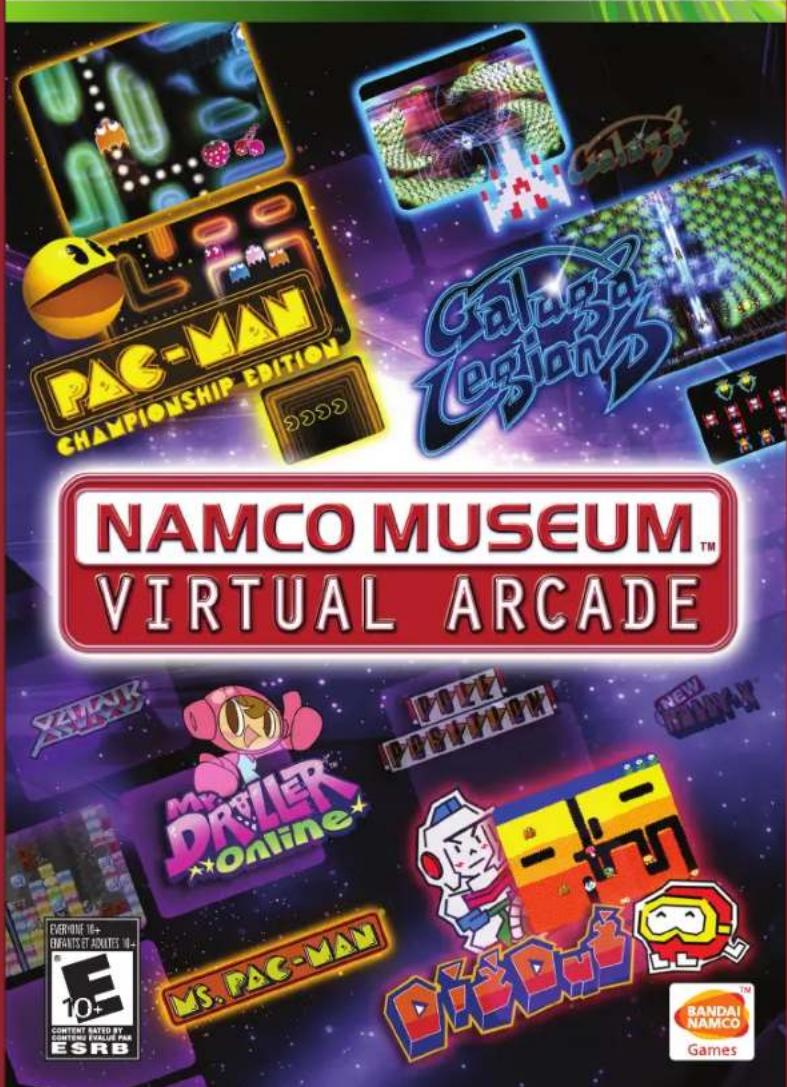

WARNING Before playing this game, read the Xbox 360 ^® Instruction
Manual and any peripheral manuals for important safety and health information.
Keep all manuals for future reference. For replacement manuals, see www.xbox.com/support or call Xbox Customer Support.
Important Health Warning About Playing Video Games
Photosensitive seizures
A very small percentage of people may experience a seizure when exposed to certain visual images, including flashing lights or patterns that may appear in video games. Even people who have no history of seizures or epilepsy may have an undiagnosed condition that can cause these "photosensitive epileptic seizures" while watching video games.
These seizures may have a variety of symptoms, including lightheadedness, altered vision, eye or face twitching, jerking or shaking of arms or legs, disorientation, confusion, or momentary loss of awareness. Seizures may also cause loss of consciousness or convulsions that can lead to injury from falling down or striking nearby objects.
Immediately stop playing and consult a doctor if you experience any of these symptoms. Parents should watch for or ask their children about the above symptoms—children and teenagers are more likely than adults to experience these seizures. The risk of photosensitive epileptic seizures may be reduced by taking the following precautions: Sit farther from the screen; use a smaller screen; play in a well-lit room; do not play when you are drowsy or fatigued.
If you or any of your relatives have a history of seizures or epilepsy, consult a doctor before playing.
NAMCO MUSEUM™
VIRTUAL ARCADE
TABLE OF CONTENTS
Xbox LIVE ^ ......2
Controls....3
Game Select Screen 4
Museum Menu 5
Museum Classics....7
LIVE Arcade Classics 16
Credits....44
Warranty 45

natural_image
Cartoon character resembling a yellow cat with expressive eyes and orange limbs, holding a red object (no text or symbols)XBOX LIVE®
CONTROLS
XBOX LIVE®
Play anyone and everyone, anytime, anywhere on Xbox LIVE. Build your profile (your gamer card). Chat with your friends. Download content at Xbox LIVE Marketplace. Send and receive voice and video messages. Get connected and join the revolution.
CONNECTING
Before you can use Xbox LIVE, connect your Xbox 360" console to a high-speed Internet connection and sign up to become an Xbox LIVE member. For more information about connecting, and to determine whether Xbox LIVE is available in your region, go to www.xbox.com/live.
FAMILY SETTINGS
These easy and flexible tools enable parents and caregivers to decide which games young game players can access based on the content rating. For more information, go to www.xbox.com/familysettings.
LANGUAGES THAT AREN'T SUPPORTED IN THE XBOX 360 DASHBOARD
If your game is available in a language that isn't supported in the Xbox 360" Dashboard, you must select a corresponding locale (region) in Console Settings to enable that language in the game. For more information, go to www.xbox.com.
MENU CONTROLS
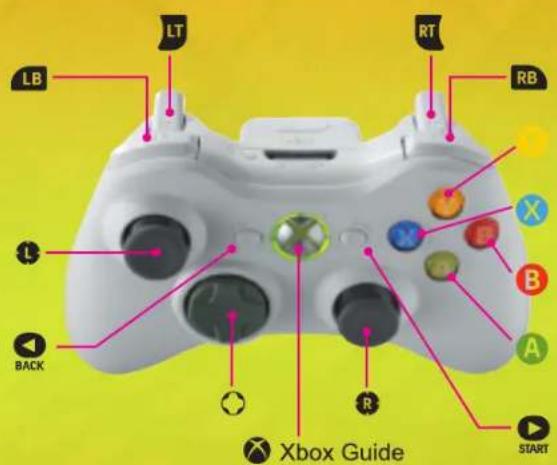
Note: Use these controls to navigate Namco Museum™: Virtual Arcade's menu and options screens.
Select Menu Options ....Left Stick/D-pad
Confirm selection ....A button
Cancel menus and other selections ....B button
Note: Each game's controls differ depending on the game and you can view them via the game's Controls Menu from the Title Screen. You can view and change a game's controls by pressing START anytime during the game to and selecting the Controls Menu.
GAME SELECT SCREEN MUSEUM MENU
Use the Left Stick or D-Pad to choose between the Museum Menu and LIVE Arcade Menu. Once a menu is chosen, press the A button to continue.
LIVE ARCADE MENU
The Live Arcade Menu lets you pick from up to nine different games that you can play online and compete for the top spot on leaderboards.

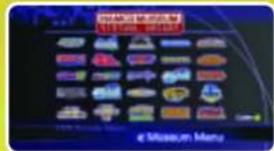
MUSEUM MENU
The Museum Menu acts as the virtual hub for each of the games in Namco Museum: Virtual Arcade. Press [LB] and [RB] to view games by genre.
OPTIONS MENU
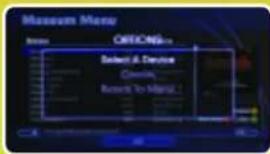
By selecting the Options Menu, you will make available three options: Select A Device, Credits, and Return To Menu.
SELECT MENU
Pressing the START button at any time during gameplay produces a menu of options that includes: Resume Game, Controls, Screen Adjustment, and Exit Game.
PLAY MUSEUM CLASSICS
Press the A button when you're ready to play the game highlighted in the Game Select Screen. Once the game has loaded, press START or A button again to begin playing.
Use the Left Stick to select a game to play in the Museum Menu. Games are organized by Name, Year, and Genre. However, by pressing [LB] and [RB], you can also cycle through the games with the following sorting criteria: All, Action, Shoot 'em up, Racing, Arrangement, and Game Log. To access the Options Menu, press the Y button. You can also return to the Main Menu by pressing the B button.
OPTIONS MENU
Press the Y button in the Museum Menu to select the options menu and make the three following options available: Select A Device, Credits, and Return to Menu. Note that each game has its own controls and settings.
SELECT A DEVICE
Change the storage location for Namco Museum: Virtual Arcade save game data.
CREDITS
View the game Credits of the people who made this game possible.
CONTROLS
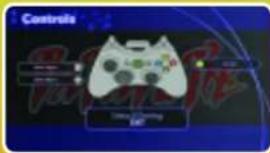
Access the Controls Menu to configure the controls to your liking. Use the Left Stick to adjust the control settings and press the A button to confirm.
MUSEUM MENU MUSEUM CLASSICS
GAME SETTINGS
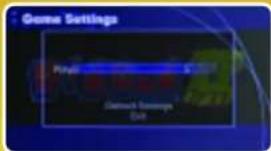
Each game in the Namco Museum: Virtual Arcade has its own settings that can be applied. Access each game's settings by choosing the Games Settings menu. There are generally a few options, including Player and Difficulty. Select which option you wish to modify and then exit the Game Settings menu.
PLAYER
This option allows you to choose how many lives you would like to play with.
DIFFICULTY
By selecting this option, you may choose the difficulty at which you'd like to play the game. Difficulty levels are generally designated into three levels: Easy, Normal, or Hard.
SCREEN ADJUSTMENT
This setting gives you the opportunity to adjust where the game is visible on your television screen. Move the Left Stick and D-Pad to adjust. You can also zoom in using [RB] and zoom out using [LB]. And if you're not satisfied with your settings, simply press A to return to the default.
RETURN TO MUSEUM MENU
Selecting this option returns you to the Main Menu, where you may choose a different game.
Below is the basic information and default control configuration for each of the Namco Museum: Virtual Arcade games. Note: All of these titles are for 1 player only.
BARADUKE™
(Year: 1985)
Game Type: Action
Default Controls:
Move Fighter: Left Stick or D-Pad
Shoot: A button
Description: Pilot your star-fighter and blast evil aliens while simultaneously collecting friendly ones. You'll have a chance to generate more energy for the next level each time you complete one.

BOSCONIAN®
(Year: 1981)
Game Type: Shoot 'em up
Default Controls:
Move Fighter: Left Stick or D-Pad
Fire Missiles: A button
Description: Navigate the battlefields of space and destroy each of the enemy space stations with Bosconian's front and rear-mounted lasers.
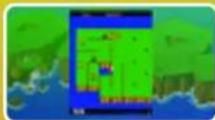
DIG DUG® II
(Year: 1985)
Game Type: Action
Default Controls:
Move Dig Dug: Left Stick or D-Pad
Use Drill: B button
Shoot and Pump: A button
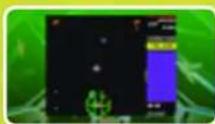
Description: Use Dig Dug, the space-suited hero armed with a drill and pump, to drill into the fault
lines on each of the islands. Drilling the fault lines will sink sections of the island, defeating enemies. You can also fire the drill at Pookas and fire-breathing dragons, and then pump them up using the A button until they swell and pop.
6
7
MUSEUM CLASSICS MUSEUM CLASSICS
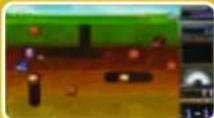
DIG DUG® ARRANGEMENT (Year: 2005) GALAGA
Game Type: Arrangement
Default Controls:
Move Dig Dug: Left Stick or D-Pad
Shoot Harpoon: A button
Use Item: X button
Select Item: RB, LB
Description: Explore the dangerous underground
with Dig Dug. Use the pump and drill to hook subterranean enemies and pump
them until they pop. And don't forget to collect those power ups!
DRAGON BUSTER®
(Year: 1985)
Game Type: Action
Default Controls:
Move Clovis: Left Stick or D-Pad
Sword Strike: A button
Shoot Fireball: B button
Jump/Crouch: Up/Down on D-Pad
Description: Play Dragon Buster, an adventure
game where you'll follow the journey of Clovis across fantastical lands and fight mythical monsters to save the princess from an evil dragon.
DRAGON SPIRIT®
(Year: 1987)
Game Type: Shoot 'em up
Default Controls:
Move Dragon: Left Stick or D-Pad
Fire: A button
Bomb: B button
Description: Transform into a mighty dragon and
battle across the skies to save the princess from
the evil Zawell. Shoot down the flashing creatures, collect eggs for power ups,
and defeat each of the bosses across nine exciting levels.

8
图'88
(Year: 1987)
Game Type: Shoot 'em up
Default Controls:
Move Fighter: Left Stick or D-Pad
Shoot: A button
Description: Shoot down encroaching enemy
formations of alien attacks. Avoid enemy bombs
while navigating through space and collecting items.
GALAGA® ARRANGEMENT
(Year: 2005)
Game Type: Arrangement
Default Controls:
Move Fighter: Left Stick or D-Pad
Shoot: A button
Description: Defeat the alien formations and
collect power ups across a variety of level maps.
Be sure to avoid bombs and advancing enemies.

GALAXIAN®
(Year: 1979)
Game Type: Shoot 'em up
Default Controls
Move Fighter: Left Stick or D-Pad
Fire Missile: A button
Description: Stave off an alien invasion in
your fighter by blasting the approaching enemy
formations.

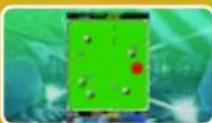
GROBDA®
(Year: 1984)
Game Type: Shoot 'em up
Default Controls:
Move Tank: Left Stick or D-Pad
Fire Cannon: A button
Use Shield: B button
Description: Battle Tanks compete for supremacy
in a futuristic arena. Destroy the tanks in the
arena and deflect incoming attacks using the B button to activate your shield
9
MUSEUM CLASSICS MUSEUM CLASSICS
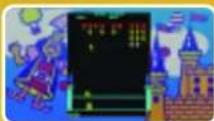
KING & BALLOON™
(Year: 1980)
Game Type: Shoot 'em up
Default Controls:
Move your cannon: Left Stick or D-Pad Fire cannon: A button
Description: Defend the King from the invaders in the hot air balloons. Use the crossbow to shoot down kidnappers. Remember, even if the King is captured, you can still save him by shooting down
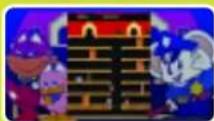
MAPPY®
(Year: 1983)
Game Type: Action
Default Controls:
Move Mappy: Left Stick or D-Pad Open/Close Doors: A button
Description: Avoid the cat-burglars with Mappy the Mouse by jumping on the trampolines and slamming the doors throughout each level.
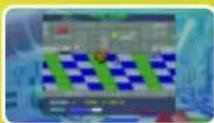
METRO-CROSS™
(Year: 1985)
Game Type: Action
Default Controls:
Move your character: Left Stick or D-Pad Jump: A button
Description: Be the first to finish the obstacle course(s) by racing through the map, collecting cans of cola and bonuses. Be sure to avoid those grey areas because they will slow you down.
10月
MOTOS®
(Year: 1985)
Game Type: Action
Default Controls:
Move Ship: Left Stick or D-Pad Jump (requires Jump part): A button
Description: Maneuver through each map, knocking opponents from the space platform into the void. Collect power ups for extra bumping power and the ability to leap over gaps in the platforms.
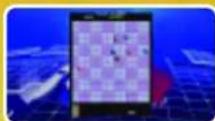
PAC & PAL®
(Year: 1983)
Game Type: Action
Default Controls:
Move Pac-Man: Left Stick or D-Pad Shoot: A button
Description: Eat all of the different fruit and flip the playing cards before being caught by the ghosts. Note that the playing cards are needed to unlock various sections of each level, usually lead
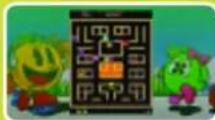
PAC-MAN® ARRANGEMENT (Year: 2005)
Game Type: Arrangement Default Controls:
Move Pac-Man: Left Stick or D-Pad
Description: Revisit the classic Pac-Man with this updated version of the legendary arcade game. Collect power pellets and fruit before being caught by the ghosts.
MUSEUM CLASSICS MUSEUM CLASSICS
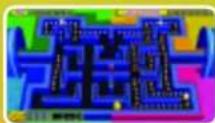
PAC-MANIA®
(Year: 1987)
Game Type: Arrangement
Default Controls:
Move Pac-Man: Left Stick or D-Pad
Description: Collect the power pellets and fruit
before being caught by the ghosts in this 3D
Pac-Man. You can also use the A button to jump
over ghosts, but beware; some of those nasty
haunts can jump just as high as Pac-Man.

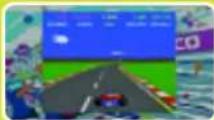
POLE POSITION®
(Year: 1982)
Game Type: Racing
Default Controls:
Control Car: Left Stick or D-Pad
Gas: [RT]
Breaks: [LT]
Shift HIGH: [RB]
Shift LOW: [LB]
Game Settings:
Qualifying Time: Choose a specific time to dictate the winner.
Qualifying Rank: Adjust the ranking system so that you have a better chance of qualifying.
Extended Rank: Extend the ranking system so that you have a better chance of being on the next ticket.
LAPS: Choose how many laps it takes to complete the racecourse.
Description: Race for the cup! Complete each lap in a certain amount of time to win and qualify for the FI race at the Fuji Racetrack.
1213
POLE POSITION® II
(Year: 1983)
Game Type: Racing
Default Controls:
Control Car: Left Stick or D-Pad
Gas: [RT]
Breaks: [LT]
Shift HIGH: [RB]
Shift LOW: [LB]
Game Settings:
Qualifying Time: Choose a specific time to dictate the winner.
Qualifying Rank: Adjust the ranking system so that you have a better chance of qualifying.
Extended Rank: Extend the ranking system so that you have a better chance of being on the next ticket.
LAPS: Choose how many laps it takes to complete the racecourse.
Description: Return for the cup in the critically acclaimed encore to Pole
Position. Complete each lap in a certain amount of time to win and qualify for the Championship Race.
RALLY-X®
(Year: 1980)
Game Type: Racing
Default Controls:
Control Car: Left Stick or D-Pad
Use Smokescreen: A button
Description: Race your car to collect each of the special flags in the maze of Rally-X. Be sure to use the smokescreen to block opponents from beating you to the flags.
MUSEUM CLASSICS MUSEUM CLASSICS
四
(Year: 1986)
Game Type: Action
Default Controls:
Move your character: Left Stick or D-Pad
Shoot Gun: A button
Jump: B button
Jump from a lower level to a higher one: Up on
the D-Pad + B button
Jump from a higher level to a lower one: Down on the D-Pad + B button
Enter door: Up on the D-Pad
Crouch: Down on the D-Pad
Description: Fight through the streets of New York with Agent Albatross, the most elite member of Interpol's Rolling Thunder espionage unit. In a race against time, blast enemies to save Agent Lella Blitz from the secret organization known only as Geldra.
SKY KID®
(Year: 1985)
Game Type: Shoot 'em up
Default Controls:
Move fighter: Left Stick or D-Pad
Fire: A button
Loop/Drop Bomb: B button
Description: Pilot your bi-plane on missions to pick up bombs and fly them to enemy targets.
Dogfight with enemy planes and dive to shoot tanks and trucks on the ground.

SKY KID® DELUXE
(Year: 1986)
Game Type: Shoot 'em up
Default Controls:
Move fighter: Left Stick or D-Pad
Fire: A button
Loop/Drop Bomb: B button
Description: Return to the skies in Sky Kid Deluxe
to pilot your bi-plane on missions to pick up bombs
and fly them to enemy targets. Dogfight with enemy planes and dive to shoot
tanks and trucks on the ground

14 15
Super PAC-MAN®
(Year: 1982)
ROLLING
Game Type: Action
Default Controls:
Move Pac-Man: Left Stick or D-Pad
Use Super Speed: A button
Description: Collect the fruit and keys before
being caught by the ghosts. Note that by
collecting keys you'll be unlocking various points in the map.

THE TOWER OF DRUAGA®
(Year: 1984)
Game Type: Action
Default Controls:
Move Gil: Left Stick or D-Pad
Use Sword: A button
Description: Draw your sword as the epic prince
Gilgamesh and battle through each level to the top of the Tower of Druaga to save maiden Ki from the
vile demon, Druaga. Search for hidden chests and special items throughout the tower to aid you in your quest.
●●● ●●●
LIVE ARCADE CLASSICS LIVE ARCADE CLASSICS
Below is the basic information and default control configuration for each of the LIVE Arcade Virtual Arcade games. High scores are recorded to online leader-boards to show the world how skillful you truly are.
GALAGA LEGIONS™
(Year: 2008)
Game Type: Shoot 'em up
Default Controls:
Control Fighter: Left Stick
Shoot: [RT]
Place Satellite: Right Stick
Dock with Satellite: [LB]
Description: Pilot your fighter and two satellites
to destroy the Galaga hordes. Strategically place your satellites to maximize
attack formation and recruit allies in your fight for survival.
PAC-MAN® CHAMPIONSHIP EDITION™
(Year: 2007)
Game Type: Action
Default Controls:
Control Pac-Man: Left Stick or D-Pad
Description: Fight for the top spot on the leader-boards by eating all of the Pac-Dots and items within each maze while avoiding the wrath of the ghosts. Game speed increases as you earn points and decreases when a life is lost.

MR. DRILLER® ONLINE
(Year: 2008)
Game Type: Action
Default Controls:
Move character: Left Stick or D-Pad
Use Drill: A button
Use Item: X button
Special Move (Tag Battle Only): B button
Rescue (Tag Battle Only): Y button
Description: Use your drill to destroy blocks for points. Your air supply depletes constantly and must be re-filled as you drill deeper and deeper. In addition to the single player game, two to four players can compete in two different multiplayer modes.

16 17
PAC-MAN®
(Year: 1980)
Game Type: Action
Default Controls:
Move Pac-Man: Left Stick or D-Pad
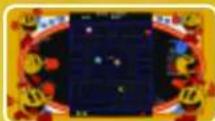
Description: Fight for the top spot on the Pac-Man leaderboards with the original game from 1980.
Eat Pac-Dots to advance to the next stage and
fruit for extra points. Ghosts are harmful unless
you eat a Power Pellet, briefly giving you the power to eat them for points.
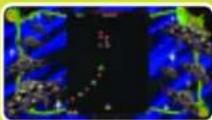
GALAGA®
(Year: 1981)
Game Type: Shoot 'em up
Default Controls:
Move Fighter: Left Stick or D-Pad
Shot: A button
Rapid: B button
Description: Defeat all of the incoming aliens to
advance to the next stage. One life is lost if you run
into an enemy ship or are hit by enemy fire. More points are awarded for shooting enemies that are attacking.
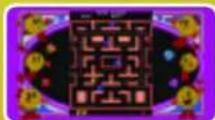
MS. PAC-MAN®
(Year: 1981)
Game Type: Action
Default Controls:
Move Ms. Pac-Man: Left Stick or D-Pad
Description: Eat all of the Pac-Dots in a level to advance to the next stage. Collect fruit for extra points and avoid the ghosts chasing after you. Eat Power Pellets to give Ms. Pac-Man the ability to eat them for points.
...
LIVE ARCADE CLASSICS
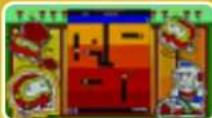
DIG DUG®
(Year: 1982)
Game Type: Action
Default Controls:
Move Dig Dug: Left Stick or D-Pad
Harpoon: A button
Inflate: Hold A button
Description: Use Dig Dug to drill deep into the
ground. Dig the earth out from beneath enemies to
make them fall, or dig out the earth beneath rocks to cause them to fall on top of them. Use your harpoon to inflate and blow up enemies, although this does not award as many points.
XEVIOUS®
(Year: 1983)
Game Type: Shoot 'em up
Default Controls:
Move Fighter: Left Stick or D-Pad
Use Blasters: A button
Use Rapid-fire Blasters: Y button
Use Bomb: B button
Description: Control your Solvalou ship and defeat
the XEVIOUS forces! Enemies attack from both air and ground. Use your blasters against air-based enemies and your bombs against ground-based enemies.
Destroy enemy radars to weaken the enemy resistance and reduce their numbers.

NEW RALLY-X®
(Year: 1981)
Game Type: Racing
Default Controls:
Steer Blue Car: Left Stick or D-Pad
Smoke Screen: A button
Description: Collect all ten flags in each stage to move onto the next. You lose one life if you crash into a rock or a red car. Special flags are scattered around each level for extra points. Use your smoke screen to stall red cars.
18
THE RE-EVOLUTION
WILL NOT BE TELEVISED
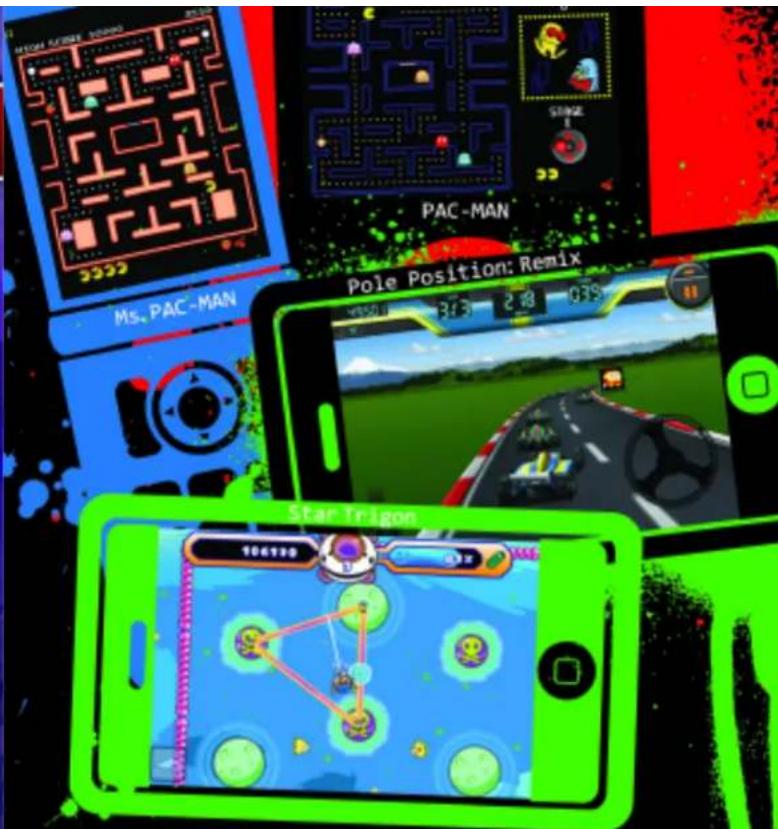
Join the video gaming re-evolution as Namco brings the action to your mobile phone, iPod and iPhone. Arcade classics like PAC-MAN, Galaga and Dig Dug, and new smash hits like Pole Position: Remix and Star Trigon, are now available. Get ready. The re-evolution is here.
namco
namcogames.com
PAC MAN® ©1980, 2008 NAMCO BANDAI Games Inc., MS. PAC MAN® ©1980, 1982, 2008 NAMCO BANDAI Games Inc.
POLE POSITION™: REMIX ©1982, 2008 NAVCO BANDAI Games Inc., Star Trigon™ © 2002, 2008 NAVCO BANDAI Games Inc.

natural_image
Cartoon character resembling a yellow penguin with black eyes and orange limbs, holding a red object (no text or symbols)XBOX LIVE®
COMMANDES
XBOX LIVE®
MENU OPTIONS
CRÉDITS
24古
...
MENU MUSÉUM
LES CLASSIQUES MUSÉUM
PARAMÈTRES DU JÉU
JOUEUR
PAC-MAN® CHAMPIONSHIP EDITION™
(Année : 2007)
NOTES NOTES
CREDITS
NAMCO BANDAI
Games America Inc.
Director of Localization
Takahiro Sasanoi
Sr. Localization Manager
Taka Aklyama
Localization Manager
Ryota Toyama
Localization Producer
Talkl Homma
Director, Marketing
and Public Relations
Todd Thorson
Product Marketing
Manager
Kristeen L. Kennedy
Public Relations
Manager
Nick O'Leary
Director of Sales
Chris Lee
National Sales Manager
Terry Carlson
Sr. Operations Manager
Jennifer Tersigni
Sr. QA Manager
Tad Hirabayashi
QA Supervisor
Mike Peterson
Project Coordinator
Jesse Mejia
Lead Quality
Assurance Tester
Gene Duenas
Assistant Lead Quality
Assurance Tester
Josh Melloy
Quality Assurance
Test Team
Alex Wagner
Paul Cromwell
Sharon Marmito
Johnny Moya
Ryan Matsuba
Adam De Anda
Adrian Valbuena
Josh Aguilar
CQC Testers
Andrew Samoranos
Luis Castillo
David Moya
Special Thanks
Genichl Ito
Makoto Iwai
Shuji Nakata
Andrew Leichuk
Janna Smith
Moto Aida
Charmalne Morena
Lee Hslao
Tom Usher Designs
Wayne Shiu
(a) Ayzenberg Group
Shin Young
Gaelle Glickfield
NAMCO MUSEUM™ VIRTUAL ARCADE S
© 2008 NAMCO BANDAI Games Inc.
GRURO®8© 1984 2008 NAMCO BANDAI Grupo br. MOTOS®8© 1985 2008 NAMCO
BANDAI Games Inc. MAPPY©2© 1983
2008 NAMCO BANDAI Games Inc.
XEVIUS®8© 1982 2008 NAMCO BANDAI
Games Inc. GALAGA®&© 1981 2008
NAMCO BANDAI GAMES INC. BALAXIONBAS
1979 2006 NAMCO BANDAI Games Inc. BOSCONIAN(2023) 1981 2006 NAMCO
BANDAI Games Inc. DIG DUG®&© 1982
2008 NAMCO BANDAI Games Inc. DIG
DUG©1982-2008 NAMCO BANDAI
GAMES INC. RAREY-AXPOW 1980 ZOOM NAMCO RANDAL Games Inc. NEW BOLI
X60&© 1980-2008 NAMCO BANDAI Games
Inc. PAC-MAN©8© 1980 2008 NAMCO
BANDAI Games Inc. POLE POSITION®&©
1982 2008 NAMCO BANDAI Games Inc. POLE POSITION © IL & © 1982 2008 NAMCO
BAIDAL Games Inc. Super "PAC-HANS
1980-2008 NAMCO BANDAI Games Inc.
PAC&PAL®&© 1980-2008 NAMCO BANDAI
Games Inc. THE TOWER OF DRUAGA®&© 1994 2008 HAMER BANIEL GOMM INC
1504 2008 NAMCO BANDAI GAMES INC. METRO-CROSSTM&© 1985 2008 NAMCO
BANDAI Games Inc. KING&BALLOON™&©
1980 2008 NAMCO BANDAI Games Inc. SKY
KID © S© 1985 2008 NAMCO BANDA Garcia Inc. SKY KID © REUYE © 1985
2008 NAMCO BANDAI Games Inc. DRAGON
BUSTER®&© 1984 2008 NAMCO BANDA
Games Inc. BARADUKE™&© 1985
NAMCO BANDAI DANES INC., NOCLIND THUNDER&O © 1986 2008 NAMCO BANDAI
Games Inc. PAC-MANIA®8® 1980-20
NAMCO BANDAI Games Inc. GALAGRO
88&© 1981-2008 XAMCO BANDAI Games
NAMCO BANDAI Games Inc Ms. Pac-Map
1980-2008 NAMCO BANDAI Games Inc
PAC-MAN® Arrangement 8 © 1980-2008
NAMCO BANDAI Games Inc. Galaga® Agreement © 1991, 2008 NAMCO
BANDAI Games Inc. DIG DUSO Arrangement
© 1982-2008 NAMCO BANDAI Games Inc.
Pac-Man® Championship Edition™ &©
1980-2008 NAMCO BANDAI Games Inc. Mr. PRULERO, Deferlco 1999, 2008 NAMCO
BANDAI Games Inc. Galana Leagues TM8@
1981-2008 NAMCO BANDAI Games Inc.
44
Ever get stuck and just need that extra edge to beat the level? Having problems getting your game to work properly? Now you can get one-on-one help from NAMCO BANDAI Games America Inc. using your web browser! Simply go to livehelp.namco.com for more details. Live Counselors available from 8am-5pm Monday-Friday Pacific Time.
NAMCO BANDAI Games America Inc. ATTIC Customer Service 4555 Great America Parkway, Suite 201 Santa Clara, CA 95054
Before returning any defective materials to us, please contact us for a Return Merchandise Authorization (RMA) number. You can reach us at the address above, via e-mail at support@amcobandaigames.com or contact us at (408) 235-2222. Please note that any materials sent to us without an RMA number will be refused and returned. We highly recommend that you use a traceable and / or insured method of shipping the materials to us.
NAMCO BANDAI Games America Inc. Online: www.namcobandaigames.com Visit our Website to get information about our new titles.
LIMITED WARRANTY: NAMCO BANDAI Games America Inc. warrants to the original purchaser that this NAMCO BANDAI Games America Inc. game pack shall be free from defects in material and workmanship for a period of ninety (90) days from the date of purchase. If a defect covered by this limited warranty occurs during this 30-day limited warranty period, NAMCO BANDAI Games America Inc. will repair or replace the defective game pack or component part, at its option, free of charge. This limited warranty does not apply if the defects have been caused by negligence, accident, unreasonable use, modification, tampering, or any other cause not related to defective material or workmanship.
LIMITATIONS ON WARRANTY: Any applicable implied warranties of merchantability and fitness for a particular purpose, are hereby limited to ninety (90) days from the date of purchase and are subject to the conditions set forth herein. In no event shall NAMCO BANDAI Games America Inc. be liable for consequential or incidental damages resulting from the possession or use of this product. The provisions of the limited warranty are valid in the United States only. Some states do not allow limitations on how long an implied warranty lasts, or exclusion of consequential or incidental damages, so the above limitation or exclusion may not apply to you. This limited warranty provides you with specific legal rights. You may have other rights which vary from state to state.
DES CONSEILS MAINTENANT OFFERTS EN LIGNE!
Microsoft, Xbox, Xbox 360, and the Xbox logos are trademarks of the Microsoft group of companies and are used under license from Microsoft.
To register product online go to
WWW.NAMCOREG.COM

- XBOX 360
- LIVE
- Important Health Warning About Playing Video Games
- Photosensitive seizures
- NAMCO MUSEUM™
- VIRTUAL ARCADE
- TABLE OF CONTENTS
- XBOX LIVE®
- CONTROLS
- CONNECTING
- FAMILY SETTINGS
- LANGUAGES THAT AREN'T SUPPORTED IN THE XBOX 360 DASHBOARD
- GAME SELECT SCREEN MUSEUM MENU
- LIVE ARCADE MENU
- MUSEUM MENU
- OPTIONS MENU
- SELECT MENU
- PLAY MUSEUM CLASSICS
- SELECT A DEVICE
- CREDITS
- MUSEUM MENU MUSEUM CLASSICS
- GAME SETTINGS
- PLAYER
- DIFFICULTY
- SCREEN ADJUSTMENT
- RETURN TO MUSEUM MENU
- BARADUKE™
- Game Type: Action
- BOSCONIAN®
- Game Type: Shoot 'em up
- DIG DUG® II
- MUSEUM CLASSICS MUSEUM CLASSICS
- DIG DUG® ARRANGEMENT (Year: 2005) GALAGA
- DRAGON BUSTER®
- DRAGON SPIRIT®
- GALAGA® ARRANGEMENT
- GALAXIAN®
- GROBDA®
- KING & BALLOON™
- MAPPY®
- METRO-CROSS™
- MOTOS®
- PAC & PAL®
- PAC-MAN® ARRANGEMENT (Year: 2005)
- PAC-MANIA®
- POLE POSITION®
- POLE POSITION® II
- RALLY-X®
- Default Controls:
- SKY KID®
- SKY KID® DELUXE
- Super PAC-MAN®
- THE TOWER OF DRUAGA®
- LIVE ARCADE CLASSICS LIVE ARCADE CLASSICS
- GALAGA LEGIONS™
- PAC-MAN® CHAMPIONSHIP EDITION™
- DRILLER® ONLINE
- PAC-MAN®
- GALAGA®
- PAC-MAN®
- LIVE ARCADE CLASSICS
- DIG DUG®
- XEVIOUS®
- NEW RALLY-X®
- THE RE-EVOLUTION
- WILL NOT BE TELEVISED
- COMMANDES
- MENU OPTIONS
- CRÉDITS
- MENU MUSÉUM
- LES CLASSIQUES MUSÉUM
- PARAMÈTRES DU JÉU
- JOUEUR
- NOTES NOTES
- NAMCO BANDAI
- DES CONSEILS MAINTENANT OFFERTS EN LIGNE!
Brand : MICROSOFT
Model : Namco Museum Virtual Arcade (Xbox 360)
Category : Game