Majin and the Forsaken Kingdom (PS3) - Game SONY - Free user manual and instructions
Find the device manual for free Majin and the Forsaken Kingdom (PS3) SONY in PDF.

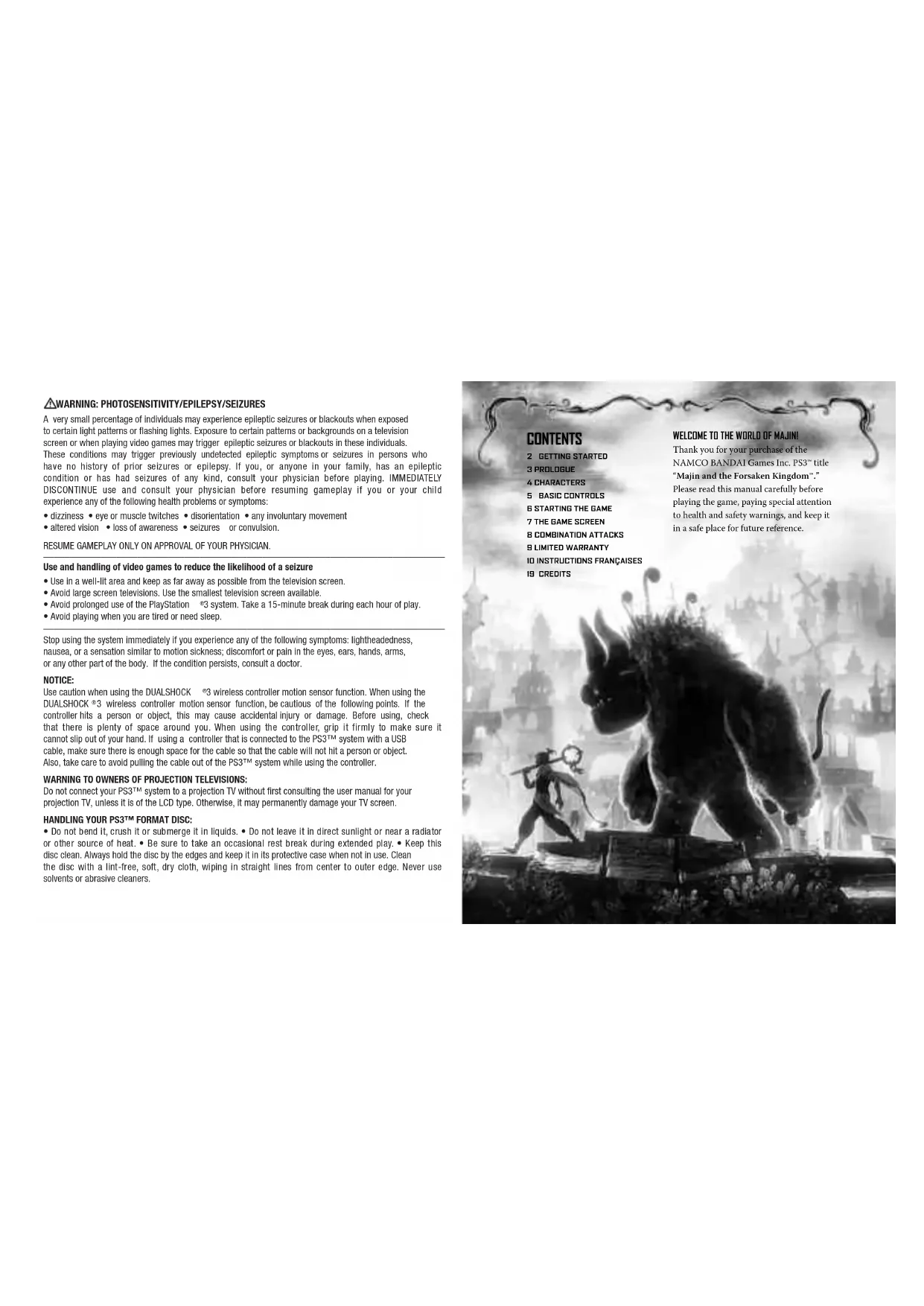

| Product Type | Video game on Blu-ray disc |
| Brand | Sony (published by Namco Bandai Games) |
| Model | Majin and the Forsaken Kingdom (PS3) |
| Platform | PlayStation 3 |
| Genre | Action-adventure |
| Number of players | 1 player |
| Manual language | French |
| Case dimensions | 13.5 x 19 x 1.5 cm |
| Weight | Approximately 100 g |
| Power supply | Requires a PlayStation 3 console |
| Main features | Control of two characters, use of the Majin's special abilities, combined attacks, exploration and combat |
| Save function | Manual via Majin statues, no autosave |
| Basic controls | Movement, attack, jump, Majin control, ability selection, stone throwing, stealth |
| Game screen | Displays life and magic gauges, Majin status, cursor, time guide |
| Map | Accessible via the SELECT button, with zoom in/out |
| Combat system | Combined attacks between the thief and the Majin, finishing move when the gauge is full |
| Maintenance and cleaning | Clean the disc with a soft, lint-free cloth, from the center outward; avoid solvents |
| Safety | Epilepsy warning: avoid if you have a history, take breaks, sit away from the screen |
| Warranty | Limited 90 days, covers material and manufacturing defects |
| Customer service | Namco Bandai Games America: 9 am-5 pm (Pacific time), email support@namcobandaigames.com, phone (408) 235-2222 |
Frequently Asked Questions - Majin and the Forsaken Kingdom (PS3) SONY
User questions about Majin and the Forsaken Kingdom (PS3) SONY
0 question about this device. Answer the ones you know or ask your own.
Ask a new question about this device
Download the instructions for your Game in PDF format for free! Find your manual Majin and the Forsaken Kingdom (PS3) - SONY and take your electronic device back in hand. On this page are published all the documents necessary for the use of your device. Majin and the Forsaken Kingdom (PS3) by SONY.
USER MANUAL Majin and the Forsaken Kingdom (PS3) SONY
A very small percentage of individuals may experience epileptic seizures or blackouts when exposed to certain light patterns or flashing lights. Exposure to certain patterns or backgrounds on a television screen or when playing video games may trigger epileptic seizures or blackouts in these individuals. These conditions may trigger previously undetected epileptic symptoms or seizures in persons who have no history of prior seizures or epilepsy. If you, or anyone in your family, has an epileptic condition or has had seizures of any kind, consult your physician before playing. IMMEDIATELY DISCONTINUE use and consult your physician before resuming gameplay if you or your child experience any of the following health problems or symptoms:
- dizziness - eye or muscle twitches - disorientation - any involuntary movement
- altered vision - loss of awareness - seizures or convulsion.
RESUME GAMEPLAY ONLY ON APPROVAL OF YOUR PHYSICIAN.
Use and handling of video games to reduce the likelihood of a seizure
- Use In a well-lit area and keep as far away as possible from the television screen.
- Avoid large screen televisions. Use the smallest television screen available.
- Avoid prolonged use of the PlayStation 3 system. Take a 15-minute break during each hour of play.
- Avoid playing when you are tired or need sleep.
Stop using the system immediately if you experience any of the following symptoms: lightheadedness, nausea, or a sensation similar to motion sickness; discomfort or pain in the eyes, ears, hands, arms, or any other part of the body. If the condition persists, consult a doctor.
NOTICE:
Use caution when using the DUALSHOCK 3 wireless controller motion sensor function. When using the DUALSHOCK 3 wireless controller motion sensor function, be cautious of the following points. If the controller hits a person or object, this may cause accidental injury or damage. Before using, check that there is plenty of space around you. When using the controller, grip it firmly to make sure it cannot slip out of your hand. If using a controller that is connected to the PS3TM system with a USB cable, take care there is enough space for the cable so that the cable will not hit a person or object. Also, take care to avoid pulling the cable out of the PS3TM system while using the controller.
WARNING TO OWNERS OF PROJECTION TELEVISIONS:
Do not connect your PS3™ system to a projection TV without first consulting the user manual for your projection TV, unless it is of the LCD type. Otherwise, it may permanently damage your TV screen.
HANDLING YOUR PS3TM FORMAT DISC:
- Do not bend it, crush it or submerge it in liquids. - Do not leave it in direct sunlight or near a radiator or other source of heat. - Be sure to take an occasional rest break during extended play. - Keep this disc clean. Always hold the disc by the edges and keep it in its protective case when not in use. Clean the disc with a lint-free, soft, dry cloth, wiping in straight lines from center to outer edge. Never use solvents or abrasive cleaners.
NOTICES:
Video output in HD requires cables and an HD- compatible display, both sold separately.
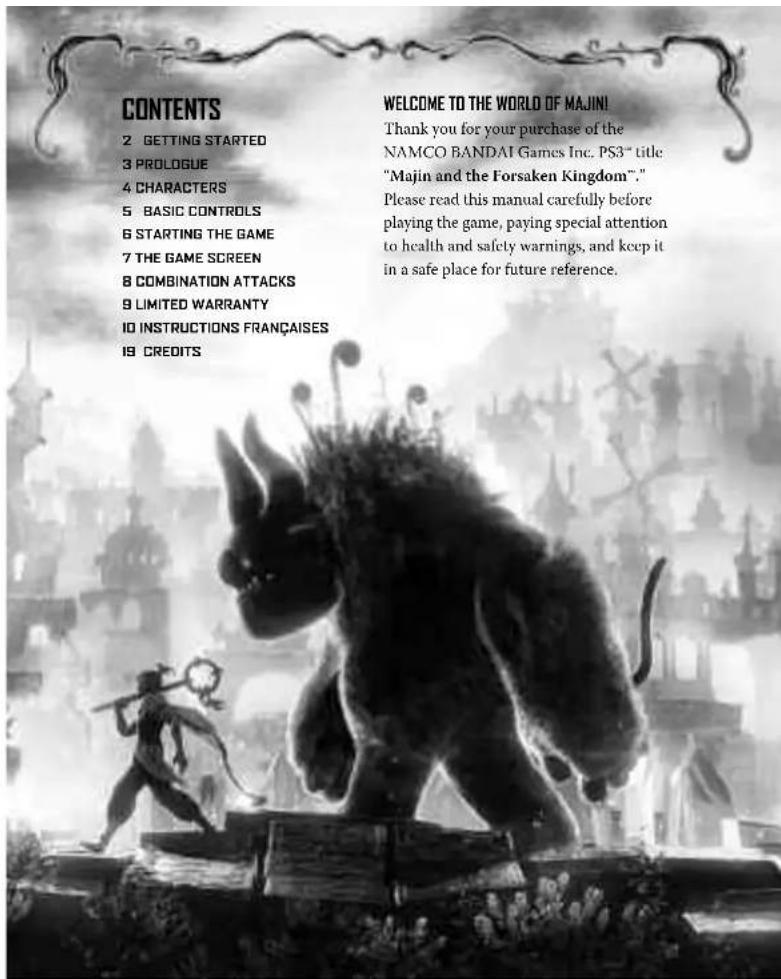
GETTING STARTED
PlayStation ^ 念 3 system
Starting a game: Before use, carefully read the instructions supplied with the PS3™ computer entertainment system. The documentation contains information on setting up and using your system as well as important safety information.
Check that the MAIN POWER switch (located on the system rear) is turned on. Insert the Majin and the Forsaken Kingdom™ disc with the label facing up into the disc slot. Select the icon for the software title under [Game] in the PS3™ system's home menu, and then press the button. Refer to this manual for information on using the software.
Quitting a game: During gameplay, press and hold down the PS button on the wireless controller for at least 2 seconds. Then select "Quit Game" from the screen that is displayed.
Hint

To remove a disc, touch the eject button after quitting the game.
Trophies: Earn, compare and share trophies that you earn by making specific in-game accomplishments. Trophies access requires a PlayStation Network account.
Saved data for PS3^T M format software
Saved data for PS3^TM format software is saved on the system's hard disk.
The data is displayed under "Saved Game Utility" in the Game menu.
- Do not attempt to copy in real life anything that appears in this game. Any attempt to do so may cause injury or lead to a serious accident. Do not attempt to replicate anything you see in the game, under any circumstances.
- This software uses fonts which are the property of Font Works Japan Co, Ltd. The name Font Works Japan, Font Works and the names of these fonts are trademarks or registered trademarks of Font Works Japan Co, Ltd.
PROLOGUE
The world is in darkness.
Long, long ago, a young warrior, guided by a beast of the gods, united the scattered warring kingdoms under a single banner. He went on to found a country and become its king.
For ages the kingdom flourished under the rule of brave and wise kings, its fantastic technologies ushering in unprecedented prosperity for the people. One fateful night, however, the entire kingdom was suddenly cloaked in a terrible "darkness" that welled up from inside the Palace itself. The darkness swallowed up the people and utterly destroyed the kingdom in just a single night.
Those few of its people who managed to survive fled to the wilds and deserts of the frontier lands, there languishing in poverty as they struggled and fought one another over what meager land remained.
The bravest among them eventually banded together and returned to the kingdom, intent on taking it back, but in the face of the immortal soldiers coughed up by the darkness, only a handful of them even survived to report their failure.
One hundred years have passed...
A young thief, accompanied only by some faithful animals, now manages to sneak past the watchful eyes of the soldiers of darkness and make his way inside the Palace.
Time in the Forsaken Kingdom, frozen for so long, is about to start moving again.
CHARACTERS
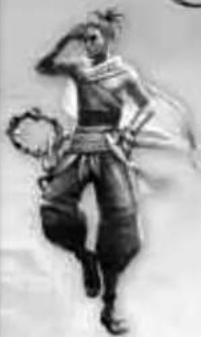
Let's go, partner! Partner...? It means...friend!
TEPEU A thief who has infiltrated the Forsaken Kingdom with a very specific goal in mind. Finding himself cornered in the dark castle, he has a fateful meeting with the Majin, and their journey to bring an end to the darkness begins. He has a unique ability to speak with animals.
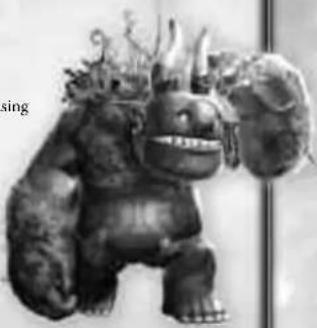
MAJIN
He has protected the kingdom since ancient times using a combination of incredible physical strength and mysterious abilities. In the hundred years since the kingdom was covered in darkness the Majin has been imprisoned inside the castle. When finally saved by the main character, most of his powers and memories have been lost, but he will gradually regain these as the adventure progresses.
ANIMALS
Various animals that watch over the main character and the Majin during their adventure. Talking with them can often provide useful information.
4
BASIC CONTROLS
R2 Command Majin Mode / Move through pages
While holding down 82
Wait / Crouch Feed Action
4:Follow 11:Roar
R1 Select Ability Mode
While holding down 31:
× : Purification 品 : Wind 品 : Flame
A:Lightening
L1 + R1 Target Lock
While holding L1 + R1: Left stick
L1 Disttract
While holding: Throw stone
Evasion
Critical Attack / Cancel
X+Thrust Attack
Attack
Jump / Confirm
RIGHT STICK
Control Camera / R3: Reset camera
LEFT STICK
Move main character / Select
L2 BUTTON
Sneak Mode / Move through pages
SELECT BUTTON
Open map screen
START BUTTON
Open Pause Menu
Vibration cannot be used with the SIX4S™ wireless controller.
STARTING THE GAME
STARTING THE GAME
- Set up the PlayStation*3 system according to the user manual.
- Press the START button on the title screen.
If no save data is present...
A screen confirming the creation of new save data will appear. Select "Yes" and save data will be created, starting a new game.
If save data is present...
The save data selection screen will appear. Select existing data to continue that game, or select "New Game" to start an entirely new game.
ABOUT SAVING
During play the game can only be saved as outlined below. The game does not have an auto save feature. Your PlayStation* HDD must have at least 4232 KB of free space in order to create save data.
SAVING THE GAME
You can save the game at Majin Statues. If there are no soldiers of darkness nearby, a Majin Statue will start to glow when the Majin is close to it. Move the main character close to a glowing statue and press the button to open the Majin Statue Menu. Select "Save" and press the button.
THE GAME SCREEN
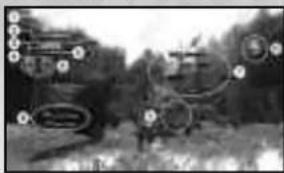
UNDERSTANDING THE GAME SCREEN
NUMBER OF HEALING SEEDS HELD
Shows the number of "Healing Seeds" held. These can be used to heal the Majin's life.
MAIN CHARACTER'S LIFE GAUGE
Shows the life of the main character.
MAJUN'S LIFE GUAGE
Shows the life of the Majin.
MAGIC GAUGE
Gauge required to use the Majin's special abilities. A maximum of three blocks can be stored at once.
MAJIN STATUS
Shows the action the Majin is currently performing.
COMMAND MAJIN CURSOR
Indicates target when in Command Majin Mode
COMMAND MAJIN CONTROL PROMPT
Displays help with controls when in Command Main Mode.
CURRENT EXPERIENCE
Blue is experience for the main character's development, rcd is experience for the bond between the main character and the Maillin.
GUIDE DISPLAY
Displays help with controls for the main character.
GAME TIME
Shows the current time in the game world.
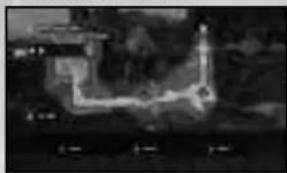
UNDERSTANDING THE MAP
Press the SELECT button during play to open the map screen.

MAIN CHARACTER

MAJIN STATUE

MAJIN

HEALING TREE
Use the left stick to move the map around, the right stick to zoom. Down on the right stick will zoom out and up on the right stick will display fully zoomed in. After collecting fruit or treasure the "?" in the top right of the screen will change to the icons of the collected items.
COMBINATION ATTACKS
Having the main character and Majin work together in combat can allow you to perform a combination attack, which causes big damage to the soldiers of darkness. If you start by having the main character fight alone and build up the Majin gauge then combination attacks can be used in succession.
However, if the Majin is not nearby or if he is doing
something else the main character's attack power will be drastically reduced.
1:USE MAJIN'S SPECIAL ABILITIES TO HINDER SOLDIERS OF DARKNESS
The Majin's attacks, or special abilities used via Select Ability Mode, can hinder the actions of the soldiers of darkness by dizzying or paralyzing them.
2:USE MAIN CHARACTER'S ATTACKS TO CREATE A COMBINATION CHANCE
Using the main character to attack a soldier of darkness afflicted with any of the above conditions can create a combination chance. When this happens the
Button icon will be displayed on the screen. Press the button while the icon is displayed and a combination attack will be performed.
When a combination attack hits the combination gauge will fill up. When the combination gauge is completely full, a combination chance occurs and you press the button an even more powerful Finish attack will be performed, causing incredible damage to the enemy. Defeating enemies with a Finish attack will award you with additional Friendship Fragments.
Ever get stuck and just need that extra edge to beat the level? Having problems getting your game to work properly? Now you can get one-on-one help from NAMCO BANDAI Games America Inc. using your web browser! Simply go to livehelp.namco.com for more details. Live Counselors available from 9am-5pm Monday-Friday Pacific Time.
NAMCO BANDAI Games America Inc.
ATTN: Customer Service
4555 Great America Parkway, Suite 201
Santa Clara, CA 95054
Before returning any defective materials to us, please contact us for a Return Merchandise Authorization (RMA) number. You can reach us at the address above, via e-mail at support@namcobandaigames.com or contact us at (408) 235-2222. Please note that any materials sent to us without an RMA number will be refused and returned. We highly recommend that you use a traceable and / or insured method of shipping the materials to us.
NAMCO BANDAI Games America Inc. Online: www.namcobandaigames.com
Visit our Website to get information about our new titles.
LIMITED WARRANTY: NAMCO BANDAI Games America Inc. warrants to the original purchaser that this NAMCO BANDAI Games America Inc. game pack shall be free from defects in material and workmanship for a period of ninety (90) days from the date of purchase. If a defect covered by this limited warranty occurs during this 90-day limited warranty period, NAMCO BANDAI Games America Inc. will repair or replace the defective game pack or component part, at its option, free of charge. This limited warranty does not apply if the defects have been caused by negligence, accident, unreasonable use, modification, tampering, or any other cause not related to defective material or workmanship.
LIMITATIONS ON WARRANTY: Any applicable implied warranties of merchantability and fitness for a particular purpose, are hereby limited to ninety (90) days from the date of purchase and are subject to the conditions set forth herein. In no event shall NAMCO BANDAI Games America Inc. be liable for consequential or incidental damages resulting from the possession or use of this product. The provisions of the limited warranty are valid in the United States only. Some states do not allow limitations on how long an implied warranty lasts, or exclusion of consequential or incidental damages, so the above limitation or exclusion may not apply to you. This limited warranty provides you with specific legal rights. You may have other rights which vary from state to state.
"PayStation", "DUALSHOCK" and "SBOX" are registered trademarks and "FS3" and the PlayStation Network logo are trademarks of Sony Computer Entertainment Inc.
To register product online go to
WWW.NAMCOREG.COM
AVERTISSEMENT:PHOTOSENSIBILITE/EPILEPSIE/CONVULSIONS
Displays help with controls for the main character.
HEURE
English Language Release by NAMCO BAN
Games America Inc
Director, Japan Production Takahiro Sasano
Senior Manager, Japan Production Nobuaki Taguchi
Assoc. Localization Producer
Masahiro Knittel
VP of Marketing Carlson Choi
Brand Manager Laiki Bosma
Sr. Public Relations Manager
Arne Cual-Pedroso
Group Manager, Media Planning & Strategy Paul Caparotta
Senior Manager, Web Services
Ryan Grisson
Director of Operations
Tad Hirabayashi
Senior Operations Manager
Jennifer Tersigni
Operations Analyst Charmaine Morenc
Distribution Manager Moto Aida
QA Manager
Mike Peterson
Project Coordinator Jesse Mejia
Department Coordinator Tereza Siegel
QA Lead Y Pham
QA Testers
Edgar Dace
Henry Chara
Ian Marcadejas Joel Roman Spencer Yan Verity Davis
CQC Supervisor Danon Bernal OA Analytcs
QIAI Analysis David Moya Greg Anderson Saito Kwan
QA Engineer Konstantin Yavichev
QA Translator
Ria Ludemann
CQC Testers
Eric Sawi
Josh Glover
Josh Graves
Kevin Chen
Min Sung
Sharon Ma
Victor del Rosario
Special Thanks Justin Lucas
Janna Smith Martin Ngu
Zachary Davenport
Michael Vaganov
Adam Hopkins
Stephen Misso
Christi Ghiorso
Megan Thomas
MAHIN AND THE FORSAKEN KINGDOM" & © 2010 NAMCO BANDAI Games Inc. All rights reserved.
Uses Scaleform GEx © 2009 Scaleform Corporation. All rights reserved.
HEXAENGNE. Copyright 2007-2010 HEXADRIVE Inc. All rights reserved.
DES CONSEILS MAINTENANT OFFERTS EN LIGNE!
4555 Great America Parkway, Suite 201
Santa Clara, CA 95054 U.S.A.
To register product online go to
WWW.NAMCOREG.COM