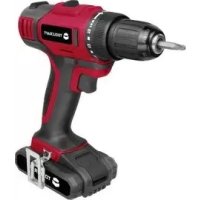
Toolcraft DD 18 V LI - Screwdriver

DD 18 V LI - Screwdriver Toolcraft - Free user manual and instructions

Find the device manual for free DD 18 V LI Toolcraft in PDF.

📄 76 pages English EN 💬 AI Question ⚙️ Specs
Notice Toolcraft DD 18 V LI - page 21
View the manual : Français FR Deutsch DE English EN Nederlands NL
SKIP

Frequently Asked Questions - DD 18 V LI Toolcraft

Questions des utilisateurs sur DD 18 V LI Toolcraft

0 question sur cet appareil. Repondez a celles que vous connaissez ou posez la votre.

Poser une nouvelle question sur cet appareil

L'email reste privé : il sert seulement à vous prévenir si quelqu'un répond à votre question.

Aucune question pour l'instant. Soyez le premier à en poser une.

Download the instructions for your Screwdriver in PDF format for free! Find your manual DD 18 V LI - Toolcraft and take your electronic device back in hand. On this page are published all the documents necessary for the use of your device. DD 18 V LI by Toolcraft.
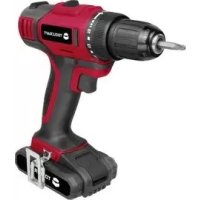
USER MANUAL DD 18 V LI Toolcraft

Dear Customer, thank you for purchasing this product. This product complies with the statutory national and European requirements. To maintain this status and to ensure safe operation, you as the user must observe these operating instructions! These operating instructions are part of this product. They contain important notes on commissioning and handling. Also consider this if you pass on the product to any third party. Therefore, retain these operating instructions for reference! All company names and product names are trademarks of their respective owners. All rights reserved. If there are any technical questions, please contact: International: www.conrad.com/contact United Kingdom: www.conrad-electronic.co.uk/contact22

2. Explanation of Symbols

This symbol is used when your health is at risk, e.g. from an electric shock. The exclamation mark in a triangle indicates important notes in these operating instructions that must be observed strictly. The arrow symbol indicates special advice and operating information. The product is intended for use in dry indoor rooms only; it must not become damp or wet. Use hearing protection. Use a dust mask. Use safety goggles. The product is built in protection class II (reinforced or double insulation between the mains circuit and the output voltage; protective insulation) Observe the operating instructions!23

The product is intended for turning in and loosening screws and for drilling in wood, plastics and metals. For this, use suitable screw inserts (bits) or drills for each case. The product has a white LED for lighting the working position during screwing/drilling. The product is operated with a replaceable Li-Ion rechargeable battery; it can be charged via an enclosed charger. The charger is intended for operation with mains voltage (100 - 240 V/AC, 50/60 Hz). The safety notes and all other information in these operating instructions always have to be observed! Read the operating instructions carefully and attentively, and keep them for later reference. Only pass the product on to any third parties together with these genuine operating instructions. Any use other than that described above will lead to damage to the product and involves additional risks such as, for example, short circuit, re, electric shock, etc. The entire product must not be modied or converted, and the casing must not be opened! This product complies with the statutory national and European requirements.

4. Scope of Delivery

  • Cordless screw driller
  • Rechargeable Li-Ion battery
  • Double-sided bit (PH2/SL5.5)
  • Operating instructions Up-to-date operating instructions Download the latest operating instructions via the link www.conrad.com/downloads or scan the QR code. Follow the instructions on the website.24

5. Safety Information

Please read the operating instructions completely before commissioning the device. They contain important information for correct operation. The guarantee/warranty will expire if damage is incur- red resulting from non-compliance with the operating instructions! We do not assume any liability for consequential damage! We do not assume any liability for property damage or personal injury caused by improper use or non-compliance with the safety instructions! In such cases the warranty/guarantee is voided. a) General Information

  • The unauthorized conversion and/or modication of the product is inadmissible for safety and approval reasons.
  • Maintenance, adjustments and repair work may only be carried out by a specialist/specialised workshop. The device contains no parts that require servicing or adjusting by you.
  • The product is not a toy and must be kept out of reach of children! The product must only be set up, used or stored in places that are not accessible to children.
  • This device is not intended for being used by persons (including children) with limited physical, sensory or mental abilities or lack of experience and/or lack of knowledge unless they are supervised by a per- sons responsible for their safety or instructed in how to use the device.
  • Children should be supervised to ensure that they do not play with the product.
  • Do not let any other persons who have not completely read and understood these instructions work with the product.
  • The product (cordless screw driller, rechargeable battery, charger) must not become moist or wet. This would not only destroy the product but it also represents a deadly peril through an electric shock!
  • The cordless screw driller and the charger must never be touched with moist or wet hands; danger of potentially fatal electrical shock!
  • If the product is brought from a cold into a warm room (e.g. in transport), it is possible that condensation develops. This may damage the product. For the charger, there is also the deadly peril of an electric shock! Therefore, you should allow the product to warm up to room temperature before using it or connecting the charger to a socket outlet. This may take several hours.
  • Do not place any containers with liquids, e.g. buckets, vases or plants, in direct proximity of the product. Liquids may get into the housing and impair electrical safety. This also poses great danger of re or potentially fatal electric shock! In this case, power down the associated mains socket on all connections (e.g. switch off circuit breaker, then switch off FI switch) and then disconnect the charger from the mains socket; remove the recharge- able battery from the cordless screw driller. Do not operate the product anymore afterwards, but take it to a specialist workshop.25
  • Do not place any open sources of re, such as burning candles, on the device or in its proximity.
  • Never support or put the cordless screw driller, charger or rechargeable battery on any valuable furniture surfaces without sufcient protection.
  • Never operate the product next to or near any ammable liquids or gases, air/gas mixtures (gasoline vapours) or easily ammable solids. Operation of the product may cause sparks, danger of explosion!
  • The product is only suitable for use in temperate, not tropical, climates.
  • In schools, training centres, hobby and self-help workshops, the use of the product must be supervised by responsible trained personnel.
  • In commercial institutions, the accident prevention regulations of the Employer‘s Liability Insurance As- sociations for Electrical Systems and Operating Materials are to be observed.
  • Do not leave packaging material lying around carelessly. It might become a dangerous toy for children!
  • Handle the product with care. It can be damaged by impact, blows or when dropped even from a low height.
  • If you are not sure about the correct operation or if questions arise which are not covered by the opera- ting instructions, please do not hesitate to contact us or another specialist. b) Charger/Mains Cable/Mains Voltage
  • Only use the charger to charge the enclosed rechargeable battery (or a replacement rechargeable bat- tery of the same build). Never charge any other rechargeable batteries or non-rechargeable batteries! There is great danger of re or explosion!
  • The charger is constructed pursuant to protection class II.
  • Use only a proper mains socket of the public supply mains for voltage/current supply of the charger. Before connecting, check if the connection values at the rating plate of the charger match those of your building connection.
  • The socket to which the mains cable for the charger is connected must be easily accessible.
  • Do not pull the mains plug from the mains socket by pulling the cable. Do not use the mains cable to suspend the charger.
  • Choose a solid, at, clean and sufciently large surface for the charger. Never place the charger on a ammable surface (e.g. carpet, tablecloth). Always use a suitable, non-ammable, heatproof surface.
  • Never cover the charger. Keep the charger away from ammable or easily inammable materials (e.g. curtains).
  • Do not place the charger on any valuable furniture surfaces without using a suitable protection. Otherwi- se, scratches, pressure points or discolourations are possible.
  • Do not put any objects onto the mains cable or the charger. Protect the mains cable from sharp edges.26
  • Avoid operation in direct proximity of strong magnetic or electromagnetic elds, transmitter aerials or HF generators. This can affect the control electronics.
  • The charger must only be set up, used or stored in places that are not accessible to children.
  • Do not wear any metal or conductive materials, such as jewellery (necklaces, bracelets, rings, etc.), while you are working with the charger or rechargeable battery. Short-circuit poses a danger of burns and explosion.
  • The charger is intended for dry indoor use only. Avoid direct sun irradiation, strong heat or cold. Keep the charger away from dust and dirt.
  • Never short-circuit the contacts of the charger.
  • The charger must never become moist or wet. There is a fatal danger from electric shock otherwise! Do not place any containers with liquids, e.g. buckets, vases or plants, in direct proximity of the charger. If these liquids get into charger, the charger will be destroyed and there is great danger of re or poten- tially fatal electric shock! If the charger has become moist or wet or damaged (e.g. the housing or mains cable), do not touch it. Danger to life from electric shock! First deactivate all sides of the mains socket to which the charger is connected (e.g. switch off the respective fuse or turn out the fuse. Then deactivate the FI protection switch). Only unplug the charger mains plug from the mains socket then. Disconnect the battery from the charger. Do not use the charger anymore, but take it to a specialised workshop or dispose of it in an environmen- tally compatible manner.
  • Never charge a rechargeable battery unobserved. c) Rechargeable Battery
  • The rechargeable battery is not a toy. Always keep the rechargeable battery out of the reach of children.
  • The rechargeable battery must never be short-circuited, disassembled or thrown into re. There is a risk of re and explosion!
  • Leaking or damaged batteries/rechargeable batteries can cause chemical burns to skin when touched without the use of adequate protective gloves.
  • The rechargeable battery must not become moist or wet; also protect the rechargeable battery from cold, heat and solar irradiation. If this is not observed, not only the service life of the rechargeable battery will reduce, but it may also be damaged. There also is a danger of explosion in extreme cases!
  • As the charger as well as the connected rechargeable battery heat up during the charging process, it is necessary to ensure sufcient ventilation. Never cover the charger or the battery!
  • The rechargeable battery will only t into the charger in one direction. Never insert the rechargeable battery into the charger with force.27
  • When the rechargeable battery is charged, take it out of the charger and then disconnect the charger from the mains voltage.
  • Do not charge the rechargeable battery while it is still hot (e.g. due to operation in the cordless screw driller). Allow the battery to cool down to room temperature before charging it again.
  • Never charge a damaged, leaked or deformed rechargeable battery. This can result in a re or explosi- on! Dispose of such unusable rechargeable batteries in an environmentally compatible fashion. Do not continue to use them.
  • Recharge the rechargeable battery about every 3 months, as otherwise they might be fully discharged due to self-discharge, which renders the rechargeable battery useless.
  • Use only the replacement rechargeable battery provided by the manufacturer to replace the recharge- able battery for the cordless screw driller with. The cordless screw driller may be damaged by using different rechargeable batteries; there also is a danger of re and explosion due to an unsuitable rechar- geable battery. d) Operation of the Cordless Screw Driller
  • Keep your workplace clean. Ensure good lighting at the workplace. Disorder at the workplace or bad lighting may cause accidents. Keep children away from the working area! Ensure good ventilation of the workplace.
  • Only operate the product when your ability to react is unrestricted. Fatigue or the inuence of alcohol or medication can lead to accidents and injury.
  • Rotating parts may wind up hair or items of clothing, danger of injury! Therefore, wear, e.g., a hair net if you have long hair, and wear close-tting clothes when working.
  • Never touch the rotating drill chucks; never reach into the turning drill. Risk of injury!
  • Check the cordless screw driller and the rechargeable battery inserted for damage before any use. If you nd any damage, do not take the device into operation, but have it checked by a specialist.
  • The rotating direction switch must be put into the middle position for reasons of safety before inserting or removing drills or bits. The drive will be blocked in this position (activation lock).
  • Use the cordless screw driller only for turning in and out screws, drilling holes or similar work. The cordless screw driller must not be used for any other purposes (such as mixing of mortar, driving other devices/machines/tools, etc.).
  • Secure the workpiece against slipping or twisting. Use, e.g., a vice for drilling.
  • Ensure safe stance when working; use, e.g., a suitable, strong ladder.
  • Ensure that no power, gas or water lines are damaged when drilling or turning in screws! With power lines, there is a danger to life from electrical shock; with gas lines, there is a danger of re and explosion! Water lines may also lead to high property damage.28
  • Never work on live parts. When working near any electrical lines or similar, always ensure suitable contact protection.
  • Never overload any electrical devices. Use electrical devices only for the work that they are intended for. For example, the cordless screw driller must not be used to mix mortar.
  • Never stress the cordless screw driller to where the drive stops. This may damage the motor and the gear both. Blocking of the drive will also lead to very high currents, so that the rechargeable battery and the power electronics in the cordless screw driller will be overloaded.
  • Never push any objects into the ventilation openings of the cordless screw driller. Also ensure that no drilling dust or metal chips can enter the ventilation openings. This may lead to short circuit and there is a danger of re and explosion from the rechargeable battery!
  • Depending on the work for which the cordless screw driller is used, wear safety goggles, a dust mask and hearing protection; if required, also wear a safety helmet (e.g. when working overhead). Otherwise, there are various dangers of injury!
  • Dusts from various materials may be hazardous to health and may cause allergic reactions, diseases of the respiratory system or even cancer (e.g. asbestos-containing material - this must only be processed/ used by specialists).
  • Observe the provisions valid in your country, e.g. on work protection measures.
  • Properly hold the cordless screw driller. A sudden stop of the drive (e.g. if a drill catches) will transfer the torque to the cordless screw driller itself, and it will turn sideways. This poses the danger of the cordless screw driller falling from your hands, danger of injury! Switch off the cordless screw driller at once when the drive blocks (e.g. when a drill cants in a workpiece).
  • Before you put down the cordless screw driller or set it down onto a surface, wait for the drive to stop completely.
  • The cordless screw driller has a bright LED light that is activated automatically when the on/off switch is activated. Attention, LED-light. Never look into the LED beam! Never watch directly or with optical instruments! Danger of eye damage!29

6. Operating Elements

1 Quick-action drill chuck 2 Setting for torque 3 Slider for gear selection of the two-speed gear 4 Rotating direction switch, on both sides of the cordless screw driller (the middle position will block the drive, acti- vation lock) 5 Grip 6 Belt clip (can be installed on either side of the cordless screw driller) 7 Rechargeable battery (figure shows the small rechargeable battery from order no. 1414013) 8 Unlocking button to remove the rechargeable battery from the cordless screw driller 9 On/off switch with integrated speed control 10 White LED for workplace lighting

7. Charging the Rechargeable Battery

Observe Chapter „Safety Information“. The rechargeable battery must be charged when the drive only turns very slowly without load or when the drive stops and the LED (10) ashes. Also charge the rechargeable battery every 3 months if you do not need the cordless screw driller. Otherwise, there may be deep discharge, which will permanently damage the rechargeable battery. The rechargeable battery is discharged when the product is delivered and must be charged at initial com- missioning. Proceed as follows for recharging the rechargeable battery:

  • Connect the charger to the mains voltage. The green LED will light up.
  • Remove the rechargeable battery from the cordless screw driller. For this, keep the unlocking button (8) pushed and pull out the rechargeable battery forwards.
  • Push the rechargeable battery into the corresponding insert of the charger in the proper alignment (only one is pos- sible) (do not apply any force!). Charging will start automatically when the charger has recognised the rechargeable battery. The green LED goes out and the red charging LED remains lit. When the green LED ashes, the overtemperature protection has been tripped. Remove the rechargeable battery from the charger and disconnect the charger from the mains voltage. Let the rechargeable battery and the charger cool down completely. Start charging anew then. When the red LED ashes, the charger has recognised the rechargeable battery as defective. Remove the rechargeable battery from the charger and disconnect the charger from the mains voltage. Check the connection contacts of the rechargeable battery and the charger and then restart charging. If the red LED ashes again, the rechargeable battery is defective and must be replaced.
  • When the rechargeable battery is fully charged, the red charging LED goes out and the green LED lights up (rechar- geable battery is fully charged). Depending on the rechargeable battery‘s condition, the charging duration is approx. 1 hour.
  • Remove the rechargeable battery from the charger right after the end of charging.
  • Then remove the charger from the mains voltage by pulling the mains plug out of the mains socket.
  • Put the rotating direction switch (4) in the middle position to block the drive.
  • Push the rechargeable battery into the cordless screw driller until it latches.31

a) Removing the Rechargeable Battery from the Cordless Screw Driller/Inser- ting It

  • To remove the rechargeable battery from the cordless screw driller, keep the unlocking button (8) pushed; pull the rechargeable battery out forward.
  • To insert the rechargeable battery, push it into the rechargeable battery holder in the correct alignment until it lat- ches. b) Inserting Tool into the Quick-Action Drill Chuck/Removing It
  • Put the rotating direction switch (4) in the middle position to block the on/off switch (9).
  • Open the quick-action drill chuck by turning it counter-clockwise to the left (viewed from the front) (A).
  • Insert the desired tool (in the gure: a cross-recess bit) into the drill chuck. The diame- ter must be at least 1 mm, and at most 10 mm.
  • Tighten the quick-action drill chuck by turning it clockwise to the right (viewed from the front) (B). To fasten the tool (e.g. a drill) rmly in the quick-action drill chuck, it should be inserted at least 1 cm deep (e.g. small drills). Drills with a larger diameter should be inserted more deeply into the quick-action drill chuck so that they can be fastened securely. c) Rotating Direction Switch (with Activation Lock) The rotating direction switch (4) can be used to switch the rotating direction between left and right. A double arrow on the rotating direction switch (on the left (A) and right (not illustrated) sides on the cordless screw driller) indicates the rotating direction: D D Rotating direction counter-clockwise to the left (viewed from behind), to re- lease screws G G Rotating direction clockwise to the right (viewed from behind) to tighten screws or drilling holes The rotating direction must be chosen depending on whether holes are to be drilled or whether a screw is to be turned in or out. In the middle position, the rotating direction switch will block the on/off switch and thus the motor in the cordless screw driller. At tool change, maintenance or cleaning, as well as during transport or sto- rage, the on/off switch must be blocked with the rotating direction switch (4) for reasons of safety. There is a danger of injury in case of accidental actuation of the on/off switch! Switch the rotating direction only when the drive of the cordless screw driller has stopped completely! Otherwise, the drive may be damaged.32 d) Slider for Two-Speed Gear At the top of the cordless screw driller, there is a slider (3) for selection of the two speeds of the integrated two-speed gear. A 1st gear, low speed, high torque B 2nd gear, high speed, low torque The slider for selection of the two gears must only be actuated when the drive of the cordless screw driller has stopped completely! Otherwise, the drive may be damaged. If one of the gears cannot be engaged when the slider is pushed, the drive sprockets may be placed badly towards each other. In this case, push the on/off switch slightly so that the sprockets will move a little way. Then you should be able to use the slider. e) On/Off Switch with Rotating Speed Control In order to operate the on/off switch (9), the rotating direction switch (4) must not be in the middle position (in this position, the on/off switch is blocked!). The rotating speed of the drive depends on how far the on/off switch (9) is pushed in (B). This permits smooth adjustment of the speed from standstill to maximum speed. When releasing (A) the on/off switch, the drive will be braked to the stop („rotating stop“). When the on/off switch (9) is pushed, the LED (10) will be activated automati- cally to permit lighting of the working position. If this LED ashes and the drive stops, the rechargeable battery is at and must be recharged. At tool change, maintenance or cleaning, as well as during transport or sto- rage, the on/off switch must be blocked with the rotating direction switch (4) for reasons of safety. There is a danger of injury in case of accidental actuation of the on/off switch!33 f) Setting Ring for Torque Turning the torque setting ring (2) permits setting of the desired torque from which on- wards the slip clutch will engage. This will prevent over-turning, e.g. when turning in a screw. The screw will end ush with the material surface when the torque setting is cho- sen accordingly. The torque setting ring has 19 different positions. In 18 of them, the slip clutch is active; in the position of the drill symbol, the slip clutch is deactivated (ideal for drilling holes). Low setting: Soft materials, small screws High setting: Hard materials, large screws Drill symbol Slip clutch off When turning out screws, a higher setting or the „drill“ setting (drill symbol) should be chosen. g) Belt Clip The cordless screw driller can be attached to a suitable belt using the belt clip during work breaks or for transport. If desired, the belt clip can be attached to the left (A) or right (B) side of the cordless screw driller. You can also remove the belt clip entirely. Never use the belt clip with high-quality and expensive belts. The metal edges of the belt clip may cause scratches or damage to the belt. h) LED When the on/off switch (9) is pushed, the LED (10) will be activated automatically to permit lighting of the working position. If this LED ashes and the drive stops, the rechargeable battery is at and must be re- charged.

i) Overload Protection

The motor will stop at overload. Switch off the cordless screw driller and wait until the device has cooled off sufciently before using it again. When the internal rechargeable battery temperature of +75 °C is exceeded, the electronic system will switch off the power tool. Switch off the cordless screw driller and wait until the device has cooled off sufciently before using it again.34

By purchasing this cordless screw driller, you have acquired a product designed to the state of the art and operati- onally reliable. Nevertheless, problems or errors may occur. The following contains descriptions for the removal of possible interferences. Always observe all safety information in these operating instructions! Problem Solution aid No function. • Is the rechargeable battery discharged?

  • Is the rechargeable battery properly inserted and latched?
  • The overload or overtemperature protection may have been tripped. Switch off the cordless screw driller and wait until the device has cooled off before using it again. The on/off switch cannot be pushed. • The on/off switch is blocked for reasons of safety when the rota- ting direction switch is in the middle position. Push the rotating direction switch out of the middle position. No drilling progress is evident when drilling, the drill will not enter the workpiece.
  • Check the rotating direction of the drill, switch the rotating direc- tion switch to the other position.
  • Use a new, sharp drill.
  • Use a drill that is suitable for the material into which you want to drill a hole (wood/metal drill). The cordless screw driller rattles when loo- sening or tightening a screw or when drilling.
  • Adjust the torque setting ring so that a higher torque is available for tightening the screw.
  • When drilling holes, use the position with the drill symbol on the torque setting ring. The drill chuck turns too slowly or too fast. • Check the setting of the slider for the two-speed gear. The drill chuck turns, but the drill (or a bit for screwing) does not (tool slips).
  • Check if the drill chuck is tightened.
  • The clamping area of the drill chuck is too small. Push the tool more deeply into the drill chuck. The LED on the front of the cordless screw driller ashes; the motor does not turn.
  • The rechargeable battery is discharged. Recharge the rechar- geable battery again or insert a replacement rechargeable bat- tery of the same build.35

10. Maintenance and Cleaning

  • The product has no parts that require maintenance by you. Therefore, never open/disassemble it. Maintenance or repair and opening of the product in this context must only be performed by a specialist or suitable specialist workshop.
  • Before servicing or cleaning, rst remove the rechargeable battery from the cordless screw driller. Disconnect the charger from the mains voltage; pull the mains plug from the mains socket.
  • Careful cleaning maintains the product‘s function to give you joy in using it for a long time. A good craftsman takes care of his tools! Remove dust with a clean long-haired brush and a vacuum cleaner. Dust may also be removed with compressed air. A dry, clean and lint-free cloth is sufcient for cleaning the outside of the product. Do not use any aggressive cleaning agents or chemicals. Unsuitable cleaning agents may cause discolou- rations of the plastic surface or damage the label. Also never use any abrasives, alcohol, gasoline, spirit or similar liquids for cleaning!

a) General Information Electronic devices are recyclable and should not be disposed of in household waste. At the end of its service life, dispose of the product according to the relevant statutory regulations. Remove the rechargeable battery from the cordless screw driller and dispose of it separately from the product. b) Batteries and Rechargeable Batteries You as the end user are required by law (Battery Ordinance) to return all used batteries/rechargeable batteries. Dis- posing of them in the household waste is prohibited! Batteries and rechargeable batteries containing hazardous substances are marked with the adjacent sym- bol to indicate that disposal in the household waste is prohibited. The descriptions for the respective heavy metals are: Cd=cadmium, Hg=mercury, Pb=lead (the names are indicated on the battery/rechargeable battery e.g. below the rubbish bin symbol shown to the left). You may return used batteries/rechargeable batteries free of charge at the ofcial collection points of your community, in our stores, or wherever batteries/rechargeable batteries are sold. You thus full your statutory obligations and contribute to the protection of the environment.36

12. Declaration of Conformity (DOC)

Conrad Electronic SE, Klaus-Conrad-Straße 1, D-92240 Hirschau hereby declares that this product conforms to the 2014/53/EU directive. 2006/42/EC; EN 6074-1: 2009+A11:2010; EN 60745-2-1: 2010; EN 60745-2-2: 2010 Click on the following link to read the full text of the EU declaration of conformity: www.conrad.com/downloads Select a language by clicking on a ag symbol and enter the product order number in the search box. You can then download the EU declaration of conformity in PDF format.

a) General Information Order no. 1414013 1414014 Ambience conditions Temperature: 0 °C to +40 °C, humidity: 0% to 80% rel. humidity, non-condensing b) Cordless Screw Driller Order no. 1414013 1414014 Nominal voltage 14.4 V/DC 18 V/DC Tool holder Quick-action drill chuck, 1 - 10 mm Gear type Two-speed gear Idle speed 1st Gear: 0 - 350 rpm 2nd Gear: 0 - 1350 rpm 1st Gear: 0 - 400 rpm 2nd Gear: 0 - 1500 rpm Torque levels 19 (18 with slip clutch) Max. torque 30 Nm 40 Nm Max. drilling diameter Wood: 28 mm Steel: 10 mm Wood: 35 mm Steel: 10 mm Sound pressure level L

Dimensions (L x W x H) 200 x 85 x 213 mm 205 x 75 x 212 mm Weight 0.98 kg (without rechargeable battery)

1.28 kg (with battery)

1.05 kg (without rechargeable battery)

1.36 kg (with battery)37

Manual assistant
Powered by ChatGPT
Waiting for your message
Product information

Brand : Toolcraft

Model : DD 18 V LI

Category : Screwdriver