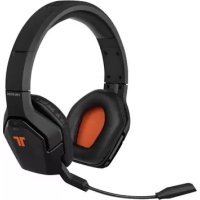
Kunai (3DS) - Headphones TRITTON - Free user manual and instructions
Find the device manual for free Kunai (3DS) TRITTON in PDF.



Frequently Asked Questions - Kunai (3DS) TRITTON
User questions about Kunai (3DS) TRITTON
0 question about this device. Answer the ones you know or ask your own.
Ask a new question about this device
Download the instructions for your Headphones in PDF format for free! Find your manual Kunai (3DS) - TRITTON and take your electronic device back in hand. On this page are published all the documents necessary for the use of your device. Kunai (3DS) by TRITTON.
USER MANUAL Kunai (3DS) TRITTON
Connecting the Microphone 4
In-line Controls 6
Connect To
Nintendo 3DS TM 7
Wii U GamePad TM 8
Speaker Tags 9
Troubleshooting 10
Warranty 11
Technical Support 12
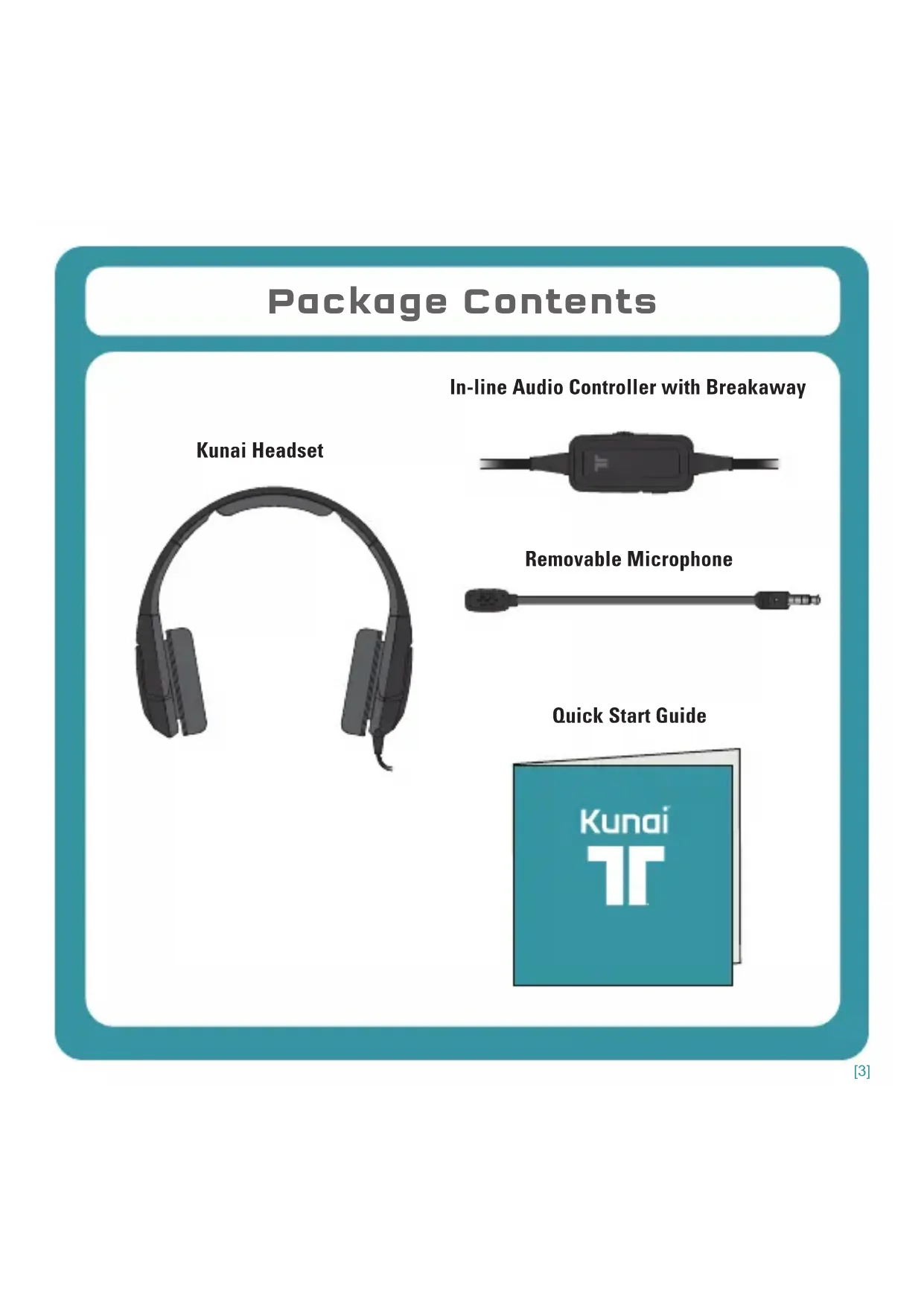
Package Contents
In-line Audio Controller with Breakaway
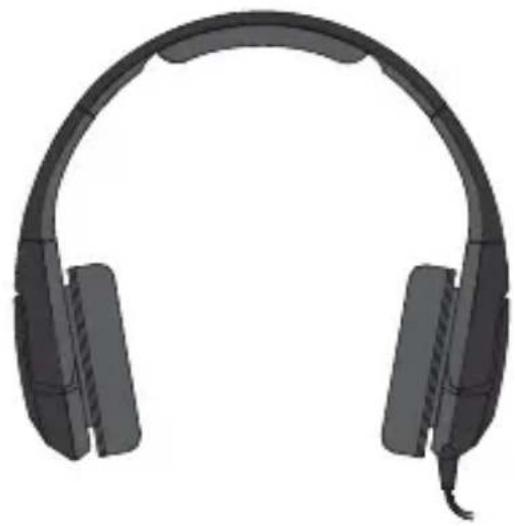
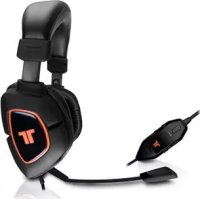
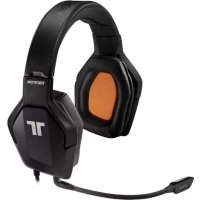
Kunai Headset

Removable Microphone
Quick Start Guide
Connecting the Microphone
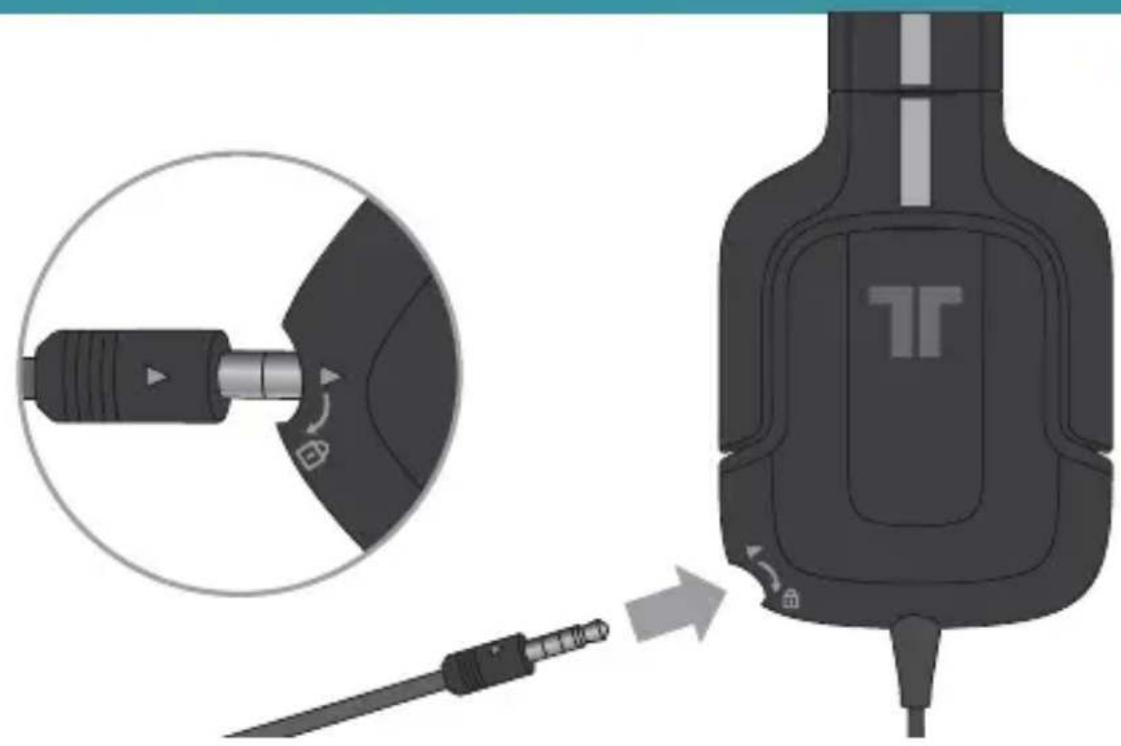
- Line up the arrows on the microphone and the headset.
Connecting the Microphone
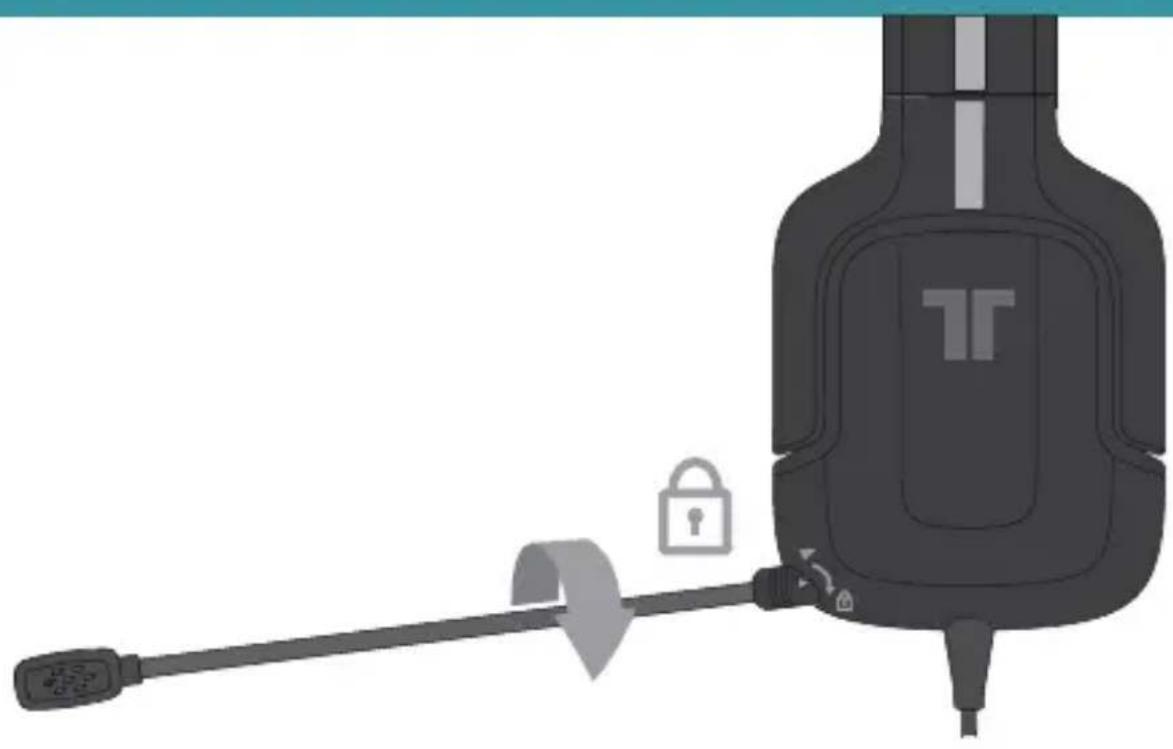
- Insert the microphone into the port on the left earcup of the headset. Firmly push it into place, and then twist it clockwise to lock it in place.
- Reverse the above steps to remove the microphone.
- With the microphone removed, insert the included microphone connector plug to cover the port.
In-line Controls
Game Audio Volume: Use to adjust the volume of the game audio.
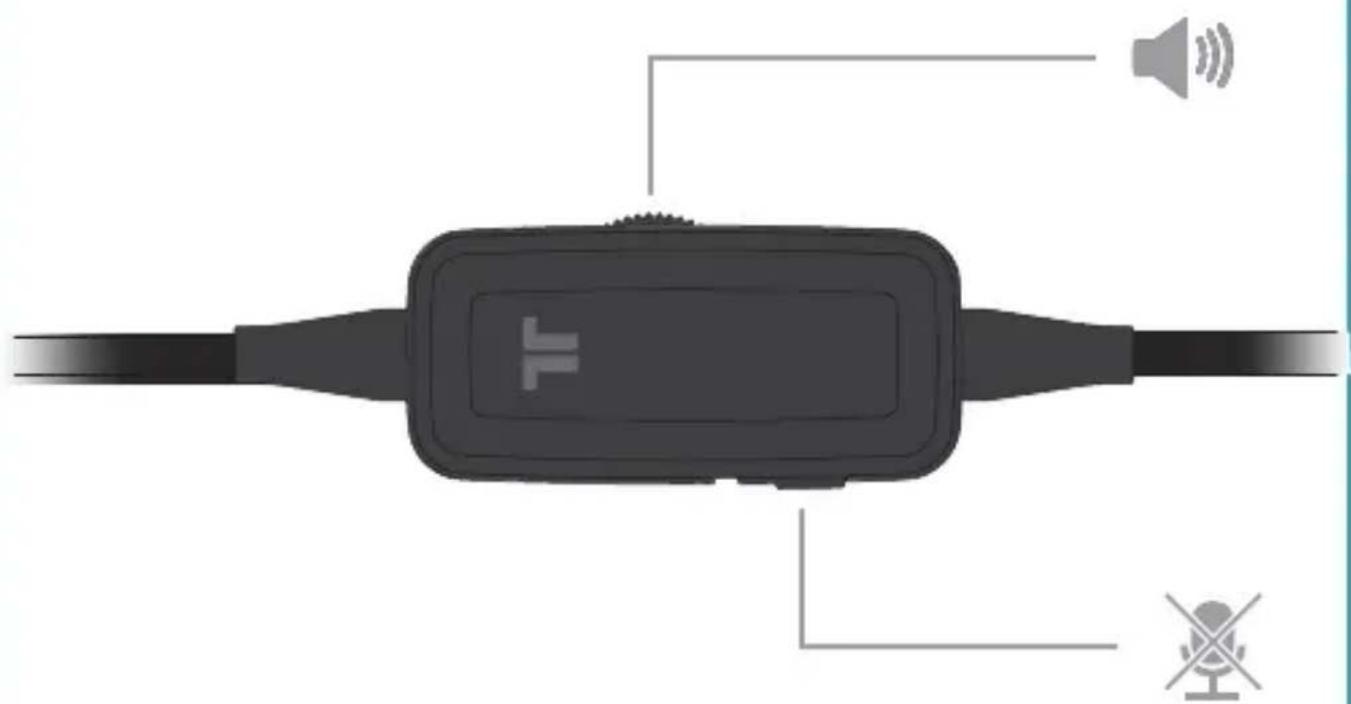
Mic Mute: Slide the mic mute switch so that others cannot hear you. The orange area behind the switch will show when the mic is muted.
Connect to Nintendo 3DS™
NINTENDO 3DS.
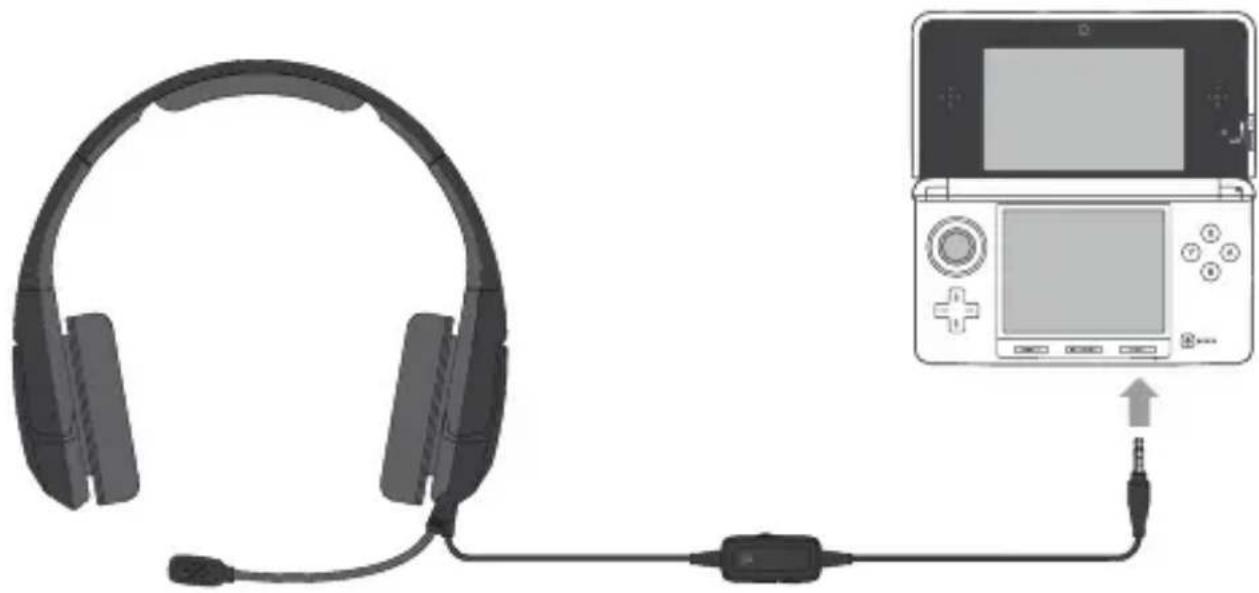
Plug the 3.5mm stereo audio connector into the 3.5mm headset jack located on the bottom of the Nintendo 3DS.
Connect to Wii U GamePad™

Plug the 3.5mm stereo audio connector into the 3.5mm headset jack located on the top of the Wii U GamePad.
Speaker Tags
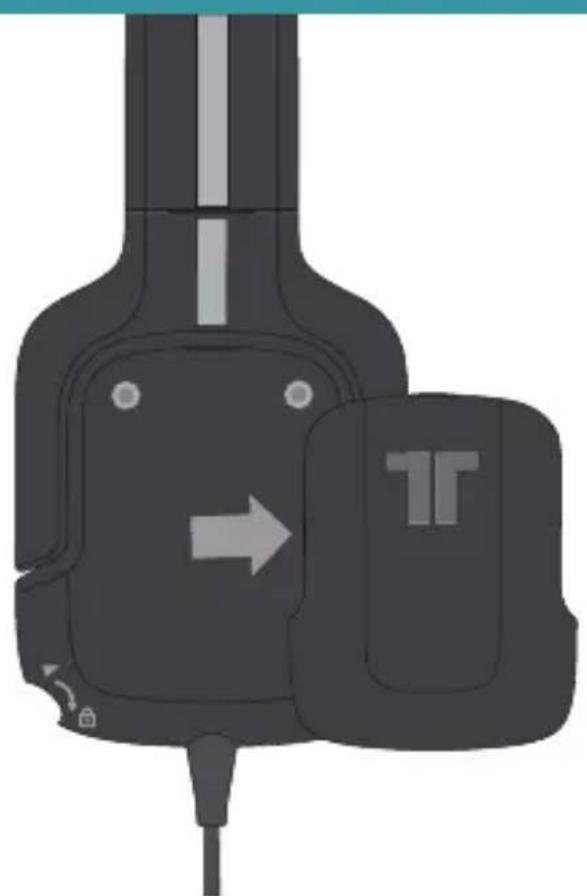
- The speaker tags are held in place with magnets. Remove them by pulling on the slots located at the top of the speaker plates.
- To replace the speaker tags, line up the tabs on the speaker tag with the holes at the bottom of the earcup, and then tilt the speaker tag forward so that the magnets hold it in place.
Replacement and customized speaker tags are available at trittonaudio.com
Troubleshooting
Microphone isn't working:
- Make sure that the microphone is properly inserted into the microphone port.
- Check that the 3.5mm stereo audio connector is firmly plugged into the headset jack on the Nintendo 3DS or Wii U GamePad.
- Make sure that the mic mute switch is not set to mute.
- Make sure that the mic mute option on the Nintendo 3DS or Wii U GamePad is not enabled.
No Sound:
- Check that the volume on the in-line controller is not turned all the way down.
- Check that the volume on the Nintendo 3DS or Wii U GamePad is not turned all the way down.
- Check that the 3.5mm stereo audio connector is firmly plugged into the headset jack on the Nintendo 3DS or Wii U GamePad.
WARRANTY
2-YEAR LIMITED WARRANTY
Mad Catz warrants this product to be free from defects in materials and workmanship for the warranty period. This non-transferable, two- (2) year limited warranty is only to you, the first end-user purchaser. If a defect covered by this warranty occurs AND you provide proof of purchase, Mad Catz, at its option, will repair or replace the product at no charge.
The Mad Catz two- (2) year limited warranty is available to North American and European customers. Your sole and exclusive remedy is repair or replacement of your Mad Catz product. In no event shall Mad Catz liability exceed the original purchase price of the product. This warranty does not apply to: (a) normal wear and tear or abusive use; (b) industrial, professional or commercial use; (c) if the product has been tampered with or modified.
NORTH AMERICA AND EUROPE
To receive warranty service, you must:
Obtain a Return Authorization Number from Mad Catz Technical Support via ONE of the following methods:
a. Submit a Ticket at http://support.madcatz.com
b. Call the Mad Catz Tech Support Center nearest you:
North America: 1-800-659-2287 (USA) or 1-619-683-2815 (outside USA)
United Kingdom: 08450 508418
Europe (outside UK): +44(0) 1633 883110
France:0182880180
Germany:089-21094818
Spain: 93 181 63 94
Once you have your unique Return Authorization Number, do the following:
- Ship the product to Mad Catz at your expense for service.
- Enclose a copy of the original sales receipt showing a purchase date.
- Enclose a full return address with daytime and evening phone numbers.
TECHNICAL SUPPORT
Online Support: http://support.madcatz.com
North American telephone, available Monday through Friday (excluding holidays): 1-800-659-2287 (USA only) or 1-619-683-2815 (outside USA).
United Kingdom telephone, available Monday through Friday (excluding bank holidays): 08450 508418.
European telephone (outside UK), available Monday through Friday (excluding bank holidays): +44(0) 1633 883110.
CAUTIONS
- Long-term exposure to loud music or other sounds in headphones may cause hearing damage. It is best to avoid extreme volume levels when using headphones, especially for extended periods.
- Use this unit only as intended.
- To prevent fire or shock hazard, do not expose this unit to rain or moisture. Do not use within 30^ of any water such as swimming pools, bathtubs, or sinks.
- To avoid electrical shock, do not disassemble. Refer servicing to qualified personnel only.
- Never insert objects of any kind, other than authorized items, into the product as they may touch dangerous voltage points or short out parts that could result in fire or electrical shock.
- Stop using this unit immediately if you begin to feel tired or if you experience discomfort or pain in your hands and/or arms while operating the unit. If the condition persists, consult a doctor.
- Avoid prolonged use of this unit. Take breaks every 30 minutes.
- Route all cords so that they are not likely to be walked on or tripped over. Make sure that cords are not placed in a position or areas where they may become pinched or damaged.
- Do not wrap cords around any part of anyone's body.
- Do not allow children to play with cords.
This product contains small parts that may cause choking if swallowed. Not intended for use by children under 3 years of age.
United States and Canada:
As required, certain of these class B digital devices (the headsets) have been tested by Mad Catz, Inc., 7480 Mission Valley Road, Suite 101, San Diego, CA 92108, and found to comply with part 15 of the FCC rules and the Canadian RSS-210 which sets forth limits designed to provide reasonable protection against harmful interference in a residential installation. These device(s) use, generate and can radiate radio frequency energy and, if not assembled, installed and used in accordance with the instructions, may cause harmful interference to radio communications. There is no guarantee that interference will not occur in any particular location or use. Operation is subject to the following two conditions: (1) this device may not cause harmful interference and (2) this device must accept any interference received, including interference that may cause undesired operation.
FCC Part 15 section 15.105
Warning: Any changes or modifications made on the system not expressly approved by the manufacturer could void the user's authority to operate the equipment.
CAUTIONS
Exposure to Radio Frequency Radiation:
The radiated output power of the headset is well within FCC radio frequency exposure limits for this type of device when unaltered and used as described in our instructions and the controller operates within guidelines found in radio frequency safety standards, which reflect the consensus of the scientific community and therefore, the manufacturer believes the device's internal wireless radio is safe for use by consumers. The level of energy emitted is far less than the electromagnetic energy emitted by wireless devices such as mobile phones. However, the use of wireless radios may be restricted in some situations (e.g., on airplanes). If you are unsure of restrictions that may apply in any situation, you must ask for authorization before turning on, connecting or using the controller.
EU DECLARATION OF CONFORMITY:
As required, certain of these products have been tested and conform to the requirements of the European Union Directives 2002/95/EC, 2002/96/EC, and 2004/108/EC. Authorized signatory of the manufacturer is Mad Catz, Inc., 7480 Mission Valley Road, Suite 101, San Diego, CA 92108. 08/12
WWW.TRITTONAUDIO.COM
©2012 Mad Catz, Inc. 7480 Mission Valley Road, Suite 101, San Diego, CA 92108 U.S.A. Mad Catz, TRITTON, Kunai, the Mad Catz logo and the TRITTON logo are trademarks or registered trademarks of Mad Catz, Interactive, Inc., its subsidiaries and affiliates. The shape and design of this product are a trade dress of Mad Catz Interactive, Inc., its subsidiaries and affiliates. All other product names and images are trademarks or registered trademarks of their respective owners. Made in China. All rights reserved. Product features, appearance and specifications may be subject to change without notice. Please retain this information for future reference.
TM and © 2012 Nintendo. Licensed by Nintendo.
Assistance Technique 12
©2012 Mad Catz, Inc. 7480 Mission Valley Road, Suite 101, San Diego, CA 92108 U.S.A. Mad Catz, TRITTON, Kunai, the Mad Catz logo and the TRITTON logo are trademarks or registered trademarks of Mad Catz, Interactive, Inc., its subsidiaries and affiliates. The shape and design of this product are a trade dress of Mad Catz Interactive, Inc., its subsidiaries and affiliates. All other product names and images are trademarks or registered trademarks of their respective owners. Made in China. All rights reserved. Product features, appearance and specifications may be subject to change without notice. Please retain this information for future reference.
TM and © 2012 Nintendo. Licensed by Nintendo.
©2012 Mad Catz, Inc. 7480 Mission Valley Road, Suite 101, San Diego, CA 92108 U.S.A. Mad Catz, TRITTON, Kunai, the Mad Catz logo and the TRITTON logo are trademarks or registered trademarks of Mad Catz, Interactive, Inc., its subsidiaries and affiliates. The shape and design of this product are a trade dress of Mad Catz Interactive, Inc., its subsidiaries and affiliates. All other product names and images are trademarks or registered trademarks of their respective owners. Made in China. All rights reserved. Product features, appearance and specifications may be subject to change without notice. Please retain this information for future reference.
TM and © 2012 Nintendo. Licensed by Nintendo.
Mad Catz is a publicly traded company on the TSX/NYSE MKT, symbol MCZ.
©2012 Mad Catz, Inc. 7480 Mission Valley Road, Suite 101, San Diego, CA 92108 U.S.A. Mad Catz, TRITTON, Kunai, the Mad Catz logo and the TRITTON logo are trademarks or registered trademarks of Mad Catz, Interactive, Inc., its subsidiaries and affiliates. The shape and design of this product are a trade dress of Mad Catz Interactive, Inc., its subsidiaries and affiliates. All other product names and images are trademarks or registered trademarks of their respective owners. Made in China. All rights reserved. Product features, appearance and specifications may be subject to change without notice. Please retain this information for future reference.
TM and © 2012 Nintendo. Licensed by Nintendo.
©2012 Mad Catz, Inc. 7480 Mission Valley Road, Suite 101, San Diego, CA 92108 U.S.A. Mad Catz, TRITTON, Kunai, the Mad Catz logo and the TRITTON logo are trademarks or registered trademarks of Mad Catz, Interactive, Inc., its subsidiaries and affiliates. The shape and design of this product are a trade dress of Mad Catz Interactive, Inc., its subsidiaries and affiliates. All other product names and images are trademarks or registered trademarks of their respective owners. Made in China. All rights reserved. Product features, appearance and specifications may be subject to change without notice. Please retain this information for future reference.
TM and © 2012 Nintendo. Licensed by Nintendo.
Online Support: http://support.madcatz.com
Telefon i Storbritannien, aben mandag til fredag (eksklusive helligdage): 08450 508418.
Telefon i Europa (uden for Storbritannien), aben mandag til fredag (eksklusive helligdage): +44(0) 1633 883110.
FORHOLDSREGLER
©2012 Mad Catz, Inc. 7480 Mission Valley Road, Suite 101, San Diego, CA 92108 U.S.A. Mad Catz, TRITTON, Kunai, the Mad Catz logo and the TRITTON logo are trademarks or registered trademarks of Mad Catz, Interactive, Inc., its subsidiaries and affiliates. The shape and design of this product are a trade dress of Mad Catz Interactive, Inc., its subsidiaries and affiliates. All other product names and images are trademarks or registered trademarks of their respective owners. Made in China. All rights reserved. Product features, appearance and specifications may be subject to change without notice. Please retain this information for future reference.
TM and © 2012 Nintendo. Licensed by Nintendo.
Inc., 7480 Mission Valley Road, Suite 101, San Diego, CA 92108.
08/12
WWW.TRITTONAUDIO.COM
©2012 Mad Catz, Inc. 7480 Mission Valley Road, Suite 101, San Diego, CA 92108 U.S.A. Mad Catz, TRITTON, Kunai, the Mad Catz logo and the TRITTON logo are trademarks or registered trademarks of Mad Catz, Interactive, Inc., its subsidiaries and affiliates. The shape and design of this product are a trade dress of Mad Catz Interactive, Inc., its subsidiaries and affiliates. All other product names and images are trademarks or registered trademarks of their respective owners. Made in China. All rights reserved. Product features, appearance and specifications may be subject to change without notice. Please retain this information for future reference.
TM and © 2012 Nintendo. Licensed by Nintendo.
Mission Valley Road, Suite 101, San Diego, CA 92108.
08/12
WWW.TRITTONAUDIO.COM
©2012 Mad Catz, Inc. 7480 Mission Valley Road, Suite 101, San Diego, CA 92108 U.S.A. Mad Catz, TRITTON, Kunai, the Mad Catz logo and the TRITTON logo are trademarks or registered trademarks of Mad Catz, Interactive, Inc., its subsidiaries and affiliates. The shape and design of this product are a trade dress of Mad Catz Interactive, Inc., its subsidiaries and affiliates. All other product names and images are trademarks or registered trademarks of their respective owners. Made in China. All rights reserved. Product features, appearance and specifications may be subject to change without notice. Please retain this information for future reference.
TM and © 2012 Nintendo. Licensed by Nintendo.