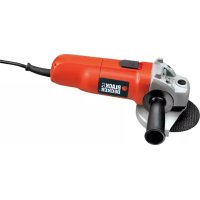
CD110 - Grinder BLACK & DECKER - Free user manual and instructions
Find the device manual for free CD110 BLACK & DECKER in PDF.



| Product Type | Grinder (angle grinder) |
| Brand | Black & Decker |
| Model | CD110 |
| Power Supply | Mains, 230 V ~ 50 Hz |
| Rated Power Input | 701 W |
| No-load Speed | 10,000 min-1 |
| Disc Diameter | 115 mm |
| Disc Bore | 16 mm |
| Max. Grinding Disc Thickness | 6 mm |
| Max. Cutting Disc Thickness | 3.5 mm |
| Spindle Size | M10 |
| Weight | 2.1 kg |
| Dimensions (approx.) | 270 x 100 x 80 mm (L x H x D) |
| Sound Pressure Level (LpA) | 91 dB(A) (uncertainty 3 dB(A)) |
| Sound Power Level (LWA) | 102 dB(A) (uncertainty 3 dB(A)) |
| Vibration (surface grinding) | 7 m/s² (uncertainty 1.5 m/s²) |
| Vibration (cutting) | 2.5 m/s² (uncertainty 1.5 m/s²) |
| Double Insulation | Yes (no earth cable required) |
| Side Handle | Yes, screwable on either side |
| Spindle Lock | Yes, for disc change |
| Protection Guard | Provided for grinding; specific guard for cutting available as optional |
| Maintenance | Regularly clean ventilation slots with a soft brush or dry cloth |
| Warranty | 24 months (domestic use) |
Frequently Asked Questions - CD110 BLACK & DECKER
User questions about CD110 BLACK & DECKER
0 question about this device. Answer the ones you know or ask your own.
Ask a new question about this device
Download the instructions for your Grinder in PDF format for free! Find your manual CD110 - BLACK & DECKER and take your electronic device back in hand. On this page are published all the documents necessary for the use of your device. CD110 by BLACK & DECKER.
USER MANUAL CD110 BLACK & DECKER
English (Original instructions) 5
Your Black & Decker angle grinder has been designed for grinding and cutting metal and masonry using the appropriate type of cutting or grinding disc. When fitted with the appropriate guard, this tool is intended for consumer use only.
Safety instructions
General power tool safety warnings

Warning! Read all safety warnings and all instructions. Failure to follow all instructions may result in electric shock, fire and/or serious injury.
Save all warnings and instructions for future reference.
The term "power tool" in all of the warnings listed below refers to your mains operated (corded) power tool or battery operated (cordless) power tool.
1. Work area safety
a. Keep work area clean and well lit. Cluttered and dark areas invite accidents.
b. Do not operate power tools in explosive atmospheres, such as in the present flammable liquids, gases or dust. Power tools create sparks which may ignite the dust or fumes.
c. Keep children and bystanders away while operating a power tool. Distractions can cause you to lose control.
2. Electrical safety
a. Power tool plugs must match the outlet. Never modify the plug in any way. Do not use any adapter plugs with earthed (grounded) power tools. Unmodified plugs and matching outlets will reduce risk of electric shock.
b. Avoid body contact with earthed or ground- ed surfaces such as pipes, radiators, ranges and refrigerators. There is an increased risk of electric shock if your body is earthed grounded.
c. Do not expose power tools to rain or wet conditions.
Water entering a power tool will increase the risk of electric shock.
d. Do not abuse the cord. Never use the cord for carrying, pulling or unplugging the power tool. Keep cord away from heat, oil, sharp edges or moving parts. Damaged or entangled cords increase the risk of electric shock.
e. When operating a power tool outdoors, use an extension cord suitable for outdoor use. Use of a cord suitable for outdoor use reduces the risk of electric shock.
f. If operating a power tool in a damp location is unavoidable, use a residual current device (RCD) protected supply. Use of an RCD reduces the risk of electric shock.
3. Personal safety
a. Stay alert, watch what you are doing and use common sense when operating a power tool. Do not use a power tool while you are tired or under the influence of drugs, alcohol or medication. A moment of inattention while operating power tools may result in serious personal injury.
b. Use personal protective equipment. Always wear eye protection. Protective equipment such as dust mask, non-skid safety shoes, hard hat, or hearing protection used for appropriate conditions will reduce personal injuries.
c. Prevent unintentional starting. Ensure the switch is in the off-position before connecting to power source and/or battery pack, picking up or carrying the tool.
Carrying power tools with your finger on switch or energising power tools that have the switch on invites accidents.
d. Remove any adjusting key or wrench before turning the power tool on. A wrench or a key left attached to a rotating part of the power tool may result in personal injury.
e. Do not overreach. Keep proper footing and balance at all times. This enables better control of the power tool in unexpected situations.
f. Dress properly. Do not wear loose clothing or jewellery. Keep your hair, clothing and gloves away from moving parts. Loose clothes, jewellery or long hair can be caught in moving parts.
g. If devices are provided for the connection of dust extraction and collection facilities, ensure these are connected and properly used. Use of these devices can reduce dust related hazards.
4. Power tool use and care
a. Do not force the power tool. Use the correct power tool for your application. The c correct power tool will do the job better and safer at the rate for which it was designed.
b. Do not use the power tool if the switch does not turn it on and off. Any power tool that cannot be controlled with the switch is dangerous and must be repaired.
ENGLISH
c. Disconnect the plug from the power source and/or the battery pack from the power tool before making any adjustments, changing accessories, or storing power tools. Such preventive safety measures reduce the risk starting the power tool accidentally.
d. Store idle power tools out of the reach of children and do not allow persons unfamiliar with the power tool or these instructions to operate the power tool. Power tools are dangerous in the hands of untrained users.
e. Maintain power tools. Check for misalignment or binding of moving parts, breakage of parts and any other condition that may affect the power tools operation. If damaged, have the power tool repaired before use. Many accidents are caused by poorly maintained power tools.
f. Keep cutting tools sharp and clean. Properly maintained cutting tools with sharp cutting edges are less likely to bind and are easier to control.
g. Use the power tool, accessories and tool bits etc. in accordance with these instructions, taking into account the working conditions and the work to be performed. Use o power tool for operations different from those intended could result in a hazardous situation.
5. Service
a. Have your power tool serviced by a quali ed repair person using only identical replacement parts. This will make sure that the safety of the power tool is maintained.
Additional power tool safety warnings

Warning! Additional safety warnings for grinding, sanding, wire brushing, polishing or abrasive cutting-off operations
This power tool is intended to function a grinder, sander, wire brush, polisher or cut-off tool. Read all safety warnings, instructions, illustrations and specifi cations provided with this power tool. Failure to follow all instructions listed below may result in electric shock, fire and/or serious injury.
Operations for which the power tool was not designed may create a hazard and cause personal injury.
Do not use accessories which are not speci-cally designed and recommended by the tool manufacturer.
Just because the accessory can be attached to
your power tool, it does not assure safe operation.
The rated speed of the accessory must be at least equal to the maximum speed marked on the power tool. Accessories running faster than their rated speed can break and fly apart.
- The outside diameter and the thickness of your accessory must be within the capacity rating of your power tool. Incorrectly sized accessories cannot be adequately guarded or controlled.
The arbour size of wheels, flanges, backing pads or any other accessory must properly fit the spindle of the power tool. Accessories with arbour holes that do not match the mounting hardware of the power tool will run out of balance, vibrate excessively and may cause loss of control.
Do not use a damaged accessory. Before each use inspect the accessory such as abrasive wheels for chips and cracks, backing pad for cracks, tear or excess wear, wire brush for loose or cracked wires. If power tool or accessory is dropped, inspect for the damage or install an undamaged accessory. After inspecting and installing an accessory and run the power tool at maximum no-load speed for one minute. Damaged accessories will normally break apart during this test time.
Wear personal protective equipment. Depending on application, use face shield, safety goggles or safety glasses. As appropriate, wear dust mask, hearing protectors, gloves and workshop apron capable of stopping small abrasive or workpiece fragments.
The eye protection must be capable of stopping fl ying debris generated by various operations. The dust mask or respirator must be capable of fi ltering particles generated by your operation. Prolonged exposure to high intensity noise may cause hearing loss.
- Keep bystanders a safe distance away from work area. Anyone entering the work area must wear personal protective equipment. Fragments of workpiece or of a broken accessory may fly away and cause injury beyond immediate area of operation.
Hold the power tool by insulated gripping surfaces, because the sanding belt / sanding base may contact its own cord. Cutting a "live" wire may make exposed metal parts of the power tool "live" could give the operator an electric shock.
Position the cord clear of the spinning accessory. If you lose control, the cord may be cut or snagged and your hand or arm may be pulled into the spinning accessory.
- Never lay the power tool down until the accessory has come to a complete stop. The spinning accessory may grab the surface and pull the power tool out of your control.
- Do not run the power tool while carrying it at your side. Accidental contact with the spinning accessory could snag your clothing, pulling the accessory into your body.
Regularly clean the power tool's air vents. The motor's fan will draw the dust inside the housing and excessive accumulation of powdered metal may cause electrical hazards.
Do not operate the power tool near flammable materials. Sparks could ignite these materials.
- Do not use accessories that require liquid coolants.
Using water or other liquid coolants may result in electrocution or shock.
Note: The above warning does not apply for power tools specifically designed for use with a liquid system.
Kickback and related warnings
Kickback is a sudden reaction to a pinched or snagged rotating wheel, backing pad, brush or any other accessory.
Pinching or snagging causes rapid stalling of the rotating accessory which in turn causes the uncontrolled power tool to be forced in the direction opposite of the accessory's rotation at the point of the binding.
For example, if an abrasive wheel is snagged or pinched by the workpiece, the edge of the wheel that is entering into the pinch point can dig into the surface of the material causing the wheel to climb out or kick out. The wheel may either jump toward or away from the operator, depending on direction of the wheel's movement at the point of pinching. Abrasive wheels may also break under these conditions.
Kickback is the result of power tool misuse and/or incorrect operating procedures or conditions and can be avoided by taking proper precautions as given below.
Maintain a firm grip on the power tool and position your body and arm to allow you to resist kickback forces. Always use auxiliary
handle, if provided, for maximum control over kickback or torque reaction during start-up. The operator can control torque reactions or kickback forces, if proper precautions are taken.
Never place your hand near the rotating accessory.
Accessory may kickback over your hand.
Do not position your body in the area where power tool will move if kickback occurs. Kickback will propel the tool in direction opposite to the wheel's movement at the point of snagging.
Use special care when working corners, sharp edges etc. Avoid bouncing and snagging the accessory.
Corners, sharp edges or bouncing have a tendency to snag the rotating accessory and cause loss of control or kickback.
Do not attach a saw chain woodcarving blade or toothed saw blade. Such blades create frequent kickback and loss of control.
Additional safety instructions for grinding and cutting-off operations
Safety warnings specific for grinding and abrasive cutting-off operations
Use only wheel types that are recommended for your power tool and the specific guard designed for the selected wheel. Wheels for which the power tool was not designed cannot be adequately guarded and are unsafe.
The guard must be securely attached to the power tool and positioned for maximum safety, so the least amount of wheel is exposed towards the operator. The guard helps to protect operator from broken wheel fragments and accidental contact with wheel.
- Wheels must be used only for recommended applications. For example: do not grind with the side of cut-off wheel. Abrasive cut-off wheels are intended for peripheral grinding, side forces applied to these wheels may cause them to shatter.
Always use undamaged wheel flanges that are of correct size and shape for your selected wheel. Proper wheel flanges support the wheel thus reducing the possibility of wheel breakage. Flanges for cut-off wheels may be different from grinding wheel flanges.
Do not use worn down wheels from larger power tools. Wheel intended for larger power tool is not suitable for the higher speed of a smaller tool and may burst.
ENGLISH
Additional safety warnings specific for abrasive cutting-off operations
- Do not "jam" the cut-off wheel or apply excessive pressure. Do not attempt to make an excessive depth of cut. Over stressing the wheel increases the loading and susceptibility to twisting or binding of the wheel in the cut and the possibility of kickback or wheel breakage.
Do not position your body in line with behind the rotating wheel. When the wheel, at the point of operation, is moving away from your body, the possible kickback may propel the spinning wheel and the power tool directly at you.
When wheel is binding or when interrupting a cut for any reason, switch off the power tool and hold the power tool motionless until the wheel comes to a complete stop. Never attempt to remove the cut-off wheel from the cut while the wheel is in motion otherwise kickback may occur. Investigate and take corrective action to eliminate the cause of wheel binding.
Do not restart the cutting operation in the workpiece. Let the wheel reach full speed and carefully re-enter the cut. The wheel may bind, walk up or kickback if the power tool is restarted in the workpiece.
Support panels or any oversized workpiece to minimize the risk of wheel pinching and kickback. Large workpieces tend to sag under their own weight. Supports must be placed under the workpiece near the line of cut and near the edge of the workpiece on both sides of the wheel.
Use extra caution when making a "pocket cut" into existing walls or other blind areas. The protruding wheel may cut gas or water pipes, electrical wiring or objects that can cause kickback.
Safety warnings specific for sanding operations
Do not use excessively oversized sanding disc paper.
Follow manufacturers recommendations, when selecting sanding paper. Larger sanding paper extending beyond the sanding pad presents a laceration hazard and may cause snagging, tearing of the disc or kickback.
Safety warnings specific for polishing operations
Do not allow any loose portion of the polishing bonnet or its attachment strings to spin freely. Tuck away or trim any loose attach
ment strings. Loose and spinning attachment strings can entangle your fingers or snag on the workpiece.
Safety warnings specific for wire brushing operations
Be aware that wire bristles are thrown by the brush even during ordinary operation.
nd Do not overstress the wires by applying excessive load to the brush. The wire bristles can easily penetrate light clothing and/or skin.
If the use of a guard is recommended for wire brushing, do not allow any interference of the wire wheel or brush with the guard. Wire wheel or brush may expand in diameter due to work load and centrifugal forces.
Safety of others
This appliance is not intended for use by persons (including children) with reduced physical, sensory or mental capabilities, or lack of experience and knowledge, unless they have been given supervision or instruction concerning use of the appliance by a person responsible for their safety.
Children should be supervised to ensure that they do not play with the appliance.
Vibration
The declared vibration emission values stated in the technical data and the declaration of conformity have been measured in accordance with a standard test method provided by EN 60745 and may be used for comparing one tool with another. The declared vibration emission value may also be used in a preliminary assessment of exposure.
Warning! The vibration emission value during actual use of the power tool can differ from the declared value depending on the ways in which the tool is used. The vibration level may increase above the level stated.
When assessing vibration exposure to determine safety measures required by 2002/44/EC to protect persons regularly using power tools in employment, an estimation of vibration exposure should consider, the actual conditions of use and the way the tool is used, including taking account of all parts of the operating cycle such as the times when the tool is switched off and when it is running idle in addition to the trigger time.
Labels on tool

Warning! To reduce the risk of injury, the user must read the instruction manual.
Place the fl ange (8) over the spindle with the protruding pips towards the guard. Make sure that the holes in the fl ange align with the screw holes.
Secure the flange with the screws (9). Make sure that the screws are fully tight and that the guard can be rotated.

Wear safety glasses or goggles when using the tool.
Removing

Wear ear protection when using this tool.
Use a screwdriver to remove the screws (9).
Remove the fl ange (8), guard (4) and spring washer (7).
Store these parts carefully.
Warning! Never use the tool without the guard.

This tool is double insulated;therefo earth wire is required. Always check that the power supply corresponds to the voltage on the rating plate.
Fitting the side handle
Screw the side handle (2) into one of the mounting holes in the tool.
Warning! Always use the side handle.
If the supply cord is damaged, it must be placed by the manufacturer or an auth Black & Decker Service Centre in order to avoid a hazard.
Fitting and removing grinding or cutting discs (fig. C-E)
Always use the correct type of disc for your application.
Always use discs with the correct diameter and bore size (see technical data).
Features
Your tool has some or all of the following features:
- On/off switch
- Side handle
- Spindle lock
- Guard
Assembly
Warning! Before assembly, make sure that the tool is switched off and unplugged.
Fitting and removing the guard (fi g. A & B)
The tool is supplied with a guard intended for grinding purposes only. If the unit is in perform cutting off operations, a guard specific for this operation must be fitted. A suitable guard for cutting off operations part number 1004484-00 is available and can be obtained from Black & Decker service centres.
Fitting
Place the tool on a table, with the spindle (5) facing up.
Place the spring washer (6) over the spindle and locate it on the shoulder (7).
Place the guard (4) onto the tool as shown.
Fitting
Fit the guard as described above.
Place the inner flange (10) onto the spindle (5) as shown (fi g. C). Make sure that the fl ange is correctly located on the fl at sides of the spindle.
Place the disc (11) onto the spindle (5) as shown (fig. C). If the disc has a raised centre (12), make sure that the raised centre faces the inner flange.
Make sure that the disc locates correctly on the inner flange.
Place the outer flange (13) onto the spindle. When ftting a grinding disc, the raised centre on the outer flange must face towards the disc (A in fig. D). When ftting a cutting disc, the raised centre on the outer flange must face away from the disc (B in fig. D).
Keep the spindle lock (3) depressed and tighten the outer flange using the two-pin spanner (14) (fig. E).
Removing
Keep the spindle lock (3) depressed and loosen the outer flange (13) using the two-pin spanner (14) (fig. E).
Remove the outer flange (13) and the disc (11).
ENGLISH
Fitting and removing sanding discs (fig. E & F)
For sanding, a backing pad is required. The backing pad is available from your Black & Decker dealer as an accessory.
Fitting
Place the inner flange (10) onto the spindle (5) as shown (fig. F). Make sure that the flange is correctly located on the fl at sides of the spindle.
Place the backing pad (15) onto the spindle.
Place the sanding disc (16) onto the backing pad.
Place the outer flange (13) onto the spindle with the raised centre facing away from the disc.
- Keep the spindle lock (3) depressed and tighten the outer flange using the two-pin spanner (14) (fig. E). Make sure that the outer flange is fitted correctly and that the disc is clamped tightly.
grinding or cutting disc touches the workpiece.
Always position the tool in such a way that the guard provides optimum protection from the grinding or cutting disc.
Switching on and off
To switch on, slide the on/off switch (1) forward. Note that the tool will continue running when you release the switch.
To switch off, press the rear part of the on/off switch.
Warning! Do not switch the tool off while under load.
Hints for optimum use
Firmly hold the tool with one hand around the side handle and the other hand around the main handle.
- When grinding, always maintain an angle of aped prox. 15^ between the disc and the workpiece surface.
Removing
- Keep the spindle lock (3) depressed and loosen the outer flange (13) using the two-pin spanner (14) (fig. E).
Remove the outer flange (13), the sanding disc (16) and the backing pad (15).
Residual risks
Additional residual risks may arise when using the tool which may not be included in the enclosed safety warnings. These risks can arise from misuse, prolonged use etc. Even with the application of the relevant safety regulations and the implementation of safety devices, certain residual risks cannot be avoided. These include:
Injuries caused by touching any rotating/moving parts.
Injuries caused when changing any parts, blades or accessories.
Injuries caused by prolonged use of a tool. When using any tool for prolonged periods make sure you take regular breaks.
Impairment of hearing.
Health hazards caused by breathing dust developed when using your tool (example:- working with wood, especially oak, beech and MDF).
Use
Warning! Let the tool work at its own pace. Do not overload.
Carefully guide the cable in order to avoid accidentally cutting it.
Be prepared for a stream of sparks when the
Maintenance
Your Black & Decker tool has been designed to operate over a long period of time with a minimum of maintenance. Continuous satisfactory operation depends upon proper tool care and regular cleaning.
Warning! Before performing any maintenance on corded/cordless power tools:
Switch off and unplug the appliance/tool.
Or switch off and remove the battery from the appliance/tool if the appliance/tool has a separate battery pack.
Or run the battery down completely if it is integral and then switch off.
Unplug the charger before cleaning it. Your charger does not require any maintenance apart from regular cleaning.
Regularly clean the ventilation slots in your appliance/tool/charger using a soft brush or dry cloth.
Regularly clean the motor housing using a damp cloth. Do not use any abrasive or solvent-based cleaner.
Regularly open the chuck and tap it to remove any dust from the interior (when fitted).
Mains plug replacement (U.K. & Ireland only)
If a new mains plug needs to be fitted:
- Safely dispose of the old plug.
Connect the brown lead to the live terminal in the new plug.
Connect the blue lead to the neutral terminal.
Warning! No connection is to be made to the earth terminal. Follow the fitting instructions supplied with good quality plugs.Recommended fuse: 13 A.
Protecting the environment
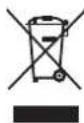
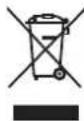
Separate collection. This product must not be disposed of with normal household waste.
Should you find one day that your Black & Decker product needs replacement, or if it is of no further use to you, do not dispose of it with household waste.
Make this product available for separate collection.

Separate collection of used products packaging allows materials to be recycled and used again. Re-use of recycled materials helps prevent environmental pollution and reduces the demand for raw materials.
Local regulations may provide for separate collection of electrical products from the hous municipal waste sites or by the retailer when you purchase a new product.
Black & Decker provides a facility for the collection and recycling of Black & Decker products once they have reached the end of their working life. To take advantage of this service please return your product to any authorised repair agent who will collect them on our behalf.
You can check the location of your nearest authorised repair agent by contacting you Black & Decker office at the address indicated in this manual. Alternatively, a list of a Black & Decker repair agents and full details of our after-sales service and contacts are available on the Internet at: www.2helpU.com
Technical data
| AST6 TYPE 4 | CD105 TYPE 4 | ||
| Voltage V | AC | 230 230 | |
| Power input W 701 701 | |||
| No-load speed | min-1 | 10,000 | 10,000 |
| Disc diameter | mm | 115 | 115 |
| Disc bore | mm | 22 | 22 |
| Max disc | |||
| thickness | |||
| grinding discs | mm | 6 | 6 |
| cutting discs | mm | 3.5 | 3.5 |
| Spindle size | mm | M14 | M14 |
| Weight | kg | 2.1 2.1 |
| CD110 TYPE 4 | CD115 TYPE 4 | ||
| Voltage V | AC | 230 230 | |
| Power input W 701 | 710 | ||
| No-load speed | min-1 | 10,000 | 10,000 |
| Disc diameter | mm | 100 115 | |
| Disc bore | mm | 16 | 22 |
| Max disc thickness | |||
| grinding discs | mm | 6 | 6 |
| cutting discs | mm | 3.5 | 3.5 |
| r Spindle size | mm | M10 | M14 |
| Weight | kg | 2.1 2.1 |
Level of sound pressure according to EN60745:
Sound pressure (L_pA) 91 dB(A), uncertainty (K) 3 dB(A)
Sound power (L_WA) 102 dB(A), uncertainty (K) 3 dB(A)
Vibration total values (triax vector sum) according to EN 60745:
Surface grinding (a_h,AG)7m / s^2 uncertainty (K) 1.5m / s^2
Cutting-off (a_h) 2.5m / s^2 ,uncertainty (K) 1.5m / s^2
EC declaration of conformity
MACHINERY DIRECTIVE

AST6, CD105, CD110, CD115
r 1 Black & Decker declares that these products described under "technical data" are in h o r i s e d compliance with:
2006/42/EC, EN60745-1, EN60745-2-3
For more information, please contact Black & Decker at the following address or refer to the back of the manual.
The undersigned is responsible for compilation of the technical file and makes this declaration on behalf of Black & Decker.

Kevin Hewitt
Vice-President Global Engineering
Black & Decker Europe, 210 Bath Road, Slough,
Berkshire, SL1 3YD
United Kingdom
29.07.2010
ENGLISH
Guarantee
Black & Decker is confidant of the quality of its products and offers an outstanding guarantee. This guarantee statement is in addition to and in no way prejudices your statutory rights.
The guarantee is valid within the territories of the Member States of the European Union and the European Free Trade Area.
If a Black & Decker product becomes defective due to faulty materials, workmanship or lack of conformity, within 24 months from the date of purchase, Black & Decker guarantees to replace defective parts, repair products subjected to fair wear and tear or replace such products to make sure of the minimum inconvenience to the customer unless:
The product has been used for trade, professional or hire purposes.
The product has been subjected to misuse or neglect.
The product has sustained damage through foreign objects, substances or accidents.
Repairs have been attempted by persons other than authorised repair agents or Black & Decker service staff.
To claim on the guarantee, you will need to submit proof of purchase to the seller or an authorised repair agent. You can check the location of your nearest authorised repair agent by contacting your local Black & Decker office at the address indicated in this manual. Alternatively, a list of authorised Black & Decker repair agents and full details of our after-sales service and contacts are available on the Internet at: www.2helpU.com
Vice-President Global Engineering Black & Decker Europe, 210 Bath Road, Slough,
Berkshire, SL1 3YD
Black & Decker Europe, 210 Bath Road, Slough,
Berkshire, SL1 3YD
Royaume Uni
29.07.2010
Garantie
Ha a korong kozepso része kiemelkedik (12), 8, 9, 10, 11, 12, 13, 14, 15, 16, 17, 18, 19, 20, 21, 22, 23, 24, 25, 26, 27, 28, 29, 30, 31, 32, 33, 34, 35, 36, 37, 38, 39, 40, 41, 42, 43, 44, 45, 46, 47, 48, 49, 50, 51, 52, 53, 54, 55, 56, 57, 58, 59, 60, 61, 62, 63, 64, 65, 66, 67, 68, 69, 70, 71, 72, 73, 74, 75, 76, 77, 78, 79, 80, 81, 82, 83, 84, 85, 86, 87, 88, 89, 90,
Alelnok, Global Engineering
Black & Decker Europe, 210 Bath Road, Slough,
Berkshire, SL1 3YD
Egyesult Kiralyssag
29.07.2010
Garancia határozat
Vice-President Global Engineering
Black & Decker Europe, 210 Bath Road, Slough,
Berkshire, SL1 3YD
Wielka Brytania
29.07.2010
POLSKI
Black & Decker
Warunki gwarancji:
BHeuHn DnaMeTp n ToJUHa HacaKn DOJXHbI COOTBeTCTBOBaT b DaNa3OHy MOuHocTH 3JeKtpOnHCTpyMeHTa. HacaKa He npabunbHoro pa3Mepa He 3akpbBaetc HAdJexKaUM O6pa3OM OrpaxDeHnEM H He o6ecneuHbae T KOHTpOJI npu ynpabJeHHN HCHtpymENTom.
Nocaochhe OTBepTna 6pa3nBbIX DC-KOB, fnaHceB, uNFOBaNbHbIX NOoWB n npOuNX CMeHHbIX 6pa6aTbIBaIOxuX npHaadJeXHOCTeD oJXHBI npaBnIbHO cnTeb Ha UINHeJe 3NeKtpOnHCTpyMeHTa. HacaKn c NocaochbIMN OTBepCTnAIMn HE COOTBeTCTByIOUIMM KpeNEXHbIM DeTaJIAMn 3NeKtpOnHCTpyMeHTa, MOrY CTaTB npuHoi pa36aHaHCnpOBaHHOCTH, NOBbIeHHo Bn6pa-
IIN I NOTepn KOHTpOJa Hau 3JIeKTPoHcTpyMeHTOM.
He nCnoIb3yIte NOBpeXdeHHbIe HacaDN. Npeed KaKdbIM NCNoIb3OBaHnem npoBepnTe a6pa3NBbIe DNCKn Ha HauNue cKOIOB I TpeuH, DnCKN-NOOWBbl - Ha HauNue HaApbIBOB I TpeuH, pOBOIoHbIe 9ETKN -Ha HauNue Ocna6JeHHoH nn CLOMaHHo NPOBOLOKn. B Cnyae naDeHNr 3NeKTpOHnHCTpyMeHTa HauNn HacaDN. NpOBePbTe nx Ha HauNue NOBpeXdeHNn Hn UcTAHOBNTe HenoBpeXdeHHyo HacaDN. Nocne npOBepKn yCTaHOBKn HacaDN. 3anyCTnte HHCTpyMeHT Ha MaKcImaJIbHOckOpOCTn 6e3 Harpy3Kn B TeueHne 1 MmHyTbI. NoBpeXdeHHbIe HacaDN OTnEeT B CTOpOHy B TeueHne DaHHOrTo TectOBoro nepnoDa.
HcnoJb3yIte CpeDCTBa HndnBnuDyaJIbHO 3aunTbI. B 3aBncmocTN OT Tnna BblOnHaeMbIX pa6oT HaedeBaIe Te UNTOK Dnla 3aunTbI Iuua nI 3aunTHbIe OUKn. B COOTBeTCTBnC Heo6xOIMOCtBO HaedeBaIe peCnPapOp, 3aunTHbIe HayuHnK, nepaTkn Ipa6ouh apTyk, cNoCo6hN 3auNTtB OT MeKN a6pa3NBbIX YactNu N parmENTOB 6pa6aTBiBaem Oetann. CpeCTBa 3auTbI dIra Tna3 DoJXHbI OCTaHaBnBaTb YactNuBi, BbletaUoune Pn BblOnHeHn Pa3NJuHbIX BIDOB pa6ot. IpOTNbONbIeBaer Macka IIN peCnnpaTOp DOJXHbI ObecneuBaTb Jb-TPaunIO TBepDbIX YactNu, O6pa3YUoXxCn Pn BblONHeHn pa6ot. DInTeJbHoe Bo3DeECTBne Wyma BlicOKO MoUHcTn MOKeT npNBecTN K HapyueHnM cnYxa.
He noDnyckaIte nocToPOHHx Iu6 6JN3Ko K pa6OeH 3OHe. IIO6oe IuO, BXOJaee B pa6OyU 3OHy, DOJXHO NcNoJb3OBaTb CpeCDtBa HNDNBnDaYalbHoN 3aUnTbI. FpaarmEtbl O6pa6aTbIBaEMo JDeTaJI NJIpa3pyeHHo HacaKn MOrTy BblTeTb N CTaTB npuHHo TpaBMnpOBaHna DaKe 3a npedeJamn pa6Oey 3OHbl.
Depxknte 3neKtpoHcTpyment 3a n30nipoBaHHbIe pykoTkn, nockoJIbky wInΦoBaJbHa JENTa / WInΦoBaJbHa NDoWbAmoXet 3aTeB Ka6Enb NOkNIOUeHnK 3neKtpocEt. Pa3pe3aHHe HaxOJaIero nOHa npraJxHEm npoBOda DeIaE T He NOKpbITbIe n3OJIuIeM metaJIINueCKne qACTn 3neKtpoHcTpymEnta «XNBblIMN», YTO CO3JaE TONaCHOCTb NopaxHnA 3neKtpuYeCKm TOKOM.
Pacnojaraite shyp nHTaHnHa ydaJIeHn OT Bpaauouecna HacaKn. B cnyae notepn KOHTPOJIA uHyp nHTaHn MOKeT 6bITb pa3pe-3aH nn o6OpaH, a Ba7a pyka MoKeT 6bITb 3aTHyTa Bpaauouecna HacaKoN.
HnkOrda He KlaIaNte 3JeKtpoHcTpymeHT, noka hacaKa nonHOCTbIO He octaHOBNTc. Bpaauozaer HacaKa MoKeT 3aTeB 3a noBepxHoCTb, N3-3a Yero 3JeKtpoHcTpymeHT MOKeT BbIPBaTcRn3 pyk.
He BkIouaTe 3NeKtpOnHCTpyMeHT,ecn HacaKa HnpaBneHa BaC.CnyaHbIKoHTaKT C BpaAuaOuSeiCra HacaKo MoKeT npBeCTN K 3axBaTy HacaKo OeJkbI N KOHTaKTy HacaKn C Baunm TeJOM.
Perynpho Ounuatae BeHTnlaOnHbIe OTBepCTna 3NeKtpOHcTpymEHa. BeHTnlaTOp 3NeKtpoDBuratena 3aTgNBaeT nbIn BHyTpB Kopnyca, a ckONJIeHne 6OJbWoro KOINueCTBa nbIn Ha MetaJIne 3NeKtpoDBuratena NOBbIaAet PnCK NopaxHnra 3NeKtpOTOKOM.
He nCnoJb3yIte 3JeKtpoHcTpymeHT pAOM C rOpOuHM MaTePnAanM. NCKpbI MOrYT pINBecTNI K IX BOCNJaMaHEHNU.
He nCnoB3yIte HacaKn, Tpe6yUoJne XnKocTHoro OxJaXeHna. IcNoB3ObaHne BObl NIN dpyrNx XnDkNx OxJaXaHOuX CpeCTB MoKeT npNBecTN K nopaxKeHIO 3JeK-TPnueCKM TOKOM BnNOTb Do CMEpTeNbHOrO NCXoDa.
PIMMEUAHNE: PpeBdyuaa Mepa npedoctoPOXHOCTn He OTHOCNTcK 3JIeKTponHCTpymENTam, CneunaIbHo pa3pa6oTaHHbIM dIy IcNoJb3OBaHnC CNTcEMOJ XNkOCTn.
IpruHbIO6paTHoro yda paN DeiCTBnaNoero npedynpeKdEHHIO
O6paTbI yIap YBJIeTcB He3aHOn peakue H a 3aemHne nIIN 3acTeBaHne BpaauoIeOcra DNCKa, DnCKa-nOoWBbl, UeTKN IIN KAKoJ-Ni6o DpyroH hAcADKn. 3aemHne nIIN 3acTeBaHne MOry CTaTb npuHOn MRHOBeHHOn OCTaHOBKn BpaauoIeCn HacAdKn, YTO B CBOU OuepeDb npIBoDHT K NOTepe KOHTpONHaD 3JeKTPoHNCTpyMeHToM IOH BHe3aHNO IOnaETcH Ha3ad B HAnpaBJIeHN, IpOTNbONIOXHom BpaSeHNo HacAdKn.
Hanpimep,ecnna6pa3nBbI nnck 6bln 3aueemlen Hnn 3actprn B 3arotOBke, Kpaan DnCKBa MmOeHT 3aueemlenno MoKeT Bpe3aTbcra NOBepxHOCTb 3arotOBKn,B pe3yNbTaTe Yero nck noHNMaetcra Hnn NOaTcna3ad.B 3abncuMoCTn OT HappaJIeHn DaNKeHn DaNcKa B MOMENT 3aueemlenna, nck MoKeT pe3KO NoHrTbcra B CTOPOHy nni OT onepatopa.B 3OT MOMENT a6pa3NBbIe DNCK MOry TaKke cnOMaTbcra.
O6paThb ynap aBnreTcpe3yIbTaTOM nCNoB-3OBaHn HhCTpyMeHTa He No Ha3HaueHIO n/NJN
HeppaBnIbHbIX DeiCTBn OepaTopa N yCIOBn pa6oTbI, I erO moXHO n36eXkaTb, co6JIouDa cJeDyUcne MepbI 6e3OnaNcoCTn:
Kpenko Depxknte 3neKtpOnHCTpyMeHT DByMRAyKAMN CnEInTe 3a NIOJoxHeM TeMaN pyK, YTO6bI 3ΦΦeKTHBNO nPOTNBOCToT B03dEiCTBnIO o6paTHoro yDapa.ДЯ MaKcMaJIbHOro KOHTpONn CnIbI O6paTHoro yDapa nII peakun OT KpyTaJero MOMeHTA Bcerda nCNoJIb3yIte BCnOMOratEnbHyo pyKoRTky, ecn OHa npeducmOtpena. OnePaTOP MOKeT KOHTPOINPOBaTb CnIy O6paTHoro yDapa, ecn OH CO6JIIOJaET COOTBeTCTBYIOUne MEPbl PpeDOCTOPOXHOCTn.
HnkOrda He depxnte pykn no6n30ctn ot Bpaauozeroc dacka. 3TO MOKeT npBecTN K o6paTHOMy ynapy.
He cToIe B 3OHe DeIcTBnI O6paTHOro ydapa 3neKtpOnHcTpymEHTa. B MOMENT 3aeJaHHn Cnla o6paTHORo ydapa OTbPoCnT INCTpymEHT B HApBaJIeHN, O6paTHOM DBNJXKeHIO DNCKa.
BybTe ocObeHNO octOpoxHbI npn o6paBaTbIBaHN yrIOB,ocTpBX KpOMOK np. N36eRaIte OTCKaKNBaHne n 3aeDaHne HacaDN. IMeHHo npn o6pa6OTke yrIOB,ocTpBX KpOMOK nn ppi OTcKaKNBaHN BbICOK BepoTHOCtB 3aeDaHnBbPaUoUeienC HacaDN, YTO MOKeT NocJyKNTb npuHOn Notepn KOHTPOJa HaN HCTpyMeHToM nn O6pa3OBaHN O6paTHOrO yDapa.
He yctaHaBnBaIte Ha 7mHmaunHy dNCK Dnpe3b6bl no depeBy nnn 3y6uatbn peKxyn nnck. Ndo6hble nickyBEJIuHBAOT BepoTHOCTb BO3HKnHOBeHnO bpaTHOrO yda paNnotepn KOHTpOJn Hnd IHCTpyMeHTOM.
pekyu n DnCK NOHOCbHO He OCTaHOBNTcra. Hn B Koem cnyuae He nbITaHTecb BbTauntb pekyu n DnCK N3 3arOTOBKN, NOKa OH eue Bpauaetcra, TAK KAK 3TO MOxET Bbl-3BaTb 6paTHbI yap. BbIaCHNte npuHy 3aedHn I npIMTe MepbI NO eE yCTpaHEHIO.
He Bo3o6HOBJIte npepBaHHyIO onepaunIO cDnCKOM B 3arOTOBKe. N03BOJbTe DnCKy DoCTNb MaKcMaJIbHOI CKOpOCTu I AKKypaTHO BBeIte erO B pa3pe3. B npOTNBOM cnyae, PnIOBTOPHOM BKIOUChEN 3JeKTPoIHCTpyMeHTa INCK MOXET CLOMaTbCRA, NOHNrTBcRA JINN BBICKOHTb O6paTHO n3 3arOTOBKN.
Pa3MeaTe naneHn nn 3arotOBKn 6oJb- xpa3MepOB Ha ynpax dny MmHmN3a- u npcka 3aueMneHn daCKa n o6paTHoro yapa.BoIbWne 3arotOBKn IMeOT TeHdEHCIO npornbctno TjXeCTbO Co6CTBeHHORo HO BEca.YcTaNabNaTe ynpbIO NO 3arotOBKo I NO OBe cToPOhBI OT peJxero DNCKa,OKONI INHN Pe3a N KpaEB 3arotOBKn.
Будteoc6eHNOBHHMaTeJbHbI npnCKBO3-HOM Bpe3aHIN BCTeHbI INpyrne CnNoHbIE NOBepxHocTN. BbICTypaOuNIMnck MoKet Bpe3aTbcraBra3OByU INN BOOnpOBoDHyTOpy6y,3NeKtpoPBOOky INN B O6BeKtbl,Bbl3bBaOuNc O6paTHbI ynap.
Mepbl npedoctopoxhoctn npn wnnpoBaan
He nCnoJb3yIte 7nHPOBaJIbHbIe Kpyr, DnaMetp KOTOpbIX HamHOro IpeBbIaEe TdnaMeTpNoDooBbl. Ppr BblOpe 7nHPOBaJIbHO6ymarN NoJb3yItecb peKOMHaZaUNM N3-ROTOBNTeJ. 7nHPOBaJIbHaj 6ymara, BbICTyNaIOUa 3a npedeJIb NOoWbbl 7nHcMaUnHb,MOXET NOPBaTbc, YTO MOxET CTaTb PnHHoNIOBpeXDeHn DNCKa UIN ObpaTHoro ydapa.
MepbI npedocTopoXHocT npn noJnpOBke
CneIte 3a Tem, TTo6bI NOINPOBaIbHa OCT Kypka 6blna NNOTHO yCTaHOBNeHa Ha NoDOWBE,a KOHcbl 3aBra3OK 6blnn y6paHbI. Y6epnte nn OTpeXbTe BCE BbICTyNaIOUne KOHcbl 3aBra3OK.CBo6oJHO CBncaUOuNE n BpaauoUncsECABRA3KmMoryT 3anyTaTB Baun NaIbCuI Nn 3aCTpA TB O6pa6aTbIBaEMoN 3a- IOTOBKE.
DOnoJIHnTeIbHbIe Mepbl npedocTopoxHoCTn npa6ote c nCNoIb3ObaHneMnpoBOJOnyHbIX 8eTOK
Nomnhte, yTo KycocKn npoBOJOKN OTCKaKINBaIOT OT npoBOJOnHoi 9eTKn DaKe
Pn BInOpHeHn O6bIuHoi Oepaun. He HaDaBnBaTe Ha uteKy, Oka3bIBaHa Hee Upe3MepHoe DaBJeHne. OpbIK npoBOJOKn IerKO MOrTy PnoHnKHyTb Uepe3 IerKyIO OdeKdy N/INN nonactb Ha Koxy.
Ecnn npn pa6oTe 9eTKoR peKOMeHIOBaHO nCnoJb3OBaHne 3auNTHOrO orpaXKeHH, He donyckaTHe Hm MaJeWero CoPn HOBeHH npBOJIOUHOu TcEKN Nn DnCKa c orpaXKeHHem. B npocce pa6oTbI nNoB BO3deNCTBnEM ceHTpO6ExHoN Cnbl npBOJIOuHbI DNCK Nn UeTKa MOrTy YBeJIuHTbcra B DnAmEtpe.
Бezonaichoctb noCTopOHnX nIu
IcnoJb3OBaHHe IHCTpyMeHTa 4n3NueeCKn nn yMCTBeHHO HeNOHOCHeHHbIM NIOBm, a TaKxE DeTBMN HEONbTHBMN NuaAMN DOnycka-etCra TOnbKO NO KoHTPOEm OTBeTCTBEHHORo 3a ux 6e3onacHOCTb Jnca.
He no3B0nraTe DeTm nIrpTa b c 3neKtpOnH-CTpyMeHTOM.
Bn6paun
3HaueHn ypoBn Bn6paun, yka3aHHbIe B TexHnuecknx xapaKtepncTnKax nHCTpyMeHTa N DeKnapauu COOTBeTCTBn, 6bln n3MpeHb I B COOTBeTCTBn CO CTaHdapTHbIM MeTODOM ONpeDeHn Bn6paOnHOBO3deNCTBn corNaCHO EN60745 mOryt nCNoJb3OBaTbc npcPabHeHn xapaKtepncTn pa3nnhybIX nHCTpyMeHTob. PnpBe-HeHbE 3HaueHn ypoBn Bn6paun MOyT TaKke nCNoJb3OBaTbcra DnI npedBaPnteHbHO OueHKN BeJInuHb Bn6paOnHOBO3deNCTBn.
BHHMaHHe! 3NaueHnBn6paQnoHOro Bo3-DeiCTBn npa6ote C 3JIeKTPoHCTpyMeHTOM 3aBnCrt OT BnDa pa6OT, BbIOnHReMbIX DaHHbIM NHCTpyMeHTOM, IN MOrY OTlNuaTbCry OT 3aBnEHHbIX 3NaueHn. YpOBeHb N6paQnn MoKeT npeBbIwaTb 3aRbIeHHoe 3NaueHne.
Pn ouenke CTeneHn Bn6paunOHNO BO3dNCTBnA DnONpeJeHn Hno6XoIMbIX 3aunTHbIX Mep (2002/44/EC) dny IIOde, nCNoIb3yUOxN B npOceCe pa60tbl 3neKtpOnHCTpyMeHTbl, Heo6xoIMo PpHmAtb BO BHImaHne DeiCTBNTeNbHbIe YcIOBn IcIOJb3OBaHn EKeKtpOnHCTpyMeHTa, UYtBBA BCE COCTabJIouOuIe pa6oery OzKnA, B TOM YncIe BpeM, KOrDa IHCTpyMeHT HaxODNTCB V BbIKIOueHHOM COCToHn, BpeM, KOrDa OH pa6oTaET 6e3 Harpy3kn, a TAKKe BpeM erO 3aNycka n OTKIOUeHn.
MapknpoBka nHcTpymeHTa

BnmaHne! OJHoe 03HaKOMJIeHne c pyKOBoDCTBOM NO 3KcNpyaTuIN CHN3NT pNCK NOLyEHN TpaBMbl.

Ppna p6oTe c daHHbIM 3JeKtpOnHcTppyMeHTOM HaedeHbTe 3aunTHbIe OyKn nnMacky.

Pnpapobote cHnctpymEmToM nCnoJb3yntcpeDCTBa 3aunTbI opraHOB cnya.
3NeKtpo6e30naacHocTB

DaHbI 3JIeKTPoHCTpymeHT 3aunue HDBOHO H30JUcne, NCKIOuOUsen OTOpe6HOCTb B 3a3EmJIoUcem IpOBoDe. CneiTe 3a HanpJxHeHem 3JIeKTPnuecko CETN, OHO DOJXHO COOTBETCTBOBaTb BeJIN- uHHe, 6o3HaueHHo Ha INΦOpMaunOHHO Ta6NIuKe 3JIeKTPoHCTpymeHTa.
Bo n36exaHHe HecuaCTHO Cnya, 3ameHa NOBpeXDeHHoro Ka6eIaHTaHn DaJxHa npOuN3BOIDTBcra ToJIbKO Ha 3aBOe-N3ROTOBNTeJe INB aBTOpN3OBAHHOM cepBnCHOM ceHTpe Black & Decker.
CoCTaBHeIe yactn
BawJ 3JIeKTPoHnHCTpyMeHT MOKeT COePkaTb BCE IIN HeKOToPbIe N3 NepeuNCJIeHHbIX HIXe COCTaB- HBIX YAcTei:
- KlaBnwa nyckOBoro BBKJIIOuTeJr
2.БokOBa pyKoTka - Khonka 6JIOKINPOBKN WINHdJIa
- 3aunTHbI KOxuyx
C6opka
BhmuHne! Npei NaJOM c6OpKn y6eIntecb, YTO 3JIeKTPoIHnCTpyMeHT BbIKIOueH IOTcoEINHeH OT 3JIeKTPocETn.
YcTaHOBka n ChrTne 3aunTHoro Koxyxa (Pnc. A n B)
3neKtpoHCTpymeHT OShaueH 3aunTHbIM KoxyXOM, PpeHa3HaueHHbIM TOIbKO dIra pa6OT no 1nOBAHNO NOBepxHocTeB. B cIyae, ecnn HCTpyMeH PpeHa3HaueH dIra onepaun No pe3Ke, Ha Hero DOJxHe 6bITb yCTaHOBeH CneuaJIbHbI 3aunTHbIKoKxyX. 3aunTHbIKoKxyX No 1004484-00 dIra onepaun No pe3Ke MOxHo npno6peTn B cepBvchom ueHTpe Black & Decker.
YctaHOBka
IonoXKeTe HnCtpymeHT Ha cToJ, UnnHdJeMeM (5) BBepx.
IomeCTnTe npyKHHHyU 7aH6y (6) Ha yctyn (7) BOKpyr UINHDeJIa.
YcTaHOBnTe 3aunTHbI KoxyX (4), KaK noka3aHo Ha pucyHke.
IomeCTnTe IaHeu (8) Ha 7nnHdJIb, Bbl-ctynamK 3aunTHomy Koxyxy. IpocneInte, YTO6bl OTBepCTna BO IaHue COBnadaJN COTBepCTnMn NOBnHTbl.
3akpennte pfnaheu npn nomouu BHTOB (9).
PpocneIte, YTO6bl BNHTbI 6blIN NIOTHO 3aTAYtBI, HO pni 3TOM 3aUNTHbIK KOxy MXHO 6blIO 6bl NOBepHyTB.
CHRTHe
OTBnHTnte BnHTbI (9), nCNoJIb3yra OTBePfKy.
YdaJInteФlaHeu (8),3aUHTbI KoxyX (4) IN npyKHHyO Wai6y (7).XpaHInTe HAdEJxHO 3Tu DeTaII.
BHHMaHHe! Hn B Koem cnyae He nCnoNb3y 7nnfMaunHy 6e3 3aunTHoro koxyxa!
YcTaHOBka BcNoMaTeJIbHoi 6OKOBo pyKoTKN
BbHNTte 6OKOByU pyKoTky (2) B Heo6xOJnMOe pe3b6OBoE OTBepCTne B WJInΦMaWInHe.
BHHMaHHe! Bcerda nCnoJb3yIte 6OKOByo pyKOaTky!
YcTaHOBka n ChTne uNFOBaJIbHbIX n OTpe3HbIX dNcKOB (Pnc. C - E)
IcnoJb3yIte a6pa3nBhIE nCKn, npedHa3NaueH HbIe TOnbKO dIa COOTBeTCTByIOUeRO Bua pa6oT. IcnoJb3yIte a6pa3nBhIE nCKn TOJIbKO COOTBeTCTByIOUeRO DnaMeTp a pa3Mepa yCTaHOBOuHoro OTBepCTn (cm. pa3dJe,TexHueckne xapaKTePnCTnK)
YCTaHOBka
YctaHOBNTe 3auntHbIn KOxYx, KaK yka3aHO BblIe.
YcTaHOBnTe BHyTpEHHn IaHeu (10) Ha ⅢHnHdeIb (5), KaK noka3aHo Ha pncyHke (Pnc C). PpocneIte, TTO6bI HxNHNaYacTb IaHua COBmecTnJnAc b C 6OKOBbIMN Bblpe3amn IINH- JJI.
YctaHOBInTe DNCK (11)Ha UINHdEnb (5),KaK NO- Ka3aHO Ha pncyHke (Pnc.C).Ecnn DnCK nMeet BbIpyKnlyo cepeDHy (12),npocneDnTe,UTO6bl OHa npIMbIKaJa K BHyTpEHHEmyФNaHcy.
Y6eI NTecb, yTO DNCK npaBnJbHO yCTaHOBJNEH HA BHYTpEHem fnaHue.
YctaHOBtHe HApXHbI Φnane (13) Ha WnH- DeIb. Ipn ycTaHOBKe WnnofoBaIbHoro DnCKa, BbICTyn HApXHoro OJnaHca DOJxhen npmbiKaTb K WnnofoBaIbHOMy Kpyr (BnA Ha Pnc. D). Ipn yCTaHOBKe OTpe3Horo DnCKa, BbICTyn HApXHoro OJnaHca DOJxhen 6bITb HAnpaBneB NpOTNBONIOJXHyO CTOpOHy (HapxKy) OT OTpe3Horo DnCKa (BnB B Ha Pnc. D).
YdepxnBaHaxaToi KhOnky (3)ΦKcaTopa ⅢnHdJIa,3aTHe HapxHbIΦlaHeu BnIOyHbIM KIOOcM (14)(Pnc.E).
ChRTHe
YdepxnBaHaXaToi KhoNky (3) 6IoknpOBKn IINHdJI,OTBepHnte HapxKbIΦnaHeu (13) BNIOyHBIM KIOOcM (14)(Pnc.E).
CHIMMTE HApxHbI ΦJaHeu (13) n Dnck (11).
YcTaHOBka n ChrTne ⅢnΦOBaJIbHOrO kpyra (Pnc. E n F)
TEXHnke 6e3oNaCHOCTN IN NCIOJIb3OBaHne IpeIoXpaHnteJIbHbIX yCTpOiCTB, HEKOTOpIe OCTaToUHbIe PnCKn HeBO3MOxHO NOnHOCTbIO NCKIIOHTb. K Hm OTHOcTc:
TpaBmblpe3yIbTaTe kacaHnBaPauOuXcra/ DBNraUoXcra Yacte HnCTpyMeHTa.
PnCK nOlyeHn TpaBmbl BO BpeMcMeHbI DeTajE 3JIeKTPoHCTpyMeHTa, INJbHbIX DnCKOB NIN Hacadok.
PnCK nOlyeHn TpaBmbl, Cb3aHHbI c npoDOnJXnteNbHbIM NcNoJIb3OBaHHeM IHCTpyMeHTa. PnNcNoJIb3OBaHn INHCTpyMeHTa B TeueHne npoDOnJXnteNbHOrO nepNoDa BpeMeHN DeJaIte peryIaRpHbIe nepepbIBbI B paBoTe.
UxydUeHne cnyxa.
Yuep6 3doopobBpe3yIbTaTe BdbixaHnBblnB npoecce pa60TbC 3JIeKTPoHNCTpyMeHTOM (Haepmep, npu pacnne dpeBecnbl, Boc6eHHocTN, dy6a, byka n DBP).
3Kcnnyataun
BHHMaHHe! He fOpCpUyTe pa6OuN npoecc.
I36aaiTe neperpy3Kn 3NeKTpOnHCTpyMeHTa.
AkkypaTHo HnpaBnIe Ka6eIb NOdkIoueHnK 3neKTpocTe WInΦMaWnHb, BO n36exKaHneero cnyaHoro nope3a.
BydTe rTOBbIK CnIbHOMy BbIbOpCy NcKp, KaTOnbKO abpa3NtBbIM DnCK BOJET B COpnKOCHOBeHne C O6pa6aTBbAeMoN 3arOTOBKo.
DepeKHTe IINHcMaunHy TaKIM O6pa3OM, YTO6bl 3aUNTHbI KOxYX MaKcMmaJIbHO 3aropaxNBAJ BacOT a6pa3NBHO DnCKa.
BkJIIOUeHne N BbIKJIIOUeHne
IЯВКЛIOUeHnInepeBbINbTeKNaBmUynyCKOBORO BbIKIOuATEnI(1)BnepeI.PpocneIte,TO6blIIMaMHaOCTaJacbBKNIOUeHHoNOCNE TORO,KaBbOTnycTUNIKNaBmUynyCKOBORO BbIKIOUATEnI.
Дя ВьКЛIOUeHЯ HaxMITE Ha 3aДHIO YoAcTb KnaBnIpyCKOBOrO BvKJIHOuTeJIy.
BhImaHne! He BbIKIOuayTe UINΦMaunHy, HaxoJyUcB COpNIKOCHOBENC o6paBaBAeMo3arOTOBKoI
PekomeHdaun no onTmalmbHomy noJb30BaHIO
Kpenko depxnte nHcTpymeHT OHO pyKO 3a OCHOBHyIO (3aHIO) pyKoTky, dpyroI pyKO 3a BCnOMORAteNbHyIO (6OKOByIO) pyKoTky.
CTapaItec b oecneuBaTb npn uioobAHnn yroI np6n3ntelbHO 15° mekdy uiooBabHbIM DNCKOM I NOBepxHOCTbIO o6pa6aTbIBaeMOJ 3aROTOBKN.
TexHnueckoe 6cJyXmBaHne
Bau nhtpymeHT Black & Decker paccuHaH hapaboty B TeueHne npoOJXnTeIbHoro BpeMeHn Pn MHNMaJIbHOM TexHnueCKOM 6cIyKnBaHn.
Cpok cnyk6bl 3neKtpoHCTpyMeHTa n erO HadejHoctb yBelenuHbAETc npn npabNbHOM yXoJe n peryIapHOH qIcTke.
BhmuHne! Npeed npoBeDeHnem TexHuYeCKOrO 06cIyXuBaHnra 3JIeKTPnueCKOrO/aKKyMylrTopHOrO nHCTpyMeHTa:
BbIKIOHTe HCTpymENT NOTKIOHTe erO nCTOHHKA NITAHIA.
IIN BBIKIOHHTe INHCTpyMeHT N BbIHbTe N3 Hero aKKymyIaTOpHyO 6aTapeIO,ecNI INHCTpyMeHT OChauen CbeMHOAkkymyIaTOpHO 6aTaapeeN.
IJn, Bcnyuee ecnn nHctpyment ochaue BcTpoehno akKymyIaTOPHO batapeen, NOHOCbIO pa3rpy3nte 6aTapeo N BbIKIOUHTe INHCTpymENT.
Ipeed uNCTKO 3apdHoro ycTpoNCTBa otKIOUHTe erO OT NCTOuHNka NITAHNA. BaWE 3apdHoe ycTpoNCTBO He Tpe6yET HnKaKOro DOONHtEnbHORo TEXHueCKOrO O6CnyKnBAHnA, KpOME peryJrphOH uNCTKN.
PeryIpaHOn OuNuaIte BeHTnJIaCIOHbIe OTBepCTnA 3NeKTPoHnCTpyMeHTa MraKo IeTKoINJIn CyXOITKaHbIO.
Perynno OuuaaTe Kopnyc DnuratEn BnaXho TkaHbIO. He nCnoJb3yIte a6pa3NB HbIe YnCTaune CpeDCTBa, a TaKKe YnCTaune CpeDCTBa Ha OCHOBE pACTBOpNTeJe.
PeryIpaHOp paKpbBaIte NaTPOH (npn HauN- uN) n BbITpaxuBaIte n3 Hero BcIO HaKoONB WyIOc IblIb.
3aunTa okpykaIoue Cpebl
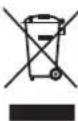
Pa3dJIbHbIc6op.DaHHoe n3deJne HeIb- 3yTnJIn3nPoBaTb BMeCTe C O6bUHbIMN 6bITOBbIMN OTXoJam.
Ecnn OndaKdbi Bbl 3axoTnte 3ameHntb BaW eJektponHcTpymeHT Black & Decker nn Bbl 60nbwe B hem He HxkdAeTecb, He Bbl6paCbIbaTe erO BmecTe C 6blTOBbIMN OTXoJam. OTHeCnTe n3- TRe B CneunabHbI npMeHHbI pyHKT.

Pa3dJIbHbI c6Op n3dJIy C nCTeKUIM CpOKOM cnJXbI INx yNAKOBOK NO3BOJnE TnyckaTb INx B nepepa6OTky I NOBTOpHO nCNOJb3OBAtB. NcNoJIb3OBAHne nepepa6oTaHHbIX MaTePnaIOB NOMaET 3aUNuATb OKpyKaIOUyIO cpey O T 3aIrp3HeHnI N CHNkaet pacXOD cbIpBeBbIX MaTePnaIOB.
Mecthoe 3aKoHoaTeJIbCTBO MoKeT o6ecneuHTb c6Op CTapbIX 3IeKTPOnHcTpymEHTOB OTJeJIbHOOT 6bITOBOrO Mycop Ha MyHUnIaJIbHbIX CBaJIkax OTXODOB, INN Bb MoKeTe CdaBaTb INB TOPROBOM PpeDnPnTm Prn NOKyKe HOBO n3DeJIn.
Фирma Black & Decker obecneuBaet npem и nepepa6otky otCnykBuxxCBo CpOK n3deJn Black & Decker. YTo6bl BocNoJIb3OBAtbcr 3ToI yclyro, Bbl moKeTe cdaT BaWe n3DeJIne B JIO- 60an ABTopn3OBaHHb CepBnCHb IeHTP, KOTOpBI co6npaETx no HaewMy nopUeHIO.
Bb MoxTe y3HaTb MeTo haxOxJdeHnBaWero 6nKaiwero ABTOPu3OBaHHoro cepBuCHoro uehtpa, o6pTuBwncb B BaW MeCThbl OΦnc Black & Decker no aDpecy, yka3aHHOMy B daHHom pykoBoDCTBe no ekCnPyataun. Kpome toro, CNcOK ABTOPu3OBaHHbIX cepBuChbIX ceHTPOB Black & Decker n noHHyIO uHOpMaunIO haWe mocIe npdoXHom 06cnykuaHm N KOHTaKTax Bbl MoxTe HaTn B HHTepHeTe no aDpecy: www.2helpU.com
TexHnueckne xapaKTepeNCTNK
c. He 3aJnshaIte eJekTpnuHi iHCTpyMeHTn NiДdoUeMa6o ByMOBax NIDBnueHoI BOJorocTi.
Boda, no notpanna B eJektpnHn iHcTpyment, nBnucE p3nk ypaXeHHa eJektpnHm ctpymom.
d. He BnKOpncToByte wHyp He 3a npn3Ha YehnM. HikoN He BnKOpncToByte wHyp DnI nepeHeceHH, nepeTaryBaHH Ta BiD-KnUoyHH iHcTpymeHTy BiD MepeXi XNB-NeHHr. TpMaIte wHyp nOdaJI BiD BnCOKIX
TEmnepaTpymactnla,rocptnx npedmetib Ta pyxomux deTanen. PooKOJKeHn a6o 3anIytaHm shyp 36ilbWye pn3NK ypaXeHH eJIeKTPuHm cTpyMOM.
e. Pn BnKOpncTahHi eJekTpnuHoro iHCTpyMeHTy Ha ByNci, BnKOpncToBnyTe NOOBxuyOuH uHyp, 0o NiIxDxOaNTb dJa BnKOpncTahHa Bynu. BnKOpncTahHa Hhpy, npn3HaueHOrO dJa po6Ot Ha ByNci, 3HNKyep n3NK ypaXeHHe JekTpnuHm CTpyMOM.
f. RaKuo HEmoXnIBO yHnKHyTu BnKOpncTaHHa eJektpnHoro IHcTpymEnTy B yMoBax iD-BnueHOI BoNOrocTi, BnKOpncTOByTe XNBJIeHHa, 3axuene npncTpoem 3aHnIKOBORO ctpmy (RCD). BnKOpncTaHHa RCD 3HnKyepn3NK ypaKeHHa eJektpnHIM CTPyMOM.
3.Oco6ncta 6e3neka
a.Бydte B cTahi rotOBHocti,INBITbc,IO BNpo6nte,Ta BnKOpNCTOByTe 3araJIbHN Iny3d,KoNn BN npauOeTe 3 eJekTpnuHM IHCTpymeHTOM.He BnKOpNCTOByTe eJekTpnuHn IHCTpymeHT,KOIN BN BTOMJeHi a60 3haxOHTecb nID BnNBOM anKOrON, HapKOTNKIB a6o MeuHnx npenapatIB. Btpata ybarnpo6oti 3 eJekTpnuHM IHCTpymeHTAMMOxpe pns3Bectndo cepno3HX TpaBM.
b. BnKOpNCTOByIte Ooc6ncti 3ac06n 6e3neKn. 3aBXdN BnKOpNCTOByIte 3ac06n 3axncty ouen. 3axnche ochaueHHra K npOTnINoBa Macka, HecIn3bkI uepeBnK, TBepn KanenIOX Ta 3ac06n 3axncty Byx, 10 BnKOpNCTOByOtbc y BiIDNOBIDHNx yMOBax, 3HnKJOTb PN3NK TpaBM.
c. YHnKHeHH BnnaAdKOBOrO 3anycky. NepekoHaHTecbBTOMy, IOBnMnKaU 3HaXoDnTbcB No3nui BnKn. nepei ndKIOueHHm Do Dxkepena XnBneHHraTa/a6o akymyIaTopa, nepemieHHam a6o nepeHeceHHm npn-CTPOJ.
IpeheceHHiaHCTpymeHTiB 3 naJIbIeM Ha nepeMkaui a6o IIKIOUeHHaXIBJeHHa Do IHCTpyMeHTy,nepeMkaayko3HaXoITbcra B noIOxehHI BKn.,MOKe npn3BecTn do HeuacHO BnnaDky.
d. 3Himits Bci HanaWtByaBbHi KNoCi a6o raikobi Knoqi nepe Tm, k BMnKaTu eKeKtpuHn iHcTpymeT. RaIKOBn KNoU, 03aJIINUBC npKpInneHm Do kOicb Detani eKeKtpuHOr npucToIO, 0o oepTaetbc, MOKe npN3BecTN Do TpaBM.
e. He nepehanpykyTeCb. 3aBxdu yTpmyTe npabnblHy nocTaHObky Hir i pIBHObary.
LcI Do3B0JNeKpaue KOHTpOJIOBaTH iHCTpyMeHT y HecnoiBaHHxCITyauix.
f. Bdraute C BIDNOBIDHm YHOM. He Bdraute BIlbHn OJr Qn npKpaCn. TpMaTe BaWe BOLOcc, OD pykabvn noani BiD pyxomnx Detanei. BInbHn OJr, npKpacn a6o DObre BOLOcc MoKe 3aueNTnc 3a pyxomi detani.
g.Якpo nepe6aehi npncptoi dny nikno- yenHdo 3acobIB BnDIneHHra 36npaHn Hny,nepeKoHaTecr,so BOH npabNbHo nikNoeyi Ta BnkOpncTOByOTbcB. BnkOpncTaHHra Taknx npncptoiB 3mehyepn3NK BnHKHeHH He6e3neuHx CHTyaui, so NOB'3ahi 3 NOTpapanHHM nIy.
- BnKOpncTaHn Ta dOrIa 3a eJeKtpuHm iHcTpymeHTom
a. He BnKOpNCToBvIte HaDmipHi 3ycnnn npn po60ti 3 iHCTpyMeHtOM. BnKOpNCToBvIte BiIDNoBiHN eNekTpnuHn iHCTpyMeHr dJa BaWoI 3a4aqi. PpaBnIbHO o6paHn iHCTpyMeHT BnKoHaC 3aBdaHH Kpaue Ta 6e3neHIIue 3a yMOB, dIy JkNx B1h 6yB pO3po6NeHn.
b. He BnKOpNCToBMyTe iHCTpyMeHT, BMNKaY KOKO He BMNKaTHe BMNKaE Noro.
TpHOrO yapy a6o ypaKeHH eJeKtpnHm CTpyMOM.
Ppimitka:Bnue HabeJeHe nonepeJxehnHe cTocyEcIHCtpymeHTIB,IO CneuaIbHo po3po6JIeHi IJI BnKOpNCtAHHr 3 PIDKOcCTeMOIO.
Bidaa Ta BiNobiHi nonepeJxehn
Bidda - ue panToba peakui Ha 3aTncheHni a6o deΦopMOBaHNI NOBOPOTN Kpy, ONOpHy npoknaKy, uTKy a6o iHsi akcecyap.
Hanpknad, kso abpa3nBn Kpyr 3atnchen 3arotobko1o, Kpa Kpyra, 0xOndtby 3ohy 3aTncHenH, MoKe yBiTuN y NOBepxHOM MaTepiany, cnpuHHouN BiDauch Kpyra. Pnp cboMy Kpyr BiDCKouHTb BiOnepaTopa a6o Ha onepaTop, B 3aJexKnoCTi BiD Hapymky pyxu Kpyra B 3aIdaHnA6pa3nBHi Kpyr TaKox MoKytb 3JaMaTnca 3a uX yMOB.
Bidaa e pe3yIbTaOM HeBipHOrO BnKOpNCTaHH iHcTpymEnTy a6o/Ta HeBipHnx cnoCo6IB a6o yMOBeEknnyatauii, ii MoXHa yHnKHyTu, BxNBauOn BIDnobiDnHex 3axo1B, nepepaxOBaHNx HnXue.
Do6pe TpImaTe iHcTpymeHT Ta po3TaWoBByte CBOc TIo Ta pyKn TaK, 0o6 M 6yNo npOTnCTOaTI BIDaay. 3aBXdN BnKOpNCToByTe DOaTkoBv pykY, kXo TaKa E, DnMaKcMnALbHOrO KOHTPOIb BIDaay a6o peAKTHBHO KpyTHOROMomenty npn 3anycky. Oepatop MoKe KOHTpONbATn peAKTINBHN KpyTHm MOMENT a6o CNN BIDaay, kXo BxNTi BiIDNOBIDHI 3axOOn.
Hikon He po3taowoyte pyky 6iyn pyx mnx akcecyapib. Moxe BnHKHyTN BiDaayakcecyapy yepe3 pyky.
He po3taowoyte cboe tio B 30hi, 6ynde pyxatnci hctpymeHT y pa3i BiDaui. BiDaua npn3BeJe do pyxy iHCTpymeHTy B HaprMky npOTnIeXHomy pyxy kpyry B ToCu zi 3aIdAHHa.
BydbTe 0c06nBO yBaXHMn npn o6pO6ci KyTIB, roCTpnx KpaIB, Too. YHnKaIe BiDcTpN6yBaHH Ta 3aIdaHHA kCeCyapIB. KyTN, roCTpi Kpaai a6o BiIDcptn6yBaHH MoKyTb npn3BecTN Do 3aTNCHeHH aKceCyapy Ta BNKKInkATn Btpaty KOHTPOJHO a6o BiJaay.
He npinkinnoIte noIOTHO nIpa3b6JeHHnHaHcIroBOi nnKn a6o noIOTHO i3 3a3y-6nHAMn. Taki nnBHi noJOnTHa npN3BOJaTb Do qactnx BiDau Ta BtpaTu KOHTPOIO.
Iodatkobi IInctpykuii 3 texhikn 6e3nekn dna onepaunwniipybaHHra Ta Bidpi3aHHra
PonepeJxehn3TexHik6e3neKnIpyOepaui 1iYBaHH Ta a6pa3HBoro BiDp3aHH
BnKOpncToByte JIWe Ti TINN DnCKIB, OpeKomeHDoBaHI IJy BaWOrO eNeKtpnHoro IHCTpymEnTy, Ta CneuiJIbHi 3Ano6IXHHKn, po3po6IeHi IJy O6paHoro DnCKy. IInckN, Rki He po3po6IeHi IJIy BnKOpNCtAHHr 3 ZIM eJIeKTPnuHm IHCTpymEHTOM, HEMOXJIbBO BiIDNoBIOHO 3aKpInNTU, TOMY IX BnKOpNCtAHHr MOKe 6Tu NHe6e3neuHm.
3anobixnK Heo6xidHO HaidiH NoPnKpinNTn Do eNektpnHoro iHcTpymEny Ta po3mictn DnMaMakCmambHo i 6e3neKn TAK, 06 NaMeHa oBnactb Nscky 6yna CnpmaBoHa Ha onepaTopa. 3anobixnK Oponomarae 3axnCTnTn OepaTopa BiD yIamkIB NCKy Ta BnnaKOBOrO KOHTaY 3 DnCKOM.
DnCKN NOBHHI BHKOpNCToByBaTncb Jnwe DnpeKomeHDoBAHnx BnDiB dIaNbHocTi. HanpNKnad: He wniΦyute 6okoboctopoHO pIXyUO dNcKy. A6pa3nBHI pixydiNCKn npn3naeHi dny wniΦyBaHnnePnpEepieKpyr, npn yOMy 6okOBi cnn3actOCOBaHI do uNX nckIB MOxTyb npn3BeCTn Do IX XHTAHn.
3aBXd BnKOpncTOByte HenoWkoJxehi ⅡIckB BIDNOIBHoro po3mipy Ta 0opMn dna o6paHoro DnCKy. BiNobHi ⅡIckyPiITpIMyOTb DNCK,3MeHsuOHy MoXNBICTb NOIOMKn DnCKy. FAnu piKyuNX ⅡIckB MOKyTB BiP13HrTnCBAid FAnuHcIB ⅦipYBaJIbHNx DNCKB.
He BnKOpncToByte 3HoWeHi DnCKn 6iNbux eNeKtpuHnx IHcTpymeHTIB. NsCKn, npn3HaueHi dJa 6iNbux eNeKtpuHnx IHcTpymeHTIB, He NiXoOaTb dJa 6iNbwoI YAnBnDkoCTi MeHux IHcTpymeHTIB, i TOMy MOxKyTB BNoxyHytN.
Iodatkobi nonepejxeHHa 3Texhikn 6e3neKn dna onepaui a6pa3NBHoro Biip3aHHa
He "3aTnckyIe" pixyHn Kpyr Ta He 3actoCOByte HaMipHn TnCK Do IHCTpymEnTy. He HamaraTeCb CTBOpOBaTu po3pi3n HaMipHOi rnn6HH. HaMipHn TnCK HaKpyr 36Ib7uE HabaHTaxeHH i UytTnIBicTB do 3aIdaHH a6o DeΦopMaui Kpyra B Po3piTa MoXnIBicTB BiDaui a6o NoIOMKn Kpyra.
He po3taoobyte cboe tino B odhy nini 3 kpyrom a6o no3a kpyrom, oo o6epTaetbcra.
yKPAIHcBKA
KoN Kpyr B ToCuPi PObTu pyXaetbCByiB Baworo Tina, MoKnBa BiDaaya MoKe ITOBXHyn Kpyr, 10 o6ePaetbCra, Ta iHCTpymENT Ha Bac.
RaKoO Kpyr 3aIdae a6o npn npnnHHe BnKOHaHH po3pi3y 3 6yd-b-koI npuHH, BmKnHtB iHcTpymEHT Ta yTpmyTe HepyxOMM, DOKN Kpyr He 6yde NOB3yHHHe. HikOn He HamaraTeCb BntaRyBaTN Kpyr 3 po3pi3y, KOJI Kpyr pyXacTbc, IHakSe MoKe BnHKHyTN BiDaua. IpoaHa-ni3yIte Ta BxNBAITE He06xIDHX 3axOID INyHNKHeHH 3aTNCHeHH NCKY.
He noHOBJIouTe po6Ory iHcTpymEnTy 3 po3-pi3i.
DaTe KpyrD IOcAITN NOBHOI WBNIOKoCTI Ta ObepeXHo BCTaBTe NOrO B PO3NoaTn PO3pi3. INCK MOKe 6yTu 3aTncHeHn a6o BiH MoKe NiIDHrTNCr npN IOHOBNeHHi PO6OTn IHCTpymEnTy.
Onophi nlaactnHa 60 3arotOBKn BeJNKoro po3mipy moKytb dONOMORTN 3BecTN Do MiHimMy pn3nk 3aIdaHH KpyrTa BiDaui.
Belenki 3arotobkn moxytb nporHnatncn iD BnachoIO BaroIO. Onopn Heo6xioHO po3TaWyBaTN nI3arotobkoO 6iN liHII po3piTy ta 6iNkpaIO 3arotobKn 3 06ox 6okIB kpyry.
BydbTe OcO6bNo BO yBaXHMn npn BnKoHaHHI "KnWeHbKOBOrpo3pi3y"BicHyounx CTiHex a6o iHux Micx, He BiDcyTHraDnMictb. Bnctynaiounn kpyr moKe po3pi3aT ra3OBy a6o BOJMy Tpy6y, eNeKtpnHi Ka6eni a6o iHsi npedmetn, 10 MoKe cnpnHHTn BiDaay.
PonepeJxHn3Texhik6e3neKnIy BnKoHaHHnickocTpymnHoiO6p6kn
He BnKOpncToBvIe nanip IaI HaJdaKOBnx Kpyrib HAdMipHoro po3Mipy.
BukohyTe peKomeHdaui Bnpo6Hnka npn Bn6opi HaxdaKOBoro panepy. HaxdaKOBni nanip 6ilbIoro po3mipy, IIO BVCTynae 3a OCHOBy IJr nonipyBaHHra, PpeIcTAbJIe He6e3neky Ta MoKe cnpuHHTN oDIIpaHHra, PO3pNBAHnry DnCKy a6o BiDaay.
PonepeJxHn3Texhikn6e3neKnIyBnKoHaHHnoIpyBaHH
He 03Bolnte BilbHO o6epTaTcHacTHKam, 0o yTBOpOToBc npn nonipyBaHHi, a6o fikcyuOHm npxHNAM.CxobaiTe a6o 6pIXe BCI BILbHI fikcyuOi npxHNi. Binbi fikcyuOi npxHN MoKyTB 3aNpyTaN Baani naIbci a6o 3actpTn Ha 3arotOBuCi.
PonepeJxHn 3Texhikn6e3neKn dIy BnKoHaHH OunuEHHn ApOTOBOIO tIKoIO
He 3a6yBaIte, 10 5eTNHKn 3 DpOry BiDnIaTOb BID uTKn HABITb 3a yMOBn 3BnuAHOi pO6OtN. He 3actocobYte HaMipHoro MoRaBaHTaXeHHra HApOToby 1tKy. YIamKn CTU 5eTNHOK MOxTyb NERKO npOHnKHytB TOHKn OJrTa/a6o Wkipy.
RaKuo 3axnCHn npncTpi peKOMeHdoBaHn DnBnKOpNCtAHn 3DpOTOBOo 0itKOHO, He DO3BOJnIe KOHTaKTIB DpOTOBORO DnCKy a6o 0iTKn i3 3axnCHm npncTPOcM. DpoTOBn DNCK a6o 0iTKa MoKe 36Inbuntnc B DiAmETpi Upe3 HAdmipHe HabaHTaXeHHra Ta BiDuceHTPOBi CnII.
Be3neka cToPOHHix IIOdei
Пистрин He po3paxOBaHn Дя ВИКОпСТаHHЯ Oco6amn (ВКЛIOчAIOUчДITEи) i3 3HINKeHIM φi3NHyHMn, ceHCOPHMn a6o PO3yMOBUMmoJNBOCTaMn a6o HeDOCTaTHIM DOCBiDOM Ta 3HaHHaMn, 3a BUNrTkom BUNaKIB, KOJI N BOH INpaIIOJb NiD HargJaDOM a6o OTpIMaII NeBHi IHCTpyKcii BiI JIoDee, BiIDNOBIDAJIbHnx 3a Ix 6e3neKy.
Heo6xioHaHraaTn3aIITbMn,HeO3BOJauKounIMrpatnc3IHCTpyMeHTOM.
Bibpaia
3HaueHHB i6pauii, Bka3aHi B TexHicnHex daHx Ta B Deeknapaui npo BiIDnoBIDHcTB BmipraHi 3DopmuHHM CTaHdapTHnx MeODIB TcTeYBaHHa HdaHxBEN60745,taXMOHBAKOpNCTOByBatn DnI nopIBHHN ODHORIOHCTpyMeHTy 3 IHsIM. 3aDeKnapobAHi 3HaueHHB i6paui MoKHa TAKoK BIKOPNCTOByBatn DnI NOpeHbOoi OuzHKn BpNNBy Bi6pauii.
NonepexeHn! 3naeHHn Bi6paui niq yac BnKOpncTaHH nHCTpyMeHTy MoKe BiDpi3HrTnCnB iD 3aJeKnapOBaHO R 3anExHoCTi BiD cnocO6IB BnKOpncTaHH nHCTpyMeHTy. PBeHb Bi6paui MoKe nepeBnUyBaTu Bka3ahi 3naeHHn.
Ipn ouinui BnInBv Bi6pauii IJn Bn3HaueHn 3axoDIB 6e3neKn 3a BnMOrAmn 2002/44/EC, 0o6 3axNCTHTNIIODei, 0o peyIarpHo BnKOpNCTOByOTb IHcTpymEt N BoPobTi, Heo6XiHO BpaxOByBatn peaJIbHi yMOBn Ta CnOCo6n BnKOpNCtAHnIHcTpymEtY, BKIoUaOnu BpaxyBaHHra BCix nepioDiBpo6OurozIKNy, HAnpIKnaD, Yacy, KOJI n IHcTpymENT BmKHeHO Ta KOn BIh 3NaXODntbcB pekmi OuyiKaBHHa, a TAKoX uacy peaIbHOi po6Ot n IHcTpymEtY.
HannsHa iHcTpymeHTi
Ha iHcTpymeHTi e HacTynHi nikTorpaMn:

PonepeJxHn! 3MeHHTn pN3NK TpaBM, KopNCyBaH NOBHeH npOHTaH KepiBHNtBO 3 ekCnnyatauii.

BukopncToByte 3axnChi okyIpynp np npo60ti 3 IHcTpymeHtOM.

BukopncToByte 3acobn 3axncty Byx npn BnkOpncTaHHi cboRo IHcTpymEnTy.
EneKtpnHa 6e3neKa

IeHCTpymEnT Mae NOBbiny i30JnIO;Tomy 3a3emJeHH He E Heo6XiHNM.3aBXn nepeBipAte,IoDxkepeNo XnBHeHH BIdNoBiae HAnpy3i,O BkAsHa Ha Ta6nUci 3 nacnpTHmNDaHIMN.
RaKoO shHyp XnBJIeHHa NOxKOJxHn, Heo6XiHO 3amHHTy Bnpo6HnKa a6o B ophiCuiHomy cepBichHomy ceHTpi Black & Decker Ira yHnKHeHHa He6e3neKn.
Detani
LeyinhtpymeHTMaEJeKiYNCIeTaJI3HnXue BkazAHx:
3aBKn BnKOpncToByte NnCKn KopekTHoro Diametpy Ta diaMetpy OTbopy (INB. TexHiHi daHi).
YcTaHOBka
BctaHObitb 3axnchn KOxyx, k ONcaHO Bnue.
Po3taWynte BHytpiShHnI ΦlaHeCb (10) H ShnHdJI (5), JN NOKa3aHO (MaJ. C). Nepeko-HaITecb, 0o FNaHeCb BCTaHOBNeHO npaBNb-HO Ta 00 BIn PO3TaWOBAHn HA NIOCKOMy 6oJ ShnHdJIa.
Po3a7yIte DNCK (11) Ha 7nnHdJI (5), k no-ka3aHO (MaI. C). Kp yMa ePiHrTn CEHTp (12), nepekoHaITeCb, oPiHrTn CEHTp HappaBHeHn Ha BHyTpIshHiΦlaHeCb.
IpekeonaiTecb, 0o Dnckn po3miueHi KopekTHO Ha BHyTpuiHbomy pJahuci.
P03taWyIte 3OBHIshHi IaHecb (13) Ha IHNHeI. Ipn BCTaHOBJIeHHI WNIΦyBaIbHOrO KpyrI iINrN Tp Ha 3OBHIuHbOMy FJHaHci MaE DnBHTncHa Kpyr (A Ha Man. D). Ipn BCT HOBJIeHHI pIXyUro Kpyr IINrN TcEHTp Ha
yKPAIHcBKA
3OBHIshbomyΦJahciMaEINBHTncBaI Kpyra (BHa Man.D).
TpmaTe 3aTnCKaU WnHdJIeJ (3) HaxaTM Ta 3aTgHITb 3OBHIuHi NpHaHeuB, BnKOpNCTOByuOuN DBOoHTnpbKOuR aRKOuN KInOu (14) (pnc. E).
3HimaHHa
TpmaTe 3aTnckay WnHdJe (3) Haxatm Ta po3cna6Te 3OBHIshHi FNaHeCb (13), BHKOPNCTOBHyOuN DBOUHTnpbKOBn RaIKOBn KIOU (14)(pnc.E).
3HIMITb 3OBHIuHiI ΦJIaHeUb (13) Ta DNCK (11).
YcTaHOBKa Ta 3HimaHHaXJaKoboro Kpyr (MaI. EiF)
Дя ВИКОпстання НждakOBOrO kpyra Heo6xIDHa onopna npokladka. Onopny npokladky можна npind6atn cepe akcecyapib uepe3 dinepiB komnahii Black & Decker ри Heo6xIDnocti.
YctaHOBka
Po3taWyIte BHyTpIiWiHII IaHeu (10) Ha 7nnHdJI (5), k noka3aHo (MaBnKOpNCTaHH. IpekoHaTecb, 0o IaHeu BCTaHO npabINbHO Ta 0o BiH po3TaOBAHn Ha IIIOCKOMy 6oCi IINHDeJI.
Po3aUyIe onOpHy npoknady (15) Ha shnnH deJI.
Po3aUyIe HAK daKOBn IIOCK (16) Ha onOpHIn npokna.i.
Po3taWynte 3OBHiwHnI ΦnaHeCb (13) Ha WnHdJI TAK, Oo6 NiHrTn UeHTp HAnpaBHeHn BiD Kpyra.
TpmaTe 3aTnckau WnnHdJIe (3) Haxatm Ta 3aTarHITb 3OBHIshHi naHeCb, BnKOpNCTOBHyOuN DBOHTnpbKOBI rAkoBNI KIOUc (14)(MaI.E).PepeKoHaItecB, 0o 3o-BHIshHi NaHeCb BCTaHOBJeHO KopeKTHO Ta Kpyrdo6pe 3akpinneHo.
3HimaHHa
TpmaTe 3aTnCKaU WnHdJeA (3) HaxaTM Ta po3cna6Te 3OBHIuHi I PhaHeCb (13), BHKOPNCTOBHyOuN DBOuTHnpbKOBNu RaIKOBNu KInou (14)(pnc.E).
3HIMITb 3OBHIHIN ΦIaHEcB (13), HaxJaKOBn Kpyr (16) Ta onOpHy npoknaKy (15).
3aannskoBi pnu3nK
IodatKobizalnskobipn3nKMOyTB BHNKHHTnpBnKOpNCtahHihcTpyMeHTy,KnHe BKNIOyeHO Do HabedeHnx PonepeJxHb 3TexhIK6e3neKn. Li np3nK MoKyTB BHNKHHTu cpe3 HeBipHe BnKOpNCtAHH, TpNBaJIe BnKOpNCtAHH, ToIo. He3BaKaOuHa BnKoHaHH BCix BiIDNOiDHX npabNl TexhIK6e3neKn Ta BnKOpNCtAHH
npiocpoIB 6e3neKn, HEMOXJIINBO yHNUKHyTu nDejKnx 3aJNshKObNX pn3NKIB. CIOJn HanexKaTb:
TpaBMnYepe3 KOHTaKT 3 DeTaJIaMn, OpyxaOTbcra/0eptaOTbcra.
TpaBMn npn 3amHn DeTanei, nHbHnx nnonTeH a6o akcecyapib.
TpabMNuepe3aHaTo TpNBaJIe BnKOpNCtAHHn IHcTpymEnTy. Pn BnKOpncTahHi 6yNb-koHO IHcTpymEnTy npOTarOM TpNBaIoro nepioDy Yacy He 3a6yBaIte po6ntu peYJApHn nepeBn.
NopyuWeHHcnyxy.
He6e3neKa IJRA 3IOpOB'Yepe3 BAnxAHNnny,IO yTBOpOeTbcra npn BnKOpNCtAHHi HcTpymEnTy (Ha npKnaI, npn po6oTI 3 DepeBOM,OC6nBO 3 dy6om,6epe3oTO Ta DBP.)
BnKOpncTaHHa
Nonepdxhen! IhctpymEnT Mae npaioBaTu 3 nepe6aueHO uBnKicTIO. He nepeBaHTaxyIte Noro.
ObepexHo npaHouTe 3 ka6eJem, uo6 BnnaI-KOBO NOrO He npi3ATn.
BybTe roToBI do noBn icKop, KOnn Wnif BalaHn Ta pixyN kpyr TopkaetbcaTani.
3aBXnpo3miuYteiHCTpyMeHT TaKIMUHNOM, 3axnCHNOKQyXHaDABAB ONTUMAbHn 3axnCT BID WNIΦyBaNbHorO Ta pIXyUoro KpyrB.
BMnKaHH Ta BMnKaHHa
6yBIMKHyTN iHCTpymeHT, nepemictb nepeMnkau BkN./BnKn. (1) Bnpeed. Nam'raTae, zo IHCTpyMeHT npoOBKyE npaioBaTu, KOIN Bn ONyckaTe BmNKaU.
Ⅲo6 BnMKHyTN iHCTpyMeHT, HATNCiTb Ha 3a-ДнHоЧАТИНу BnMnKaaya.
NonepeJxehn! He BmukaiTe iHctpymeHT nHaBaHTaXeHHaM.
Ppimitkn dny ontmaNbHorOBNKOpncTaHH
Do6pe yTpmyTe iHCTpyMeHT ODiHiCIO pyKOIO 3a 60KOBy pyKy Ta iHsOIO pyKOIO 3a roIIOBHy pyKy.
Ipn wlii fyBaHnI 3aBxN 36epiraTe Kyt npn-6n3.15° mix kpyrom Ta nobepxHeo Detani.
TexHüHe 06cIyroByBaHHa
Baw iHcTpyment Bnpo6HnTBA KOMnaHII Black & Decker npn3haeHn dny po60Tu npotraom DObroro Yacy 3 MinimabHm OScnyroByBaHHa. NocTiHa 3aOBIbHa po6ota 3aIexKt b BiD npabNbHoro DOrJy 3a iHcTpymentom Ta perynpHOi OYnCTKn.
NonepdxeHH!peB BnKoHaHHm 6yDb- koro TexHIOO 6cnyroByaHH iHCTpyMeHTy 3i shypom XNBHeHH a6o 6e3 HbOrO:
BumKHiTb IHcTpymeHT Ta BiKnHoyiTb NOrO BiMepexKi XNBHeHH.
A6o BmKHiTb Ta BnTgHiTb 6aTaapeo 3 iHCTpyMeHTy, kUO iHCTpMEnT OChaueHn OKpeMM aKymyIANTOpOM.
A6o nobHicTo po3pndItb akymyIaTOp, kUO bIH He BNTraTbcra, a NOTIM BUMKHITb IHCTPYMeHT.
BntraHtB 3apnncpi 3 po3eKn nepeoocntko. Baw 3apnncpi He Bumarae texhiHoro o6cnyroBaHHa, Nne Heo6xIDHO npOBODHTpepyJnphy ouNCTKY.
Perynpho ouuynte BeHTnlaui Hi OTbOpn npncptpoio/InctpymeHTy/3apdHoro npncptpoIO, BHKOPNCOTBOUOHN M'ky uK ty a60 cyxy raHupKy.
PeryIaRHO ouNyTe KOpNc DnBryHa, BnKOpNCToBvOuN BOJOry raHupKy. He BnKOpNCToBvNe a6pa3NBHi OOnuYBaui a6o OOnuYBaui Ha oCHOBI PO3UHHNKiB.
PeryraHOBiKpBauTe 3aTnCKnI naTPOH Ta ctpuyte no,io6 BnAHTn nI3 cepen Hn (rKIO TAKN e).
3axnCT HABKOINHbOro cepeobua
Okpeme 36npaHn. Cen npodyKT He MOxHa BnKndaTn pa30m i3 3BnuayHIM DomaunHIM CMITTM.
JaKIOAOKoB Bu Bn BiPiWnte, 0o BaW Bnpi6 fipmN Black & Decker MaC 6yTu 3amHeHO, a6o Bin Bam 6IbWe He Notpi6Hn, He BnKnDaIte N CMITHNK NObyTOBOrO CmiTTra. 3pObit zuen Bnpi6 DOCTynHM dIa CneuaJIbHOrO 36OpY.

Okpemn 36ip BnKOpncTaHnx Bnpo6i Ta ynakOBmD0BBOHcNobTOpHOpepo6nTn Ta BnKOpncTOByBaTHMaTepiAn. Npepeo6ka NOBtOPO HO BnKOpncTOByBaHx MaTepiAIB DOnOMaRaC NonepeDNTn 3a6pydHeHH HaBKOJIuHbOro CepeOBOuHa Ta 3MeHsUe NOTpe6y BCnPoBNi.
Miccebi 3aKoHODabci AKTN MoKytb nepeD6aTuN OKpemn 36ip eJeKtpuHoro o6NaHaHHB MyHi- cunpaIbHnx Micx dnn 360py cmTTa a6o npOabC qMn npn NOKyni HOBOr O6NaHaHH.
Kompania Black & Decker Maé MoxNIBicTb Dnla 360py Ta nepepo6kn npo4yktiv Blnachoro Bnpo6HnCTBa nic7aKiHueHHY IXHbOro TepMInHy cnlyk6n. 106 ckopnctaTncs ciEIO nocnyo, noBepHiB Bnpi6 Kompani B ophiHn CepBicHn ceHTp, kki 36npaOtB BiDpaCboBAhi npo4yKn 3a Haaw paxyHok.
Bn moxete 3haTn Micue3haoJxHna6nKyoro do Bac cepbichoro ceHTpy, 3b'3aBuncb 3 MicueBM opicom Komnaii Black & Decker 3a aDpecoIO, Bka3aHOIO Bux IHCTpykuaix. Kpim toro, cnCOK ophiuiHnx cepbichnx ceHTpiB Komnaii Black & Decker 3 ycima noDpoBnmaH haWoro nicIpaodaxHoro 06cnyroByBaHHra KAHTAKTHOIO inOpMaueio Mictntbc B lHTepHeTI 3a aDpecoIO:
www.2helpU.com
TexhiuHa
Black & Decker Europe, 210 Bath Road, Slough,
Berkshire, SL1 3YD
Benvko6pntaHia
29.07.2010
БЛЕКЕнДДЕKKEP
rapaHTiHi yMOBn
UaHOBnI nokunio!
- BitaeMo Bac 3 nokyIkoIO BucOKoRikHO Bnpo6y KOMnaHII Black & Decker Ta BucNoBHeMo BaM CBOU BdYHicTb 3a BaW Bn6ip.
1.1.HaHnHa pO6oTa cBOrO BnO6y Ha npot3i BCb0r TopeMHy eKcnnyataui E npedMeTOM oc6nboi Typ60tn Haux cepBicnX cnx6.Y BnAnky BnHKHeHH 6yDb-ynx np6Ie M Bnpouci eKcnnyataui BnO6y Mn peKomeHdycMo Bam 3Beptatncr Iuwe Do aBtOpN3OBAHnx cepBicnX opraHiaui, aDpeCn Ta TeNefoHn JkNx Bn 3MOxTe 3HaHTn B TapaHtINHomy TaNoHi a6o Di3HaTnC B MaRa3nHi.
Haichi cepbi ci -e He tibkn KbaiipikobAHn peMOHT,ane n Wnpokn Bn6ip 3anuactn Ta akcecyapib.
1.2. Ipn kynibI Bnpo6y BmaraTe nepeBipKn Ioro KOMNekTHocTi Ta cnpabHocTi 3a Baooi npCytHOCTi, HABHOCti IHCTpyKuii 3 EKcnnyatauII Ta 3anOBHeHoro TapaHTINHO TanoHy Ha ykpaIHcbKi MOBI. 3a yMOBN BIDcyTHocTi y Bac npabNbHo 3anOBHeHoro TapaHTINHO TanoHy MN 6ydeMo BmUyWeHi BIXnHITNa Biwi npTeH3ii 5oDo RaKcTl CboRo Bnpo6y.
1.3. 06 yHnKHyTn Bcix HENOpO3yMiHb HAnoJIeRnBO npocmBo Bac nepei noaTkom pO6To n 3 Bnp6oM yBaXHO O3HaNoMOnTncb 3 IHCTpyKciEIO Odo Noro ekCnIpyataii.
1.4. 3BepTaEmo BaSy yBary Ha BnKJIIOH No6yTOBe npn3NaueHHa bOro Bnpo6y.
2. Правою ос霍ю даннх rapаHTiHnX yMOB eДIOue 3akOHoJaBCTBO Ta, 3OKpeMa, 3aKOH "Ipo 3axNCT npaB cNoKbauib".
3.「RapaHTiHn TepMin Ha daHn Bupi6 cKnadae 24 mciu ta nounHaetbcra 3 Dn npodaKy uepe3 po3dp6Hy ToproBy Mepexy. Y Bunadky UcyeHHa HeoJIikB Bnpoby rapaHTiHn TepMin NOOBxCyTbCra Ha nepioD, npotrrom Jkoro Bupi6 He BNKOpNCTOByBaBCra.
4. Tepmin Cnyx6n Bnp6y - 5 pokiv (miHimaihni, BCTaHOBHeHn y BiINOBiHocTi Do 3akohy "PpO 3axnCT npab cnoKnbayib").
5. Haji rapaHTiHi 306OB'3aHH noWnPHTbcTinbKn Ha HecnpabHocTi, BnBJIeHi npotraRom rapaHTiHorO TepmiHy TaobmBHeH Ibpo6HNUMTa KOHCTpyKTHBHMn PhaKTopamN.
6. rapaHTiHi 306OB'raHH He nouHIOJTOBc:
6.1.Ha HecnpabHocTi Bnpo6y, 0o BNHKnB pe3yIbTaTI:
6.1.1. HeoTpMaHnKopNcTyBaHem Bka3iBok IHcTpkykii 3 ekCnnyataui Bnpo6y.
6.1.2. MexaHuiHIN NOIkoJKeHb, BnKNIkaHIN 3OBHiHIM ydapHIM a6o IHuM BNJIuBOM.
6.1.3. BnKOpncTaHHBnpo6y B npocecinHx ciJax Ta 06'Emax, B KOMepuiHnx ciJax.
6.1.4. 3actocvbaHHBnpo6y He 3a npn3haeHHM.
6.1.5.CtnxHOro Jnxa
6.1.6. HecpnyTINBOMy atmocephomy Ta iHux 3OBHIHIX BnIbax Ha Bnpi6, TaKx JaDouc, CHir, NIDBnueHa BONorictb, Harpib, arpecnBHi cepeObouHa, HeBiNobiHicTh npaMeTpib eJektpomepexi npaMeTpam, BkazAHm Ha IHCTpyMeHTi.
6.1.7. BnKOpNCTaHHa akceCyapib, BnTpAaTHx MaTepiAIB Ta 3anYactH, aKi He peKoMeHdoBaHi a6o He CXBaJIeHi BnPo6HbKOM.
6.1.8. IpoHnKHeHHBcepeHHy IHCTpymeHTy CTOpOHHX npedMeTIB, KOMax, MaTepiJIb a6o peOvBN, 0 He e BiXoDAMN, Aki CynpoBOJxUToB BnKOpNCtAHH HCTpymeHTy 3a npu3HaueHNrM, HApnKJaD, CTpyKKn, OOnIKN Ta iH.
6.2.Ha iHCTpyMeHTn, 6o 6yIn BiDkPnti, NiDaHi peMOHTy a6o MoNΦikaui No3a yNoBHOBaXeHIM cepBicHM ueHtPOM.
6.3. Ha npHaJenExKHOCTi, 3aunactHn, 10 BuNl3 NaDy BHaCNIIDOK HopMaIbHOrO 3Hocy, Ta BnTpathi MaTepiAn, Taki k, npNbOdi peMeHi, ByrJIbHi uITKn, HOKi, Ta iH.
6.4.Ha HecnpabHocTi, kki BnHKnB pe3yIbTati nepeBaHTaxeHH iNCTpyMeHTy, 0o npn3BeNo DO BuxOdy 3 naDy eJektpoDbNryHa a6o IHnx By3iIB Ta Detanei. Do 6ezymOBnHex O3HaK nepeBaHTaxeHH BnOpy HaNExKaTb, 3OKpema: NOBa KOJIbOpIB MInHIOBCtI, DeOpmaia abo ONnABHeHH dTeane Ta By3iB BnOpy, NOTemHiHra 6o6ByrIbOBaHH i3OJaii dpOTiB eJektpoDbNryHa nD BnINBOM BnCOKOIT TEMnepaTyPi.






- Safety instructions
- Save all warnings and instructions for future reference.
- Work area safety
- Electrical safety
- c. Do not expose power tools to rain or wet conditions.
- Personal safety
- Power tool use and care
- ENGLISH
- Service
- Additional power tool safety warnings
- Kickback and related warnings
- Additional safety instructions for grinding and cutting-off operations
- Additional safety warnings specific for abrasive cutting-off operations
- Safety warnings specific for sanding operations
- Safety warnings specific for polishing operations
- Safety warnings specific for wire brushing operations
- Safety of others
- Vibration
- Labels on tool
- Removing
- Fitting the side handle
- Fitting and removing grinding or cutting discs (fig. C-E)
- Features
- Assembly
- Fitting and removing the guard (fi g. A & B)
- Fitting
- Fitting and removing sanding discs (fig. E & F)
- Switching on and off
- Hints for optimum use
- Residual risks
- Use
- Maintenance
- Mains plug replacement (U.K. & Ireland only)
- Protecting the environment
- EC declaration of conformity
- Guarantee
- Garantie
- Garancia határozat
- POLSKI
- Black & Decker
- Warunki gwarancji:
- IpruHbIO6paTHoro yda paN DeiCTBnaNoero npedynpeKdEHHIO
- Mepbl npedoctopoxhoctn npn wnnpoBaan
- MepbI npedocTopoXHocT npn noJnpOBke
- DOnoJIHnTeIbHbIe Mepbl npedocTopoxHoCTn npa6ote c nCNoIb3ObaHneMnpoBOJOnyHbIX 8eTOK
- Бezonaichoctb noCTopOHnX nIu
- Bn6paun
- MapknpoBka nHcTpymeHTa
- 3NeKtpo6e30naacHocTB
- CoCTaBHeIe yactn
- C6opka
- YcTaHOBka n ChrTne 3aunTHoro Koxyxa (Pnc. A n B)
- YctaHOBka
- CHRTHe
- YcTaHOBka BcNoMaTeJIbHoi 6OKOBo pyKoTKN
- YcTaHOBka n ChTne uNFOBaJIbHbIX n OTpe3HbIX dNcKOB (Pnc. C - E)
- YcTaHOBka n ChrTne ⅢnΦOBaJIbHOrO kpyra (Pnc. E n F)
- 3Kcnnyataun
- BkJIIOUeHne N BbIKJIIOUeHne
- PekomeHdaun no onTmalmbHomy noJb30BaHIO
- TexHnueckoe 6cJyXmBaHne
- 3aunTa okpykaIoue Cpebl
- 3.Oco6ncta 6e3neka
- Bidaa Ta BiNobiHi nonepeJxehn
- Iodatkobi IInctpykuii 3 texhikn 6e3nekn dna onepaunwniipybaHHra Ta Bidpi3aHHra
- Iodatkobi nonepejxeHHa 3Texhikn 6e3neKn dna onepaui a6pa3NBHoro Biip3aHHa
- yKPAIHcBKA
- PonepeJxHn3Texhik6e3neKnIy BnKoHaHHnickocTpymnHoiO6p6kn
- PonepeJxHn3Texhikn6e3neKnIyBnKoHaHHnoIpyBaHH
- PonepeJxHn 3Texhikn6e3neKn dIy BnKoHaHH OunuEHHn ApOTOBOIO tIKoIO
- Be3neka cToPOHHix IIOdei
- Bibpaia
- HannsHa iHcTpymeHTi
- EneKtpnHa 6e3neKa
- Detani
- 3HimaHHa
- YcTaHOBKa Ta 3HimaHHaXJaKoboro Kpyr (MaI. EiF)
- 3aannskoBi pnu3nK
- BnKOpncTaHHa
- BMnKaHH Ta BMnKaHHa
- Ppimitkn dny ontmaNbHorOBNKOpncTaHH
- TexHüHe 06cIyroByBaHHa
- 3axnCT HABKOINHbOro cepeobua
- БЛЕКЕнДДЕKKEP
Brand : BLACK & DECKER
Model : CD110
Category : Grinder