ManualGo.com
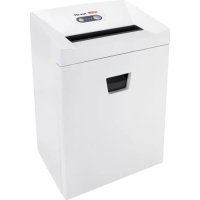
Pure 740 - Shredder HSM - Free user manual and instructions
Find the device manual for free Pure 740 HSM in PDF.



Frequently Asked Questions - Pure 740 HSM
Download the instructions for your Shredder in PDF format for free! Find your manual Pure 740 - HSM and take your electronic device back in hand. On this page are published all the documents necessary for the use of your device. Pure 740 by HSM.
USER MANUAL Pure 740 HSM
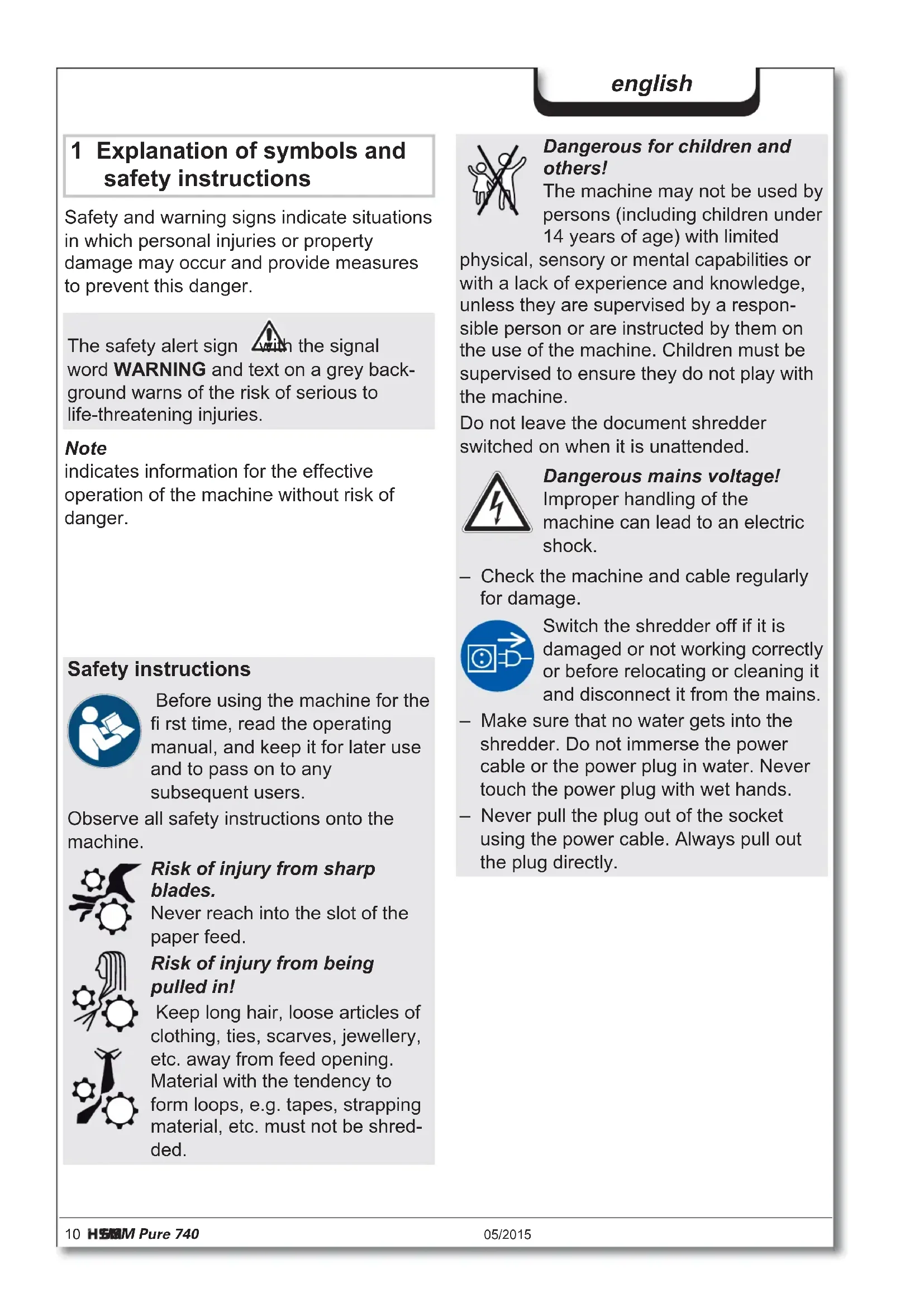
Gewicht 50 kg 56 kg Schnittgeschwindigkeit 70 mm/s 60 mm/s Eingabebreite 400 mm Anschluss 230 V, 50 Hz 120 V, 60 Hz 220 V, 60 Hz Leistungsaufnahme bei max. Blattzahl 590 W Betriebsart Dauerbetrieb Umgebungsbedingungen im Betrieb: Temperatur relative Luftfeuchte Höhe über NN -10 °C bis +25 °C max. 90 %, nicht kondensierend max. 2 000 m Maße B x T x H (mm) 620 x 487 x 889 Volumen des Schnittgutbehälters 145 l Emissionsschalldruckpegel (im Leerlauf / unter Last) 56 dB(A) / 59-63 dB(A)10 HSM Pure 740 05/2015 english 1 Explanation of symbols and safety instructions Safety and warning signs indicate situations in which personal injuries or property damage may occur and provide measures to prevent this danger. Note indicates information for the effective operation of the machine without risk of danger. The safety alert sign with the signal word WARNING and text on a grey back- ground warns of the risk of serious to life-threatening injuries. Safety instructions Before using the machine for the fi rst time, read the operating manual, and keep it for later use and to pass on to any subsequent users. Observe all safety instructions onto the machine. Risk of injury from sharp blades. Never reach into the slot of the paper feed. Risk of injury from being pulled in! Keep long hair, loose articles of clothing, ties, scarves, jewellery, etc. away from feed opening. Material with the tendency to form loops, e.g. tapes, strapping material, etc. must not be shred- ded. Dangerous for children and others! The machine may not be used by persons (including children under 14 years of age) with limited physical, sensory or mental capabilities or with a lack of experience and knowledge, unless they are supervised by a respon- sible person or are instructed by them on the use of the machine. Children must be supervised to ensure they do not play with the machine. Do not leave the document shredder switched on when it is unattended. Dangerous mains voltage! Improper handling of the machine can lead to an electric shock. – Check the machine and cable regularly for damage. Switch the shredder off if it is damaged or not working correctly or before relocating or cleaning it and disconnect it from the mains. – Make sure that no water gets into the shredder. Do not immerse the power cable or the power plug in water. Never touch the power plug with wet hands. – Never pull the plug out of the socket using the power cable. Always pull out the plug directly.05/2015 HSM Pure 740 11 english 2 Proper use, warranty The warranty period for the document shredder is 2 years. There is a special war- ranty for the HSM solid steel cutting rollers in the document shredder, which is pro- vided independently of the guarantee, and remains valid for the entire service life of the machine (HSM Lifetime Warranty). This warranty and guarantee exclude wear and damage caused by improper handling or actions taken by third parties. HSM guarantees the delivery of spare parts for up to 10 years after the production of this model has been discontinued. The document shredder is intended for shredding paper and small quantities of CDs/DVDs and credit cards or store cards. Its sturdy drive mechanism is not damaged by paper clips and staples. Operating and display elements Display option Container full Display option Ready for operation Display option Cutting unit blocked Door open / Safety element pressed Operation button Reverse button 3 Overview 1 Door 2 Safety instructions 3 Light barrier 4 Operating and display unit 5 Safety element 6 Name plate 7 Mains switch 1 2 3 4 5 6 712 HSM Pure 740 05/2015 english 4 Initial start-up WARNING Dangerous mains voltage! Improper handling of the machine can lead to an electric shock. – Only use the machine in a dry room indoors. Never operate the machine in damp rooms or in the rain. – Keep the machine, the plug and cable away from open fi re and hot surfaces. The ventilation slots must not be blocked or covered and there must be at least 5 cm space between the shredder and any wall or furniture. – Make sure that the power plug is easily accessible. – Before you insert the power plug, make sure that the voltage and frequency of your power supply comply with the information on the name plate. 5 Operation
Set mains switch at rear of paper shredder to “I”.
- Press the operation button. The “Ready for operation” indicator lights up. Switching on the shredder Shredding paper
- Feed the paper into the centre of the paper slot. The light barrier starts the cutting unit automatically. Therefore, with thin paper strips, make sure the light bar- rier detects them. Three seconds after the light barrier in the paper feed opening is free again, the cutting unit is switched off automatically and the shredder switches to standby.
- Connect the power cable provided to the back of the document shredder and plug the power supply into a properly installed socket.05/2015 HSM Pure 740 13 english
- Press the operation button. The “Ready for operation” indicator goes out.
- Set mains switch at rear of paper shredder to “0”. Switching off the shredder
- Feed in just one CD/DVD in the middle of the feed opening. WARNING Danger of injury by splinters! Depending on the type of mate- rial, splinters can fl y out of the cutting unit while shredding CDs and injure your eyes.
- For this reason, wear protective goggles. Shredding CDs Note: To completely separate the materials shredded, you can insert the CD bag supplied
- Permanent mode Function: Cutting unit runs continuously. If no material is fed in within a period of 2 minutes, the cutting unit shuts down and the shredder switches to standby. Start: Press the operation button for three seconds. Premature cancellation: Press the operation button.
- Stand-by mode Function: Two minutes after the last paper feed operation, all consumers that are not required are switched off automatically. The „Ready for operation“ indicator fl ashes briefl y at regular intervals. The shredder starts automatically when paper is fed in.
- Insert credit card in centre of the feed opening. Dispose of the shredded mate- rial and the waste paper separately. Shredding credit cards and store cards14 HSM Pure 740 05/2015 english 6 Troubleshooting Note: The safety element is fi tted with contact protection. The document shredder switches off if you press the safety element during the shredding process. Display Problem Measure Continu- ous lamp Paper jam You have fed in too much paper. The cutting unit runs in reverse for a few seconds and pushes the paper back out again.
- If necessary, press the reverse button “R” to remove the stack of paper.
- Take half the stack of paper.
- Feed the paper in portions. Overload • The motor was overloaded. Let the shredder cool down for approx. 15 – 20 mins. before using it again. Flashing light General fault dis- plays
- A fault has occurred while shedding paper. Pull the paper out of the slot to clear the light barrier. Shredded material container full
- Empty the shredded material container. Note: If you press the reverse button briefl y before removing the container, part of the material is pulled back into the cutting apparatus and does not fall inside the document shredder. Door open
- Close the front door. Safety element pressed
- Do not press the safety element.05/2015 HSM Pure 740 15 english 7 Cleaning and maintenance 8 Disposal / Recycling Electrical and electronic old devices contain a variety of valu- able materials, but also hazardous substances which were required for function and safety. Incorrect disposal or handling can be dan- gerous to your health and the environment. Never dispose of old devices in the house- hold waste. Observe the current applicable regulations and use the collection points for returning and recycling electric and elec- tronic devices. Dispose of all the packaging materials also in an environmentally-respon- sible way. 9 Scope of delivery
- Paper shredder in carton packing
- 5 Bags for shredded material
- Special cutting block oil 50 ml (cross cut)
- Operating instructions Acces so ries
- 10 waste bags, order no. 1.442.995.110
- Special cutting block oil 250 ml order No.: 1.235.997.403 See page 160 for our customer service addresses. Clean the document shredder only with a soft cloth and a mild soap-water solu- tion. However, no water must enter the equipment. Cross cut only: Oil the cutting unit when cutting performance decreases or the device becomes noisy, or every time you empty the waste container. Only use HSM special lubricating oil for the cut- ting unit to do this:
- Spray the special cutting unit oil through the paper feed along the entire width of the cutting shafts.
- Let the cutting unit run in the permanent mode for about 10 seconds without any paper. Paper dust and particles are shaken off. WARNING Dangerous mains voltage! Improper handling of the machine can lead to an electric shock. Switch the shredder off before relocating or cleaning it and disconnect the mains plug. Service work which requires the housing covers to be removed may only be carried out by HSM Customer Service and service technicians of our contractual partners. See page 160 for our customer service addresses.16 HSM Pure 740 05/2015 english This document shredder meets the applicable harmonisation legislation of the European Union:
- Low Voltage directive 2006/95/EU
- EMC directive 2004/108/EU
- RoHS directive 2011/65/EU The EU declaration of conformity can be requested from the manufacturer. 10 Technical data
- The maximum number of sheets (DIN A4, 70 g/m² or 80 g/m²), fed lengthways, which can be cut in one cycle. The performance data is determined when the motor is cold and the cutting device is freshly oiled. A weaker mains voltage or a different mains frequency to the one specifi ed could result in less sheet capacity and increased noise during oper- ation. The sheet capacity can vary depending on the structure and properties of the paper and on the way it enters. Cutting type Strip cut Cross cut Cut size (mm) 5.8 3.9 4.5 x 30 Security level DIN 66399 P-2 / O-2 T-2 / E-2 P-2 / O-2 T-2 / E-2 P-4 / O-3 T-4 / E-3 F-1 Cutting capacity * (sheets), A4 80 g/m
- Directive CEM 2004/108/CE
- 10 sidefoldeposer, best.nr. 1.442.995.110