DV 100 WP - Action camera ALBRECHT - Free user manual and instructions
Find the device manual for free DV 100 WP ALBRECHT in PDF.



Frequently Asked Questions - DV 100 WP ALBRECHT
User questions about DV 100 WP ALBRECHT
0 question about this device. Answer the ones you know or ask your own.
Ask a new question about this device
Download the instructions for your Action camera in PDF format for free! Find your manual DV 100 WP - ALBRECHT and take your electronic device back in hand. On this page are published all the documents necessary for the use of your device. DV 100 WP by ALBRECHT.
USER MANUAL DV 100 WP ALBRECHT
PST professional support technologies GmbH Breitscheider Weg 117a 40885 Ratingen
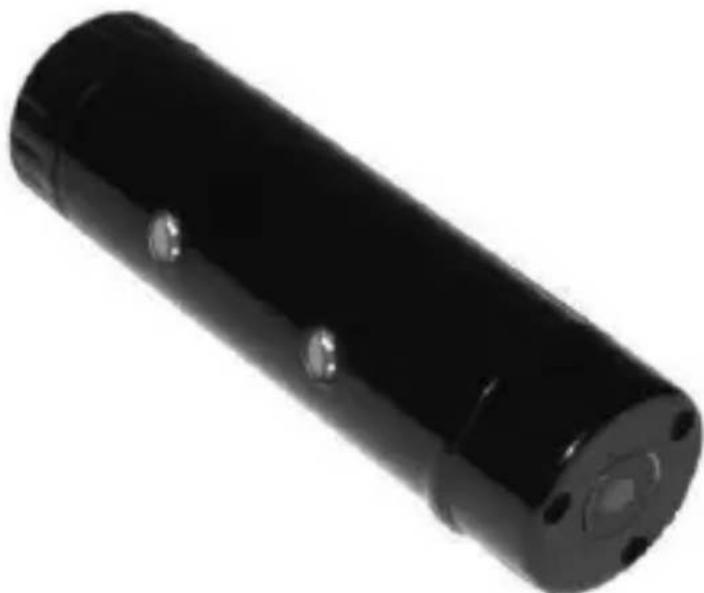
The DV 100 WP is a compact video camera which is especially suited to record videos in an outdoor environment. Because the camera is very handy and waterproof it is the ideal companion for activities like swimming, surfing, climbing, cycling and many more.
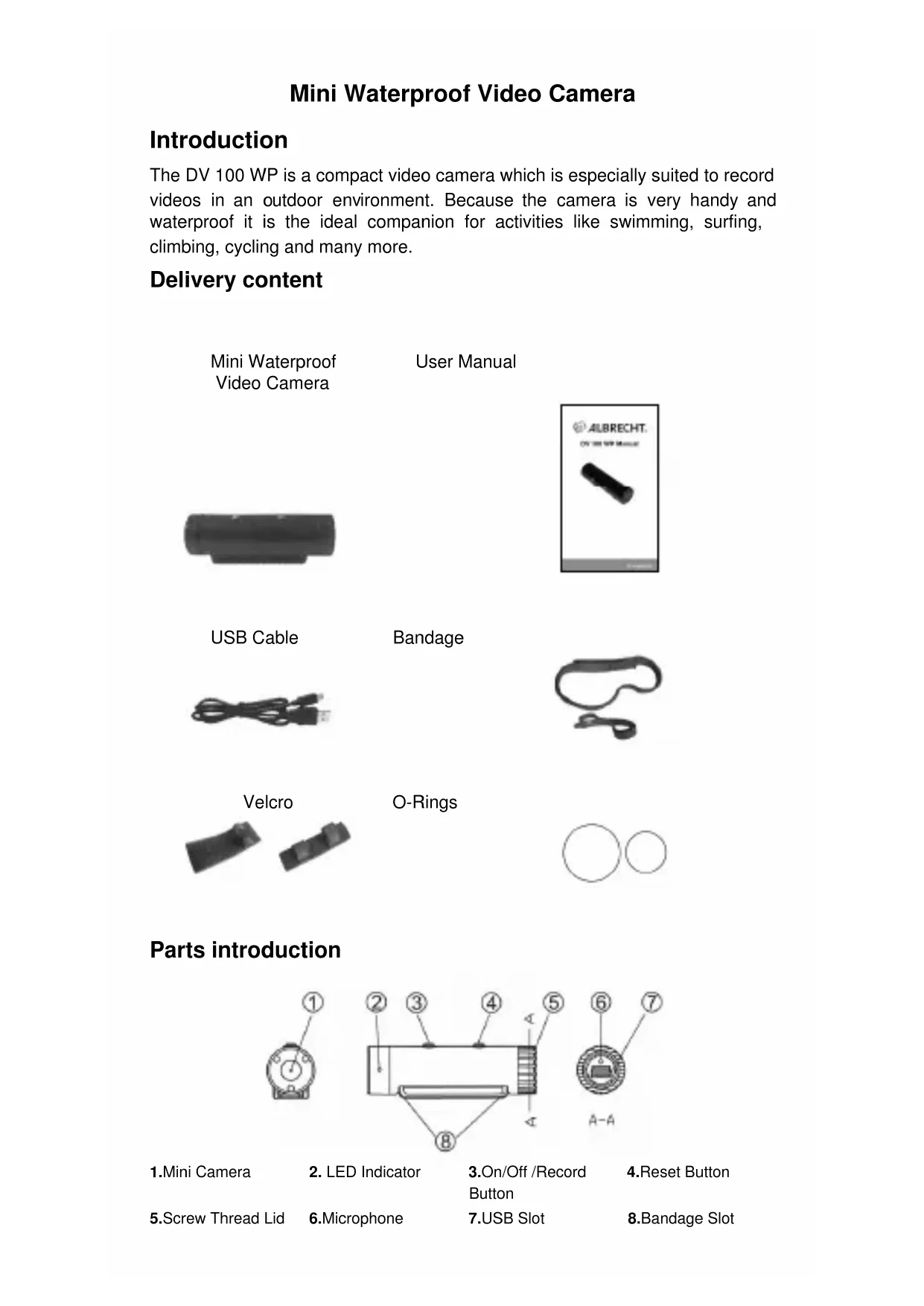
Delivery content
Mini Waterproof Video Camera
User Manual
USB Cable
Bandage
Velcro
O-Rings

Parts introduction

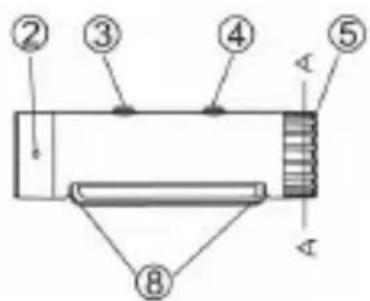
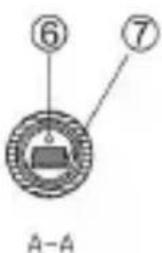
-
Mini Camera
-
LED Indicator
-
On/Off /Record Button
-
Reset Button
5.Screw Thread Lid
6.Microphone
7.USB Slot
8.Bandage Slot
Installing description:
- Please unscrew the USB lid before use, and make sure whether the waterproof rubber is inserted. If not, please use the rubber we provide for you. (Refer to the picture below)

- Please screw the USB lid tight with 1kg force to 0.3 - 0.4mm slit width.
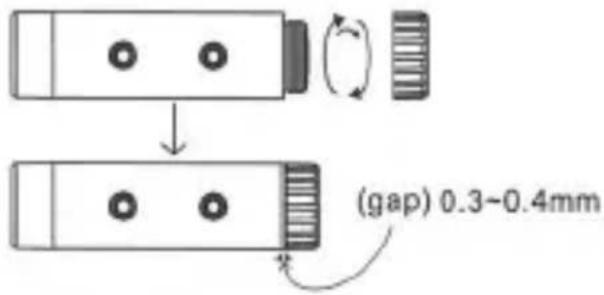
- These are some examples how to use the camera.
① With a bandage
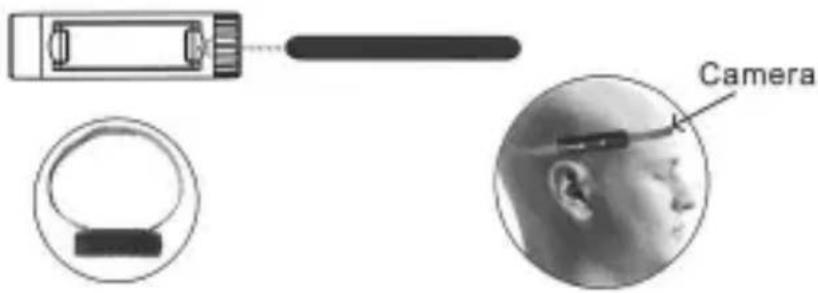
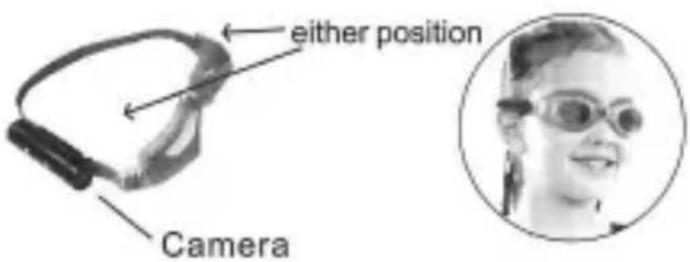
② With swim goggles
③ With ski goggles
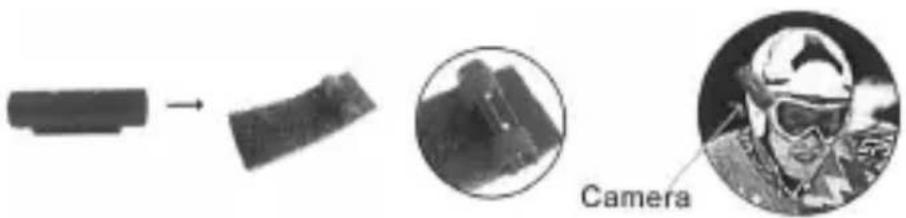
④ With a helmet
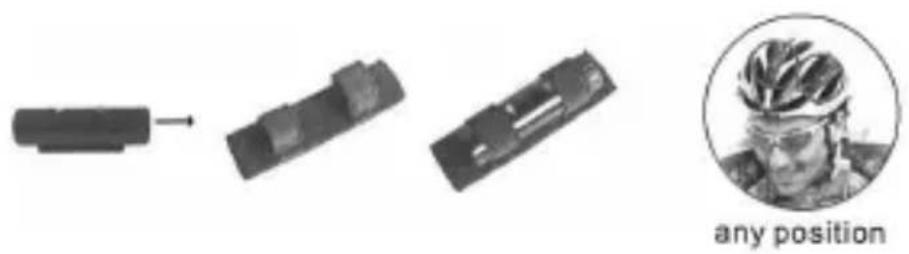
⑤ With elastic bandage

Features:
- Built-in 4GB memory for approx 2hours video recording.
- One of the smallest waterproof video recorder of the world ( Dia 19mm * L 68mm).
- Easy connection with PC/Laptops no driver needed.
- Sleek and elegant design.
- User friendly operation button for easy control.
- Two choices:
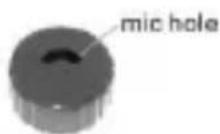
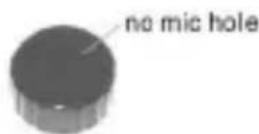
Use this lid to record audio and video during outdoor activities. Do not use this lid while swimming or diving!
Only this lid is constructed to withstand a pressure of 4 bar. This corresponds to a water depth of 30 meter. Please note that by jumping into the water very high pressures are temporarily created. Degree of protection: IP68
Battery
A) If the device fails to start, the battery is low on power and needs to be recharged. For the initial 3 times please charge it for at least 12 hours, but
not longer than 24 hours. This way you are ensuring the best performance in the future.
B) You can charge the device via the USB cable we are providing, or with a USB compatible AC adaptor. Usually it needs 1.5-2 hours to be charged completely.
C) When recharging, both red and green LED indicators are bright. When finished, the green LED indicator is still bright while the red one goes off.
D) If the device has not been used for a long time, we suggest you recharge the battery first before you use it again.
E) It is better to charge the battery in power - off mode for fast recharge and best protection of the device.
PC/Laptop connection
A) System Requirement
- CPU must be at least 1GHz or above
- Operating system: Windows 98 / ME / XP / 2000 / Vista / 7 / Mac OS X 10.5 or higher
- USB 2.0 slot
- Minimum 512MB memory
B) Connecting PC or Laptop
- Unscrew the lid, plug the USB cable into the device and connect it to the PC or Laptop.
- The computer will recognize the device as a new added disk. A new window will pop up, where you can find a folder. There the video files you recorded are located.
- Copy and save the video files to your computer.
- When finished, click the disk icon to safely remove your hardware, then pull out the USB cable.
Operation
A) Switch on/ Recording
- Switch On:
Press On/Off/Record button for about 1 second, then both the green and the blue LED indicators turn on, the device is started. First it will start an initialization procedure for about 3-4 seconds.
- Recording:
After 3-4 seconds initialization procedure, the green LED indicator flashes for one time and the device starts to record, after that the blue LED indicator flashes every second.
B) Stop recording / Save / Switch off:
During recording, press the On/Off/Record button for 2-3 seconds, both the green and blue LED indicators turn off and the device switches off. During the 2-3 seconds button press time, the device will execute 3 commands: Stop recording, Saving, Switching off. For the saving operation the camera will manage the memory automatically. If all memory space is taken the camera will delete the oldest movie to create some free disk space. So please make sure that you copy the movies you don't want to lose to your computer in due time.
We recommend renaming the files according to your needs.
Specification
| Product Size Dia 19 mm | m * L 68 mm |
| Physical weight 22g | |
| Speed Read > 1200kbs, write > 1000kbs | |
| USB | 2.0 ( HS ) |
| Power supply Embedded 280mAh Li-polymer Battery | |
| Power duration 1.5-2 hours | |
| Power Consumption <0.8W | |
| Memory Built-in 4GB | |
| Resolution 736*480 | |
| Video Format AVI | |
| Recording Speed 30fps | |
| Working temp | -5°C- 40°C |
| Storage temp | -20°C - 80°C |
| Pixels Max 3 mega | |
| Player Windows Media Player, VLC Player, Quicktime etc | |
| Operating System Windows 98 / ME / XP / 2000 / Vista / 7/ Mac OS X 10.5 or higher | |
Troubleshooting
| Symptom | Possible reason | Solution |
| Fails to start Battery run down | Recharge battery | |
| Device dead Reset, then start again | ||
| Auto shut-off | Battery run down | Recharge battery |
| Green LED flash | ||
| Device is not recognized when connected with PC/Laptop | USB Cable failure | Replace new cable |
| PC Bios disabled | Set USB enabled | |
| Main board does not support USB port | Update mainboard driver | |
| Auto power off after start | Low battery | Recharge |
Warning
- Application: Please strictly abide relevant regulations and laws. This product should not be used for any illegal purposes. The user is fully responsible for its using purpose.
- Battery: If you do not use this device for a long time, please charged it fully before using.
- File security: This product is not a professional storage device. It does not guarantee the integrity and security of saved videos. Please back up your important videos on the computer or other storage devices.
- Video quality: This product is not a professional video recording device. So it is not guaranteed that the quality of the video is professional.
- Operating temperature: -20^ - 80^ . To increase the durability of the device it is best to use it at room temperature.

CE Conformity: This device corresponds to the relevant European EU Directives and Technical harmonized standards. It is marked with the CE symbol. Technical documents and the latest
Declaration of Conformity are available any time from our public download server http://service.alan-electronics.de
Recycling: The European WEEE Directive does not any more allow to dispose any used electronic items via household trash bins. The local communities will provide containers for disposal of electronic waste. Please use these facilities, it will be your contribution to proper recycling of electronic material, and it is free of charge for you!
European 2 years warranty:
The distributor, dealer or retail shop warrants to the original retail purchaser of this product that should this product or any part of it, under normal use and conditions, be proven defective in material or workmanship within 2 years from the date of original purchase, such defect(s) will be repaired or replaced with new or reconditioned product (at the company's option) without charge for parts and repair labor. To obtain repair or replacement within the terms of this warranty, the product is to be delivered with proof of warranty coverage (e.g. a copy of your bill of sale), specification of defect(s), to the distributor, dealer or his authorized repair center. The warranty does not apply to any product or part there of which, in the opinion of the company, has suffered or been damaged through alteration, improper installation, mishandling, misuse, neglect, accident, or by removal or defacement of the factory serial number/bar code label(s). The warranty does not apply to accessory parts or problems caused through not authorized or not recommended accessories like external power supplies and over voltage caused through external power supplies, LED's or light bulbs, broken or damaged acrylic glass windows, cabinet parts and
rechargeable batteries. Please contact the person where you have purchased the camera or contact our service partner directly.
Service address for products sold in England:
ALAN UK LTD.
Unit 2
Callenders
Paddington Drive
Swindon, Wiltshire
SN5 7YW
Service address for products sold in Germany:
PST professional support technologies GmbH
Our service hotline can be reached in Germany under 01805-012204 (14 Cent p. Minute, higher costs may be charged from mobile networks) or via e-mail under
alan-service@ps-tech.de

ALBRECHT
Manuel DV 100 WP
Miniamera video imperméable
Introduction
PST professional support technologies GmbH
ALAN COMMUNICATIONS S.A.
C/Cobalto 48
08940 Cornella de Llobregat - Barcelona -
PST professional support technologies GmbH