EasyManual
BS 482 - Scale MEDISANA - Free user manual and instructions
Find the device manual for free BS 482 MEDISANA in PDF.



Frequently Asked Questions - BS 482 MEDISANA
User questions about BS 482 MEDISANA
0 question about this device. Answer the ones you know or ask your own.
Ask a new question about this device
Download the instructions for your Scale in PDF format for free! Find your manual BS 482 - MEDISANA and take your electronic device back in hand. On this page are published all the documents necessary for the use of your device. BS 482 by MEDISANA.
USER MANUAL BS 482 MEDISANA
Please read carefully!
Battery Compartment (on underside)
Display
Up button
4 SET button
5 Down button
6 Electrodes
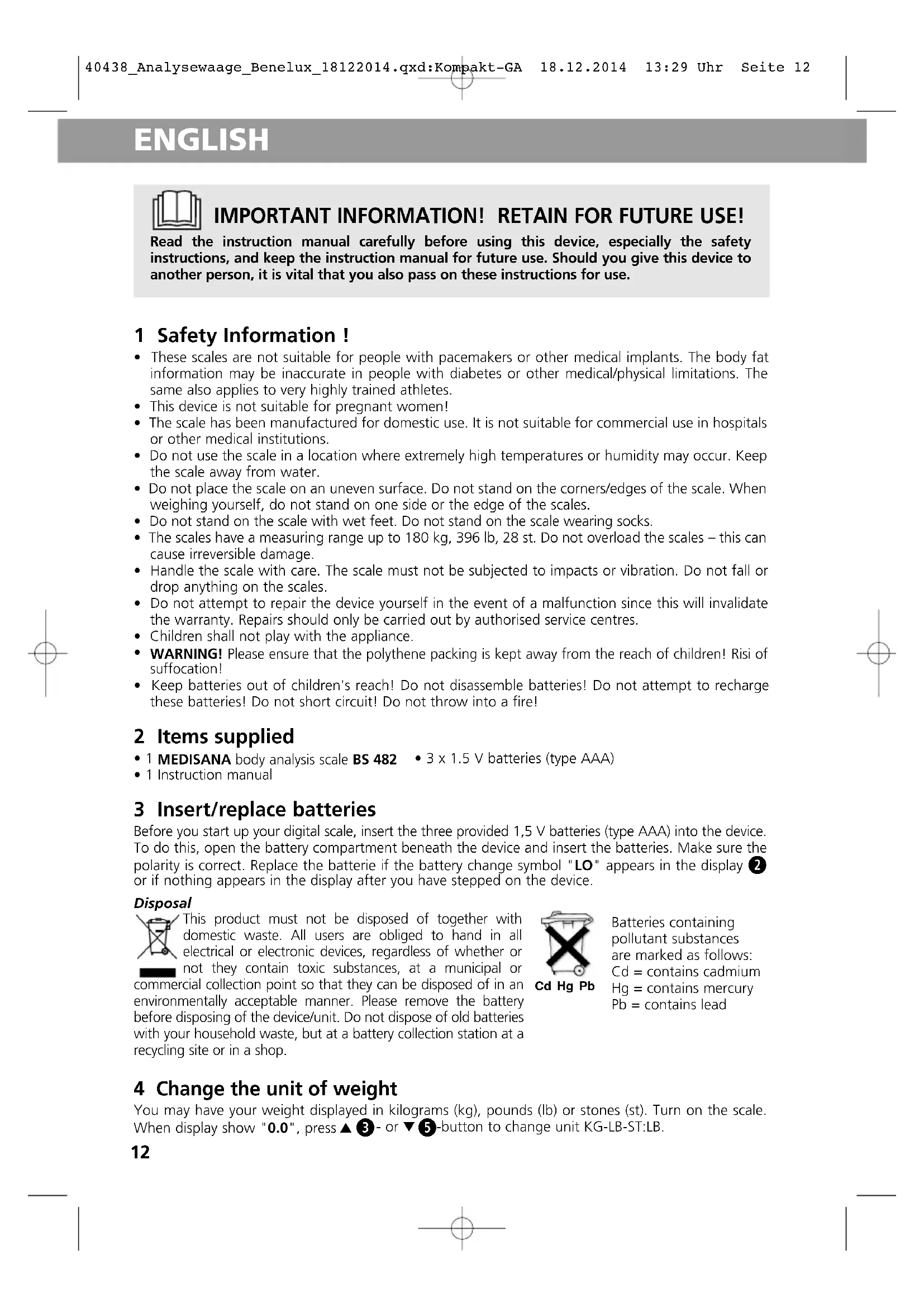
Read the instruction manual carefully before using this device, especially the safety instructions, and keep the instruction manual for future use. Should you give this device to another person, it is vital that you also pass on these instructions for use.
1 Safety Information!
- These scales are not suitable for people with pacemakers or other medical implants. The body fat information may be inaccurate in people with diabetes or other medical/physical limitations. The same also applies to very highly trained athletes.
- This device is not suitable for pregnant women!
- The scale has been manufactured for domestic use. It is not suitable for commercial use in hospitals or other medical institutions.
- Do not use the scale in a location where extremely high temperatures or humidity may occur. Keep the scale away from water.
- Do not place the scale on an uneven surface. Do not stand on the corners/edges of the scale. When weighing yourself, do not stand on one side or the edge of the scales.
- Do not stand on the scale with wet feet. Do not stand on the scale wearing socks.
- The scales have a measuring range up to 180kg , 396 lb, 28 st. Do not overload the scales – this can cause irreversible damage.
- Handle the scale with care. The scale must not be subjected to impacts or vibration. Do not fall or drop anything on the scales.
- Do not attempt to repair the device yourself in the event of a malfunction since this will invalidate the warranty. Repairs should only be carried out by authorised service centres.
Children shall not play with the appliance. - WARNING! Please ensure that the polythene packing is kept away from the reach of children! Risi of suffocation!
- Keep batteries out of children's reach! Do not disassemble batteries! Do not attempt to recharge these batteries! Do not short circuit! Do not throw into a fire!
2 Items supplied
1 MEDISANA body analysis scale BS 482 3× 1.5 V batteries (type AAA)
- 1 Instruction manual
3 Insert/replace batteries
Before you start up your digital scale, insert the three provided 1,5 V batteries (type AAA) into the device. To do this, open the battery compartment beneath the device and insert the batteries. Make sure the polarity is correct. Replace the batterie if the battery change symbol "LO" appears in the display or if nothing appears in the display after you have stepped on the device.
Disposal
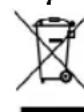
This product must not be disposed of together with domestic waste. All users are obliged to hand in all electrical or electronic devices, regardless of whether or not they contain toxic substances, at a municipal or
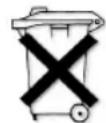
commercial collection point so that they can be disposed of in an environmentally acceptable manner. Please remove the battery before disposing of the device/unit. Do not dispose of old batteries with your household waste, but at a battery collection station at a recycling site or in a shop.
Cd Hg Pb
Batteries containing pollutant substances are marked as follows: Cd = contains cadmium Hg = contains mercury Pb = contains lead
4 Change the unit of weight
You may have your weight displayed in kilograms (kg), pounds (lb) or stones (st). Turn on the scale. When display show "0.0", press 3 - or 5 -button to change unit KG-LB-ST:LB.
ENGLISH
5 Weighing "Step-on"-function
- Make sure the scales are on a firm, level surface. If you only want to weigh yourself but have moved the scales just before, you must first initialise the scales. To do this, press your foot on the middle of the surface of the scales. "0.0 kg" appears in the display. When the scales switch off, they are ready for the "step-on" function. This procedure is not necessary if you have not moved the scales.
- Step onto the scales and stand still. The device switches on automatically and the display ② briefly shows "0.0 kg".
- Your weight is measured, flashes three times and is then finally displayed.
- Step down from the scales. The scales switch off automatically after approx.10 seconds.
6 Programming personal data
The scales can store data for up to 10 people: sex, height, age. The scales have preset values.
These are: kg, female, 25 years old, 165 cm.
- Press the SET 4 button to switch on the scales. The memory location is flashing in the display.
- Now press 3 or 5 -button to select the desired memory location (0 - 9) for the user profile.
- Press the SET-button to confirm the selection. Now the symbol for the sex is flashing in the display.
= male = female = male/athlete = female/athlete
- Set your sex by pressing the 3- or 5 -button to select the appropriate symbol in the display.
- Press the SET 4 button to save the setting. The preset height starts flashing in the display.
- Select your height using the 3 - and 5 -buttons.
- Press the SET 4 button to save the setting. The preset age starts flashing in the display.
- Select your age using the using the 3 - and 5 -buttons.
- Press the SET 4 button to save the setting.
- The settings are now concluded. In the display "0.0" is shown.
7 Weighing and measuring
- Press the SET 4 button to switch on the scales. The memory location flashes in the display.
- By pressing the DOWN- and UP - buttons you may choose the memory location (0 - 9).
- Your personal data is displayed.
- Wait until "0.0" appears on the display. Step barefoot onto the scales and stand still. Place your feet on the electrodes. First, your weight is displayed.
- The display shows the values measured for the body fat and body water in one display, and then KCAL, muscle mass, bone mass value will be shown in one display after. The series of measured values are repeated 3 times in the display. The scales then switch off automatically, step off the scales.
NOTE:
Auto user selection by your last weight. Scale auto chooses user once standing barefoot on the platform, then measuring the body values. The last body values of each user will be displayed by pressing SET and selecting the personal memory.
Body fat proportion range in %
| Age | Female (%) | Male (%) | ||||||
| low | normal | high | very high | low | normal | high | very high | |
| 6-15 | 3.0-16.0 | 16.1-21.0 | 21.1-29.6 | 29.7-50 | 3.0-13.0 | 13.1-17.4 | 27.5-25.6 | 25.7-50 |
| 16-30 | 3.0-16.4 | 16.5-22.0 | 22.1-30.4 | 30.5 | -503.0-13,6 | 13.7-18.0 | 18.1-26.4 | 26.5-50 |
| 31-60 | 3.0-17.0 | 17.1-22.4 | 22.5-31.4 | 31.5 | -503.0-14.0 | 14.1-18.6 | 18.7-27.0 | 27.1-50 |
| 61-80 | 3.0-17.6 | 17.7-23.0 | 23.1-32 | 32.1-50 | 3.0-14.4 | 14.5-19.0 | 19.1-28 | 28.1-50 |
NOTE:
The data in the table is for orientation purposes only. If you have any questions about your proportion of body fat, please consult your doctor.
ENGLISH
8 Error messages
ERR = The scale is overloaded. LO = The battery is low and must be replaced.
If your personal scales do not function to your satisfaction, check the following before contacting a service centre.
- Check whether the batteries have been inserted correctly. - Check whether the correct unit of weight has been selected. - Check whether the scales are freestanding on a solid and even surface. They must not be touching a wall or any other object. - Weigh yourself again.
9 Care and maintenance
Never use aggressive cleaning agents or stiff brushes. Clean the scale using a soft and lightly moistened cloth. Never use abrasive cleaning agents or alcohol. Do not allow any water to get into the unit. Do not use the unit again until it is completely dry.
13 Technical specifications
Name and model : MEDISANA body analysis scale BS 482
Voltage supply: 4.5V = 3× 1.5V batteries (type AAA)
Display system : Digital display
Memory : for 10 persons
Measuring range : up to 180 kg, 396 lb or 28 st
Maximum measuring deviation : ± 1% Body fat : 3 - 50 % in steps of 0.1 %
Body water : 20 - 75 % in steps of 0.1 %
Muscle mass : 20 - 75 % in steps of 0.1 %
Bone mass value : 0.5 - 8 kg in steps of 0.1 kg
Graduation : 100 g, 0.2 lb or 1/4 st
Autom. switch-off after approx. 10 seconds
Dimensions (L x W x H) : 319 x 319 x 23 mm
Weight approx. : 1,7 kg
Item number : 40438
EAN number : 40 15588 40438 2
In accordance with our policy of continual product improvement, we reserve the right to make technical and visual changes without notice.
The current version of this instruction manual can be found under www.medisana.com
14 Warranty and repair terms
Please contact your dealer or the service centre in case of a claim under the warranty. If you have to return the unit, please enclose a copy of your receipt and state what the defect is.
The following warranty terms apply:
- The warranty period for MEDISANA products is three years from date of purchase. In case of a warranty claim, the date of purchase has to be proven by means of the sales receipt or invoice.
- Defects in material or workmanship will be corrected free of charge within the warranty period.
- Repairs under warranty do not extend the warranty period either for the unit or for the replacement parts.
- The following is excluded under the warranty:
a. All damage which has arisen due to improper treatment, e.g. nonobservance of the user instructions.
b. All damage which is due to repairs or tampering by the customer or unauthorised third parties.
c. Damage which has arisen during transport from the manufacturer to the consumer or during transport to the service centre.
d. Accessories which are subject to normal wear and tear (batteries etc.).
- Liability for direct or indirect consequential losses caused by the unit are excluded even if the damage to the unit is accepted as a warranty claim.

MEDISANA AG
The service centre address is shown on the attached leaflet.

iNOTAS IMPORTANTES! iCONSERVAR SIN FALTAI!
3 Colocar/substituir as pilhas
m = 311

Percentaged musculatura