ManualGo.com
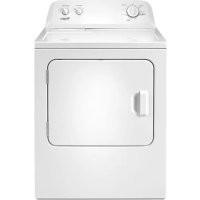
3LWED4900YW - Dryer WHIRLPOOL - Free user manual and instructions
Find the device manual for free 3LWED4900YW WHIRLPOOL in PDF.



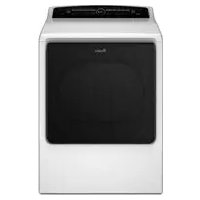
Download the instructions for your Dryer in PDF format for free! Find your manual 3LWED4900YW - WHIRLPOOL and take your electronic device back in hand. On this page are published all the documents necessary for the use of your device. 3LWED4900YW by WHIRLPOOL.
USER MANUAL 3LWED4900YW WHIRLPOOL
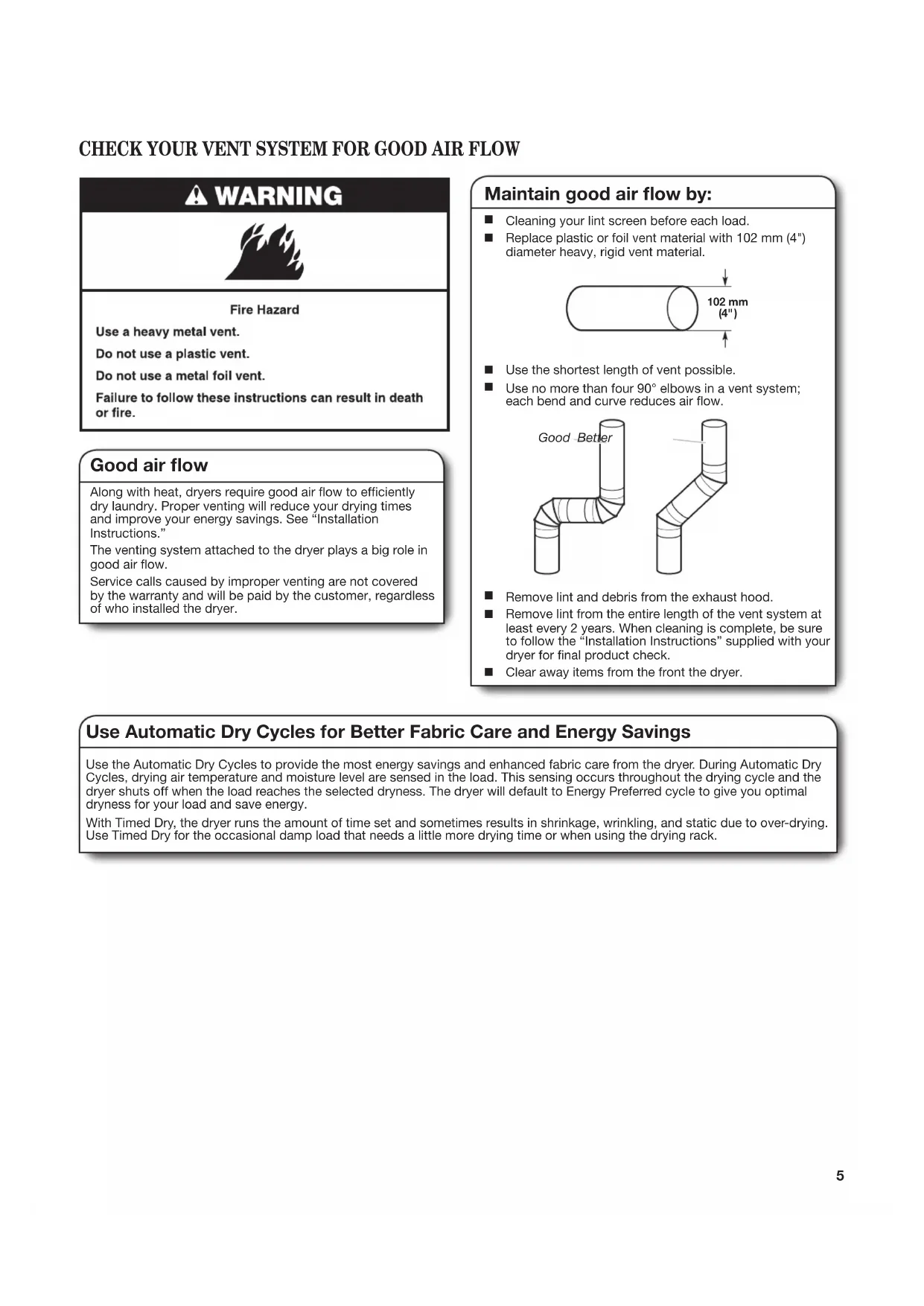
CHECK YOUR VENT SYSTEM
DRYER SAFETY SPECIFICATIONS These units are sold in multiple regions with different requirements for measuring capacity. Below are a few of the valid forms of measure posted on this product: Dry Linen Capacity: A weight measure that reects a maximum load size that can be loaded into the dryer. IEC Capacity: The capacity measure that represents the maximum capacity of dry linens and textiles which the manufacturer declares can be treated in a specic cycle. Dry Linen Capacity IEC Capacity 10,5 kg (23 lb) 9,0 kg (19,8 lb)3
IMPORTANT SAFETY INSTRUCTIONS
precautions, including the following:
Read all instructions before using the dryer. Keep a minimum clearance of 100 mm (4 in.) between the rear of the dryer and any wall. The operation of this appliance may affect the operation of other types of appliances which take their air supply for safe combustion from the same room. There has to be adequate ventilation to replace exhausted air and thus avoid the back-ow of gases into the room from appliances burning other fuels, including open res, when operating the tumble dryer. If in doubt, consult the appliance manufacturers. Do not obstruct the air supply to the dryer (see Installation Instructions for minimum clearances). Do not place items exposed to cooking oils in your dryer. Oil-affected items can ignite spontaneously, especially when exposed to heat sources such as in a tumble dryer. The items become warm causing an oxidation reaction in the oil. Oxidation creates heat. If the heat cannot escape, the items can become hot enough to catch re. Piling, stacking or storing oil-affected items can prevent heat from escaping and so create a re hazard. If it is unavoidable to dry in the dryer items that have been soiled with substances such as cooking oil, acetone, alcohol, petrol, kerosene, spot removers, turpentine, waxes and wax removers, or that have been contaminated by hair care products, should be washed in hot water with an extra amount of detergent before being dried in the dryer. These items may give off vapours that could ignite or explode. Such washing will reduce, but not eliminate, the hazard. This appliance is not intended for use by persons (including children) with reduced physical, sensory or mental capabilities, or lack of experience and knowledge, unless they have been given supervision or instructions concerning use of the appliance by persons responsible for their safety. Children should be supervised to ensure that they do not play with the appliance. The dryer should not be used if industrial chemicals have been used for cleaning. Before the dryer is removed from service or discarded, remove the doors to the drying compartment. Do not reach into the dryer if the drum is moving. A door switch is tted for your safety. Do not install or store the dryer where it will be exposed to the weather. Do not tamper with controls. Do not continue to use this appliance if it appears to be faulty. Do not repair or replace any part of the dryer or attempt any maintenance unless specically recommended in this Use and Care Guide. Repairs and servicing should only be carried out by competent service personnel. Do not use fabric softeners or products to eliminate static unless recommended by the manufacturer of the fabric softener or product. Follow their instructions. Clean dryer lint screen before or after each load. Do not operate dryer without lint screen in place. Keep area around the exhaust and inlet openings and adjacent surrounding areas free from the accumulation of lint, dust, and dirt. The interior of the dryer and exhaust vent should be cleaned periodically by qualied service personnel. See Installation Instructions for earthing instructions. Do not dry unwashed items in this dryer. Items such as foam rubber (latex foam), shower caps, waterproof textiles, rubber backed articles and clothes or pillows tted with foam rubber pads must only be dried on a clothesline.
SAVE THESE INSTRUCTIONS
WARNING: Never stop a tumble dryer cycle before the
end of the drying cycle unless all items are quickly removed and spread out so that the heat is dissipated. To reduce the risk of re, electric shock, or injury to persons when using the dryer, follow basic The nal part of a tumble dryer cycle occurs without heat (cool down cycle) to ensure that the items are left at a temperature that ensures the items will not be damaged. If the supply cord is damaged, it must be replaced by the manufacturer or its service agent or a similarly qualied person in order to avoid a hazard. Remove all objects from pockets, including, but not limited to, lighters and matches. Do not exceed the maximum mass of dry textile material to be used in the appliance as listed under Specications.4 DRYER DISPOSAL5 CHECK YOUR VENT SYSTEM FOR GOOD AIR FLOW Good air ow Along with heat, dryers require good air ow to efciently dry laundry. Proper venting will reduce your drying times and improve your energy savings. See “Installation Instructions.” The venting system attached to the dryer plays a big role in good air ow. Service calls caused by improper venting are not covered by the warranty and will be paid by the customer, regardless of who installed the dryer. Maintain good air ow by: Good Better
Cleaning your lint screen before each load.
Use no more than four 90° elbows in a vent system; each bend and curve reduces air ow.
Remove lint and debris from the exhaust hood.
Remove lint from the entire length of the vent system at least every 2 years. When cleaning is complete, be sure to follow the “Installation Instructions” supplied with your dryer for nal product check.
Clear away items from the front the dryer. 102 mm
Use Automatic Dry Cycles for Better Fabric Care and Energy Savings Use the Automatic Dry Cycles to provide the most energy savings and enhanced fabric care from the dryer. During Automatic Dry Cycles, drying air temperature and moisture level are sensed in the load. This sensing occurs throughout the drying cycle and the dryer shuts off when the load reaches the selected dryness. The dryer will default to Energy Preferred cycle to give you optimal dryness for your load and save energy. With Timed Dry, the dryer runs the amount of time set and sometimes results in shrinkage, wrinkling, and static due to over-drying. Use Timed Dry for the occasional damp load that needs a little more drying time or when using the drying rack.6
CONTROL PANEL & FEATURES
END OF CYCLE SIGNAL/PUSH TO START The End of Cycle Signal produces an audible sound when the drying cycle is nished. Promptly removing clothes at the end of the cycle reduces wrinkling. Turn the END OF CYCLE SIGNAL knob to select the desired setting (On or Off). Press the PUSH to START knob to start the dryer. NOTE: When the Wrinkle Shield setting is selected and the End of Cycle Signal is on, the tone will sound every 5minutes until the clothes are removed, or the Wrinkle Shield setting ends. WRINKLE SHIELD FEATURE (on some models) When you are unable to remove a load of clothes from the dryer as soon as it stops, wrinkles can form. The WRINKLE SHIELD feature periodically tumbles, rearranges, and uffs the load to help keep wrinkles from forming.
Get up to 40minutes of heat-free, periodic tumbling at the end of a cycle. Turn the WRINKLE SHIELD knob to ON or OFF at any time before the cycle has ended. TEMPERATURE/FABRIC Select a drying temperature based on the fabrics in your load. If you are unsure of the temperature to select for a load, select the lower setting rather than the higher setting.
Use your Dryer Cycle knob to select available cycles on your dryer. Turn the knob to select a cycle for your laundry load. See “Cycle Guide” for detailed descriptions of cycles. TIMED DRY Will run the dryer for the specied time on the control. On models with a selectable temperature knob, you may choose a setting based on the fabrics in your load. Drying time and temperature will depend on your dryer model.
Will run the dryer in a no heat cycle for the specied time on the control. On models with a selectable temperature knob, you may choose a setting based on the fabrics in your load. Drying time will depend on your dryer model. AUTOMATIC DRY Senses moisture in the load or air temperature and shuts off when the load reaches the selected dryness level. Gives the best drying in the shortest time. Drying time will vary based on fabric type, load size, and dryness setting.
Not all features and options are available on all models. Appearance may vary.
Not all cycles and settings are available on all models. AUTOMATIC DRY CYCLES - Senses moisture in the load or air temperature and shuts off when the load reaches the selected dryness level. Choose ENERGY PREFERRED cycle for optimal energy savings. Items to dry: Temperature Fabric: Available Options: Cycle Details:
Items to dry: Temperature:Cycle: Available Options: Cycle Details: Not all cycles and settings are available on all models. TIMED DRY - Will run the dryer for the specied time on the control. Large or heavy items such as thick towels or robes Any load Heavy Dry Damp Dry Any Temperature/Fabric End of Cycle Signal Temperature/Fabric End of Cycle Signal Choose High Heavy to dry large or heavy loads. Dries items to a damp level or for items that do not require an entire drying cycle. NOTE: If loads do not seem as dry as you would like, select Jeans* or Very Dry next time you dry a similar load. If loads seem drier than you like, select Less Dry next time you dry a similar load.
- This option is only available on some models. Casual, shirts, pants, lightweight items, synthetics, delicates, athletic wear Any Setting the Drying Temperature If your dryer has multiple heat settings: A High Heavy temperature setting may be used for drying heavyweight items such as towels and work clothes. A Low Knits to Medium Casual temperature setting may be used for drying medium-weight items such as sheets, blouses, dresses, underwear, permanent press fabrics, and some knits. Use the Fluff Air/Fluff Dry (no heat) setting for foam, rubber, plastic, or heat-sensitive fabrics. Line dry bonded or laminated fabrics. NOTE: If you have questions about drying temperatures for various loads, refer to the care label directions. Jeans, heavy work clothes, towels Jeans* Very Dry Normal Dry* Energy Preferred Less Dry Temperature/Fabric Wrinkle Shield End of Cycle Signal Automatic Dry cycles give the best drying in the shortest time. Drying time varies based on fabric type, load size, and dryness setting. Select a drying temperature based on the fabrics in your load. If you are unsure of the temperature to select for a load, select the lower setting rather than the higher setting. Dryness Level: High Heavy Medium Casual Low Knits Work clothes, medium weight fabrics, sheets Rubber, plastic, heat sensitive fabrics Fluff Air/Fluff Dry No Heat End of Cycle Signal No heat drying. Any load Tumble Press Any Temperature/Fabric End of Cycle Signal Use low to medium temperature to smooth out wrinkles, such as those found in clothes packed in a suitcase or in items wrinkled from being left in the dryer too long.8
Clean the lint screen before each load. Pull the lint screen out of its holder. Roll lint off the screen with your ngers. Do not rinse or wash screen to remove lint. Push the lint screen rmly back into place. For additional cleaning information, see “Dryer Care.”
Place laundry in the dryer. Close the door. Do not tightly pack the dryer; clothes should be able to tumble freely. NOTE: Your model may have a different door than the one shown. Some models have drop down doors.
WARNING: To reduce the risk of fire, electric shock, or injury to
persons, read the IMPORTANT SAFETY INSTRUCTIONS before operating this dryer. Before using your dryer, wipe the dryer drum with a damp cloth to remove dust from storing and shipping.9
6. Press PUSH to START to
begin cycle Push and hold the PUSH to START knob to begin the cycle. Promptly remove garments after cycle has completed to reduce wrinkling. Use the Wrinkle Shield feature to avoid wrinkling when you are unable to remove a load from the dryer as soon as it stops.
4. Set cycle settings and options
(on some models) Select cycle settings and options by turning the knob to the desired position.
3. Select the desired cycle
Select the desired cycle for your load. See the Cycle Guide for more information about each cycle. AUTOMATIC DRY Cycles You can select a different dryness level, depending on your load, by turning the knob to the appropriate Automatic Dry cycle. Selecting an Automatic Dry cycle automatically adjusts the dryness level at which the dryer will shut off. Once a dryness level is set, it cannot be changed without stopping the cycle. AUTOMATIC DRY cycles give the best drying in the shortest time. Drying time varies based on fabric type, load size, and dryness setting. NOTE: ENERGY PREFERRED is used for a starting point for AUTOMATIC DRY cycles. Choose ENERGY PREFERRED for optimal energy savings.
5. Select End of Cycle Signal
(if desired) Turn the END OF CYCLE SIGNAL knob to select the desired setting (On or Off). The End of Cycle Signal produces an audible sound when the drying cycle is nished. Promptly removing clothes at the end of the cycle reduces wrinkling. NOTE: When the Wrinkle Shield setting is selected and the End of Cycle Signal is on, the tone will sound every 5minutes until the clothes are removed, or the Wrinkle Shield setting ends. Appearance may vary10 DRYER CARE Keep dryer area clear and free from items that would block the air ow for proper dryer operation. This includes clearing piles of laundry in front of the dryer. Cleaning the lint screen Every load cleaning The lint screen is located in the dryer. A screen blocked by lint can increase drying time. To clean:
1. Pull the lint screen out of its holder. Roll lint off the
screen with your ngers. Do not rinse or wash screen to remove lint. Wet lint is hard to remove.
2. Push the lint screen rmly back into place.
Do not run the dryer with the lint screen loose, damaged, blocked, or missing. Doing so can cause overheating and damage to both the dryer and fabrics.
If lint falls off the screen into the dryer during removal, check the exhaust hood and remove the lint. See “Venting Requirements.” As needed cleaning Laundry detergent and fabric softener residue can build up on the lint screen. This buildup can cause longer drying times for your clothes, or cause the dryer to stop before your load is completely dry. The screen is probably clogged if lint falls off while the screen is in the dryer. Clean the lint screen with a nylon brush every 6 months, or more frequently, if it becomes clogged due to a residue buildup. To wash:
1. Roll lint off the screen with your ngers.
2. Wet both sides of lint screen with hot water.
3. Wet a nylon brush with hot water and liquid detergent.
Scrub lint screen with the brush to remove residue buildup.
4. Rinse screen with hot water.
5. Thoroughly dry lint screen with a clean towel.
Reinstall screen in dryer. Cleaning the dryer interior To clean dryer drum
1. Apply a liquid, nonammable household cleaner to the
stained area of the drum and rub with a soft cloth until stain is removed.
2. Wipe drum thoroughly with a damp cloth.
3. Tumble a load of clean cloths or towels to dry the drum.
NOTE: Garments that contain loose dyes, such as denim blue jeans or brightly colored cotton items, may discolor the dryer interior. These stains are not harmful to your dryer and will not stain future loads of clothes. Dry these items inside out to avoid drum staining. Removing accumulated lint From Inside the Dryer Cabinet Lint should be removed every 2 years, or more often, depending on dryer usage. Cleaning should be done by a qualied servicer. From the Exhaust Vent Lint should be removed every 2 years, or more often, depending on dryer usage. Cleaning the dryer location11 Vacation, storage, and moving care Non-Use or Storage Care Operate your dryer only when you are at home. If you will be on vacation or not using your dryer for an extended period of time, you should:
1. Unplug dryer or disconnect power.
2. (For gas dryers only): Close shut off valve to gas supply
3. Clean lint screen. See “Cleaning the Lint Screen.”
Moving Care For power supply cord-connected dryers:
1. Unplug the power supply cord.
2. Make sure leveling legs are secure in dryer base.
3. Use tape to secure dryer door.
For direct-wired dryers:
1. Turn off power at fuse or breaker box.
2. Disconnect wiring.
3. Make sure leveling legs are secure in dryer base.
4. Use tape to secure dryer door.
1. Unplug or disconnect power to dryer.
2. Close shutoff valve in gas supply line.
3. Disconnect gas supply line pipe and remove ttings
attached to dryer pipe.
4. Cap the open fuel supply line.
5. Make sure leveling legs are secure in dryer base.
6. Use tape to secure dryer door.
Reinstalling the Dryer Follow the “Installation Instructions” to locate, level, and connect the dryer.12 If you experience Possible Causes Solution TROUBLESHOOTING Door not closed completely. Make sure the dryer door is closed completely. Household fuse is blown or circuit breaker has tripped. Electric dryers use 2 household fuses or circuit breakers. The drum may be turning, but you may not have heat. Replace both fuses or reset the circuit breaker. If the problem continues, call an electrician. Dryer will not run PUSH to START knob not pressed rmly or held long enough. Incorrect power supply. Electric dryers require 220-240 volt power supply. Check with a qualied electrician. Wrong type of fuse. Use a time-delay fuse. Unusual sounds Dryer had a period of non-use. If the dryer hasn’t been used for awhile, there may be a thumping sound during the rst few minutes of operation. Check the front and rear edges of the drum for small objects. Clean out pockets before laundering. Dryer is not level. The dryer may vibrate if not properly installed. See “Installation Instructions”. Coin, button, or paper clip caught between the drum and front or rear of the dryer. Clothing knotted or balled up. When balled up, the load will bounce, causing the dryer to vibrate. Separate the load items and restart the dryer. Press and hold the PUSH to START knob until you hear the dryer drum moving. No heat Household fuse is blown or circuit breaker has tripped. The drum may be turning, but you may not have heat. Electric dryers use 2 household fuses or circuit breakers. Replace both fuses or reset the circuit breaker. If the problem continues, call an electrician. It is a gas dryer. The gas valve clicking is a normal operating sound. Supply line valve not open. For gas dryers, is the valve open on the supply line. Clothes are not drying satisfactorily, drying times are too long Lint screen clogged with lint. Lint screen should be cleaned before each load. Has the Fluff Air cycle been selected. Select the right cycle for the types of garments being dried. See “Cycle Guide.” Load too large and heavy to dry quickly. Separate the load to tumble freely. Exhaust vent or outside exhaust hood clogged with lint, restricting air movement. Run the dryer for 5-10 minutes. Hold your hand under the outside exhaust hood to check air movement. If you do not feel air movement, clean exhaust system of lint or replace exhaust vent with heavy metal or exible metal vent. Make sure vent is not crushed or kinked. See “Installation Instructions”. Exhaust vent diameter not the correct size. Use 102mm (4") diameter vent material. Dryer located in a room with temperature below 7ºC (45ºF). Proper operation of dryer cycles requires temperatures above 7ºC (45ºF). Dryer located in a closet without adequate opening. Closet doors must have ventilation openings at the top and bottom of the door. The front of the dryer requires a minimum of 25mm (1") of airspace, and, for most installations, the rear of the dryer requires 127mm (5"). See “Installation Instructions.” Exhaust vent not the correct length. Check that the exhaust vent is not too long or has too many turns. Long venting will increase drying times. Make sure vent is not crushed or kinked. See “Installation Instructions”. Fabric softener sheets blocking the grill. Use only one fabric softener sheet, and use it only once. Incorrect power supply. Electric dryers require 220-240 volt power supply. Check with a qualied electrician. First try the solutions suggested here to possibly avoid the cost of a service call.13 If you experience Possible Causes Solution TROUBLESHOOTING cont. Cycle time too short Automatic cycle ending early. The load may not be contacting the sensor strips. Level the dryer. Use Timed Dry for very small loads. Change the dryness level setting on Automatic Dry cycles. Increasing or decreasing the Dry Level setting will change the amount of drying time in a cycle. Lint on load Lint screen clogged. Lint screen should be cleaned before each load. Stains on load or drum Dryer fabric softener not properly used. Add dryer fabric softener sheets at the beginning of the cycle. Fabric softener sheets added to a partially dried load can stain your garments. Drum stains are caused by dyes in clothing (usually blue jeans). These will not transfer to other clothing. Loads are wrinkled Load not removed from dryer at the end of the cycle. Select Wrinkle Shield feature to tumble the load without heat to avoid wrinkling. Dryer tightly packed. Dry smaller loads that can tumble freely reduce wrinkles from forming. Odors Recently been painting, staining, or varnishing in the area where your dryer is located. If so, ventilate the area. When the odors or fumes are gone from the area, rewash and dry the clothing. Electric dryer being used for the rst time. The new electric heating element may have an odor. The odor will be gone after the rst cycle. Load is too hot Laundry items removed from the dryer before the end of the cycle. Allow Cool Down feature to nish before removing laundry from dryer. All cycles are cooled slowly to reduced wrinkling and make it easier to handle. Items removed before Cool Down may feel very warm. High temperature cycle used or was Temperature/Fabric control set to high. Select a lower temperature, and use an Automatic Dry cycle. These cycles sense the temperature or the moisture level in the load and shut off when the load reaches the selected dryness. This reduces overdrying. First try the solutions suggested here to possibly avoid the cost of a service call.14