
Teasi Core - Browser A-Rival - Free user manual and instructions
Find the device manual for free Teasi Core A-Rival in PDF.



| Product type | GPS bicycle navigator (bike computer) |
| Brand | A-Rival |
| Model | Teasi Core |
| Power supply | Built-in rechargeable battery via USB (5V, 680 mA minimum) |
| Battery life | Not specified, depends on usage |
| Connectivity | Bluetooth BLE 4.0, compatible with Tahuna app (Android/iOS) |
| Compatible sensors | Speed sensor, cadence sensor, heart rate sensor (HR) |
| Screen | Monochrome with adjustable backlight (auto on/off based on brightness) |
| Available languages | English, German, French, Dutch, Czech |
| Main functions | GPS navigation, training data (speed, cadence, heart rate), route recording, incoming call display, standalone or app-connected bike computer mode |
| Control buttons | 3 multifunction buttons (normal mode, settings, pairing) |
| Backlight | Auto on/off with induction window, or manual |
| Sound | Notifications and button tone (tone cannot be disabled) |
| Installation | Handlebar mount included, HR mount attachment; sensors fastened with nylon straps and magnets |
| Care and cleaning | Clean with a soft, dry cloth; avoid water and impacts |
| Safety | Do not use while driving; set up before departure |
| Warranty | 36 months from date of purchase (excluding misuse) |
| Customer service | http://support.teasi.de ; service center: First Service Center, Kleine Düwelstr. 21, DE-30171 Hannover |
| Repairability | Spare parts not specified; contact support for repair |
| General information | Product compliant with Directive 2014/53/EU; declaration of conformity at www.a-rival.de |
Frequently Asked Questions - Teasi Core A-Rival
User questions about Teasi Core A-Rival
0 question about this device. Answer the ones you know or ask your own.
Ask a new question about this device
Download the instructions for your Browser in PDF format for free! Find your manual Teasi Core - A-Rival and take your electronic device back in hand. On this page are published all the documents necessary for the use of your device. Teasi Core by A-Rival.
USER MANUAL Teasi Core A-Rival
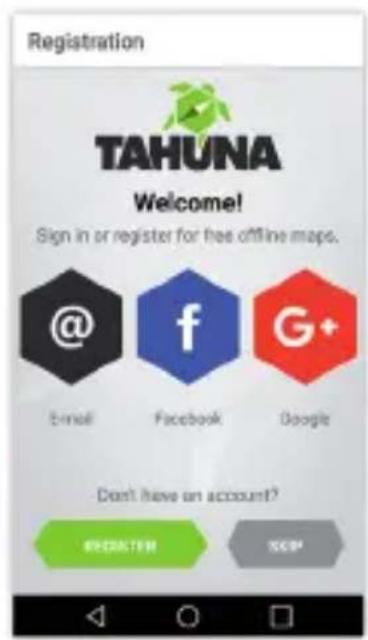
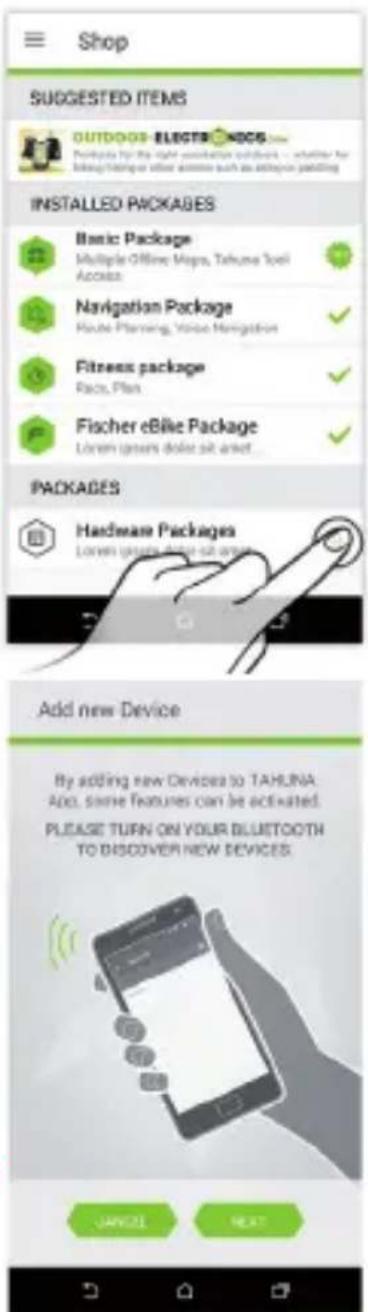
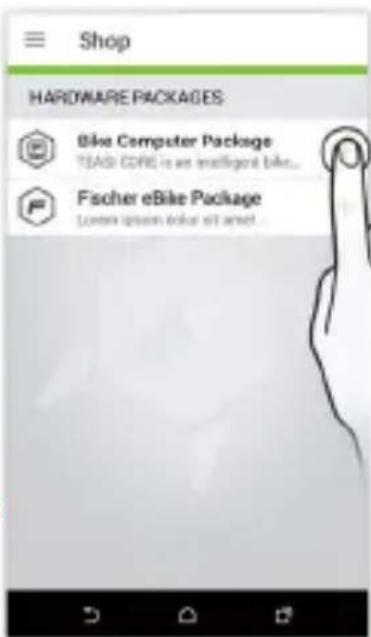
Connecting TEASI core with TAHUNA App
1
2

3

4
5
6
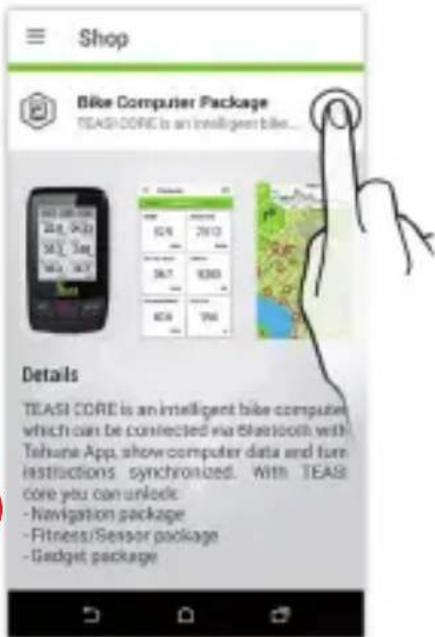

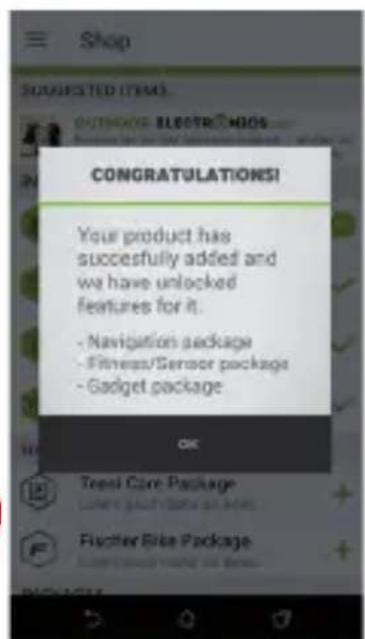
Navigation (turn instructions to TEASI CORE)

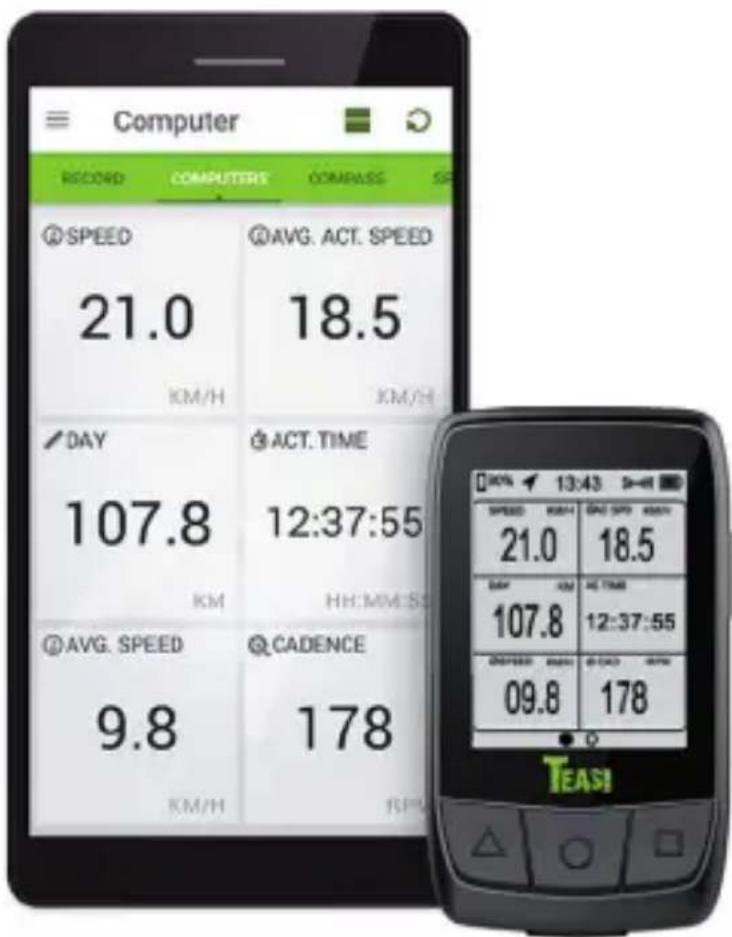

*BLE: Bluetooth Low Energy
Thank you for choosing a product from TEASI. A very good choice! We hope you'll enjoy using your new recreational navigation system. Just in case that you are facing any problems with your device, visit http://support.teasi.de
On our website - www.teasi.eu - you'll find detailed manuals, updates and technical information.
Do you need additional accessories like charger, mount or a bag? Ask your TEASI dealer or simply visit our online shop at www.teasi.eu for orders and more information.
The use and operation of navigation systems
Attention! Don't operate with the device while driving. Even the smallest and shortest distractions from road or traffic for you and other road users - even at slow speeds - may have devastating consequences.
Type in the destination before starting your journey and start the navigation system before you start driving.
If you have to change the route or the settings while driving, you should better stop for it.
Updates and Enhancements
You can download the detailed manual from our website:
www.teasi.eu
Teasi Core
TEASI Core is an intelligent bike computer which can be connected via Bluetooth® with your smartphone (free TAHUNA App for Android and iOS) or external fitness sensors and displays basic values as well as navigation instructions, training data and incoming calls.
This product is provided with a built-in battery that can be charged with a charger with DC 5V, 680 mA or a PC USB interface.
This product is provided with a monochrome display screen, its backlight can be turned on manually at night for better vision, and turned off at day to save power. You can also set backlight into auto on/off mode in the settings menu.
1. Know your Core

| 1. USB charging interface/USB rubber stopper | 2. Long press: power on/off short press: backlight on/off |
| 3. Reset | 4. Buzzer, Sound off in the menu only refers to steering notification tone and warning tone off, button tone cannot be set off |
| 5. Auto backlight on/off induction window | 6. Connected to heart rate bracket |
A/B/C shown in the figure above are the functional buttons of this product, please see the table below for their specific functions:
| Buttons | Normal mode | Setting mode |
| Short press: change display mode Long press 1 sec: go into settings picture | Short press: change option, backward/left direction Long press 1 sec: exit the settings picture | |
| Long press 1 sec: change to App working mode Long press 2 sec: go into pair sensor mode | Short press: Change digit/confirm (Yes/No) | |
| Short press: start/pause recording Long press: stop recording | Short press: select next digit or option/right direction | |
| Buttons | Pairing sensors mode | Connect with APP mode |
| Long press 1 sec: exit pair sensor picture | Short press: exit smartphone search | |
| Short press: start search sensors/search next sensor/exit if both sensors are connected | — |
2. Connecting Teasi Core
Tap on the gear wheel at the bottom left side of the screen to open the Settings menu.

The content of Settings menu appears. It has a submenu panel. Choose Sensors by sliding the submenu panel.
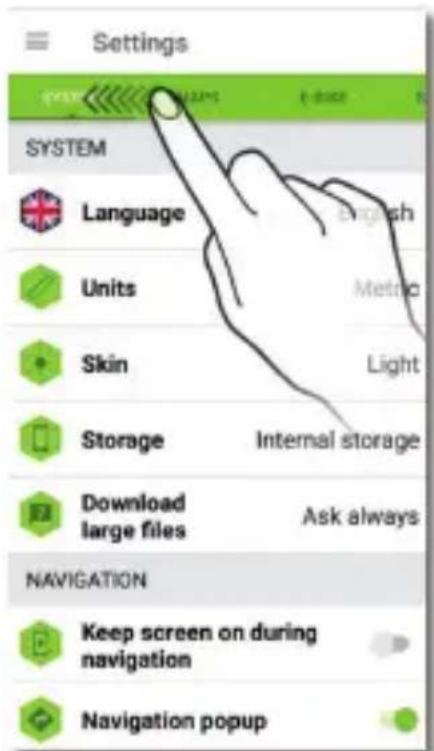
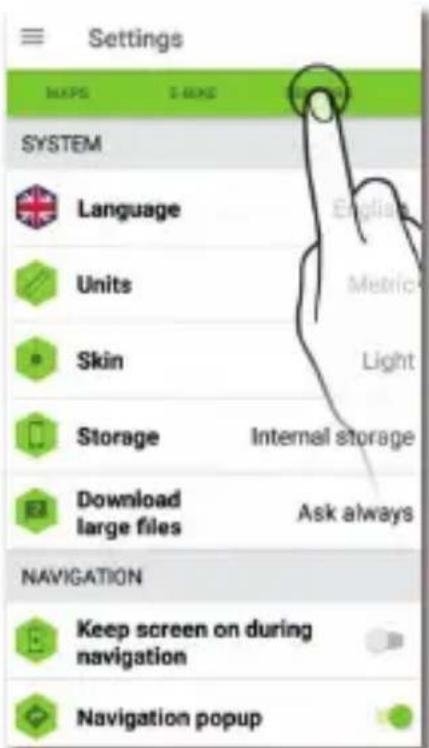

Please make sure Teasi Core is switched on and searching for smart phones. The App will do a scanning whether there is any BLE* device nearby.
After the scans, it will show what it has found. Search for the sign 'TEASI CORE' with a green icon. It is disconnected on default. Tap on it, so it can start connecting.
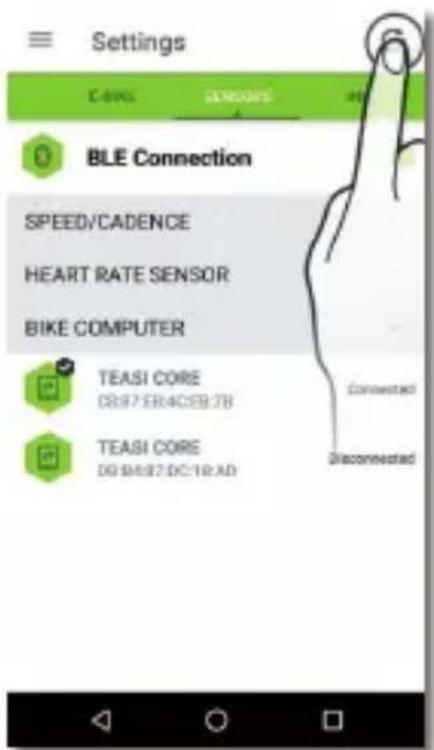
If your Teasi Core cannot be found, use the Reset arrow to update the status of the search.
3. Using Bluetooth Sensors
3.1 Speed/Cadence Sensor
a) There is a CR2032 button cell inside the product to provide power and its service life is 4 months in general. Teasi Core or Tahuna will fail to detect sensors when sensor cell is dead or sensor is damaged. Sensor cell can be replaced according to the figure below.
Please note: when you use this product for the first time, please remove the battery hatch to remove the insulation film.
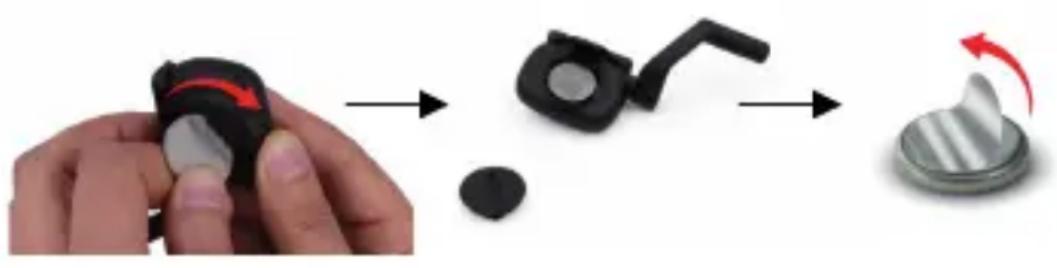
b) This product can be connected to any equipment conforming to BLE 4.0 standard protocol and transmit data to it.
c) This product will get into sleep mode after wheels stop spinning for 5 min in order to save power; it will also get into sleep mode when App or Teasi Core disconnects with sensor. When it is used again, bike wheels shall be made spun to activate sensor, so that the product can be searched by App or Teasi Core.
4. Teasi Core has 2 working modes:
a) Bike computer working mode:
Teasi Core is only a bike computer that is not connected to App in this mode speed/cadence sensor and HR monitor shall pair with Teasi Core and connect to it.
The data fields in the bike computer can be customized in the Tahuna App. The customized data fields will also be used if the App is not connected to the Teasi Core.
b) App working mode:
Teasi Core is only a display equipment that needs to pair and connect to App, and all its data is from App push; in this mode, speed/cadence sensor and heart rate monitor shall pair with App and connect to it.
Please note: No matter which working mode is in, bike computer or App mode, it is needed to set wheel size on bike computer or App; otherwise, the data will not be accurate.
Language: Teasi Core supports 5 languages: English, German, French, Dutch and Czech
Sound: only steering notification tone and warning tone can be turn off, button tone cannot be set off
Backlight: users can select auto backlight control in settings menu; when auto backlight is selected, the backlight will be turned off automatically at day and be turned on at night
Clear pair info: eliminate Bluetooth pairing information
Clear sport data: eliminate all sports data except for ODO data Reset to default: ODO data will be cleared after resetting to default
5. Installation on your bycicle
5.1 Installation of Teasi Core
Fix Teasi Core on HR bracket as shown in the figure below.
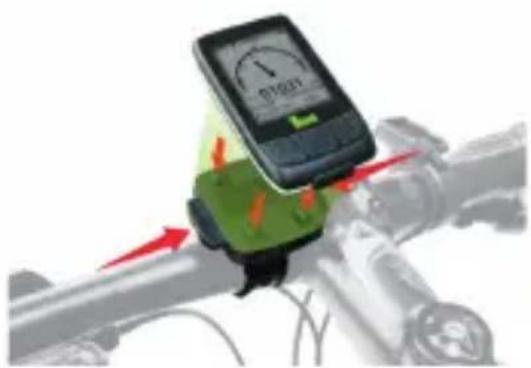
5.2 Installation of speed/cadence sensor
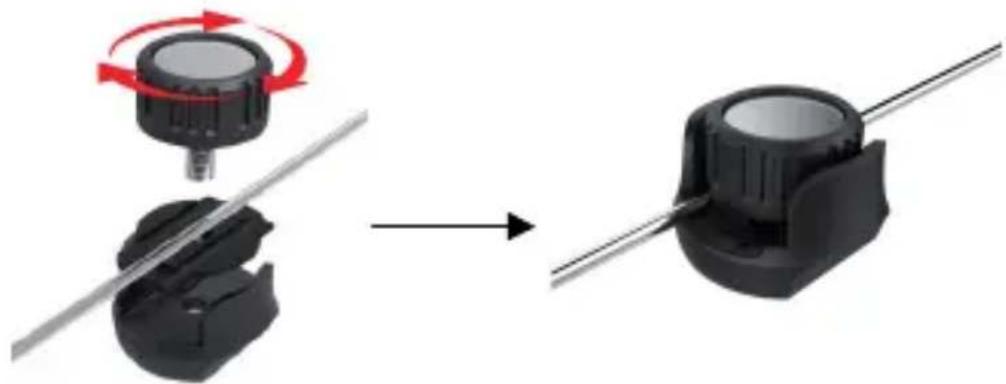
Install pedals magnet (RPM) and wheel magnet (Speed) in corresponding positions as shown in the figure below:
Tear the 3M adhesive on the back of pedals magnet off and stick pedals magnet inside the pedal connecting arm, and then tie up the 2 nylon straps to fix it, and cut unnecessary part down.

Install the wheel magnet on wheel spoke and tighten it, so as to ensure that it will not slide when the wheel is spinning at a high speed.
Fix speed/cadence sensor on corresponding position of bike as shown in the figure, and then tighten it with 2 nylon straps.
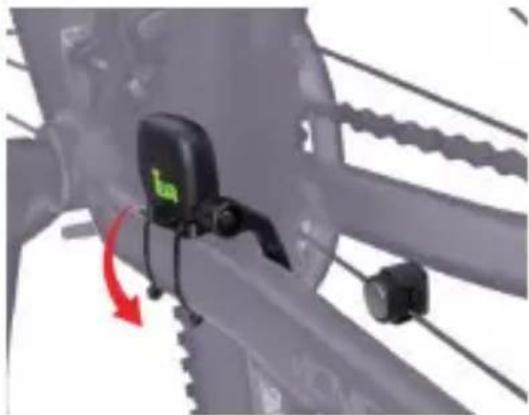
Then, fix it again with a rubber band.
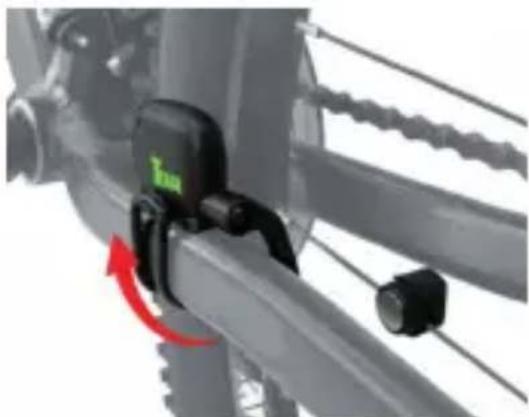

Please note: the centers of pedals magnet and wheel magnet shall be aligned with corresponding induction part of sensor and shall not be deviated from it too far; the magnets shall not be more than 2 cm from the induction part, since distance larger than 2 cm will inevitably fail to receive the wheel spinning signal. Screws can be loosened with screwdriver to adjust the distance between the extendible arm of inductor and spoke magnet.
User information/Contact
If your device has a defect or you have problems with it, please contact our Service & Support Centre.
If you need to send your device to us, please attend to the following points:
- Whenever possible, use the original packaging.
- Add a detailed error description
- Add your full name and address and a copy of your purchase receipt.
- Stamp and send the package to us (sufficient postage).
Address of our Service Center:
First Service Center, Kleine Düwelstr. 21, DE-30171 Hannover
You can get help at: http://support.teasi.de
Declaration of Conformity
Hereby Baros GmbH, declares, that the device TEASI Core / NAV-BIKTC / NAV-BIKTS, is in compliance with the essential requirements and other relevant regulations of Directive 2014/53/EU.
The Declaration of Conformity can be found at: www.a-rival.de
Guarantee
Please keep the proof of purchase for this device for the entire duration of the guarantee period, as it must be produced in the event of any claim.
You (as the end user) receive a 36 months guarantee from the date of sale. The article has been manufactured using the most modern production methods and subjected to strict quality controls.
Please contact only the manufacturer (not the dealer where you purchased it) in the event of any defects during the guarantee period.
http://support.teasi.de
The guarantee does not cover damage caused by improper use or external influence (water, falling, sunlight, breakage or impact).


* BLE: Bluetooth Low Energy

- Connecting TEASI core with TAHUNA App
- 1
- 2
- 3
- 4
- 5
- 6
- Navigation (turn instructions to TEASI CORE)
- The use and operation of navigation systems
- Updates and Enhancements
- Teasi Core
- Know your Core
- Connecting Teasi Core
- Using Bluetooth Sensors
- Speed/Cadence Sensor
- Teasi Core has 2 working modes:
- a) Bike computer working mode:
- b) App working mode:
- Installation on your bycicle
- Installation of Teasi Core
- Installation of speed/cadence sensor
- User information/Contact
- Address of our Service Center:
- Declaration of Conformity
- Guarantee
- http://support.teasi.de
Brand : A-Rival
Model : Teasi Core
Category : Browser