Slim Powerbank S10000 - Battery charger INTENSO - Free user manual and instructions
Find the device manual for free Slim Powerbank S10000 INTENSO in PDF.



User questions about Slim Powerbank S10000 INTENSO
0 question about this device. Answer the ones you know or ask your own.
Ask a new question about this device
Download the instructions for your Battery charger in PDF format for free! Find your manual Slim Powerbank S10000 - INTENSO and take your electronic device back in hand. On this page are published all the documents necessary for the use of your device. Slim Powerbank S10000 by INTENSO.
USER MANUAL Slim Powerbank S10000 INTENSO
natural_image
Simple black-and-white icon of an umbrella with falling leaves (no text or symbols)natural_image
Black and white flame symbol inside a square frame with diagonal lines (no text or numbers)natural_image
Pure electrical circuit lines without any symbolsStoß, Fall:
natural_image
Symbolic black-and-white diagram of a person standing on a mountain with a cross, enclosed in a square frame (no text or labels)natural_image
Simple line drawing of a trash bin crossed out by diagonal lines, enclosed in a square frame (no text or symbols)text_image
Prohibition sign with crossed-out trash bin and no text or symbolstext_image
Technical diagram of a device with labeled parts 1, 2, and 3, showing a rectangular component with connectors.- Integriertes Micro-USB Kabel
- Status LED
- Micro USB IN
Bedienung
Read this manual carefully and observe, read and follow all instructions mentioned in this to ensure the long life and reliable use of the device.
Please keep this manual handy for future reference and pass it on to other users of the device.
Intended use
This Powerbank is meant solely for the purpose of power supply to devices with an operating voltage of 5V DC (mobile phones, MP3 player etc.). Any other use is considered as unintended use and may lead to damages and injuries. Claims of any type resulting from unintended use are ruled out.
To avoid dysfunctions do not connect the USB starting compound of the device with the USB connections of computers of other devices. They are only designed to charge devices.
Do not dissemble the device into its single parts and do not try to repair it. It does not contain user serviceable parts and in this case the warranty becomes void.
Do not enter objects which are not designed for use into the openings of the product. There is a danger of short circuit.
Do not handle this device with wet hands.
Do not use water or chemical solutions to clean the device. Only use a dry cloth.
It is normal that the device produces heat while used. Do not cover the product while used.
Do not use the device if there is visible damage or in case it is wet.
Safety Instructions:

natural_image
Simple black-and-white icon of an umbrella with raindrops falling (no text or symbols)Operating conditions:
Operate the device at 0 to 40 degree Celsius at max. 90% relative humidity. If you do not use Powerbank for long periods of time, store the device at a temperature range of -10 to 45 degree Celsius at max. 90% relative humidity (for short period) and charge the device every three months to maintain the total performance of the device.
natural_image
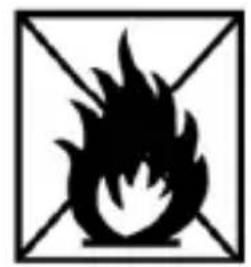
Black and white flame symbol inside a square frame with diagonal lines (no text or numbers)Do not use the device in extremely cold, hot, humid or dusty areas; also do not expose to direct sunlight. Avoid contact with open flame. Risk of Explosion!
natural_image
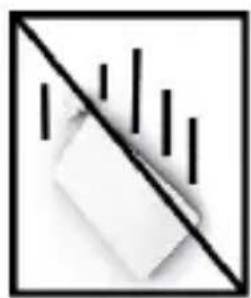
Simple line drawing of a block with vertical bars and a diagonal line, no text or symbols present.Shock, drop:
Please protect the device against shock and drops in all operating modes.

natural_image
Abstract black-and-white geometric symbol with intersecting lines and a central triangular shape (no text or symbols)Electrostatic discharge:
This device is sensitive to electrostatic discharge. Please protect the device against any possible electrostatic discharge.
text_image
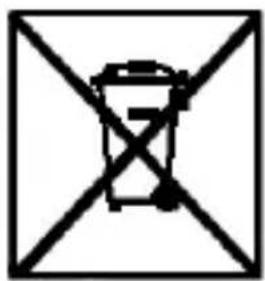
Symbol of a trash bin crossed out by diagonal lines, indicating no waste or dischargeDisposal of old batteries
The devices marked with this symbol are subject to the European Directive 2006/66/EG. All the old batteries must be disposed separated from household garbage through the government agencies designated for that purpose.
By disposing the batteries in this prescribed manner, you can avoid environmental damages.
text_image
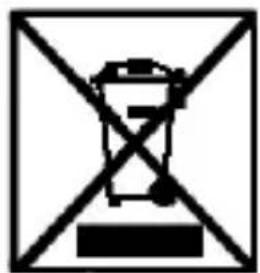
Prohibition sign with crossed-out trash bin and prohibition symbolDisposal of Used Electronic Equipment
Equipment marked with this symbol is subject to the European Directive 2012/19/EG.
All electrical devices and used electrical equipment must be disposed of separately from household waste over the appropriate government agencies.
Proper disposal of old electronic equipment helps avoid environmental damage.
Scope of delivery
• Intenso Powerbank S2500
• Micro USB - Charging cable
- Operating instructions
Technical data
| Dimensions: | 100 x 62 x 7.2 mm |
| Power consumption (Input): | 5V 1 A |
| Charging current output (Output): | 5V 1 A |
| Internal Battery: | 2.500 mAh / 3.7 V Lithium-Polymer battery |
| Status display: | LED lamp |
| Built-in overcharge/discharge protection | Yes |
| Simultaneous charging of the Powerbank and a connected device: | Yes |
| Standby time: | Up to 3 months |
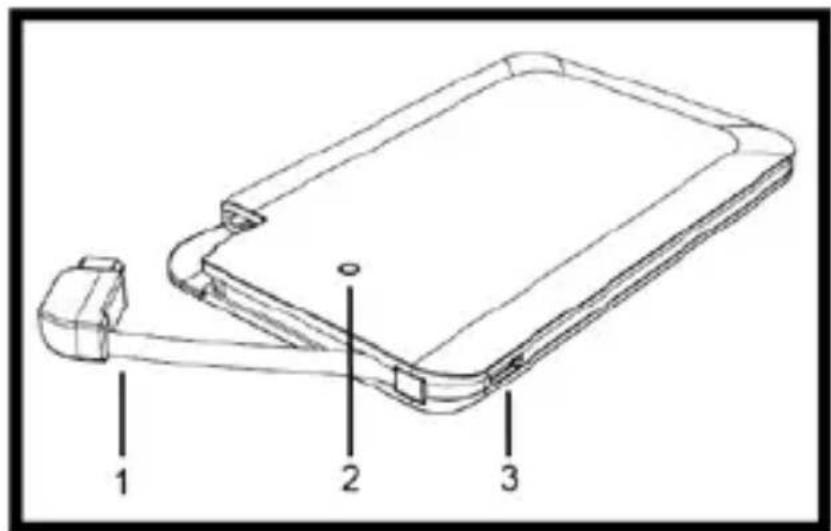
Device Overview
text_image
Technical diagram of a device with labeled parts, showing a connector and internal structure.1 Integrated micro USB cable
2 Status LED
3 Micro USB IN
Operation
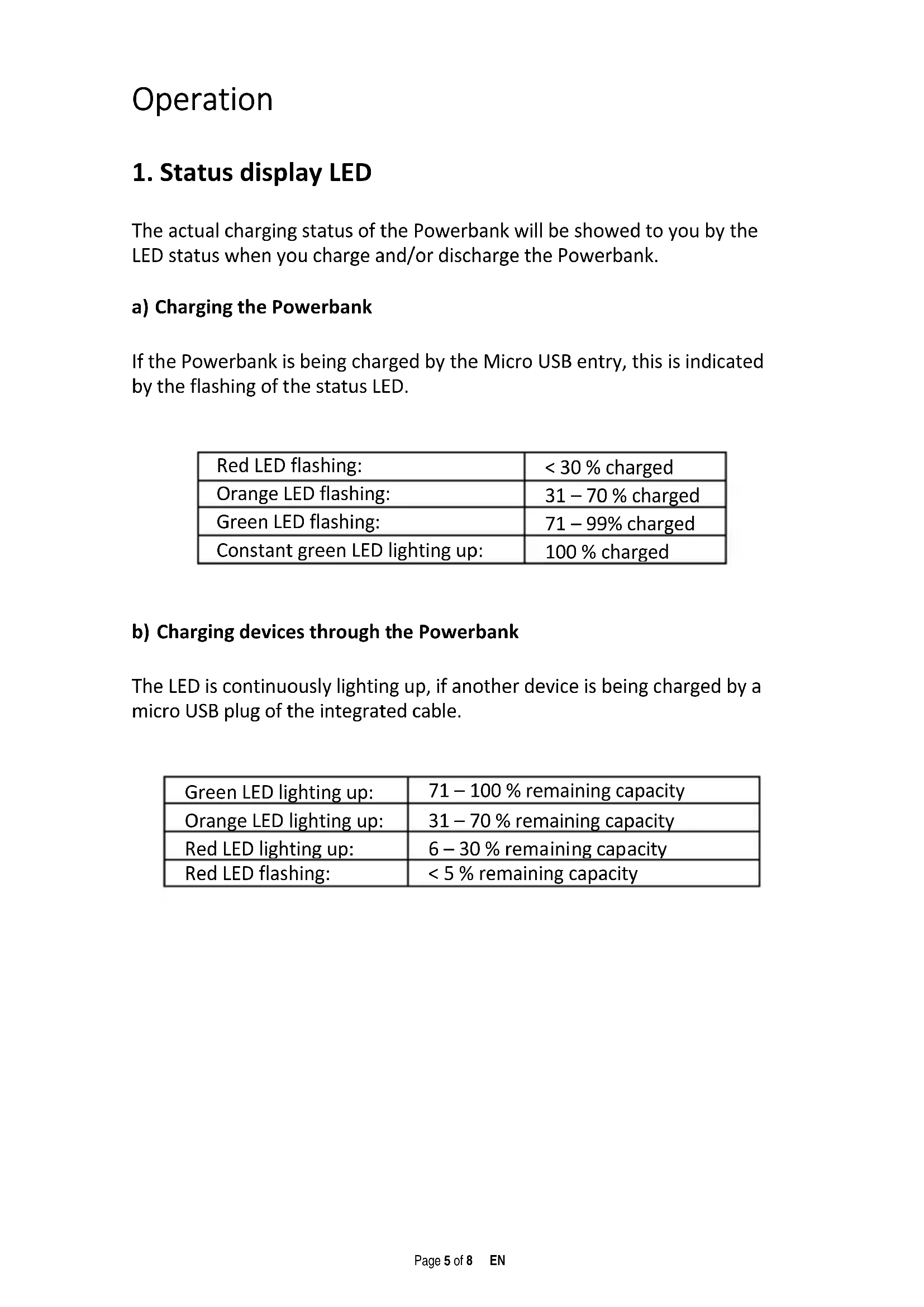
1. Status display LED
The actual charging status of the Powerbank will be showed to you by the LED status when you charge and/or discharge the Powerbank.
a) Charging the Powerbank
If the Powerbank is being charged by the Micro USB entry, this is indicated by the flashing of the status LED.
| Red LED flashing: | < 30 % charged |
| Orange LED flashing: | 31 – 70 % charged |
| Green LED flashing: | 71 – 99% charged |
| Constant green LED lighting up: | 100 % charged |
b) Charging devices through the Powerbank
The LED is continuously lighting up, if another device is being charged by a micro USB plug of the integrated cable.
| Green LED lighting up: | 71 – 100 % remaining capacity |
| Orange LED lighting up: | 31 – 70 % remaining capacity |
| Red LED lighting up: | 6 – 30 % remaining capacity |
| Red LED flashing: | < 5 % remaining capacity |
2. Starting-Up / Powerbank Charge / Charging Connected Devices
a) Charging the Powerbank
Please connect the included micro USB cable with the Powerbank micro USB entry. Connect the other USB cable end with the standard USB port of a computer or USB power supply. Charging process and actual charging status are displayed by the status LED. If the Powerbank is completely charged, the status LED lights up continuously. The needed charging of Powerbank depends from the selection charging source and their starting performance (5V / 1 A).
b) Charging devices through the Powerbank
- This Powerbank is equipped with an integrated USB cable plug (Standard Output 1A).
- To charge a device by Powerbank, connect the micro USB connection of the integrated cable with micro USB entry of the device to be charged. The charging procedure starts automatically.
- If a device is charged with Powerbank and the Powerbank capacity has almost finished, this is showed by red flashing of status LED. Please recharge Powerbank.
- Please note that, when charging a device with a Powerbank nearly 30% of total capacity is consumed by the charging process alone. This is caused for example by the loss of power from circuit heat and voltage conversion.
- For optimal performance, the Powerbank must be used regularly. If this is not the case, fully charge the Powerbank at least every three months.
Limited warranty conditions
The warranty only covers the replacement of this Intenso product. The warranty is not applicable for normal wear & tear resulting from erroneous, improper use of the device, negligence, accident or incompatibility.
There are no warranty claims if the Intenso user manual is not followed and if the device is damaged through improper use or defects caused by other devices.
We are not liable for damage or data loss (of the device to be charged) caused by dysfunction, wrong handling, repairs or battery change made by you.
There are no warranty claims if the product is exposed to shocks, electrostatic discharges, heat or humidity effects beyond the product specifications.
Intenso is not liable for any collateral damages or consequential losses, for violation of warranty conditions or any other losses irrespective of the cause.
Important note:
Please note that any warranty claim shall expire if the housing of the Powerbank has been opened.
This product is not meant for a commercial use or for medical and special applications, where the failure of the product may cause injuries, death or significant material damages.
(Intenso) ^31
49377 Vechta
Germany
www.intenso.de

Intenso Warranty conditions
Dear Intenso customer,
Thank you for opting for a high-quality Intenso product. All Intenso products are subject to constant quality inspections and the legal warranty period applies, of course, from the date of purchase. Please be sure therefore to save the sales receipt as proof of purchase.
Warranty conditions
The warranty only covers material and production defects. Intenso GmbH is not liable for the loss of data in units sent to us. The free of charge warranty service covers the repair or replacement of defective parts. Please understand that we cannot render any warranty services, e.g. in case of:
■ Misuse or improper handling, installation or use
■ Damages, scratches or wear
■ Modifications, manipulation or repairs by third parties
■ Damages through force majeure or transport
Your Intenso GmbH
CLAIM PROCEDURE
In case of a claim, please proceed as follows:
- Only returns accompanied with all accessories and sales receipt are accepted.
- In addition, a RMA number is absolutely required for return shipments. You can request this RMA number via e-mail or through the service hotline.
- Please package the product including all accessories and the sales receipt safe for transport. Please stamp the package.
- Please affix the RMA number clearly visible on the outside of the package.
Please send to the following service address:
INTENSO GMBH Service Hotline: +49 (0) 900 - 1 50 40 30
Service Center (your RMA-No.) landline in Germany.
(0.39 € / min. from the
natural_image
Simple black-and-white icon of an umbrella with falling leaves (no text or symbols)natural_image
Black and white flame symbol inside a square frame with diagonal lines (no text or numbers)natural_image
Simple line drawing of a block with vertical bars and diagonal line, no text or symbols presentnatural_image
Symbolic black-and-white diagram of a person standing on a mountain with diagonal lines crossing (no text or labels)natural_image
Simple line drawing of a trash bin crossed out by diagonal lines, enclosed in a square frame (no text or symbols)text_image
Prohibition sign with crossed-out trash bin and minus sign, commonly used in waste management or disposal methodstext_image
Technical diagram of a device with labeled parts 1, 2, and 3, showing a connector or attachment assembly.natural_image
Simple black-and-white icon of an umbrella with raindrops falling (no text or symbols)natural_image
Black and white flame symbol inside a square frame with diagonal lines (no text or numbers)natural_image
Pure electrical circuit lines without any symbolsChocs et chutes :
natural_image
Symbolic black-and-white diagram of a person standing on a mountain with cross lines, enclosed in a square frame (no text or labels)natural_image
Symbol of a trash bin crossed out by diagonal lines, enclosed in a square frame (no text or numbers present)natural_image
Symbol of a trash bin crossed out by diagonal lines, enclosed in a square frame (no text or numbers present)text_image
Technical diagram of a device with labeled parts 1, 2, and 3, showing a rectangular component with connectors.natural_image
Simple black-and-white icon of an umbrella with raindrops falling (no text or symbols)natural_image
Black and white flame symbol inside a square frame with diagonal lines (no text or numbers)natural_image
Pure electrical circuit lines without any symbolsGolpes, caídas:
natural_image
Symbolic black-and-white diagram of a person standing on a mountain with a cross, enclosed in a square frame (no text or labels)Descarga electrostática:
natural_image
Simple line drawing of a trash bin crossed out by diagonal lines within a square frame (no text or symbols)text_image
Prohibition sign with crossed-out trash bin and horizontal line, commonly used in waste management or disposal contextstext_image
Technical diagram of a device with labeled parts 1, 2, and 3, showing a rectangular component with connectors.1 Microcable USB integrado
2 Lámpara LED
3 Micro USB IN
Operación
1. Pantalla de status LED
natural_image
Simple black-and-white icon of an umbrella with scattered leaves, enclosed in a square frame (no text or symbols)natural_image
Black and white flame symbol inside a square frame with diagonal lines (no text or numbers)natural_image
Simple line drawing of a block with vertical bars and a diagonal line crossing through it (no text or symbols)Batidas, quedas:
natural_image
Abstract black-and-white geometric symbol with intersecting lines and triangular shapes (no text or symbols)Descarga eletrostática:
natural_image
Simple line drawing of a trash bin crossed out by diagonal lines, enclosed in a square frame (no text or symbols)text_image
Prohibition sign with crossed-out trash bin and horizontal line, commonly used in waste management or disposal methodstext_image
Technical diagram of a device with labeled parts, showing a connector and internal structure.1 Cabo de micro USB integrado
2 LED de estado
3 Micro USB IN
Funcionamento
1. LED do visor de estado
Service Center (Seu N° ADM)