USB 7303 - DJ Equipment US Blaster - Free user manual and instructions
Find the device manual for free USB 7303 US Blaster in PDF.



User questions about USB 7303 US Blaster
0 question about this device. Answer the ones you know or ask your own.
Ask a new question about this device
Download the instructions for your DJ Equipment in PDF format for free! Find your manual USB 7303 - US Blaster and take your electronic device back in hand. On this page are published all the documents necessary for the use of your device. USB 7303 by US Blaster.
USER MANUAL USB 7303 US Blaster
text_image
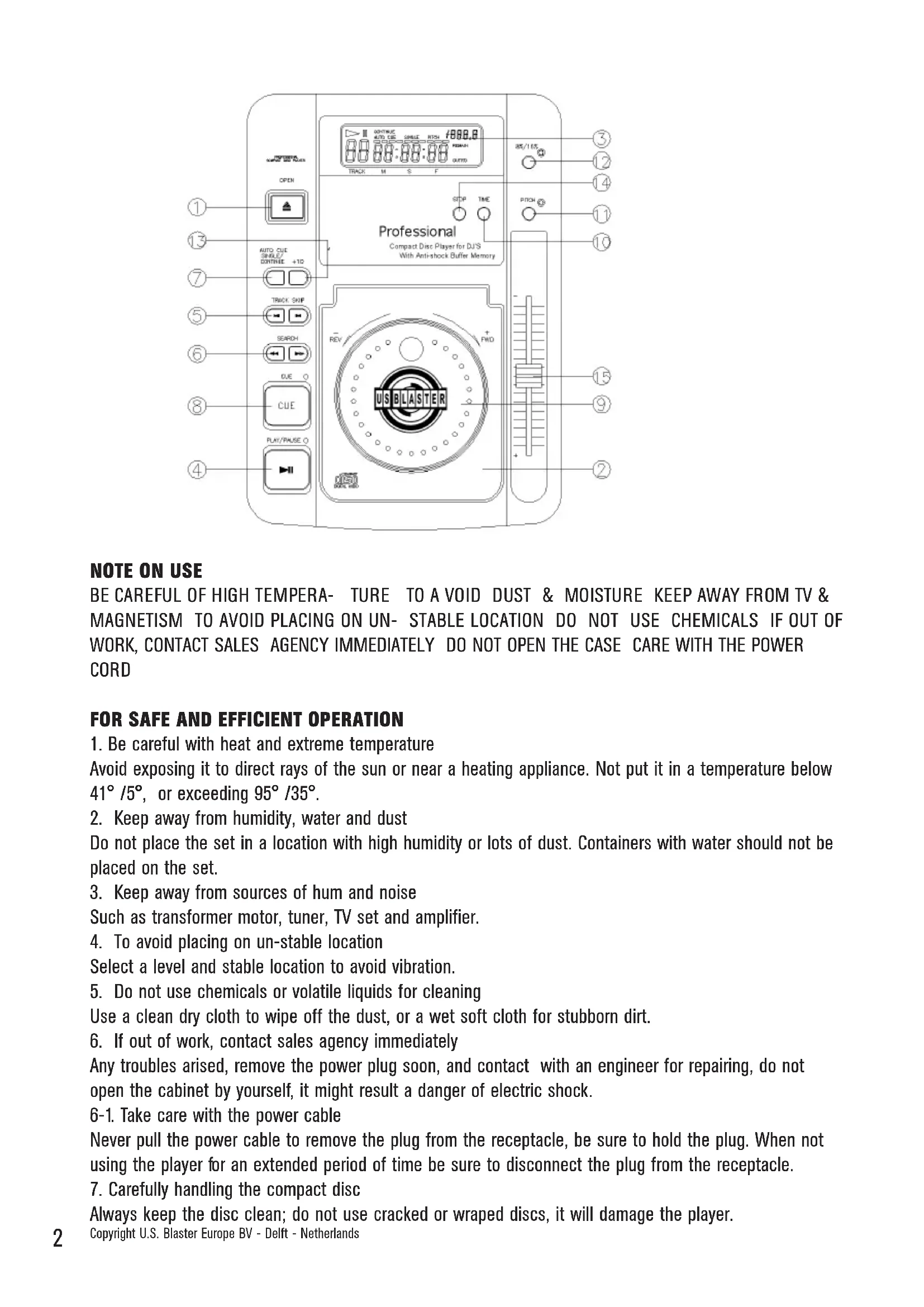
COMPACT DIS Player for DJS With Anti-shock Buffer Memory Professional Compact Disc Player for DJS with Anti-shock Buffer Memory OPEN AUTO CUE SHRUE/ CONTINUE +10 TRACK SKIP SEARCH DUE CUE PLAY/PAUSE REV + FWD USB BLASTER 3 12 14 11 10 15 9 2 150NOTE ON USE
BE CAREFUL OF HIGH TEMPERA- TURE TO A VOID DUST & MOISTURE KEEP AWAY FROM TV & MAGNETISM TO AVOID PLACING ON UN- STABLE LOCATION DO NOT USE CHEMICALS IF OUT OF WORK, CONTACT SALES AGENCY IMMEDIATELY DO NOT OPEN THE CASE CARE WITH THE POWER CORD
- Be careful with heat and extreme temperature
Avoid exposing it to direct rays of the sun or near a heating appliance. Not put it in a temperature below 41^/5^ , or exceeding 95^/35^ .
- Keep away from humidity, water and dust
Do not place the set in a location with high humidity or lots of dust. Containers with water should not be placed on the set.
- Keep away from sources of hum and noise
Such as transformer motor, tuner, TV set and amplifier.
- To avoid placing on un-stable location
Select a level and stable location to avoid vibration.
- Do not use chemicals or volatile liquids for cleaning
Use a clean dry cloth to wipe off the dust, or a wet soft cloth for stubborn dirt.
- If out of work, contact sales agency immediately
Any troubles arised, remove the power plug soon, and contact with an engineer for repairing, do not open the cabinet by yourself, it might result a danger of electric shock.
6-1. Take care with the power cable
Never pull the power cable to remove the plug from the receptacle, be sure to hold the plug. When not using the player for an extended period of time be sure to disconnect the plug from the receptacle.
- Carefully handling the compact disc
Always keep the disc clean; do not use cracked or wrapped discs, it will damage the player.
Copyright U.S. Blaster Europe BV - Delft - Netherlands
DESCRIPTION OF THE FUNCTIONS
1. OPEN
Press this button to open the disc compartment door, push the door in to close.
NOTE: Door cannot be opened during PLAY mode.
2. DISC COMPARTMENT
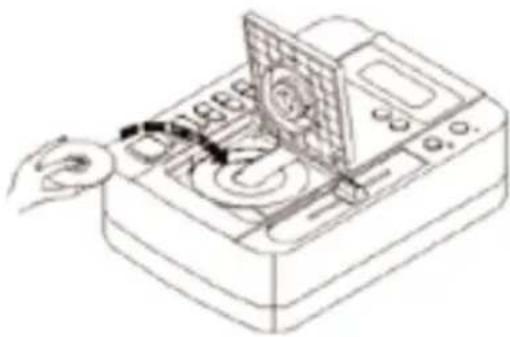
For placing the CD disc inside on the tray.
3. L.C.D.
This liquid crystal displays (L.C.D.) indicates the track numbers, time (minutes, seconds, frames), pitch speed, also other modes as Single/Autocue and Continue.
4. PLAY/PAUSE
Each press of this button cause the operation to change between PLAY and PAUSE modes.
5. TRACK SKIP
This button selects a specific track to be played.
6. SEARCH
Use this button to quickly forward or reverse to change the start position of a playing. It also can be used for changing the sound speed.
7. CONTINUE/SINGLE (AUTO CUE)
Press this button to switch between the SINGLE and CONTINUE play modes. When SINGLE/AUTOCUE mode is selected, it indicates as PLAY 1 on the LCD. After each track, it enables the unit to pause at the E beginning sound of the next track.
8. CUE
The CUE function allows the CD to be played from a setup point any number of times.
Press the PLAY/PAUSE button to pause a playing song, then press the CUE button to set up a position where the play can be returned after the CUE button is hit again.
The CUE LED will stop flashing from the time the CUE button is pressed.
9. JOG DAIL (FWD & REV)
This contains two functions:
* Speed Control
Rotating this dial in Play mode will change playback speed accordingly.
Rotate clockwise, the player speed increases; rotate counter-clockwise, the speed decreases.
* Searching
Rotating this dial in Pause mode, the player will forward or backward to the desired point for start. The searching speed changed according to the dialing speed. It can be carried out by 1 frame increment.
10. TIME/OUTRO
This button switches the time display between each Remaining time, Elapsed playing time, and Total remaining time; it also switches on and off the OUTRO function. When the display shows OUTRO, the player only plays the last 30 seconds of each track.
11. PITCH
This button changes the play speed.
Press PITCH button (the PITCH LED is lit) to enable the PITCH CONTROL SLIDER to increase or decrease the playing speed. When the PITCH is off, the speed automatically back to normal.
text_image
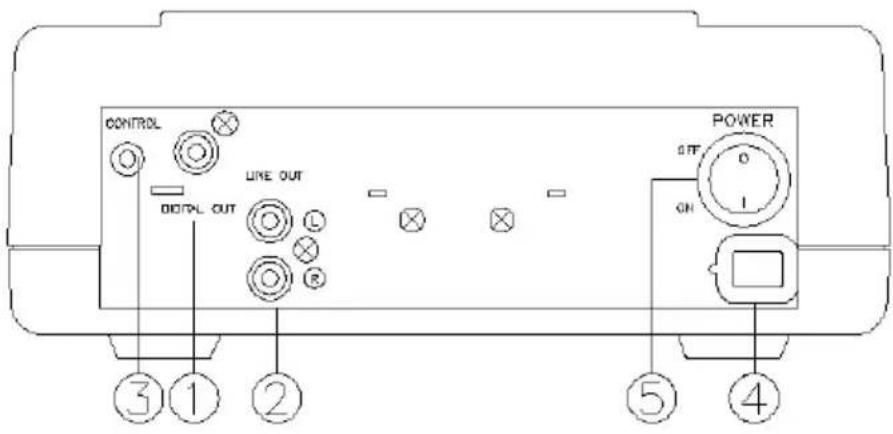
CONTROL OUT LINE OUT OFF ON POWER ③ ① ② ⑤ ④The pitch can be changed up to ±16% by moving the slider up and down.
NOTE: (1) The pitch slider will not function if the PITCH LED is off.
(2) This pitch button will not have effects on PITCH bend.
- ±8% ±16%
It can switch for playback speed range 8% & 16%. It will show how much range on LCD.
13.+10
Each press of this button allows the unit to advance 10 tracks.
- STOP
Press this button to stop the operation of the unit.
- PITCH CONTROL SLIDER
There are 2 selections for playback speed ranges (8%, 16%) through 11. PITCH BUTTON & 12. 8/16% BUTTON. By moving the pitch control slider, you can achieve the playback speed you want between MIN. (up side) & MAX. (down side).
CONNECTION
1. DIGITAL OUT
Digital output jack for connecting to D/A converter.
2. LINE OUT
Output connector, connected to the input terminals on amplifier or console.
natural_image
Line drawing of a mechanical device with a rotating button and control panel (no text or symbols)NEER DJM500 for fader start controlled by the mixer.
natural_image
Line drawing of a hand operating a CD or DVD machine with a rotary knob (no text or symbols visible)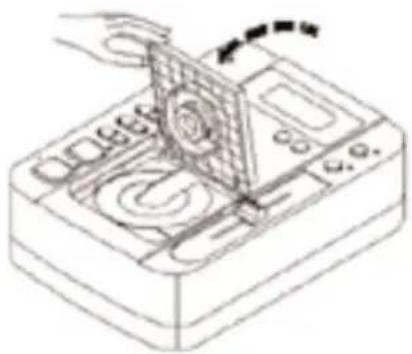
natural_image
Technical line drawing of a mechanical device with a hand operating a rotating component (no text or symbols)E
BASIC OPERATION
Loading and ejecting the disc
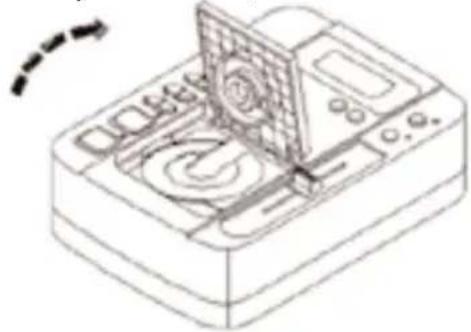
* Press the "OPEN" knob to open the disc compartment door.
| Symptom | Cause | Remedy |
| Door can not be opened when the OPEN button is pressed. | Power plug is not connected properly. | Correctly connect the plug. |
| * When playback is started, stops or load disc correctly place a disc in pauses immediately more than one disc: | *Disc is loaded upside down. the center of disc compartment with *Dust or dirt on the disc. | * Load the disc with label side up the label side up not to place *Clean the disc and load it again. |
| No sound | *Output cables connected unproperly.*Audio mixer operated unproperly.*Pin plugs or amplifier terminals are dirty.*Player is in pause mode. | *Connect the cable properly.*Check the setting of audio mixer.*Press the PLAY/PAUSE button. |
| * Sound is distorted Push the door in to close it.* Press the PLAY/PAUSE button to start the playback. are dirty | *Incorrect connection.*Pin plugs or amplifier terminals are dirty | *Connection with audio mixer to the LINE INPUT terminals.* Clean away the dirt. |
| Hum | Cable connected unproperly. | * Firmly connect all audio plugs. |
2. Track skip
Use the TRACK SKIP control to advance (▶) or reverse (◀) to a desired track.
3. FRAME SEARCH
\* JOG DIAL
In pause mode, dial the jog, the playback will move by frame or frames depending on the speed you dial.
\* SEARCH KNOB
Press the search control ( ◀◀ or ▶▶ ) in pause mode to move by one frame per press; keep pressing the control, it will move rapidly with sound.
4. PITCH CONTROL KNOB
\* JOG DIAL
In play mode rotate the job clockwise to speed up; rotate counterclockwise to slow down.
\* PITCH CONTROL KNOB
Move the knob toward +16 direction, the playback become fast; move it toward -16 direction, the play-back become slow.
INHALT
8. WIED ERHOLEN (CUE)
9. JOG DAIL (FWD & REV)
natural_image
Line drawing of a mechanical device with a rotating button and control panel (no text or symbols)natural_image
Line drawing of a hand inserting a device into a machine (no text or symbols)natural_image
Technical line drawing of a mechanical device with a hand operating a rotating component (no text or symbols)RESOLUTIONS DES PROBLEMES.... 24
natural_image
Line drawing of a mechanical device with a rotating button and control panel (no text or symbols)* Charger un disque
natural_image
Line drawing of a hand operating a digital device with a screen and control panel (no text or symbols)natural_image
Line drawing of a mechanical device with a hand operating a rotating component (no text or symbols)BASISFUNCTIONS....30
PROBLEMEN OPLOSSEN....31
OPMERKING VOOR GEBRUIK
NL
WEES VOORZICHTIG MET HOGE TEMPERATUREN - VERMIJD STOF EN VOCHT - HOUD WEG BIJ TV EN MAGNETISME - PLAATS HET TOESTEL OP EEN STABIELE ONDERGROND
GEBRUIK GEEN CHEMICALIEN INDIEN DEFECT, DIRECT CONTACT OPNEMEN MET DETAILHANDE-LAAR MAAK DE KAST NIET OPEN VOORZICHTIG MET HET NETSNOER
VOOR VEILIGE EN EFFICIËNTE BEDIENING
natural_image
Line drawing of a mechanical device with a rotating button and control panel (no text or symbols)natural_image
Line drawing of a hand inserting a component into a device with a fan (no text or symbols)natural_image
Line drawing of a hand using a tool to adjust or install a device (no text or symbols visible)* Druk op de knop AFSPELEN/PAUZE om de cd af te spelen.