ManualGo.com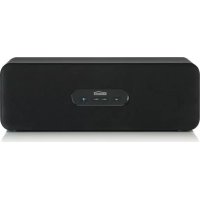
BoomBoom 230 - Hi-fi system MARMITEK - Free user manual and instructions
Find the device manual for free BoomBoom 230 MARMITEK in PDF.



Download the instructions for your Hi-fi system in PDF format for free! Find your manual BoomBoom 230 - MARMITEK and take your electronic device back in hand. On this page are published all the documents necessary for the use of your device. BoomBoom 230 by MARMITEK.
USER MANUAL BoomBoom 230 MARMITEK
ALL RIGHTS RESERVED MARMITEK ©
GEBRUIKSAANWIJZING 33 BoomBoom 230© MARMITEK 2BoomBoom 230 3 ENGLISH SAFETY WARNINGS x To prevent short circuits, this product should only be used inside and only in dry spaces. Do not expose the components to rain or moisture. Do not use the product close to a bath, swimming pool etc. x Do not expose the components of your systems to extremely high temperatures or bright light sources. x In case of improper usage or if you have altered and repaired the product yourself, all guarantees expire. Marmitek does not accept responsibility in the case of improper usage of the product or when the product is used for purposes other than specified. Marmitek does not accept responsibility for additional damage other than covered by the legal product responsibility. x This product is not a toy. Keep out of reach of children. x Do not open the product: the device may contain live parts. The product should only be repaired or serviced by a qualified expert. x Only connect the adapter to the mains after checking whether the mains voltage is the same as the values on the identification tags. Never connect an adapter or power cord when it is damaged. In that case, contact your supplier.
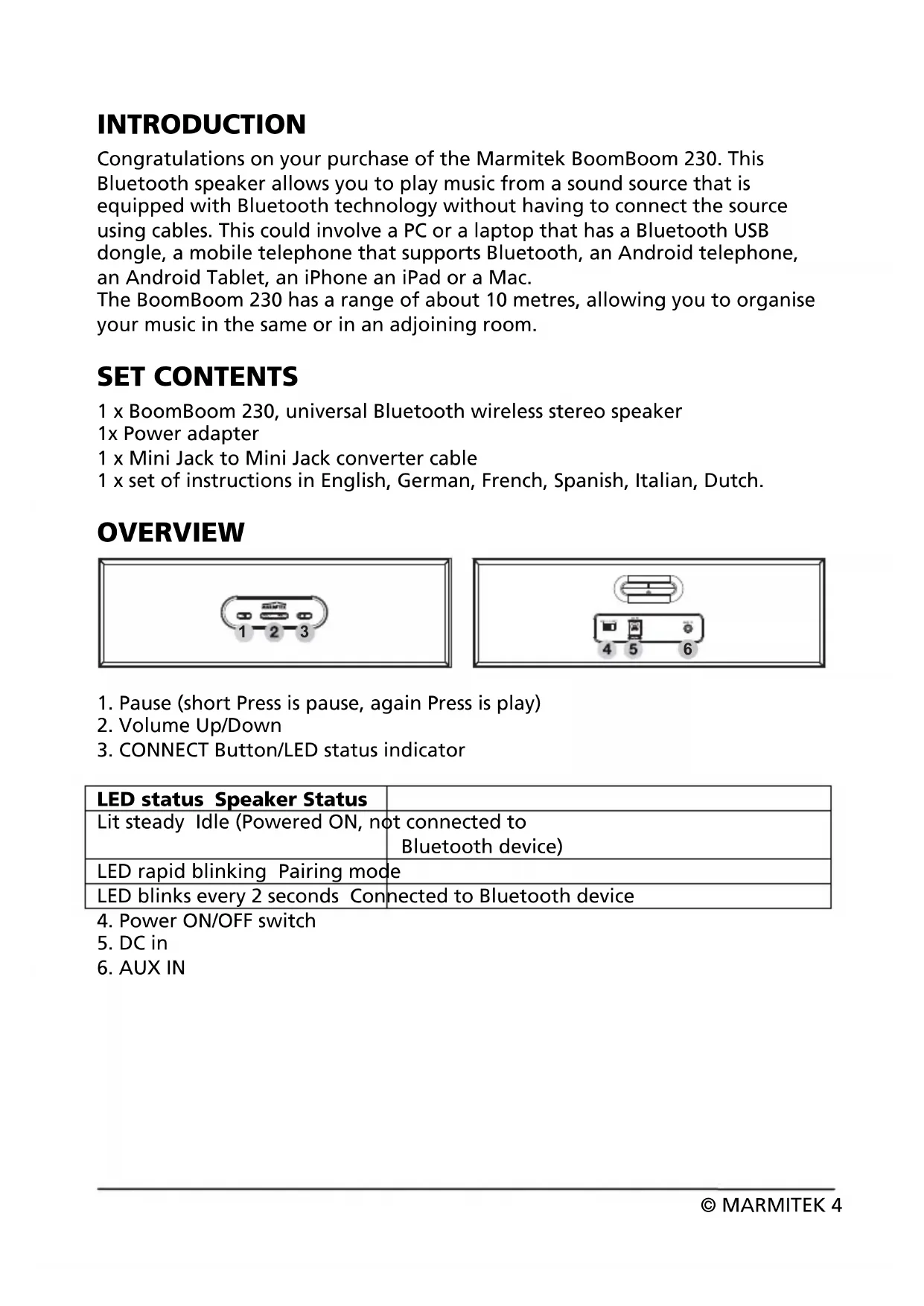
COPYRIGHTS ............................................................................................................7INTRODUCTION Congratulations on your purchase of the Marmitek BoomBoom 230. This Bluetooth speaker allows you to play music from a sound source that is equipped with Bluetooth technology without having to connect the source using cables. This could involve a PC or a laptop that has a Bluetooth USB dongle, a mobile telephone that supports Bluetooth, an Android telephone, an Android Tablet, an iPhone an iPad or a Mac. The BoomBoom 230 has a range of about 10 metres, allowing you to organise your music in the same or in an adjoining room. SET CONTENTS 1 x BoomBoom 230, universal Bluetooth wireless stereo speaker 1x Power adapter 1 x Mini Jack to Mini Jack converter cable 1 x set of instructions in English, German, French, Spanish, Italian, Dutch. OVERVIEW
1. Pause (short Press is pause, again Press is play)
LED status Speaker Status Lit steady Idle (Powered ON, not connected to Bluetooth device) LED rapid blinking Pairing mode LED blinks every 2 seconds Connected to Bluetooth device
© MARMITEK 4BoomBoom 230 5 ENGLISH PAIRING BLUETOOTH DEVICES (ONE-OFF) The BoomBoom 230 is able to remember up to 8 paired devices. As a result it is not necessary to pair a device every time you connect it. If a 9
device is paired with the BoomBoom 230, the device which has been originally paired with the BoomBoom 230 will be deleted from its memory.
1. Connect the AC Power Adaptor plug to the DC INPUT [5] located on the
rear panel of the BoomBoom 230.
2. Connect the AC Power Supply Unit into a suitable wall outlet.
3. Set the ON/OFF switch [4] to the ON position.
4. The LED status [3] will light up and stay on, indicating that the
BoomBoom 230 is switched on.
5. Press and hold the CONNECT [3] button for 3 seconds to put the
BoomBoom 230 into connection mode. Release the CONNECT button once you hear 2 short beeps. The LED status will now blink rapidly.
6. Turn on a device that supports Bluetooth, such as an iPod, iPhone,
Android or mp3 player and go to: Settings > General > Bluetooth. Click ON ‘Bluetooth’ and the BoomBoom 230 will appear on the device. Click ON ‘BoomBoom 230’. The device is now connected and paired with the speaker. If the device prompts for a pairing code, enter:”0000”
1. Tap VOLUME+ to increase the volume. When maximum volume has been
reached, a tone indicator will sound.
2. Tap VOLUME- to decrease the volume. When minimal volume has been
reached, a tone indicator will sound.
TURNING OFF Set the ON/OFF button to the OFF position in order to turn the BoomBoom 230 off. To be completely disconnected from the power input, the main plug of the AC/DC adapter shall be disconnected from the main.© MARMITEK 6
CONNECTING DEVICES THAT HAVE ALREADY BEEN
PAIRED Set the ON/OFF switch to the ON position. The LED status will now light up and stay on, indicating that the BoomBoom 230 is switched on but not yet paired with any Bluetooth device. Once a Bluetooth device has been paired with the BoomBoom 230, it can be reconnected to the BoomBoom 230 in two different ways.
1. Switch the Bluetooth device on and select the BoomBoom 230 to make a
new connection. The device is now connected to the speaker.
2. Press the Connect button on the BoomBoom 230 briefly. The BoomBoom
230 will now reconnect with the most recently paired Bluetooth device. When connected, the blue LED lights will start to flash at a slow rate. Only one device can be connected at the same time to the BoomBoom 230.
SWITCHING BETWEEN THE LAST 2 BLUETOOTH
DEVICES You can switch between the 2 most recently paired Bluetooth devices by pressing the CONNECT button briefly. ! Ensure that the device is switched on and that it accepts Bluetooth connections.
CONNECTING WITH AN AUDIO CABLE
The Bluetooth connection can be switched to a wired connection by plugging the cable into the 3.5mm audio jack. The volume and pause key function will be disabled in the wired connection mode. Simply unplug the 3.5mm audio jack and press the CONNECT button to revert back to the Bluetooth connection.ENGLISH
FREQUENTLY ASKED QUESTIONS
I can’t connect my BoomBoom 230. Check the following: x Ensure that the power adapter is connected. x Ensure that the Bluetooth function on your mobile telephone is on (check your phone's manual for reference). x Ensure that the distance between your mobile phone and the BoomBoom 230 is no greater than 10 metres and that there are no large obstacles in the way. Can I pair numerous devices to my BoomBoom 230? x You can pair up to 8 devices to your BoomBoom 230. If the BoomBoom 230 is switched on, it will automatically connect to the last paired device once the CONNECT button has been pressed. Do you have other questions that have not been resolved by the above information? Please go to www.marmitek.com
ition electric power consumption and ower