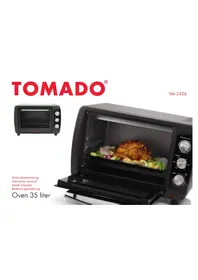
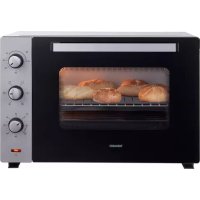
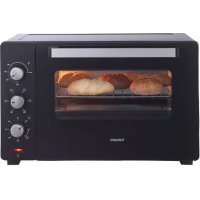
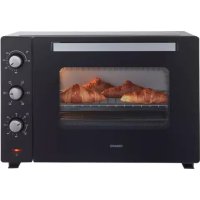
TM2426 - Oven Tomado - Free user manual and instructions
Find the device manual for free TM2426 Tomado in PDF.



| Brand | Tomado |
| Model | TM2426 |
| Product type | Oven |
| Power supply voltage | 220-240 V ~ 50 Hz |
| Maximum temperature | 250 °C |
| Minimum temperature | 100 °C |
| Timer | 2 to 60 minutes |
| Cooking modes | 6 positions: top heat, bottom heat, both, with convection |
| Convection | Yes, with fan |
| Indicator light | Yes, operation indicator |
| Audible signal | Yes, at end of cooking |
| Included accessories | Rack, baking tray, handle |
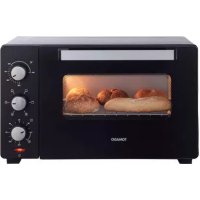
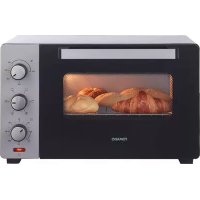
| Exterior material | Steel and glass |
| Door | Glass with handle |
| Maintenance | Dishwasher-safe accessories; interior cleaned with mild product |
| Exterior cleaning | Damp cloth |
| Safety | Automatic shut-off by timer, hot surface, do not immerse |
| Warranty | 2 years |
| Repairability | Only by an authorized technician |
| Usage | Household, indoor |
Frequently Asked Questions - TM2426 Tomado
User questions about TM2426 Tomado
0 question about this device. Answer the ones you know or ask your own.
Ask a new question about this device
Download the instructions for your Oven in PDF format for free! Find your manual TM2426 - Tomado and take your electronic device back in hand. On this page are published all the documents necessary for the use of your device. TM2426 by Tomado.
USER MANUAL TM2426 Tomado
Congratulations and thank you for purchasing this high quality product. Please read the user's instructions carefully so that you will be able to make the best possible use of your appliance. This manual includes all the necessary instructions and advice for using, cleaning and maintaining the appliance. If you follow these instructions you will be guaranteed of excellent results and will benefit from your appliance to the fullest. It will also save you time and prevent problems. We hope you will have a great deal of pleasure from using your appliance!
SAFETY INSTRUCTION
General
- Read the instructions carefully before first use. Keep the operating instructions, warranty certificates, sales receipt and if possible the cardboard box with inner packaging for future reference.
- Use the product only as described in this manual.
- If these safety instructions are not followed, the manufacturer can not be held accountable for any resultant damage.
- This device complies with all electromagnetic fields (EMF) standards. Based on scientific evidence available today, it will be safe to use this appliance if it is handled properly and used in accordance with the instructions in this manual.
-
Do not leave the appliance unattended once it is turned on.
-
Keep the appliance and cord away from children under 8 years old. Strictly prohibit children using this device as a toy.
- It may only be serviced by a competent electrician.*
Electricity and heat
- Before use check if the mains voltage equals the voltage prescribed for this device.
- Connect the appliance to an earthed outlet.
- Check the cord frequently for any damage. Do not operate the device if the cord is damaged. Any damaged cabling must be repaired or replaced at a qualified service center.
- Pull the plug, not the cord when you unplug the power cord.
- Prevent the cord from coming into contact with hot surfaces or steam.
- Always unplug from the plug socket before you move the machine and when it is not in use.
- Allow to cool before removing parts or re-assembly.
- It is not permitted to use an extension cord or anything similar.
- This device becomes very hot when in use. You could burn yourself seriously if you come into contact with the hot parts of this device.
- The device should be kept away from nearby heat sources such as stoves or ovens.
Use
- The device is solely intended for household purposes
and is not suitable for commercial use.
- Use only indoors, in dry areas and not near a sink, for example.
- Use only for purposes described in this manual. If the device is used for other purposes, it may become damaged.
- Never use attachments which are not recommended by the manufacturer. This can put the user at risk and damage the device.
- Place the unit on a flat, stable surface where it can not fall off.
- Place the unit on a heat resistant surface, for example not directly on lacquered furniture.
- Move the device regularly during use.
- Place the unit at least 50 inches from walls or other combustible materials (such as curtains, candles and cloths).
- Unplug from the socket when the device is not in use.
- Caution: To avoid any risk of accidental thermal resetting, this device must not be powered through an external switching device such as a timer, or connected to a circuit that is regularly turned off.
- Do not touch the metal parts of the unit when in use. These parts become very hot.
- Never immerse the whole appliance in water or other liquid (except for spare parts).
- Never touch the appliance after it has fallen into water. Unplug the power cord, turn it off and do not use it again.
- This device must not be used when it shows signs of damage or leaking.
- Only cook food which is suitable for cooking and consumption.
It is necessary to keep the unit clean since it comes into contact with food.
Competent qualified electrician: after sales department of the producer or importer or any person who is qualified, approved and competent to perform this kind of repairs in order to avoid all danger. In any case you should return the appliance to this electrician.
PARTS DESCRIPTION
- Glass door
- Temperature control button
- Heating position button
- Time control button
- Indicator light
- Grid
- Baking tray
- Handle

FIRSTUSE
- Remove all packaging of the device.
- Check if the voltage of the appliance corresponds to the main voltage of your home. Rated voltage: AC220-240V 50Hz.
Before using the device for the first time wash all loose parts in warm soapy water. Rinse and dry thoroughly below. These parts are also dishwasher safe.
Always place the unit on a flat stable surface and ensure at least 30 cm free space around the unit. This device is not suitable for outdoor installation or use. Place the device on a safe place. Not too close to a wall, the wall can burn or discolour. Please make sure that curtains or something similar, do not make contact with the device. Do not place anything between the bottom of the device and the surface on which you place the device in order to prevent this will burn. - Food like bread, pizza and meat which is baked too long in the oven can burn; this can be prevented by checking the food in the oven regularly. Never heat food in jars or cans directly in the oven, the heat could explode and cause injury. Always use ovenproof bowls and plates.
The oven may at first use spread some smell and smoke, this is normal, so use the device in a well ventilated area.
Caution! The exterior of the device is heated also. Avoid any physical contact, you can seriously injure. Always use the handle to the glass door (no. 1) to open the oven.
USE OF ACCESSORIES
- Use the grid (no. 6) to prepare dry foods such as bread and pizza.
- The baking tray (no. 7) is suitable for cooking food which fat is released, such as meat and chicken dishes. The baking tray (no. 7) can also be placed under the grid (no. 5) to absorb any release of fat.
USE
- Using the temperature control button (no. 2) the desired temperature setting according to prepare the dish.
- Using the heating position button (no. 3) in the desired heating mode, on the next page you will see the explanation of the various settings. Set the time control button (no. 4) on 10 minutes and preheat the oven, the red indicator light (no. 5) turns off when the device has reached the setting time.
The device is ready for use.
Heating position button (no. 3)
OFF Switch off the oven

Only the top heating element is switched on.

Only the lower heating element is switched on.

The top and lower heating element are switched on.

The top heating element is switched on in combination with the convection mode.

The lower heating element is switched on in combination with the convection mode.

The top and lower heating element are switched on in combination with the convection mode.
- Place the grid (no. 6), the baking tray (no. 7) or both in the oven. These can be placed at three positions. On the inside of the oven are three conductors.
- Use the temperature control button (no. 2) to set the desired temperature, for the time setting use the time control button (no. 4), depending on the dish to prepare. Select the desired heating position by switching the heating position button (no. 4). The maximum time setting is 60 minutes, the minimum time setting is 2 minutes.
- The maximum temperature setting is 250ircC , the minimum temperature setting 100ircC .
- The red indicator light illuminates. When the device has reached the setting time, the indicator light turns off and the device gives an audio signal. Always use the provided handle (no. 8) to the grid or the baking tray to get it out of the oven.
A For use with the baking tray (No. 7)
Clip upper terminal of the handle on top of the baking tray (No. 7).
B For use with the grid (No. 6)
Clip lower terminal of the handle on top of the grid (No. 6).

CLEANING THE UNIT
- Remove the plug from the outlet and let the device cool down. Wash all parts in warm soapy water. Rinse and dry thoroughly. These parts are also dishwasher safe. Clean the exterior with a damp cloth. Clean the inside of the device with a mild detergent or dedicated oven cleaner.
- Never use harsh and abrasive cleaners, scouring pad or steel wool, which damages the device.
- Never immerse the device in water or other liquid. Do not place the device in the dishwasher to clean. If the inside of the oven is contaminated, boil and bake process can take longer time than normal.
COOKING TIPS
- Your oven is extremely suitable to prepare wonderful dishes. In the chart you will find some tips on preparation time, and the oven temperature settings for different dishes.
- The indicated temperatures and times are indicative only. The baking results vary depending on the recipes, the dishes and the ingredients used. For the exact cooking time, the heating position and the baking time of your recipe, please refer to the packaging, if the preparation time is mentioned.
Heating position:
| 123 | *456 | * |
| Recipe Amount Temp. | °C Time Position | ||
| Fresh pizza 400 g | 200 °C 25 min. | 6 | |
| Salted cake 600 g | 200 °C 35 min. | 3 | |
| Frozen pizza 450 g | 230 °C 15 min. | 6 | |
| Lasagne 1500 g | 200 °C 40 min. | 3 | |
| Whole chicken | 1000 g | 200 °C 60 min. | 3 |
| Meatballs | 1700 g | 200 °C 30 min. | 4 |
| Aubergines with cheese | 1000 g | 220 °C 20 min | 1 |
| Grilled meat 1500 g | 190 °C 40 min. | 2 | |
| Scallopped potatoes | 1000 g | 200 °C 90 min. | 6 |
| Apple pie | 800 g | 200 °C 40 min. | 5 |
| Trout in a package | 800 g | 190 °C 40 min. | 2 |
Add to the cooking time approximately 10 minutes for the pre-heating of the oven.
TOMADO
Garantiebepalingen - Conditions de garantie - Warranty regulations - Garantieregelungen
- We would like to congratulate you on buying an appliance from the TOMADO product range.
Warranty regulations
TOMADO provides a 2-year warranty for all defects caused by hidden deficiencies which render the appliance useless for normal operation.
The warranty runs from the date of purchase; we advise you to carefully save your receipt.
- Within the warranty period any defects in production or material will be resolved free of charge, by means of reparation, replacement of parts or replacement of the appliance as a whole.
The warranty certificate has to be filled in by the sales person at the moment of purchase.
Repairs will only be made under warranty in case it can proven (by means of a filled in warranty card and the receipt) that the day the complaint is filed falls into the warranty period.
- The warranty does not apply when defects or damages result from an accident, misuse, negligence (e.g. incorrect cleansing), or when repairs of alterations have been executed outside the authorized TOMADO service centre (excl. disassembling, as stated in the instruction manual).
- The warranty does not cover any defects arising when the appliance is connected to the wrong outlet voltage, not following the guidelines in the instruction manual and usual wear and tear.
- The warranty does not cover any defects arising from the lack of frequent descaling of appliances, whatever type of water has been used (especially for steam irons, coffee machines and water boilers).
- TOMADO cannot be held responsible for any material damage or personal accident resulting from connecting
the appliance in breach of the locally applicable safety regulations and technical standards (for instance an inferior AC outlet). The warranty under no circumstances grants the right for any compensation.
- All other claims, including damages, are excluded unless the Law states otherwise.
- Other warranty regulations than the warranty regulations stated above are not applicable.
Service
For more information you can write to the following address (postage paid):
TOMADO Consumenservice
Antwoordnummer 19016
NL - 1000 VC Amsterdam
The Netherlands
What do you do in case your appliance does not work?
When your appliance shows defects, you can refer to your salesperson. Your salesperson will make sure any defect will be repaired as soon as possible.
Repairs outside the warranty period
You can always hand in your appliance to have it repaired outside the warranty period. This will of course not be free of charge.
Cherie clientele, cher client,
Guidelines for protection of the environment
This appliance should not be put into the domestic garbage at the end of its useful life, but must be disposed of at a central point for
recycling of electric and electronic domestic appliances. This symbol on appliance, instruction manual and packaging puts your attention to this important issue. The materials used in this appliance can be recycled. By recycling used domestic appliances you contribute an important push to the protection of our environment. Ask your local authorities for information regarding the point of recollection..

- SAFETY INSTRUCTION
- General
- Electricity and heat
- Use
- PARTS DESCRIPTION
- FIRSTUSE
- USE OF ACCESSORIES
- Heating position button (no. 3)
- A For use with the baking tray (No. 7)
- B For use with the grid (No. 6)
- CLEANING THE UNIT
- COOKING TIPS
- Heating position:
- TOMADO
- Garantiebepalingen - Conditions de garantie - Warranty regulations - Garantieregelungen
- Warranty regulations
- Service
- What do you do in case your appliance does not work?
- Repairs outside the warranty period
- Guidelines for protection of the environment
Brand : Tomado
Model : TM2426
Category : Oven