BR1008 - Toaster TRISTAR - Free user manual and instructions
Find the device manual for free BR1008 TRISTAR in PDF.



User questions about BR1008 TRISTAR
0 question about this device. Answer the ones you know or ask your own.
Ask a new question about this device
Download the instructions for your Toaster in PDF format for free! Find your manual BR1008 - TRISTAR and take your electronic device back in hand. On this page are published all the documents necessary for the use of your device. BR1008 by TRISTAR.
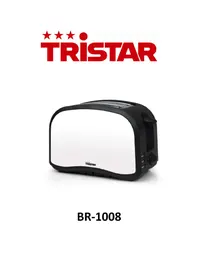
USER MANUAL BR1008 TRISTAR
natural_image
Black TRISTAR toaster with white dome and black handle, no visible text or symbols on device bodyBR-1008
General safety instructions
Check if the tension of your supply corresponds with the voltage indicated on the rating plate of your appliance1
- Before commissioning this device please read the instruction manual carefully and keep this so that you can check them later 1
- Please keep these instructions, the guarantee certificate, the sales receipt and, if possible, the carton with the inner packaging!
- The device is intended exclusively for private and not for commercial use! Keep it away from direct heat, sun and moist and protect it against sharp impacts1
- Always remove the plug from the socket whenever the device is not in use, when attaching accessory parts, cleaning the device or whenever a disturbance occurs1 Switch off the device before1 Pull on the plug, not on the cable1
- This appliance is not intended for use by persons with reduced physical, sensory or mental capacities, or lack of experience and knowledge (including children), unless they have been supervised or instructed concerning use of the appliance by a person responsible for their safety1
- In order to protect children from the dangers of electrical appliances, never leave them unsupervised with the device1 Consequently, when selecting the location for your device, do so in such a way that children do not have access to the device1 Take care to ensure that the cable does not hang down1
- Test the device, plug and the cable regularly for damage1 If there is damage of any kind, the device should not be used but the appliance must be repaired by a qualified technician in order to avoid a hazard1 'nly original spare parts must be used1
- A damaged cord or plug must be replaced by an authorized technician to avoid a hazard1 Do not repair the device yourself,1
- Keep the device and the cable away from heat, direct sunlight, moisture, sharp edges and such like1
- Never use the device unsupervised! Switch off the device whenever you are not using it, even if this is only for a moment1
- Do not use the device outdoors1
• Under no circumstances must the device be placed in water or other liquid, or come into contact with such1 Do not use the device with wet or moist hands1 - Should the device become moist or wet, remove the mains plug from the socket immediately1 Do not reach into the water1
- Use the device only for the intended purpose1
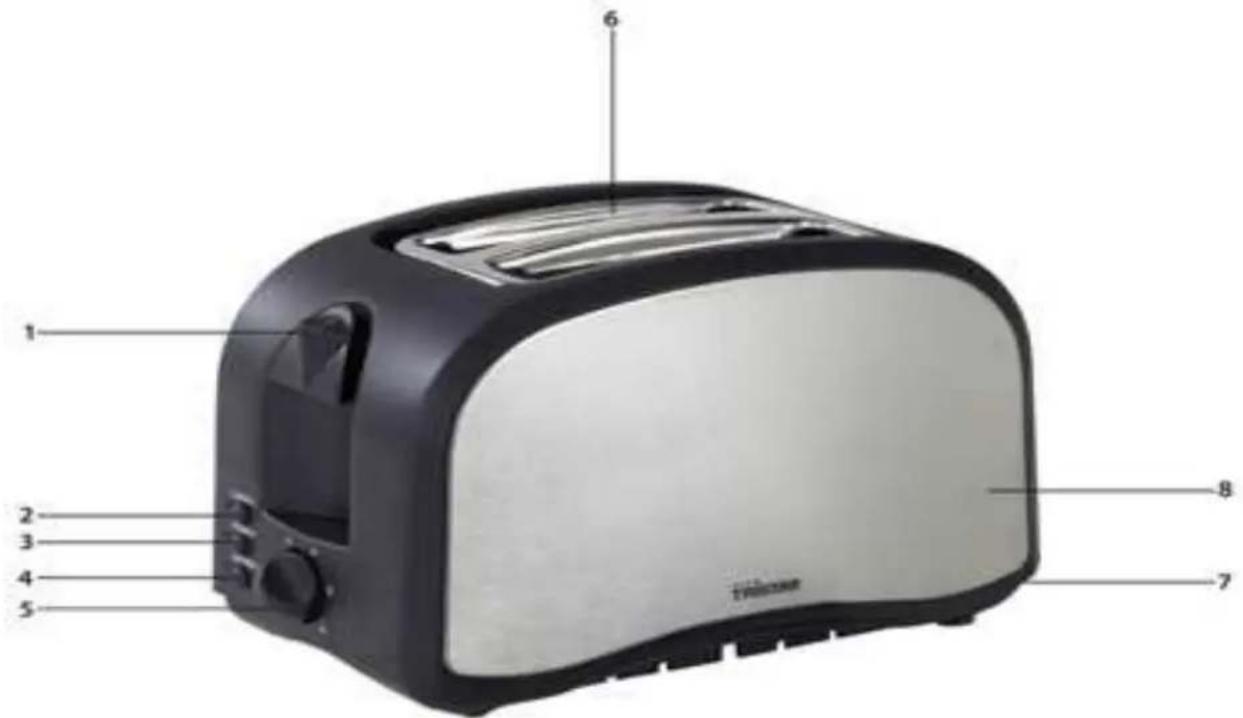
Parts list
text_image
1 2 3 4 5 6 7 8-
Loading handle
-
Browning level knob
-
Cancel function
-
Toasting slots
-
Reheat function
-
Crumb tray
-
Defrost function
-
Metal plate
First use
When using for the first time, allow the toaster to heat up until the odour clear. It is advisable to first operate the toaster without placing bread in the slot.
- Connect the toaster to the mains supply and switch ON.
- Set the browning control to the lowest setting (1).
- Press the loading handle down and allow the heating elements to warm.
- Allow elements to heat up until burning odour clears.
- Press CANCEL button to release loading handle.
How to use the toaster
- Ensure the toaster is connected to mains supply and switched ON.
- Place one or two slices of bread into the toasting slots and press down the loading handle until it latches.
• The toaster will heat up automatically and start toasting. - Adjust the browning control to achieve the amount of toasting desired.
• To stop toasting press the CANCEL button at any time. - Lift the loading handle to check the bread during toasting.
- When toasting is finished the loading handle will rise automatically. The toast can then be safely removed.
• If the toast is not dark enough, you may wish to toast the bread again. - Adjust the browning control to a lower setting and replace the toast. Ensure the toast does not burn while re-toasting.
Browning Control
The browning control enables adjustment of toasting time, this is adjustable from 1 to 8.
·1-2 for light toasting ·7-4 for medium toasting ·5-8 for dark toasting
Reheat Function
Your toaster can re-heat toast if it has cooled too quickly.
- Replace the toast in the toaster.
- Set the browning control to a low setting.
- Press the loading handle down.
- Press the REHEAT button, the reheat indicator will light up. ensure toast doesn't burn.
· The loading handle will rise automatically when toast is reheated.
Defrost Function
Your toaster can defrost frozen bread before toasting if required.
- Place the bread into the toaster.
- Set the browning control to required setting.
- Press the loading handle down
- Press the defrost button, the defrost indicator will light up. Ensure toast does not burn.
Cancel Function
- Press the CANCEL button if bread starts to smoke.
- The CANCEL button can be pressed at any time during toasting.
Cleaning
- Switch OFF mains supply and allow toaster to cool completely before cleaning.
- Only clean the surfaces of the toaster with a soft damp cloth.
- Do not allow crumbs to build up inside the toaster.
- Crumbs can be removed by pulling out the crumb tray, located at the end of the toaster, and clearing any build up with damp cloth.
- Internal parts can be easily damaged. Do not touch the internal parts of the toaster with any implement.
Guidelines for protection of the environment
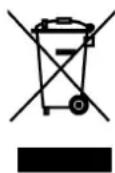
This appliance should not be put into the domestic garbage at the end of its useful life, but must be disposed of at a central point for recycling of electric and electronic domestic appliances. This symbol on appliance, instruction manual and packaging puts your attention to this important issue. The materials used in this appliance can be recycled. By recycling used domestic appliances you contribute an important push to the protection of our environment. Ask your local authorities for information regarding the point of recollection.