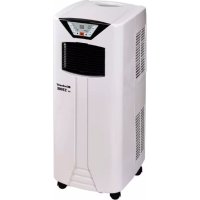
MK 2300 E - Air conditioner EINHELL - Free user manual and instructions
Find the device manual for free MK 2300 E EINHELL in PDF.



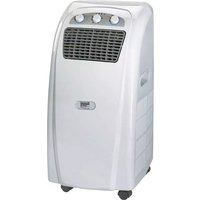
| Product type | Portable monoblock air conditioner |
| Brand | Einhell |
| Model | MK 2300 E |
| Energy efficiency class | A |
| Nominal cooling power (Pcooling) | 2,3 kW |
| Supply voltage | 220-240 V ~ 50 Hz |
| Refrigerant | R410A |
| Refrigerant quantity | 390 g |
| Noise level | 65 dB(A) |
| Maximum air flow | 355 m³/h |
| Recommended room volume | Up to 65 m³ |
| Timer | 1 to 12 hours |
| Fan speeds | 2 manual speeds + automatic |
| Functions | Automatic, cooling, ventilation, sleep |
| Remote control | Yes (R03 AAA batteries not included) |
| Condensate tank capacity | 0,85 L |
| Dimensions (W x D x H) | 30,5 x 38,3 x 75,2 cm |
| Exhaust hose diameter | 127 mm |
| Exhaust hose length | 500 to 1500 mm |
| Washable air filter | Yes (mesh filter) |
| Activated carbon filter | Yes, not washable |
| Compressor type | Rotary piston |
| Rated current | 4,1 A |
| Weight | approx. 28 kg (not specified) |
Frequently Asked Questions - MK 2300 E EINHELL
User questions about MK 2300 E EINHELL
0 question about this device. Answer the ones you know or ask your own.
Ask a new question about this device
Download the instructions for your Air conditioner in PDF format for free! Find your manual MK 2300 E - EINHELL and take your electronic device back in hand. On this page are published all the documents necessary for the use of your device. MK 2300 E by EINHELL.
USER MANUAL MK 2300 E EINHELL
- Safety regulations
- Layout and items supplied
- Proper use
- Before starting the equipment
- Operation
- Cleaning, maintenance and ordering of spare parts
- Disposal and recycling
- Technical data
- Troubleshooting
GB
Danger!
When using the equipment, a few safety precautions must be observed to avoid injuries and damage. Please read the complete operating instructions and safety regulations with due care. Keep this manual in a safe place, so that the information is available at all times. If you give the equipment to any other person, hand over these operating instructions and safety regulations as well. We cannot accept any liability for damage or accidents which arise due to a failure to follow these instructions and the safety instructions.
1. Safety regulations
Danger!
Read all safety regulations and instructions. Any errors made in following the safety regulations and instructions may result in an electric shock, fire and/or serious injury.
Keep all safety regulations and instructions in a safe place for future use.
- Read and comply with the safety instructions before you start to use the equipment.
- Keep the operating instructions in a safe place once you have read them and give them to all third parties who may also operate the air conditioner.
- Position the equipment in such a way that the mains plug is accessible at all times.
- Check the mains lead at regular intervals for signs of defects or damage. A damaged mains lead may only be replaced by an electrician or ISC GmbH in compliance with the relevant regulations.
This equipment is not designed for commercial use.
The equipment must never be used in bathrooms. - This equipment can be used by children of 8 years and older and by people with limited physical, sensory or mental capacities or those with no experience and knowledge if they are supervised or have received instruction in how to use the equipment safely and understand the dangers which result from such use. Children are not allowed to play with the equipment. Unless supervised, children are not allowed to clean the equipment and carry out user-level maintenance work.
The air conditioner is only suitable for air-conditioning in small- to medium-sized rooms.
Never use it for special purposes such as for the storage of food, precision instruments, plants, animals, paints or works of art, since they could become damaged.
- Check that the actual mains voltage is the same as the mains voltage specified on the rating plate.
The equipment may only be operated from a properly earthed shock-proof socket. - For electrical safety purposes we recommend that you install a residual current device circuit-breaker (earth-leakage circuit-breaker).
- Important! Do not extend the cable and never use multiple plugs. Otherwise there is a risk that electrical safety can no longer be guaranteed.
- Never pull the mains plug out of the socket while the equipment is running.
- In the event of any abnormalities in the operation of the equipment (e.g. smell of burning), immediately switch off the equipment and pull the plug. There is a risk of electric shock or fire damage if the equipment is allowed to continue running with possible defects.
- Never pull the plug out of the socket by pulling the cable. Hold the mains plug firmly to pull it out of the socket. Otherwise there is a risk of damaging the cable.
- Never actuate any switches with wet hands. Otherwise there is a danger of an electric shock.
- Never allow the cool air to blow directly at you and do not allow the air in the room to become too cold. This may lead to discomfort and may also be harmful to health.
- Never place and plants or animals directly in the path of the flow of cool air. Plants or animals may suffer under the effect of the flow of cool air.
- Never poke fingers or objects in the air outlet vents. The rotating fan can cause injuries.
- Never attempt to repair the air conditioner yourself. Improper repair and maintenance work can result in damage to the equipment and cause fires or damage from condensation water.
Always switch off the equipment and pull the plug before you start to clean it (risk of injury). - Never clean the air conditioner with water. This could result in an electric shock or fire.
- Do not use any inflammable agents for cleaning purposes as they could cause a fire or deformation.
- Never touch any metal parts on the inside of the equipment when removing the air filter.
GB
You may injure yourself.
If the air conditioner is not used for a lengthy period of time the room has to be ventilated every now and then, otherwise there is a risk of lack of oxygen.
- Never install the equipment in a room in which combustible gases can be emitted. Emitted gases may collect and cause an explosion.
- Never hold any burning objects close to the equipment if they could be directly affected by the emitted air. This may result in their not being completely burnt.
- Pull the mains plug out of the socket if the equipment is not going to be used for some time.
Always switch off the equipment and pull out the power plug during a storm. Electrical parts may get damaged as a result of overvoltage.
- If the coolant circuit should develop a leak, switch off the equipment immediately and contact your service partner.
There is a risk of harmful gas being generated if any of the coolant escapes and comes into contact with a flame. Switch off the equipment immediately.
- To avoid electromagnetic interference the device should be kept away from televisions and radios.
Always place the portable device on a firm, horizontal footing.
The unit must always be stored and operated in an upright position.
The unit must never be covered whilst it is operating since this prevents air passing in and out of it, resulting in the unit being damage.
Packaging
The unit is supplied in packaging to prevent it from being damaged in transit. The raw materials in this packaging can be reused or recycled.
2. Layout and items supplied
Front (Fig. 1)
- LED display
- Indicator panel
- Function button
- Air outlet grille
- Handle
- Guide rollers
Rear (Fig. 2)
- Mains lead hanger
- Air filter
- Air inlet
- Connection operating for exhaust hose
- Air inlet
- Connection for continuous condensation drain
Accessories (Fig. 3)
- Exhaust air adapter for window
- Exhaust air hose
- Activated carbon filter
- Remote control
- Water drainage hose
- Window adapter without opening
- Window adapter with opening
2.2 Items supplied
Please check that the article is complete as specified in the scope of delivery. If parts are missing, please contact our service center or the sales outlet where you made your purchase at the latest within 5 working days after purchasing the product and upon presentation of a valid bill of purchase. Also, refer to the warranty table in the service information at the end of the operating instructions.
- Open the packaging and take out the equipment with care.
- Remove the packaging material and any packaging and/or transportation braces (if available).
- Check to see if all items are supplied.
Inspect the equipment and accessories for transport damage.
If possible, please keep the packaging until the end of the guarantee period.
Danger!
The equipment and packaging material are not toys. Do not let children play with plastic bags, foils or small parts. There is a danger of swallowing or suffocating!
Original operating instructions
GB
3. Proper use
The air-conditioning system is only designed to air-condition dry rooms. The room volume depends on the local conditions. Large window areas, additional heat sources (PC, television, people, etc.), poor wall insulation, etc. serve to reduce this room volume.
The equipment is to be used only for its prescribed purpose. Any other use is deemed to be a case of misuse. The user / operator and not the manufacturer will be liable for any damage or injuries of any kind caused as a result of this.
Please note that our equipment has not been designed for use in commercial, trade or industrial applications. Our warranty will be voided if the machine is used in commercial, trade or industrial businesses or for equivalent purposes.
4. Before starting the equipment
Before you connect the equipment to the mains supply make sure that the data on the rating plate are identical to the mains data.
Always place the portable device on a firm, horizontal footing.
The machine must always be in an upright position.
- Never tilt the device by more than 45^
- Whenever the device has been transported (inclined positions), leave for at least one hour before connecting to a socket outlet.
- In the cooling function the warm exhaust air must be transferred outside by the exhaust air hose. An opening in the wall or window must therefore be provided.
- Please note that the minimum distance between the equipment and the wall to the side 50~cm and rear must be 50~cm . The minimum distance to other objects at the front must be 2m .
4.1 Installing the activated charcoal filter (Fig. 4)
- Take out the filter frame
- Remove the filter fastener from the filter frame
- Take the carbon filter out of the bag
- Place the carbon filter in the filter frame
- Fasten the filter with the filter fastener
- Slide in the filter frame
4.2. Installing the exhaust air hose (Fig. 5)
Use only the supplied exhaust air hose. The length of the exhaust air hose can be varied from between 500mm to 1500mm . For the most effective cooling the hose should be as short as possible. Avoid kinks are excessive bends in the hose so that the exhaust air can be transferred out without hindrance. If you ignore this advice, the device as a whole may overheat and shut down. This could result in damage to the device.
Warning!
The length of the exhaust air hose is matched to the technical specifications of the device. Never extend the hose as this could lead to malfunctions or faults on the device.
Under certain circumstances a partial vacuum may develop in the room, which will lead to a reduction in the cooling performance of the device. To prevent this from happening you must ensure that there is a supply of air to the room (leave the door to the room slightly open).
Fitting the exhaust air hose through an open window (Fig. 6)
- Secure the exhaust air hose to the connection opening for the exhaust air hose by turning it clockwise.
- Use the exhaust air adapter for the window and the extendible window adapter. Fasten the air adapter for the window to the exhaust air hose by turning it clockwise. Open the window slightly and clamp the window adapter in the gap. Secure the window so that the window adapter is kept firmly in place. Insert the exhaust air adapter for the window in the opening provided in the window adapter.
Accessory:
Note: Take appropriate precautions to prevent unauthorized entry through the window.
Fitting the exhaust air hose through the wall
We recommend that you use a suitable telescopic duct with automatic shutter and wall connection (available at your DIY store) to which you can connect the hose without using the exhaust air adapter for the window.
GB
5. Operation
5.1 Description of the control elements (Fig. 7)
- "MODE" switch - function
- Unassigned
- "TIMER" LED - timer on
- "TIMER" switch
- "UP" selector switch - higher
- "ON/OFF" switch - On/Off
- "DOWN" selector switch - lower
- "Sleep" switch - sleep function
- "Sleep function set" LED
- "SPEED" switch - fan speed
- "Fan fast" LED
- Remote control sensor
- "Fan slow" LED
- "COMP" LED - compressor running
- LED - indicator panel
- "F.W." LED-condensate tray full
- Fan function set"LED
- Automatic mode seta LED
- "Cool mode set" LED
5.2 Switching the device on and off
Press the On/Off switch. The device starts up automatically. If the ambient temperature:
- is higher than 23^ the device will run in cooling mode;
- if it is between 20^ and 23^ the device will run in fan mode.
The status of the device, or mode in which it is running, will be shown by the corresponding LEDs (see indicator panel).
Note: The LED indicator panel shows the current room temperature (0 - 50^)
To switch the device off, press the On/Off switch again.
Important.
After you have switched off the unit, you must wait at least three minutes before you switch it on again. This protects the compressor from overloads and considerably extends its service life.
The cooling system switches itself off whenever the room temperature is below the value set on the thermostat. The air circulation/ventilation fan continues to run as set. If the room temperature increases again, the cooling system switches on again.
5.3 Selecting the mode
Press the "Mode" selector (MODE) in the sequence "Automatic", "Cool", "Fan". The LED for the selected mode lights up (see indicator panel).
5.4 Setting the set-point temperature
Press the "Warmer" selector (UP) or "Cooler" (DOWN) to set your desired set-point temperature. If you press the "Warmer" or "Cooler" selector, the LED indicator panel will show your desired set-point temperature. Otherwise the LED indicator panel always shows the current room temperature.
5.5 Selecting the fan speed
Press the "Fan speed" selector to set the desired fan speed.
The LED for the mode lights up (see indicator panel).
If the device is in "Automatic mode" (AUTO) the fan speed will be selected automatically by the device in dependency on the room temperature. The corresponding LED lights up. The "Fan speed" is deactivated.
5.6 Setting the timer
Press the switch for the "Timer" (TIMER) to set the desired operating time (1 - 12 h). The "Timer" (TIMER) LED lights up. If the timer is set, the device starts automatically. If you press the "Timer" switch, the time you have set will be shown in the LED indicator panel. If the timer has not been switched on, the device will run continuously.
If the unit is connected to the voltage supply and you press the TIMER switch, you can set the time at which you wish the unit to be switched on. If, for example, the timer shows "2", this means that the device will start up automatically in 2 hours time.
5.7 Activating the sleep function (only possible in cooling mode)
Press the "Sleep" key to activate the sleep function. In order to prevent undercooling, the set room temperature increases 1^ during the first hour and 2^ within 2 hours. When the sleep function is switched off the room temperature decreases back to the set value. After the sleep function has been on for 12 hours the equipment switches off automatically.
GB
When the sleep function has been activated, the fan will automatically run at low speed. The fan speed cannot be changed.
5.8 Remote control
All modes and functions can be set using the supplied remote control.
Use two alkali batteries, type R03 AAA (1.5 V) (not supplied).
- Never use a combination of new and used batteries.
- Never use a battery type other than the specified one.
If the remote control is not used for a lengthy period of time, remove the batteries to prevent them leaking.
- Dispose of spent batteries properly.
- Point the remote control towards the air-conditioning system. The range is max. 5 meters.
- Direct sunlight and objects can considerably reduce the range of the remote control.
- Handle the remote control with care. Do not drop it and keep it away from heat and moisture.
Inserting batteries
- Open the battery compartment cover.
- Insert two new batteries. Be sure to observe the correct polarity (+/-) of the batteries.
- Close the battery compartment cover.
5.9 SETTING THE AIR FLOW DIRECTION
The vertical direction of the air flow is determined by the vertical ventilation grille. It has to be adjusted by hand.
The horizontal direction of the air flow is determined by the horizontal ventilation grille. It has to be adjusted by hand.
5.10 Draining the condensate in the condensate tray (Fig. 8)
For the cooling mode the device is fitted with a condensate return unit. When the system is in operation the condensate is collected in a trough (approx. contents 0.85 liters) integrated in the device. From there it is evaporated by the condenser and transferred outside by the exhaust air hose.
Note:
If the humidity in the room exceeds 85% (RH), a condensate drainage hose (see section "5.11") is absolutely essential.
ALL OF THE CONDENSATE MUST BE DRAINED OFF BEFORE YOU EVER RELOCATE OR STOP USING THE DEVICE.
Note:
When the condensate tray is full the compressor and the fan motor shut down. The "F.W." LED flashes and a signal sounds. The signal can be disabled by pressing any button. The unit will then be shut down completely.
When this happens, empty the tray as described below:
- Switch off the unit, pull the plug and do not move the unit.
- Push a container under the drain screw (1).
- Unscrew the drain screw (1).
- Remove the rubber bung (2) from the drain opening (3).
- The condensate runs into the container. If the container is smaller than the condensate tray, seal the drain opening (3) with the rubber bung (2) and empty the container. Then repeat the process from point 4.
- Once the condensate tray has been completely emptied, fit the bung (2) and the drainage screw (1) again.
- Start the unit again. The "F.W." LED will no longer flash.
5.11 Draining the condensate with a hose (Fig. 8-10)
ALL THE CONDENSATE MUST HAVE BEEN DRAINED BEFORE YOU START THE FOLLOWING PROCESS.
- Switch off the unit and pull the power plug.
- Unscrew the drain screw (1).
- Remove the rubber bung (2) from the drain opening (3).
- Connect the condensate drainage hose (4) and secure it with a clip
- The drainage hose can be extended with a hose (5) with a diameter of 18mm . If you do so, make sure you use a suitable connector.
Note:
The drainage hose must run to the outside with a slight fall. The "Condensate tray full" indicator is not operational.
GB
6. Cleaning, maintenance and ordering of spare parts
To avoid an electric shock or risk of fire, always pull out the mains plug first before starting any cleaning work.
6.1 Cleaning the air filter
The air conditioner is fitted with 2 filters.
- Dust filter (close-meshed filter net)
- Activated carbon filter (binds particles in the air and prevents the development of bacteria)
Important: Never use the device without air filters.
1) Dust filter
Remove the filter cover (Fig. 2/Pos. 8-9) by pulling it to the side and rear.
Then remove the activated carbon filter. Use a vacuum cleaner or tap the dust filter gently to remove the dust. If the filter is very dirty, wash it carefully with warm water. Then allow to dry thoroughly.
2) Activated carbon filter
The activated carbon filter is located behind the top dust filter and cannot be washed. Its service life is dependent on the operating conditions.
The filter should be inspected and replaced if necessary. The filter cover then has to be fitted back on the device with the activated charcoal filter.
- Store the device in an upright position, preferably packed in the original box, in a dry and dust-tight location.
6.4 Maintenance
There are no parts inside the equipment which require additional maintenance.
6.5 Ordering replacement parts:
Please quote the following data when ordering replacement parts:
Type of machine
Article number of the machine
Identification number of the machine
- Replacement part number of the part required For our latest prices and information please go to www.isc-gmbh.info
7. Disposal and recycling
The equipment is supplied in packaging to prevent it from being damaged in transit. The raw materials in this packaging can be reused or recycled. The equipment and its accessories are made of various types of material, such as metal and plastic. Never place defective equipment in your household refuse. The equipment should be taken to a suitable collection center for proper disposal. If you do not know the whereabouts of such a collection point, you should ask in your local council offices.
6.2 Cleaning the housing
Use only gentle cleaner and a soft cloth to clean the housing. Never use aggressive media, petrol, alcohol or thinner. Only fit the filter back in place when thoroughly dry.
6.3 At the end of the season
At the end of the season, let the device run for approx. 3 hours in the fan function (FAN).
- Then roll up the power cable and store it in the storage compartment provided at the back of the device (fig. 2/pos. 7).
- Place a suitable container beneath the condensate drain and remove the plug. The trough then empties (see Chapter 5.10).
- Re-insert the plug in the condensate drain. Important: If the plug is not inserted or is not inserted correctly, water will escape the next time the device is used again.
Clean the filter and the housing.
- Re-insert the filter when thoroughly dry.
8. Technical data
| MK 2100 E MK 2300 E MK 2600 E | ||
| Mains voltage 220 - 240V ~ 50Hz 220 - 240V ~ 50Hz 220 - 240V ~ 50Hz | ||
| Refrigerant R410A R410A R410A | ||
| Refrigerant group L1 L1 L1 | ||
| Coolant quantity 350g | (0.73 t CO2 Åq.) | 390g (0.81 t CO2 Åq.) |
| Rated cooling capacity (P rated) in kW 2.1 2 | 3 | 26 |
| Recommended max. room size in m3 | 50 65 80 | |
| Rated power consumption (P rated) in kW | 0.805 | 0.88 |
| Rated cooling capacity (EERd) | 2.61 | 2.61 |
| Energy efficiency class | A | A |
| Power consumption (PTO) in W | 123 | 102.3 |
| Power consumption (PSB) in W | 0.95 | 0.95 |
| Area of application room temperature | 18 - 32 °C | 18 - 32 °C |
| Max. pressure (MPA) | 4.2 4.2 | 4.2 |
| Max. dehumidifier capacity l/h (30°C / 80% RH) | 0.8 1.0 | 1.0 |
| Fan speed levels | 2 + Automatic | 2 + Automatic |
| Timer (in h) | 1-12 | 1-12 |
| Max. air throughput (m3/h) | 370 | 355 |
| Rated current consumption (A) | 3.5 4.1 | 4.5 |
| Compressor type | Rotary piston | Rotary piston |
| Compressor starting current RLA max. (A) | 18 19 20 | |
| Sound power level db(A) | 65 65 65 | |
| Greenhouse warming potential (GWP, kg CO2 eq.) | 2088 | 2088 |
| Exhaust air hose (Ø x L in mm) | 127x1500 | 127x1500 |
| Housing dimensions WxDxH in cm | 30.5 x 38.3 x 75.2 | 30.5 x 38.3 x 75.2 |
GB
9. Troubleshooting
If the device is operated properly you should experience no problems with malfunctions or faults. In the event of any malfunctions or faults, please check the following before you contact your customer services.
| Fault Possib|e cause Remedy | |
| Equipment does not work or switches off automatically | Power failureIs the power cable or the mains plug damaged?Condensation collection tray is fullAmbient temperature is outside the operating range |
| The equipment does not provide cooling or satisfactory cooling | Extraction hose is kinked, routed downwards, extended, cloggedThe filter is dirty, openings are blocked by foreign objectsMinimum distances are too smallUnderpressure in the room where the equipment is being where operated with a hole in a wallOperating mode not set to "Cool"The equipment is being operated with an "ON delay"Desired temperature set too highOvervoltage due to lightning strikes |
| Condensation water escaping from the equipment | Equipment is stood at an angleThe plugs on the two condensation drains are not fitted correctly or are damaged |
Have the device inspected by a specialist firm when you have used it for some time.
GB

For EU countries only
Never place any electric power tools in your household refuse.
To comply with European Directive 2012/19/EC concerning old electric and electronic equipment and its implementation in national laws, old electric power tools have to be separated from other waste and disposed of in an environment-friendly fashion, e.g. by taking to a recycling depot.
Recycling alternative to the return request:
As an alternative to returning the equipment to the manufacturer, the owner of the electrical equipment must make sure that the equipment is properly disposed of if he no longer wants to keep the equipment. The old equipment can be returned to a suitable collection point that will dispose of the equipment in accordance with the national recycling and waste disposal regulations. This does not apply to any accessories or aids without electrical components supplied with the old equipment.
The reprinting or reproduction by any other means, in whole or in part, of documentation and papers accompanying products is permitted only with the express consent of the iSC GmbH.
Subject to technical changes
GB
Warranty certificate
Dear Customer:
All of our products undergo strict quality checks to ensure that they reach you in perfect condition. In the unlikely event that your device develops a fault, please contact our service department at the address shown on this guarantee card. You can also contact us by telephone using the service number shown. Please note the following terms under which guarantee claims can be made:
- These guarantee terms apply to consumers only, i.e. natural persons intending to use this product neither for their commercial activities nor for any other self-employed activities. These warranty terms regulate additional warranty services, which the manufacturer mentioned below promises to buyers of its new products in addition to their statutory rights of guarantee. Your statutory guarantee claims are not affected by this guarantee. Our guarantee is free of charge to you.
- The warranty services cover only defects due to material or manufacturing faults on a product which you have bought from the manufacturer mentioned below and are limited to either the rectification of said defects on the product or the replacement of the product, whichever we prefer. Please note that our devices are not designed for use in commercial, trade or professional applications. A guarantee contract will not be created if the device has been used by commercial, trade or industrial business or has been exposed to similar stresses during the guarantee period.
-
The following are not covered by our guarantee:
-
Damage to the device caused by a failure to follow the assembly instructions or due to incorrect installation, a failure to follow the operating instructions (for example connecting it to an incorrect mains voltage or current type) or a failure to follow the maintenance and safety instructions or by exposing the device to abnormal environmental conditions or by lack of care and maintenance.
- Damage to the device caused by abuse or incorrect use (for example overloading the device or the use or unapproved tools or accessories), ingress of foreign bodies into the device (such as sand, stones or dust, transport damage), the use of force or damage caused by external forces (for example by dropping it).
-
Damage to the device or parts of the device caused by normal or natural wear or tear or by normal use of the device.
-
The guarantee is valid for a period of 24 months starting from the purchase date of the device. Guarantee claims should be submitted before the end of the guarantee period within two weeks of the defect being noticed. No guarantee claims will be accepted after the end of the guarantee period. The original guarantee period remains applicable to the device even if repairs are carried out or parts are replaced. In such cases, the work performed or parts fitted will not result in an extension of the guarantee period, and no new guarantee will become active for the work performed or parts fitted. This also applies if an on-site service is used.
-
To make a claim under the guarantee, please register the defective device at: www.isc-gmbh.info. Please keep your bill of purchase or other proof of purchase for the new device. Devices that are returned without proof of purchase or without a rating plate shall not be covered by the guarantee, because appropriate identification will not be possible. If the defect is covered by our guarantee, then the item in question will either be repaired immediately and returned to you or we will send you a new replacement.
Of course, we are also happy offer a chargeable repair service for any defects which are not covered by the scope of this guarantee or for units which are no longer covered. To take advantage of this service, please send the device to our service address.
Also refer to the restrictions of this warranty concerning wear parts, consumables and missing parts as set out in the service information in these operating instructions.
F
Sommaire
Chere cliente, cher client,

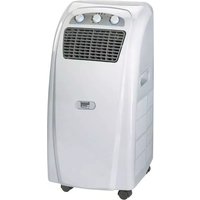
- GB
- Danger!
- Safety regulations
- Packaging
- Layout and items supplied
- Proper use
- Before starting the equipment
- Installing the activated charcoal filter (Fig. 4)
- Installing the exhaust air hose (Fig. 5)
- Warning!
- Fitting the exhaust air hose through an open window (Fig. 6)
- Fitting the exhaust air hose through the wall
- Operation
- Description of the control elements (Fig. 7)
- Switching the device on and off
- Important.
- Selecting the mode
- Setting the set-point temperature
- Selecting the fan speed
- Setting the timer
- Activating the sleep function (only possible in cooling mode)
- Remote control
- Inserting batteries
- SETTING THE AIR FLOW DIRECTION
- Draining the condensate in the condensate tray (Fig. 8)
- Note:
- ALL OF THE CONDENSATE MUST BE DRAINED OFF BEFORE YOU EVER RELOCATE OR STOP USING THE DEVICE.
- Draining the condensate with a hose (Fig. 8-10)
- ALL THE CONDENSATE MUST HAVE BEEN DRAINED BEFORE YOU START THE FOLLOWING PROCESS.
- Cleaning, maintenance and ordering of spare parts
- Cleaning the air filter
- 1) Dust filter
- 2) Activated carbon filter
- Maintenance
- Ordering replacement parts:
- Disposal and recycling
- Cleaning the housing
- At the end of the season
- Technical data
- Troubleshooting
- Warranty certificate
- Dear Customer:
- F
- Sommaire
Brand : EINHELL
Model : MK 2300 E
Category : Air conditioner