Nordic Watch - Sports Watch SIGMA - Free user manual and instructions
Find the device manual for free Nordic Watch SIGMA in PDF.



| Product type | Heart rate monitor with sports watch |
| Brand | Sigma |
| Model | Nordic Watch |
| Watch power supply | CR 2032 battery (item no. 00342) |
| Belt power supply | CR 2032 battery (item no. 00342) |
| Display | Digital screen with Zone-Indicator and Running Man |
| Main functions | Training Manager, Totals, Settings |
| Heart rate measurement | Via chest strap with transmitter (electrode sensors) |
| Training zones | Target zone calculated automatically based on age, gender and weight, manually adjustable |
| Auto Scan | Automatic display of Time, Hour and Calories during training |
| Audible alarm | Enable/disable (beep) |
| Time format | 12h or 24h (automatic conversion kg/lbs) |
| Available languages | Multiple, adjustable in menu (e.g. French, English, German) |
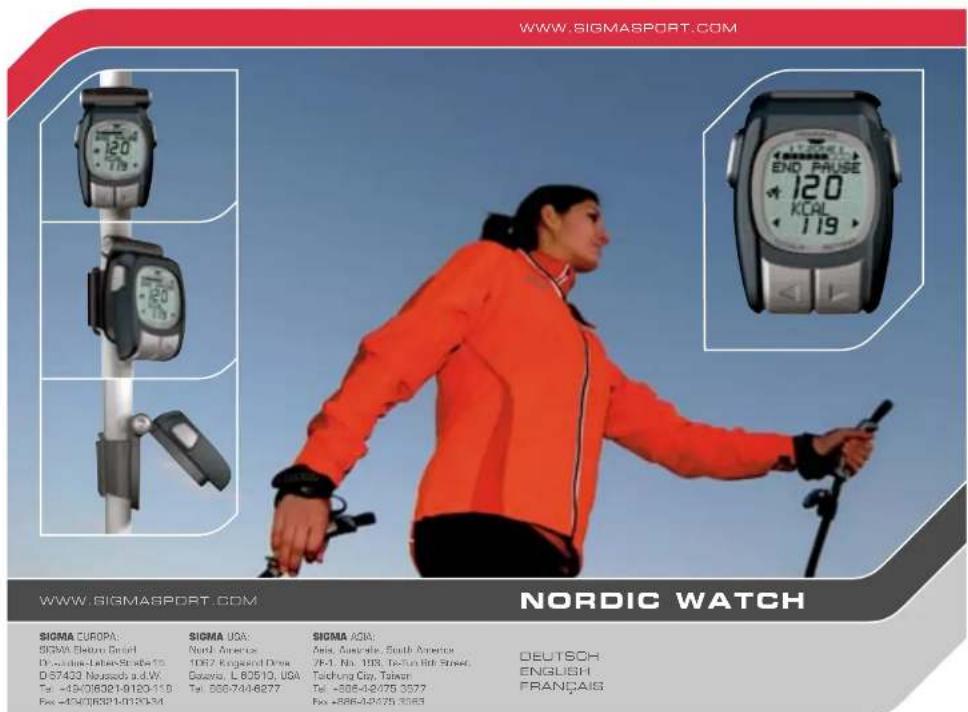
| Mounting | Pole mount (TWIST-LOCK) or cord for wearing around neck |
| Viewing angle | Adjustable via buttons on the hinge of the folding mechanism |
| Standby mode | Standby mode with time and date display, very low consumption |
| Operating temperature | 0°C to 55°C |
| Battery replacement | Must be carried out by an authorized dealer to maintain water resistance |
| Warranty | According to legal provisions, batteries excluded. Contact retailer or Sigma Elektro GmbH |
| Included accessories | Nordic Watch, elastic strap, chest transmitter, mount with O-ring, cord |
Frequently Asked Questions - Nordic Watch SIGMA
User questions about Nordic Watch SIGMA
0 question about this device. Answer the ones you know or ask your own.
Ask a new question about this device
Download the instructions for your Sports Watch in PDF format for free! Find your manual Nordic Watch - SIGMA and take your electronic device back in hand. On this page are published all the documents necessary for the use of your device. Nordic Watch by SIGMA.
USER MANUAL Nordic Watch SIGMA
SIGMA PULS COMPUTER NORDIC WATCH
PULS COMPUTER TOPLINE
DEUTSCHENGLISHFRANÇAIS
1 Your new Nordic Watch
1.1 Introduction and packaging contents 23
1.2 Overview: Watch, symbols and display layout 24
1.3 Key functions 25
1.4 Main menus (functions) 26
1.5 Create settings 27
2 Training
2.1 Positioning the chest belt, assembling the clip, use of the lanyard, setting the angle 31
2.2 Training with the Nordic Watch 33
View and exit TRAINING MANAGER 33
Viewing training data during training 34
Display totals (TOTALS) 35
3 Information
3.1 Useful knowledge about heart rate frequency (HR) 37
3.2 Important information 38
3.3 Frequently asked questions and service
3.4 Changing the battery
3.5 Warranty
3.1 Useful knowledge about heart rate frequency (HR) 37
3.2 Important information 38
3.3 Frequently asked questions and service
3.4 Changing the battery
3.5 Warranty


Congratulations on having chosen
A heart rate monitor from SIGMA. Your new
Nordic Watch will provide you with reliable service in sport and leisure for many years to come.
The Nordic Watch is a state-of-the-art
measuring instrument. Please read the
instructions carefully to become familiar with
the function of this heart rate monitor.
SIGMA wishes you an enjoyable time using your
Nordic Watch
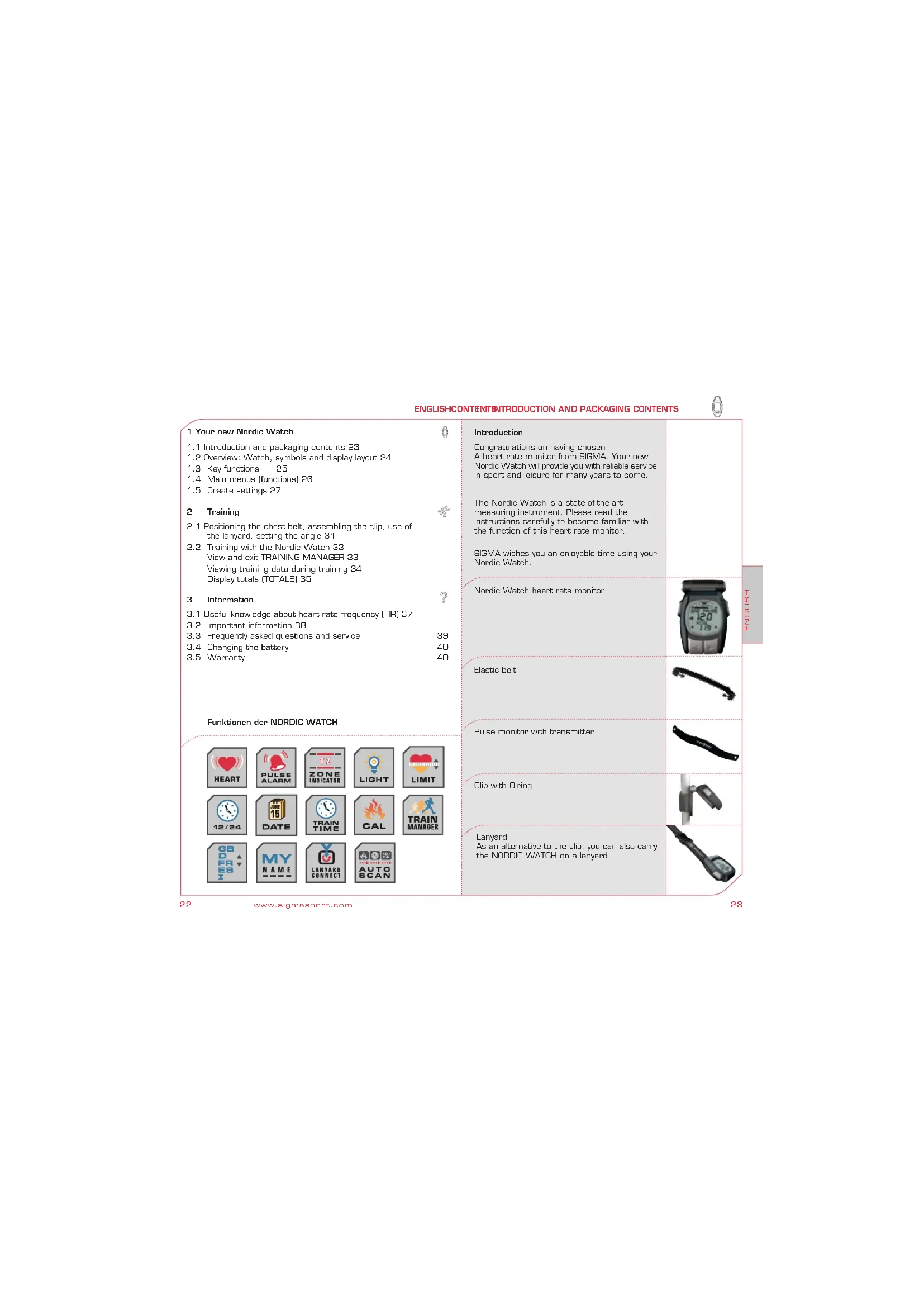
Nordic Watch heart rate monitor
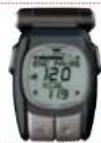
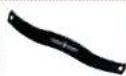
Elastic belt
Pulse monitor with transmitter
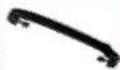
Clip with O-ring
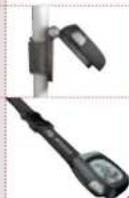
Lanyard
As an alternative to the clip, you can also carry the NORDIC WATCH on a lanyard.
1.2 OVERVIEW: WATCH, SYMBOLS, DISPLAY LAYOUT

1.3 KEY FUNCTIONS/OVERVIEW OF FUNCTIONS

-
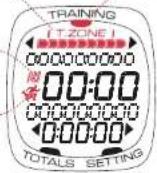
ZONE INDICATOR
-
Menu POINTER
-
CLOCK format
-
RUNNING MAN
Key functions
Function key 1
You can read the key function on the display. No information displayed = EXIT function.
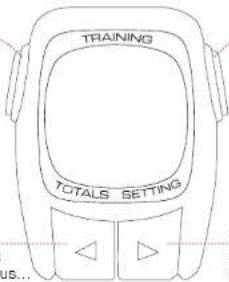
Function key 2 You can read the key function on the display.
Minus
Scroll backwards through the menus... ... or reduce the numerical value displayed.
Illumination: Press Plus/Minus at the same time!
Plus
Scroll forwards through the menus... ... or increase the numerical value displayed.
1. ZONE INDICATOR
The ZONE INDICATOR shows you your current training zone.
2. CLOCK format
In 12h mode you can see if the time displayed is morning (AM) or afternoon (PM).
3. RUNNING MAN
The RUNNING MAN is displayed if TRAINING MANAGER is activated.
4. Menu POINTER
The pointer indicates the menu you are currently using.
Overview of functions
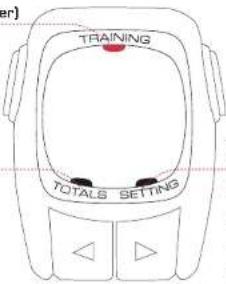
TRAINING
(Training Manager)
- Training time - Kcal - Clock - Zone Indicato
SETTING (Input)
- Language - Pulse zone - Clock - Date - Auto scan - Tone - "My name"
TOTALS (Totals)
- Total Kcal - Total time
1.4 MAIN MENUS (FUNCTIONS) 1.5 CREATE SETTINGS

| The three main menus of your NORDIC WATCH | Your Nordic Watch is divided into three main menus.The menu you are currently using is displayed by the POINTER menu and by the description shown on the display. | Before you begin your training, "wake up" your Nordic Watch.Press any key for at least three seconds. | Activate the NORDIC WATCH |
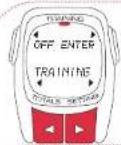 | TRAINING MANAGER (TRAINING)In TRAINING MANAGER you start, stop and pause your training.Information from P. 33 onwards | Before and after training the display shows the date, time and ,Nordic".The Nordic Watch is in sleep mode and can be used as a conventional watch. | 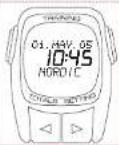 |
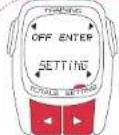 | SETTING (SETTING)Information from P. 27 onwards | To activate your Nordic Watch press any key for at least three seconds. The main menu will appear automatically - TRAINING MANAGER. | 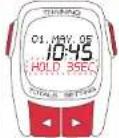 |
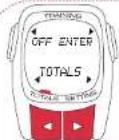 | TOTALS (TOTALS)Information from P. 35 onwards | Before starting your training enter your personal details in the SETTING menu.Time, date etc. are also set using this menu. | SETTING Menu |
| How to call up the SETTING menu.By pressing the Plus/Minus keys in the main menu you will access the SETTING menu (SETTING).Press ENTER to call up the SETTING menu. | 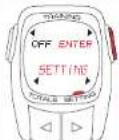 | ||
| Entry of your data follows the principle described. Use Plus/Minus to access the previous/next submenu or enter a number. Function key 2 is used for confirmation and function key 1 is used to exit the menu. | SETTING Principle |
1.5 CREATE SETTINGS 1.5 CREATE SETTINGS
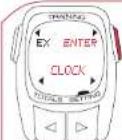 | Example: Setting the timeWhat should be set?Using the Plus/Minus keys choose betweenthe setting functions.The time is set in the CLOCK menu.Press ENTER to call up a setting function. | LANGUAGE submenu:To change language, press ENTER.To access the previous/next setting function,press Plus/Minus. | 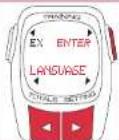 |
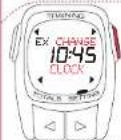 | Change a current settingPress CHANGE to change a current setting.To return to the selection of setting functions, press EX. | PULSE ZONE (HR ZONE) submenu:To change the pulse zone, press ENTER.After entering your personal data the NordicWatch automatically calculates your max. heartfrequency and the recommended training zone.If necessary you can change both values manually. | 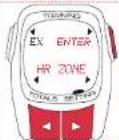 |
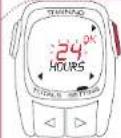 | Change the formatYou can choose between 12h and 24h mode,Use the Plus/Minus keys to change/set thevalue which is flashing.Press OK to confirm the setting. | PULSE ZONE (HR ZONE) settingTo change the sex, press CHANCE. Using thePlus/Minus keys select your sex.Store your setting using SAVE. | 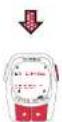 |
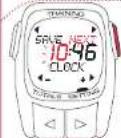 | Set a valueUsing the Plus/Minus keys increase/reducethe value which is flashing..To move to the next space, press NEXT. | You can set your age using numbers. PressCHANGE to change it - at the end, store usingSAVE. | 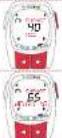 |
| To change your weight, press CHANGE. Storeyour setting using SAVE. | |||
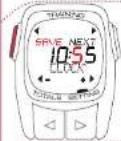 | Save settingTo save a setting and exit, press SAVE. | Your max. heart rate frequency is calculatedautomatically. To change this value, please pressCHANGE. | 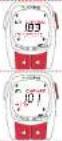 |
| The lower limit value of your training zone (TZ)is automatically calculated. If you would like tochange this value, press CHANGE. | |||
| SETTING menuOverview | The SETTING menu of your Nordic Watch isDivided into seven submenus.The following is an overview ofFunctions which can be set. | If you wish to change the automatically calculatedupper limit value of your training zone (TZ), pressCHANGE. |
1.5 CREATE SETTINGS 2.1 POSITIONING THE CHEST BELT

| Continuation of SETTING menu | Attach the transmitter using the elastic belt. | 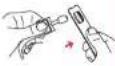 | |
| CLOCK submenu:To change the time, press ENTER. | Using the fine adjustment mechanism,the length of the belt can be individually adjusted to fit. Take care to adjust the belt length so that it fits well but not too tightly. | 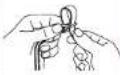 | |
| DATE submenu:To change the date, press ENTER. | Place the belt so that the transmitter lies beneath the chest muscle for men and boncath the bust for women. | 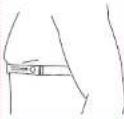 | |
| AUTO SCAN submenu:To switch the automatic move to next function feature on/off, Press ENTER.AUTO SCAN: During training the display automatically switches between training time,Kcal and time. | The SIGMA logo must always be legible from the front. | 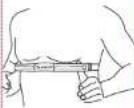 | |
| TONE submenu (BEEP):To switch the acoustic signal on/off,Press ENTER. | Raise the front side of the belt away from the skin. Moisten the ribbed zones (electrodes) on the reverse of the transmitter with saliva or water. | 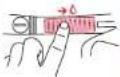 | |
| MY NAME submenu:To set your personal greeting,Press ENTER. Your entry appears on the Nordic Watch when it is switched off. |
2.1 ASSEMBLING THE CLIP, USE OF THE LANYARD
2.2 TRAINING USING THE NORDIC WATCH

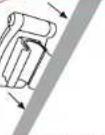 | Attach the clip just below the grip. Mounting possible up to 5cm below the grip. | Use TRAINING MANAGER to start, stop and pause your training.The TRAINING MANAGER shows you during your training all important information about your training session. | TRAINING MANAGER |
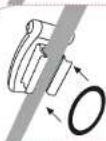 | Using the O-ring supplied, fix the clip to the reverse. | Press ENTER to call up the TRAINING menu. | |
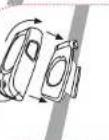 | The Nordic Watch is attached to the clip by turning it clockwise. (TWIST LOCK SYSTEM) | The Nordic Watch receives signals from the chest belt.To begin your training, press START. | |
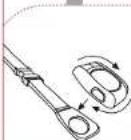 | As an alternatively to the clip fastening, the Nordic Watch can be worn on a lanyard and used as a normal watch.The Nordic Watch is attached to the clip by turning it clockwise. (TWIST LOCK SYSTEM) | Training is started. The various training data is calculated.The RUNNING MAN shows that TRAINING MANAGER is activated.The ZONE INDICATOR at the top end of the display shows you the point you have reached in your training zone. | |
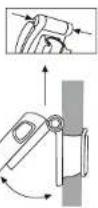 | Setting the angleAdvantage: visibility in the direction of running, individual setting of the angle to read the display.You can set the angle of the Nordic Watch to read the display. Press both buttons on the hinge of the folding mechanism. By releasing the buttons the Nordic Watch is fixed in the desired position. | To pause your training, press PAUSE. | |
| When you wish to continue training, press START again. |
2.2 TRAINING USING THE NORDIC WATCH 2.2 TRAINING USING THE NORDIC WATCH
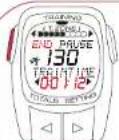 | To finish training, press END. | TRAINTIME is the duration of your current training. | |
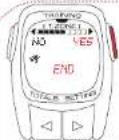 | To confirm the end of training, press YES.If you wish to continue your training, please press NO. | KCAL displays the amount of calories burned during your current training session. | |
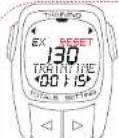 | To reset training data, press RESET.By resetting the training data, the last training session is completely erased. | For time of day, see CLOCK. | |
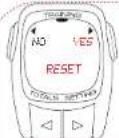 | Look at your training data before you reset the data to begin a new session.Press YES, to reset the training data to ,0".Use the NO key to stop this process. | Call up totals.In the TOTAL menu you can follow two of the most important training data in any period. | TOTAL Menu (TOTALS) |
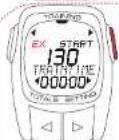 | The data is reset.To exit TRAINING MANAGER, press EX. | To call up the TOTAL Menu (TOTALS), press ENTER. | |
| TRAINING MANAGER Menu (TRAINING) | In the TRAINING MANAGER menu (TRAINING) you can call up different data during training.To retrieve up-to-date data during training:Automatic switching between three functions [only if Auto Scan setting is on]. | TOTAL KCALCalories burned over all training sessions are stored cumulatively under Kcal.To delete, press RESET. |
2.2 TRAINING USING THE NORDIC WATCH 3.1 USEFUL KNOWLEDGE ABOUT HEART RATE FREQUENCY
| TOTAL TIMEAll completed training sessions are saved cumulatively under total time.To delete, press RESET. | The heart rate frequency (HR) or pulse is recorded in beats per minute.Maximum heart rate frequencyThe maximum heart rate frequency (max. HR) is the maximum frequency currently possible with which your heart beats on total exhaustion of your physical performance. The personal max. HR depends on your age, sex, fitness, performance in a specific type of sport and your personal state of health. The best way of ascertaining your personal max. HR is a stress test.We recommend that you have your doctor carry out this test for you at regular intervals.The max. HR is calculated automatically, but can also be estimated using a mathematical formula:Men:210 – "half age" – [0.11 x own weight in Kg] + 4Women:210 – "half age" – [0.11 x own weight in Kg]The correct training pulseThe training zone is the range in which the heart rate frequency should fluctuate during effective and targeted training.Please always be aware that these general outlines cannot correspond to the actual situation of the sportsman or woman!Optimum training is therefore only possible with a well qualified trainer who knows the sportsman or woman personally.TZ (Training Zone)55-70% of the HR max.Orientation: Health-targeted training with a high "fat burn-off zone".This zone is also referred to as the "fat burn-off zone" as at this intensity more fat than carbohydrate is burnt off as a percentage.Stress in this zone can also be maintained over a long period.This is important as the fat burn-off zone greatly increases again after a training duration of approx. 40 minutes. |
3.2 IMPORTANT INFORMATION 3.3 FREQUENTLY ASKED QUESTIONS AND SERVICE

If there is no heart rate frequency shown on the display, This may be for the following reasons:
• The belt with the pulse monitor is not worn correctly.
- The sensors (electrodes) on the pulse monitor are dirty or not moist
- Interference from electrical sources (High voltage lines, train lines etc.).
• Transmitter battery (CR 2032) is empty (Art. No. 00342).
Please consult your doctor before you begin training - especially if you already have a cardiovascular complaint.
What happens if I remove the chest belt during training?
The watch no longer receives a signal, the display shows "O" – and after a short time the Nordic Watch reverts to sleep mode (stopwatch does not work).
What effect does switching from 12h display to 24h display have on the other display functions?
The Nordic Watch automatically switches from Kg (24h mode) to lbs (12h mode).
Does the SIMGA heart rate monitor switch off completely?
No. In sleep mode, the time, date and "NORDIC" are displayed or the name entered under settings, so that you can use the heart rate monitor as a normal watch on a lanyard. In this state the Nordic Watch uses very little current.
Can I wear the chest belt on a treadmill?
Yes – the signals can be received and displayed by almost all suitable cardio machines.
What does the AUTO SCAN function do?
If Auto Scan is activated, TRAINING MANAGER switches automatically between the TRAINTIME, WATCH and KCAL functions. There is no need to press buttons during training!
The display responds sluggishly or shows a black colouration, what is the reason for this?
It may be that the operating temperature is too low or too high. Your heart rate monitor is designed for temperatures between 0^ C and 55^ C.
What should I do if the display is faint?
A faint display may be the result of a weak battery. The latter should be replaced as soon as possible = battery type CR 2032 (Art. No. 00342)
3.4 CHANGING THE BATTERY NOTES


Your heart rate monitor uses a CR 2032 battery (Art. No. 00342). The SIGMA heart rate monitor is a state-of-the-art measuring instrument. To ensure proper functioning and water-tightness, the batteries should only be changed by an authorised dealer.
Incorrect battery changes can damage the heart rate monitor leading to expiry of the claim to warranty.
All personal data must be re-set after changing the battery.
3.5 WARRANTY
We are liable for damages in accordance with the statutory regulations in respect to our contractual partners. Batteries are excluded from the warranty. In the event of a warranty claim, please contact the dealer from whom you purchased your heart rate monitor together with receipt of purchase and all accessory parts, having paid sufficient postage, to:
SIGMA Elektro GmbH
Dr.-Julius-Leber-Strasse 15
In the event that you are entitled to a warranty claim you will receive a replacement unit. A claim only exists for the model current at this time. The manufacturer reserves the right to make technical changes.

SETTING (Réglages)
- Langue - Zone cible - Horloge - Date - Auto Scan - Alarme - "Mon nom"
1.4 LES PRINCIPAUX MENUS (FONCTIONS) 1.5 PROCEDER AUX REGLAGES
2.2 S'ENTRAÎNER AVEC LA NORDIC WATCH 2.2 S'ENTRAÎNER AVEC LA NORDIC WATCH
TZ zone cible (Training Zone)
natural_image
Four different fitness watches with digital displays, one displaying 23.58 and the other showing 23.43 and 21.36 respectively (no visible text or symbols on devices)
natural_image
Two types of bicycle light fixtures: a rectangular headlight and a red-lit nightlight (no text or symbols visible)POWER LIGHTS
natural_image
Three different pocket tool designs shown in grayscale, no text or symbols visiblePOCKET TOOLS
natural_image
Exterior view of a modern office building (no signage)
natural_image
Two identical mechanical components with metallic and blue-tinted bodies, shown side by side (no text or symbols visible)
- OVERVIEW: WATCH, SYMBOLS, DISPLAY LAYOUT
- KEY FUNCTIONS/OVERVIEW OF FUNCTIONS
- Key functions
- Function key 1
- Minus
- Plus
- ZONE INDICATOR
- CLOCK format
- RUNNING MAN
- Menu POINTER
- Overview of functions
- TRAINING
- SETTING (Input)
- TOTALS (Totals)
- TRAINING USING THE NORDIC WATCH 3.1 USEFUL KNOWLEDGE ABOUT HEART RATE FREQUENCY
- IMPORTANT INFORMATION 3.3 FREQUENTLY ASKED QUESTIONS AND SERVICE
- CHANGING THE BATTERY NOTES
- WARRANTY
- SETTING (Réglages)
- TZ zone cible (Training Zone)
Brand : SIGMA
Model : Nordic Watch
Category : Sports Watch