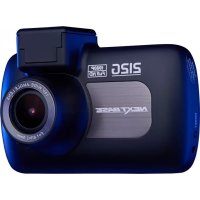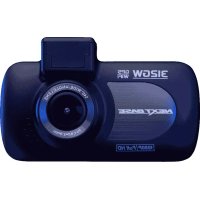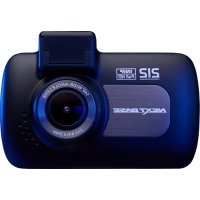
InCar Cam 212 Lite - Dashcam NEXT BASE - Free user manual and instructions
Find the device manual for free InCar Cam 212 Lite NEXT BASE in PDF.


| Product type | Dashcam (onboard camera) |
| Brand | NEXT BASE |
| Model | InCar Cam 212 Lite |
| Dimensions | 87 x 59 x 38 mm |
| Weight | 78 g |
| Power supply | 5V / 1.5A via 12-24V DC adapter (included); Internal lithium-ion battery 3.7V / 450 mAh |
| Screen | 2.7-inch color LCD, resolution 960 x 240 pixels, 16:9 format |
| Sensor | 3MP (3,000,000 pixels) |
| Lens | 6 glass elements, 140° angle, F1.8 aperture |
| Recording resolution | 1920 x 1080 at 30 fps (default); also 720P and 720P at 60 fps |
| Recording format | MOV |
| Memory card | Micro SD, Class 10, up to 128 GB; recommended 8-128 GB SDHC Class 10 (48 MB/s) |
| Main functions | Loop recording, impact detection (G-sensor), parking mode, file protection, timestamp, audio recording, screen saver, license plate number |
| Connectivity | 2.5mm AV output (video/audio), mini USB port, DC input |
| Maintenance and cleaning | Clean with a soft, dry cloth; for stubborn dirt, diluted neutral detergent; lens with a soft cloth and glasses cleaning liquid |
| Safety | Do not expose to water; keep out of reach of children; install out of driver's field of view and airbags |
| Spare parts and repairability | Suction cup mount, power cable, adapter, USB cable, sticker, guide; repair by qualified technician only |
| General information | Automatic on/off via ignition; battery life about 30 minutes; full charge ~90 min |
Frequently Asked Questions - InCar Cam 212 Lite NEXT BASE
User questions about InCar Cam 212 Lite NEXT BASE
0 question about this device. Answer the ones you know or ask your own.
Ask a new question about this device
Download the instructions for your Dashcam in PDF format for free! Find your manual InCar Cam 212 Lite - NEXT BASE and take your electronic device back in hand. On this page are published all the documents necessary for the use of your device. InCar Cam 212 Lite by NEXT BASE.
USER MANUAL InCar Cam 212 Lite NEXT BASE
This device complies with Part 15 of the FCC Rules. Operation is subject to the following two conditions: (1) this device may not cause harmful interference, and (2) this device must accept any interference received, including interference that may cause undesired operation.
This equipment has been tested and found to comply with the limits for a Class B digital device, pursuant to Part 15 of the FCC Rules. These limits are designed to provide reasonable protection against harmful interference in a residential installation. This equipment generates, uses and can radiate radio frequency energy and, if not installed and used in accordance with the instructions, may cause harmful interference to radio communications. However, there is no guarantee that interference will not occur in a particular installation. If this equipment does cause harmful interference to radio or television reception, which can be determined by turning the equipment off and on, the user is encouraged to try to correct the interference by one or more of the following measures:
- Reorient or relocate the receiving antenna.
- Increase the separation between the equipment and receiver.
- Connect the equipment to an outlet on a circuit different from that to which the receiver is connected.
- Consult the dealer or an experienced radio/TV technician for help.
- This appliance and its antenna must not be co-located or operated conjunction with any other antenna or transmitter.
- A minimum separation distance of 20cm must be maintained between the antenna and the person for this appliance to satisfy the RF exposure requirements.
FCC CAUTION:
Any changes or modifications to the equipment not expressly approved by the party responsible for compliance could void your authority to operate the equipment.
FCC DÉCLARATION (SUITE)
SUPPLIER'S DECLARATION OF CONFORMITY
(47 CFR Section 2.906).
We;Tank Design
(The responsible party, who must be located in the United States)
Hereby, Declare that the essential requirements set out in the 47 CFR Sections 2.906 of FCC, have been fully fulfilled on our product with indication below:
- Applicant's Info
Company Name: Portable Multimedia Ltd
Mailing Address: Unit 2, Caerphilly Business Park, Van Road, Caerphilly. CF83 3ED. UK
Contact : Graham Lambert
Tel: +44 02920 866429
Email Address: support@nextbase.com
- Product Info
Product Name: Dash Cam
Model No.: NBDVR212
Brand Name: Nextbase
- Applied Standard
Standards
E-CFR Title 47 Part 15 Subpart B—Unintentional Radiators: 2017
Report No. WTS18S05110385E
- Test Firm Used to Take Measurements:
Name: Waltek Services (Shenzhen) Co., Ltd.
Address: 1/F, Fukangtai Building, West Baima Rd Songgang Street, Baoan District, Shenzhen, Guangdong, People's Republic of China, 518105
Contact Name: Philo Zhong
Tel: +86 755 8355 1033 802
Email: CB@waltek.com.cn
Designation No.: CN1201
FRN:0027148261
SUPPLIER'S DECLARATION OF CONFORMITY CONTINUED
- FCC Marking

- Responsibilities and obligations
Strictly follow the FCC rules of 2.906, 2.908, 2.909.
- Applicant's Authorization
Company Name: Portable Multimedia Ltd
Mailing Address: Unit 2, Caerphilly Business Park, Van Road, Caerphilly. CF83 3ED. UK
Contact person: Graham Lambert
Signature: C.K. Lambert
Email Address: support@nextbase.com
Tel: +44 02920 866429
Date: 14th May 2018
- Responsible party in US.
Company name: Tank Design
Mailing Address: 158 Sidney Street, Cambridge, MA 02139, United States
Contact person:Mr Scott Watts
Signature:
Email address: SWatts@tankdesign.com
Tel : (617) 388-8380
Date: 14th May 2018
FICHE TECHNIQUE
CHARACTERISTIQUES DU PRODUIT
Options: Active et Désactive
Options: Active et Désactive
Options: Active et Désactive
Options: Active et Désactive
Options: Active et Désactive
Options: Active et Désactive
Options: Active et Désactive