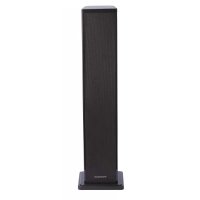
DS60DUO - Hi-Fi System THOMSON - Free user manual and instructions
Find the device manual for free DS60DUO THOMSON in PDF.



| Product type | Hi-Fi System |
| Brand | Thomson |
| Model | DS60DUO |
| Power supply | 230 V ~ 50 Hz |
| Total power | 65 W |
| Audio output power | 60 W |
| Input sensitivity (Aux) | 700 μV |
| Input sensitivity (Line) | 700 mV |
| Signal-to-noise ratio | 75 dB |
| Total harmonic distortion (THD) | 0.5% (1 kHz, 1 W) |
| Frequency response | 20 Hz - 20 kHz |
| Connectivity | Bluetooth, USB, SD, 3.5mm line input, auxiliary RCA input |
| Playback modes | Bluetooth, USB, SD, AUX, Line |
| Equalizer | VOICE, MOVIE, MUSIC modes; treble and bass adjustments |
| Functions | Speaker pairing (PAIR), remote control, auto standby |
| Remote control battery | Lithium CR2025 (included) |
| Package contents | Main unit, remote control, RCA cable, line-in cable, manual |
| Maintenance | Unplug before cleaning, use a soft damp cloth, avoid harsh products |
| Safety | Do not open the casing, avoid water and heat, unplug during thunderstorms |
| Manufacturer | Bigben Interactive SA, France |
| Origin | Made in China |
Frequently Asked Questions - DS60DUO THOMSON
User questions about DS60DUO THOMSON
0 question about this device. Answer the ones you know or ask your own.
Ask a new question about this device
Download the instructions for your Hi-Fi System in PDF format for free! Find your manual DS60DUO - THOMSON and take your electronic device back in hand. On this page are published all the documents necessary for the use of your device. DS60DUO by THOMSON.
USER MANUAL DS60DUO THOMSON
Specifications techniques 3
Specifications techniques
- MODE/PAIR (Mode/Coupler)
customerservice@bigben-interactive.be
ESPANA, sat@bigbeninteractive.es
ITALIA, support@bigbeninteractive.it
www/bigben.eu
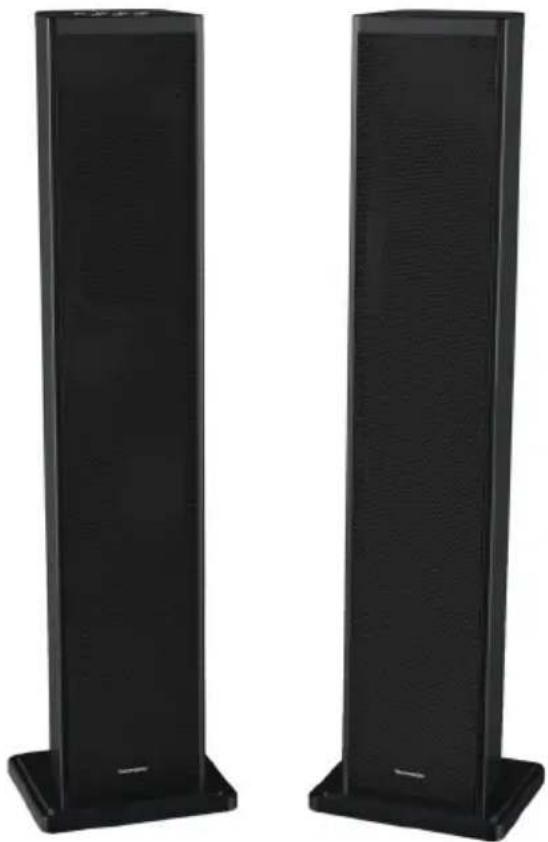
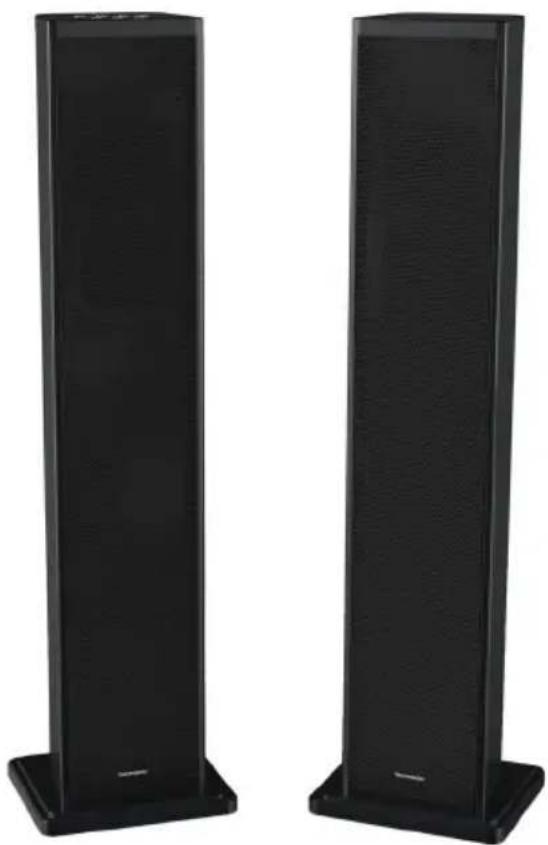
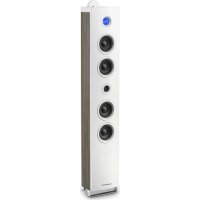
DS60DUO
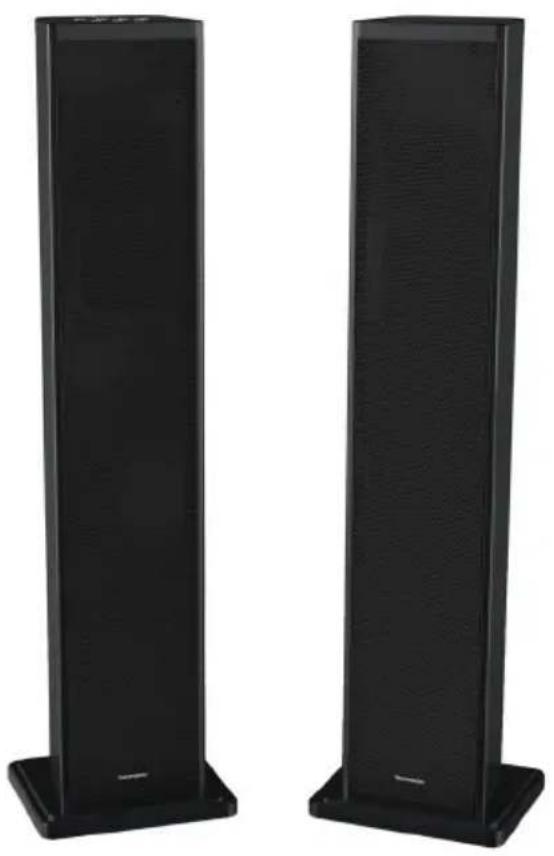
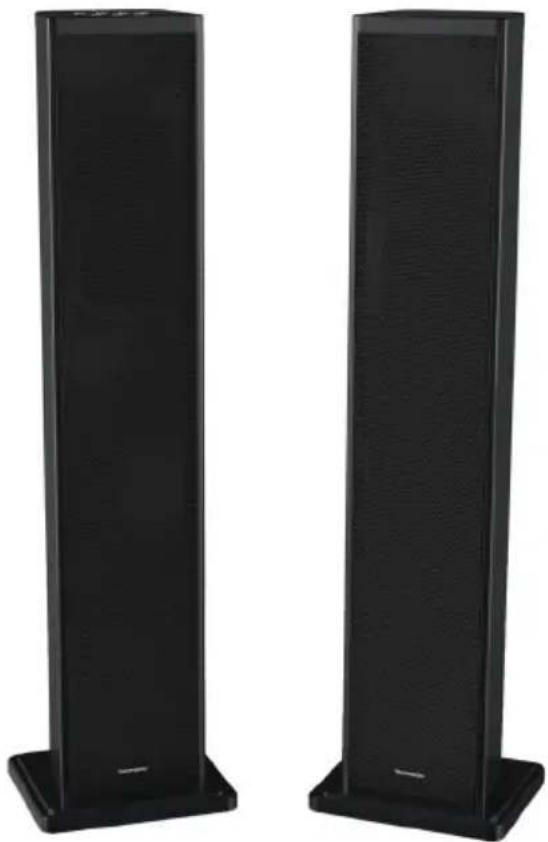
SYSTEME 2.1
BLUETOOTH/
USB/SD/AUDIO IN
OPERATING INSTRUCTIONS
PLEASE READ THIS USER MANUAL CAREFULLY BEFORE
OPERATING THIS UNIT AND RETAIN FOR
FUTURE REFERENCE
Contents
Setting Started 1
Safety and Notice
Care for your product 2
Care of the environment
Compliance
Technical specifications 3
What's in the box
Description of Parts 4
Replacing battery 5
Get started 6
Bluetooth Mode
Play from external audio 7
Using the USB/SD input
Remarks 8
Setting Started
- Remove the appliance from the box.
- Remove any packaging from the product.
- Place the packaging inside the box and either or dispose of safely.
Safety and Notice
Read and understand all instructions before you use this product. If damage is caused by failure to follow the instructions, the warranty does not apply.
Safety
Warning
- Never remove the casing of this apparatus.
- Never lubricate any part of this apparatus.
- Never place this apparatus on other electrical equipment.
- Keep this apparatus away from direct sunlight, naked Fames or heat.
- Never look into the laser beam inside this apparatus.
- Ensure that you always have easy access to the power cord, plug or adaptor to disconnect this apparatus from the power.

- Read these instructions.
- Keep these instructions.
- Heed all warnings.
- Follow all instructions.
- Do not use this apparatus near water.
- Clean only with dry cloth.
- Do not block any ventilation openings. Install in accordance with the manufacturer's instructions.
- Do not install near any heat sources such as radiators, heat registers, stoves, or other apparatus (including amplifiers) that produce heat.
- Protect the power cord from being walked on or pinched, particularly at plugs, convenience receptacles, and the Point where they exit from the apparatus.
- Only use attachments/accessories specified by the manufacturer.
- Use only with the cart, stand, tripod, bracket, or table specified by the manufacturer or sold with the apparatus. When a cart is used, use caution when moving the cart/ apparatus combination to avoid injury from tip-over.
- Unplug this apparatus during lightning storms or when unused for long periods of time.

- Refer all servicing to qualified service personnel. Servicing is required when the apparatus has been damaged in anyway, such as power-supply cord or plug is damaged, liquid has been spilled or objects have fallen into the apparatus, apparatus has been exposed to rain or moisture, does not operate normally, or has been dropped.
- Apparatus shall not be exposed to dripping or splashing.
- Do not place any sources of danger on the apparatus (e.g. liquid filled objects, lighted candles).
- Where the MAINS plug or an appliance coupler is used as the disconnect device, the disconnect device shall remain readily operable.
- Make sure there is enough free space around the product for ventilation.
- Batteries (battery pack or batteries installed) shall not be exposed to excessive heat such as sunshine, fire or the like.
Care for your product
- Always unplug the appliance when not in use and before cleaning.
- Do not play music at excessive volume levels as damage to hearing and or the equipment may occur.
- Do not use this unit in wet or damp conditions.
- Always disconnect the unit from the mains power supply before cleaning. Clean the appliance with a soft, damp, lint free cloth. Do not use abrasives or harsh cleaners.
Care of the environment

Your product is designed and manufactured with high quality materials and components, which can be recycled and reused.
Your product contains batteries covered by the European Directive 2006/66/EC, which cannot be disposed with normal household waste. Please inform yourself about the local rules on separate collection of batteries because correct disposal helps to prevent negative consequences for the environmental and human health.
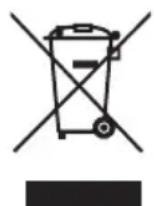
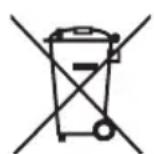
When this crossed-out wheeled bin symbol is attached to a product it means that the product is covered by the European Directive 2002/96/EC. Please inform yourself about the local separate collection system for electrical and electronic products. Please act according to your local rules and do not dispose of your old products with your normal household waste. Correct disposal of your old product helps to prevent potential negative consequences for the environment and human health.
Compliance

This product complies with the radio interference requirements of the Europe Community.
Technical specifications
Power supply: 230V 50Hz
Total consumption: 65W
- Input sensitivity: AUXIN 700V, LINE IN 700MV
S/N (A): 75db
- THD(1kHz,1W): 0.5%
Frequency response: 20Hz-20KHz
Total music output: 60W
What's in the box
Check and identify the contents of your package:
- Main unit
Remote control - User manual
RCA cable
Line in cable
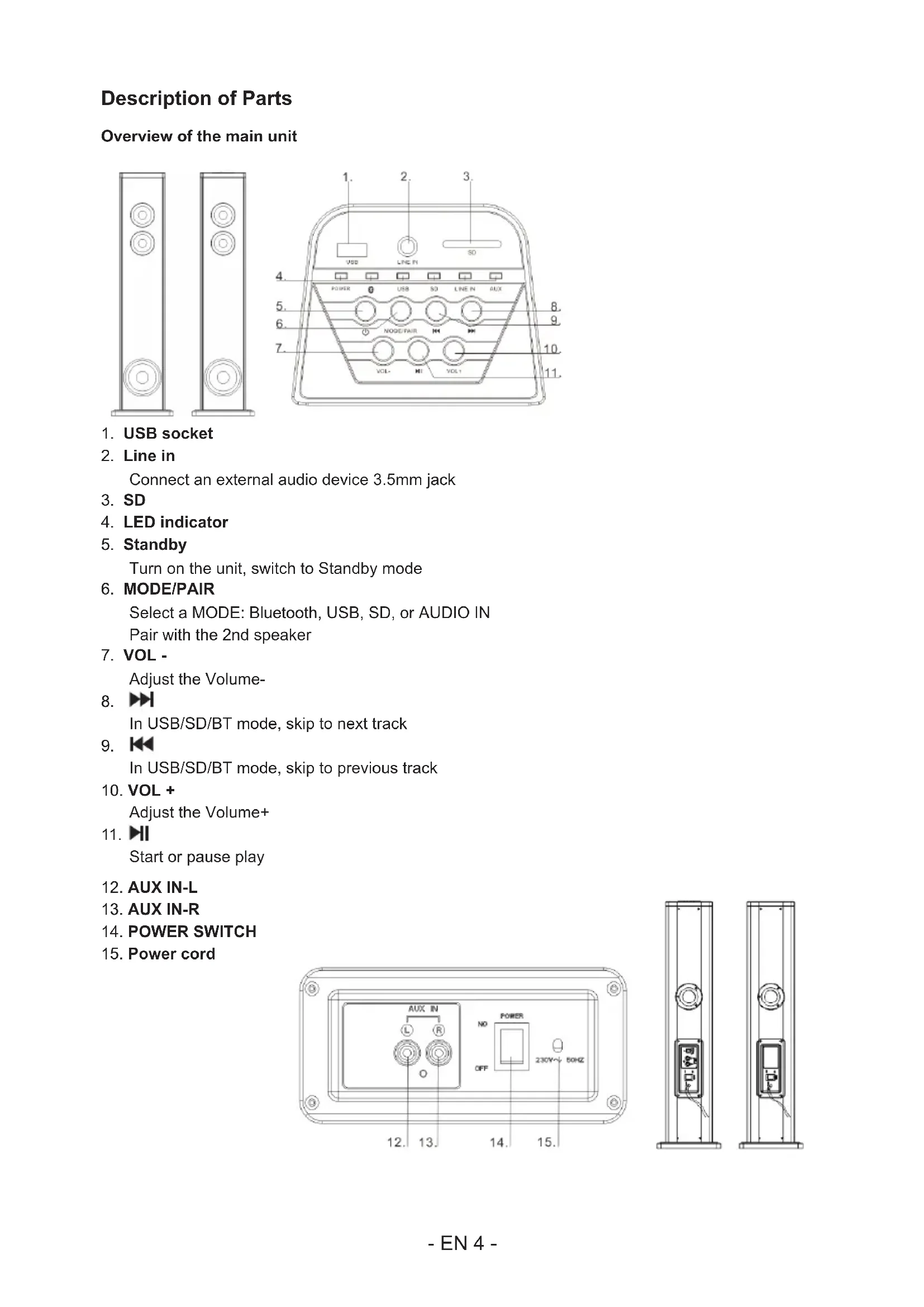
Description of Parts
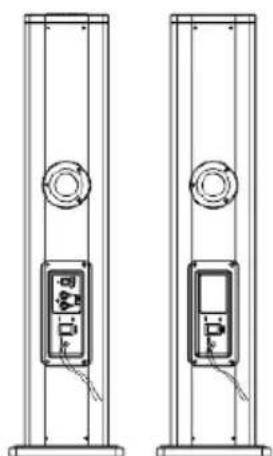
Overview of the main unit
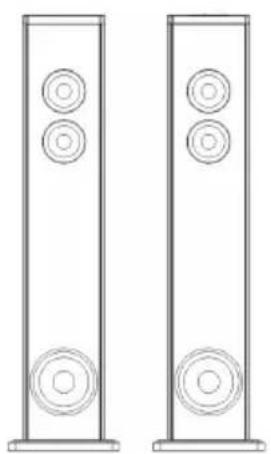
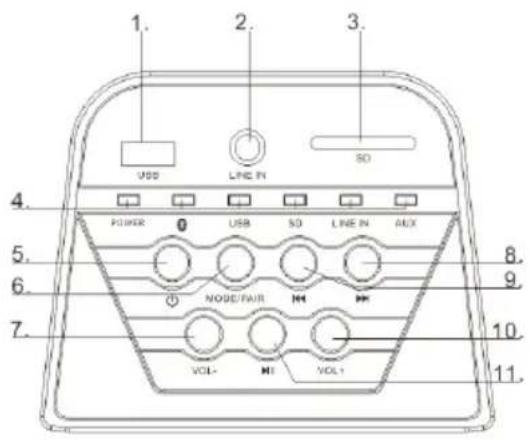
- USB socket
- Line in
Connect an external audio device 3.5mm jack
- SD
- LED indicator
- Standby
Turn on the unit, switch to Standby mode
- MODE/PAIR
Select a MODE: Bluetooth, USB, SD, or AUDIO IN
Pair with the 2nd speaker
- VOL -
Adjust the Volume
8.
In USB/SD/BT mode, skip to next track
9.
In USB/SD/BT mode, skip to previous track
- VOL +
Adjust the Volume+
11.
Start or pause play
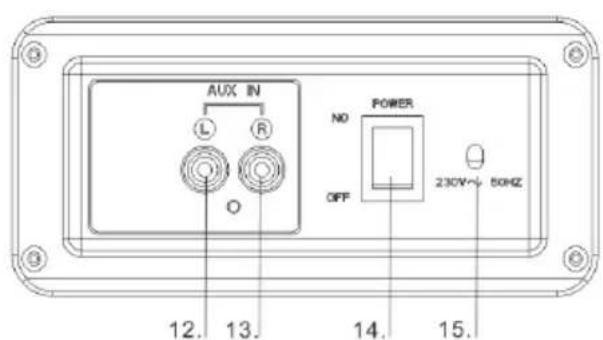
- AUX IN-L
13.AUX IN-R - POWER SWITCH
- Power cord
Overview of Remote Control
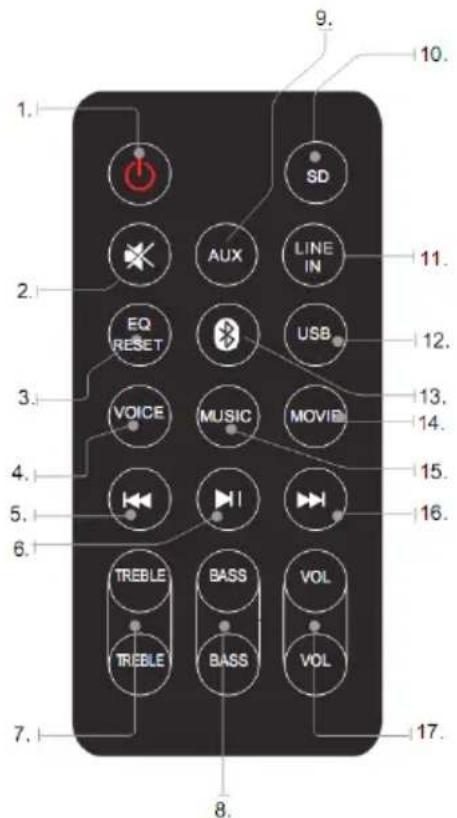
1. POWER
Press to power the tower off and on
2. MUTE
Press to Mute or restore volume
3. EQ RESET
Press to restore sound effect
4. VOICE
Press to EQ-VOICE mode
5.
Skip to the previous track
6.
start or pause play
7. TREBLE+/TREBLE-
Press to adjust treble level
8. BASS+/BASS-
Press to adjust bass level
9. AUX
Press to AUX IN mode
10. SD
Press to SD mode
11. LINE IN
Press to LINE IN mode
12. USB
Press to USB mode
13.BT
Press to BT mode
14. MOVIE
Press to EQ-MOVIE mode
15. MUSIC
Press to EQ-MUSIC mode
16.
Skip to the next track
17. VOLUME+/-
Press to adjust the volume level
The remote control operates on 1 pc CR2025 lithium battery (included).to power up the remote control, remove the insulation tab from the back unit
Replacing battery
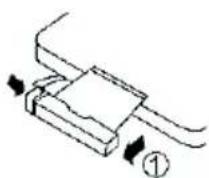
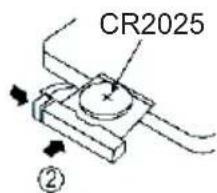
The remote control works with lithium button cell CR2025 3V batteries. When the remote no longer works you need to replace the batteries as follows:
-
Press the tab on the side of the battery cover to release it and allow the battery support to come out.
-
Replace the battery paying attention to the correct orientation of the poles.
-
Replace the battery support pushing it inside until you hear a "click".
ATTENTION: Danger of explosion if batteries are not inserted correctly.
Get started
Power

CAUTION
- Risk of product damager! Make sure that the power voltage corresponds to the voltage printed on the back label.
- Risk of electric shock! When you unplug the AC power cord always pull the plug from the socket. Never pull the cord.
- Before connecting the AC power cord, ensure you have completed all other connections.
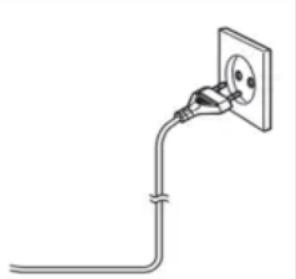
Place the unit in the desired position and unravel the mains cable. Insert the cable into the supply socket and switch on if applicable.
Auto standby
When playing media from a connected device, the Tower automatically switches to standby if:
- No button is pressed for 10 minutes,
- No audio from a connected device for 10 minutes.
Paired the twin tower.
Power on the two speakers, the speakers will automatically enters to BT mode, press the main unit MODE/PAIR button, the tower can be automatically paired.
Bluetooth Mode
A. Pairing with a Bluetooth cell phone
Please make sure your cell phone is Bluetooth-enabled. Specific pairing steps may vary with different cell phones. Please refer to the user manual of your cell phone for further information. The general pairing steps are as follows:
- Keep DS60DUO and Bluetooth cell phone within 1 meter when pairing.
- Press button, the speakers automatically enters the Bluetooth mode
- Switch on your cell phone's Bluetooth function and search for Bluetooth devices. After the search is completed, select "DS60DUO" from the Bluetooth device list.
- According to indication, enter password or PIN No: "0000" and press "Yes" or "confirm".
- After successful pairing, select "DS60DUO" from the Bluetooth device list and press "connect".
B. Pairing with a Bluetooth stereo transmitter
Different Bluetooth transmitters have different pairing ways. Please refer to the user manual of your Bluetooth transmitter for further information. The general pairing steps are as follows:
- Keep DS60DUO and Bluetooth transmitter within 1 meter when pairing.
- Press button, the speakers automatically enters the Bluetooth mode
- Switch on your Bluetooth transmitter and let it enter pairing mode.
- The transmitter will search and connect with DS60DUO automatically. After successful connecting, the Bluetooth voice will change when connected successfully.
Remarks:
- DS60DUO will return to pairing mode automatically after disconnecting from a Bluetooth device.
C. MusicPlayback
Connecting with a A2DP cell phone or Bluetooth transmitter
- Connect your cell phone or Bluetooth transmitter with DS60DUO.
- You can listen to your music from DS60DUO now when playing it back.
- Press Vol+ to turn up the volume, press Vol- to turn down the volume.
- Press skip to the previous song
- Press skip to the next song
Play from external audio
You can play from an external audio device such as MP3 player through this unit.
Line in Jack (Requires a 3.5mm cable)
- Connect a 3.5mm cable to the Line jack on top panel. Connect the other end of the 3.5mm cable to an Mp3 player or other audio device.
- Press the button to turn the unit on.
- Press the MODE/PAIR button to switch to Line In mode.
- Use the controls on the connected device to begin playing audio routed through the unit.
Auxiliary Input RCA (Requires an RCA cable)
- Connect an RCA cable to the Auxiliary Input. Connect the other end of the RCA cable to the audio output on your DVD player, stereo system, gaming system or television.
- Press the power button to turn the unit on.
- Press the MODE/PAIR button to switch to Aux In mode.
- Use the controls on the connected device to begin playing audio routed through the unit.
Using the USB/SD input
- Plug your USB flash drive or SD card to the USB/SD socket
- Press MODE/PAIR button to select USB or SD mode, the unit can play automatically.
- press the to select track
- Press the VOL+VOL- to adjust the volume
Remarks:
*USB port and SD slot are sensitive equipment, it may cause unstable performance to the speaker.
Remarks:
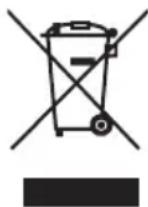
Don't discard the electrical and electronic appliances in the regular waste disposal.
Take them to a collection point.
- Some components in these appliances may be hazardous to health and the environment.
- In order to save energy when the unit has no sound output for a while, the unit will be switched to stand-by automatically. It can be switched ON by using the POWER selector again.
- If there is an incoming call while the DS60DUO is connected to your cell phone for music playback, it will pause at once when you answer the call and resume after the call ended. (Sometimes it will pause after end the call, it depend on your cell phone.)
- The Bluetooth® word, mark and logo are registered trademarks owned by Bluetooth SIG, Inc. and any use of such marks by Bigben Interactive is under license. Other trademarks and trade names are those of their respective owners.
- THOMSON is a trademark of TECHNICOLOR SA or its affiliates used under license to Bigben Interactive.
- Hereby, Bigben Interactive SA, declares that the DS60DUO device complies with the essential requirements of the directive 1995/5/EC of the European Parliament and of the Council of 9 March 1999 on radio equipment and telecommunications terminal equipment and the mutual recognition of their conformity.
To download the full statement, please visit our website: http://www/bigben-interactive.co.uk/support and the section <
Manufactured by BIGBEN INTERACTIVE SA
396, Rue de la Voyette
CRT2-FRETIN
CS 90414
59814 LESQUIN Cedex - France
www/bigben.eu
Made in China


REACH


Fabricant:BigbenInteractive FRANCE
396, Rue de la Voyette, C.R.T. 2 Fretin,
CS 90414 - 59814 LESQUIN Cedex
customerservice@bigben-interactive.be
ESPANA, sat@bigbeninteractive.es
ITALIA, support@bigbeninteractive.it
www/bigben.eu
DS60DUO
SISTEMA 2.1
BLUETOOTH/
USB/SD/ENTRADA DE AUDIO
A管理工作小组成员在进行工作时,必须注意以下几点:
1. A few minutes should be spent in the workshop to prepare for the next session.
2. The workshop should be organized in a proper way, including the following steps:
BELGIQUE/NEDERLAND,klantenservice@bigben-interactive.nl customerservice@bigben-interactive.be
ESPANA, sat@bigbeninteractive.es
ITALIA, support@bigbeninteractive.it
www/bigben.eu
DS60DUO
SISTEMA 2.1
BLUETOOTH/
USB/SD/AUDIO IN
ISTRUZIONI D'USO
PRIMA DI UTILIZZARE L'APPARECCHIO, LEGGERE PER INTERO IL PRESENTE MANUALE E CONSERVARLO PER CONSULTAZIONI FUTURE.
Index
Per iniziare 1
customerservice@bigben-interactive.be
ESPANA, sat@bigbeninteractive.es
ITALIA, support@bigbeninteractive.it
www/bigben.eu
DS60DUO
SISTEMA 2.1
BLUETOOTH/
USB/SD/ENTRADA DE AUDIO
customerservice@bigben-interactive.be
ESPANA, sat@bigbeninteractive.es
ITALIA, support@bigbeninteractive.it
www/bigben.eu
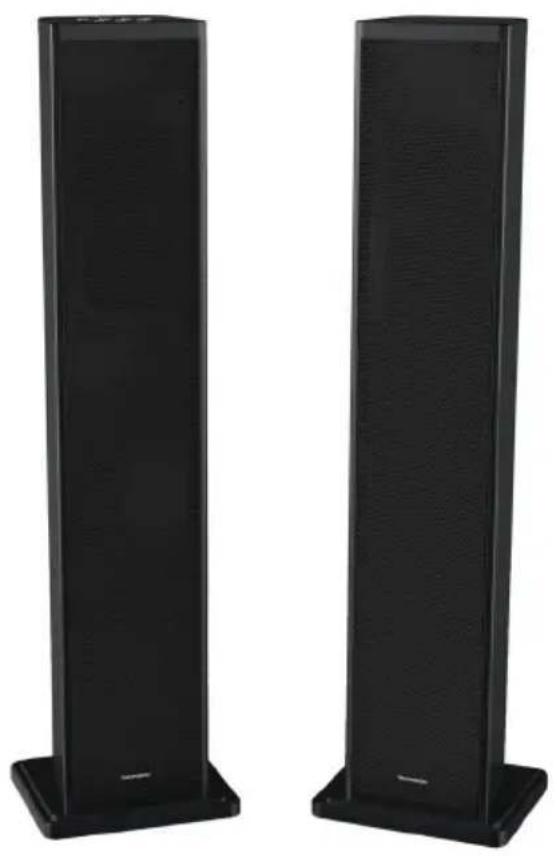
DS60DUO
2.1 SOUNDSYSTEM BLUETOOTH / USB / SD / AUDIO-IN
BEDIENUNGSANLEITUNG
customerservice@bigben-interactive.be
ESPANA, sat@bigbeninteractive.es
ITALIA, support@bigbeninteractive.it
www/bigben.eu
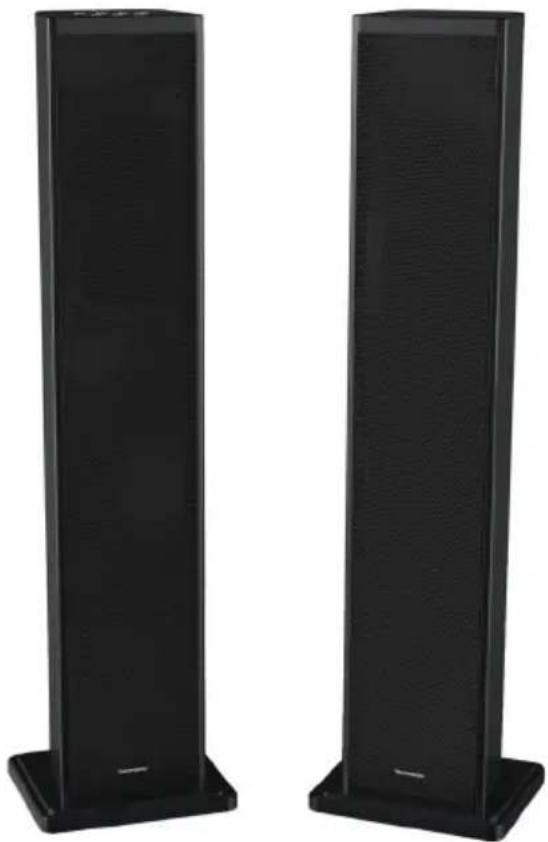
DS60DUO
SYSTEEME 2.1
BLUETOOTH/
USB/SD/AUDIO IN
VEILIGHEIDSINSTRUCTIES
LEES DEZE GEBRUKSAANWIJZING VOLLEDIG DOOR ALVORENS DEZE EENHEID TE BEDIENEN, EN BEWAAR DIT BOEKJE VOOR UW ADMINISTRATIE.
Inhoud
Aandeslag1
- Specifications techniques
- OPERATING INSTRUCTIONS
- Contents
- Setting Started
- Safety and Notice
- Safety
- Warning
- Care for your product
- Care of the environment
- Compliance
- Technical specifications
- What's in the box
- Description of Parts
- Overview of the main unit
- Overview of Remote Control
- POWER
- MUTE
- EQ RESET
- VOICE
- 5.
- 6.
- TREBLE+/TREBLE-
- BASS+/BASS-
- AUX
- SD
- LINE IN
- USB
- 13.BT
- MOVIE
- MUSIC
- 16.
- VOLUME+/-
- Replacing battery
- Get started
- Power
- CAUTION
- Auto standby
- Paired the twin tower.
- Bluetooth Mode
- Pairing with a Bluetooth cell phone
- Pairing with a Bluetooth stereo transmitter
- Remarks:
- MusicPlayback
- Play from external audio
- Line in Jack (Requires a 3.5mm cable)
- Auxiliary Input RCA (Requires an RCA cable)
- Using the USB/SD input
- ISTRUZIONI D'USO
- Index
- SOUNDSYSTEM BLUETOOTH / USB / SD / AUDIO-IN
- BEDIENUNGSANLEITUNG
- VEILIGHEIDSINSTRUCTIES
- Inhoud
Brand : THOMSON
Model : DS60DUO
Category : Hi-Fi System