Wake Assure - Alarm clock radio Clarity - Free user manual and instructions
Find the device manual for free Wake Assure Clarity in PDF.


User questions about Wake Assure Clarity
0 question about this device. Answer the ones you know or ask your own.
Ask a new question about this device
Download the instructions for your Alarm clock radio in PDF format for free! Find your manual Wake Assure - Clarity and take your electronic device back in hand. On this page are published all the documents necessary for the use of your device. Wake Assure by Clarity.
USER MANUAL Wake Assure Clarity
Amplifying Your Life
©AMERIPHONE products are manufactured by Walker, A Division of Plantronics, Inc.
12082 Western Avenue, Garden Grove, CA 92841
(800) 874-3005 VOICE • (800) 772-2889 TTY/TDD
(714) 897-4703 FAX
email: ameriphonecs@plantronics.com
website: www.ameriphone.com
AMERIPHONE
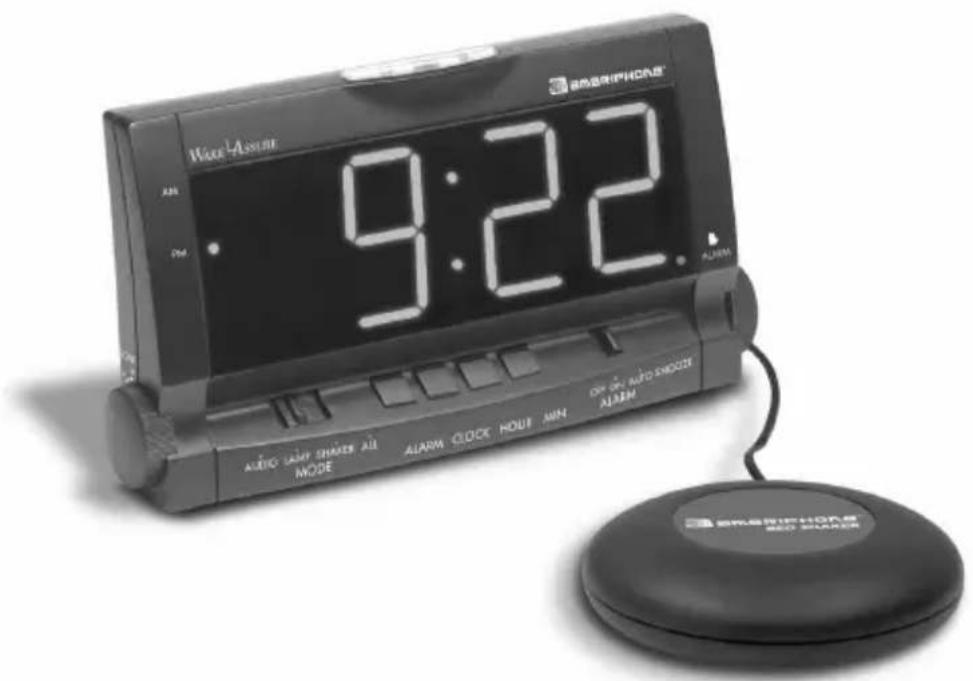
WAKE ASSURE
Alarm Clock
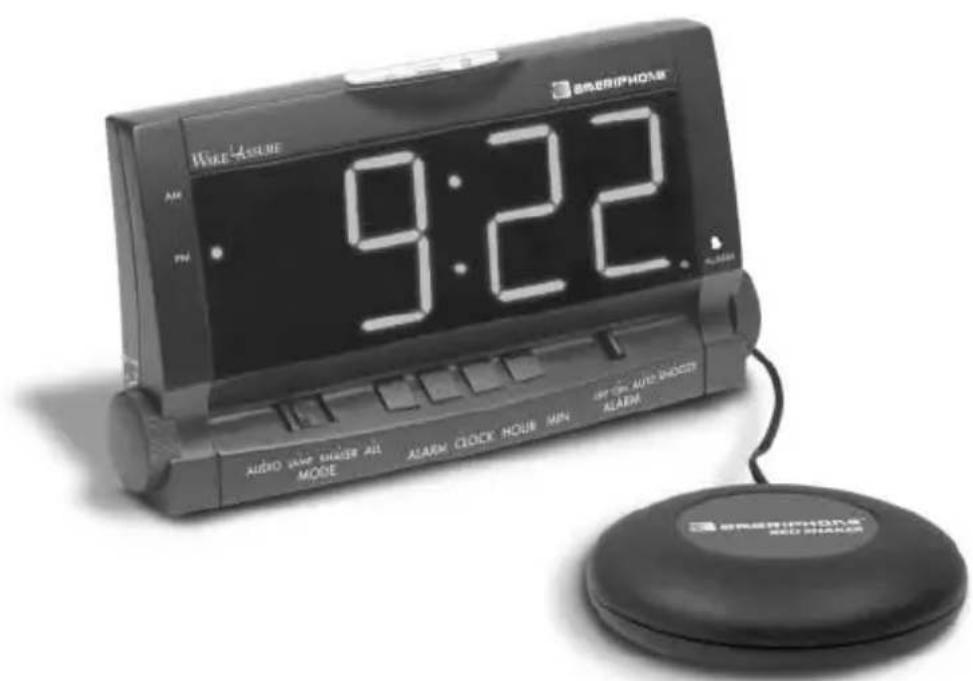
Users' Guide
Table Of Contents
Safety Instructions 3
Function Identification 5
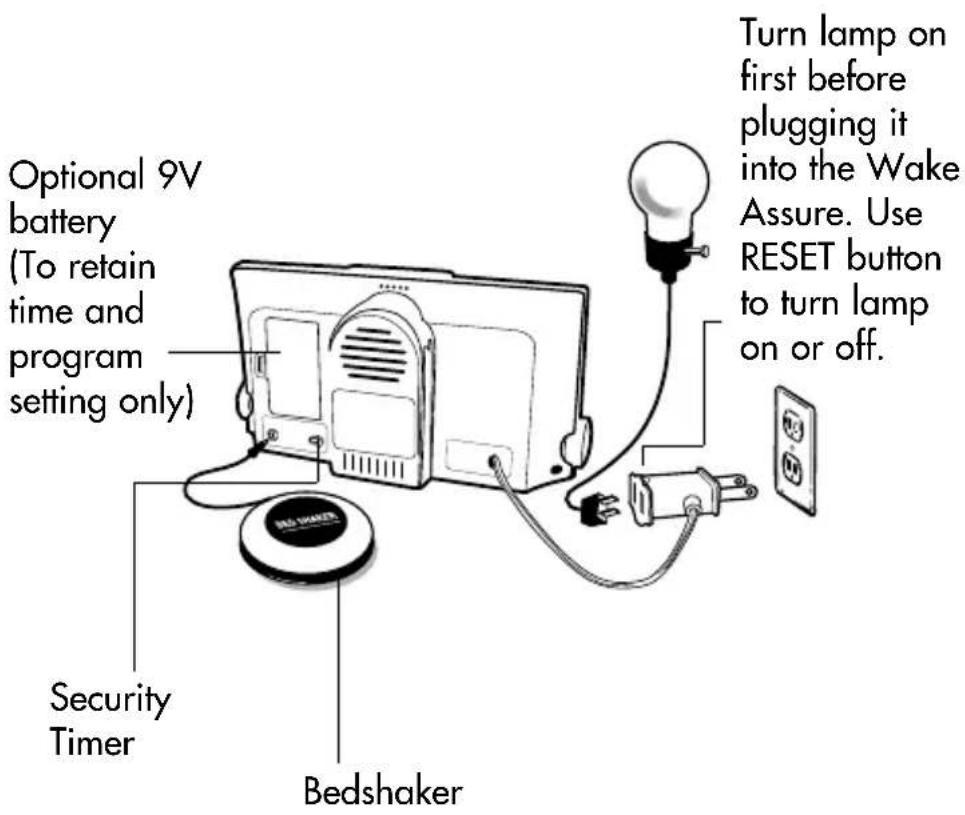
Setting up your Wake Assure Alarm Clock . .6
How to set the time 7
How to set the alarm 7
How to set the ALARM mode 7
How to set the SECURITY TIMER 8
Battery Backup 9
Warranty and Service 10
Important Safety Instructions
CAUTION:

FOR CONTINUED PROTECTION AGAINST FIRE HAZARD, REPLACE ONLY SAME TYPE 3A, 125V FUSE
When using your alarm clock, always follow basic safety precautions to reduce the risk of fire, electric shock, and injury to persons, including the following:
- Read and understand all Instructions. Observe all warnings and other markings on the product.
- There may be a slight chance of electric shock from lightning.
- Do not use this product near water, or when you are wet. For example, do not use it in a wet basement or shower, or next to a swimming pool, bathtub, kitchen sink or laundry tub. Do not use liquids or aerosol sprays for cleaning. If the product comes in contact with any liquids, unplug any line or power cord immediately. Do not plug the product back in until it has dried thoroughly.
- If this product does not operate normally, you cannot resolve the problem, or if the product is damaged, refer to the Ameriphone Warranty. Do not open this product except as may
be directed in this owner's manual.
Opening this product or reassembling it incorrectly may expose you to hazardous voltages or other risks.
Opening this product automatically voids the warranty.
- Unplug this product from the wall outlet and refer servicing to qualified service personnel under the following conditions:
A. When the power supply cord or plug is damaged or frayed.
B. If liquid has been spilled on the product.
C. If the product has been exposed to rain or water.
D. If the product does not operate normally by following the operating instructions. Adjust only those controls that are covered by the operating instructions because improper adjustment of other controls may result in further damage.
E. If the product has been dropped or appears damaged.
F. If the product exhibits a distinct change in performance.
SAVE THESE INSTRUCTIONS
Function Identification
#
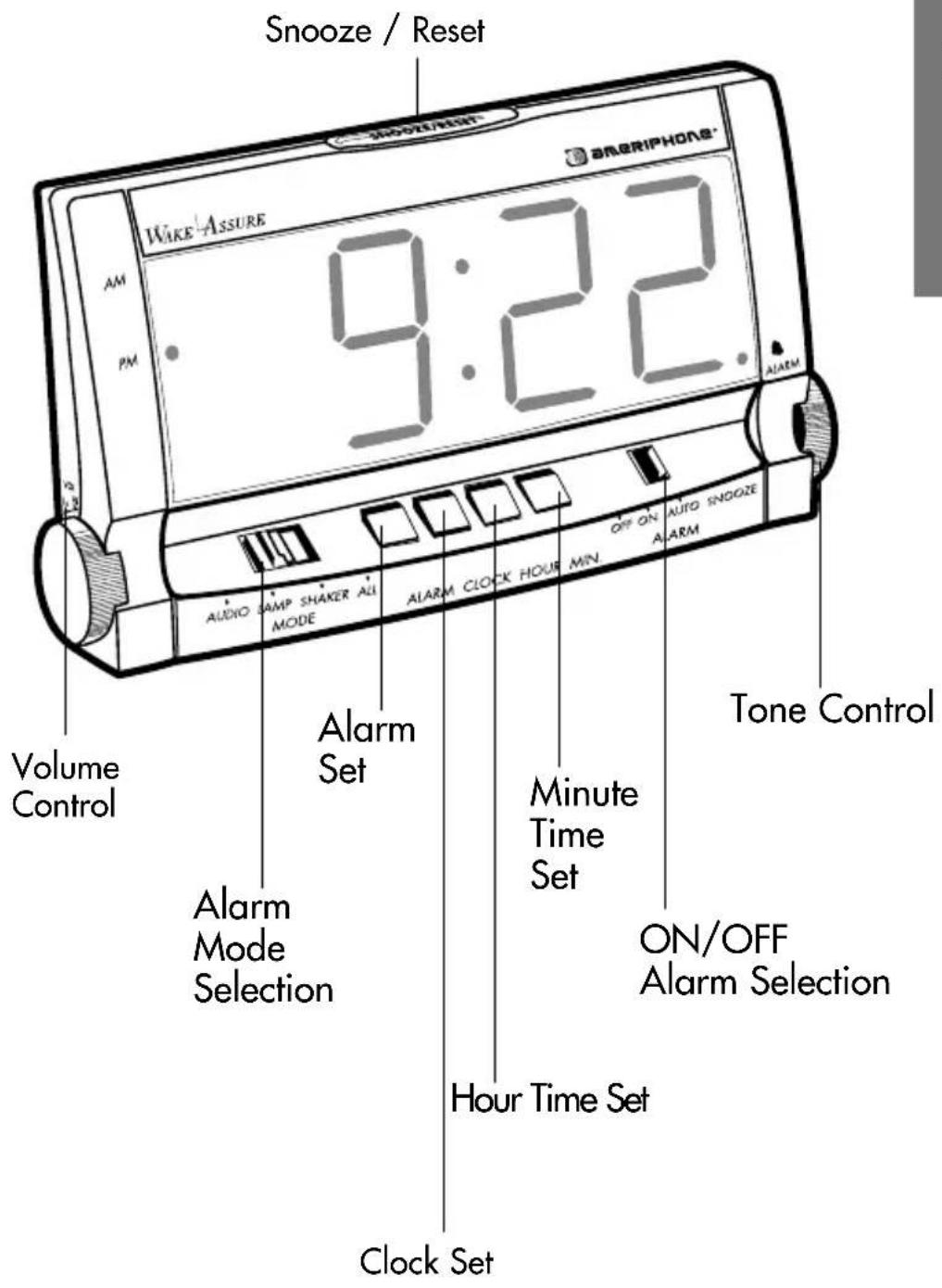
Setting up your Wake Assure Alarm Clock
How to set the time
- Press and hold the CLOCK button down.
- Push the HOUR button until the desired hour [AM or PM] appears on the display panel.
- Repeat Step 2 using the MINUTE button to set desired minute.
How to set the alarm
- Press and hold the ALARM button down.
- Push the HOUR and then the MINUTE button until the desired wake up time appears on the display panel.
How to set the ALARM mode
- Slide the MODE switch to the Audio or Lamp or Bedshaker or ALL position.
- Slide the ALARM switch to the ON or the AUTO SNOOZE position. If auto snooze is selected, the alarm will go off every 5 minutes for the next 60 minutes. To interrupt the alarm
momentarily, press the SNOOZE/ RESET button. To shut off the alarm and stop auto snooze completely, slide AUTO SNOOZE to the OFF position.
How to set the SECURITY TIMER
- Slide the switch to the ON position. The connected lamp will come on and off for a few seconds at a time at random times between 6PM and 11PM to simulate as if someone is in the house.
- To cancel the TIMER after it has come on, press the SNOOZE/ RESET button once. Press the button again to operate the lamp. The TIMER will come on again the next day.
- To turn the timer OFF permanently, slide the switch to the OFF position.
Battery Backup
A 9-volt battery can be installed to retain time and the programming of the alarm settings in case of a power outage. When the power comes back on, the clock's previous time and alarm settings will be still be operational. During a power outage, the clock will not display the current time and all its alarm functions will not be operational. Be sure to plug the unit in before installing batteries. Failure to do this could cause the time to be slow by four hours per day outside the United States and Canada. If this problem occurs, unplug the unit and remove the batteries. Then plug the unit in before installing batteries. Please observe caution when handling electrical appliances.
Warranty and Service
Ameriphone warrants the Wake Assure Alarm Clock against any defect in materials or workmanship for the period of one year from the date of purchase.
If your Ameriphone product is defective and returned within 30 days of the date of purchase, your Wake Assure Alarm Clock dealer will replace it at no charge.
If returned after 30 days but within one year, we will repair or replace it at no charge. In the repair of your Wake Assure Alarm Clock, we may use new or reconditioned replacement parts. If we elect to replace your Wake Assure Alarm Clock, we may replace it with a new or reconditioned product of the same or similar design. Repair or replacement will be warranted for either 90 days or the remaining time on the original warranty period, whichever is longer. When in need of warranty repair, please call our customer service department at (800) 874-3005 (voice), (800) 772-2889 TTY. They will help you process your return shipment. You must prepay all shipping costs.
Implied warranties, including those of fitness for a particular purpose and
merchantability (an unwritten warranty that the product is fit for ordinary use), are limited to one year from date of purchase. We will not pay for loss of time, inconvenience, loss of use of your Wake Assure Alarm Clock, or property damage caused by your Wake Assure Alarm Clock or its failure to work, or any other incidental or consequential damages. Some states do not allow limitations on how long an implied warranty lasts or the exclusion of incidental or consequential damages, so the above exclusions or limitations may not apply to you.
We suggest you save the original package materials in the event you need to ship the Wake Assure Alarm Clock. When shipping for warranty repair, include your name, address, phone number, proof of date of purchase and a description of the problem. After repairing the product, we will ship it back to you at no cost within the United States.
This warranty does not cover defects resulting from accidents, damage while in transit to our service location, alterations, unauthorized repair, failure to follow instructions, misuse, use outside the United States or Canada, fire, flood and acts of God.
WAKE ASSURE
Reloj descentador
ESPANOL