DR 881 - Speaker ALBRECHT - Free user manual and instructions
Find the device manual for free DR 881 ALBRECHT in PDF.

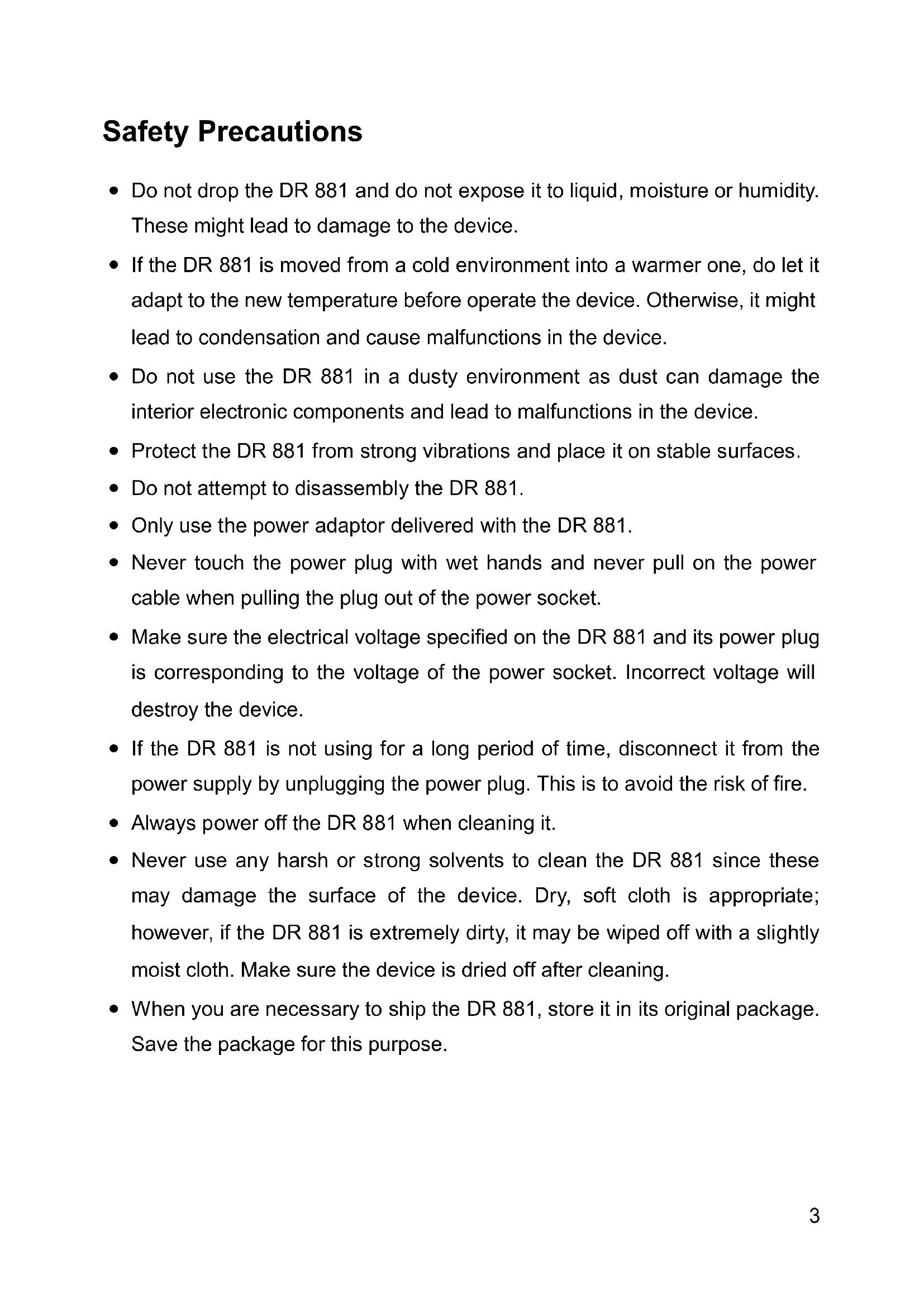


| Product type | DAB/DAB+ digital radio and FM with iPod/iPhone docking station |
| Brand | Albrecht |
| Model | DR 881 |
| Dimensions (W x H x D) | 218 x 115 x 126 mm |
| Weight | 1.6 kg |
| Power supply | AC adapter 12 V, 2 A |
| Output power | 2 x 5 W RMS |
| Display | 128 x 64 dot matrix LCD screen |
| Frequency ranges | FM: 87.5–108 MHz; DAB/DAB+: 174–230 MHz (Band III) |
| Main functions | DAB/DAB+ and FM radio with RDS, dual alarm, auto-off, equalizer, 10 station presets per mode, iPod/iPhone docking station, AUX line input |
| Inputs | DC IN (12 V), AUX IN (3.5 mm), iPod/iPhone docking station (30-pin connector) |
| Remote control | Yes, with CR2025 battery included |
| Maintenance and cleaning | Wipe with a soft dry cloth; do not use solvents or abrasive products; disconnect before cleaning |
| Safety | Do not expose to moisture or dust; avoid strong vibrations; use only the supplied adapter; disconnect if not used for a long time |
| Spare parts and repairability | Contact telephone support at 01805-012204 (€0.14/min in Germany) or by email at alan-service@ps-tech.de; 2-year warranty |
| General information | 68-page user manual available for free download at notice-facile.com |
Frequently Asked Questions - DR 881 ALBRECHT
User questions about DR 881 ALBRECHT
0 question about this device. Answer the ones you know or ask your own.
Ask a new question about this device
Download the instructions for your Speaker in PDF format for free! Find your manual DR 881 - ALBRECHT and take your electronic device back in hand. On this page are published all the documents necessary for the use of your device. DR 881 by ALBRECHT.
USER MANUAL DR 881 ALBRECHT
Restarting... Do NOT Power Off
PST professional support technologies GmbH Breitscheider Weg 117a 40885 Ratingen
DAB/DAB+ and FM Radio
(with Docking station for iPod/iPhone)
DR 881
User Manual
Thank you very much for buying the DR 881. In order to let you freely operate the product and fully enjoy the functions, we have introduced each function of the player in details in the user manual. Please carefully read this manual before use and keep it for future reference.
Table of Contents
Table of Contents 2
Safety Precautions 3
Appearance and Key Descriptions 4
Remote Controller 6
Getting Started 6
DR 881 Functions 8
Main Menu and Settings 8
Time setup. 9
Alarms 10
Sleep 12
EQ 12
Factory Reset. 12
SW version 13
DAB 13
FM. 15
Preset 16
iPod 16
Line in 17
Troubleshooting 17
Specifications 18
Warranty and Recycling Information 19
Safety Precautions
- Do not drop the DR 881 and do not expose it to liquid, moisture or humidity. These might lead to damage to the device.
- If the DR 881 is moved from a cold environment into a warmer one, do let it adapt to the new temperature before operate the device. Otherwise, it might lead to condensation and cause malfunctions in the device.
- Do not use the DR 881 in a dusty environment as dust can damage the interior electronic components and lead to malfunctions in the device.
- Protect the DR 881 from strong vibrations and place it on stable surfaces.
- Do not attempt to disassemble the DR 881.
- Only use the power adaptor delivered with the DR 881.
- Never touch the power plug with wet hands and never pull on the power cable when pulling the plug out of the power socket.
- Make sure the electrical voltage specified on the DR 881 and its power plug is corresponding to the voltage of the power socket. Incorrect voltage will destroy the device.
- If the DR 881 is not using for a long period of time, disconnect it from the power supply by unplugging the power plug. This is to avoid the risk of fire.
- Always power off the DR 881 when cleaning it.
- Never use any harsh or strong solvents to clean the DR 881 since these may damage the surface of the device. Dry, soft cloth is appropriate; however, if the DR 881 is extremely dirty, it may be wiped off with a slightly moist cloth. Make sure the device is dried off after cleaning.
- When you are necessary to ship the DR 881, store it in its original package. Save the package for this purpose.
Appearance and Key Descriptions
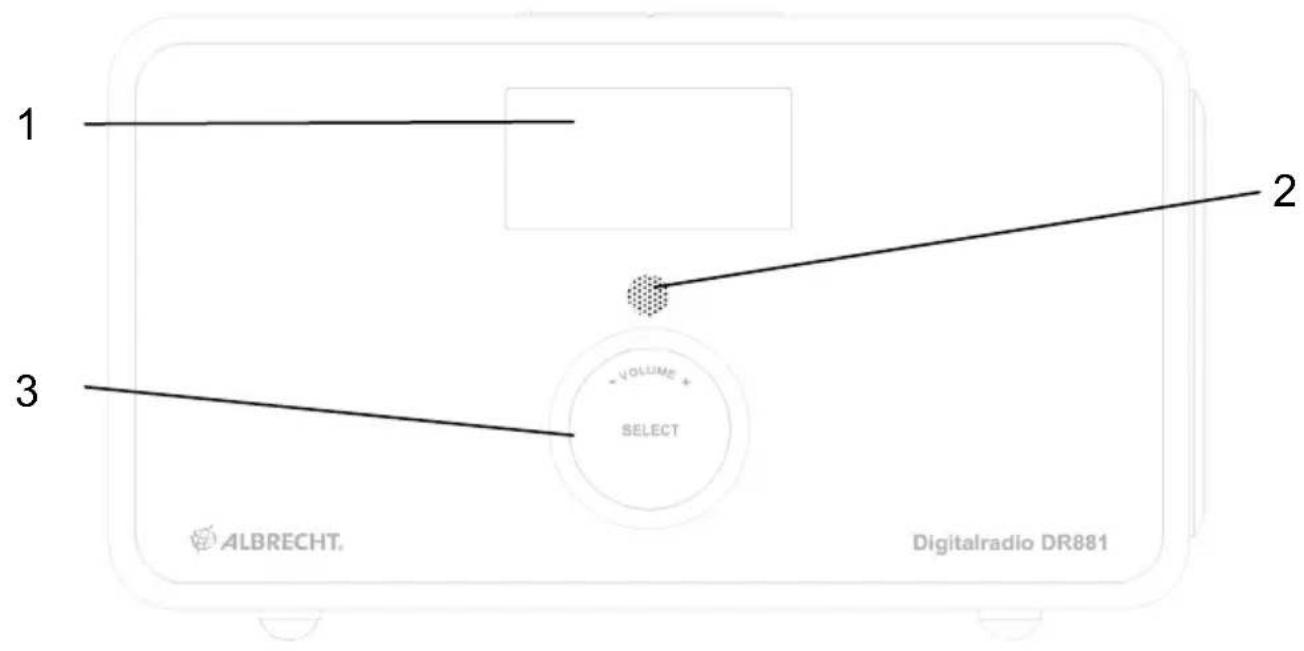
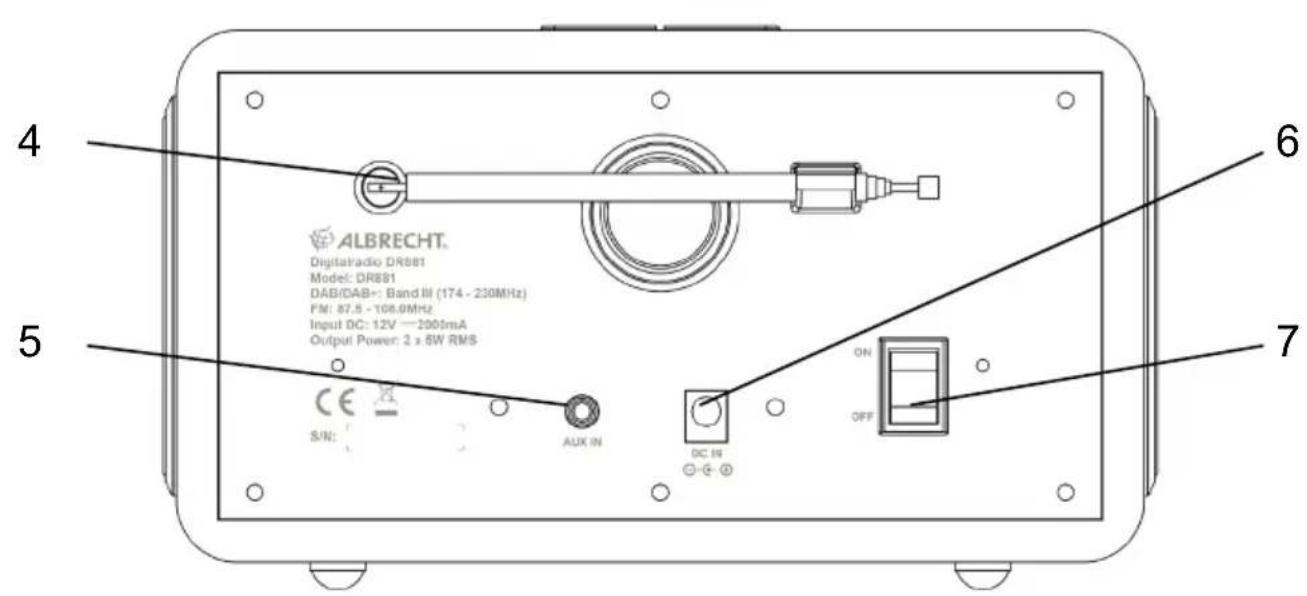
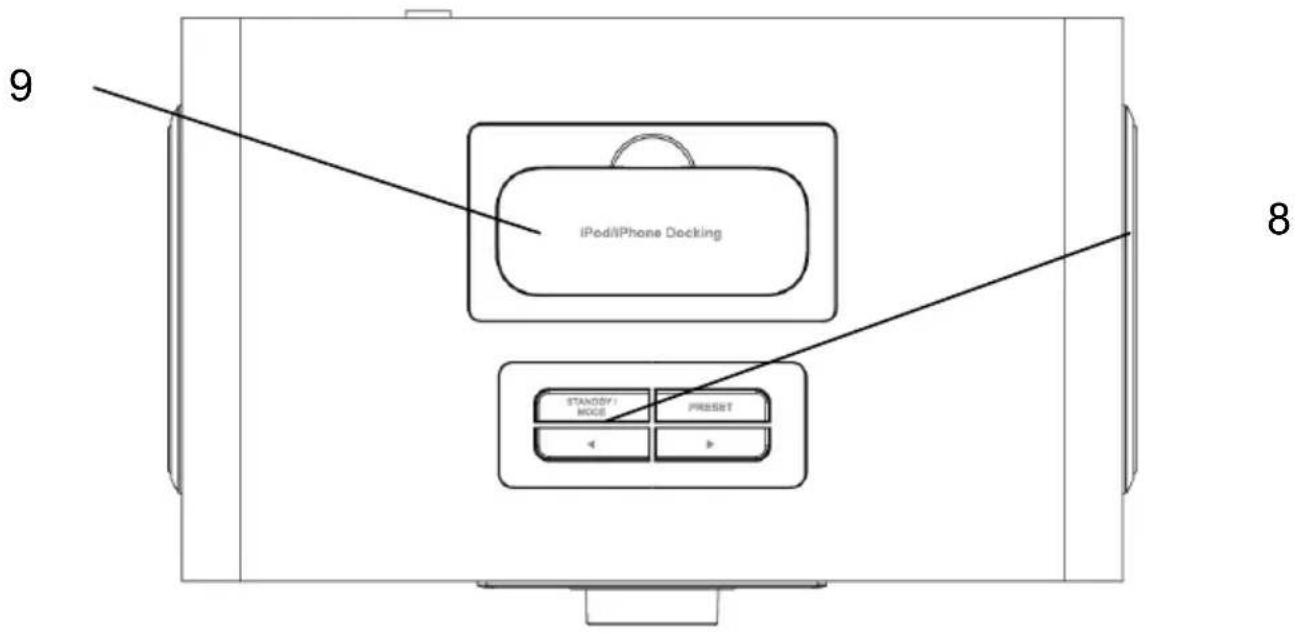
No. Description Functions
1 LCD dot matrix screen
2 Remote control interface
3 Reel
4 Antenna Enhance DAB/FM
5 AUXIN
6 DC IN | Power Supply
7 ON/OFF switch
8 Buttons
9 Docking Docking station for
Display
IR signal receiver
Basic control of operation
reception
3.5mm jack for line in
Power on/off control
Basic control of operation
iPod/iPhone charging and music playing
Remote Controller
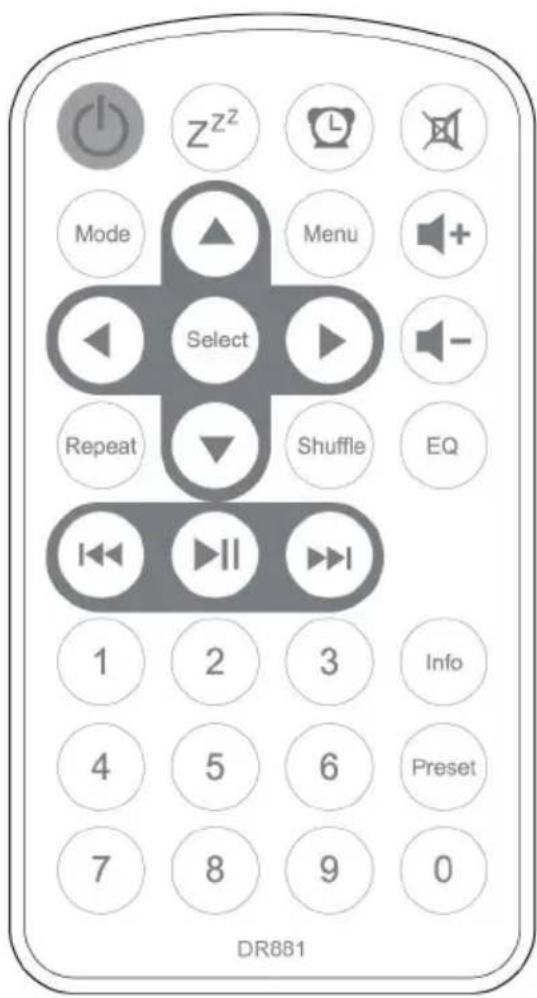
Remember to pull out the clear plastic tab from the battery compartment before using the remote.
To remove the battery from the
remote, use your thumb to press the notched clip
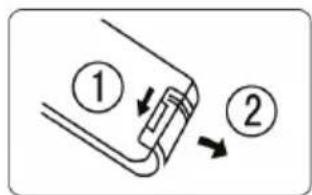
towards the center of the battery tray and pull it out. Replace it with a CR2025 type 3V battery, taking care to insert it with the positive (+) side up.
Getting Started
The packaging box contains the following items:
DR 881
Remote Control
Power adaptor
User Manual
Line-In cable
- Connect the power adaptor to the back of the DR 881 and plug into power socket. Switch it on at the back of the DR 881.
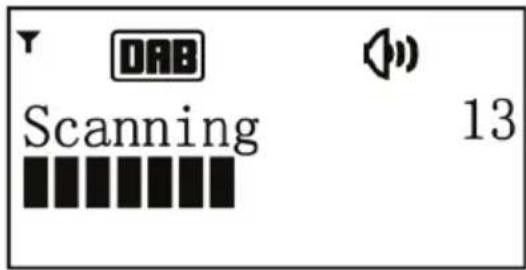
- When it is the first time running the device, the radio will enter DAB mode and automatically scan the DAB/DAB+ stations.
- The buttons on the unit can only control the basic functions of the radio - standby, changing MODE, save/recall PRESET, select stations, volume up or down.
For the control of advanced functions and setting, you will need the remote control. So keep the remote control well for this purpose.
-
Press and hold STANDBY/MODE to enter standby mode. The time, date and any active alarm icon display on the screen. If the time and date have not set, the display shows 00:00 00-00-0000.
-
During standby mode, press STANDBY/MODE to turn the radio to operation mode.
DR 881 Functions
Press or on the remote control to swap among the modes below: DAB FM iPod Line-in
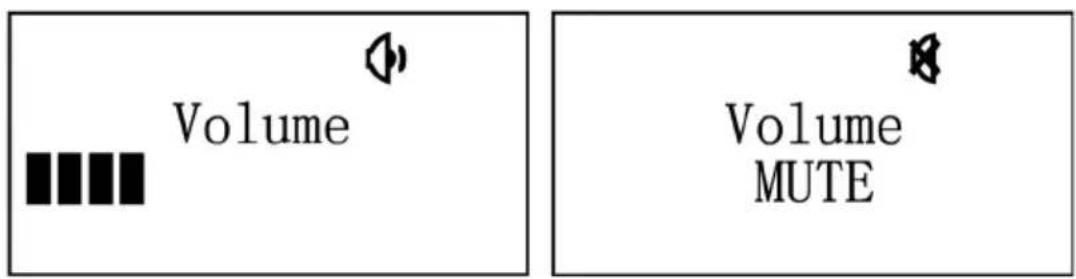
Rotate the reel or press on the remote control to
adjust volume. Press on the remote control to mute the sound.
Main Menu and Settings
At any operation modes, you may press on the remote control to do configurations. Press / to choose the submenu and then press to confirm. Press to go back
the last menu or submenu.
Time setup
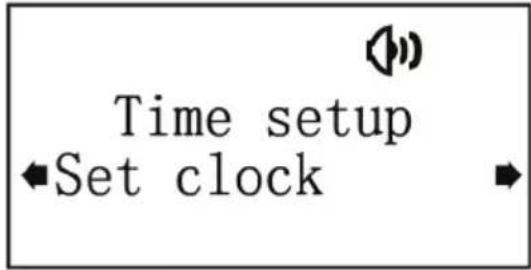
Set clock: Press / to set the hour unit. Press Select
to confirm and move to minute unit. Press / to adjust the minute, then press Select to end the clock setting
Set date: Press / to set the day unit. Press Select to confirm and move to set the month unit. Press / to adjust, press to confirm and move to set the year unit.
Press / to adjust the year, then press Select to end the date setting.
Auto update: Choose updating time and date From Radio, press to confirm, the radio will automatically update the current time when receiving a DAB station or FM station with RDS.
If the power supply is removed and replugged, the time and date reset to default (00:00 / 00-00-0000) so that you may manually set it again.
It is recommended to set auto update. Then you have not to set the time again even replugged power supply, the clock updates immediately once the unit receive station of DAB/FM with RDS.
Set 12/24 hour: Change the display of time in 12-hour mode or 24-hour mode. Press Select to confirm setting.
Alarms
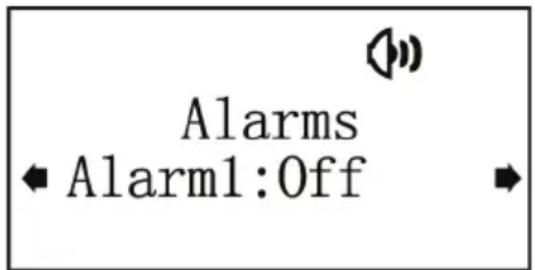
There are two alarms available.
Note that you must setup the clock or the clock is auto updated before you can set the alarm(s).
Press / to choose which alarm you setup. Press

to enter the detail settings.
On/Off: To turn on or off the alarm.
Time: Change the alarm time, the setting way is the same as the clock setting.
Days: Set it to alarms once or repeat in specific days.
Mode: DAB, FM or buzzer alarm.
Last Listened: It is default to turn on last listened station if you choose DAB or FM alarm. You may also set it to be your saved preset station.
Volume: Adjustment the alarm volume.
Save: To save the settings made for the alarm, you must
enter here and press to save. Otherwise, you need to redo the alarm configurations.
Shortcut for alarm setting is on the remote control.
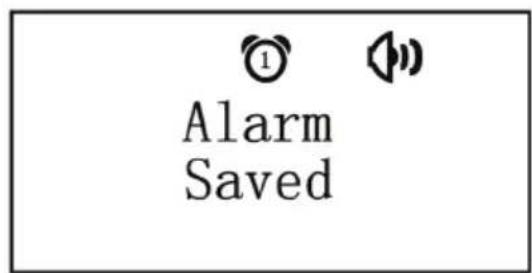
When the alarm(s) is/are set and saved, there will be a clock icon at the top of the display. The clock icon with alarm time will also clearly display on the standby mode screen.
During alarm, press STANDBY/ MODE or to stop the alarm. Or you may press any other button to enter snooze mode. It alarms again in 5 minutes after entered snooze mode. It will show the 5-minute count down on the display.
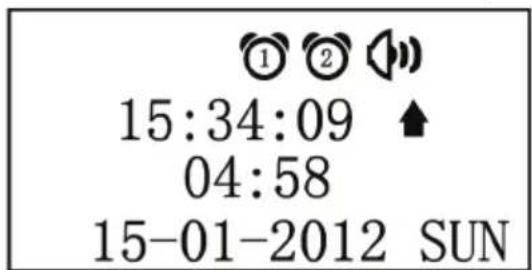
To turn snooze off, simple press
Sleep
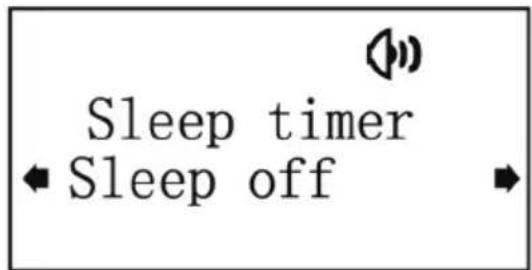
Turn off or set the sleep time of 15/30/45/60/9 minutes. Press
/ to choose and press Select to confirm.Once the
time is set, DR 881 will turn to standby mode in the set time
then. Shortcut for sleep setting is z^2^2 on the remote control.
EQ
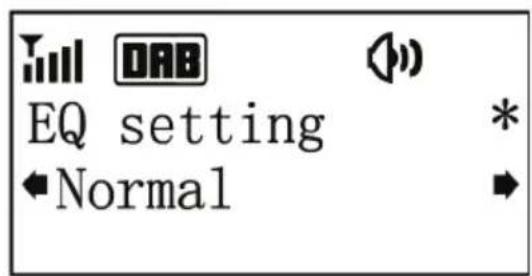
Press / to choose EQ - Normal, Bass boost, Jazz,
Live, Vocal, Acoustic and press Select to confirm. Shortcut for sleep setting is on the remote control.
Factory Reset
Press to confirm factory reset. The system will then restart.
Restarting ... Do NOT Power Off
Note that the settings, stored preset stations will be removed after factory reset.
SW version
Press to view the version of firmware of the system.
DAB
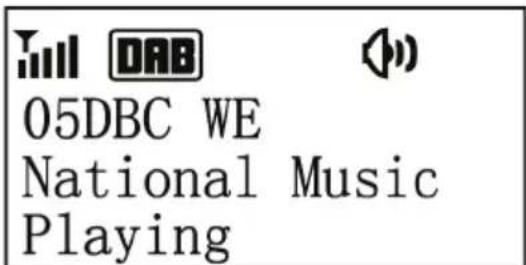
The icon on the top left corner of the display shows the strength of the DAB/DAB+ signal.
The first row of the text is the name of DAB station.
The second row is the details of the station, press to veiw the frequency, bit rate, signal strength and the programme type of the station and today's date. The third row displays the rolling message from the station.
Press / to change the stations and press Select to
confirm.
If you want to rescan the station, press ⑤ to enter DAB main menu.
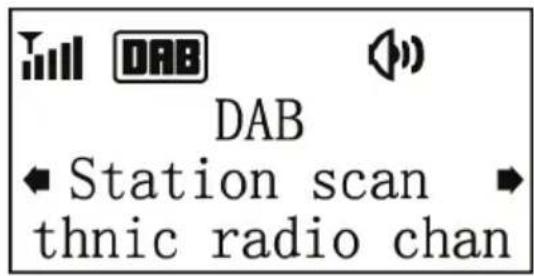
You can do Local scan, Full scan or Manual tune.
In DAB mode, there are two more items in the main menu:
Prune Station: Enter to remove the stations that are listed but not available.
DRC: If you are listening to music with a high dynamic range in a noisy environment, you may wish to compress the audio dynamic range. This makes quiet sounds louder, and loud sounds quieter. You can turn DRC off, low or high.
Station Order: You may change the order of scanned stations as Multiplex, Alphanumeric or Active. (Multiplex means that it follows the order of scanning. Active means active stations come first.)
FM
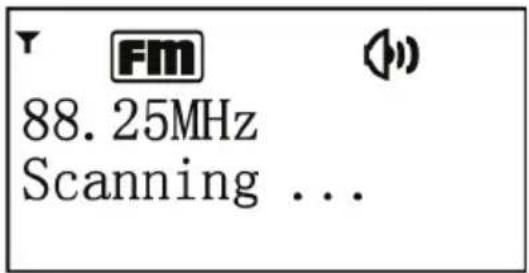
The icon on the top left corner of the display shows the strength of the FM signal.
The first row of the text is the frequency or the name of FM station.
The second row is the details of the station, press to
veiw the signal strength and the programme type of the FM RDS station and today's date.
The third row displays the rolling message from the FM RDS station.
Press to change the frequency of 0.05MHz. Press
and hold / to auto scan the station.
In FM mode, there is one more item in the main menu:
Audio setting: You can set to receive the stereo or mono FM signal, or mono only.
Preset
In DAB or FM mode, press and hold to save the
the station. Press / to select the number. There are 10 presets for each mode.
Press to recall the stored preset station.
Shortcut of 0-9 on the remote control can recall the preset station 1-10 directly.
iPod
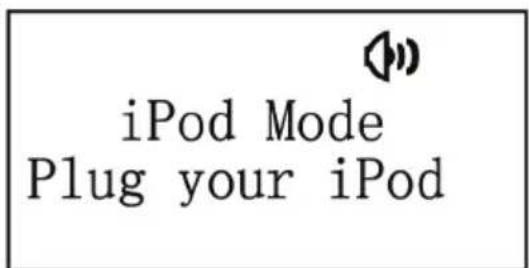
Plug your iPod/iPhone onto the docking for charging and music playback.
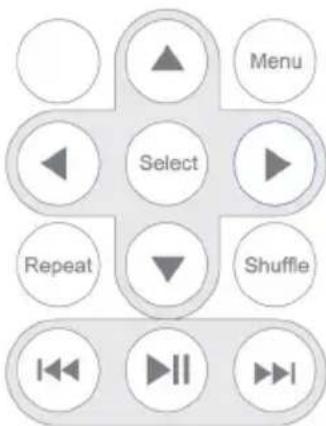
Use the following keys on the remote control to control the music playback and playing mode of iPod/iPhone.
Line in

Line-in Mode
15:24 15-01-2012
Connect the audio device and DR 881 with the 3.5mm audiocable for playing the music via the unit.
Troubleshooting
| Error Remedy | |
| The device does not switch on. | Check if the power adaptor is connected properly. |
| No sound. 1. Turn on the | sound as it may be muted. 2. Increase the volume. 3. (iPod mode) Check if iPod/iPhone docked well. 4. (Line-in mode) Check if the audio cable connected properly and the volume of the source is large enough. |
| No signal or hiss in DAB or FM mode. | 1. Check/move the antenna. Also try to adjust the length of antenna. 2. Move the radio to other location. |
| iPod/iPhone does not charge when it is docked. | Check if it is docked properly. |
| Alarm does not work. 1. | Switch on the alarm. 2. Due to the volume setting, refer to the solutions of “No sound”. |
| Remote control does not work well. | 1. Check if any obstacle between the remote control and the receiver. 2. Low battery of the remote control, change the battery. |
Specifications
Model number DR 881
Description DAB/DAB+ and FM Radio
(with iPod/iPhone docking)
Display 128 x 64 dot matrix
FM 87.5 - 108 MHz, RDS supported
DAB/DAB+ 174-230MHz(BandIII)
Power adaptor 12V2A
Speaker power 2x5WRMS
output
Connections DC IN (power supply)
AUX IN (3.5mm jack)
Docking station for iPod/iPhone
(30-pin connector)
Dimensions 218mm(L) x 115mm(H) x 126mm(D)
Weight 1.6kg
Warranty and Recycling Information
We are legally obliged to include disposal and warranty information as well as EU declaration of conformity with the use instructions in different countries for every unit. Please find this information on the following pages.
2-Year Warranty From Date Of Purchase
The manufacturer/retailer guarantees this product for two years from date of purchase. This warranty includes all malfunctions caused by defective components or incorrect functions within the warranty period excluding wear and tear, such as exhausted batteries, scratches on the display, defective casing, broken antenna and defects due to external effects such as corrosion, over voltage through improper external power supply or the use of unsuitable accessories. Defects due to unintended use are also excluded from the warranty.
Please contact your local dealer for warranty claims. The dealer will repair or exchange the product or forward it to an authorized service center.
You can also contact our service partner directly. Please include your proof of purchase with the product and describe the malfunction as clearly as possible.
WEEE And Recycling
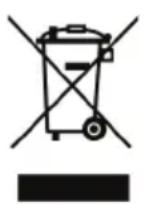
The European laws do not allow any more the disposal of old or defective electric or electronic devices with the household waste. Return your product to a municipal
collection point for recycling to dispose of it. This system is financed by the industry and ensures environmentally responsible disposal and the recycling of valuable raw materials.
Service Address And Technical Hotline (for units sold in Germany)
PST professional support technologies GmbH Breitscheider Weg 117a D - 40885 Ratingen
Contact our service hotline by phone 01805-012204 (14 cent/minute from German fixed network) or e-mail at alan-service@ps-tech.de.
Before returning the product, check the chapter "Troubleshooting" for some easy steps and tests or contact our hotline.
Option SW version 15
DAB 16
FM 18
PST professional support technologies GmbH Breitscheider Weg 117a 40885 Ratingen