2 Combi T8030 - Stroller Topmark - Free user manual and instructions
Find the device manual for free 2 Combi T8030 Topmark in PDF.



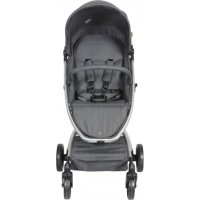
| Product type | Double stroller (2 Combi T8030) |
| Brand | Topmark |
| Model | 2 Combi T8030 |
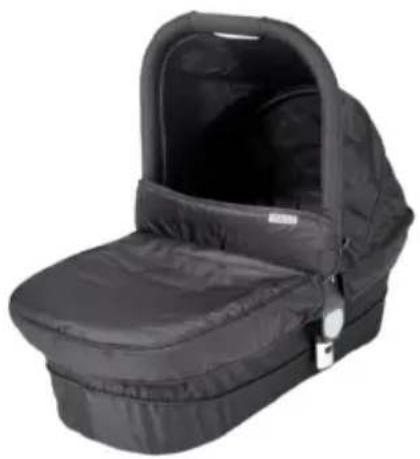
| Number of seats | 2 (possible configuration with two seats, two carrycots, or one car seat) |
| Maximum supported weight per seat / carrycot | Seat: from 6 months to 15 kg; Carrycot: from birth to 9 kg; Car seat: from birth to 13 kg |
| Maximum basket load | 5 kg |
| Stroller weight | Not specified in the manual |
| Folded dimensions | Not specified |
| Possible configurations | Seat seat, carrycot seat, car seat seat, etc. |
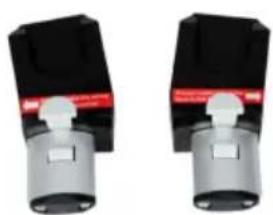
| Car seat compatibility | Maxi Cosi Cabrio-Fix, Maxi Cosi Pebble (with adapter M8032); 2 Combi T8032 seats (with adapter A8031) |
| Restraint system | 5-point harness with crotch strap |
| Brake | Foot brake (engage/release via bar) |
| Front wheels | Swivel or lockable (rotary button) |
| Adjustable handle | Yes, 6 positions |
| Reversible seat | Yes, forward or rear-facing (3 positions for front seat, 2 for rear) |
| Backrest recline | Multiple positions (depending on seat) |
| Sun canopy | Yes, included |
| Rain cover | Yes, included (for each seat) |
| Chassis material | Not specified (metal likely) |
| Maintenance | Clean with warm water and mild soap; lubricate axles every 4 weeks; do not use bleach, do not machine wash |
| Safety standard | EN 1888 |
| Warranty | 2 years from purchase date |
| Manufacturer | Top Mark BV, Postbus 308, 8200 AH Lelystad, Netherlands |
Frequently Asked Questions - 2 Combi T8030 Topmark
User questions about 2 Combi T8030 Topmark
0 question about this device. Answer the ones you know or ask your own.
Ask a new question about this device
Download the instructions for your Stroller in PDF format for free! Find your manual 2 Combi T8030 - Topmark and take your electronic device back in hand. On this page are published all the documents necessary for the use of your device. 2 Combi T8030 by Topmark.
USER MANUAL 2 Combi T8030 Topmark
natural_image
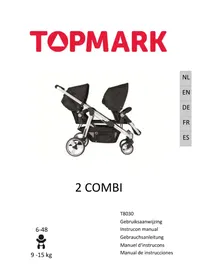
Black and white photo of a two-wheeled baby stroller with twin canopy cover (no text or symbols visible)2 COMBI
6-48

9 - 15 kg
T8030
Gebruiksaanwijzing
Instrucon manual
Gebrauchsanleitung
Manuel d'instrucons
text_image
Safety warning illustration showing pictograms of human walking and defecation with directional arrows and a small figure belownatural_image
Close-up of a mechanical component with a white arrow pointing to a specific part (no visible text or symbols)NL
natural_image
Mechanical device with articulated arms and mounting base (no visible text or symbols)natural_image
Close-up of a hand using a tool to press or install a cylindrical object, with an upward arrow indicating motion (no text or symbols visible)natural_image
Mechanical assembly diagram showing two vertical supports with upward arrows indicating motion (no text or symbols)DE REM GEBRUIKEN
natural_image
Medical or anatomical illustration of a mechanical device with an arrow pointing to a specific area (no text or symbols present)BEVESTIGING VAN HET ZITJE
natural_image
Black and white photo of a two-story baby stroller with wheels, no visible text or symbolsNL
natural_image
Black and white photo of a baby stroller covered with plastic wrap, no visible text or symbolsnatural_image
Close-up of a stroller with wheels and a curved arrow indicating motion (no text or symbols)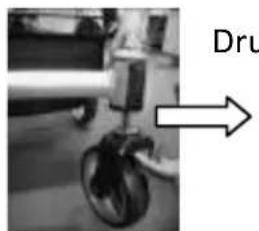
natural_image
Close-up of a mechanical device with a labeled arrow pointing to the right side (no readable text or symbols)natural_image
Close-up of a hand adjusting a mechanical component with arrows pointing to the parts (no visible text or symbols)NL
natural_image
Close-up of a medical or laboratory procedure with arrows pointing to specific areas (no visible text or symbols)natural_image
Close-up of a mechanical component with a white arrow pointing to a circular feature (no visible text or symbols)natural_image
Medical imaging scan showing internal anatomical structures with white arrows indicating specific regions (no text or labels visible)STAND EN RICHTING VAN HET ZITJE WIJZIGEN
natural_image
Close-up of a person's hands adjusting a black fabric or mechanical component with a white arrow indicating rotation (no text or symbols visible)IN GEBRUIK NEMEN
VOETENSTEUNEN AAN ELKAAR VASTMAKEN
natural_image
Cross-sectional view of a biological structure with three curved arrows indicating rotational or directional movement (no text or symbols)NL
GEBRUIK 5 PUNTS VEILIGHEIDSGORDEL
WAARSCHUWING: GEBRUIK ALTIJD HET TUSSENBEENSTUK IN COMBINATIE MET DE HEUPGORDELS.
natural_image
Close-up of a vehicle's front wheel and side wheel with white directional arrows indicating motion (no text or symbols)LOSMAKEN
natural_image
Close-up of a mechanical component with two white arrows pointing left and right (no text or symbols visible)BEVESTIGING VAN DE KAP
natural_image
Close-up of mechanical components with a white arrow indicating a specific movement or force (no visible text or symbols)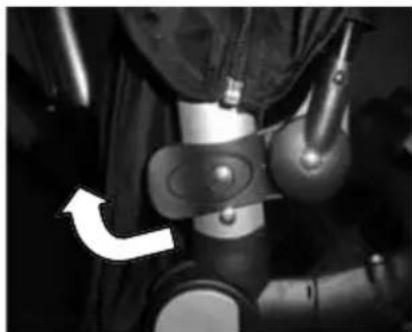
natural_image
Close-up of a mechanical device with a white arrow pointing to a component (no visible text or symbols)natural_image
Close-up of a curved black object with double-headed arrows indicating direction, no visible text or symbolsNL
DE KINDERWAGEN INKLAPPEN
natural_image
Person assembling a small bicycle with wheels and a wheel rim (no visible text or symbols)IN GEBRUIK NEMEN
natural_image
Black baby car seat with adjustable arm and seatbelt (no text or symbols visible)T8032 2 Combi Autostoel 0+
natural_image
Two identical black-and-white mechanical components with articulated arms, shown against a white background (no text or symbols visible)A8031 2 Combi adapterset
natural_image
Two identical mechanical components with black and gray parts, no visible text or symbols.M8032 2 Combi adapterset MC
VERZORGING EN ONDERHOUD
text_image
Image displaying five distinct symbols: a hand holding a magnifying glass, an asterisk, crossed-out circle, and a rectangle.GARANTIE
IMPORTANT: KEEP FOR FUTURE REFERENCE.
- Read this instrucons carefully before use and keep for future reference.
- Your child's safety may be aected if you do not follow these instrucons.
- Use only spare parts delivered by importer for replacing parts or reparaon.
- Damages caused by overloading or wrong folding are not granted.
- Prolonged exposure to sunshine may cause changes in the colour of materials and fabrics.
- Do not expose this product to extreme temperatures. Extreme sunshine or temperatures may cause colour changes or bent parts.
WARNING
- Never leave you child unaended. It might be dangerous.
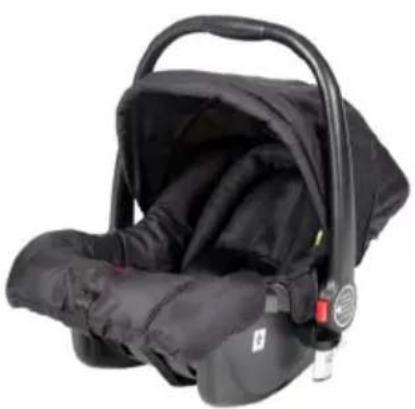
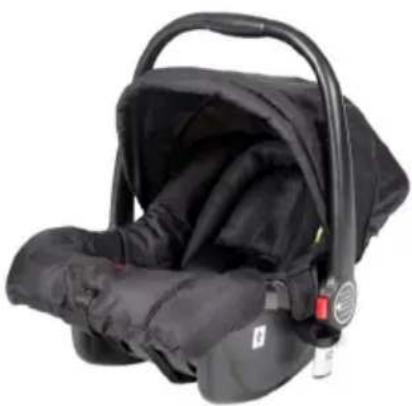
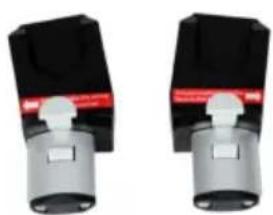
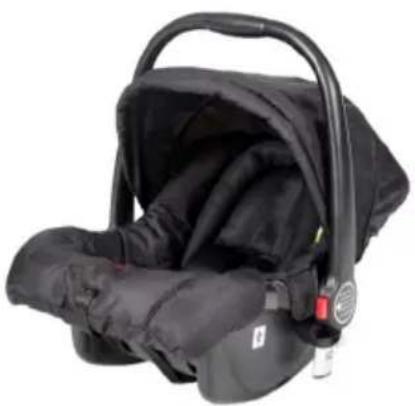
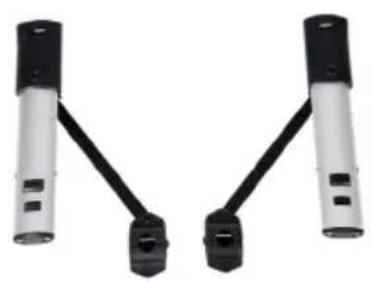
- This chassis is compatible with carry cot/T8031 and/or seat unit of T8030/2 Combi and/or car seat for 2 Combi/T8032 by Top Mark B.V. This chassis is also compatible with car seat Maxi Cosi Cabrio-Fix or Maxi Cosi Pebbles when using the adapter M8032.
- The seat unit is not suitable for children under 6 months.
- Conguraon with stroller seats is from 6 months to 15 kg.
- Conguraon with carrycot is from birth to 9 kg.
- Conguraon with car seat is from birth to 13 kg.
- FOR CAR SEAT USED IN CONJUNCTION WITH A CHASSIS: this vehicle does not replace a cot or a bed. Should our child need to sleep, then it should be placed in a suitable pram body, cot or bed.
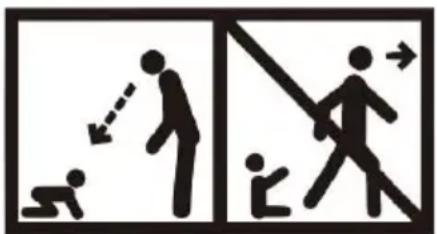
• Always use the restraint system.


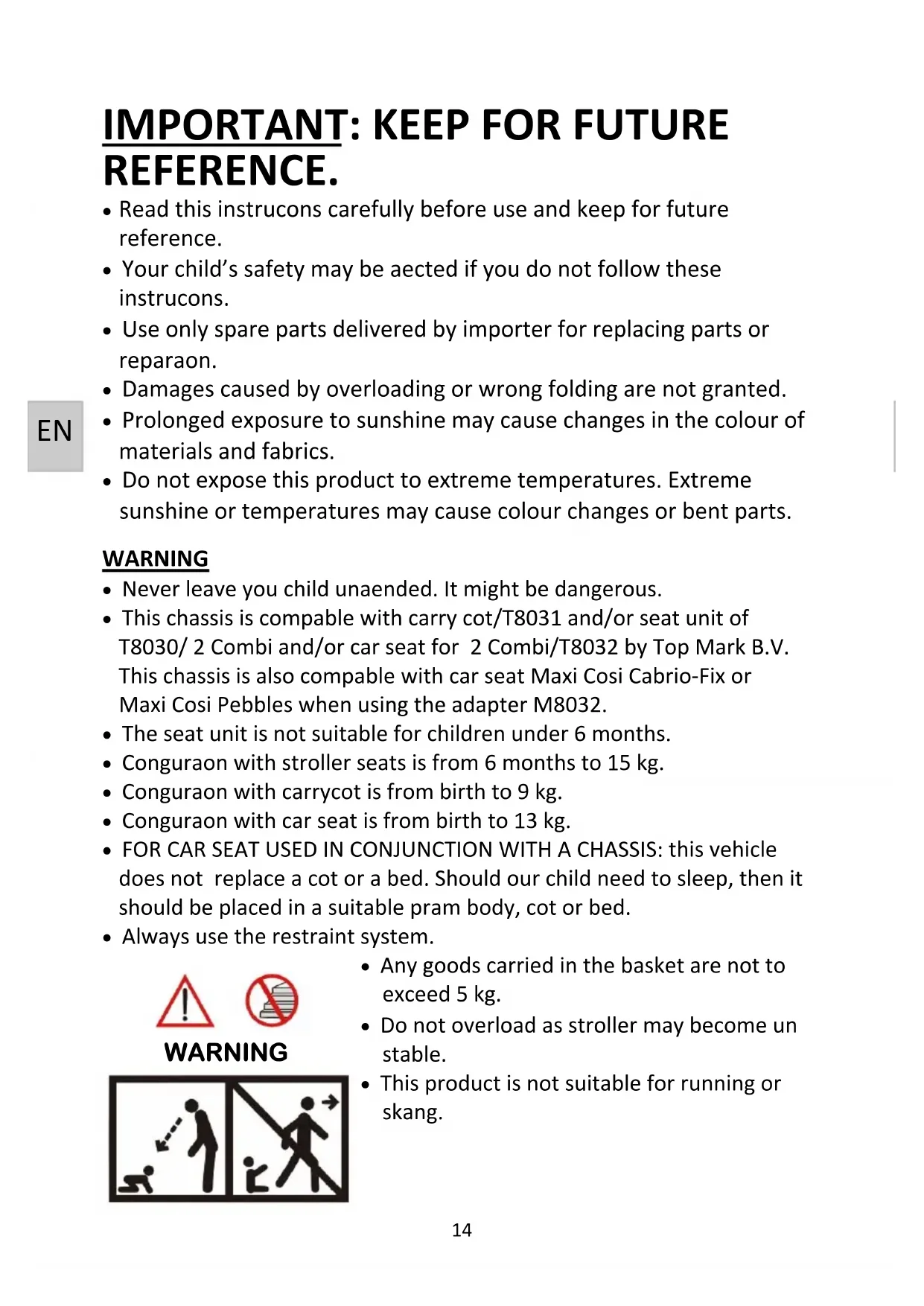
WARNING
text_image
Safety warning illustration showing pictograms of human walking and deflection, with labels for correct/incorrect actions.- Any goods carried in the basket are not to exceed 5 kg.
- Do not overload as stroller may become unstable.
-
This product is not suitable for running or skang.
-
Do not carry additional children, bags, goods or accessories in stroller except as recommended in the manufacturer's instrucons.
- To avoid serious injury from falling or sliding out always use the 5 point safety harness.
• Always use the crotch strap in combinaon with the waist belt. - This vehicle has been designed for maximum of 1 child per seat, per carry cot or per car seat.
- Any load aached to the handle and/or on the back of the backrest and/or on the sides of the stroller aects the stability of the stroller. The stroller may become unstable and p over and can injure you child.
- Pay special aenon when manoeuvring the stroller up or down the pavement, it is best to do it backwards.
- Be aware of the risk of open re and other sources of strong heat, such as electric bar res, gas res, etc. in the near vicinity of stroller.
- Avoid hot liquids, power cables and other possible dangers may come within range of a child.
- Check that the pram body or seat unit or car seat aachment devices are correctly engaged.
- Do not use this stroller if any screws, nuts, bolts, etc. are missing or any component is damaged or missing.
- Ensure stroller is completely erected and check all locks are engaged before placing child in stroller.
- Before making adjustments to stroller ensure that child's body is clear of any moving parts.
- Do not use on stairs or escalators, fold stroller and carry.
- Put on all the brakes whenever you park the stroller.
- Do not let your child play with this product.
- Do not allow child to stand on seat extender or footrest.
- Parking device shall be engaged when placing and removing the children.
- Do not allow objects on top of canopy as this stroller may become unstable.
- Keep plasc rain cover away from children to avoid suocaon.
Do not use the rain cover if the stroller is not ed with the hood or sun canopy to prevent the risk of suocaon. To prevent the risk of suocaon, never leave the stroller with child in it under the sun, with the rain covered to it. - Do not use accessories or replacement parts other than the ones recommended by instrucon manual.
-
Accessories which are not approved by the manufacturer shall not be used.
-
Only replacement parts supplied or recommend by the manufacturer/distributor shall be used.
- To avoid injury ensure that your child is kept away when unfolding and folding this product.
- Never put stroller near steps or stairs.
- Please ensure that you complete regular roune inspecons, maintenance, cleaning of this stroller.
- Regularly care of all metal parts on the stroller is necessary to keep the premium looking. The ends of the axles have to be cleared and oiled, around all 4 weeks.
- Do not place the stroller on parquets—laminate-, linoleum—or carpet oors. The wheels may cause stains on the oor, which cannot be removed.
- Keep this product away from children when not in use.
ASSEMBLING
Check if following spare parts are in the box:
• 1x chassis with basket and front wheels
• 1x rear wheel housing including axle
- 2x rear wheels
• 2x seat unit with inlay, canopy and front bow
- 2x foot cover
• 2x rain cover (for seat unit)
• 1x Adapter set for car seat (MC)
Note that the fabric paerns, colour pictures and stroller accessories on the stroller in this instrucon manual may vary from that of the product that you have purchased.
If one or more of the above menoned spare parts are missing or broken, please contact the store where you bought the product, before using.
WARNING:
Please keep all packaging material away from babies and children, to prevent suocaon.
ASSEMBLING
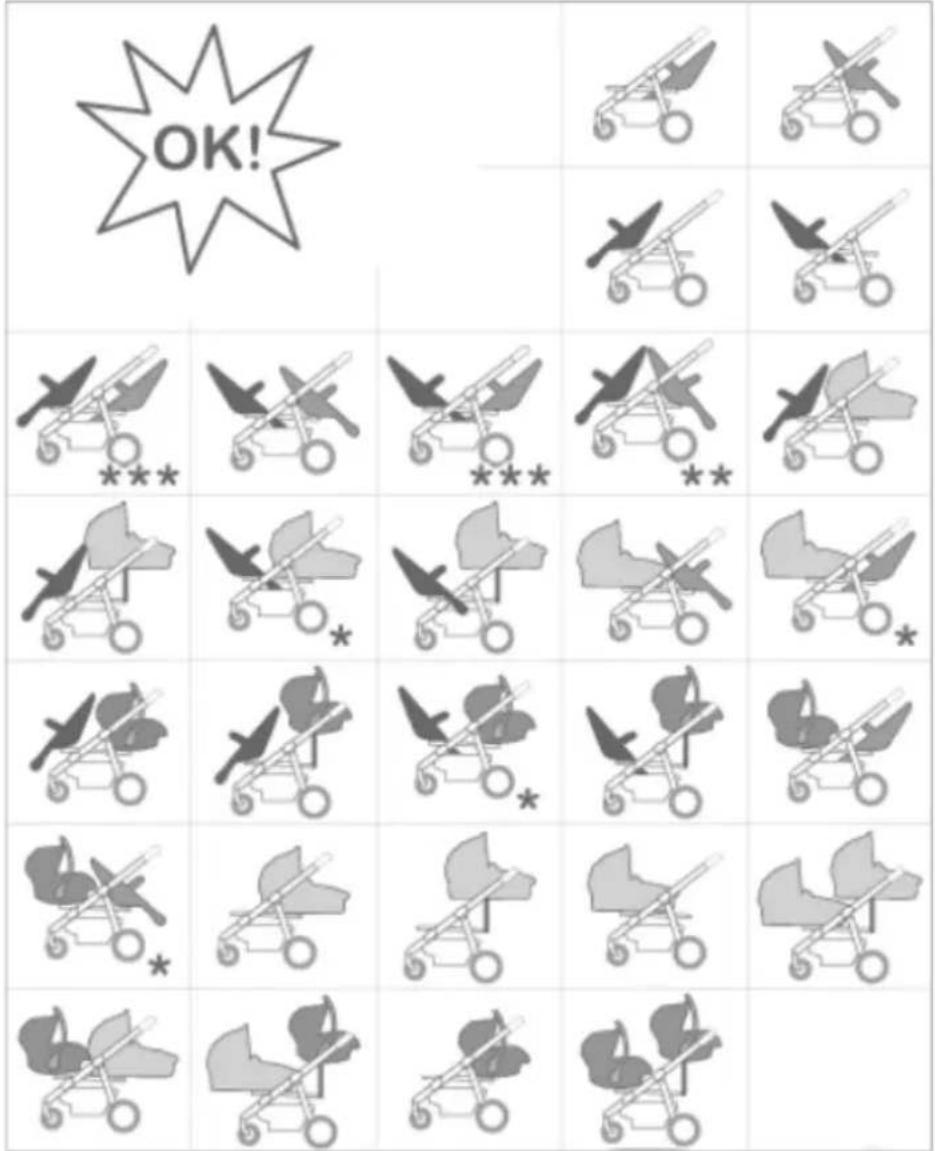
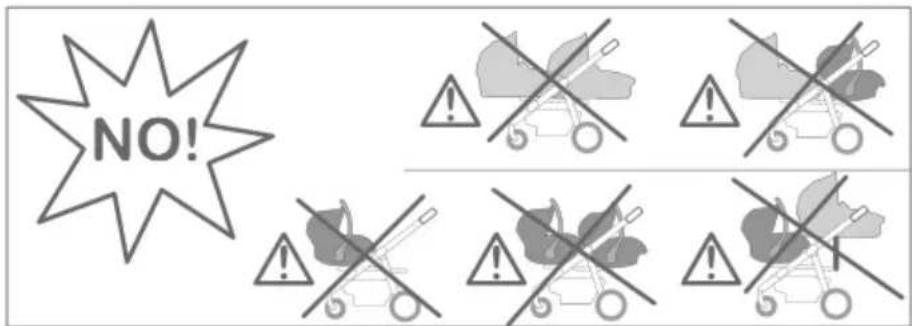
Possible conguraons:
WARNING: please check the following conguraons before each any components.
text_image
OK!Remark:
* means: the seat only in posion 1
** means: at least one seat in posion 1
*** means: both seats in posion 1
text_image
NO!ASSEMBLING
TO OPEN STROLLER
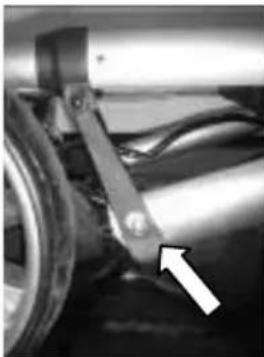
Open the folding latch.
natural_image
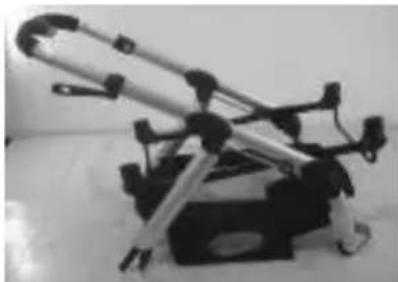
Close-up of a mechanical component with a white arrow pointing to a specific part (no visible text or symbols)Unfold it, make sure both locks snapped into place.
natural_image
Mechanical device with articulated arms and mounting base (no visible text or symbols)EN
REAR WHEEL ASSEMBLY
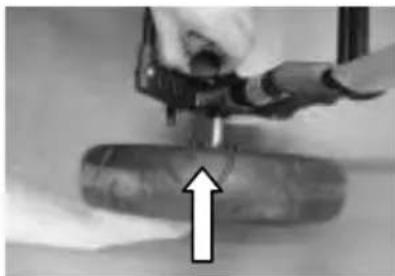
Place the wheel into axle.
natural_image
Close-up of a hand using a tool to lift a cylindrical object, with an upward arrow indicating motion (no text or symbols visible)To remove rear wheel release lock and pull wheel out to remove it.
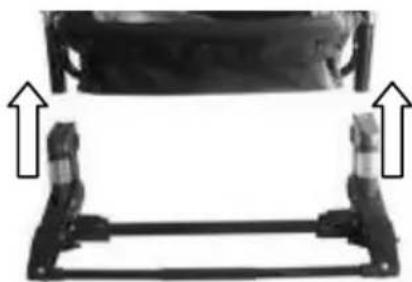
Insert rear wheel housing to rear leg tubing.
natural_image
Mechanical assembly diagram showing two vertical supports with upward arrows indicating motion (no text or symbols)TO USE REAR BRAKE
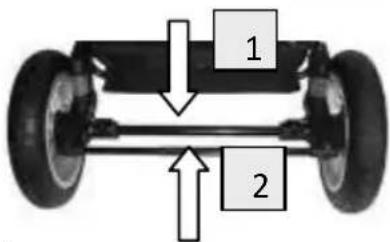
Step down on the brake bar to engage brake mechanism (1).
Li up the brake bar to unlock the brake (2).
text_image
1 2WARNING: The parking device shall be engaged when placing and removing the children.
SEAT ASSEMBLY
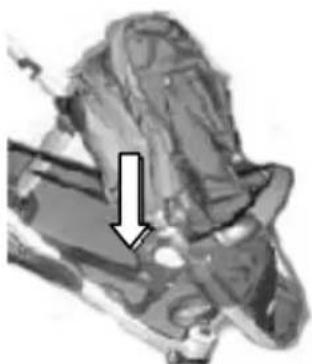
Insert the seat adapter assembly into the connector on the frame.
natural_image
Medical scan image showing internal anatomy with a white arrow pointing to a specific region (no text or labels visible)ASSEMBLING/USING
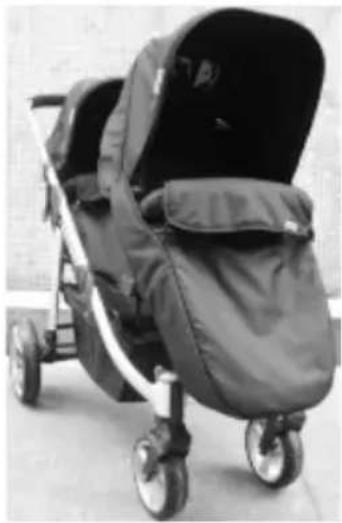
THE FOOT COVER
The foot cover can be fastened on the stroller.
natural_image
Black and white photo of a two-story baby stroller with wheels, no visible text or symbolsRAIN COVER
WARNING:
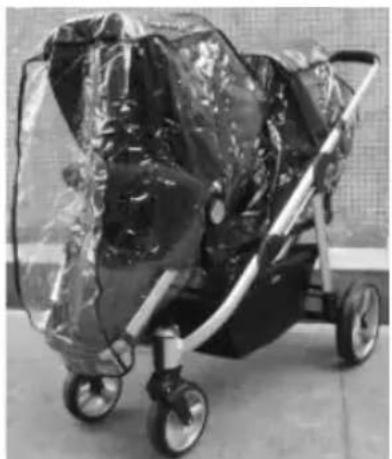
Be extremely careful when using the rain cover.
Store away from children when not in use.
To be used under adult's supervision.
Do not use the rain cover if the stroller is not ed with the hood or sun canopy to prevent the risk of suocaon.
natural_image
Black and white photo of a baby stroller with transparent plastic wrap, no visible text or symbolsTo prevent the risk of suocaon, never leave
the stroller with child in it under the sun, with the rain covered to it. To prevent your child from overheang, always remove the rain cover when indoor or in warm environments.
TO ATTACH RAIN COVER
Put rain cover on the stroller and make sure it has been xed by Velcro.
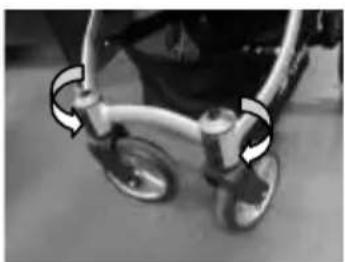
FRONT WHEEL ASSEMBLY
Turn the knob to the horizontal posion for swivel funcon.
Turn the knob to the vercal posion for locking funcon.
natural_image
Close-up of a stroller with wheels and a curved arrow indicating motion (no text or symbols)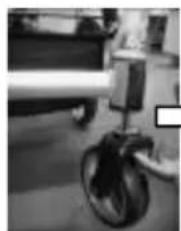
natural_image
Close-up of a small wheeled vehicle with wheels and a handle, no visible text or symbolsPress the grey buon to release front wheel and insert front wheel axle unl it clicks.
USING
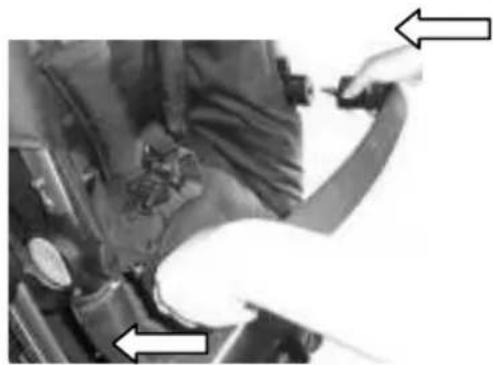
USAGE OF BUMPER BAR
Slide bumper onto brackets unl you hear a click sound.
natural_image
Close-up of hands applying sealant to a vehicle's hood, with pressure gauges and tools visible (no text or symbols)EN
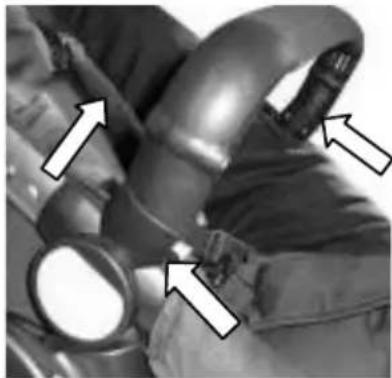
Press two buons and li the bumper bar at the same me to remove it.
natural_image
Close-up of a medical or laboratory procedure showing anatomical structures with arrows indicating specific regions (no visible text or symbols)Please always each the cover when bumper is removed to avoid nger entrapment.
natural_image
Close-up of a mechanical component with a white arrow pointing to a circular feature (no visible text or symbols)SEAT RELEASING
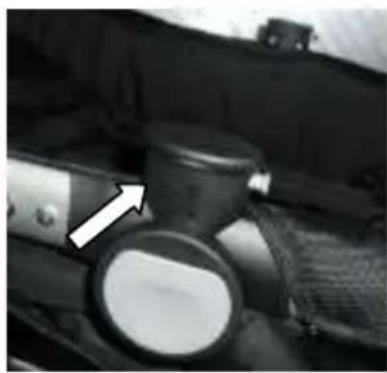
Press the two grey buons on both sides then li seat to remove it.
natural_image
Medical imaging scan showing internal anatomical structures with white arrows indicating specific regions (no text or labels visible)CHANGING SEAT POSITION AND DIRECTION
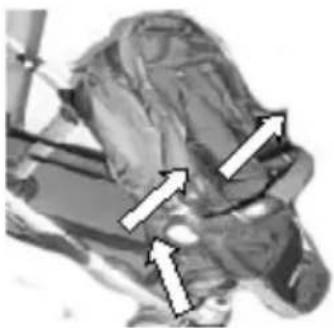
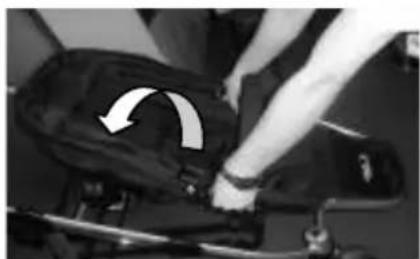
Press the grey buons on both sides to reverse seats. The front seat has three posions and rear seat has two posions.
natural_image
Close-up of a person adjusting a black fabric or cushion with a white arrow indicating rotation (no text or symbols visible)USING
FOOTREST CONNECTION
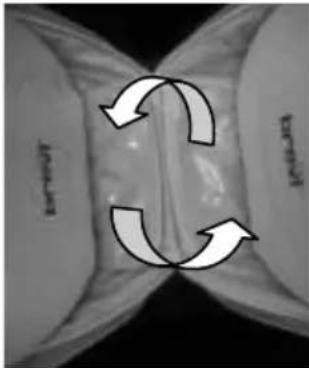
Please always connect footrest by Velcro as below when two seats are face to face.
natural_image
Cross-sectional view of a biological structure with three curved arrows indicating rotational or directional movement (no text or symbols)USING 5-POINT SAFETYBELT
WARNING: ALWAYS USE THE CROTCH STRAP IN COMBINATION WITH THE WAIST BELT.
Ensure shoulder straps are clipped to hip safety belts.
Lock buckle parts of hip belts together into the cross belt (belt between the legs) unl secure click is heard.
Adjust shoulder, hip and crotch belt in right length to t your child.
To release belt just press the buon.
TO CLOSE
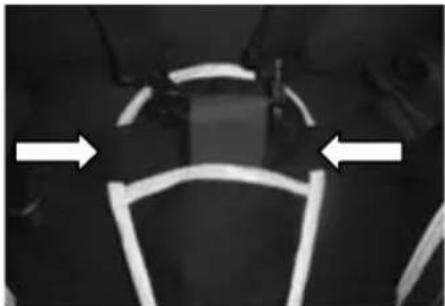
natural_image
Close-up of a vehicle's roof structure with white directional arrows indicating orientation (no text or symbols)TO OPEN
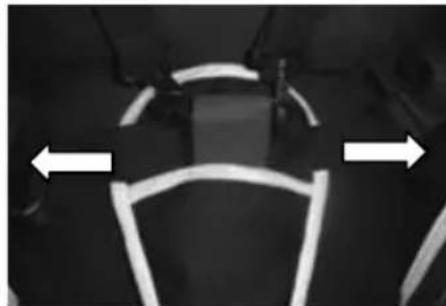
natural_image
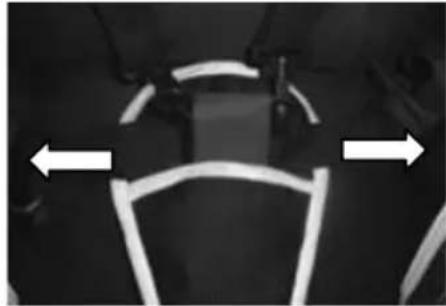
Close-up of a vehicle's roof structure with two white arrows indicating directions (no text or symbols)CANOPY ADJUSTMENT
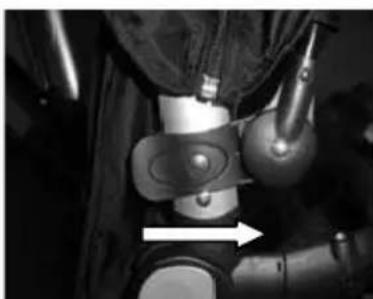
Place canopy by locking to the holder on frame.
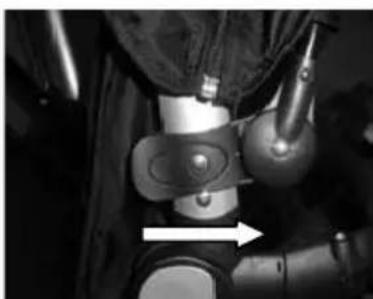
natural_image
Close-up of a robotic arm with visible joints and a white arrow pointing to a specific area (no text or symbols)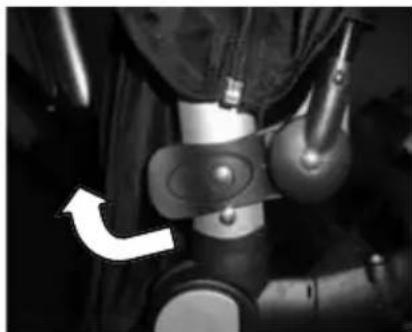
natural_image
Close-up of a mechanical device with a white arrow pointing to a component (no visible text or symbols)Remove o canopy by release the buon and pull out on both sides.
USING
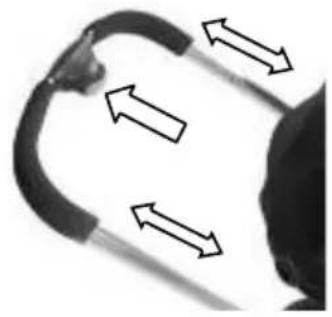
HEIGHT ADJUSTABLE HANDLE
Press and pull the grey buon to adjust the handle. Total in six selecons.
natural_image
Close-up of a curved mechanical component with directional arrows indicating motion or force (no text or symbols)EN
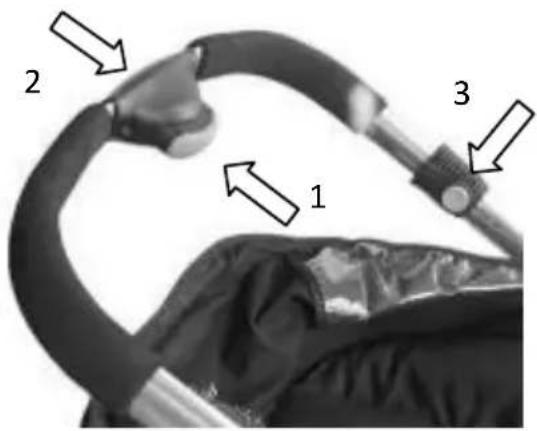
Take o all seats, carry cots, or car seats.
Press the grey buon (1). Push handle into the last selecon and press the locking buon (3) at the same me.
text_image
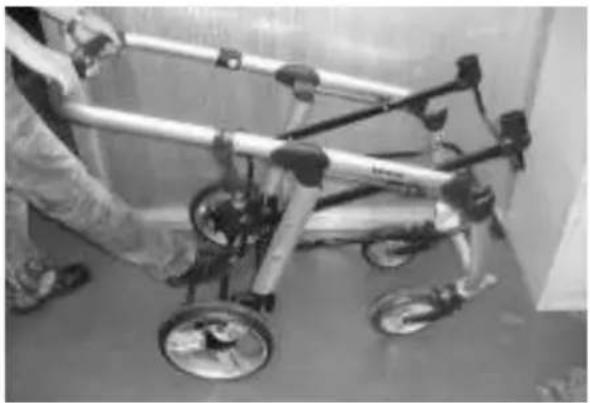
2 1 3Press downward handle to fold the stroller.
natural_image
Person assembling a bicycle frame with wheels and wheel rim (no visible text or symbols)USING
Oponal:

natural_image
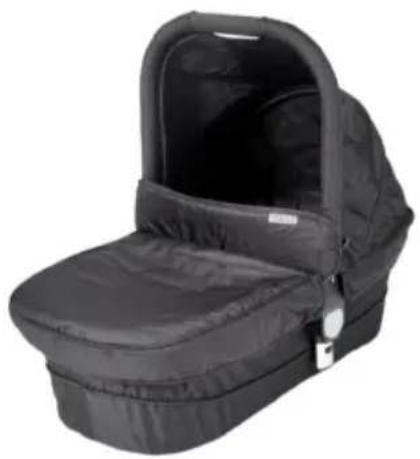
Black baby breg with open lid and side panel, no visible text or symbolsT8031 2 Combi Carry cot
natural_image
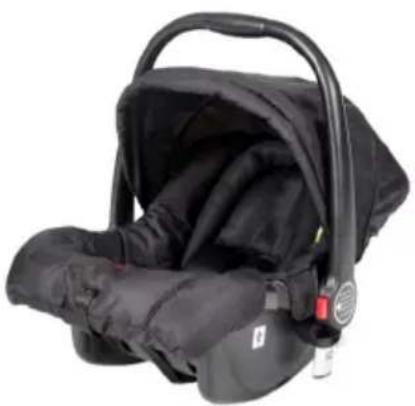
Black baby car seat with adjustable straps and a red safety belt (no text or symbols visible)T8032 2 Combi Car seat 0+
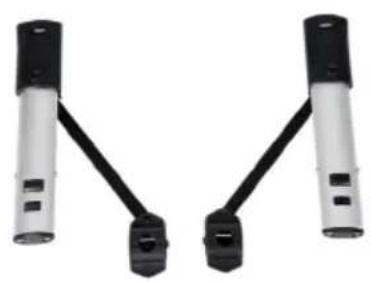
natural_image
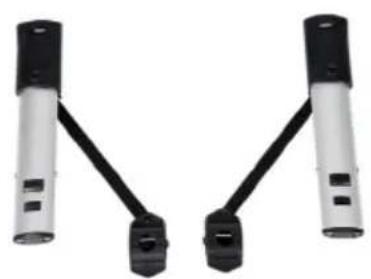
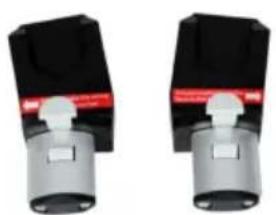
Two identical mechanical components with black connectors and white bases, no visible text or symbols.A8031 2 Combi supporting adapter
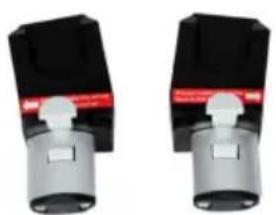
natural_image
Two identical mechanical components with black and gray parts, no visible text or symbols.M8032 2 Combi adapter MC
CARE AND MAINTENANCE
Before starng operaon, please apply some lubricant silicone free oil Vaseline onto the hinges and joints to ensure smooth funcon.
To prolong the life of your nursery product, keep it clean and do not leave in the direct sunlight for extended periods of me.
Check the wheels regularly for wear and make sure that there is no dust and sand between the axles and wheels.
Removable fabric covers and trims may be cleaned using warm water with a household soap or a mild detergent. Allow it to dry fully in the air, preferably away from direct sunlight.
Do not allow the stroller to come in contact with salt water, this causes the formaon of rust.
Check your stroller regularly. If any parts like bolts, screws, fabric pieces or stching, are found to be loose, broken or damaged, always repair or replace them.
Where damage or dysfuncon occurs, stop using the stroller and contact your dealer. Check and oil caster bolts and wheel axles periodically and replace any damaged parts immediately.
Helpful hints
If the wheels squeak, use a silicon based spray ensuring it penetrates the wheel and axles assembly.
Do not dry clean or use bleach.
Do not machine wash, tumble or spin dry, unless the care labelling on the product permits these methods.
Non removable fabric covers and trims may be cleaned using a damp sponge with soap or mild detergent. Allow it to dry completely before folding or storing it away. In some climates the covers and trims may be aected by mould and mildew. To help prevent this occurring, do not fold or store the product if it is damp or wet. Always store the product in a well venlated area.
Always check parts regularly for ghtness of screws, nuts and other fasteners, ghten if required. To maintain the safety of your nursery product, seek prompt repairs for bent, torn, worn or broken parts.
Use only parts and accessories approved by the supplier.
GUARANTEE
We grant 2 year guarantee on this product commencing on the date of purchase. Within the guarantee period we will eliminate, free of charge, any defects in the appliance resulting from faults in materials or workmanship, either by repairing or replacing the complete product.
This guarantee does not cover: damage due to improper use, normal wear or use as well as defects that have a negligible effect on the value or operation of the product.
Damages caused by overloading or wrong folding are not granted.
To obtain service within the guarantee period, hand in the complete product with your sales receipt to the store where the product has been bought.
The warranty applies only to the rst owner and is not transferable.
Top Mark B.V.
Postbus 308
8200 AH Lelystad
NETHERLANDS
consument@topmark.nl
www.topmark.nl
EN 1888
text_image
Safety warning illustration showing pictograms of human walking and deflection with arrows indicating movementnatural_image
Close-up of a mechanical component with a white arrow pointing to a specific part (no visible text or symbols)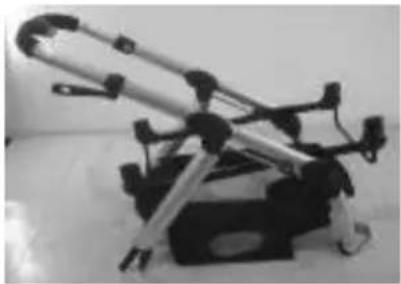
natural_image
Mechanical device with articulated arms and mounting base (no visible text or symbols)DE
MONTAGE DER HINTERRÄDER
natural_image
Close-up of a hand using a tool to press or install a cylindrical object, with an upward arrow indicating motion (no text or symbols visible)natural_image
Mechanical assembly diagram showing two vertical supports with upward arrows indicating motion or force direction (no text or symbols present)HINTERRADBREMSE VERWENDEN
natural_image
Medical scan image showing internal anatomy with a white arrow pointing to a specific region (no text or labels visible)MONTAGE DES SITZES:
natural_image
Black and white photo of a two-story baby stroller with wheels, no visible text or symbolsREGENSCHUTZ
natural_image
Black and white photo of a baby stroller covered with transparent plastic wrap, no visible text or symbolsACHTUNG:
natural_image
Close-up of a stroller with wheels and a curved arrow indicating rotation (no text or symbols)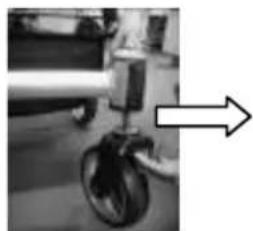
natural_image
Close-up of a mechanical device with a wheel and arrow indicator (no visible text or symbols)natural_image
Close-up of a hand adjusting a car engine component with arrows pointing to the parts (no visible text or symbols)natural_image
Close-up of a medical or laboratory procedure showing anatomical structures with arrows indicating specific regions (no visible text or symbols)DE
natural_image
Close-up of a mechanical component with a white arrow pointing to a circular feature (no visible text or symbols)LÖSEN DES SITZES
natural_image
Medical imaging scan showing internal anatomical structures with directional arrows (no visible text or labels)natural_image
Close-up of a person's arm holding a black leather seat with a white arrow indicating rotation (no text or symbols visible)GEBRAUCH
natural_image
Cross-sectional view of a biological structure with three curved arrows indicating rotational or directional movement (no text or symbols)natural_image
Close-up of a vehicle's front wheel and side wheel with white arrows indicating direction (no text or symbols)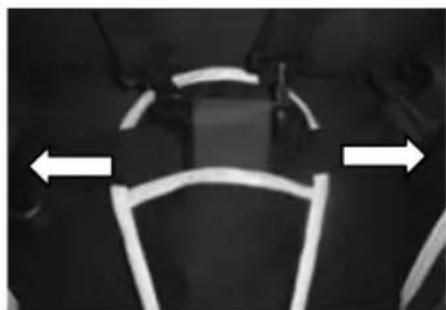
natural_image
Close-up of a mechanical component with two white arrows pointing left and right (no text or symbols visible)HANDHABUNG DES VERDECKS
natural_image
Close-up of a mechanical device with a white arrow pointing to a component (no visible text or symbols)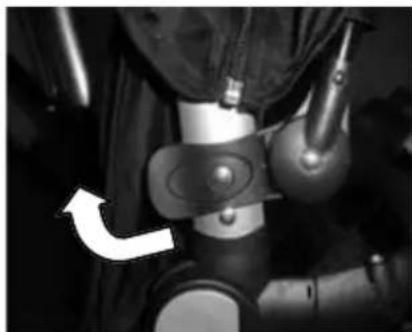
natural_image
Close-up of a mechanical device with a white arrow pointing to a component (no visible text or symbols)natural_image
Close-up of a curved black object with double-headed arrows indicating direction (no text or symbols)DE
ZUSAMMENKLAPPEN DES KINDER- WAGENS
natural_image
Person assembling a small mechanical device with wheels and a circular component (no visible text or symbols)GEBRAUCH
Oponal lieferbar:

natural_image
Black baby coat box with open lid, no visible text or symbolsT8031 2 Combi Reisewiege
natural_image
Black baby car seat with adjustable straps and a red belt (no text or symbols visible)natural_image
Two identical black-and-white mechanical components with articulated arms, shown against a white background (no text or symbols visible)A8031 2 Combi Adapterschlüssel
natural_image
Two identical mechanical components with black and gray parts, no visible text or symbols.text_image
Image displaying five distinct symbols: a hand holding a magnifying glass, an asterisk, crossed-out circle, and a rectangle.GARANTIE
text_image
Safety warning illustration showing pictograms of human walking and deflection with arrows indicating movementnatural_image
Close-up of a mechanical component with a white arrow pointing to a specific part (no visible text or symbols)natural_image
Mechanical device with articulated arms and mounting base (no visible text or symbols)ASSEMBLAGE DE LA ROUES ARRIÈRE
natural_image
Close-up of a hand using a tool to press or install a cylindrical object, with an upward arrow indicating motion (no text or symbols visible)natural_image
Mechanical assembly diagram showing two vertical supports with upward arrows indicating motion (no text or symbols)POUR UTILISER LE FREIN ARRIÈRE
natural_image
Medical imaging scan showing internal anatomical structures with a white arrow pointing to a specific region (no text or labels visible)UTILISATION
HOUSSE POUR LES PIEDS
natural_image
Black and white photo of a baby stroller with wheels, no visible text or symbolsL'HABBILAGE DE PLUIE
natural_image
Black and white photo of a baby stroller covered with transparent plastic wrap, no visible text or symbolsAVERTISSEMENT
natural_image
Close-up of a stroller with wheels and a curved arrow indicating rotation (no text or symbols)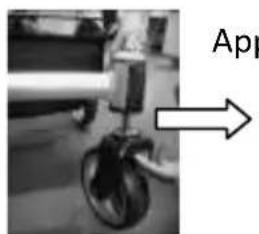
natural_image
Close-up of a mechanical device with wheels and a labeled arrow pointing to it (no readable text or symbols)natural_image
Close-up of a hand adjusting a car's seatbelt, with arrows pointing to the seat (no visible text or symbols)natural_image
Close-up of a medical or laboratory procedure with arrows pointing to specific anatomical features (no visible text or symbols)FR
natural_image
Close-up of a mechanical component with a white arrow pointing to a cylindrical part (no visible text or symbols)DÉTACHEMENT DU SIÈGE
natural_image
Medical imaging scan showing internal anatomical structures with white arrows indicating specific regions (no text or labels visible)CHANGEMENT DE POSITION ET DE SENS DU SIEGE
natural_image
Close-up of a person pressing down on a black fabric or cushion, with a white arrow indicating the motion direction (no text or symbols visible)UTILISATION
FIXATION DU REPOSE-PIEDS
natural_image
Diagram showing three curved arrows forming a cross-like pattern around a central vertical structure (no text or symbols)natural_image
Close-up of a vehicle's front wheel and side wheel with white directional arrows indicating motion (no text or symbols)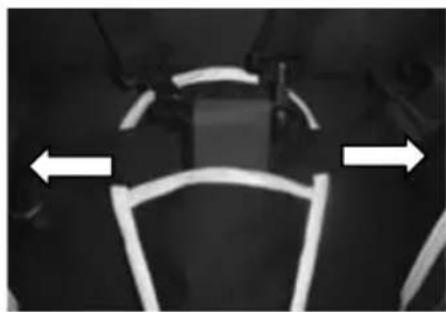
natural_image
Close-up of a vehicle's front wheel and side arm, showing white light trails on the rim (no text or symbols visible)RÉGLAGE DU DAIS
natural_image
Close-up of a mechanical joint or connector with a white arrow pointing to a specific part (no visible text or symbols)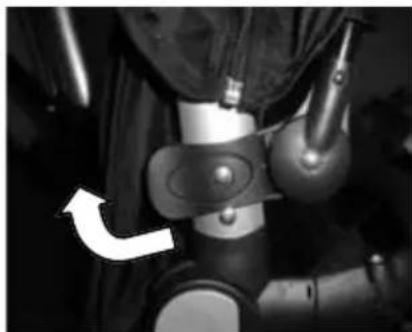
natural_image
Close-up of a mechanical device with a white arrow pointing to a component (no visible text or symbols)natural_image
Close-up of a curved black object with double-headed arrows indicating direction, no visible text or symbolsPLIAGE DE LA POUSETTE
natural_image
Person assembling a metal bicycle frame with wheels and a wheel rim (no visible text or symbols)UTILISATION
En opon:
natural_image
Black baby car seat with open lid and side panel, no visible text or symbolsT8031 2 Combi Coun
natural_image
Black baby car seat with adjustable arm and seatbelt (no text or symbols visible)T8032 2 Combi Siège-auto 0+
natural_image
Two identical black-and-white cylindrical electronic components with connectors, shown against a white background (no text or symbols visible)natural_image
Two identical mechanical components with black and gray parts, no visible text or symbols.text_image
Image displaying five distinct symbols: a hand holding a checkmark, crossed-out triangle, crossed-out circle, and an octagon.GARANTIE
natural_image
Close-up of a mechanical component with a white arrow pointing to a specific part (no visible text or symbols)natural_image
Mechanical device with articulated arms and mounting base (no visible text or symbols)MONTAJE DE LAS RUEDAS TRASERAS
natural_image
Close-up of a hand using a tool to press or install a cylindrical object, with an upward arrow indicating motion (no text or symbols visible)natural_image
Mechanical assembly diagram showing two vertical supports with upward arrows indicating motion (no text or symbols)PARA UTILIZAR EL FRENO TRASERO
natural_image
Medical scan image showing internal anatomy with a white arrow pointing to a specific region (no text or labels visible)MONTAJE DEL ASIENTO
natural_image
Black and white photo of a two-story baby stroller with wheels, no visible text or symbolsnatural_image
Black and white photo of a baby stroller covered with plastic wrap, no visible text or symbolsADVERTENCIA:
natural_image
Close-up of a stroller with wheels and a curved arrow indicating rotation (no text or symbols)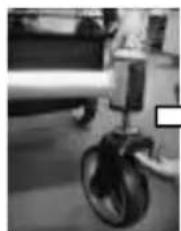
natural_image
Close-up of a small aircraft landing gear with visible wheels and landing pad (no text or symbols)natural_image
Close-up of hands adjusting a mechanical component with pressure gauge and pipe (no visible text or symbols)natural_image
Close-up of a medical or laboratory procedure with arrows pointing to specific anatomical features (no visible text or symbols)ES
natural_image
Close-up of a mechanical component with a white arrow pointing to a circular feature (no visible text or symbols)PARA LIBERAR EL ASIENTO
natural_image
Medical imaging scan showing internal anatomical structures with white arrows indicating specific regions (no text or labels visible)natural_image
Close-up of a person's torso and seat with a curved arrow indicating motion (no text or symbols visible)USO
CONEXIÓN EL FUNDA
natural_image
Cross-sectional view of a biological or material structure with three curved arrows indicating rotational or directional flow (no text or symbols)natural_image
Close-up of a vehicle's front wheel and side wheel with white directional arrows indicating motion (no text or symbols)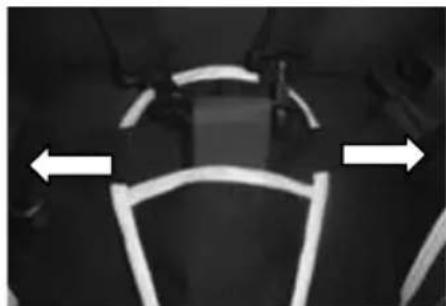
natural_image
Black-and-white photo of a vehicle with white light trails and two white arrows pointing left and right (no text or symbols)AJUSTE DE LA CAPOTA
Para colocar la capota, je el soporte al basdor.
natural_image
Close-up of a mechanical joint or connector with metallic components and a white arrow pointing to a specific area (no visible text or symbols)
natural_image
Close-up of a mechanical device with a white arrow pointing to a component (no visible text or symbols)natural_image
Close-up of a curved black object with double-headed arrows indicating direction, no visible text or symbolsPLEGAR EL COCHECITO
natural_image
Person assembling a bicycle frame with wheels and a wheel rim (no visible text or symbols)USO
Opcional:
natural_image
Black baby car seat with open lid and side panel, no visible text or symbolsT8031 2 Combi Capazo
natural_image
Black baby car seat with adjustable arm and seatbelt (no text or symbols visible)natural_image
Two identical black and white cylindrical objects with connecting rods, resembling a smart speaker or connector (no text or symbols visible)A8031 2 Combi acoples
natural_image
Two identical mechanical components with black and gray parts, no visible text or symbols.M8032 2 Combi acoples MC