KSF172 - Car stereo JVC - Free user manual and instructions
Find the device manual for free KSF172 JVC in PDF.


User questions about KSF172 JVC
0 question about this device. Answer the ones you know or ask your own.
Ask a new question about this device
Download the instructions for your Car stereo in PDF format for free! Find your manual KSF172 - JVC and take your electronic device back in hand. On this page are published all the documents necessary for the use of your device. KSF172 by JVC.
USER MANUAL KSF172 JVC
natural_image
Technical line drawing of a device rear panel with internal components (no text or symbols)KS-F172
text_image
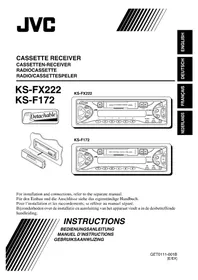
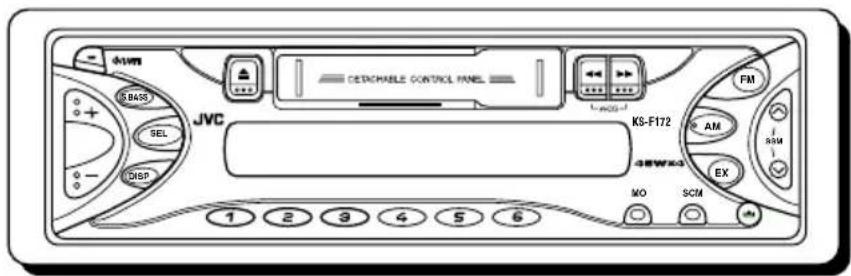
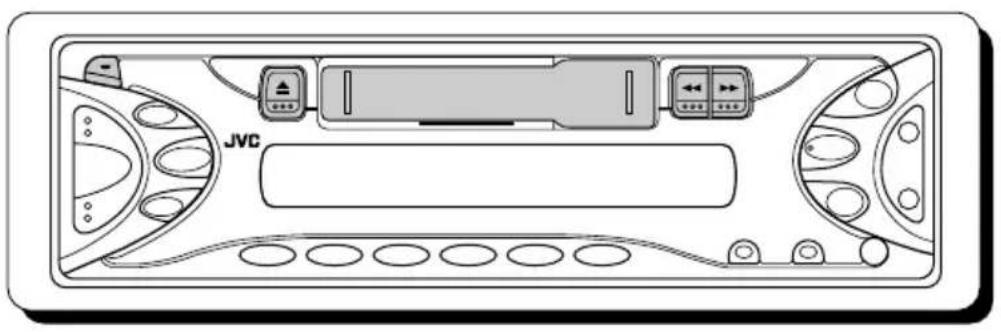
down SBAS SEL DISP JVC CETRACHABLE CONTROL PANEL KM-F172 FM AM AM EX MO SCMFor installation and connections, refer to the separate manual.
natural_image
Abstract black and white diagonal striped pattern with no text or symbolsINSTRUCTIONS
BEDIENUNGSANLEITUNG MANUEL D'INSTRUCTIONS GEBRUIKSAANWIJZING
Thank you for purchasing a JVC product. Please read all instructions carefully before operation, to ensure your complete understanding and to obtain the best possible performance from the unit.
CONTENTS
How to reset your unit 2
LOCATION OF THE BUTTONS .... 3
Control panel—KS-FX222 3
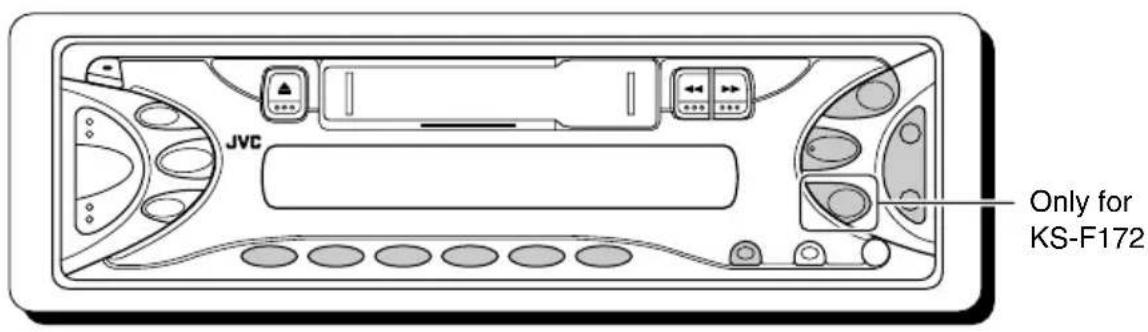
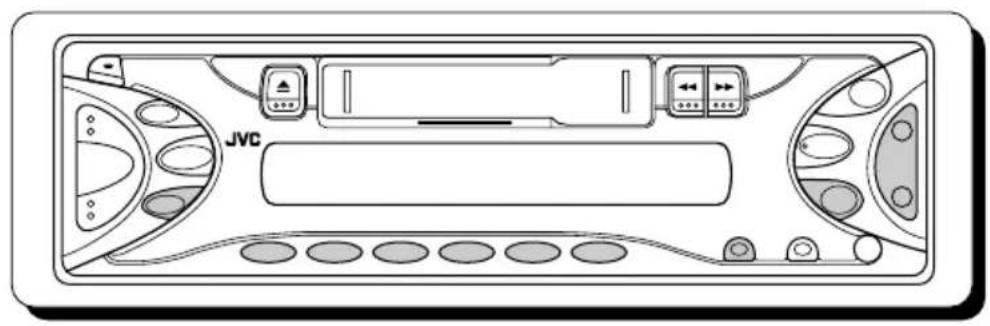
Control panel—KS-F172 4
BASIC OPERATIONS .... 5
Turning on the power 5
Setting the clock 6
RADIO OPERATIONS ...... 7
Listening to the radio 7
Storing stations in memory 9
Tuning in to a preset station 10
Storing your favorite station into the one-touch operation button (EX—extra) (only for KS-F172) 11
TAPE OPERATIONS ...... 12
Listening to a cassette 12
SOUND ADJUSTMENTS ...... 13
Adjusting the sound 13
Turning on/off the super bass function ..... 13
Selecting preset sound modes 14
Storing your own sound adjustments ..... 14
DETACHING THE CONTROL PANEL ..... 15
CD CHANGER OPERATIONS (only for KS-FX222) 16
Playing CDs 16
Selecting CD playback modes 17
MAINTENANCE 18
TROUBLESHOOTING 19
SPECIFICATIONS 21
How to reset your unit
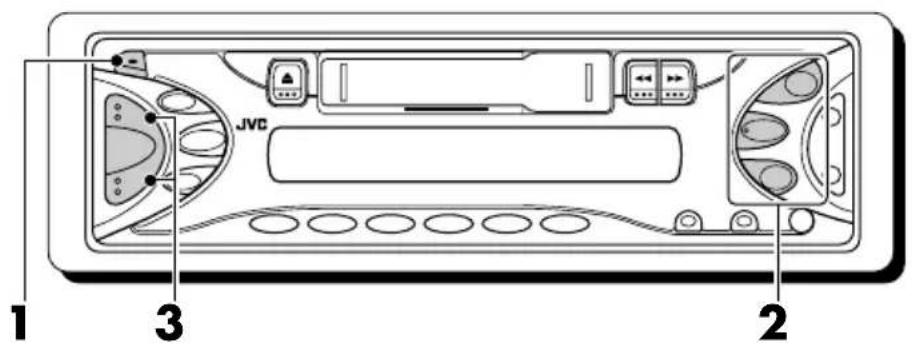
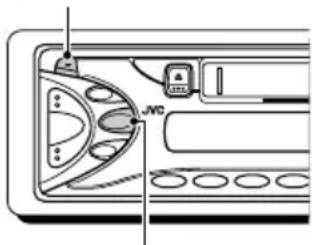
Press and hold both the SEL (select) and ⏻/1/ATT (standby/on/attenuator) buttons at the same time for several seconds.
This will reset the built-in microcomputer.
Note:
Your preset adjustments—such as preset channels or sound adjustments—will also be erased.
(standby/on/attenuator)

natural_image
Diagram of a device interior showing labeled ports and control panels (no readable text or symbols)SEL (select)
Note:
For security reasons, a numbered ID card is provided with this unit, and the same ID number is imprinted on the unit's chassis. Keep the card in a safe place, as it will help the authorities to identify your unit if stolen.
BEFORE USE
\*For safety....
- Do not raise the volume level too much, as this will block outside sounds, making driving dangerous.
- Stop the car before performing any complicated operations.
\*Temperature inside the car....
If you have parked the car for a long time in hot or cold weather, wait until the temperature in the car becomes normal before operating the unit.
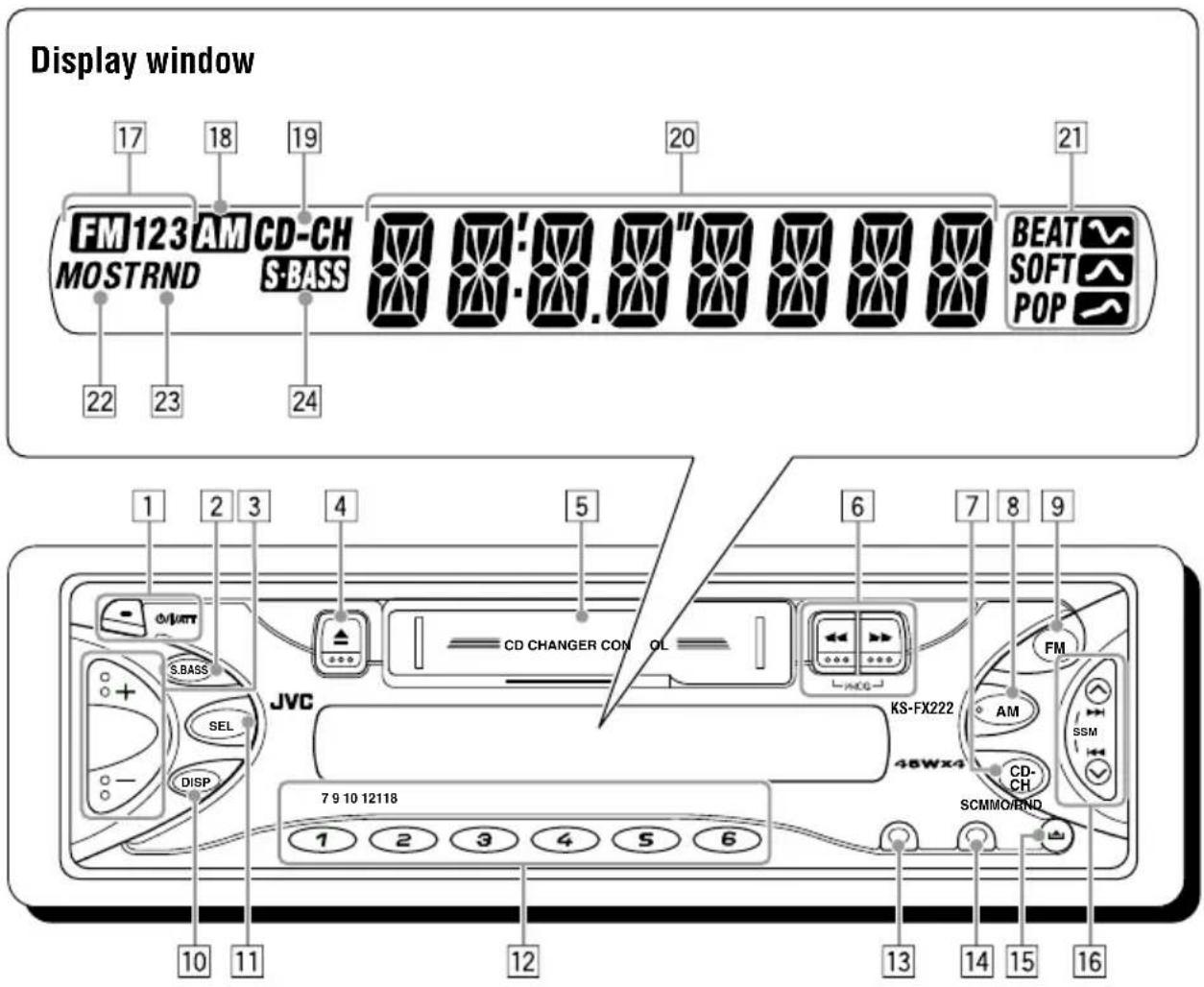
Control panel—KS-FX222
text_image
Display window FM123 AM CD-CH MOSTRND S-BASS 22 23 24 20 21 BEAT SOFT POP 1 2 3 4 5 6 7 8 9 CD CHANGER CON OL JVC S.BASS SEL DISP 48WX4 KS-FX222 FM AM SSM CD-CH SCMMO/RND 7 9 10 12118 1 2 3 4 5 6 10 11 12 13 14 15 161 (standby/on/attenuator) button
2 S.BASS (super bass) button
3+/- buttons
4 ▲ (eject) button
5 Cassette compartment
6 ◀◀/▶▶ (PROG:program) buttons
7CD-CH (CD changer) button
8 AM button
9 FM button
10 DISP (display) button
11 SEL (select) button
12 Number buttons
13MO/RND (monaural/random) button
14 SCM (sound control memory) button
15 (control panel release) button
16 ▲▶▶/◀◀▼ buttons
- Also functions as SSM buttons when pressed together.
Display window
17FM band indicators (FM1, FM2, FM3)
18 AM band indicator
19CD-CH (CD changer) indicator
20 Main display
21Sound mode indicators BEAT, SOFT, POP
22Tuner reception indicators
MO (monaural), ST (stereo)
23RND (random) indicator
24S ·BASS (super bass) indicator
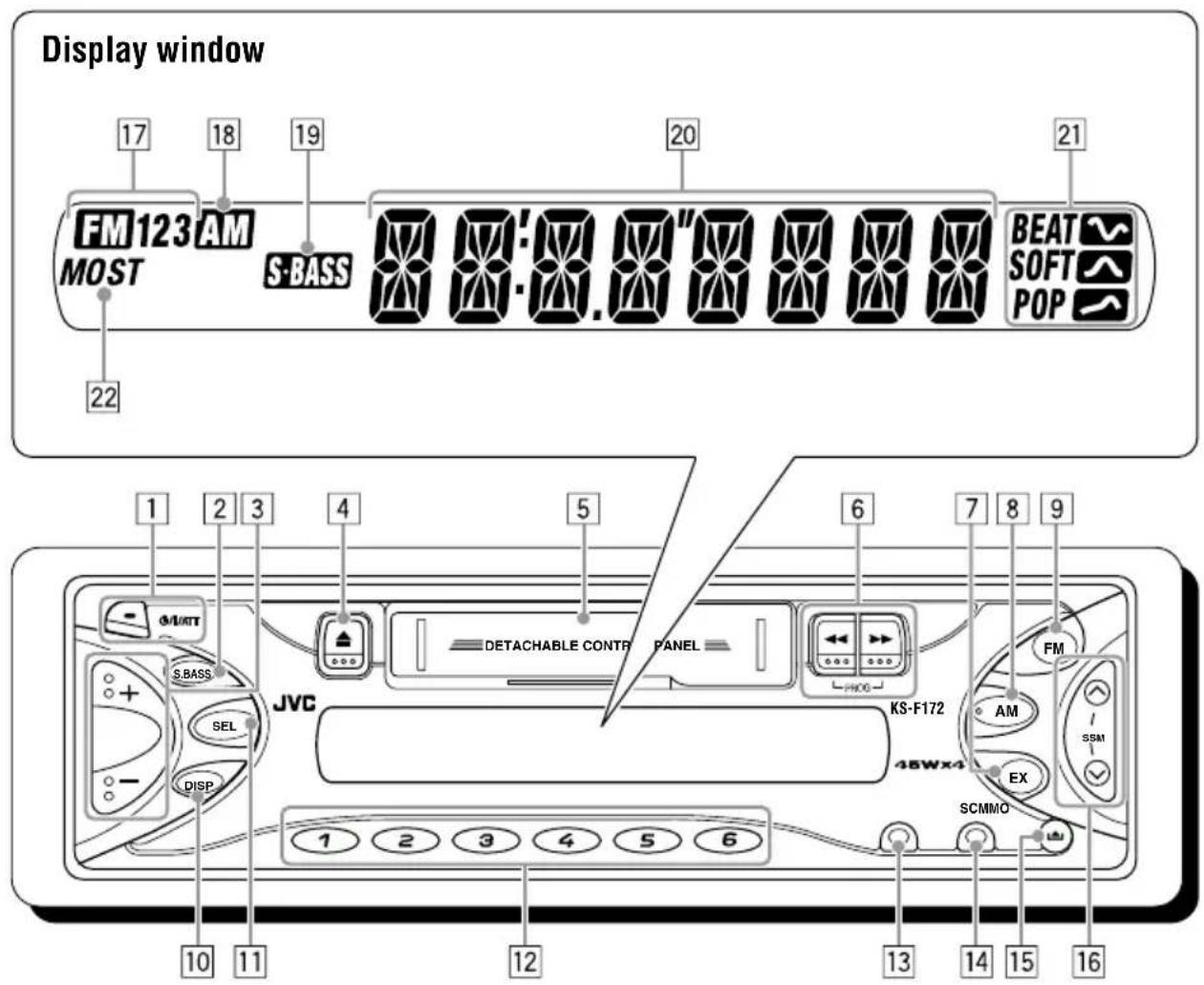
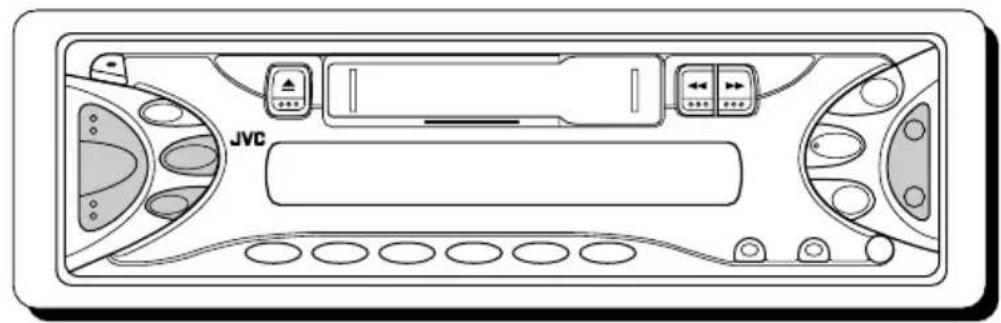
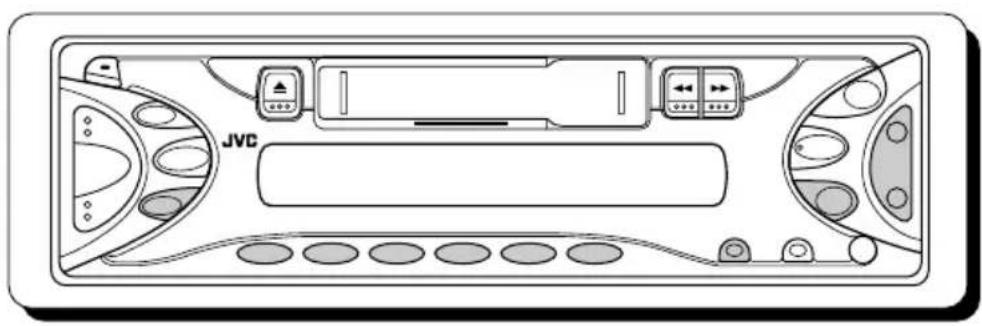
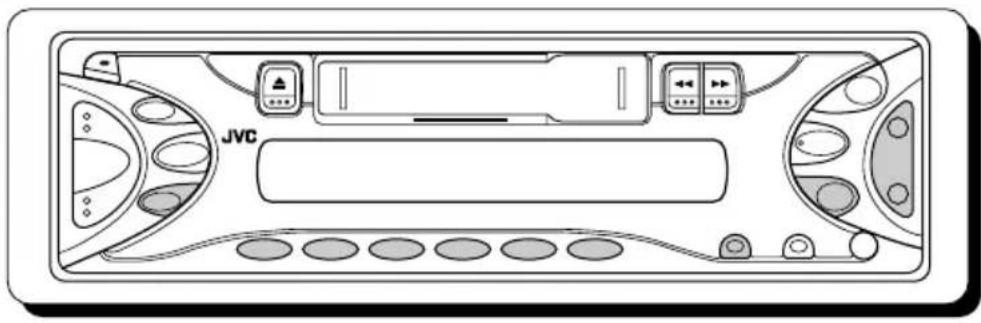
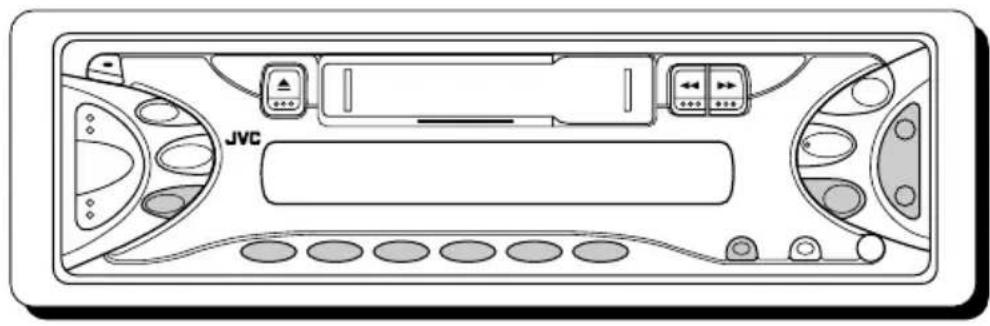
Control panel—KS-F172
text_image
Display window FM123 AM MOST 22 17 18 19 S-BASS 20 21 BEAT SOFT POP 1 2 3 4 5 6 7 8 9 DETACHABLE CONTR PANEL JVC SEM DISP. KS-F172 FX SCMMO AM 10 11 12 13 14 15 161 (standby/on/attenuator) button
2 S.BASS (super bass) button
3+/- buttons
4 ▲ (eject) button
5 Cassette compartment
6 ◀◀/▶▶ (PROG:program) buttons
7EX (extra) button
8 AM button
9 FM button
10 DISP (display) button
11 SEL (select) button
12Number buttons
13MO (monaural) button
14 SCM (sound control memory) button
15 (control panel release) button
16/ buttons
- Also functions as SSM buttons when pressed together.
Display window
17 FM band indicators (FM1, FM2, FM3)
18 AM band indicator
19S · BASS (super bass) indicator
20 Main display
21 Sound mode indicators BEAT, SOFT, POP
22Tuner reception indicators
MO (monaural), ST (stereo)
text_image
JVC 1 2 3Turning on the power
1 Turn on the power.
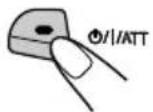
Notes on One-Touch Operation:
- When you select a source in step 2 below, the power automatically comes on. You do not have to press this button to turn on the power.
- If the cassette is already in the cassette compartment, tape play starts automatically. However, it is not recommended to leave the cassette in the compartment when turning off the power or ignition key. It may damage the tape head and the cassette.
2 Select the source.
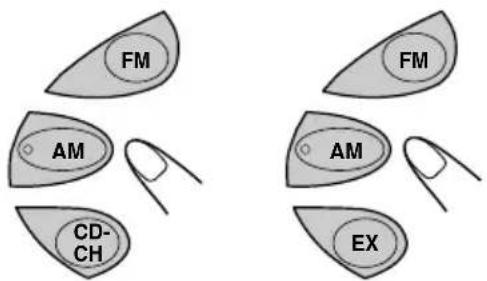
text_image
FM AM CD- CH FM AM EX(For KS-FX222) (For KS-F172)
To operate the tuner (FM or AM), see pages 7 – 11.
To operate the tape, see page 12.
To operate the CD changer (only for KS-FX222), see pages 16 – 17.
To operate the EX button (only for KS-F172), see page 11.
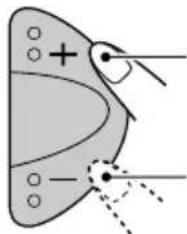
3 Adjust the volume.
natural_image
Diagram of a butterfly wing with marked points and a plus sign, no text or symbols presentTo increase the volume
To decrease the volume
VOL 20
Volume level appears.
4 Adjust the sound as you want. (See pages 13 – 14.)
To drop the volume in a moment
Press Briefly While listening to any source. "ATT" starts flashing on the display, and the volume level will drop in a moment. To resume the previous volume level, press the button briefly again.
To turn off the power
Press and hold for more than one second.
"SEE YOU" appears, then the unit turns off.
text_image
JVCSetting the clock
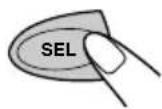
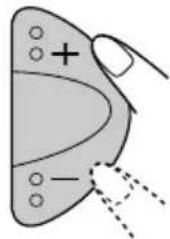
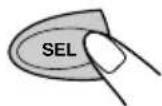
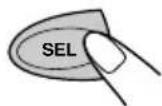
1 Press and hold SEL (select) for more than 2 seconds.
"CLOCK H" or "CLOCK M" appears on the display.
2 Set the hour.
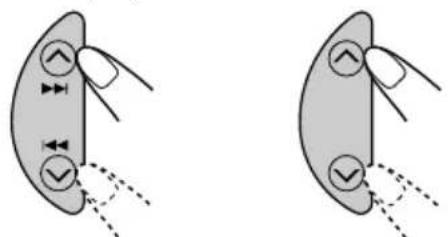
1 Select "CLOCK H" (hour) if not shown on the display.
natural_image
Two diagrams showing a hand holding a circular object with arrows and checkmark indicators, connected by dashed lines (no text or symbols)(For KS-FX222) (For KS-F172)
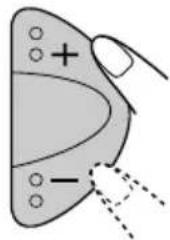
2Adjust the hour.
text_image
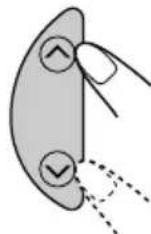
Diagram showing a hand holding a triangular object with plus and minus signs, possibly indicating polarity or charge distribution.3 Set the minute.
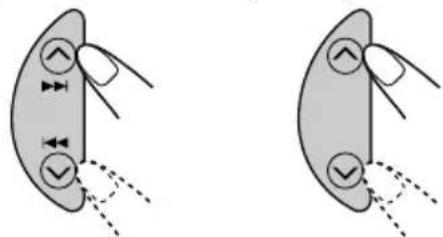
1 Select "CLOCK M" (minute).
natural_image
Two identical diagrams showing a leaf with arrows indicating movement or force, no text or symbols present.(For KS-FX222) (For KS-F172)
2Adjust the minute.
natural_image
Simple diagram of a butterfly with marked points and a plus sign, no text or symbols present4 Finish the setting.
To check the current clock time or change the display mode
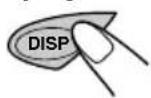
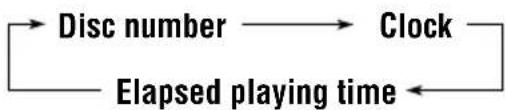
Press DISP (display) repeatedly. Each time you press the button, the display mode changes as follows:
• During tuner operation:
ClockFrequency
• During tape operation:
ClockPlay mode (1)
- During CD changer operation: (only for KS-FX222)
flowchart
graph LR
    A["Disc number"] --> B["Clock"]
    B --> C["Elapsed playing time"]
    C --> A
text_image
JVC Only for KS-F172Listening to the radio
You can use either automatic searching or manual searching to tune in to a particular station.
Note:
When a cassette is in the cassette compartment, you cannot select the tuner. Be sure to eject the cassette from the cassette compartment to listen to the radio.
Searching a station automatically: Auto search
1 Select the band (FM1 - 3, AM).
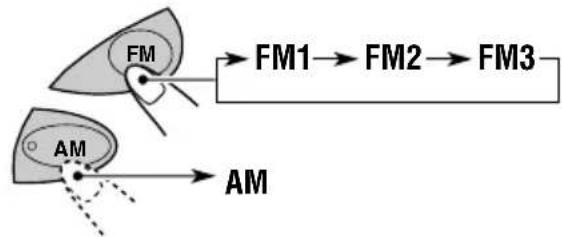
flowchart
graph TD
    A["FM"] --> B["FM1"]
    A --> C["FM2"]
    A --> D["FM3"]
    E["AM"] --> F["AM"]
Selected band appears.

text_image
FM1 ST 87.5 BEAT SOFT POPLights up when receiving an FM stereo broadcast with sufficient signal strength.
Note:
This receiver has three FM bands (FM1, FM2, FM3). You can use any one of them to listen to an FM broadcast.
2 Start searching a station.
To search stations of higher frequencies
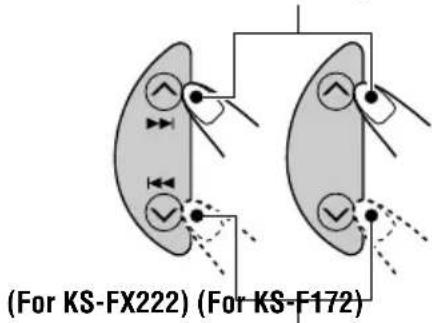
text_image
(For KS-FX222) (For KS-F172)To search stations of lower frequencies
When a station is received, searching stops.
To stop searching before a station is received, press the same button you have pressed for searching.
Searching a station manually: Manual search
1 Select the band (FM1 - 3, AM).
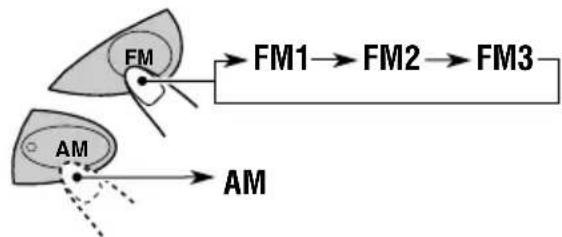
flowchart
graph TD
    A["AM"] --> B["FM"]
    B --> C["FM1"]
    B --> D["FM2"]
    B --> E["FM3"]
    F["AM"] --> G["FM1"]
    F --> H["FM2"]
    F --> I["FM3"]
Note:
This receiver has three FM bands (FM1, FM2, FM3). You can use any one of them to listen to an FM broadcast.
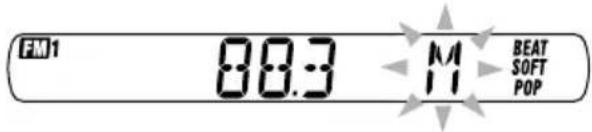
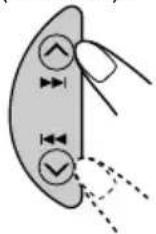
2 Press and hold ▲▶|/◀◀ (for KS-FX222) or ∧(for KS-F172) until “M” (manual) starts flashing on the display.
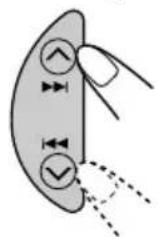
(For KS-FX222)
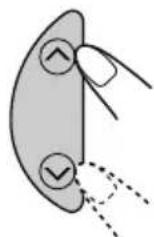
(For KS-F172)
text_image
FM1 08:3 M BEAT SOFT POP3 Tune in to a station you want while "M" is flashing.
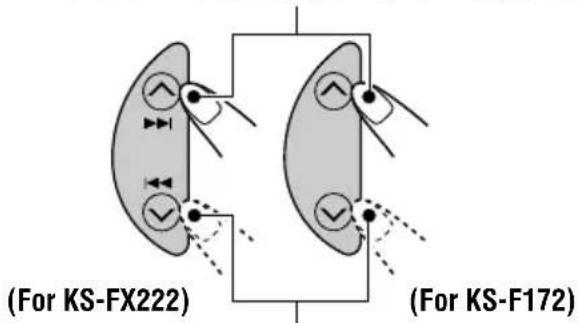
To tune in to stations of higher frequencies
text_image
(For KS-FX222) (For KS-F172)To tune in to stations of lower frequencies
- If you release your finger from the button, the manual mode will automatically turn off after 5 seconds.
- If you hold down the button, the frequency keeps changing (in 50 kHz intervals for FM and 9 kHz intervals for AM—MW/LW) until you release the button.
When an FM stereo broadcast is hard to receive:
Press MO/RND (for KS-FX222) or MO (for KS-F172) while listening to an FM stereo broadcast.
• Each time you press the button, the MO indicator lights up and goes off alternately.
(For KS-FX222)
(For KS-F172)

text_image
80.3 ↓ 80.1 M0 MONOWhen the MO indicator is lit on the display, the sound you hear becomes monaural but the reception will be improved.
Storing stations in memory
You can use one of the following two methods to store broadcasting stations in memory.
• Automatic preset of FM stations: SSM (Strong-station Sequential Memory)
- Manual preset of both FM and AM stations
FM station automatic preset: SSM
You can preset 6 local FM stations in each FM band (FM1, FM2, and FM3).
1 Select the FM band (FM1 - 3) you want to store FM stations into.
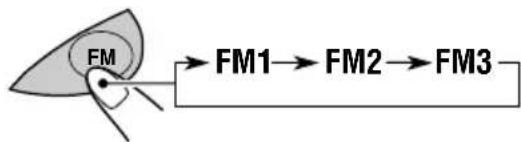
flowchart
graph LR
    A["FM"] --> B["FM1"]
    B --> C["FM2"]
    C --> D["FM3"]
2 Press and hold both buttons for more than 2 seconds.
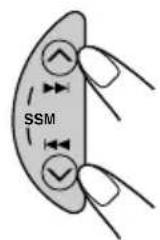
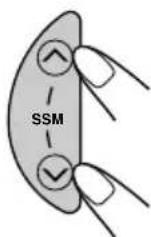
(For KS-FX222) (For KS-F172)

text_image
FM1 ....55M.... BEAT SOFT POP"- -SSM- -" appears, then disappears when automatic preset is over.
Local FM stations with the strongest signals are searched and stored automatically in the band number you have selected (FM1, FM2, or FM3). These stations are preset in the number buttons—No.1 (lowest frequency) to No.6 (highest frequency). When automatic preset is over, the station stored in number button 1 will be automatically tuned in.
Manual preset
You can preset up to 6 stations in each band (FM1, FM2, FM3, and AM) manually.
Ex.: Storing an FM station of 88.3 MHz into the preset number 1 of the FM1 band.
1 Select the band (FM1 - 3, AM) you want to store stations into (in this example, FM1).
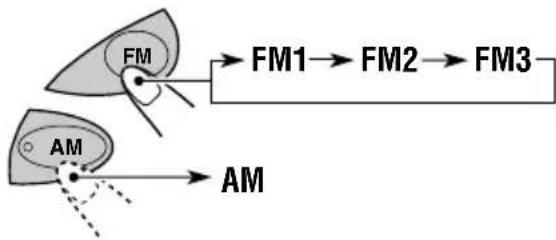
flowchart
graph TD
    A["AM"] --> B["FM"]
    C["FM1"] --> D["FM2"]
    D --> E["FM3"]
2 Tune in to a station (in this example, of 88.3 MHz).
To tune in to stations of higher frequencies
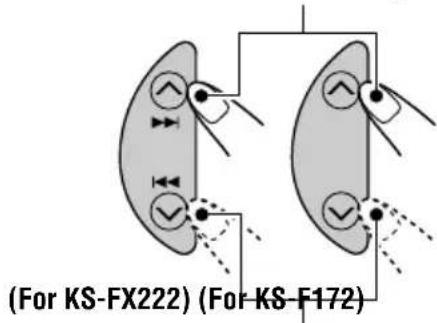
text_image
(For KS-FX222) (For KS-F172)To tune in to stations of lower frequencies

text_image
FM1 00:3 BEAT SOFT POP3 Press and hold the number button (in this example, 1) for more than 2 seconds.
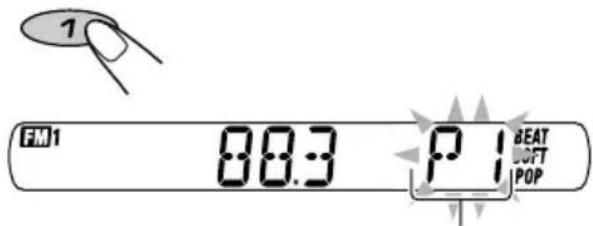
text_image
FM1 88:3 P 1 BEAT SOFT POP"P1" flashes for a few seconds.
4 Repeat the above procedure to store other stations into other preset numbers.
Notes:
- A previously preset station is erased when a new station is stored in the same preset number.
- Preset stations are erased when the power supply to the memory circuit is interrupted (for example, during battery replacement). If this occurs, preset the stations again.
Tuning in to a preset station
You can easily tune in to a preset station. Remember that you must store stations first. If you have not stored them yet, see "Storing stations in memory" on pages 9 and 10.
1 Select the band (FM1 - 3, AM).
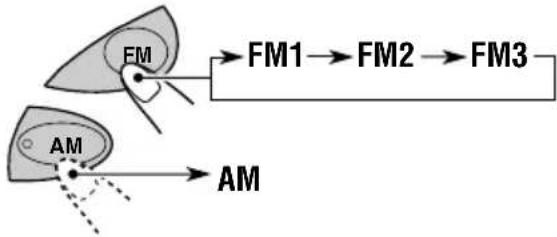
flowchart
graph TD
    A["AM"] --> B["FM"]
    B --> C["FM1"]
    C --> D["FM2"]
    D --> E["FM3"]
    E --> F["AM"]
2 Select the number (1 - 6) for the preset station you want.
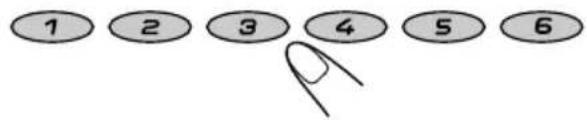
text_image
1 2 3 4 5 6Storing your favorite station into the one-touch operation button (EX—extra)
This section is only for KS-F172.
You can preset an FM or AM station (such as your favorite station or traffic announcement station); and recall it by one touch operation even if the unit is turned off.
Ex.: Storing an FM station of 88.3 MHz into the one-touch operation button (EX).
1 Select the band (FM1 - 3, AM) you want to store stations into (in this example, FM1).
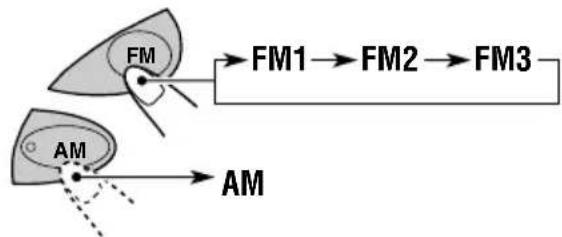
flowchart
graph TD
    A["AM"] --> B["FM"]
    B --> C["FM1"]
    B --> D["FM2"]
    B --> E["FM3"]
    F["AM"] --> G["FM1"]
    F --> H["FM2"]
    F --> I["FM3"]
2 Tune in to a station (in this example, of 88.3 MHz).
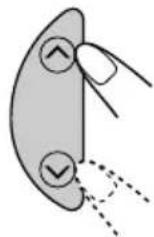
3 Press and hold the button for more than 2 seconds.
"P0" flashes on the display, showing that the station has been preset.
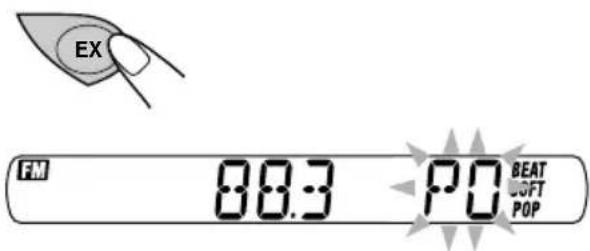
text_image
EX FM 88.3 PO BEAT SOFT POPNotes:
- A previously preset station is erased when a new station is stored in the EX button.
- The preset station is erased when the power supply to the memory circuit is interrupted (for example, during battery replacement). If this occurs, preset the station again.
To tune in the favorite station
The unit automatically turns on (if it has been off). Your favorite station is tuned in—except when the tape is playing.
- If you press the button again, the last received station will be tuned in.
text_image
JVCListening to a cassette
You can play back type I (normal) tapes.
1 Turn on the power.
Note on One-Touch Operation:
If a cassette is already in the cassette compartment, tape play starts automatically. However, it is not recommended to leave the cassette in the compartment when turning off the power or ignition key. It may damage the tape head and the cassette.
2 Insert a cassette into the cassette compartment.
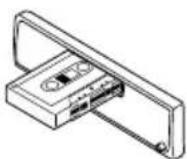
When one side of the tape reaches its end during play, the other side of the tape automatically starts playing (Auto Reverse).
3 Select the tape direction.
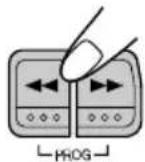
Press both buttons at the same time. Each time you press both buttons, the tape direction changes alternately—forward (TAPE) and reverse (TAPE...)
To stop play and eject the cassette
Press ▲.
Tape play stops and the cassette automatically ejects from the cassette compartment. The source changes to the previously selected one.
- You cannot change the source if the cassette is still in the cassette compartment. To change the source, you must eject the cassette first.
- You can also eject the cassette by pressing ▲ while the unit is turned off.
To fast-wind a tape
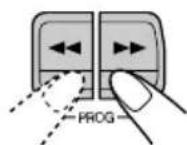
Press in ▶▶ or ◀◀.
The tape will be wound in the direction of the arrows (▶▶ or ◀◀).
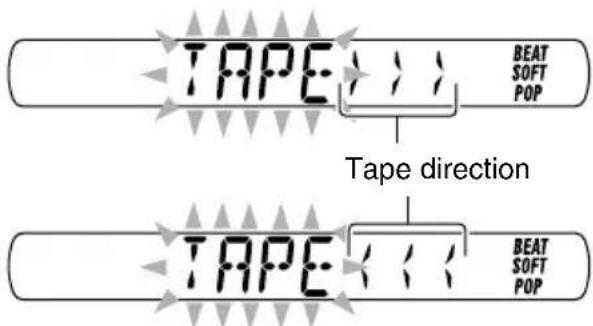
text_image
TAPE BEAT SOFT POP Tape direction TAPE BEAT SOFT POPTo restart playback, lightly press the other button which is not pressed in (◀◀ or ▶▶).
Adjusting the sound
You can adjust the sound characteristics to your preference.
1 Select the item you want to adjust.
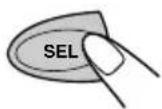
Each time you press the button, the adjustable items change as follows:
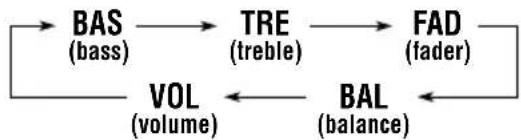
flowchart
graph LR
    A["BAS (bass)"] --> B["TRE (treble)"]
    B --> C["FAD (fader)"]
    C --> D["BAL (balance)"]
    D --> E["VOL (volume)"]
    E --> A
| Indication | To do: Range | |
| BAS Adjust | the bass. -6 (min.) | 1+6 (max.) |
| TRE Adjust | the treble. -6 (min.) | 1+6 (max.) |
| FAD* Adjust | the front R6 (Rear only)and rear speakerbalance. F6 (Front only) | |
| BAL Adjust | the left L6 (Left only)and right speakerbalance. R6 (Right only) | |
| VOL Adjust | the volume. 00 (min.) | 150 (max.) |
* If you are using a two-speaker system, set the fader level to "00."
2 Adjust the level.
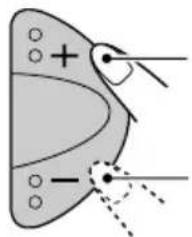
natural_image
Diagram of a butterfly with marked points and directional arrows (no text or labels)To increase the level
To decrease the level
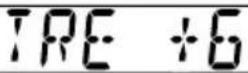
Note:
Normally, the + and - buttons work as the volume control. So you do not have to select "VOL" to adjust the volume level.
Turning on/off the super bass function
The super bass function allows you to maintain the richness and fullness of the bass sound regardless of how low you set the volume.
Each time you press S.BASS, the function turns on and off alternately.
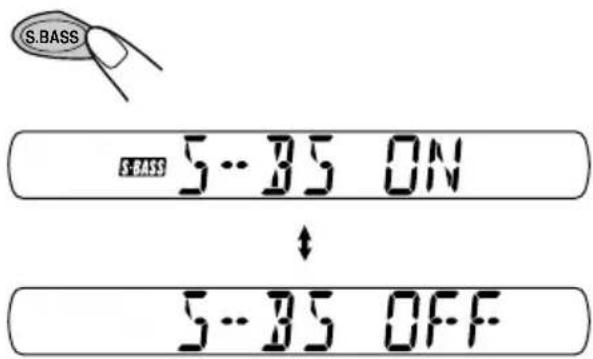
text_image
S.BASS S.BASS 5...85 ON ↓ 5...85 OFFSelecting preset sound modes
You can select a preset sound adjustment suitable to the music genre.
Select the sound mode you want.

Each time you press the button, the sound mode changes as follows:

flowchart
graph LR
    A["→ SCM OFF"] --> B["(BEAT)"]
    B --> C["(SOFT)"]
    C --> D["(POP)"]
| Indication | For: Preset values | |||
| BAS | TRE S. | BASS | ||
| SCM OFF (Flat sound) 00 00 OFF | ||||
| BEAT Rock or disco +2 00 music | ON | |||
| SOFT Quiet +1 -3 OFF background music | ||||
| POP | Light music | +4 +1 | OFF | |
Notes:
- You can adjust each sound mode to your preference, and store it in memory.
If you want to adjust and store your original sound mode, see "Storing your own sound adjustments" below. - To adjust the bass and treble reinforcement levels or to turn on/off the super bass function, see page 13.
Storing your own sound adjustments
You can adjust the sound modes (BEAT, SOFT, POP) to your preference and store your own adjustments in memory.
- There is a time limit in doing the following procedure. If the setting is canceled before you finish, start from step 1 again.
1 Call up the sound mode you want to adjust.
SCM

• See the left column for details.
2 To adjust the bass or treble level
1 Select "BAS" or "TRE."
2Adjust the level.
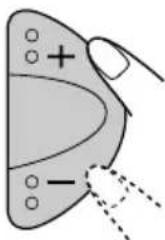
natural_image
Simple line drawing of a butterfly with labeled parts and dashed lines indicating edges (no text or symbols)To turn on or off the super bass

Each time you press S.BASS, the super bass function turns on and off alternately.
3 Repeat step 2 to adjust the other items.
4 Press and hold SCM until the sound mode you have selected in step 1 flashes on the display.

Your adjustment made for the selected sound mode is stored in memory.
5 Repeat the same procedure to store other sound modes.
To reset to the factory settings
Repeat the same procedure and reassign the preset values listed in the table on the left column.
You can detach the control panel when leaving the car.
When detaching or attaching the control panel, be careful not to damage the connectors on the back of the control panel and on the panel holder.
Detaching the control panel
Before detaching the control panel, be sure to turn off the power.
1 Unlock the control panel.
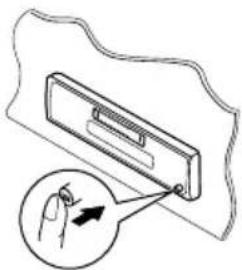
natural_image
Diagram of a device with a magnified view showing a hand pointing to a component (no text or symbols present)2 Lift and pull the control panel out of the unit.

natural_image
Technical line drawing showing two views of a device housing with internal components and mounting brackets (no text or symbols)3 Put the detached control panel into the provided case.
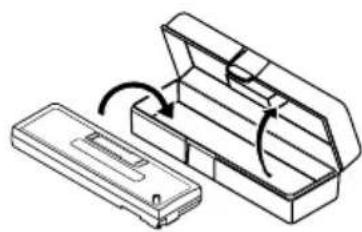
natural_image
Technical line drawing of a mechanical component with an open lid and internal structure (no text or symbols)Attaching the control panel
1 Insert the left side of the control panel into the groove on the panel holder.
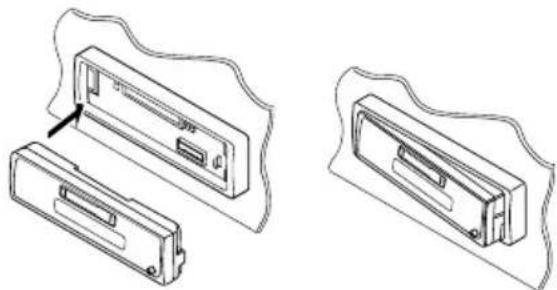
natural_image
Technical line drawing of two electronic device components with no visible text or symbols2 Press the right side of the control panel to fix it to the panel holder.
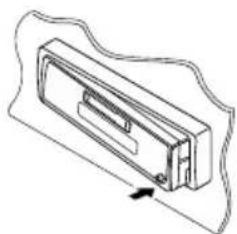
natural_image
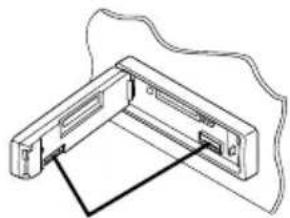
Technical line drawing of a mechanical component with an arrow indicating direction (no text or symbols)Note on cleaning the connectors:
If you frequently detach the control panel, the connectors will deteriorate.
To minimize this possibility, periodically wipe the connectors with a cotton swab or cloth moistened with alcohol, being careful not to damage the connectors.
natural_image
Pure technical line drawing of a mechanical bracket or clamp assembly without any text, numbers, or symbolsConnectors
text_image
JVCThis section is only for KS-FX222.
We recommend that you use one of the CH-X series with your unit (except for JVC MP3-compatible CD changer).
If you have another CD changer, consult your JVC IN-CAR ENTERTAINMENT dealer for connections.
- For example, if your CD changer is one of the KD-MK series, you need a cord (KS-U15K) for connecting it to this unit.
Before operating your CD automatic changer:
- Refer also to the Instructions supplied with your CD changer.
- If no discs are in the magazine of the CD changer or the discs are inserted upside down, "NO CD" will appear on the display. If this happens, remove the magazine and set the discs correctly.
- If no magazine is loaded in the CD changer, "NO MAG" appears on the display. If this happens, insert the magazine in the CD changer.
- If "RESET 1" – "RESET 8" appears on the display, something is wrong with the connection between this unit and the CD changer. If this happens, check the connection and make sure the cords are connected firmly. Then, press the reset button of the CD changer.
Playing CDs
Select the CD automatic changer (CD-CH).
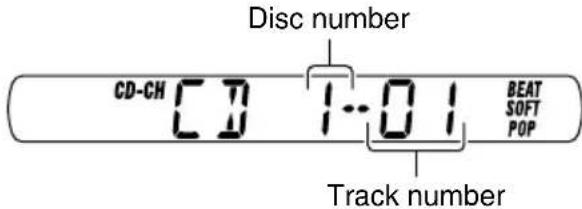
Playback starts from the first track of the first disc. All tracks of all discs are played back.
text_image
Disc number CD-CH CD 1:01 BEAT SOFT POP Track numberNote on One-Touch Operation:
When you press CD-CH, the power automatically turns on. You do not have to press Ⓗ/HAATT on the power.
To check the elapsed playing time
Press DISP (display) repeatedly. Each time you press the button, the display mode changes as follows:
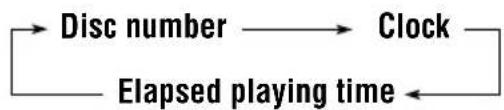
flowchart
graph LR
    A["Disc number"] --> B["Clock"]
    B --> C["Elapsed playing time"]
    C --> A
To fast-forward or reverse the track
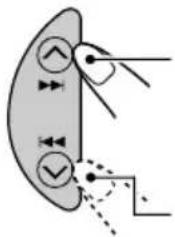
text_image
Diagram showing a curved interface with directional arrows and checkmark indicators, possibly representing a system or process flow.Press and hold ▲▶, while playing a CD, to fast-forward the track.
Press and hold ◀◀◀ , while playing a CD, to reverse the track.
To go to the next or previous tracks
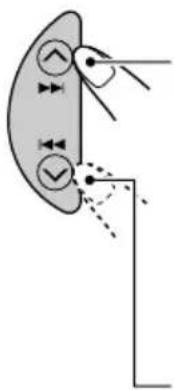
natural_image
Diagram of a biological structure with arrows and circles indicating movement or force (no text or labels)Press ▲▶ briefly, while playing a CD, to go ahead to the beginning of the next track. Each time you press the button consecutively, the beginning of the next track is located and played back.
Press ◀◀◀ briefly, while playing a CD, to go back to the beginning of the current track. Each time you press the button consecutively, the beginning of the previous tracks is located and played back.
To go to a particular disc directly
Press the number button corresponding to the disc number to start its playback (while the CD changer is playing).
791012118
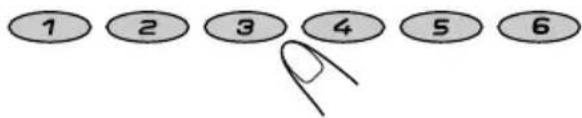
text_image
1 2 3 4 5 6- To select a disc number from 1 – 6: Press 1 (7) – 6 (12) briefly. - To select a disc number from 7 – 12: Press and hold 1 (7) – 6 (12) for more than 1 second.
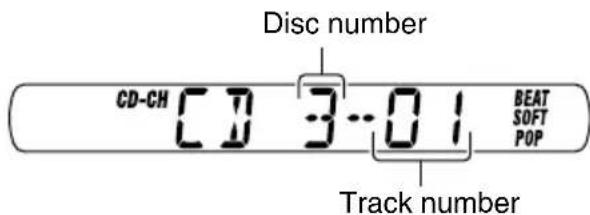
text_image
Disc number CD-CH CD 3.01 BEAT SOFT POP Track numberEx.: When disc number 3 is selected.
Selecting CD playback modes
To play back tracks at random (Random Play)

Each time you press the button, CD random play mode changes as follows:
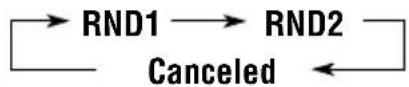
| Mode | RND Indicator | Plays at random |
| RND1 Lights (random1) | All tracks disc, then the | of the current tracks of the next disc, and so on. |
| RND2 Flashes (random2) | All tracks inserted in the | of all discs magazine. |
This unit requires very little attention, but you will be able to extend the life of the unit if you follow the instructions below.
To clean the head
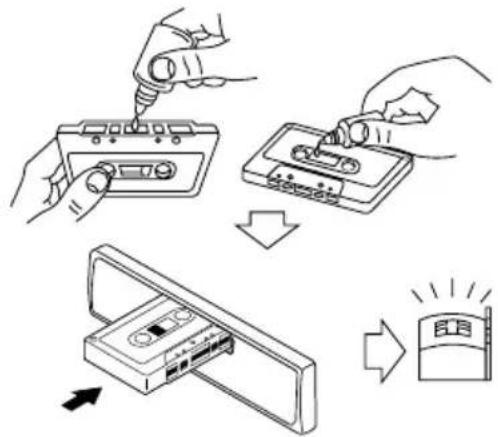
text_image
Diagram illustrating the process of installing a cassette tape into a CD, with arrows indicating sequence and brightness control.- Clean the head after every 10 hours of use using a wet-type head cleaning tape (available at an audio store).
When the head becomes dirty, you may realize the following symptoms:
– Sound quality is reduced.
- Sound level decreases.
- Sound drops out.
- Do not play dirty or dusty tapes.
- Do not touch the highly-polished head with any metallic or magnetic tools.
To keep the tape clean
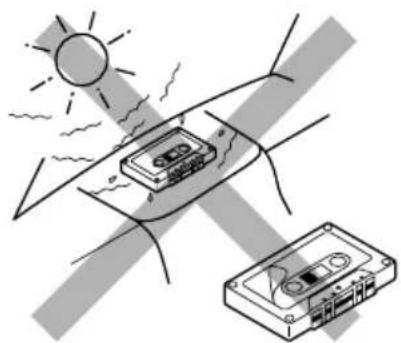
natural_image
Illustration of a sun shining on a car cassette tape, with no text or symbols present.• Always store the cassettes to their storage cases after use.
- Do not store cassettes in the following places:
– Subject to direct sunlight
- With high humidity
- At extremely hot temperatures
CAUTION:
- Do not play the cassettes with peeling labels; otherwise, they can damage the unit.
- Tighten tapes to remove slack since loose tape may become entangled with the mechanism.
- Do not leave a cassette in the cassette compartment after use, as the tape may become slack.
What appears to be trouble is not always serious. Check the following points before calling a service center.
| Symptoms | Causes | Remedies | |
| General | Sound is sometimes interrupted. | Connections are incorrect. | Check the cords and connections. |
| Sound cannot be heard from the speakers. | The volume level is set to the minimum level. | Adjust it to the optimum level. | |
| Connections are incorrect. | Check the cords and connections. | ||
| The unit does not work at all. | The built-in microcomputer may function incorrectly due to noise, etc. | Press and hold both the SEL (select) and buttons at the same time for several seconds to reset the unit. (The clock setting and preset stations stored in memory are erased.) (See page 2.) | |
| FM/AM | SSM (Strong-station Sequential Memory) automatic preset does not work. | Signals are too weak. | Store stations manually. |
| Static noise while listening to the radio. | The antenna is not connected firmly. | Connect the antenna firmly. | |
| Tape playback | A cassette tape cannot be inserted. | You have tried to insert a cassette in the wrong way. | Insert the cassette with the exposed tape facing right. |
| Cassette tapes become hot. | This is not a malfunction. | ____ | |
| Tape sound is at very low level and sound quality is degraded. | The tape head is dirty. | Clean it with a head cleaning tape. | |
Only for KS-FX222
| Symptoms | Causes | Remedies | |
| CD Changer | “NO CD” appears on the display. | No CD is in the magazine. | Insert CDs into the magazine. |
| CDs are inserted incorrectly. | Insert them correctly. | ||
| “NO MAG” appears on the display. | No magazine is loaded in the CD changer. | Insert the magazine. | |
| “RESET 8” appears on the display. | This unit is not connected to a CD changer correctly. | Connect this unit and the CD changer correctly and press the reset button of the CD changer. | |
| “RESET 1”-“RESET 7” appears on the display. | ____ | Press the reset button of the CD changer. | |
| The CD changer does not work at all. | The built-in microcomputer may function incorrectly due to noise, etc. | Press and hold both the SEL (select) and buttons at the same time for several seconds to reset the unit. (The clock setting and preset stations stored in memory are erased.) (See page 2.) | |
AUDIO AMPLIFIER SECTION
Maximum Power Output:
Front: 45 W per channel
Rear: 45 W per channel
Continuous Power Output (RMS):
Front: 17 W per channel into 4 Ω, 40 Hz to 20 000 Hz at no more than 0.8% total harmonic distortion.
Rear: 17 W per channel into 4 Ω, 40 Hz to 20 000 Hz at no more than 0.8% total harmonic distortion.
Load Impedance: 4 Ω (4 Ω to 8 Ω allowance)
Tone Control Range:
Bass: ±10 dB at 100 Hz
Treble: ±10 dB at 10 kHz
Frequency Response: 40 Hz to 20 000 Hz
Signal-to-Noise Ratio: 70 dB
Line-Out Level/Impedance:
KS-FX222: 2.0 V/20 kΩ load (250 nWb/m)
KS-F172: 1.0 V/20 kΩ load (250 nWb/m)
TUNER SECTION
Frequency Range:
FM: 87.5 MHz to 108.0 MHz
AM: (MW) 522 kHz to 1 620 kHz
(LW) 144 kHz to 279 kHz
[FM Tuner]
Usable Sensitivity: 11.3 dBf (1.0 μV/75 Ω)
50 dB Quieting Sensitivity:
16.3 dBf (1.8 μV/75 Ω)
Alternate Channel Selectivity (400 kHz): 65 dB
Frequency Response: 40 Hz to 15 000 Hz
Stereo Separation: 30 dB
Capture Ratio: 2.0 dB
[MW Tuner]
Sensitivity: 20 μV
Selectivity: 35 dB
[LW Tuner]
Sensitivity: 50 μV
CASSETTE DECK SECTION
Wow & Flutter: 0.15% (WRMS)
Fast-Wind Time: 190 sec. (C-60)
Frequency Response: 50 Hz to 14 000 Hz (Normal tape)
Signal-to-Noise Ratio: 52 dB
Stereo Separation: 40 dB
GENERAL
Power Requirement:
Operating Voltage: DC 14.4 V
(11 V to 16 V allowance)
Grounding System: Negative ground
Allowable Operating Temperature: 0°C to +40°C
Dimensions (W × H × D):
Installation Size (approx.):
182 mm × 52 mm × 150 mm
Panel Size (approx.):
188 mm × 58 mm × 11 mm
Mass (approx.):
1.3 kg (excluding accessories)
Design and specifications are subject to change without notice.
text_image
Diagram of a car air conditioner panel with labeled ports and buttonsSEL (Auswahl)
Hinweis:
2 Taste S.BASS (super bass)
3 Tasten +/-
text_image
FM AM CD- CH FM AM EXnatural_image
Diagram of a butterfly wing with marked points and lines, no text or symbols presenttext_image
Diagram showing a hand holding a triangular object with plus and minus signs, possibly indicating polarity or charge distribution.natural_image
Simple diagram of a butterfly with marked points and dashed lines indicating parts (no text or symbols)flowchart
graph LR
    A["FM"] --> B["FM1"]
    B --> C["FM2"]
    C --> D["FM3"]
natural_image
Diagram of a butterfly wing with marked points and directional arrows (no text or labels)natural_image
Diagram of a butterfly wing with marked points and dashed lines indicating parts (no text or symbols)natural_image
Diagram of a device with a magnified inset showing a hand pointing to a component (no text or symbols present)natural_image
Technical line drawing of a device component with two views showing internal structure and mounting (no text or symbols)natural_image
Technical line drawing of a mechanical component with an open lid and internal structure, showing rotational motion (no text or symbols)natural_image
Technical line drawing of two electronic device components with no visible text or symbolsnatural_image
Technical line drawing of a mechanical component with a curved base and internal slot (no text or symbols)natural_image
Pure technical line drawing of a mechanical component with no text or symbolsAnschlüsse
text_image
JVCtext_image
Diagram showing a curved interface with directional arrows and checkmarks, possibly indicating process or state transitions.text_image
Diagram showing anatomical or structural components with arrows and circles indicating direction, possibly representing a biological or mechanical system.text_image
Diagram illustrating the process of installing a cassette tape into a CD, with directional arrows indicating sequence.natural_image
Illustration of a sun bending over a bandage with a cassette tape, no text or symbols presentAbmessungen (B × H × T):
Einbaugröße (ca.):
182 mm × 52 mm × 150 mm
(attente/en service/sourdine)
natural_image
Diagram of a car air conditioner unit with control panel and buttons (no text or symbols)SEL (sélection)
Remarque:
2 Touche S.BASS (super graves)
3 Touches +/-
10 Touche DISP (affichage)
text_image
FM AM CD- CH FM AM EXnatural_image
Diagram of a butterfly with marked points and lines, no text or symbols presenttext_image
Diagram showing a hand holding a triangular object with plus and minus signs, possibly indicating polarity or charge distribution.natural_image
Simple diagram of a butterfly with marked points and a plus sign, no text or symbols presentflowchart
graph LR
    A["FM"] --> B["FM1"]
    B --> C["FM2"]
    C --> D["FM3"]
natural_image
Diagram of a butterfly wing with marked points and lines, no text or symbols presenttext_image
Diagram showing a hand holding a triangular object with plus and minus signs, possibly indicating polarity or charge distribution.natural_image
Diagram of a device with a magnified inset showing a hand holding a device (no text or symbols present)natural_image
Technical line drawing showing two views of a device housing with internal components and mounting brackets (no text or symbols)natural_image
Technical line drawing of a mechanical housing with an open lid and internal components (no text or symbols)natural_image
Technical line drawings of two electronic device components with no visible text or symbolsnatural_image
Line drawing of a mechanical component with an arrow indicating direction (no text or symbols)natural_image
Pure technical line drawing of a mechanical component with no text or symbolsConnecteurs
text_image
JVCnatural_image
Diagram of a curved surface with directional arrows and symbols, no readable text or labelsnatural_image
Diagram of a biological structure with arrows and circles indicating movement or force (no text or labels)text_image
Diagram illustrating the process of installing a cassette tape into a CD, with arrows indicating the step and final display.natural_image
Illustration of a sun shining on a car cassette tape, with no text or symbols present.Dimensions (L × H × P):
text_image
FM AM CD- CH FM AM EX(Voor de KS-FX222) (Voor de KS-F172)
text_image
Diagram showing a hand holding a triangular object with plus and minus signs, possibly indicating polarity or charge distribution.3 Stel de minuten in.
1 Selecteer de vermelding "CLOCK M" (minuten).
(Voor de KS-FX222) (Voor de KS-F172)
natural_image
Simple line drawing of a butterfly wing with marked points and dashed lines indicating measurement or alignment (no text or symbols)4 Voltooi de instelling.
flowchart
graph LR
    A["FM"] --> B["FM1"]
    B --> C["FM2"]
    C --> D["FM3"]
text_image
S.BASS S.BASS 5...35 ON ↓ 5...35 OFFVooraf ingestelde modi selecteren
flowchart
graph LR
    A["SCM OFF"] --> B["(BEAT)"]
    B --> C["(SOFT) (POP)"]
natural_image
Simple diagram of a butterfly with labeled parts and dashed lines indicating movement or force (no text or symbols)natural_image
Diagram of a device being inserted into a clip, with an arrow indicating the insertion direction (no text or symbols present)natural_image
Technical line drawing of two mechanical components with arrows indicating assembly or transformation (no text or symbols)natural_image
Technical line drawing of a mechanical component with an open lid and internal structure (no text or symbols)natural_image
Technical line drawing of two electronic device components with no visible text or symbolsnatural_image
Technical line drawing of a mechanical component with a curved base and internal slot (no text or symbols)natural_image
Technical line drawing of a mechanical component with no visible text or symbolsConnectors
text_image
JVCnatural_image
Simple diagram of a curved surface with circular indicators and dashed lines indicating paths or connections (no text or symbols)text_image
Diagram showing a biological or mechanical setup with labeled components and directional arrows, possibly illustrating a process or system.text_image
Diagram illustrating the process of installing a cassette tape into a CD, with directional arrows indicating sequence.natural_image
Illustration of a sun shining on a car with a cassette tape, no text or symbols presentStereo-scheiding: 30 dB
Vangbereik: 2,0 dB
[MG-zenders]
Gevoeligheid: 20 μV
Having TROUBLE with operation?
Please reset your unit
Refer to page of How to reset your unit