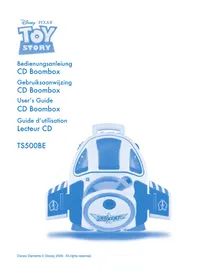
TS500BE - Cd player/recorder Soundmaster - Free user manual and instructions
Find the device manual for free TS500BE Soundmaster in PDF.



| Product type | CD player/recorder with radio (not specified) and LINE IN input |
| Brand | Soundmaster |
| Model | TS500BE |
| Dimensions (approx.) | 30 x 20 x 15 cm |
| Weight (approx.) | 2.5 kg |
| Power supply | AC 220-240 V ~ 50 Hz or 6 C type batteries (LR14) |
| Power consumption | 12 W |
| Speakers | 2 x 2.25 inches, 8 ohms |
| Output power | 2 x 1 W RMS |
| CD functions | Play, pause, stop, skip forward/backward, search, random play, repeat (single track or all tracks) |
| LINE IN input | 3.5 mm jack socket (MP3 compartment) |
| Display type | LCD with track, repeat, random indicators |
| CD compartment | Top loading |
| Battery compartment | For 6 C batteries, with cover |
| Carrying handle | Integrated |
| Maintenance | Clean with a soft dry cloth; do not use harsh detergents |
| Safety | Class 1 laser product; do not expose to rain or moisture; unplug before cleaning |
| Included accessories | Integrated power cable; user manual |
| Warranty | Damage due to power surges is not covered |
| Country of manufacture | Not specified (likely China) |
Frequently Asked Questions - TS500BE Soundmaster
User questions about TS500BE Soundmaster
0 question about this device. Answer the ones you know or ask your own.
Ask a new question about this device
Download the instructions for your Cd player/recorder in PDF format for free! Find your manual TS500BE - Soundmaster and take your electronic device back in hand. On this page are published all the documents necessary for the use of your device. TS500BE by Soundmaster.
USER MANUAL TS500BE Soundmaster
DIESES GERÄT IST EIN KLASSE 1 LASERPRODUKT.
BITTE LESEN SIE DIE
Batterijcompartment
Bergruimte netsnoer
DE NETSPANNING
VOORZORGSGMAATREGELEN
IMPORTANT SAFETY INSTRUCTIONS
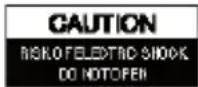

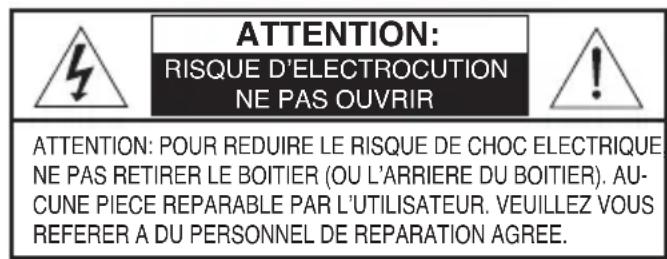
CAUTION: TO REDUCE THE RISK OF ELECTRIC SHOCK, DO NOT REMOVE COVER (OR BACK). NO USER-SERVICEABLE PARTS INSIDE, REFER SERVICING TO QUALIFIED SERVICE PERSONNEL.

The symbol for Class II (Double Insulation)
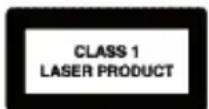
CAUTION:
THIS DIGITAL CD PLAYER EMPLOYS A LASER SYSTEM.
TO ENSURE PROPER USE OF THIS PRODUCT, PLEASE READ THIS OWNER'S MANUAL CAREFULLY AND RETAIN FOR FUTURE REFERENCE. SHOULD THE UNIT REQUIRE MAINTENANCE, CONTACT AN AUTHORIZED SERVICE LOCATION-SEE SERVICE PROCEDURE.
USE OF CONTROLS, ADJUSTMENTS OR THE PERFORMANCE OF PROCEDURES OTHER THAN THOSE SPECIFIED HEREIN MAY RESULT IN HAZARDOUS RADIATION EXPOSURE.
TO PREVENT DIRECT EXPOSURE TO LASER BEAM, DO NOT TRY TO OPEN THE ENCLOSURE. VISIBLE LASER RADIATION MAY BE PRESENT WHEN THE ENCLOSURE IS OPENED. DO NOT STARE INTO BEAM.
DANGER

INVASIBLE LASER RADIATION WHEN OPEN AND INTERLOCK Failed OR DEFEATED. AVOID DIRECT EXPOSURE TO LASER BEAM.
LASER SAFETY
This unit employs an optical laser beam system in the CD mechanism, designed with built-in safeguards. Do not attempt to disassemble, refer to qualified service personnel. Exposure to this invisible laser light beam may be harmful to the human eye.
THIS IS A CLASS-1 LASER PRODUCT. USE OF CONTROLS, OR ADJUSTMENTS OR PROCEDURES OTHER THAN THOSE SPECIFIED HEREIN, MAY RESULT IN HAZARDOUS LASER LIGHT BEAM EXPOSURE.
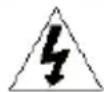
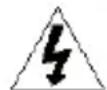
The lightning flash with arrowhead symbol, within an equilateral triangle, is intended to alert the user to the presence of uninsulated "dangerous voltage" within the product's enclosure that may be of sufficient magnitude to constitute a risk of electric shock to persons.

The exclamation point within an equilateral triangle is intended to alert the user to presence of important operating and maintenance (servicing) instructions in the literature accompanying the appliance.
WARNING
Since CD circuitry may cause interference with other radio tuners nearby, switch this player off when not in use or move it away from an affected radio tuner.
To prevent fire or shock hazard, do not expose this appliance to rain or moisture.
The apparatus should not be exposed to dripping or splashing and no objects filled with liquids, such as vases, shall be placed on the apparatus.
The ventilation should not be impeded by covering the ventilation openings with items, such as newspapers, table-cloths, curtains, etc.
No naked flame sources, such as lighted candlefaes, should be placed on the apparatus. The mains plug is used as the disconnect device, the disconnect device should remain readily operable.
In order to disconnect the apparatus from the mains completely, the mains plug should be disconnected from the mains socket outlet completely.
The socket-outlet shall be installed near the equipment and shall be easily accessible.
SURGE PROTECTORS:
It is recommended to use a surge protector for AC connection. Lightning and power surges ARE NOT covered under warranty for this product.
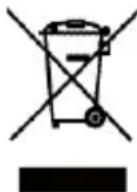
Disposal:
Please dispose of this product responsibly at approved waste or recycling facilities. Do not dispose of in household waste.
IMPORTANT SAFETY INSTRUCTIONS (CONTINUED)
FOR UK ONLY
For your own safety read following instructions carefully before attempting to connect this CD Player to the mains.
Mains Supply 220V - 240V 50Hz AC only
This unit is designed to operate on a 220V-240V~50Hz supply only. Connecting it to other power sources may damage it. Ensure that the supply corresponds to the information on the rating label on the rear panel of the unit.
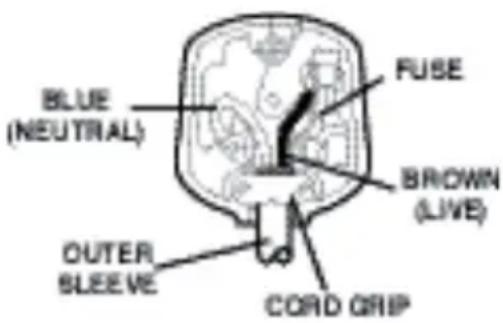
This component system may be fitted with a non-rewireable plug. If it is necessary to change the fuse in a non-rewireable plug the fuse over must be refitted. If the fuse cover becomes lost or damaged, the plug must not be used until a replacement, available from the manufacturer, is obtained. It is important that the colour of the replacement fuse cover corresponds with the colour marking on the base of the plug.
If the plug needs to be changed because it is not suitable for your socket, or becomes damaged, it should be cut off and an appropriate plug fitted following the wiring instructions below. The plug must then be disposed of safely, as insertion into a 13A socket is likely to cause an electrical hazard.
IMPORTANT
The wires in the mains plug should be connected as shown in the diagram.
The colours of the wires in the mains lead of the unit may not correspond with the coloured markings identifying the terminals in your plug. Connect them as follows:-
The wire which is coloured blue must be connected to the terminal which is marked with the letter 'N' or coloured black.
The wire which is coloured brown must be connected to the terminal which is marked with the letter 'L' or coloured red.
There should be no connectin to the earth terminal of your plug.
If a 13 Amp (BS1363) Plug is used, a 3 Amp Fuse must be fitted, or if any other type of Plug is used a 3 Amp or 5 Amp Fuse must be fitted, either in the Plug or Adaptor, or on the Distribution Board.
LOCATION OF CONTROLS
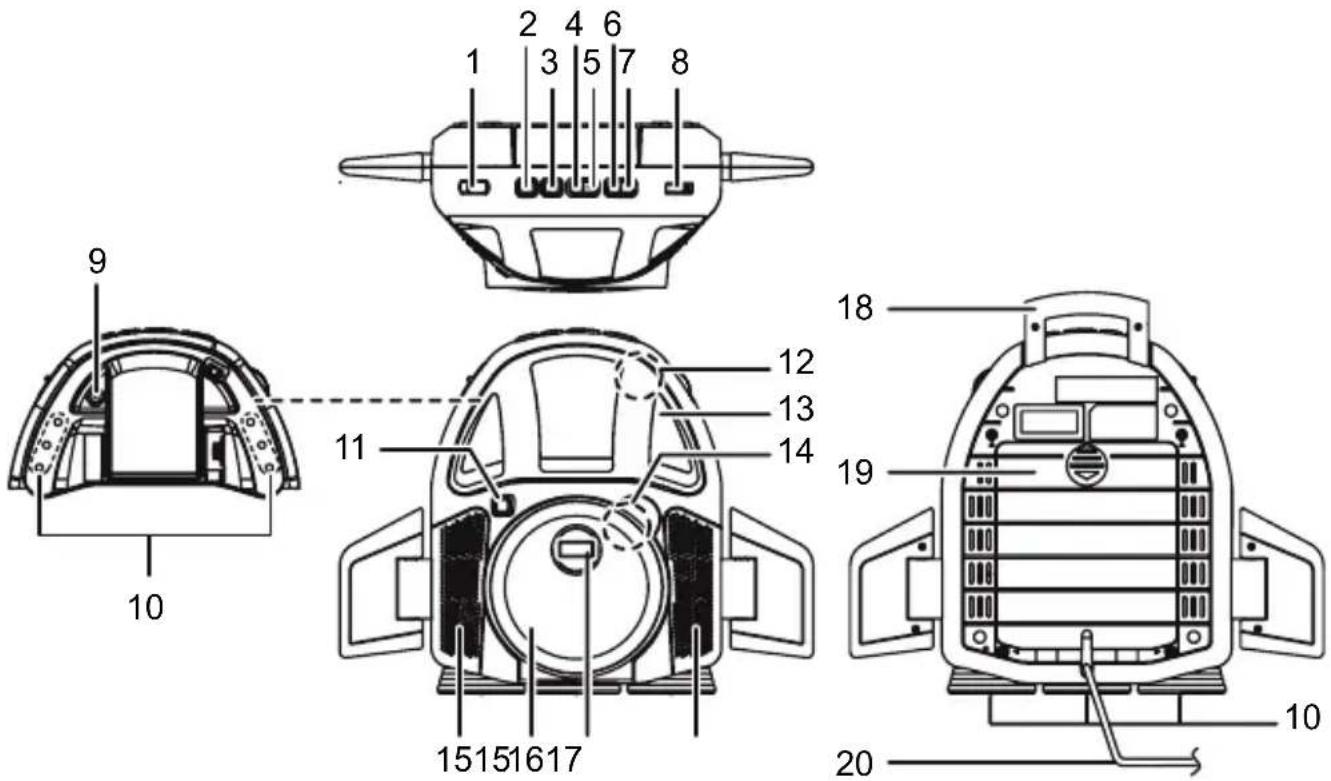
- Function Selector - OFF/CD/LINE IN Switches to turn the power on/off or select CD or LINE IN mode
- Stop Button Press to stop the CD
- Play / Pause Button Press to Play or Pause the CD
- Skip button Press to skip (backward) a track; press and hold to search through the disc.
- Skip button Press to skip (forward) a track; press and hold to search through the disc.
- Random Button
-
Repeat Button
-
Volume Control Rotate to raise or lower the volume
- LINE IN Jack (inside the MP3 compartment)
- LEDs inside the MP3 compartment and boosters of the unit
- Light On / Off button
- MP3 Compartment Door Open/Close Area
- MP3 Compartment Door
- CD Door Open/Close Area
- Speakers
- CD Compartment Door
- Display
- Handle
- Battery Compartment Door
- AC power cord
POWER SOURCE
This unit is designed to operate on AC household current or batteries.
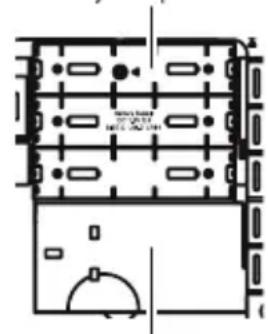
NOTE: The AC Power cord is built-in with this unit. It is stored next to battery compartment and covered by battery door.
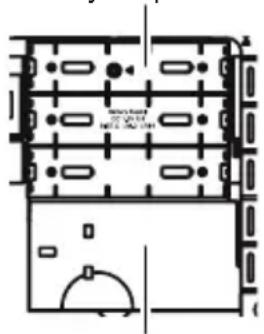
Battery compartment
AC Power Cord Storage Area
MAIN POWER SUPPLY
Check that the power voltage as shown on the type plate corresponds to your local power voltage. If it does not, consult your dealer or service organization
- Remove the battery door, take the AC power cord out.
- Insert plug (with 2 blades) into a conveniently located AC outlet having 220V - 240V 50Hz . When the AC cord is plugged in, the batteries will be disconnected.
BATTERY INSTALLATION
To use this unit with battery power, remove the battery door on the bottom of the unit by applying a slight downward thumb pressure on the latches to release then swing in an outward direction to remove. Insert six (6) "C" size batteries following the diagram in the compartment.
NOTE : The AC power cord must be disconnected from a conveniently located AC outlet in order for the unit to operate on battery power.
BATTERY PRECAUTIONS
Follow these precautions when using batteries in this device:
- The batteries (battery pack or batteries installed) shall not be exposed excessive heat such as sunshine, fire or the like.
- Do not attempt to recharge, short-circuit, disassemble, heat or throw the batteries into a fire.
- Do not mix old and new batteries.
- Do not mix alkaline, standard (carbon-zinc), or rechargeable (nickel cadmium) batteries.
- If the device is not to be used for a long period of time, remove the batteries to prevent damage or injury from possible battery leakage.
- Do not try to recharge batteries not intended to be recharged; they can overheat and rupture. (Follow battery manufacturer's directions.)
- Dispose of batteries properly in accordance with local laws.
CD BASIC OPERATION
Preparation
- Slide the OFF/CD/LINE IN switch to CD to select CD mode.
- Push open the CD compartment door and place a CD, label side up, onto the spindle. Close the CD door by pushing down on the front edge.
- Player initializes by scanning the disc then displaying the total number of tracks available.
- Adjust the Volume Control to desired sound level.
General Operation
PLAY
Press the PLAY/PAUSE button to start disc play in original order.
PAUSE
During "PLAY" press the PAUSE/PLAY button to pause play. and "TRACK NO." will flash on LCD display. Press once again to resume play.
STOP
Press the STOP button to stop disc play at any time.
SKIP
Press to skip forward) a track; press and hold to search through the disc.
Press to skip backward) a track; press and hold to search through the disc.
RANDOM
- To play the tracks on the CD in a random order, simply press the RANDOM button.
- To cancel random play, press the RANDOM button again.
REPEAT
Repeat one track: Select a track using the SKIPI button. Press the REPEAT button once, "REPEAT" will blink in the display. Press the PLAY/PAUSE button and the unit will play the selected track repeatedly until the STOP button is pressed.
Repeat all track : Press the REPEAT button twice, "REPEAT ALL" will light solid in the display. Press the PLAY/PAUSE button and the unit will play all tracks repeatedly until the STOP button is pressed.
To cancel repeat play, repeatedly press the REPEAT button until "REPEAT" or "REPEAT ALL" disappears from the display.
LINE IN OPERATION
Caution : Turn off power and unplug the power cord before connection.
Connect to other audio equipment, including VCR, video recorder, MP3 to provide sound output for other audio equipment.
Preparation
- Pust to open the MP3 compartment door.
- Connect other audio equipments "LINE OUTPUT" to "LINE IN" socket of this unit through an audio cable.
- Slide the OFF/CD/LINE IN switch to select LINE IN mode.
- Adjust the Volume Control to desired sound level.
CARE AND MAINTENANCE
Only use discs bearing the audio compact disc identification logo.

Caring for Discs
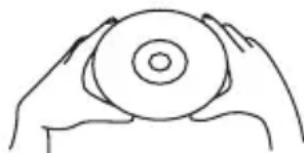
- Treat the disc carefully. Handle the disc only by its edges. Never allow your fingers to come in contact with the shiny, unprinted side of the disc.
- Do not attach adhesive tape, stickers, etc. to the disc label.
- Clean the disc periodically with a soft, lint-free, dry cloth. Never use detergents or abrasive cleaners to clean the disc. If necessary, use a CD cleaning kit.
- If a disc skips or gets stuck on a section of the disc, it is probably dirty or damaged (scratched).
- When cleaning the disc, wipe in straight lines from the center of the disc to the outer edge of the disc. Never wipe in circular motions.
Discs should be stored in their cases after each use to avoid damage. - Do not expose discs to direct sunlight, high humidity, high temperatures or dust, etc. Prolonged exposure or extreme temperatures can warp the disc.
- Do not stick or write anything on either side of the disc. Sharp writing instruments, or the ink, may damage the surface.
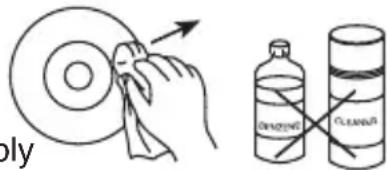
Cleaning the Unit
- To prevent fire or shock hazard, disconnect your unit from the AC power source when cleaning.
- The finish on your unit may be cleaned with a dust cloth and cared for as other furniture. Use caution when cleaning and wiping the plastic parts.
- Mild soap and a damp cloth may be used on the front panel.
TROUBLESHOOTING GUIDE
Check the following guide for the possible cause of a problem before contacting service.
| Symptom | Cause | Correction |
| Player will not turn on. | • AC line cord not connected. | • Check AC line cord connecting. |
| Disc will not play. | • CD Compartment not closed. | • Close CD Compartment. |
| • Disc inserted incorrectly. | • Reinsert disc correctly. | |
| • Dirty or defective disc. | • Try another disc. | |
| • Moisture condensation on disc. | • Wipe disc with soft cloth. | |
| Erratic CD playback. | • Dirty or defective disc. | • Clean or replace disc. |
| • Player is subject to vibrations or physical shock. | • Change the installation location. | |
| • Laser lens is dirty. | • Clean using a quality laser lens cleaner. | |
| No sound | • Volume is set to minimum. | • Increase volume. |
| • Defactive disc. | • Try another disc. | |
| LINE IN no sound. | • Power is not on. | • Turn power on. |
| • Volume is set to minimum. | • Increase volume. | |
| • Disconnect LINE IN jack. | • LINE IN jack is connected. |
SPECIFICATIONS
Speaker 2 1/4" 8 ohms x 2
Audio power output 2 × 1W
Power source AC 220V-240V\~ 50Hz
DC 9V (6 x 1.5V "C" size batteries)
Power consumption 12W
- Design and specification are subject to change without notice.
MESURES DE SECURITE IMPORTANTES

ATTENTION:
CE LECTEUR CD NUMERIQUE UTILISE UN SYSTÉME DE RAYON LASER.
AFIN D'ASSURER UNE UTILISATION CORRECTE DE CE PRODUIT, VEUILLEZ LIRE ATTENTTIVEMENT CE MANUEL DE L'UTILISATEUR ET LE CONSERVER POUR REFERENCES ULTERIEURES. SI L'UNITE DOIT ETRE REPAREE, FAITESAPPEL AU PERSONNEL QUALIFIE ET AGREE - VOIR LA SECTION REPARATION. L'UTILISATION DES COMMANDES, DES REGLAGES OU DES PERFORMANCES DES PROCEDURES AUTRES QUE CELLES SPECIFIÉES DANS DUDIT DOCUMENT PEUT RÉSULTER EN UN RISQUE D'EXPOSITION AUX RADIATIONS. POUR ÉVITERUNE EXPOSITION DIRECTE AUX RAYONS LASER, NE TENTEZ PAS D'OUVRIR LE CHÂSSIS. RADIATION LASER VISIBLE PEUT ETRE PRESENTE DANS LE CHASSIS SI OUVERT. NE REGARDEZ PAS DIRECTEMENT DANS LES RAYONS.
DANGER:

RADIATION LASER INVISIBLE SI OUVERT ET SI DISPOSITIF DE SECURITE DEJOUE. EVITEZ L'EXPOSITION DIRECTE AU RAYON LASER.
SECURITE LASER
SOURCE D'ALIMENTATION
Only use discs bearing the audio compact disc identificatin logo.

- DE NETSPANNING
- VOORZORGSGMAATREGELEN
- IMPORTANT SAFETY INSTRUCTIONS
- CAUTION:
- DANGER
- LASER SAFETY
- WARNING
- SURGE PROTECTORS:
- Disposal:
- IMPORTANT SAFETY INSTRUCTIONS (CONTINUED)
- FOR UK ONLY
- IMPORTANT
- LOCATION OF CONTROLS
- POWER SOURCE
- MAIN POWER SUPPLY
- BATTERY INSTALLATION
- BATTERY PRECAUTIONS
- CD BASIC OPERATION
- Preparation
- General Operation
- PLAY
- PAUSE
- STOP
- SKIP
- RANDOM
- REPEAT
- LINE IN OPERATION
- CARE AND MAINTENANCE
- Caring for Discs
- Cleaning the Unit
- TROUBLESHOOTING GUIDE
- SPECIFICATIONS
- MESURES DE SECURITE IMPORTANTES
- ATTENTION:
- DANGER:
- SECURITE LASER
- SOURCE D'ALIMENTATION
Brand : Soundmaster
Model : TS500BE
Category : Cd player/recorder