RR45 - Alarm Clock BIGBEN - Free user manual and instructions
Find the device manual for free RR45 BIGBEN in PDF.


| Product type | Radio alarm clock |
| Brand | Bigben |
| Model | RR45 |
| Mains power | 230 V ~ 50 Hz |
| Backup batteries | 2 x AAA 1.5 V (not included) |
| FM radio frequencies | 88 - 108 MHz |
| Power consumption | 5 W |
| Dimensions (approx.) | 200 x 100 x 100 mm |
| Weight (approx.) | 0.5 kg |
| Main functions | FM radio, two alarms, snooze, sleep timer, date and time setting, display with brightness adjuster, battery backup for time |
| Care and cleaning | Unplug the device before cleaning. Use a dry, soft cloth. Do not use abrasive products or solvents. |
| Safety instructions | Do not open the device (risk of electric shock). Do not expose to water or humidity. Place in a well-ventilated area, away from sunlight and heat sources. |
| Spare parts and repairability | The device contains no user-serviceable parts. In case of malfunction, contact a qualified technician or Bigben after-sales service. |
| General information | Imported by Bigben Interactive SA, Rue de la Voyette, 59818 Lesquin Cedex, France. Made in China. |
Frequently Asked Questions - RR45 BIGBEN
User questions about RR45 BIGBEN
0 question about this device. Answer the ones you know or ask your own.
Ask a new question about this device
Download the instructions for your Alarm Clock in PDF format for free! Find your manual RR45 - BIGBEN and take your electronic device back in hand. On this page are published all the documents necessary for the use of your device. RR45 by BIGBEN.
USER MANUAL RR45 BIGBEN
MANUEL D'INSTRUCTIONS

ATTENTION RISQUE DE CHOC ELECTRIQUE NE PAS OUVRIR

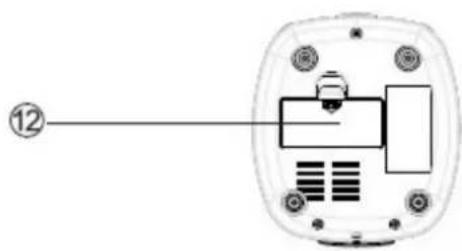
- HAUT-PARLEUR
- SLEEP / 12/24
- CH+ / MEMO
- FONCTIONS
- VOLUME+ / ALARM 1
- SNOOZE / LIGHT
-
AFFICHAGE LCD
-
VOLUME- / ALARM 2
- SET / PLAY/PAUSE
- SCAN +/-
- SCAN +/-
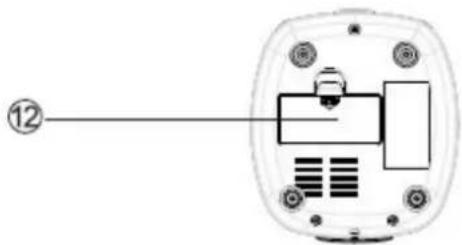
- COMPARTIMENT A PILES
ALIMENTATION
TO PREVENT FIRE OR SHOCK HAZARD DO NOT EXPOSE THIS APPLIANCE TO RAIN OR MOISTURE.
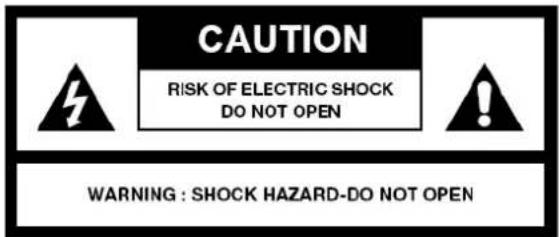

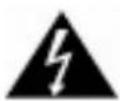
LIGHTING FLASH WITH ARROWHEAD SYMBOL - within an equilateral triangle, is intended to alert the user to the presence of uninsulated dangerous voltage within the products enclosure that may be of sufficient magnitude to constitute a risk of electric shock to persons.

EXCLAMATION POINT - within an equilateral triangle, is used to indicate that a specific component shall be replaced only by the component specified in that documentation for safety reason.
SAFETY INSTRUCTIONS
- READ INSTRUCTIONS - All the safety and operating instructions should be read before the appliance is operated.
- RETAIN INSTRUCTIONS - The safety and operating instruction should be retained for future reference.
- HEED WARNINGS - All warnings on the appliance and in the operating instructions should be adhered to.
- FOLLOW INSTRUCTIONS - All operating instructions should be followed.
- WATER AND MOISTURE - The appliance should not be used near water, for example, near a bathtub, washbowl, kitchen sink, laundrytub, swimming pool or in a wet basement.
- VENTILATION - The appliance should be situated so that its location or position does not interfere with its proper ventilation. Do not place on bed, sofa, rug or similar surface that may block the ventilation openings, in a built-in installation, such as a bookcase or cabinet that may impede the flow of air through the ventilation openings.
- HEAT - The appliance should be situated away from heat sources such as radiators, stoves, or other appliances (including amplifiers) that produce heat.
- POWER SOURCE - The appliance should be connected to power supply only of the type described in the operating instructions or as marked on the appliance.
- POWER CORD PROTECTION - Power supply cords should be routed so that they are not likely to be walked on or pinched by items placed upon or against them.
- POWER LINES - An outdoor antenna should be located away from power lines.
- OBJECT and LIQUID ENTRY - Care should be taken so that objects do not fall and liquids are not spilled into the enclosure through openings.
- ESD WARNING - The display does not function properly or no reaction to operation of any the control may due to the electrostatic discharge. Switch off and unplug the set. Reconnect after a few seconds.
- DAMAGE REQUIRING SERVICE - The appliance should be serviced by qualified service personnel when:
a. The power-supply cord or plug has been damaged.
b. Objects have fallen into, or liquid has been spilled into the appliance enclosure.
c. The appliance has been exposed to rain.
d. The appliance has been dropped, or the enclosure damaged.
e. The appliance does not appear to operate normally. - SERVICING - The user should not attempt to service the appliance beyond that described in the user operating instructions. All other servicing should be referred to qualified service personnel.
LOCATION OF CONTROLS
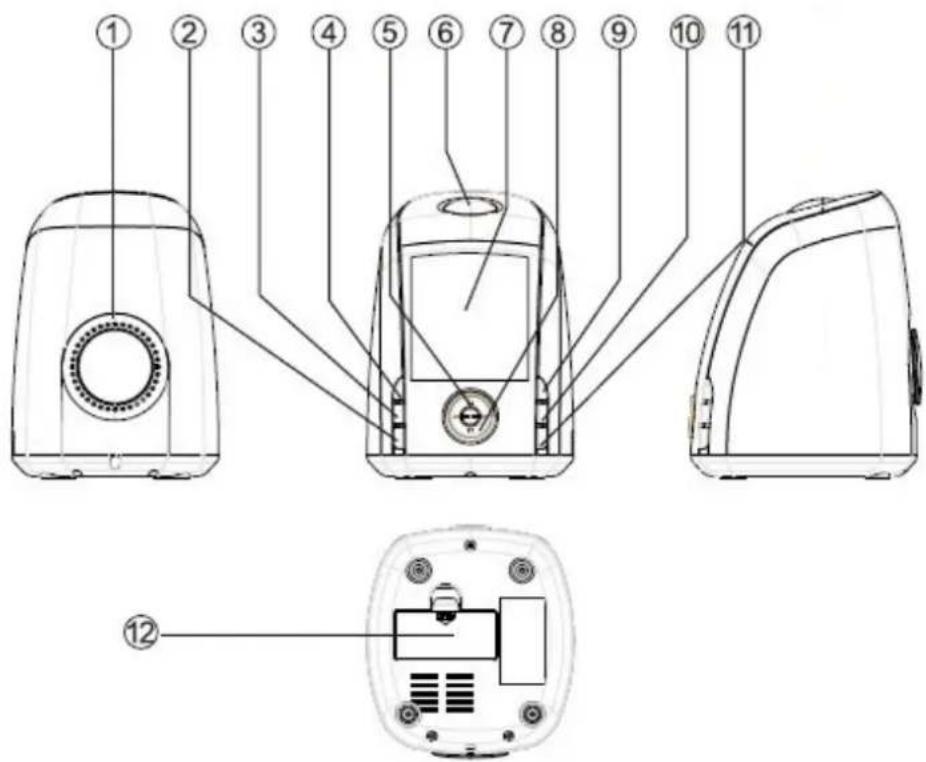
- BUILT - IN SPEAKER
- SLEEP / 12/24 HOUR BUTTON
- CH+ / MEMORY BUTTON
- FUNCTION SWITCH
- VOLUME+ / ALARM 1
- SNOOZE / LIGHT BUTTON
-
LCD DISPLAY
-
VOLUME- / ALARM 2
- SET BUTTON / PLAY/PAUSE
- SCAN +/-
- SCAN +/-
- BATTERY COMPARTMENT
POWER SOURCE
Plug the AC line cord into AC 230V 50Hz power outlet. The unit is now working and show you it is operating with displaying 00:00, 1 1, but not yet set the time.
OPERATING INSTRUCTIONS
1. DATE SET
Press the SET button for 3 seconds to set the year. Use SCAN+ and SCAN – button to add or decrease year display. Press one more time to set the month. Repeat pressing the SET button for 3 times, you can set the date, hour and minutes consecutively.
2. TIME MODE SET
Press the 12/24, HOUR button to select twelve hour clock or twenty four hour clock.
3. ALARM SET
Press the ALARM button for 3 seconds to display the Alarm symbol. You can set the hour with pressing one time of the button and the minutes with pressing it two times. When you press SCAN+ and SCAN – button, the alarm time will add numeral or decrease numeral. If you want to turn of f the alarm set, press ALARM button for 3 seconds. The operating process of ALARM 2 is the same as the ALARM 1.
4. SNOOZE BUTTON
When you are awakened by alarm clock but wish to sleep a few minutes more, simply touch the "snooze" button and it will shut off the clock for approximately 9 minutes before the clock sounds again. If you want to turn off the clock just press FUNC button.
5. SLEEP CONTROL
Press the SLEEP button to display the sleep time. The display will indicate 90 minutes. This is the maximum sleep time you can set. If you want shorter sleep time, just press the SLEEP button continuously to select 80, 70, 60.....with the minimum sleep time 10 minutes.
6. FM SET
Press the FUNC button to turn on the unit, it will switch to FM position automatically. You can set the volume with VOL+ and VOL - button to a desired position.
If you want to make a memory of the radio station, press the MEMO button. Press it for 3 seconds when find a favorite channel, the unit will display MEM to indicate you can have a memory of this channel and then press MEMO button one more time for confirm.
7. BRIGHT OR DIM SET
Press LIGHT button for 3 seconds, the displayer can switch to dim or bright mutually.
8. TIME MEMORY SET
Your clock has a battery back up feature in case of power failure. After plug the AC line cord into power outlet, set time and date in a correct position, then put in 2x "AAA" batteries (the battery is not included), cut off the power, you don't need to set time and date again next time.
If you want to turn off the unit, press the FUNC button for 3 seconds.
9. BATTERY PRECAUTIONS
Follow these precautions when using a battery in this device:
- Use only the size and type of battery specified.
- Be sure to follow the correct polarity when installing the battery as indicated in the battery compartment. A reversed battery may cause damage to the device.
- If the device is not to be used for a long period of time, remove the battery to prevent damage or injury from possible battery leakage.
- Do not try to recharge a battery not intended to be recharged; it can overheat and rupture. (Follow battery manufacturer's directions.)
IMPORTANT NOTES
Avoid installing the unit in locations described below:
- Places exposed to direct sunlight or close to heat radiating appliances such as electric heaters.
- Dusty places.
- Places subject to constant vibration.
• Humid or moist places.
SPECIFICATIONS
Power supply: AC 230V \~ 50 Hz
Backup battery : 2 x AAA, 1.5V batteries
FM Frequency Range: 88 - 108 MHz
Power consumption: 5W
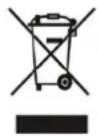
- Don't throw the electrical and electronic appliances into the usual dustbin.
- Bring them to a collecting point.
- Some parts contained in these appliances may be dangerous for health and environment.
Imported by Bigben Interactive SA
CRT2 – Rue de la Voyette
59818 Lesquin Cedex
www.bigben.eu
Made in China


RR45
- ALTAVOZ INTEGRADO
- BOTÓN SLEEP / 12/24 HORAS
- BOTÓN CH+ / MEMO
- BOTÓN FUNC
- VOLUMEN+ / ALARM 1
- BOTÓN SNOOZE / LUZ
-
PANTALLA LCD
-
VOLUMEN- /ALARM 2
- BOTÓN SET / PLAY/PAUSE
- SCAN +/-
- SCAN +/-
- COMPARTIMENTO DE LAS PILAS
- ALTOPARLANTE INTEGRATO
- TASTO SLEEP · 12/24 HOUR
- TASTO CH+ · MEMORY
- INTERRUTTORE FUNCTION
- VOLUME+ · ALARM 1
6.TASTO SNOOZE · LIGHT -
DISPLAY LCD
-
VOLUME-、ALARM 2
- TASTO SET, PLAY/PAUSE
- SCAN+,
- SCAN -,
- VANO BATTERIA
13.
- INGEBOUWDE LUIDSPREKER
- SLAAP-, 12/24-UURSKNOP
- CH+, GEHEUGENKNOP
- FUNCTIESCHAKELAAR
- VOLUME+, ALARM 1
- SLUIMER-, LICHTKNOP
-
LCD-SCHERM
-
VOLUME-, ALARM 2
- INSTELKNOP, START/PAUZE
- SCAN +/-
- SCAN +/-
- BATTERIJCOMPARTIMENT
VOEDINGSBRON
- EINGEBAUTER LAUTSPRECHER
- SLEEP / UMSCHALTUNG 12/24h-ANZEIGE
- CH+ / MEMORY-TASTE
- FUNKTIONSSCHALTER
- VOLUME+/ ALARM 1
- SNOOZE / LIGHT-TASTE
-
LCD-ANZEIGE
-
VOLUME-, ALARM 2
- SET-TASTE, PLAY/PAUSE
- SCAN + / -
- SCAN + / -
- BATTERIEFACH
STROMVERSORGUNG
MANUAL DE INSTRUÇÕES
AVISO RISCO DE CHOQUE ELÉCTRICO NÃO ABRIR

MANUAL DE INSTRUÇÕES
- MANUEL D'INSTRUCTIONS
- ALIMENTATION
- SAFETY INSTRUCTIONS
- LOCATION OF CONTROLS
- POWER SOURCE
- OPERATING INSTRUCTIONS
- DATE SET
- TIME MODE SET
- ALARM SET
- SNOOZE BUTTON
- SLEEP CONTROL
- FM SET
- BRIGHT OR DIM SET
- TIME MEMORY SET
- BATTERY PRECAUTIONS
- IMPORTANT NOTES
- SPECIFICATIONS
- RR45
- VOEDINGSBRON
- STROMVERSORGUNG
- MANUAL DE INSTRUÇÕES
- AVISO RISCO DE CHOQUE ELÉCTRICO NÃO ABRIR
Brand : BIGBEN
Model : RR45
Category : Alarm Clock