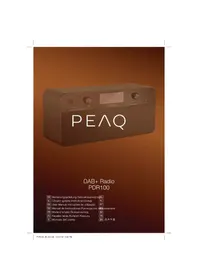
DAB+ Radio PDR100 - Radio PEAQ - Free user manual and instructions
Find the device manual for free DAB+ Radio PDR100 PEAQ in PDF.


Pick your language and provide your email: we'll send you a specifically translated version.
| Product Type | DAB+ and FM Radio |
| Brand | PEAQ |
| Model | PDR100 |
| Dimensions (approximate) | 20 x 12 x 8 cm |
| Weight (approximate) | 0.5 kg |
| Power supply | Mains adapter (included) or 4 AA batteries (not included) |
| Power consumption | 5 W (max.) |
| Reception | DAB+ (Band III) and FM (87.5-108 MHz) |
| Speaker | Mono speaker, 3 W |
| Display | Backlit LCD screen |
| Main functions | Automatic station search, 30 presets, alarm, sleep, timer |
| Connections | 3.5 mm headphone jack, 3.5 mm auxiliary input |
| Care and cleaning | Wipe with a soft, dry cloth. Do not use abrasive products. |
| Safety | Do not expose to moisture or extreme temperatures. Disconnect before cleaning. |
| Spare parts and repairability | Contact PEAQ customer service for any repairs or parts. No user-serviceable parts. |
| Warranty | 2 years |
Frequently Asked Questions - DAB+ Radio PDR100 PEAQ
How to turn the PDR100 radio on and off?
Press the Power/Mode button to turn the radio on. Hold it down to turn it off.
How to search for DAB+ stations?
Press the Scan button to start an automatic search for available DAB+ stations. Found stations will be saved to the list.
How to set the alarm?
Press Menu, select Alarm, set the time and source (radio or buzzer). Confirm with Enter.
How to update the FM station list?
In FM mode, press and hold Scan to start an automatic search. Stations will be memorized.
Can I use batteries?
Yes, insert 4 AA batteries (not supplied) into the compartment on the back of the device.
How to adjust the volume?
Turn the Volume knob on top of the device to increase or decrease the sound.
How to use the headphone jack?
Plug your headphones into the Headphone jack on the back. The speaker will then be disabled.
What to do if the radio does not receive any stations?
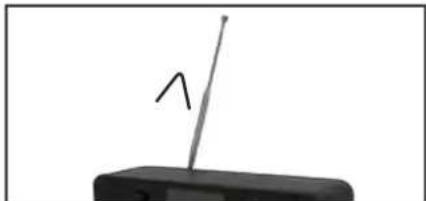
Check that the antenna is extended and oriented correctly. Try moving the radio near a window or a more open area.
How to switch between DAB+ and FM?
Press the Power/Mode button briefly to switch between modes.
Where to find the full manual?
The full manual is available for free download in PDF format on the website notice-facile.com.
User questions about DAB+ Radio PDR100 PEAQ
0 question about this device. Answer the ones you know or ask your own.
Ask a new question about this device
No questions yet. Be the first to ask one.
Download the instructions for your Radio in PDF format for free! Find your manual DAB+ Radio PDR100 - PEAQ and take your electronic device back in hand. On this page are published all the documents necessary for the use of your device. DAB+ Radio PDR100 by PEAQ.
USER MANUAL DAB+ Radio PDR100 PEAQ
natural_image
Close-up of a cable inserted into a device labeled '300V 50mA' with an arrow pointing to it (no other text or symbols visible)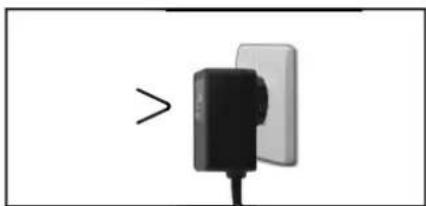
natural_image
Simple diagram showing a black plug inserted into a white socket, with no text or symbols present.natural_image
Black electronic device with antenna and control panel (no visible text or symbols)