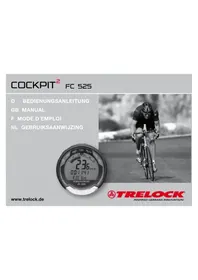
FC 525 - Counter TRELOCK - Free user manual and instructions
Find the device manual for free FC 525 TRELOCK in PDF.


| Product type | Bike computer (cycle computer) |
| Brand | Trelock |
| Model | FC 525 |
| Power supply (computer and sensors) | 3V lithium battery type CR 2032 |
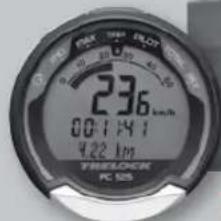
| Display | Digital screen with visual guidance and single button |
| Number of bikes supported | 2 (with separate bracket/transmitter sets, not included) |
| Available languages | 8 (German, English, French, Dutch, Spanish, Italian, Russian, Polish) |
| Speed units | km/h or m/h (miles per hour) |
| Main functions | Current speed, average, maximum, total distance, partial distance, stopwatch, time, wheel size setting, anti-theft PIN, energy saving |
| Anti-theft protection | Customizable PIN code (default 0000) with delay |
| Energy saving function | Standby after adjustable PIN time (0-240 min), display turns off |
| Basic settings | Language, units, wheel size (circumference), time, PIN code |
| Operating temperature | 5 °C to 50 °C (40 °F to 120 °F) |
| Storage temperature | -20 °C to 80 °C (-4 °F to 176 °F) |
| Maintenance and cleaning | Clean with a damp cloth. Protect from extreme temperatures. No special maintenance. |
| Battery replacement | CR 2032 battery. Data is retained even without battery. |
| Warranty | 2 years from purchase date, upon presentation of receipt. Does not cover batteries, rechargeable batteries, or wear parts. |
| After-sales service | Trelock GmbH, Postfach 7880, D-48042 Münster, Germany, tel.: +49 (0) 251 91 999-0, www.trelock.de |
| Reset | Automatic if needed. Otherwise, remove and reinsert the battery. |
| Intended use | Private use on bicycle. Not suitable for industrial or medical use. |
Frequently Asked Questions - FC 525 TRELOCK
User questions about FC 525 TRELOCK
0 question about this device. Answer the ones you know or ask your own.
Ask a new question about this device
Download the instructions for your Counter in PDF format for free! Find your manual FC 525 - TRELOCK and take your electronic device back in hand. On this page are published all the documents necessary for the use of your device. FC 525 by TRELOCK.
USER MANUAL FC 525 TRELOCK
COCKPIT ^2 FC 525
GB MANUAL
www.trelock.de
TRELOCK
INSPIRED GERMAN INNOVATION
Dear customer,
please note our TRELOCK code system during initial configuration of your new TRELOCK cycle computer!
PIN:
Each product is supplied with the PIN 0000.
- You can protect your cycle computer against theft by entering your chosen personal PIN code (page 47/48). Likewise, you can change the PIN and PIN time (energy-saving function) at any time.
You can enter your PIN and PIN time here:
PIN
PIN time
Alternatively or additionally you can have your PIN registered with TRELOCK:
If you change your address, please inform us of your new address.
You have decided to purchase the TRELOCK bike computer FC 525 and, as such, your choice is an excellent one. Your new bike computer is easy and convenient to operate thanks to the visual guidance system and large monobutton typical of TRELOCK products. Please read through this manual prior to your initial usage of the computer.
Contents
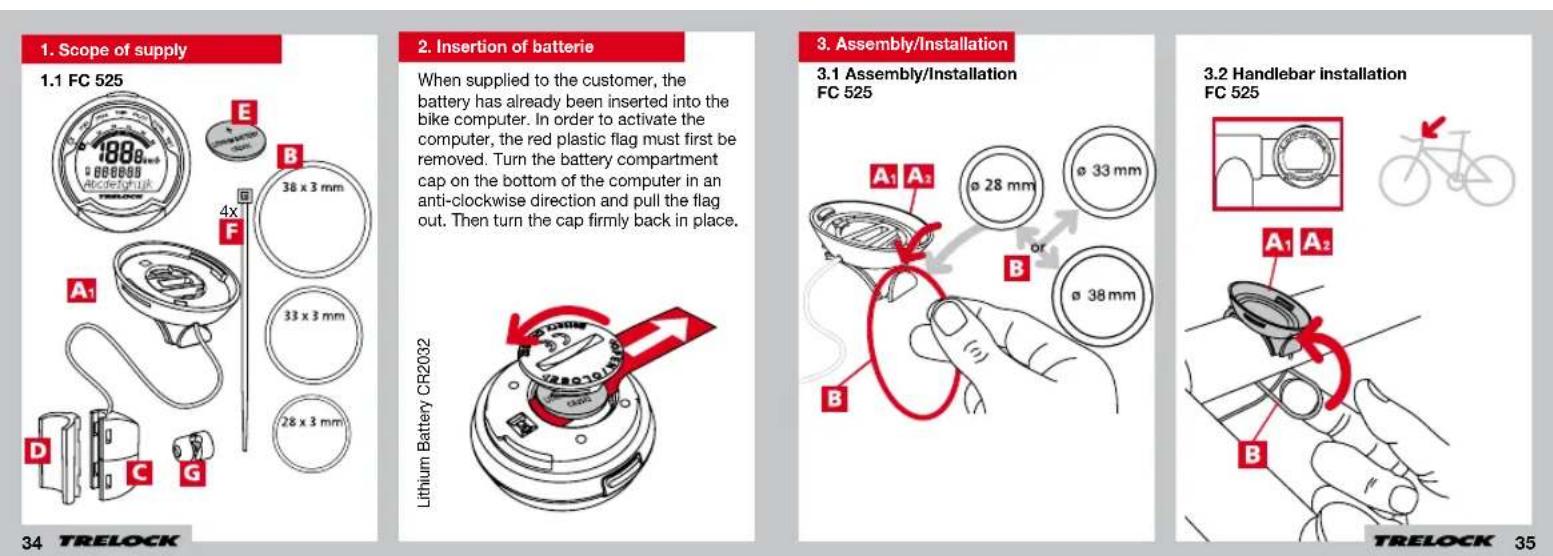
- Scope of supply 34
- Insertion of batterie 34
- Assembly/Installation 35
- Display design and operating principle 39
- General default settings 40
- Main menus 49
- Training
8.Additional information and instructions 54 - Notes 57
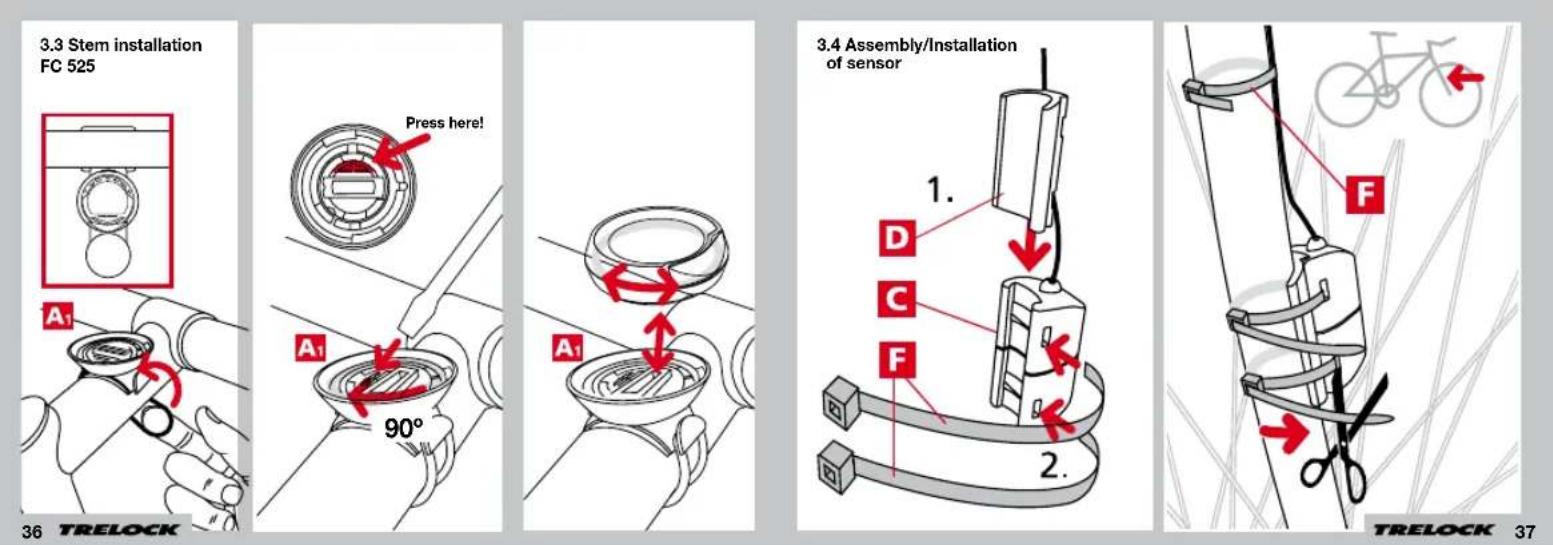
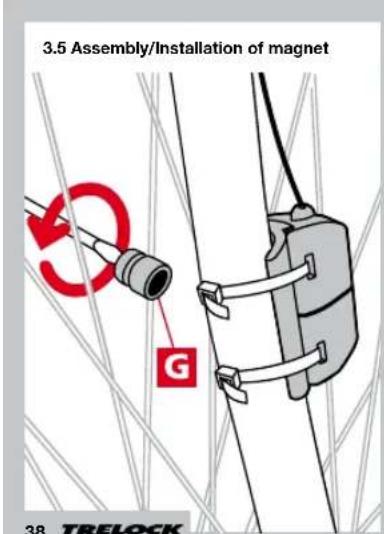
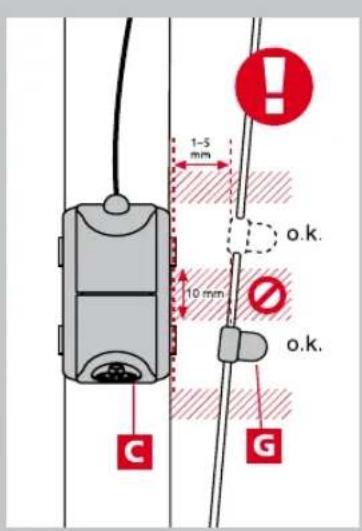
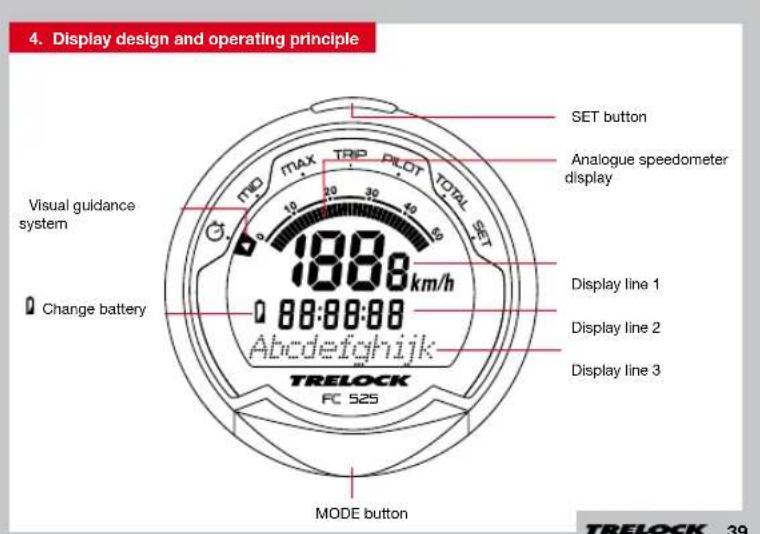
5. General default settings
5.1 Selection of language
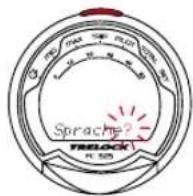
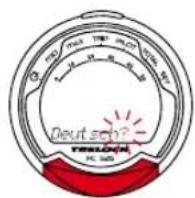
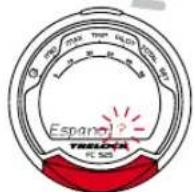
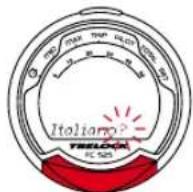
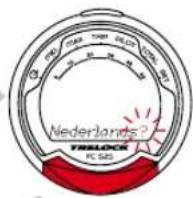
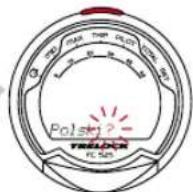
Once the computer (by removing the plastic tap) has been activated, you automatically access the "Language?" menu. By pressing the SET button, you access the language selection option. Use the MODE button to choose one of the eight languages shown (German, English, French, Dutch, Spanish, Italian, Russian or Polish) and confirm your choice via the SET button.



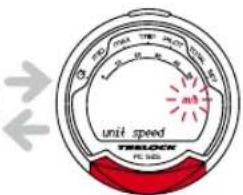
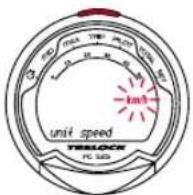
5.2 Choice between km/h and m/h
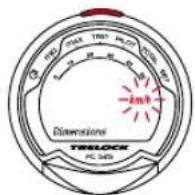
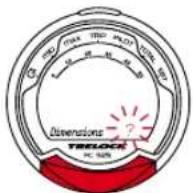
In the "Dimensions?" menu, "km/h" is pre-set as the standard unit. If you wish to accept this default setting, press the MODE button.
To change it to "m/h", press the SET button. Then use the MODE button to choose between "m/h" and "km/h" in the "Unit Speed" window. Confirm your choice via the SET button.
TRELOCK
5.3 Setting(s) of wheel size(s)
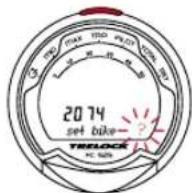
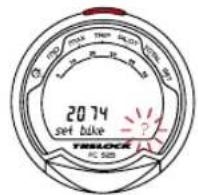
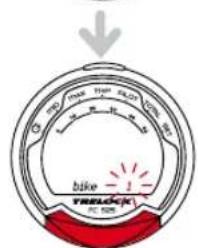
You can use your bike computer on two bikes, even if their wheel sizes are different. To this end, you need a dedicated transmitter / bracket unit Art. ZF 407 for FC 525, accessory, not supplied as standard for each bike. In order to make the settings for Bike 1 and Bike 2 in the "Set Bike" window, press the SET button. Use the MODE button to select "Bike 1" or "Bike 2". Confirm your choice via the SET button.
TRELOCK
Setting(s) of wheel size(s) (wheel circumference)
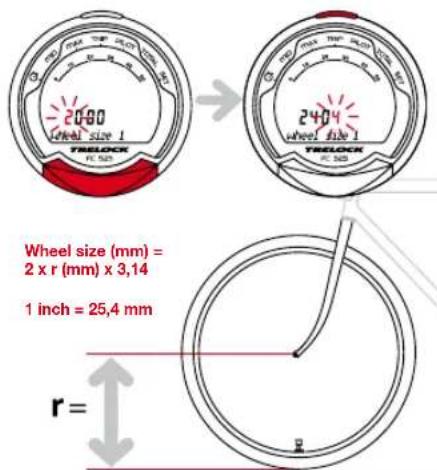
Under "Wheel Size 1" or Wheel Size 2, you should now enter the wheel circumference of your bike. This can be seen from the wheel size data shown on the side of your tyre. Please consult the table shown on P.45 for the appropriate 4-digit number.
Next press the MODE button until such time as the appropriate digit appears, then use the SET button to move to the next digit. Once you have confirmed the final digit, you automatically re-access the "Set Wheel" window. Should you wish to make settings for a second bike, press the SET button, otherwise move to the "Clock" window by pressing the MODE button.
Wheel Size (WS) Chart (wheel sizes / wheel circumference)
ETRTO Ws mm
47-305 16x1.75x2 1272
47-406 20x1.75x2 1590
50-406 20/2.00 1593
60-406 20/2.35 1665
37-540 24x1 3/8 A 1948
47-507 24x1.75x2 1907
50-507 24/2.00 1910
40-559 26x1.5 2026
44-559 26x1.6 2051
47-559 26x1.75x2 2074
50-559 26x1.9 2089
54-559 26x2.00 2114
57-559 26x2.125 2133
37-590 26x13/8 2105
20-571 26x3/4 1954
ETRTO WS mm
60-559 26/2.35 2146
32-630 27x11/4 2199
40-622 28x1.5 2224
47-622 28x1.75 2268
40-635 28x11/2 2265
37-622 28x1 3/8x1 5/8 2205
18-622 700x18C 2102
23-622 700x23C 2133
25-622 700x25C 2146
28-622 700x28C 2149
32-622 700x32C 2174
37-622 700x35C 2205
40-622 700x40C 2224
50-622 28/2.00 2284
60-622 28/2.35 2340
5.4 Setting the current time
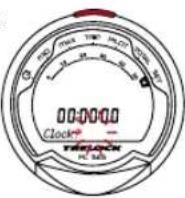
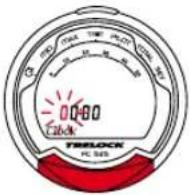
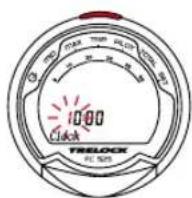
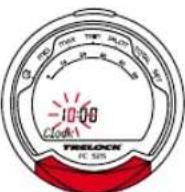
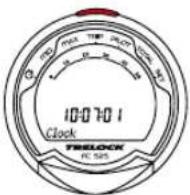
If you wish to change the time, press the SET button. One after another, hours, minutes and seconds (start automatically after confirmation of minutes) can be changed via the MODE button. Use the SET button to confirm your entries and to move to the next digit.
5.5 Entering and changing the PIN anti-theft protection
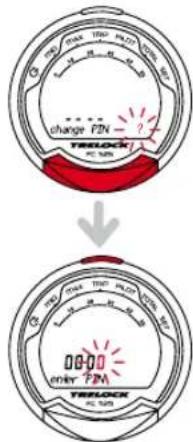
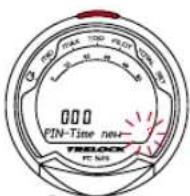
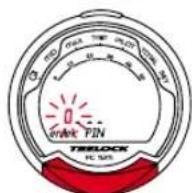
You can use a PIN to protect your cycle computer from misuse by unauthorized people. The cycle computer cannot be used unless the correct PIN is entered. Once the time has been set, you automatically access the "Change PIN?" window. Here you can enter your own PIN and, if necessary, subsequently change it. If you don't wish to use a PIN, press the MODE button. Otherwise, after pressing the SET button, you will be asked to enter the old PIN (default setting is "0000"). To this end, press the MODE button until such time as the appropriate digit appears and then use the SET button to move to the next digit. PIN input is monitored. Should the PIN have been entered incorrectly, the message "Wrong PIN" appears for approx. 3 seconds and you will be asked to reenter the PIN. If the PIN is correct, input a new PIN of your choice as described above. Once the last digit has been confirmed via the SET button, PIN entry must be repeated. Should the repeat PIN entry be incorrect, you will return automatically to the "Change PIN" window. Note down your personal PIN on Page 34 so that it is readily available if required!
5.6 Entering and changing the PIN time
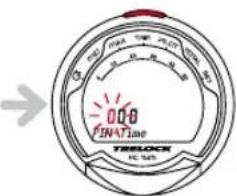
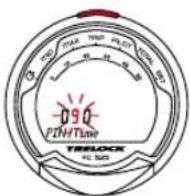
If the bike computer is in Sleep mode and is not 'awakened' for a set time, it has to be reactivated by entering your PIN. The period concerned (PIN Time) can be (re)set in the "Set PIN Time" window - after you have pressed the SET button, you will be asked to enter your PIN. After correct PIN input, you automatically access "PIN Time" where you can enter the time of your choice up to max. 240 minutes. If you wish to dispense with the securing of your bike computer via a PIN, then set the PIN time to "000".
TRELOCK
5.7 Energy economy function
An energy economy function is linked to the PIN-time setting.
The PIN-time default setting is 60 min. and the PIN default setting "0000". As such, the clock is displayed in Sleep for 60 min., after which time the clock display shuts down. This period of time can be adjusted as described above. If the PIN time is set at 0, the energy economy function is deactivated and the clock is displayed on an ongoing basis.
If a PIN is set at "0000" and a PIN time at more than 0, the energy economy function and the PIN enquiry are activated. This means that, once the PIN time has elapsed, the clock display shuts down and the computer can only be reactivated via PIN input.
6. Main menus
Press the MODE button to move between the main functions (menus) - see 6.1 - 6.7. To enter digits (time, counter levels, etc.), press the MODE button until the given digit appears. Use the SET button to move to the next digit and confirm again via SET after the last digit has been entered.
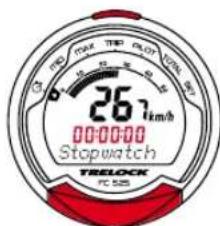
TRELOCK
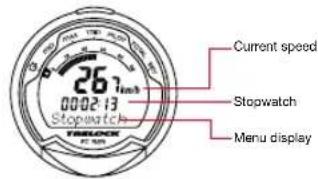
6.1 "Stopwatch" menu
Starting, stopping and resetting the stopwatch
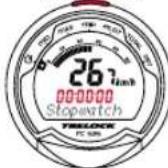
Use the SET button to start and stop the stopwatch. By pressing and holding the SET button for 3 seconds, the stopwatch is reset to "0".
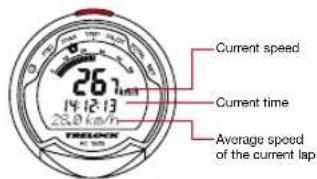
6.2 "Average" MID menu
The "MID" menu shows the current average speed of the given lap.
By pressing and holding the SET button for 3 seconds, you stop the measurement of the current lap and reset all lap readings on the computer to "0".
50
TRELOCK
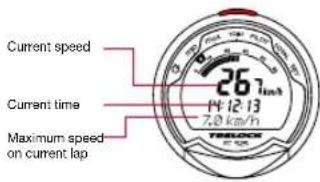
6.3 "Maximum" MAX menu
The maximum speed on the given lap is displayed via the "MAX" menu.
By pressing and holding the SET button for 3 seconds, you stop the measurement of the current lap and reset all lap readings on the computer to "0".
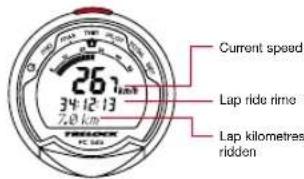
6.4 "Lap" TRIP menu
The ride time and lap kilometres ridden are displayed via the "TRIP" menu.
By pressing and holding the SET button for 3 seconds, you stop the measurement of the current lap and reset all lap readings on the computer to "0".
TRELOCK
51
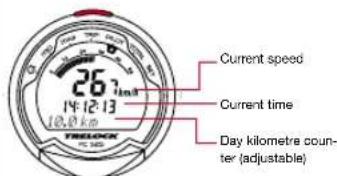
6.5 "Pilot" PILOT menu
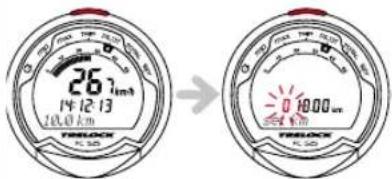
3 seconds
Setting of day kilometre counter
By pressing and holding the SET button for 3 seconds, you can change the display of the day kilometre counter in the "Set km" window (only possible with deactivated stopwatch). This function is helpful if you have made a detour, for instance, despite the fact that you are otherwise following a road book.
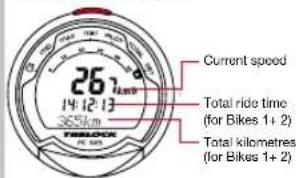
6.7 "Set" SET menu
Changing the presetting
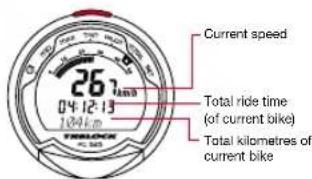
6.6 "Total" TOTAL menu
The total kilometre status and total ride time of the current bike are displayed via the "Total" menu.
The total kilometre status can be adjusted via the "Set" menu, enabling you, for instance, to transfer the kilometre reading from an old bike computer to your new TRELOCK computer.
If you wish to use your computer on 2 bikes, you must select the appropriate bike on the computer prior to starting your ride.
By pressing the SET button, the bike currently selected appears on the display. Use the MODE button to change bikesand confirm your selection via the SET button or, after 5 seconds, the bike displayed is automatically confirmed.
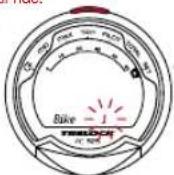
By pressing and holding the SET button in the "SET" menu for 3 seconds, you then have the option of correcting your default settings and making further setting. Pressing the MODE button brings you automatically to the menus "Clock?" "Wheel Size?" with its submenus "Bike 1" and "Bike 2" and "Total km" one after the other. Press the SET and MODE buttons simultaneously for 3 seconds to move to the general default settings (P. 40, Point 5.ff).
7. Training
7.1 Targeted training
Your TRELOCK bike computer gives you a wide range of options for training in a targeted manner. You have the possibility, for example, of monitoring
- how long you train for
how many kilometres you cover
how long you need to cover a certain distance.
8. Additional information and instructions
8.1 Battery change
0 = When this symbol appears, the battery needs changing.
The bike computer run on 3-V CR 2032-type batteries.
Caution - old batteries are special waste and may not be disposed of via household waste!
Your personal data continues to be stored even if there is no battery in your bike computer.
8.2 Frequently asked questions
Why can't the bike computer be activated? The battery is flat and must be replaced.
Why isn't any other current data displayed apart from the time?
The bike computer is in Sleep mode - just press any button of your choice or simply start cycling.
Why is the incorrect speed displayed? The wrong wheel size has been entered.
Why is no speed displayed?
The distance between the sensor and the magnet is too large.
Why does the display go black or react lethargically?
The operating temperature (5^ - 50^;40 ^ F - 120^) has not been reached or has been exceeded.
Why is the display pale? The battery is flat and must be replaced.
8.3 Resets
Any resets that may be necessary are carried out automatically. Should a fault nevertheless occur, remove the battery from the bike computer, wait briefly and then re-insert it.
8.4 Maintenance and care
Your TRELOCK bike computer requires no maintenance and no special care. Just use a damp cloth for cleaning purposes. Protect the sensors and receivers from exposure to extreme temperatures.
Temperatures below -20^ (-4F) and over 80^ (176 F) can damage the bike computer. The operating temperature should lie between 5 ^ C - 50^ 40F-120F
8.5 Safety instructions
TRELOCK bike computers are designed for private fitness training and are unsuitable for commercial or medical applications.
8.6 Technical data
and sensors: 3 Volt Lithium CR 2032
8.7 Guarantee and Service
The guarantee terms are defined by legal provisions. Our liability extends to our respective contract partners. If you have a complaint, please approach your dealer. The Trelock Service Center will be happy to answer any questions you may have: Trelock GmbH, Postfach 7880, 48042 Munster, Germany, Tel. +49 (0) 251 91 999-0, www.trelock.de
In the event of a justifiable guarantee claim, the product will be repaired or replaced. Claim for replacement applies only to the current model applicable at this time. The guarantee is valid only if the product has not been forced open or damaged after purchase. Rechargeable and non-rechargeable batteries and wearing parts are excluded from the guarantee. Trelock cannot be made liable for any consequential loss or damage resulting from this guarantee claim. This guarantee is valid for two years from the date of purchase, on submission of the original purchase receipt.
The manufacturer reserves the right to make technical modifications.
Notes
COCKPIT ^2 FC 525
F MODE D'EMPLOI
www.trelock.de
TRELOCK
INSPIRED GERMAN INNOVATION
Chere Cilente, Cher Client.