EasyManual
TMG25 Menu Touch - Microwave Oven CASO - Free user manual and instructions
Find the device manual for free TMG25 Menu Touch CASO in PDF.



Download the instructions for your Microwave Oven in PDF format for free! Find your manual TMG25 Menu Touch - CASO and take your electronic device back in hand. On this page are published all the documents necessary for the use of your device. TMG25 Menu Touch by CASO.
USER MANUAL TMG25 Menu Touch CASO
4.13.2 "Kombination 2"
Original Operating Manual Microwave and Grill
Please read the information contained herein so that you can become familiar with your device quickly and take advantage of the full scope of its functions. Your microwave will serve you for many years if you handle it and care for it properly. We wish you a lot of pleasure in using it!
7.2 Information on this manual
These Operating Instructions are a component of the microwave (referred to hereafter as the Device) and provide you with important information for the initial commissioning, safety, intended use and care of the device. The Operating Instructions must be available at all times at the device. This Operating Manual must be read and applied by every person who is instructed to work with the device:
- Troubleshooting and/or
- Cleaning Keep the Operating Manual in a safe place and pass it on to the subsequent owner along with the device.
The following warning notices are used in the Operating Manual concerned here. DANGER A warning notice of this level of danger indicates a potentially dangerous situation. If the dangerous situation is not avoided, this can lead to death or serious injuries. ► Observe the instructions in this warning notice in order to avoid the danger of death or serious personal injuries. WARNING A warning notice of this level of danger indicates a possible dangerous situation. If the dangerous situation is not avoided, this can lead to serious injuries. ► Observe the instructions in this warning notice in order to avoid the personal injuries.caso TMG25 MenuTouch 43 ATTENTION A warning notice of this level of danger indicates a possible dangerous situation. If the dangerous situation is not avoided, this can lead to slight or moderate injuries. ► Observe the instructions in this warning notice in order to avoid the personal injuries. PLEASE NOTE A notice of this kind indicates additional information, which will simplify the handling of the machine.
7.4 Limitation of liability
All the technical information, data and notices with regard to the installation, operation and care are completely up-to-date at the time of printing and are compiled to the best of our knowledge and belief, taking our past experience and findings into consideration. No claims can be derived from the information provided, the illustrations or descriptions in this manual. The manufacturer does not assume any liability for damages arising as a result of the following:
- Non-observance of the manual
- Uses for non-intended purposes
- Technical alterations, modifications of the device
- Use of unauthorized spare parts Modifications of the device are not recommended and are not covered by the guarantee. All translations are carried out to the best of our knowledge. We do not assume any liability for translation errors, not even if the translation was carried out by us or on our instructions. The original German text remains solely binding.
7.5 Copyright protection
This document is copyright protected. Braukmann GmbH reserves all the rights, including those for photomechanical reproduction, duplication and distribution using special processes (e.g. data processing, data carriers, data networks), even partially. Subject to content and technical changes.caso TMG25 MenuTouch 44 8 Safety This chapter provides you with important safety notices when handling the device. The device corresponds with the required safety regulations. Improper use can result in personal or property damages.
This device is only intended for use in households in enclosed spaces for
- baking foods and beverages. Uses for a different purpose or for a purpose which exceeds this description are considered incompatible with the intended or designated use. Warning Danger due to unintended use! Dangers can emanate from the device if it is used for an unintended use and/or a different kind of use. ► Use the device exclusively for its intended use. ► Observe the procedural methods described in this Operating Manual. Claims of all kinds due to damages resulting from unintended uses are excluded. The User bears the sole risk.
8.2 General Safety information
Please note Please observe the following general safety notices with regard to the safe handling of the device. ► Read all these instructions before using the appliance. ► Examine the device for any visible external damages prior to using it. Never put a damaged device into operation. ► The device is not intended for drying, warming up or heating up living animals. ► Food thermometers are unsuitable to be used when the microwave is in operation. ► Only qualified electricians, who have been trained by the manufacturer, may carry out any repairs that may be needed. Improperly performed repairs can cause considerable dangers for the user. ► Only customer service departments authorized by the manufacturer may carry out repairs on the device during the guarantee period, as otherwise the guarantee entitlements will be null and void in the event of any subsequent damages. ► Defective components must always be replaced with original replacement parts. Only such parts will guarantee that the safety requirements are fulfilled.caso TMG25 MenuTouch 45 Please note ► Use this appliance only for its intended use as described in this manual. Do not use corrosive chemicals or vapors in this appliance. This type of oven is specifically designed to heat, cook or dry food. It is not designed for industrial or laboratory use. ► Do not operate this appliance if it has a damaged cord or plug, if it is not working properly or if it has been damaged or dropped. If the supply cord is damaged, it must be replaced by the manufacturer or its service agent or a similarly qualified person in order to avoid a hazard. ► This appliance can be used by children aged 8 years and above and persons with reduced physical, sensory or mental capabilities or lack of experience and knowledge if they have been given supervision or instruction concerning use of the appliance in a safe way and understand the hazards involved. ► Children shall not play with the appliance. ► Cleaning and user maintenance shall not be made by children without supervision. ► This product is a Group 2 Class B ISM equipment. The definition of Group 2 which contains all ISM (Industrial, Scientific and Medical) equipment in which radio-frequency energy is intentionally generated and/or used in the form of electromagnetic radiation for the treatment of material, and spark erosion equipment. For Class B equipment is equipment suitable for use in domestic establishments and in establishments directly connected to a low voltage power supply network which supplies buildings used for domestic purpose. for domestic purpose. ► This appliance is not intended for use by persons (including children) with reduced physical, sensory or mental capabilities, or lack of experience and knowledge, unless they have been given supervision or instruction concerning use of the appliance by a person responsible for their safety. ► The microwave oven is only used when it is freestanding. ► Warning: Do not install the oven over a range cooktop or other heat-producing appliance. If it is installed it could be damaged and the warranty would be void. ► The microwave oven may not be placed in a cabinet. ► The appliance shall be placed against a wall. ► The appliance is not intended to be operated by means of an external timer or separate remote-control system. ► The microwave oven is for household use only and not for commercial use. ► Never remove the distance holder in the back or on the sides, as it ensures a minimum distance from the wall for air circulation. ► Please secure the turn table before you move the appliance to avoid damages. ► The microwave oven is intended for defrosting, cooking and steaming of food only.caso TMG25 MenuTouch 46
Warning Exposure to microwaves on the human body can result in injuries. Please observe the following safety notices in order not to expose yourself or others to microwaves. ► Never operate the device when the door is open. Having a faulty or manipulated safety switch results in the danger of exposing oneself directly to the microwaves. ► Caution: It is dangerous to repair or maintain the appliance by anyone other than a specialist because under these circumstances the cover would have to be removed which ensures protection against microwave radiation. This applies to changing the power cord or the lighting as well. Send the appliance in these cases to our service centre. ► Warning: If the door or door seals are damaged, the oven must not be operated until it has been repaired by a competent person
8.3.2 Danger of burns
Warning The culinary items being heated up in this device as well as the cookware that being used and the surface of the device can become very hot. Please observe the following safety notices in order not to burn or scald yourself or others. ► Warning: When the appliance is operated in the combination mode, children should only use the oven under adult supervision due to the temperatures generated. ► Microwave heating of beverage can result in delayed eruptive boiling, therefore care has to be taken when handle the container. ► Do not fry food in the oven. Hot oil can damage oven parts and utensils and even result in skin burns. ► The contents of feeding bottles and baby jars should be stirred or shaken and the temperature should be checked before serving in order to avoid burns. ► Cooking utensils may become hot because of heat transferred from the heated food. Potholders may be needed to handle the utensil. ► The accessible surface may be hot during operation. ► The door or the outer surface may get hot when the appliance is operating. ► The temperature of accessible surfaces may be high when the appliance is operating. ► Use gloves if you remove any heated food. ► Caution! Steam will escape, when opening lids or wrapping foil.caso TMG25 MenuTouch 47
8.3.3 Danger of fire
Warning There is a danger of fire due to the ignition of the content in the event the device is not used properly. Observe the following safety notices to avoid dangers of fire: ► Never use the device to store or dry flammable materials. ► Do not warm up any alcohol in an undiluted state. ► Do not operate the oven when empty. ► To reduce the risk of fire in the oven cavity: ► a) When heating food in plastic or paper container, keep an eye on the oven due to the possibility of ignition. ► b) Remove wire twist-ties from paper or plastic bags before placing bag in oven. ► c) If smoke is observed, switch off or unplug the appliance and keep the door closed in order to stifle any flames. ► d) Do not use the cavity for storage purposes. Do not leave paper products, cooking utensils or food in the cavity when not in use. ► Utensils should be checked to ensure that they are suitable for use in microwave oven. ► Disposable containers made of plastic must have the properties shown under the heading “Notices on microwave cookware”. ► If smoke emits, switch off or unplug the appliance and keep the door closed in order to stifle the smoke.
8.3.4 Danger of explosion
Warning There is a danger of explosion due to excess pressure that is created in the event the device is not used properly. Observe the following safety notices to avoid dangers of an explosion: ► Warning: Liquid or other food must not be heated in sealed containers since they are liable to explode. ► Eggs in their shell and whole hard-boiled eggs should not be heated in microwave ovens since they may explode even after microwave heating has ended. ► Pierce foods with heavy skins such as potatoes, whole squashes, apples and chestnuts before cooking.caso TMG25 MenuTouch 48
8.3.5 Dangers due to electrical power
Danger Mortal danger due to electrical power! Mortal danger exists when coming into contact with live wires or subassemblies! Observe the following safety notices to avoid dangers due to electrical power: ► Do not open the housing on the device under any circumstances. There is a danger of an electrical shock if live connections are touched and the electrical or mechanical structure is altered. In addition, functional faults on the device can also occur. ► Do not operate this appliance if it has a damaged cord or plug, if it is not working properly or if it has been damaged or dropped. If the supply cord is damaged, it must be replaced by the manufacturer or its service agent or a similarly qualified person in order to avoid a hazard. ► Caution: It is dangerous to repair or maintain the appliance by anyone other than a specialist because under these circumstances the cover would have to be removed which ensures protection against microwave radiation. This applies to changing the power cord or the lighting as well. Send the appliance in these cases to our service center.
This chapter provides you with important safety notices during the initial commissioning of the device. Observe the following notices to avoid dangers and damages:
8.5 Safety information
Warning Personal and property damages can occur during commissioning of the device! Observe the following safety notices to avoid such dangers: ► Packaging materials may not be used for playing. There is a danger of suffocation. ► Transport, unpack and use two persons to set down the device because of the heavy weight of the device.
8.6 Delivery scope and transport inspection
As a rule, the TMG25 Menu TouchMicrowave is delivered with the following components:
- TMG25 Menu TouchMicrowave • Rolling ring • Glass turntable
- Metal rack • Operating Instructions Please note ► Examine the shipment for its completeness and for any visible damages. ► Immediately notify the carrier, the insurance and the supplier about any incomplete shipment or damages as a result of inadequate packaging or due to transportation.caso TMG25 MenuTouch 49
To unpack the device, proceed as follows:
- Remove the device out of the carton and remove the packaging material.
- Remove the accessories located in the cooking chamber and remove the packaging material.
- Remove the red coloured safety adhesive strip on the floor of the cooking chamber.
- Do not remove the film on the oven ventilation opening!
- Remove the blue protective film on the device itself. Please note ► Only remove the blue protective film shortly before setting up the device in the location where it will be used, to prevent scratches and dirt accumulations. ► Please don’t remove the protective film from the inside of the door (if equipped), since this makes the cleaning of the device easier.
8.8 Disposal of the packaging
The packaging protects the device against damages during transit. The packaging materials are selected in accordance with environmentally compatible and recycling- related points of view and can therefore be recycled. Returning the packaging back to the material loop saves raw materials and reduces the quantities of accumulated waste. Take any packaging materials that are no longer required to “Green Dot” recycling collection points for disposal. Please note ► If possible, keep the original packaging for the device for the duration of the guarantee period of the device, in order that the device can be re-packaged properly in the event of a guarantee claim.
8.9.1 Setup location requirements:
In order to ensure the safe and trouble-free operation of the device, the setup location must fulfil the following prerequisites:
- The device must be set up on a firm, flat, horizontal and heat-resistant surface with sufficient load-bearing capacity for the oven and the maximum weight of the expected food that is to be prepared in the oven.
- Choose the setup location in such a way that children cannot reach any hot surfaces on the device.
- The device is not intended to be installed in a wall or a built-in cupboard.
- Do not set up the device in a hot, wet or extremely damp environment or near flammable material.caso TMG25 MenuTouch 50
- The device requires an adequate flow of air in order to operate correctly. Leave a clearance of 20 cm above the oven, 10 cm around the back and 5 cm on both sides.
- Do not cover up any openings on the device and do not block these off.
- Do not remove the device’s adjustable feet.
- The electrical socket must be easily accessible so that the power lead can be disconnected easily, in the case of an emergency.
- The installation and assembly of this device in non-stationary setup locations (e.g. on ships) must be carried out by specialist companies / electricians, provided they guarantee the prerequisites for the safe use of this device.
8.9.2 Avoiding radio interference
The device can cause the occurrence of interference in radios, televisions or similar devices. Such faults can be rectified or reduced as a result of employing the following measures:
- Clean the door and the sealing surfaces of the device.
- Set the radio, the television, etc as far as possible away from the device.
- Connect the device to a different electrical outlet, so that various power circuits are used for the device and the receiver with the interference.
- Use a properly installed antenna for the receiver, to ensure good reception.
8.10 Assembling the accessories
Please note ► The device can be operated with glass turntable or with glass turntable and metal rack.
8.10.1 Glass turntable
Assemble the glass turntable as follows:
- Insert the rolling ring
- Insert the glass turntable so the groove on the underneath side of the glass turntable catch in the drive shaft. Please note ► When operating the grill, the metal rack can also be used in order to grill the food evenly as a result of the rotation.
8.11 Electrical connection
In order to ensure the safe and trouble-free operation of the device, the following instructions must be observed for the electrical connection:
- Before connecting the device, compare the connection data (voltage and frequency) on the rating plate with those of your electrical network. This data must agree in order that no damages occur in the device If in doubt, ask your qualified electrician.
- The electrical outlet must be protected by a 16A safety cut-out switch.
- The connection between the device and the electrical network may employ a 3 meter long (max.) extension cable with a cross-section of 1.5 mm². The use of multiple plugs or gangs is prohibited because of the danger of fire that is involved with this.
- Make sure that the power cable is undamaged and has not been installed under the oven or over hot or sharp surfaces.
- The electrical safety of the device is only guaranteed if the device is connected to a properly installed protective conductor system. Operations using an electrical outlet without a protective conductor are prohibited. If in doubt, have the house installation checked over by a qualified electrician. The manufacturer cannot be made responsible for damages that are caused by a missing or damaged protective conductor.caso TMG25 MenuTouch 52 9 Design and Function This chapter provides you with important safety notices on the design and function of the device.
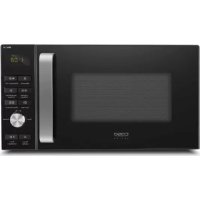
9.1 Complete overview
(1) Display panel: Cooking time, output, function display and actual time are displayed. (2) Protective door latch (3) Oven window (4) Glass turntable (5) Rolling ring (6) Drive shaft (7) Operating panel (8) Oven ventilation opening (Do not remove film!) (9) Grill heater (10) Metal rack After 1 minute the device turns into energy-safety-mode. With every button press you can reactivate the device. PLEASE NOTE ► The ventilator can continue running afterwards to cool down the device.caso TMG25 MenuTouch 53
9.2 Operating elements and displays
Automatic cooking Press to select an automatic-cooking menu including auto defrost. Confirms the automatic-cooking menu Weight adjust Press to specify the food weight or the number of serving. Timer Function for delayed cooking of food. 10 Min / 1 Min / 10 Sec Press to set clock or cooking time. Mikrowave Press to select the microwave power level. Grill Press to set a grill-gooking program. Combination Mikrowave/Grill Press to cook with combined microwave and grill power. Uhr Press to set the digital clock (button without function) Sterilize Deodorize Speed-Defrost Press to select Speed-Defrost-Programm Pause/Cancel To pause and reset the settings. Start/Schnellstart Confirmation and Start of choosen programm. Quickstart-Function.
The device transmits the following signal sounds as an acoustic feedback signal:
- A quiet beep: The device has accepted the entry.
- Ring tone: The cooking time has ended.caso TMG25 MenuTouch 54
9.4 Safety equipment
9.4.1 Warning notices on device
ATTENTION Danger due to hot surface! There is a warning notice referring to dangers due to hot surfaces located on the back upper side of the housing. The surfaces of the device can become extremely hot. ► Do not touch the hot surfaces of the device. Danger of burns! ► Do not set or lay any items on the device.
A safety switch is installed in the door latch of the device, which prevents the device from being operated when the door is open. ATTENTION Danger due to microwaves! If this safety device is defective or if this safety device is bypassed, you can directly expose yourself and others to microwave radiation. ► Do not operate the device if the safety switch is defective. ► Do not disable this safety device.
9.4.3 Child-proof lock
The child-proof lock prevents children from using the device without supervision. Activating the child-proof lock: Press the button for three seconds until a signal tone is heard and the function display “Lock” lights up. In the locked state, all the buttons are disabled. De-activating the child-proof lock: Press the button for three seconds until a signal tone is heard and the illumination on the function display goes out. In the locked state, all the buttons are disabled.
The rating plate with the connection and performance data can be founded on the back of the device.caso TMG25 MenuTouch 55 10 Operation and Handing This chapter provides you with important notices with regard to operating the device. Observe the following notices to avoid dangers and damages: Warning ► Do not leave the device unsupervised when it is in operation, so that you can intervene quickly in the event of dangers.
10.1 Principles of microwave cooking
- The power levels and time required for cooking / warming up food items depends on the starting time, the quantity and the type and consistency of the food, etc. Use the shortest indicated cooking time and extend the cooking procedure as necessary.
- Arrange the food carefully. Position the thickest areas on the external edge of the bowl.
- Cover the food while it is cooking. Lids protect against spatters and also contribute towards cooking/warming up the food evenly.
- During warming, the food should be turned, rearranged or stirred repeatedly, in order for the temperature to be distributed evenly.
- Any existing germs in the food are only killed off if the temperature is sufficiently high enough (> 70°C) and if the time used is sufficiently long enough (> 10 m in).
- Foods with a firm skin or shell, such as tomatoes, sausages, potatoes in the skin, eggplants must be pierced or punctured repeatedly so that any developing steam can escape and so that the food does not burst.
- Eggs without their shell may only be cooked in the microwave if the skin of the egg yoke has been pierced repeatedly first. Otherwise, the egg yoke can squirt out with excessive pressure after cooking.
- Rearrange layers of foods such as meat balls from top to the bottom and from the middle to the outside edge.
10.2 Operating modes:
The unit is to be operated in various operating modes. The following list shows the operating modes that are possible with the device: “Microwave” mode This operating mode is suitable for the normal reheating of food. “Grill” mode This operating mode is suitable for frying and browning food. “Microwave and Grill” mode This operating mode is suitable for simultaneous microwave cooking and grilling. Combination 1 : In this operating mode, the device works in microwave mode for 30% of the cooking time and in grill mode for 70% of the cooking time.caso TMG25 MenuTouch 56 Combination 2 : In this operating mode, the device works in microwave mode for 55% of the cooking time and in grill mode for 45% of the cooking time. „Multi-Stage Cooking“ Mode This mode allows you to program up to three automatic sequences. It is possible to set the sequence and duration of defrosting, microwave cooking and grilling or hot air mode. „Cooking Program“ Mode This mode allows you to select the cooking program from 9 different menus.
- Automatic defrost This operating mode is suitable for defrosting frozen food. Speed-Defrost This operating mode is for defrosting by time.
10.3 Information on microwave cookware
The ideal material for microwave cookware is permeable for microwaves and allows the energy to penetrate the container and warm up the food. Please observe the following tips when selecting the correct cookware: ► Microwaves cannot penetrate metal. Therefore, you should not use utensils made of metal or cookware with metal trim. ► For microwave cooking, do not use any products made from recycled paper, as they could contain tiny metal fragments, which could cause sparks and/or result in fire. ► Use round or oval instead of square or rectangular cookware, as otherwise the food could tend to overheat in the corners. ► You can use narrow strips of aluminium foil to protect sensitive areas against excessive heating. But do not use too much foil and maintain a distance of approx 2.5 cm between the foil and the walls of the cooking chamber. ► Do not use any aluminium foil when using the microwave or combinations with the microwave (see following table). The following table is intended as a basis for selecting the correct cookware: Cookware Micro- wave Grill Convec- tion Combina- tion Heat-resistant glass dishes
Heat-resistant ceramic dishes
Microwave-resistant plastic container
Aluminium foil and container
Open door Open the door of the device. If the device is switched on, the current cooking programme will be interrupted. Please note ► Leave the door open for a moment before reaching into the cooking chamber, to allow the accumulated heat to escape. Close doors Close the door until the door latch audibly locks in place. If a current cooking programme was interrupted as a result of opening the door, the current cooking programme will be continued after pressing the button .
10.5 Activation after selecting the programme
After selecting the program, press the button to start the preset cooking programme.
10.6 Reset programmsetting
If needed , press twice to reset the settings of the device.
Utilise this function to programme the oven for comfortable cooking at 100% microwave performance. Press the button in quick sequence to set the cooking time (max 10 minutes). The oven starts automatically after 2 seconds.
In order to interrupt an ongoing cooking programme, you can proceed as follows: Press the button once. The cooking programme that is in use will be stopped. Or: Open the door of the device. The cooking programme that is in use will be stopped. Please note ► To continue the interrupted cooking program, press the button after closing the door. To terminate the interrupted program, press the button a second time.caso TMG25 MenuTouch 58
10.9 Setting the clock
To set the clock on the device, proceed as follows: Press button . Choose to set the cloc, in 24 or 12-hour cycle by pressing . Example: You want to set the oven clock time to 8:30. Choose to set the cloc, in 24 or 12-hour cycle by pressing . Press 10Min/1Min/10Sec, to enter „8:30“. Press to confirm the setting.
You can programm the device so that the programm will start and later time (timer). For example: Now the clock shows 11:10 and you want that the cooking will start at 11:30. Select a cooking program Set a cooking program (example: 100 % microwave for 10 minutes). Then press to activate the timer. Setting the time Touch 10Min/1Min/10Sec to set the time „11:30“. Press to confirm the settings. In the display symbol is shown for the timer function. Please note ► When the programmed time is reached, the system will start dhe preset cooking program. ► After starting the timer function, you can press P to check the programmed time. With you can cancel the timer function. ► You cannot use the timer for quickstart and not for defrost.
10.11 “Microwave” mode
With microwave cooking, you can adapt the power level and cooking time. The longest cooking time is 99 minutes and 50 seconds (99:50). Example: You want to cook 5 minutes with 60 % power. Setting the power level Select the power level P-60 by pressing the button until you reach the level you require (see following table).caso TMG25 MenuTouch 59 Setting the cooking time Press 10Min/1Min/10Sec to enter cooking time, until the correct time „5:00“ is displayed. Starting the cooking programme Press , to start the cooking programme. End of the cooking programme Once the end of the cooking time is reached, a Ring tone will be emitted. No. of button presses Display Power level Application 1 P100 100 % 900 Watt High / cooking and broiling 2 P-80 80 % 720 Watt
P-60 60 % 540 Watt Medium high / Cooking of small quantities
The “Grill” operating mode is especially suitable for thin slices of meat, steaks, chops, kebabs, sausage and chicken pieces. The longest cooking time is 99 minutes and 50 seconds (99:50). Example: you want to program grill cooking for 5 minutes. Selecting the cooking programme Select the cooking programme “Grill” by pressing the button once. Setting the cooking time Press 10Min/1Min/10Sec to enter cooking time, until the correct time „5:00“ is displayed. Starting the cooking programme Press , to start the cooking programme. End of the cooking programme Once the end of the cooking time is reached, a Ring tone will be emitted.
10.13 “Microwave and Grill” mode
This function allows you to employ combination microwave cooking and grilling with two different settings.caso TMG25 MenuTouch 60
10.13.1 “Combination 1”
In this operating mode, the device works in microwave mode for 30% of the cooking time and in grill mode for 70% of the cooking time. Example: You want to set combination 1 for 25 minutes. Selecting the cooking programme Select the cooking programme “Combination 1” by pressing the button once. Setting the cooking time Press 10Min/1Min/10Sec to enter cooking time, until the correct time „25:00“ is displayed. Starting the cooking programme Press , to start the cooking programme. End of the cooking programme Once the end of the cooking time is reached, a Ring tone will be emitted.
10.13.2 “Combination 2”
In this operating mode, the device works in microwave mode for 55% of the cooking time and in grill mode for 45% of the cooking time. Selecting the cooking programme Select the cooking programme “Combination 2” by pressing the button two times. The remaining operation is identical with the operating mode “Combination 1” described above.
10.14 “Menu Cooking” mode
In this operating mode, the cooking programme can be selected from 14 different menus. Please refer to the table for more detailed information. Selecting the menu Press , to choose the desired programm. Confirm with . Setting the quantity / weight Select the quantity/weight you require by pressing the OK or button until you reach the level you require (see following table). Starting the cooking programme Press , to start the cooking programme. End of the cooking programme Once the end of the cooking time is reached, a Ring tone will be emitted.caso TMG25 MenuTouch 61 Automatic menu No. of button presses Prog Menü Funktion
See Automatic defrost Please note ► The Pizza-programm is only for reheating of pizza.caso TMG25 MenuTouch 62 Please note ► For Pasta add water before cooking. ► When cooking in grill or combination mode, you may need to turn the food after half the cooking time has elapsed to ensure it is evenly cooked. ► The menus (8-14), the device will stop during cooking, so that you can stir the food, so it will be evenly cooked. ► Press the button , to continue the program.
10.14.1 “Automatic defrost” mode
You can gently defrost frozen food with the help of the “Automatic defrost” menu. Selecting the menu Press , to choose the desired programm A-14. Confirm with . Setting the quantity / weight Select the quantity/weight you require by pressing the button until the weight will be displayed (100g-1.800g). Starting automatic defrost After setting the defrost time, press the button , to start automatic defrosting. Please note ► Stop the oven occasionally to remove the unthawed frozen food or to separate it. If the frozen food has not been defrosted at the end of the estimated defrosting time, proceed as follows: ► Programme the oven in 100g increments, until the frozen food is completely defrosted. ► When using plastic containers out of the deep-freeze, the defrosting process should only last long enough to be able to remove the frozen food out of the container, after which it can be placed into a microwave-resistant container. ► The device will stop during cooking, so that you can stir the food, so it will be evenly cooked. Press the button , to continue the program.
10.15 Multi-level cooking mode
You can programm 2 cooking sequences. You can use the multi-level cooking mode only for microwave, grill and combination- function. Example: You want to programm two microwave-levels.
1. Choose microwave power level with .
2. Press 10Min/1Min/10Sec, to set the time.caso TMG25 MenuTouch 63
3. Choose the second microwave power level with
4. Press 10Min/1Min/10Sec, to set the time.
5. Press , to start the cooking programme.
10.16 Speed-Defrost by time
The device can quickly defrost food, based on the time you entered. The longest defrosting time is 99 minutes and 50 seconds (99:50). ► In the middle of the defrostingt time the system will stop, so that you can turn over the food ► The programme stops once half of the defrosting period has been reached so you can turn over the food product and to ensure it is evenly defrosted. ► To continue the programm press .
2. Press 10Min/1Min/10Sec, to set the time.
3. Press , to start the cooking programme.
10.16.1 Table with thawing times
Food Quantity Power level Time/min. Time to wait after thawing
10.18 Neutralization of smells
Press . Close the door of the device. Press , to start the programme. 11 Cleaning and Maintenance This chapter provides you with important notices with regard to cleaning and maintaining the device. Please observe the notices to prevent damages due to cleaning the device incorrectly and to ensure trouble-free operation.
11.1 Safety information
Attention Please observe the following safety notices, before you commence with cleaning the device: ► The oven must be cleaned and food residues must be removed at regular intervals. If the oven is not maintained in a clean condition, this will have a detrimental effect on the service life of the device and can also result in a dangerous condition in the device as well as in the growth of fungus and bacteria.caso TMG25 MenuTouch 65 Attention ► Switch the oven off prior to cleaning it and unplug the plug from the wall power outlet. ► The cooking chamber is hot after it is used. There is a danger of burns! Wait until the device has cooled down. ► Clean the cooking chamber after use as soon as it has cooled down. Extended waiting unnecessarily complicates cleaning and can make it impossible in extreme cases. Excessive accumulations of dirt can even damage the device under certain circumstances. ► If dampness penetrates into the device, this can damage the electronic components. Please ensure that no liquid can enter the interior of the device through the ventilation slots. ► Do not use any aggressive or abrasive cleaning agents or solvents. ► Do not scrape off stubborn dirt with hard items.
Cooking chamber and inside of door
- Keep the cooking chamber of the oven clean. Wipe off any spattered or spilt food from the walls of the cooking chamber with a damp cloth. If the oven is excessively dirty, you can use a mild cleaning agent.
- Wipe the door, window and the door gaskets with a damp cloth, to remove any spatters and spilt food. Residues on the door gasket can mean that the door does not close properly any more, which will cause the microwaves to escape.
- Wipe off any steam, which has settled on the oven door, with a soft cloth. This may be the case if the device is used in an extremely damp environment and is normal.
- Smells can be removed from the oven by mixing a cup of water with the juice and the skin of a lemon, pouring this into a deep microwave-proof bowl and allowing it to cook in Microwave mode for five minutes. Then, dry off the oven thoroughly with a soft cloth.
- After cleaning the interior space, leave the oven door open until the interior of the device is completely dry. Front of device and operating panel
- Clean the front of the device and the operating panel with a soft, slightly damp cloth.
- Please bear in mind that the operating panel does not get wet. Use a soft, damp cloth for cleaning. Please note ► Leave the oven door open to prevent the device from being re-started accidentally. Exterior housing
- Clean the exterior surfaces of the device with a damp cloth.caso TMG25 MenuTouch 66 Rotating plate, rolling ring and metal rack
- The glass turntable and the metal rack must be removed and cleaned occasionally. Wash the plate and the rack in a warm soapy solution or in the dishwasher.
- The rolling ring should be cleaned regularly to prevent excessive noise development or a rotational malfunctions.
- The rolling ring can be washed in a mild soapy solution or in the dishwasher. Please remember to put the rolling ring back again properly after cleaning it.
- Wipe the bottom of the oven with a mild cleaning agent. If the floor of the oven is excessively dirty, you can use a mild cleaning agent. 12 Troubleshooting This chapter provides you with important notices with regard to operating the device. Observe the following notices to avoid dangers and damages:
Attention ► Only qualified electricians, who have been trained by the manufacturer, may carry out any repairs on electrical equipment. ► Improperly performed repairs can cause considerable dangers for the user and damages to the device.
12.2 Causes and rectification of faults
The following table assists in localizing and rectifying minor faults. Error Possible cause Action The selected program will not start. Device door is not closed Close device door Power plug is not plugged in Plug in mains plug! Fuse is not activated Activate fuse The turntable turns jerkily. Dirt between the turntable and the base of cooking camber Remove dirt Dirt on rolling ring Cooking vessel too large Use different cooking vessel Food is not sufficiently defrosted, warmed up or cooked after preset time has elapsed. Incorrectly selected time or power level Re-set time and power level Repeat processcaso TMG25 MenuTouch 67 The device functions but the cooking chamber lighting does not work. Defective cooking chamber light. Have Service dept repair cooking chamber light. Abnormal noises can be heard during operation of microwave. Food is covered with aluminium foil Remove aluminium foil The cookware contains metal and sparks are being created within the cooking chamber Observe information on cookware! The time in the display field is not correct. Power failure Re-set time Attention ► If you are unable to solve the problem with the steps shown above, please contact Customer Service. 13 Disposal of the Old Device Old electric and electronic devices frequently still contain valuable materials. However, they also contain damaging substances, which were necessary for their functionality and safety. If these were put in the non-recyclable waste or were handled incorrectly, they could be detrimental to human health and the environment. Therefore, do not put your old device into the non-recyclable waste under any circumstances. Please note ► Utilise the collection point, established in your town, to return and recycle old electric and electronic devices. If necessary, contact your town hall, local refuse collection service or your dealer for information. ► Ensure that your old device is stored safely away from children until it is taken away.caso TMG25 MenuTouch 68