
MCD2665EM - Microwave AEG - Free user manual and instructions
Find the device manual for free MCD2665EM AEG in PDF.
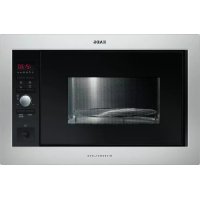



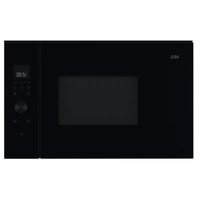
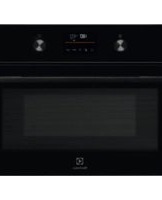
| Product Type | Built-in microwave oven |
| Brand | AEG |
| Model | MCD2665EM |
| External dimensions (W × H × D) | 594 × 388 × 404 mm |
| Internal dimensions (W × H × D) | 342 × 207 × 368 mm |
| Capacity | 26 liters |
| Net weight | Approximately 19.5 kg |
| Power supply | 230 V / 50 Hz, single phase, 16 A min fuse |
| Microwave power | 900 W (IEC 60705) |
| Grill power | 1000 W |
| Combined power (microwave + grill) | 2350 W |
| Microwave frequency | 2450 MHz (Group 2 / Class B) |
| Microwave power levels | 6 levels (90 W, 270 W, 450 W, 630 W, 900 W, 0 W timer) |
| Cooking modes | Microwave, Grill, Combination cooking, Automatic cooking (6 programs), Automatic defrosting (2 programs) |
| Additional functions | Timer, Add 30 seconds, Plus/Minus function, Child lock, 12/24h clock, Energy saving mode |
| Turntable type | Glass, diameter 325 mm |
| Included accessories | Turntable, drive support, high rack, low rack |
| Interior lighting | Bulb 25 W / 240-250 V, replacement by a qualified professional |
| Maintenance and cleaning | Clean with a soft cloth and soapy water; do not use abrasive products or oven cleaners |
| Safety | Child safety lock, automatic stop if door opened, overheat protection |
| Spare parts and repairability | Use only original spare parts; for any repairs, contact an AEG authorized service center |
| General information | Instruction manual available in multiple languages; appliance intended for domestic use |
Frequently Asked Questions - MCD2665EM AEG
User questions about MCD2665EM AEG
0 question about this device. Answer the ones you know or ask your own.
Ask a new question about this device
Download the instructions for your Microwave in PDF format for free! Find your manual MCD2665EM - AEG and take your electronic device back in hand. On this page are published all the documents necessary for the use of your device. MCD2665EM by AEG.
USER MANUAL MCD2665EM AEG
CONTENTS



| Positie | Nismaat | ||
| B | D | H | |
| A 560 × 550 × 380 | |||
| B 560 × 500 × 380 | |||
Dimensions in (mm)


THIS APPLIANCE MUST BE EARTHED
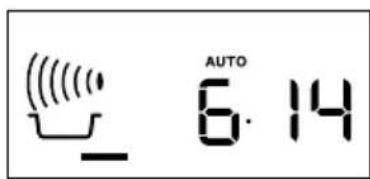
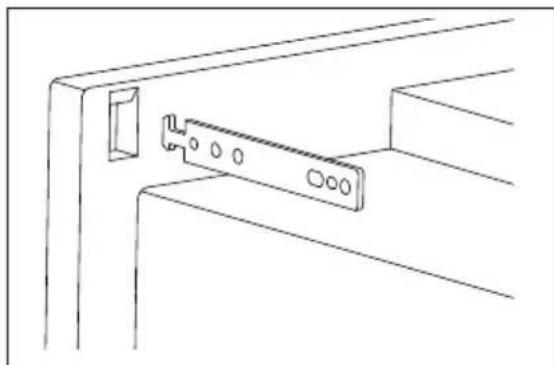

Thank you for choosing this AEG product. We have created it to give you impeccable performance for many years, with innovative technologies that help make life simpler – features you might not find on ordinary appliances. Please spend a few minutes reading to get the very best from it.
Visit our website for:

Get usage advice, brochures, trouble shooter, service information: www.aeg.com

Register your product for better service: www.aeg.com/productregistration

Buy Accessories, Consumables and Original spare parts for your appliance: www.aeg.com/shop
CUSTOMER CARE AND SERVICE
We recommend the use of original spare parts.
When contacting Service, ensure that you have the following data available.
The information can be found on the rating plate. Model, PNC, Serial Number.

Warning/Caution-Safety information

General information and tips

Environmental information
Subject to change without notice.
1. SAFETY INFORMATION

IMPORTANT! IMPORTANT SAFETY INSTRUCTIONS: READ CAREFULLY AND KEEP FOR FUTURE REFERENCE.
If food being heated begins to smoke, DO NOT OPEN THE DOOR. Turn off and unplug the oven and wait until the food has stopped smoking. Opening the door while food is smoking may cause a fire. Only use microwave-safe containers and utensils. Do not leave the oven unattended when using disposable plastic, paper or other combustible food containers. Clean the waveguide cover, the oven cavity, the turntable and turntable support after use. These must be dry and free from grease. Built-up grease may overheat and begin to smoke or catch fire. The microwave oven is intended for heating food and beverages. Drying of food or clothing and heating of warming pads, slippers, sponges, damp cloth and similar may lead to risk of injury, ignition or fire.
1.1 To avoid the possibility of injury

WARNING!
Do not operate the oven if it is damaged or malfunctioning.
Check the following before use:
a) The door; make sure the door closes properly and ensure it is not misaligned or warped. b) The hinges and door safety latches; check to make sure they are not broken or loose. c) The door seals and sealing surfaces; ensure that they have not been damaged.
d) Inside the oven cavity or on the door; make sure there are no dents. e) The power supply cord and plug; ensure that they are not damaged.
Never adjust, repair or modify the oven yourself. It is hazardous for anyone other than a competent person to carry out any service or repair operation which involves the removal of a cover which gives protection against exposure to microwave energy. Do not allow grease or dirt to build up on the door seals and adjacent parts. Follow the instructions for "Care and cleaning". Clean the oven at regular intervals and remove any food deposits. Failure to maintain the oven in a clean condition could lead to a deterioration of the surface that could adversely affect the life of the appliance and possibly result in a hazardous situation.
Do not attempt to replace the oven lamp yourself or allow anyone who is not authorized by Service Force to do so. If the oven lamp fails, please consult your dealer or contact your local Service Force Centre.
1.2 To avoid the possibility of explosion and sudden boiling

WARNING!
Liquids and other foods must not be heated in sealed containers since they are liable to explode.
Microwave heating of beverages can result in delayed eruptive boiling, therefore care has to be taken when handling the container.
Do not cook eggs in their shells and whole hard
boiled eggs should not be heated in microwave ovens since they may explode even after microwave cooking has ended. To cook or reheat eggs which have not been scrambled or mixed, pierce the yolks and the whites, or the eggs may explode. Shell and slice hard boiled eggs before reheating them in the microwave oven.
To avoid burns, always test food temperature and stir before serving and pay special attention to the temperature of food and drink given to babies, children or the elderly.
Keep children away from the door and accessible parts that may become hot when the grill is in use. Children should be kept away to prevent them burning themselves. Do not touch the oven door, outer cabinet, rear cabinet, oven cavity, ventilation openings, accessories and dishes during GRILL mode, DUAL GRILL mode and AUTO COOK operation as they will become hot. Before cleaning make sure they are not hot.
1.3 To avoid the misuse by children

WARNING!
The appliance and its accessible parts become hot during use. Care should be taken to avoid touching heating elements. Children less than 8 years of age shall be kept away unless continuously supervised.
This appliance can be used by children aged from 8 years and above and persons with reduced physical, sensory or mental capabilities or lack of experience and knowledge if they have been given supervision or instruction concerning use of
the appliance in a safe way and understand the hazards involved. Children should be supervised to ensure that they do not play with the appliance. Cleaning and user maintenance shall not be made by children unless they are aged from 8 years and above and supervised.
This appliance is intended to be used in household and similar applications such as: staff kitchen areas in shops, offices and other working environments; farm houses; by clients in hotels, motels and other residential environments; bed and breakfast type environments.
This appliance is not intended for use at altitudes above 2000m.
1.4 To avoid the danger of fire
The microwave oven should not be left unattended during operation. Power levels that are too high or cooking times that are too long may overheat foods resulting in a fire. The electrical outlet must be readily accessible so that the unit can be unplugged easily in an emergency. The AC power supply must be 230 V, 50 Hz, with a minimum 16 A distribution line fuse, or a minimum 16 A distribution circuit breaker. It is recommended that a separate circuit serving only this appliance be provided. Do not store or use the oven outdoors.
Do not place flammable materials near the oven or ventilation openings. Do not block the ventilation openings. Remove all metallic seals, wire twists, etc., from food and food packages. Arcing on metallic surfaces may cause a fire. Do not use the microwave oven to heat oil for deep frying. The temperature cannot be controlled and the oil may catch fire. To make popcorn, only use special microwave popcorn makers. Do not store food or any other items inside the oven. Check the settings after you start the oven to ensure the oven is operating as desired. Do not operate the oven with the door open or alter the door safety latches in any way. Do not operate the oven if there is an object between the door seals and sealing surfaces.
Individuals with PACEMAKERS should check with their doctor or the manufacturer of the pacemaker for precautions regarding microwave ovens.
1.5 To avoid the possibility of electric shock
Under no circumstances should you remove the outer cabinet. Never spill or insert any objects into the door lock openings or ventilation openings. In the event of a spill, turn off and unplug the oven immediately and call an authorised AEG service agent. Do not immerse the power supply cord or plug in water or any other liquid. Do not allow the power supply cord to run over any hot or sharp surfaces, such as the hot air vent area at the top rear of the oven.
If the power supply cord of this appliance is damaged, it must be replaced with a special cord. The exchange must be made by an authorised AEG service agent.
1.6 To avoid the possibility of explosion and sudden boiling
Never use sealed containers. Remove seals and lids before use. Sealed containers can explode due to a build up of pressure even after the oven has been turned off. Take care when microwaving liquids. Use a wide-mouthed container to allow bubbles to escape.
To prevent sudden eruption of boiling liquid and possible scalding:
- Stir liquid prior to heating/reheating.
- It is advisable to insert a glass rod or similar utensil into the liquid whilst reheating.
- Let liquid stand for at least 20 seconds in the oven at the end of cooking time to prevent delayed eruptive boiling.
Pierce the skin of such foods as potatoes, sausages and fruit before cooking, or they may explode.
1.7 To avoid the possibility of burns
Use pot holders or oven gloves when removing food from the oven to prevent burns. Always open containers, popcorn makers, oven cooking bags, etc., away from the face and hands to avoid steam burns.
Temperature of the container is not a true indication of the temperature of the food or drink; always check the food temperature. Always stand back from the oven door when opening to avoid burns from escaping steam and heat. Slice stuffed baked foods after heating to release steam and avoid burns. Do not lean or swing on the oven door. Do not play with the oven or use it as a toy. Children should be taught all important safety instructions: use of pot holders, careful removal of food coverings; paying special attention to packaging (e.g. self-heating materials) designed to make food crisp, as they may be extra hot.
1.8 Other warnings
Never modify the oven in any way. This oven is for home food preparation only and may only be used for cooking food. It is not suitable for commercial or laboratory use.
1.9 To promote trouble-free use of your oven and avoid damage
Never operate the oven when it is empty except where recommended in the operation manual. Doing so may damage the oven. When using a browning dish or self-heating material, always place a heat-resistant insulator such as a porcelain plate under it to prevent damage to the turntable and turntable support due to heat stress. The preheating time specified in the dish's instructions must not be exceeded. Do not use metal utensils, which reflect microwaves and may cause electrical arcing. Do not put cans in the oven. Only use the turntable and the turntable support designed for this oven. Do not operate the oven without the turntable.
To prevent the turntable from breaking:
- Before cleaning the turntable with water, leave the turntable to cool.
- Do not put hot foods or hot utensils on a cold turntable.
- Do not put cold foods or cold utensils on a hot turntable.
Do not place anything on the outer cabinet during operation. Do not use plastic containers for microwaving if the oven is still hot from using the GRILL
mode, DUAL GRILL mode and AUTO COOK operation because they may melt. Plastic containers must not be used during above modes unless the container manufacturer says they are suitable.

IMPORTANT! If you are unsure how to connect your oven, please consult an authorised, qualified electrician.
Neither the manufacturer nor the dealer can accept any liability for damage to the oven or personal injury resulting from failure to observe the correct electrical connection procedure. Water vapour or drops may occasionally form on the oven walls or around the door seals and sealing surfaces. This is a normal occurrence and is not an indication of microwave leakage or a malfunction.
2. PRODUCT DESCRIPTION
2.1 Microwave Oven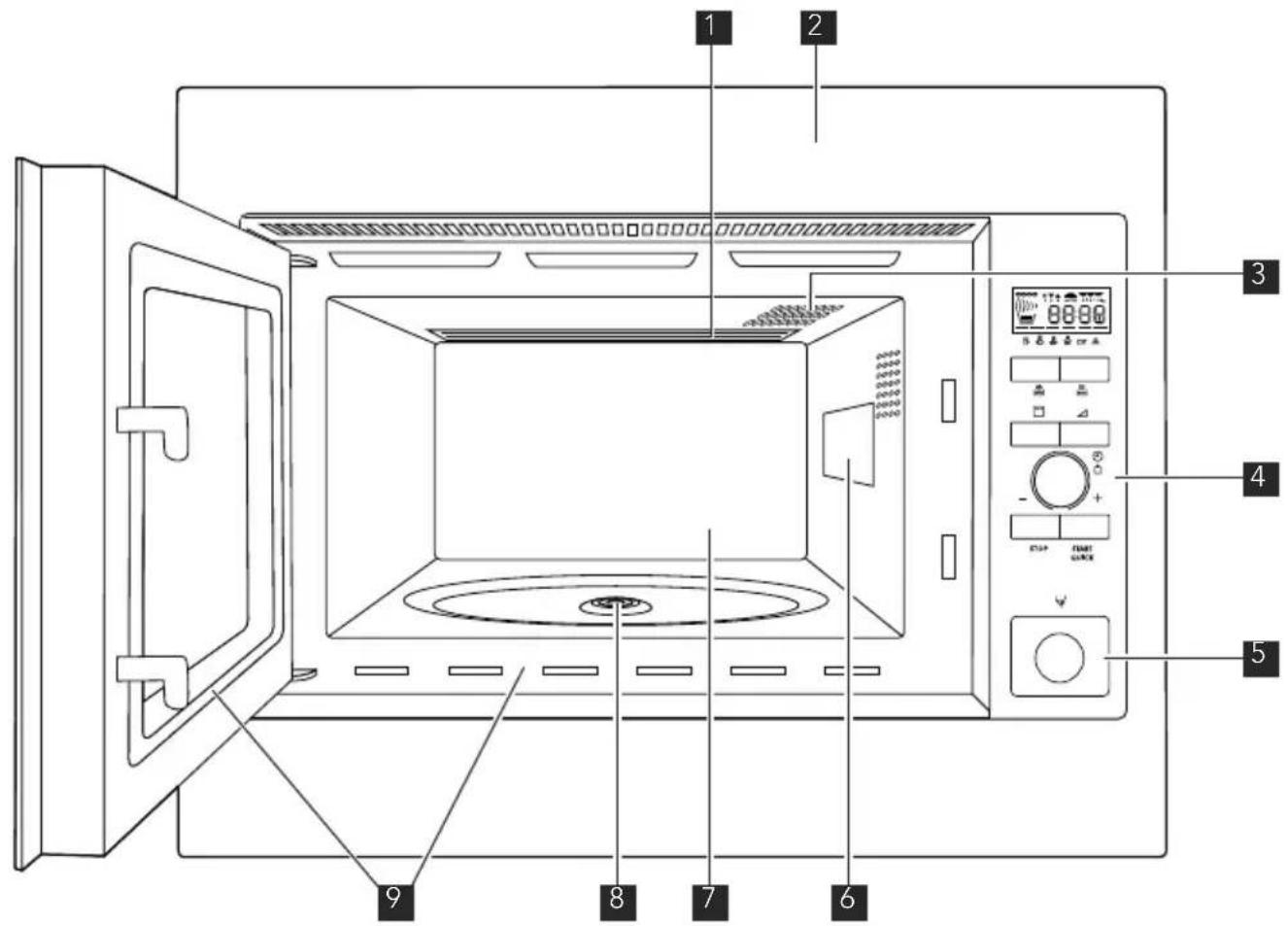
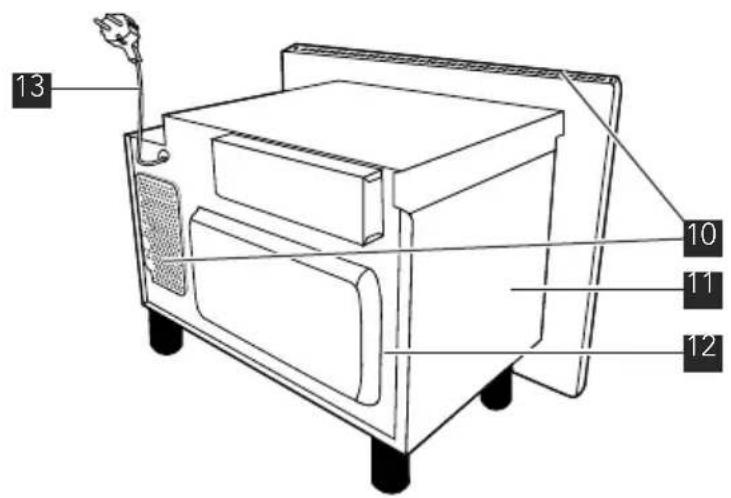
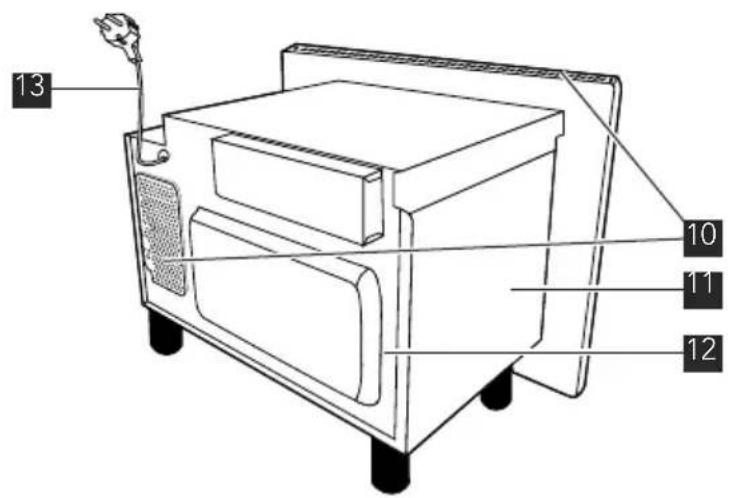
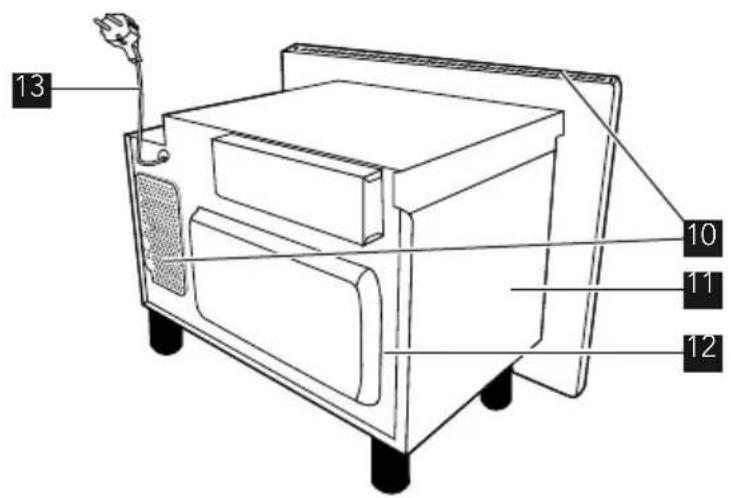
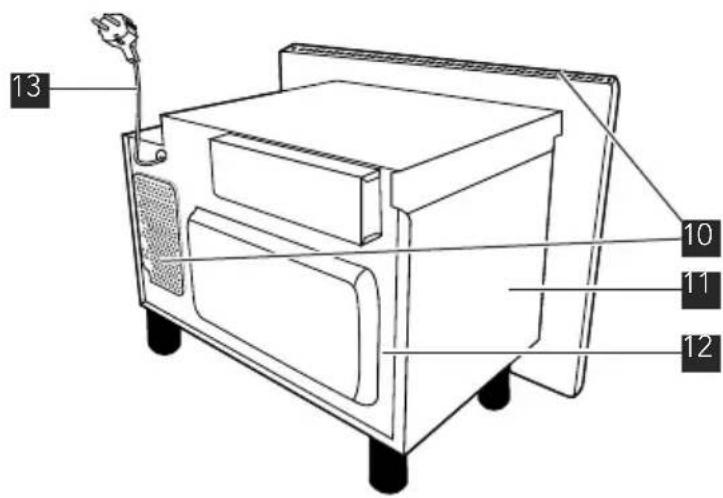
1 Grill heating element 2 Front trim 3 Oven lamp 4 Control panel 5 Door opening button 6 Waveguide cover 7 Oven cavity 8 Seal packing 9 Door seals and sealing surfaces 10 Ventilation openings 11 Outer cover 12 Rear cabinet 13 Power supply cord
2.2 Accessories
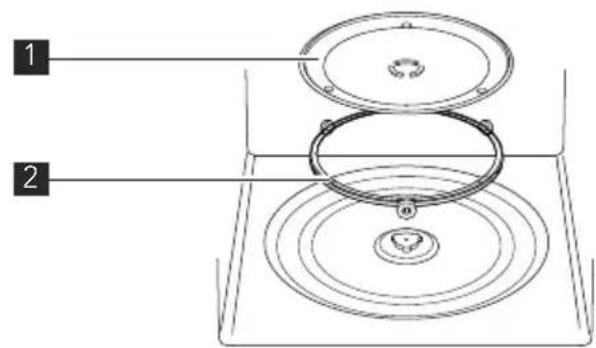
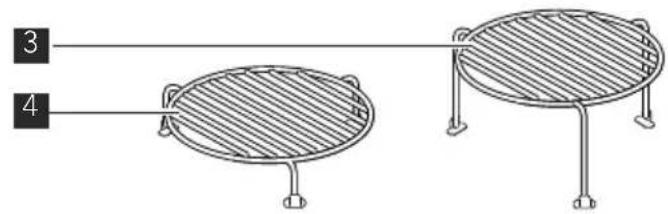
Check to make sure the following accessories are provided:
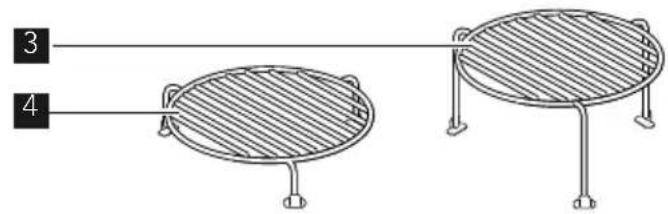
1 Turntable 2 Turntable support 3 High rack 4 Low rack
- Place the turntable support on the floor of the cavity.
- Then place the turntable on the turntable support.
- To avoid turntable damage, ensure dishes or containers are lifted clear of the turntable rim when removing them from the oven.
When you order accessories, please mention two items: part name and model name to your dealer or an authorised AEG service agent.
3. CONTROL PANEL
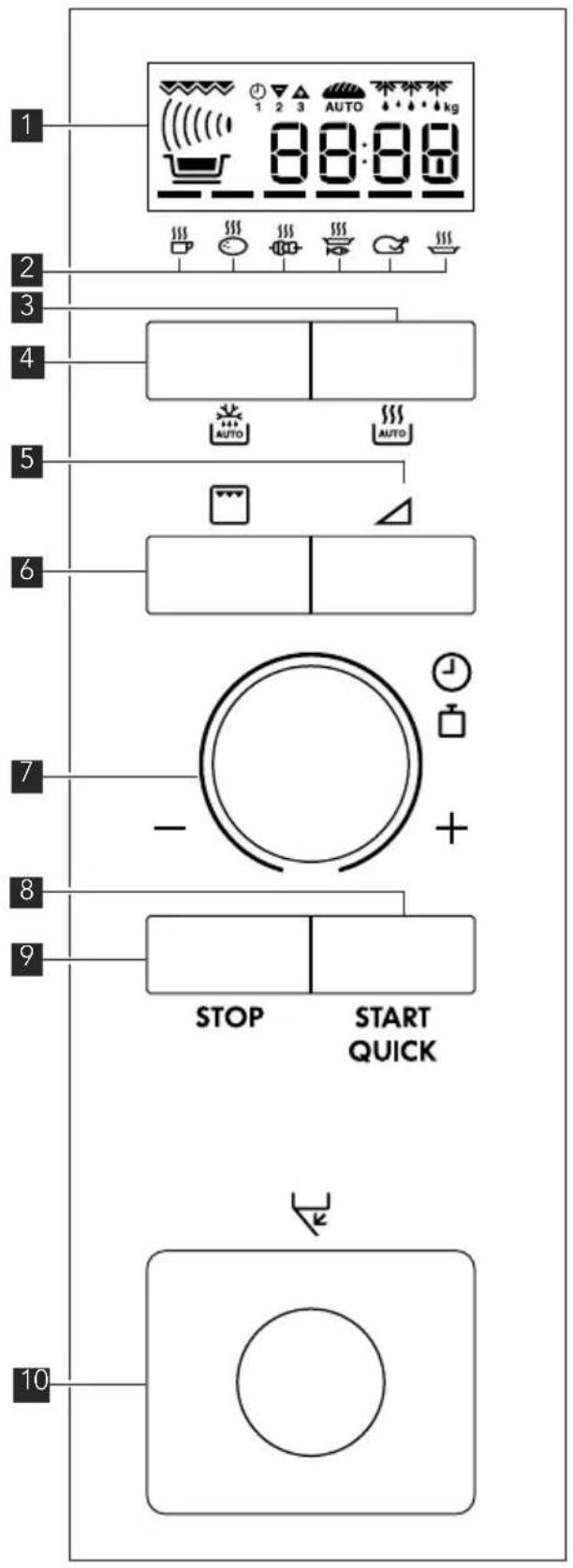
1 Digital display indicators

Grill

Microwave

Dual

Clock

Cooking stages

Plus/Minus

Auto defrost bread

Auto defrost

Weight
2 Auto cook indicators 3 Auto cook button 4 Auto defrost button 5 Power level button 6 Grill button 7 Timer/Weight knob 8 Start/Quick button 9 Stop button 10 Door open button
4. BEFORE FIRST USE
4.1 Econ mode
The oven is set in energy save mode (Econ).
- Plug in the oven.
- The display will show: Econ.
- The display will count down from 3:00 to zero.
- When zero is reached, the oven goes into Econ mode and the display goes blank.
i
To cancel Econ mode, set the clock.
4.2 Setting the clock
The oven has a 12 and 24 hour clock. Example: To set the clock to 11:30 (12 hour clock).
- Open the door.
- The display will show: Econ.
- Press and hold the START/QUICK button for 5 seconds. The oven will beep. The display will show:
- Rotate the TIMER/WEIGHT knob to adjust the hour.
- Press the START/QUICK button once then rotate the TIMER/WEIGHT knob to adjust the minutes.
- Press the START/QUICK button.
- Check the display: 1130
- Close the door.
You can rotate the TIMER/WEIGHT knob clockwise or anti-clockwise. If you press the STOP button, the clock will not be set. The display will show: Econ.
Example: To set the clock to 23:30 (24-hour clock).
- Open the door.
- The display will show: Econ.
- Press and hold the START/QUICK button for 5 seconds. The oven will beep. The display will show:
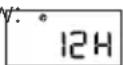
- Press the START/QUICK button. The display will show: 24H
- Rotate the TIMER/WEIGHT knob to adjust the hour.
- Press the START/QUICK button once, then rotate the TIMER/WEIGHT knob to adjust the minutes.
- Press the START/QUICK button.
- Check the display: 23:30
- Close the door.
You can rotate the TIMER/WEIGHT knob clockwise or anti-clockwise. If you press the STOP button, the clock will not be set. The display will show: Econ.
4.3 Adjusting the time when the clock is set
Example: To set the clock to 11:45.
- Open the door.
- Press and hold the START/QUICK button for 5 seconds. The oven will beep. The display will show: 12H (If you want to change the clock to 24 H, press the START/QUICK button again.)
- Rotate the TIMER/WEIGHT knob to adjust the hour.
- Press the START/QUICK button once, then rotate the TIMER/WEIGHT knob to adjust the minutes.
- Press the START/QUICK button.
- Check the display: 1:45
4.4 To cancel the clock and set Econ mode
- Open the door.
- Press and hold the START/QUICK button for 5 seconds. The oven will beep. The display will show: °12H (If you want to change the clock to 24 H, press the START/QUICK button again.)
- Press the STOP button.
- The display will show: Econ.
- Close the door.
- The oven will count down from 3:00 to zero.
- When zero is reached, the oven goes into Econ mode and the display goes blank.
4.5 Using the STOP button
Use the STOP button to:
- Erase a mistake during programming.
- Stop the oven temporarily during cooking, press once.
- Cancel a programme during cooking, press twice.
4.6 Child safety lock
The oven has a safety feature which prevents the accidental running of the oven by a child. When the lock has been set, no part of the microwave will operate until the lock feature has been cancelled.
Example: To set the child safety lock.
- Press and hold the STOP button for 5 seconds.
- The oven will beep twice and 'LOC' will be displayed.
To cancel the child safety lock, press and hold the STOP button for 5 seconds, the oven will beep twice and the time of day will be displayed. Child safety lock cannot be set if the clock is not set.
5. OPERATION
5.1 Microwave safe cookware
| Cookware | Microwave safe | Comments |
| Aluminium foil/containers | √/✗ | Small pieces of aluminium foil can be used to shield food from overheating. Keep foil at least 2 cm from the oven walls, as arcing may occur. Foil containers are not recommended unless specified by the manufacturer. Follow instructions carefully. |
| Browning dishes | √ | Always follow the manufacturer's instructions. Do not exceed heating times given. Be very careful as these dishes become very hot. |
| China and ceramics | √/✗ | Porcelain, pottery, glazed earthenware and bone china are usually suitable, except for those with metallic decoration. |
| Glassware e.g. Pyrex ® | √ | Care should be taken if using fine glassware as it can break or crack if heated suddenly. |
| Metal | ✗ | It is not recommended to use metal cookware when using microwave power as it will arc, which can lead to fire. |
| Plastic/polystyrene e.g. fast food containers | √ | Care must be taken as some containers warp, melt or discolour at high temperatures. |
| Cling film | √ | Should not touch the food and must be pierced to let the steam escape. |
| Freezer/roasting bags | √ | Must be pierced to let steam escape. Ensure bags are suitable for microwave use. Do not use plastic or metal ties, as they may melt or catch fire due to the metal arcing. |
| Paper - plates, cups and kitchen paper | √ | Only use for warming or to absorb moisture. Care must be taken as overheating may cause fire. |
| Straw and wooden containers | √ | Always attend the oven when using these materials as overheating may cause fire. |
| Recycled paper and newspaper | ✗ | May contain extracts of metal which will cause arcing and may lead to fire. |
5.2 Microwave cooking advice
| Microwave cooking advice | |
| Composition Foods high in fat or sugar (e.g. Christmas pudding, mince pies) require less heating time. Care should be taken as overheating can lead to fire. | |
| Size For even cooking make all the pieces the same size. | |
| Temperature of the initial temperature of food affects the amount of cooking time needed. food Cut into foods with fillings (e.g. jam doughnuts) to release heat or steam. | |
| Arrange Place the thickest parts of food towards the outside of the dish (e.g. chicken drumsticks). | |
| Cover Use vented microwave cling film or a suitable lid. | |
Pierce Foods with a shell, skin or membrane must be pierced in several places before cooking or reheating as steam will build up and may cause food to explode (e.g. potatoes, fish, chicken, sausages). IMPORTANT! Eggs should not be heated using microwave power as they may explode, even after cooking has ended (e.g. poached, hard boiled). IMPORTANT! Eggs should not be heated using microwave power as they may explode, even after cooking has ended (e.g. poached, hard boiled). | |
| Stir, turn and rearrange For even cooking it is essential to stir, turn and rearrange food during cooking. Always stir and rearrange from the outside towards the centre. | |
| Stand Standing time is necessary after cooking to enable the heat to disperse equally throughout the food. | |
| Shield Warm areas can be shielded with small pieces of foil, which reflect microwaves (e.g. legs and wings on a chicken). |
5.3 Microwave cooking
Your oven has 6 power levels.
| Power setting | Suggested use |
| 900 W/HIGH Used for fast cooking or reheating (e.g. soup, casseroles, canned food, hot beverages, vegetables, fish). | |
| 630 W Used for longer cooking of dense foods such as roast joints, meat loaf and plated meals, also for sensitive dishes such as cheese sauce and sponge cakes. At this reduced setting, the sauce will not boil over and food will cook evenly without over cooking at the sides. | |
| 450 W For dense foods which require a long cooking time when cooked conventionally (e.g. beef dishes) it is advisable to use this power setting to ensure the meat will be tender. | |
| 270 W/DEFROST To defrost, select this power setting, to ensure that the dish defrosts evenly. This setting is also ideal for simmering rice, pasta, dumplings and cooking egg custard. | |
| 90 W For gentle defrosting (e.g. cream gateaux or pastry). | |
| 0 W For standing/kitchen timer. | |
W = WATT
Your oven can be programmed for up to 90 minutes. The input unit of cooking time varies from 15 seconds to five minutes. It depends on the total length of the cooking time as shown in the table.
Example: To heat soup for 2 minutes and 30 seconds on 630 W microwave power.
| Cooking time Increasing unit |
| 0-5 minutes 15 seconds |
| 5-10 minutes 30 seconds |
| 10-30 minutes 1 minute |
| 30-90 minutes 5 minutes |
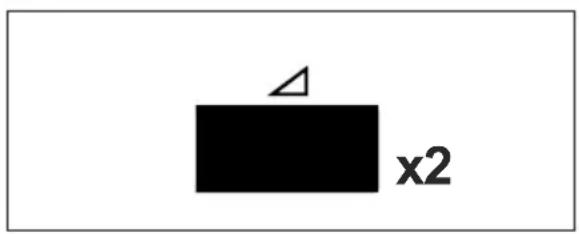
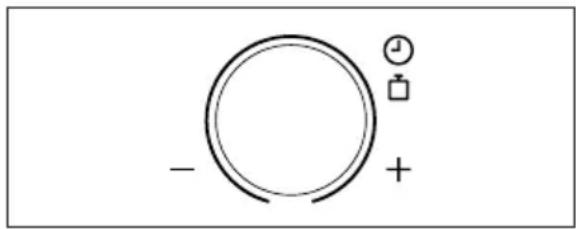
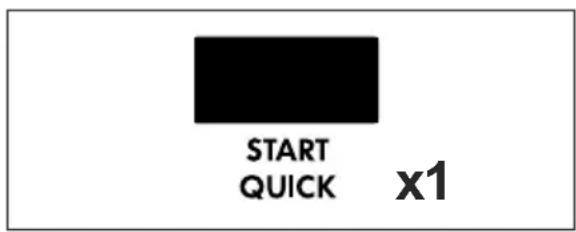
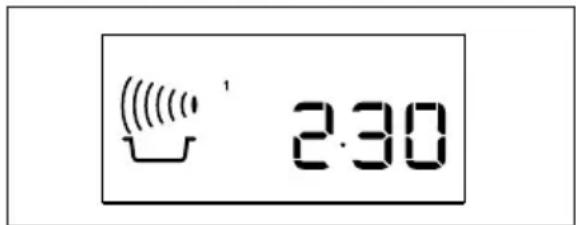
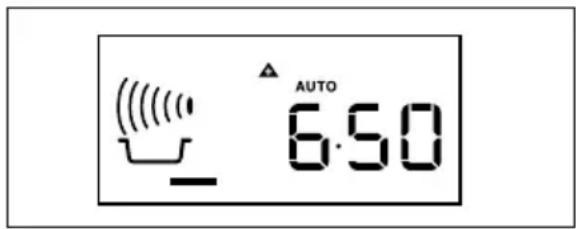
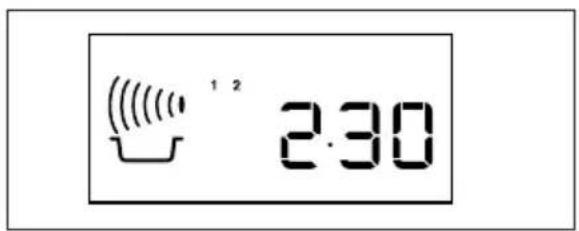
- Press the POWER LEVEL button twice.
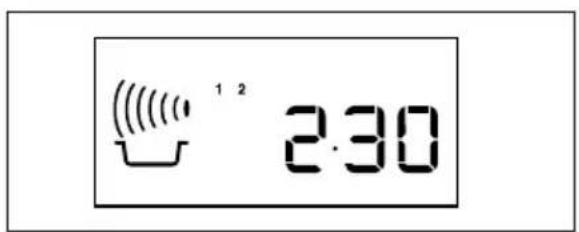
- Enter the time by rotating the TIMER/WEIGHT knob clockwise/anti-clockwise until 2.30 is displayed.
- Press the START/QUICK button.
- Check the display.

IMPORTANT!
If the power level is not selected, 900 W/HIGH is automatically set.
- When the door is opened during the cooking process, the cooking time on the digital display stops automatically. The cooking time starts to count down again when the door is closed and the START/QUICK button is pressed.
- If you wish to know the power level during cooking, press the POWER LEVEL button once.
- You can increase or decrease the cooking time during cooking by rotating the TIMER/WEIGHT knob.
- You can change the power level during cooking by pressing the POWER LEVEL button.
- To cancel a programme during cooking, press the STOP button twice.
5.4 Reduced power level
| Cooking mode Standard time Reduced power level |
| Microwave 900 W 20 minutes Microwave 630 W |
| Grill 20 minutes Grill-50 % |
| Dual Grill Grill-20 minutes Grill-50 % |

IMPORTANT! If you cook the food over the standard time with only the same cooking mode, the power of the oven will lower automatically to avoid overheating (the microwave power level will be reduced or the grill heating element will begin to light on and off). After pausing for 90 seconds, full power can be reset.
5.5 Kitchen timer
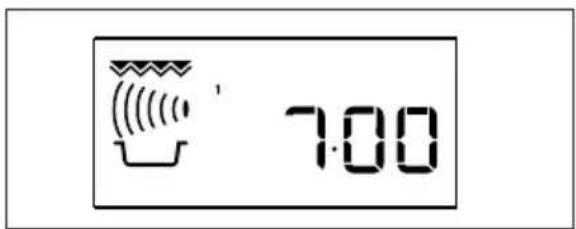
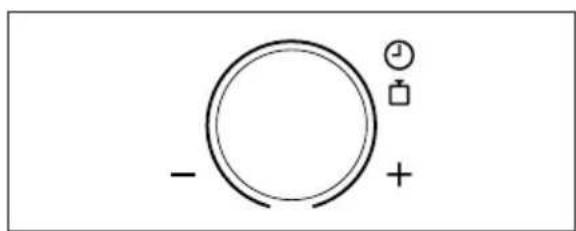
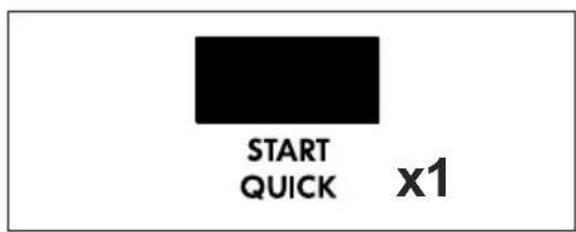
Example: To set the kitchen timer for 7 minutes.
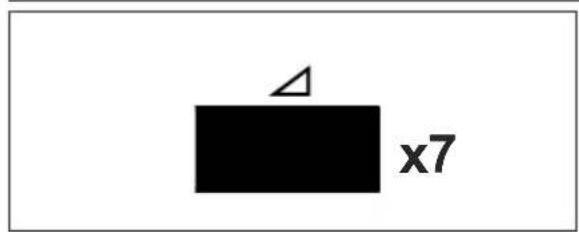
- Press the POWER LEVEL button 7 times.
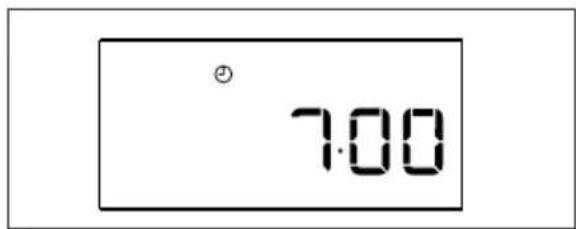
- Enter the time by rotating the TIMER/WEIGHT knob clockwise/anti-clockwise until 7.00 is displayed.
- Press the START/QUICK button.
- Check the display.

To pause the timer, press the STOP button. To resume the timer press START/QUICK, to exit press STOP again.
5.6 Add 30 seconds
The START/QUICK button allows you to operate the two following functions:
Direct Start
You can directly start cooking on 900 W/ HIGH microwave power level for 30 seconds by pressing the START/QUICK button.
Extend the cooking time
You can extend the cooking time for multiples of 30 seconds if the button is pressed while the oven is in operation.
You can also use +30 seconds during grill mode. You cannot use this function during auto cook or auto defrost.
5.7 Plus and minus
The PLUS and MINUS function enables you to decrease or increase the cooking time when using the automatic programmes.
If you prefer boiled potatoes that are cooked but still firm, use MINUS- Alternatively, if you prefer softer boiled potatoes, use PLUS+
Example: To cook 0.3 kg of boiled potatoes, well done.
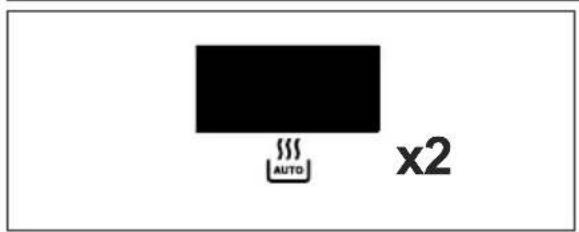
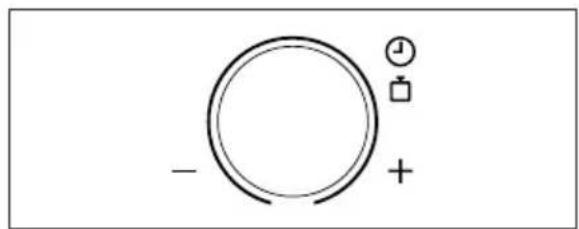
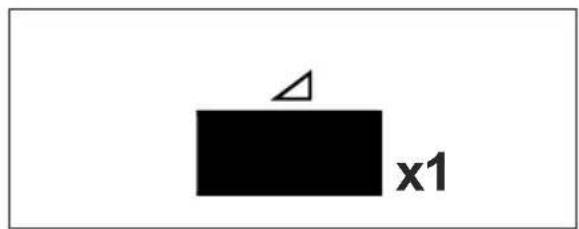
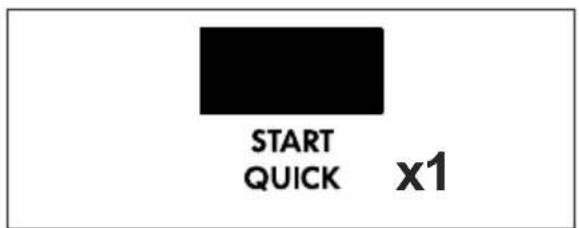
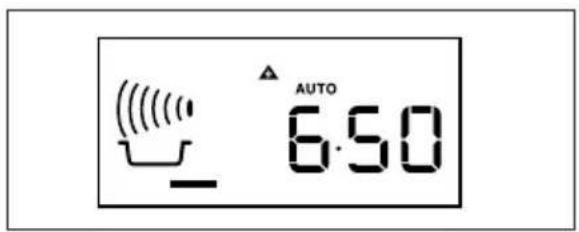
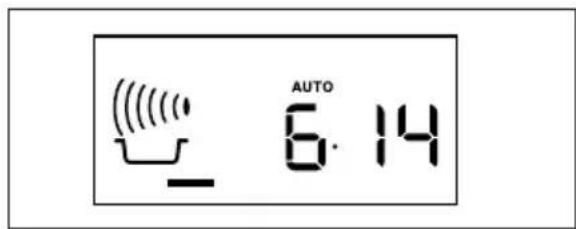
- Select the required menu by pressing the AUTO COOK button twice.
- Turn the TIMER/WEIGHT knob until 0.3 is displayed.
- Press the POWER LEVEL button once to select the PLUS adjustment.
- Press the START/QUICK button.
- Check the display.

To cancel PLUS/MINUS, press the POWER LEVEL button 3 times. If you select PLUS, the display will show 🔒
If you select MINUS, the display will show ▼
5.8 Grill and dual grill cooking
This microwave oven has two grill cooking modes:
Grill only
Dual grill (grill with microwave)

IMPORTANT! The high or the low rack is recommended for grilling. You may detect smoke or a
A burning smell when using the grill for the first time is normal and does not indicate a fault with the oven. To avoid this problem, when using the grill for the first time, operate the grill without food for 20 minutes.
Example: To make toast for 4 minutes.
Press the GRILL button once.
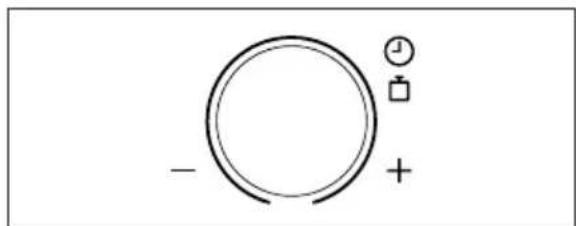
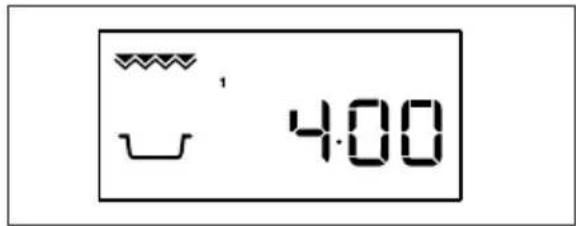
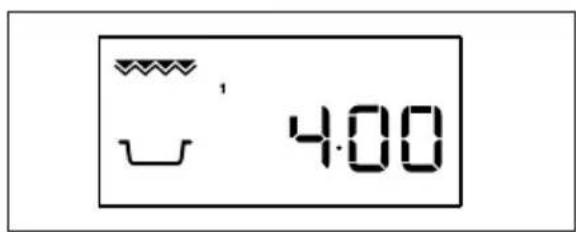
- Enter the time by rotating the TIMER/WEIGHT knob clockwise/anti-clockwise until 4.00 is displayed.
- Enter the time by rotating the TIMER/WEIGHT knob clockwise or counterclockwise until 4.00 is displayed.
- Check the display.
- Dual grill cooking
This mode uses a combination of grill power and microwave power. The microwave power level is preset to 270 W.
This mode uses a combination of grill power and microwave power. The microwave power level is preset to 270 W.
Example: To cook grill skewers for 7 minutes on DUAL GRILL (450 W).
| Button Power setting |
| Grill x 1 0 W |
| Grill x 2 270 W |
| Grill x 3 450 W |
| Grill x 4 630 W |
| Grill x 5 0 W |
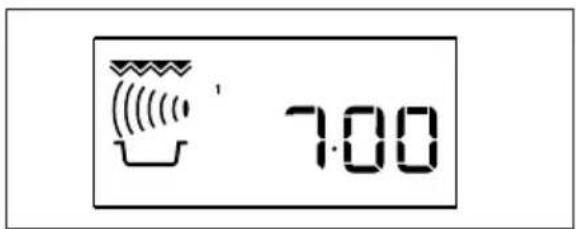
- Press the GRILL button 3 times.
- Set the time by turning the TIMER/WEIGHT knob clockwise or counterclockwise until 7.00 is displayed.
- Press the START/QUICK button.
- Check the display.
5.9 Multiple sequence cooking
A sequence of up to 3 stages can be programmed using microwave, grill, or dual grill.
Example: To cook: Stage 1: 2 minutes 30 seconds at 630 W Stage 2: 5 minutes grill only
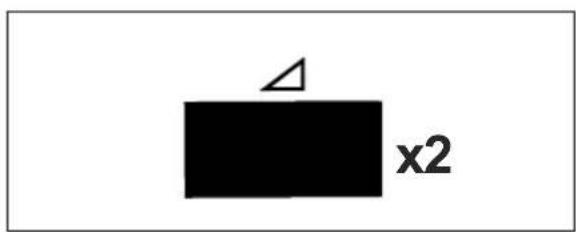
- Press the POWER LEVEL button twice.
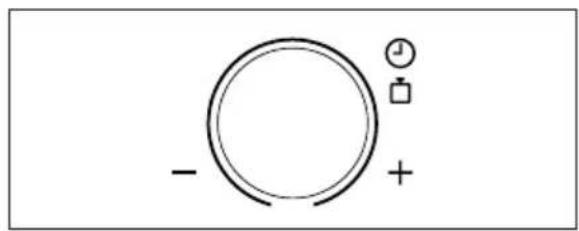
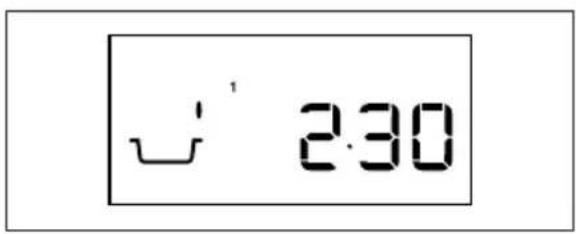
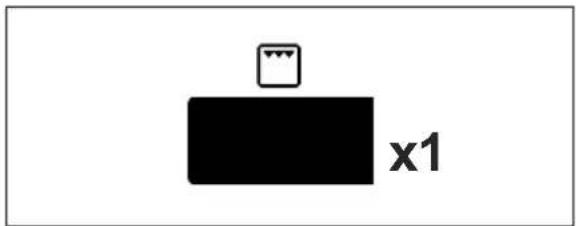
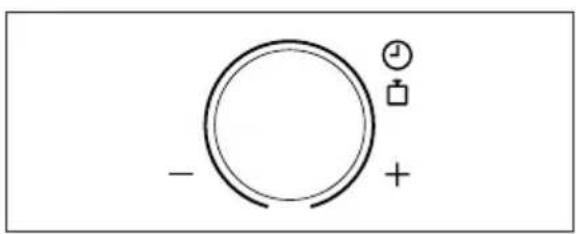
- Set the desired time by turning the TIMER/WEIGHT knob clockwise until 2.30 is displayed.
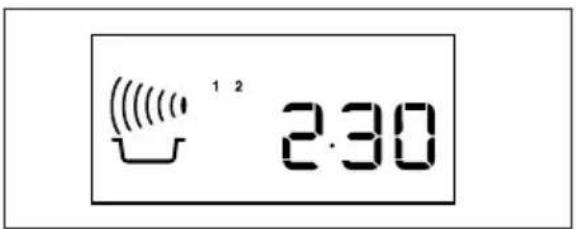
- Check the display.
- Press the GRILL button once.
- Enter the desired time by rotating the TIMER/WEIGHT knob clockwise until 5.00 is displayed.
- Press the START/QUICK button.
- Check the display.
The oven will begin to cook for 2 minutes and 30 seconds at 630 W and then for 5 minutes on grill only.
5.10 Auto cook and auto defrost
Auto cook and auto defrost automatically works out the correct cooking mode and cooking time. You can choose from 6 auto cook and 2 auto defrost menus.
| Food Symbol Setting | |
| Beverage Microwave | |
| Boiled potatoes/jacket potatoes | Microwave |
| Grilled skewers Microwave + grill | |
| Food Symbol Setting | |
| Gratinated fish fillet Microwave + grill | |
| Grilled chicken Microwave + grill | |
| Gratin Microwave + grill | |
| Meat/fish/poultry Microwave | |
| Bread Microwave AUTO |
Example: To cook 0.3 kg of boiled potatoes.
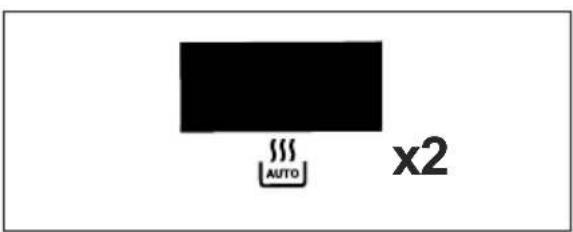
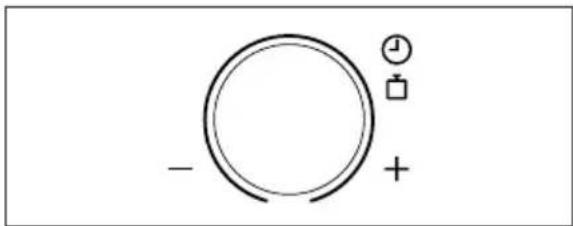
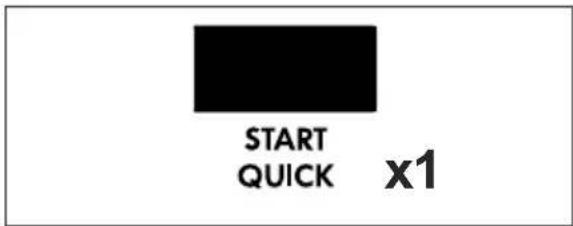
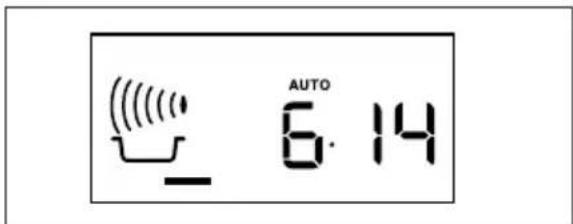
- Select the menu required by pressing the AUTO COOK button twice.
- Turn the TIMER/WEIGHT knob until 0.3 is displayed.
- Press the START/QUICK button.
- Check the display.
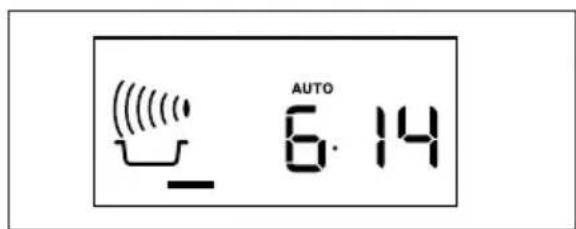
When action is required (e.g. to turn food over) the oven stops and the audible bell sounds, remaining cooking time and the indicator will flash on the display. To continue cooking, press the START/QUICK button. At the end of the auto cook/auto defrost time, the programme will automatically stop.
The audible bell sounds and the cooking symbol will flash. After 1 minute and a reminder beep, the time of day will be displayed.
6. PROGRAMME CHARTS
6.1 Auto cook chart
| Auto cook | Weight (increasing unit)/Utensils | Button | Procedure |
| Beverage(Tea/Coffee) | 1-6 cups1 cup = 200 ml |  | Place cup towards edge of turntable. |
| Boiled andjacket potatoes | 0.2-1.0 kg (100 g) Bowl and lid |  | Boiled potatoes: Peel the potatoes and cut them into similar sized pieces.Jacket potatoes: Choose potatoes of similar size and wash them.Put the boiled or jacket potatoes into a bowl.Add the required amount of water, approx. 2 tbsp per 100 g and a little salt.Cover with lid.When the audible bell sounds, stir and recover.After cooking, stand for approx. 2 min. |
| Grilled skewers | 0.2-0.8 kg (100 g)High rack |  | See recipe for 'Grilled skewers'.Place on the high rack and cook.When the audible bell sounds, turn over. |
| Gratinated fish fillet | 0.5-1.5 kg (100 g)Gratin dishLow rack |  | See recipe for 'Gratinated fish fillet'Total weight of all ingredients. |
| Grilled chicken | 0.9-1.8 kg (100 g)Flan dishLow rack |  | Mix together 2 tbsp oil, 1 tsp paprika, salt and pepper and spread on the chicken.Pierce the skin of the chicken.Put the chicken breast side down in a flandish.Place on the low rack and cook.When audible bell sounds, turn over.After cooking, leave for approx. 3 min in the oven, remove and put on a plate for serving. |
| Gratin | 0.5-1.5 kg (100 g)Gratin dishLow rack |  | See recipes for 'Gratin'.Total weight of all ingredients. |
6.2 Auto defrost chart
| Auto defrost | Weight (increasing unit)/Utensils | Button Procedure | |
Meat/fish/poultry | 0.2-1.0 kg (100 g)Flan dish |  | Place the food in a flan dish in the centre of the turntable.When the audible bell sounds, turn the food over, rearrange and separate.Shield thin parts and warm spots with aluminium foil.After defrosting, wrap in aluminium foil for 15-45 min, until thoroughly defrosted.Minced meat: When the audible bell sounds, turn the food over. Remove the defrosted parts if possible.Not suitable for whole poultry. |
| (Whole fish, fishsteaks, fish fillets,chicken legs,chicken breast,minced meat,steak, chops,burgers, sausages) | |||
Bread 0.1-1.0 kg (100 g)Flan dish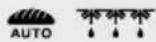 |  | Distribute in a flan dish in the centre of the turntable. For 1.0 kg, distribute directly on the turntable.When the audible bell sounds, turn over, rearrange and remove defrosted slices.After defrosting cover in aluminium foil and stand for 5-15 min until thoroughly defrosted. | |
- Chilled foods are cooked from 5 °C, frozen foods are cooked from -18 °C.
- Enter the weight of the food only. Do not include the weight of the container.
- For food weighing more or less than weights/quantities given in the Auto cook and defrost charts, use manual operation.
- The final temperature will vary according to the initial temperature. Check food is piping hot after cooking. • After Microwave/Grill/Dual Grill modes the cooling fan may come on. • Steaks and chops should be frozen in one layer.
- Minced meat should be frozen in a thin shape.
• After turning over, shield the defrosted portions with small, flat pieces of aluminium foil. - The poultry should be processed immediately after defrosting.
6.3 Recipes for auto cook
| Grilled skewers |
| 4 pieces |
| 400 g pork cutlets, cubed |
| 100 g streaky bacon |
| 100 g onions, quartered |
| 250 g tomatoes, quartered |
| 100 g green pepper, cubed |
| 2 tbsp oil |
| 4 tsp paprika |
| salt |
| 1 tsp cayenne pepper |
| 1 tsp Worcester sauce |
- Thread meat and vegetables alternately on 4 wooden skewers.
- Mix the oil with the spices and brush over the kebabs.
- Place the kebabs on the high rack and cook on auto cook "Grilled skewers".
| Gratinated fish fillet ‘Italian’ |
| 0.5 kg 1.0 kg 1.5 kg |
| 200 g 430 g 630 g fish fillet |
| 1/2 tbsp 1 tbsp 11/2 tbsp lemon juice |
| 1/2 tbsp 1 tbsp 11/2 tbsp anchovy butter |
| 30 g 50 g 80 g Gouda, grated |
| salt and pepper |
| 150 g 300 g 450 g fresh tomatoes |
| 1 tbsp 11/2 tbsp 2 tbsp chopped mixed herbs |
| 100 g 180 g 280 g Mozzarella |
| 1/2 tbsp 3/4 tbsp 1 tbsp basil, chopped |
- Wash and dry the fish and sprinkle with lemon juice, salt and anchovy butter.
- Place in a gratin dish.
- Sprinkle the Gouda over the fish.
- Place the tomatoes on top of the cheese.
- Season with salt, pepper and the mixed herbs.
- Drain the Mozzarella, cut into slices and place on the tomatoes. Sprinkle the basil over the cheese.
- Place the gratin dish on the low rack and cook on auto cook "Gratinated fish fillet".
- After cooking, stand for approx. 5 min.
| Spinach gratin |
| 0.5 kg 1.0 kg 1.5 kg |
| 150 g 300 g 450 g leaf spinach, defrosted, drained |
| 15 g 30 g 45 g onion, finely chopped |
| salt, pepper and nutmeg |
| 5 g 10 g 15 g butter or margarine to grease the dish |
| 150 g 300 g 450 g boiled potatoes, sliced |
| 35 g 75 g 110 g cooked ham, diced |
| 50 g 100 g 150 g crème fraîche |
| 1 2 3 eggs |
| 40 g 75 g 115 g grated cheese |
- Mix together the leaf spinach with the onion and season with salt, pepper and nutmeg.
- Grease the gratin dish. Place alternate layers of potato slices, diced ham and spinach in the dish. The top layer should be spinach.
- Mix the eggs with crème fraîche, add salt and pepper and pour over the gratin.
- Cover the gratin with the grated cheese.
- Place on the low rack and cook on auto cook "Gratin".
- After cooking, stand for 5-10 min.
| Potato and courgette gratin | ||
| 0.5 kg 1.0 kg 1.5 kg | ||
| 5 g 10 g 15 g butter or margarine to grease the dish | ||
| 200 g 400 g 600 g boiled potatoes, sliced | ||
| 115 g 230 g 345 g courgette, finely sliced | ||
| 75 g | 150 g 225 g crème fraîche | |
| 1 | 2 | 3 eggs |
| 1/2 | 1 2 clove of garlic, crushed | |
| salt and pepper | ||
| 40 g 80 g | 120 g Gouda, grated | |
| 10 g 20 g 30 g sunflower kernels | ||
- Grease the gratin dish and place alternate layers of potato slices and courgette in the dish.
- Mix the eggs with crème fraîche, season with salt, pepper and garlic and pour over the gratin.
- Sprinkle the Gouda cheese over the gratin.
- Finally sprinkle the gratin with sunflower kernels.
- Place on the low rack and cook on auto cook "Gratin".
- After cooking, stand for 5-10 min.
6.4 Cooking charts
Heating food and drink
| Food/drink | Quantity -g/ml- | Setting | Power Level | Time -Min- | Method |
| Milk, 1 cup 150 Micro 900 W 1 do not cover | |||||
| Water, 1 cup | 150 | Micro | 900 W | 2 | do not cover |
| 6 cups | 900 | Micro | 900 W | 8-10 | do not cover |
| 1 bowl | 1000 | Micro | 900 W | 9-11 | do not cover |
| One plate meal (vegetables, meat and trimmings) | 400 Micro 900 W 4-6 cover, stir halfway through cooking | ||||
| Soup/stew 200 Micro 900 W 1-2 cover, stir after heating | |||||
| Vegetables 500 Micro 900 W 3-5 cover, stir halfway through cooking | |||||
| Meat, 1 slice 1) | 200 Micro 900 W 3 thinly spread sauce over the top, cover | ||||
| Fish fillet 1) | 200 Micro 900 W 3-5 cover | ||||
| Cake, 1 slice 150 Micro 450 W 1/2 -1 place in a flan dish | |||||
| Baby food, 1 jar | 190 Micro 450 W 1/2 -1 transfer into a suitable microwaveable container, after heating stir well and test the temperature | ||||
| Melting margarine or butter 1) | 50 | Micro 900 W | 1/2 | cover | |
| Melting chocolate | 100 Micro 450 W 3-4 stir occasionally | ||||
1) from chilled
Defrosting
| Food | Quantity -g- | Setting | Power Level | Time -Min- | Method | Standing time -Min- |
| Goulash | 500 | Micro | 270 W | 8-9 | stir halfway through defrosting | 10-30 |
| Cake, 1 slice | 150 | Micro | 90 W | 1-3 | place in a flan dish | 5 |
| Fruit (e.g. cherries, strawberries, raspberries, plums) | 250 | Micro | 270 W | 3-5 spread out evenly, turn over halfway through defrosting | 5 | |
Defrosting and cooking
| Food | Quantity -g- | Setting | Power Level | Time -Min- | Method | Standing time -Min- |
| Fish fillet 300 Micro 900 W 9-11 cover 2 | ||||||
| One plate meal | 400 Micro 900 W 8-10 cover, stir after 6 minutes 2 | |||||
| Broccoli/ Peas | 300 Micro 900 W 6-8 add 3-5 tbsps water, cover, stir halfway through cooking | 2 | ||||
| Mixed vegetables | 500 Micro 900 W 9-11 add 3-5 tbsps water, cover, stir halfway through cooking | 2 | ||||
Cooking, grilling and browning
| Food | Quantity-g- | Setting | Power Level | Time-Min- | Method | Standing time-Min- |
| Broccoli/ Peas | 500 Micro 900 W 6-8 add 4-5 tbsps water,cover, stir halfway through cooking | - | ||||
| Carrots 500 Micro 900 W 9-11 cut into rings, add 4-5 | tbsps water, cover, stirhalfway through cooking | - | ||||
| Roasts (pork, veal, lamb) | 1000 Micro | Dual Grill | 450 W | 16-18 | season to taste, place on the low rack, turn over after 1) | 10 |
| Dual Grill | 450 W | 5-7 1) | ||||
| Micro | 450 W | 14-16 | ||||
| Dual Grill | 450 W | 4-6 | ||||
| Roast beef (medium) | 1000 Micro | Dual Grill | 630 W | 5-8 | season to taste, place on the low rack, turn over after 1) | 10 |
| Dual Grill | 630 W | 8-10 1) | ||||
| Dual Grill | 630 W | 3-5 | ||||
| Chicken legs 200 Dual Grill | 450 W 6-7 | 1) | season to taste, place skin side down on the high rack, turn over after 1) | 3 | ||
| Grill | 4-6 | |||||
| Rump steaks 2 pieces, medium | 400 | Grill | 11-12 1) | place on the high rack, turn over after 1) , season after grilling | ||
| Grill | 6-8 | |||||
| Browning of gratin dishes | Grill | 8-13 | place dish on the low rack | |||
| Cheese toastie | 1 piece | Micro | 450 W | 1/2 | toast the bread and spread with butter, top with a slice of cooked ham, a slice of pineapple and a slice of cheese | |
| Grill | 5-6 | |||||
| Frozen pizza | 400 Micro | Dual Grill | 450 W | 6-7 | place on the low rack | |
| Dual Grill | 450 W | 6-7 | ||||
The times shown in the table are guidelines which may vary according to freezing temperature, quality and weight of the foodstuffs.
7. CARE AND CLEANING

CAUTION!
DO NOT USE COMMERCIAL OVEN CLEANERS, STEAM CLEANERS, ABRASIVE, HARSH CLEANERS, ANY THAT CONTAIN SODIUM HYDROXIDE OR SCOURING PADS ON ANY PART OF YOUR MICROWAVE OVEN.
CLEAN THE OVEN AT REGULAR INTERVALS AND REMOVE ANY FOOD DEPOSITS. Failure to maintain the oven in a clean condition could lead to a deterioration of the surface that could adversely affect the life of the appliance and possibly result in a hazardous situation.
Oven exterior
The outside of your oven can be cleaned easily with mild soap and water. Make sure the soap is wiped off with a moist cloth, and dry the exterior with a soft towel.
Control panel
Open the door before cleaning to de-activate the control panel. Care should be taken when cleaning the control panel. Using a cloth dampened with water only, gently wipe the panel until it becomes clean. Avoid using excessive amounts of water. Do not use any sort of chemical or abrasive cleaner.
Oven interior
For cleaning, wipe any splatters or spills with a soft damp cloth or sponge after each use while the oven is still warm. For heavier spills, use a mild soap and wipe several times with a damp cloth until all residues are removed. Do not remove the waveguide cover.
Make sure that mild soap or water does not penetrate the small vents in the walls which may cause damage to the oven.
Do not use spray type cleaners on the oven interior.
Heat up your oven regularly by using the grill. Remaining food or fat splashed can cause smoke or a bad smell.
Turntable and turntable support
Remove the turntable and turntable support from the oven. Wash the turntable and turntable support in mild soapy water. Dry with a soft cloth. Both the turntable and the turntable support are dishwasher safe.
Door
To remove all trace of dirt, regularly clean both sides of the door, the door seals and sealing surfaces with a soft, damp cloth. Do not use harsh abrasive cleaners or sharp metal scrapers to clean the oven door glass since they can scratch the surface, which may result in shattering of the glass.
Racks
These should be washed in a mild washing up liquid solution and dried. The racks are dishwasher safe.

IMPORTANT!
A steam cleaner should not be used.
8. TROUBLESHOOTING
| Problem Check if . . . | |
| The microwave appliance is not working properly? | The fuses in the fuse box are working.There has not been a power outage.If the fuses continue to blow, please contact a qualified electrician. |
| The microwave mode is not working? | The door is properly closed.The door seals and their surfaces are clean.The START/QUICK button has been pressed. |
| The turntable is not turning? | The turntable support is correctly connected to the drive.The ovenware does not extend beyond the turntable.Food does not extend beyond the edge of the turntable preventing it from rotating.There is nothing in the well beneath the turntable. |
| The microwave will not switch off? | Isolate the appliance from the fuse box.Call an authorised AEG service agent. |
| The interior light is not working? | Call your local AEG service agent. The interior light bulb can be exchanged only by a trained AEG service agent. |
| The food is taking longer to heat through and cook than before? | Set a longer cooking time (double quantity = nearly double time) orIf the food is colder than usual, rotate or turn from time to time orSet a higher power setting. |
9. INSTALLATION
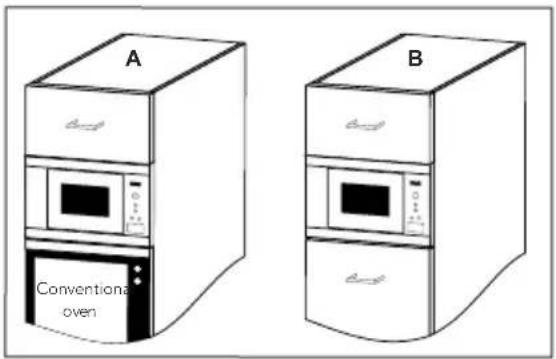
The microwave can be fitted in position A or B:
| Position | Niche size | ||
| W | D | H | |
| A 560 × 550 × 380 | |||
| B 560 × 500 × 380 | |||
Measurements in (mm)
9.1 Installing the appliance
![graph TD A["Device"] --> B{Transformation} B --> C["Motor"] C --> D["Arrow to next step"] D --> E["Bottom Left Component"] D --> F["Bottom Right Component"] E --> G["Arrow to right end"]](/content/2026/02/372733/images/e4a90ce4e9e122a1b4301191d607fecb59300d3bc1cfe4a660b662e5bfe0a8f1.jpg)
- Remove all packaging and check carefully for any signs of damage.
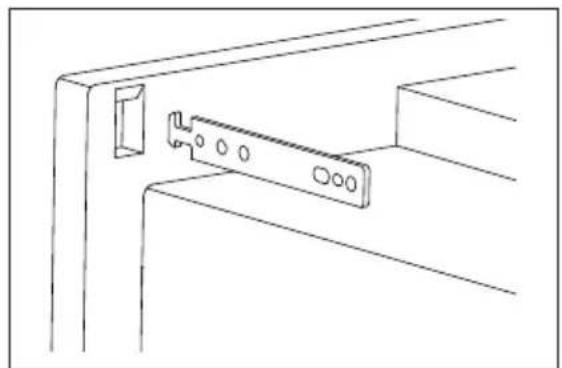
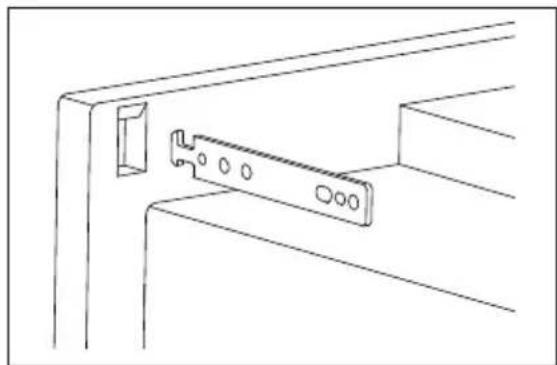
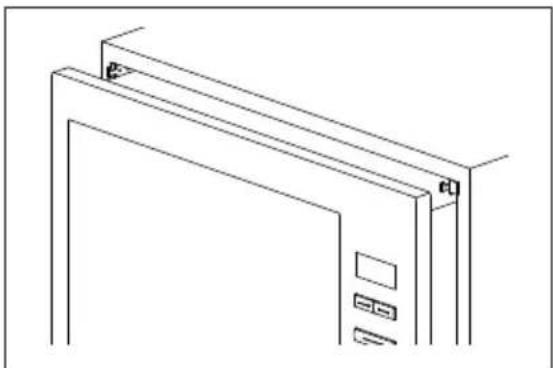
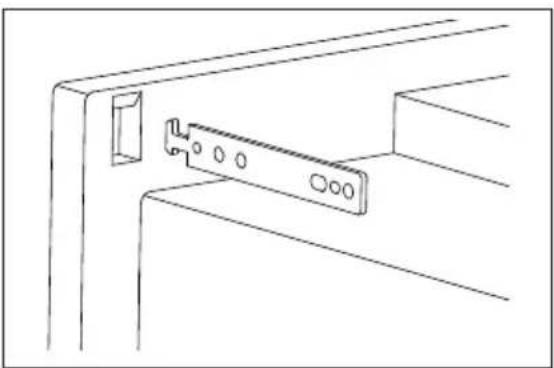
- Fit the fixing hooks to the kitchen cupboard using the instruction sheet and template supplied.
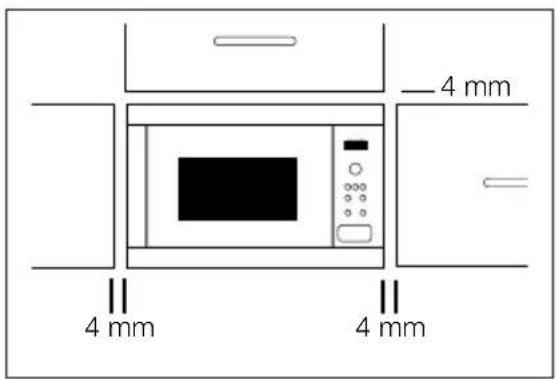
- Fit the appliance into the kitchen cupboard slowly, and without force. The appliance should be lifted onto the fixing hooks and then lowered into place. In the case of interference during fitting, this hook is reversible. The front frame of the oven should seal against the front opening of the cupboard.
- Ensure the appliance is stable and not leaning. Ensure that a 4 mm gap is kept between the cupboard door above and the top of the frame (see diagram).

IMPORTANT! Ensure the bottom of the oven is 85 cm or more above the floor. It is important to ensure that the installation of this product conforms to the
instructions in this operation manual and the conventional oven manufacturer's installation instructions.
9.2 Connecting the appliance to the power supply
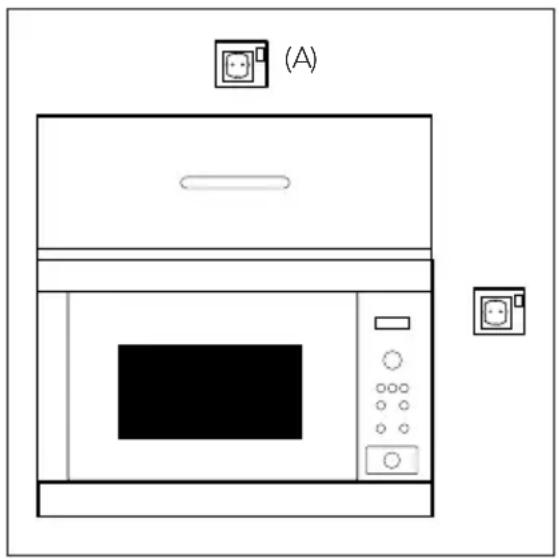
- The electrical outlet should be readily accessible so that the unit can be unplugged easily in an emergency. Or it should be possible to isolate the oven from the supply by incorporating a switch in the fixed wiring in accordance with the wiring rules.
- The socket should not be positioned behind the cupboard.
- The best position is above the cupboard, see (A).
- Connect the appliance to a single phase 230 V/50 Hz alternating current via a correctly installed earth socket. The socket must be fused with a 16 A fuse.
- The power supply cord may only be replaced by an electrician.
- Before installing, tie a piece of string to the power supply cord to facilitate connection to point (A) when the appliance is being installed.
- When inserting the appliance into the high-sided cupboard, DO NOT crush the power supply cord.
- Do not immerse the power supply cord or plug in water or any other liquid.
9.3 Electrical connections

WARNING!
THIS APPLIANCE MUST BE EARTHED
The manufacturer declines any liability should this safety measure not be observed.
If the plug that is fitted to your appliance is not suitable for your socket outlet, you must call your local AEG service agent.
10. TECHNICAL INFORMATION
| AC Line Voltage 230 V, 50 Hz, single phase | |
| Distribution line fuse/circuit breaker Minimum 16 A | |
| AC Power required: Microwave 1.37 kWGrill 1.00 kWMicrowave/Grill 2.35 kW | |
| Output power: Microwave 900 W (IEC 60705)Grill 1000 W | |
| Microwave Frequency 2450 MHz 1) (Group 2/Class B) | |
| Outside Dimensions: MCD2665E 594 mm (W) x 388 mm (H) x 404 mm (D) | |
| Cavity Dimensions 342 mm (W) x 207 mm (H) x 368 mm (D) 2) | |
| Oven Capacity 26 litres 2) | |
| Turntable ø 325 mm, glass | |
| Weight approx. 19.5 kg | |
| Oven lamp 25 W/240-250 V |
1) This product fulfils the requirement of the European standard EN55011.
In conformity with this standard, this product is classified as group 2 class B equipment.
Group 2 means that the equipment intentionally generates radio-frequency energy in the form of electromagnetic radiation for the heat treatment of food.
Class B equipment means that the equipment is suitable to be used in domestic establishments.
2) Internal capacity is calculated by measuring maximum width, depth and height.
Actual capacity for holding food is less.
This oven complies with the requirements of Directives 2004/108/EC, 2006/95/EC, 2009/125/EC and 2011/65/EU.
SPECIFICATIONS ARE SUBJECT TO CHANGE WITHOUT NOTICE AS PART OF CONTINUOUS IMPROVEMENT
11. ENVIRONMENT CONCERNS
Recycle materials with the symbol. Put the packaging in applicable containers to recycle it.
Help protect the environment and human health and recycle waste electrical and electronic appliances.
Do not dispose of appliances marked with the symbol 📄 with household waste. Return the product to your local recycling facility or contact your municipal office.
www.aeg.com/shop

CE
- CONTENTS
- VISIT OUR WEBSITE FOR
- CUSTOMER CARE AND SERVICE
- SAFETY INFORMATION
- IMPORTANT! IMPORTANT SAFETY INSTRUCTIONS: READ CAREFULLY AND KEEP FOR FUTURE REFERENCE
- TO AVOID THE POSSIBILITY OF INJURY
- WARNING
- TO AVOID THE POSSIBILITY OF EXPLOSION AND SUDDEN BOILING
- TO AVOID THE MISUSE BY CHILDREN
- TO AVOID THE DANGER OF FIRE
- TO AVOID THE POSSIBILITY OF ELECTRIC SHOCK
- TO AVOID THE POSSIBILITY OF BURNS
- OTHER WARNINGS
- TO PROMOTE TROUBLE-FREE USE OF YOUR OVEN AND AVOID DAMAGE
- PRODUCT DESCRIPTION
- ACCESSORIES
- CONTROL PANEL
- BEFORE FIRST USE
- ECON MODE
- SETTING THE CLOCK
- ADJUSTING THE TIME WHEN THE CLOCK IS SET
- TO CANCEL THE CLOCK AND SET ECON MODE
- USING THE STOP BUTTON
- CHILD SAFETY LOCK
- OPERATION
- MICROWAVE COOKING ADVICE
- MICROWAVE COOKING
- IMPORTANT
- REDUCED POWER LEVEL
- KITCHEN TIMER
- ADD 30 SECONDS
- DIRECT START
- EXTEND THE COOKING TIME
- PLUS AND MINUS
- GRILL AND DUAL GRILL COOKING
- EXAMPLE: TO MAKE TOAST FOR 4 MINUTES
- THIS MODE USES A COMBINATION OF GRILL POWER AND MICROWAVE POWER. THE MICROWAVE POWER LEVEL IS PRESET TO 270 W
- MULTIPLE SEQUENCE COOKING
- AUTO COOK AND AUTO DEFROST
- PROGRAMME CHARTS
- AUTO COOK CHART
- AUTO DEFROST CHART
- RECIPES FOR AUTO COOK
- COOKING CHARTS
- CARE AND CLEANING
- CAUTION
- OVEN EXTERIOR
- OVEN INTERIOR
- TURNTABLE AND TURNTABLE SUPPORT
- DOOR
- RACKS
- TROUBLESHOOTING
- INSTALLATION
- INSTALLING THE APPLIANCE
- CONNECTING THE APPLIANCE TO THE POWER SUPPLY
- ELECTRICAL CONNECTIONS
- TECHNICAL INFORMATION
- ENVIRONMENT CONCERNS
Brand : AEG
Model : MCD2665EM
Category : Microwave