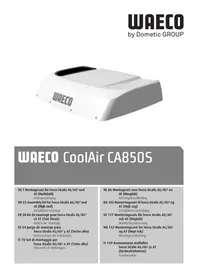
CoolAir CA850S - Air Conditioning WAECO - Free user manual and instructions
Find the device manual for free CoolAir CA850S WAECO in PDF.


| Brand | Waeco |
| Model | CoolAir CA850S |
| Product type | Auxiliary air conditioning for vehicle (Iveco Stralis) |
| Dimensions (L x W x H) | 635 x 830 x 165 mm (AS/AT) / 635 x 830 x 187 mm (AS3) |
| Weight | Approx. 21 kg |
| Rated input voltage | 24 V DC |
| Input voltage range | 20 V DC – 30 V DC |
| Current consumption | 12 – 22 A |
| Max. cooling power | 850 W |
| Shutdown in case of undervoltage | Configurable (22.2 V to 23.6 V) |
| Battery protection | Yes (configurable automatic shutdown) |
| Remote control included | Yes |
| Control panel | Digital display with buttons |
| Operating mode | Automatic + 3 configurable modes |
| Adjustable set temperature | 17 °C – 30 °C |
| Temperature unit | °C or °F (configurable) |
| Delivery contents | Air conditioner, cover frame, sealing tape, power cable, remote control, manual |
| Accessories | Connection cable 8 mm² x 9.5 m, protective cover |
| Max. ambient temperature for cooling | 43 °C |
| Min. outside temperature for operation | 0 °C |
| Installation | In the cab skylight, reserved for a professional |
| Recommended fuse | 25 A |
| Warranty | Limited to manufacturing defects (see manual) |
Frequently Asked Questions - CoolAir CA850S WAECO
User questions about CoolAir CA850S WAECO
0 question about this device. Answer the ones you know or ask your own.
Ask a new question about this device
Download the instructions for your Air Conditioning in PDF format for free! Find your manual CoolAir CA850S - WAECO and take your electronic device back in hand. On this page are published all the documents necessary for the use of your device. CoolAir CA850S by WAECO.
USER MANUAL CoolAir CA850S WAECO
We will be happy to provide you with further information about Dometic WAECO products. Please order our free catalogue with no obligation to buy on our homepage: www.waeco.com
F
1 Safety instructions 23
1.1 Using the device 24
1.1.1 Handling electrical cables 24
2 Conventions in this manual. 25
2.1 General information on the installation manual 25
2.2 Target group 25
2.3 Symbols and formats. 25
3 Intended use 26
4 Scope of delivery 27
5 Accessories 27
6 Installation 28
6.1 Notes on installation 28
6.2 Steps for installation 30
6.2.1 Removing the sunroof. 30
6.2.2 Preparing unit fastening (Iveco Stralis AS3 only) 30
6.2.3 Attaching the seal for the cab roof 30
6.2.4 Installing the unit in the sunroof 31
6.2.5 Laying supply lines 31
6.2.6 Fastening the cover frame 32
6.3 Configuration of unit software 33
6.3.1 Starting and ending configuration mode 33
6.3.2 Menu level 1: Set temperature 34
6.3.3 Menu level 2: Low voltage cut-off 34
6.3.4 Menu level 3: Operating mode 35
6.3.5 Menu level 4: Default setting.. 36
6.3.6 Menu level 5: Temperature unit display 36
7 Technical data 37
1 Safety instructions
You must read the entire manual thoroughly and carefully.
We can only guarantee the reliability of the air conditioning roof unit if the instructions are adhered to. The same applies to the prevention of injury and damage to property.
The manufacturer will not be held liable for claims for damage resulting from the following:
- Faulty assembly or connection
- Damage to the appliance resulting from mechanical influences and excess voltage
- Alterations to the device without express permission from the manufacturer
- Use for purposes other than those described in the operating manual
1.1 Using the device
-
Only use the air conditioning roof unit for the purpose specified by the manufacturer and do not make any alterations or structural changes to the device.
-
Do not use the air conditioning roof unit if it is visibly damaged.
-
The air conditioning roof unit must be installed safely so that it cannot tip over or fall down.
-
Installation, maintenance and repair work may only be carried out by qualified personnel from a specialist company who are familiar with the risks involved and the relevant regulations.
-
Do not use the air conditioning roof unit near flammable fluids and gases.
-
Do not operate the air conditioning roof unit if the ambient temperature is below 0^ .
-
Do not undo the upper cover of the air conditioning roof unit in the event of a fire. Use approved extinguishing agents instead. Do not use water to extinguish fires.
-
Please inform your vehicle manufacturer if the height entered in your vehicle documents needs to be altered due to the installation of the air conditioning roof unit.
Iveco Stralis AS/AT height: 165 mm.
Iveco Stralis AS^3 height: 187 mm
- Disconnect all power supply lines when working on the air conditioning roof unit (cleaning, maintenance, etc).
1.1.1 Handling electrical cables
-
Use cable ducts to lay cables through walls with sharp edges.
-
Do not lay loose or bent cables next to electrically conductive materials (metal).
-
Do not pull on the cables.
-
Attach and lay the cables in such a manner that they cannot be tripped over or damaged.
-
The electrical power supply may only be connected by a specialist workshop.
-
Fit a fuse of 25 amps to the connection to the vehicle's power supply.
-
Never lay power supply lines (battery leads) in the vicinity of signal or control cables.
2 Conventions in this manual
2.1 General information on the installation manual
This installation manual contains the essential information and instructions for installing the air conditioning roof unit. The information contained is orientated towards the company installing the air conditioning roof unit.
The following instructions are intended to help you properly use the installation manual:
- The installation manual is part of the scope of delivery and should be stored carefully.
- The installation manual provides you with important information on the installation of the device and can also be used as a reference material in the event of repairs.
- The manufacturer assumes no liability for non-observation of this installation manual. Any claims are excluded in this case.
2.2 Target group
The installation and configuration information in this manual is intended for qualified installation personnel who are familiar with the guidelines and safety precautions to be applied during the installation of lorry accessory parts.
2.3 Symbols and formats
You will come across certain symbols and formats in this documentation. This is what they mean:
| Format Meaning Example | |
| Bold Important information in the text which must not be misunderstood | Set the switch (3) to the COOLING symbol. |
| ► Instruction text | ► Place the air conditioning roof unit on a work surface with the housing facing down. |
| ✓ Results of an action | ✓ The unit is now ready for operation. |

Warning
Indication of:
- Possible risks of injury to the fitter or user and
- Possible damage to the device

Caution
Indicates a potentially dangerous situation which could arise during the installation or operation of the product and cause damage to the device or environmental or economic damage.

Note
Special information on handling the product
3 Intended use
The vehicle-specific air conditioning roof unit CoolAir CA850S for Iveco Stralis AS/AT (high roof) (item no. 9100100024) or Iveco Stralis AS ^3 (high roof) (item no. 9100100026) is installed in the ventilation hatch of the vehicle with the aid of an installation kit:

Caution
The air conditioning roof unit CA850S is not suitable for installation in construction machines, agricultural machines or similar equipment. It does not work properly in the event of strong vibrations.

Note
The CA850S air conditioning roof unit is only designed for ambient temperatures of up to 43^ .

Caution
Operating the CA850S air conditioning roof unit with voltages other than those specified can result in damage to the device.
4 Scope of delivery
Air conditioning roof unit CoolAir CA850S for Iveco Stralis AS/AT
| Part designation Quantity Item no. | |
| CoolAir CA850S L1 12° 1 4442700223 | |
| Cover frame 1 4443000260 | |
| 2.5 m insulating tape (profile: 10 x 20 mm) 1 - | |
| Spacer sleeve L = 18 mm, Ø 14 mm | 12 4443900236 |
| Hex screw M8 x 45 12 - | |
| Washer 8.4 x 20 12 - | |
| Spring washer M8 12 - | |
| Connection cable 6 mm² x 4 m | 1 4441300149 |
| Remote control | 1 4441600139 |
| Cable binder | 1 - |
| Installation manual | 1 4445100507 |
| Operating manual | 1 4445100452 |
CoolAir CA850S air conditioning roof unit for Iveco Stralis AS3
| Part designation Quantity Item no. | |
| CoolAir CA850S L1 12° 1 4442700223 | |
| Cover frame 1 4443000260 | |
| 2.5 m insulating tape (profile: 35 x 20 mm) 1 - | |
| Spacer sleeve L = 40 mm | 12 4443900237 |
| Hex screw M8 x 65 12 - | |
| Washer 8.4 x 20 12 - | |
| Spring washer M8 12 - | |
| Connection cable 8 mm² x 9.5 m | 1 4441300097 |
| Remote control | 1 4441600139 |
| Cable binder | 1 - |
| Installation manual | 1 4445100507 |
| Operating manual | 1 4445100452 |
5 Accessories
| Part designation Item no. | |
| Connection cable 8 mm² x 9.5 m | 9100300027 |
| CoolAir CA850S hood | 9100300028 |
6 I n s t a I I a t

Caution
The air conditioning roof unit may only be installed by qualified personnel from a specialist company. The following information is intended for technicians who are familiar with the guidelines and safety precautions to be applied.
6.1 Notes on installation
These installation instructions must be read completely prior to the installation of the air conditioning roof unit.
The following tips and instructions must be observed wile installing the air conditioning roof unit:

Warning
Make sure that all electrical components are electrically discharged before carrying out work on them!
- Always check whether any vehicle components could be damaged or their operation impaired by the unit before installing the air conditioning roof unit. You can use fig. 1 on page 3 and fig. 2 on page 3 to check the dimensions of the installed unit. The dotted line indicates the middle of the sunroof opening.
- Before installation, find out (by consulting the manufacturer of the vehicle) whether the construction is designed for the static weight and the loads of the air conditioner when the vehicle is in motion. The manufacturer of the air conditioning roof unit assumes no liability whatsoever.
- The roof inclination of the mounting surface may not exceed 20^ in the direction of travel.
The supplied assembly parts must not be modified during installation. - The ventilation slots (grill) may not be covered (minimum distance from other attachment parts: 10cm ).
- You can connect the unit to the battery via the lorry's terminal block or directly. The terminal block is to be preferred for the connection. On some vehicles, larger consumers connected to the terminal block are switched off after a short while if the power requirement is too high. Ask your vehicle manufacturer for the specifications of the terminal block.
Note the connection plan for the air conditioning roof unit:
| No. in fig. 7 on page 6 Designation | |
| 1 Control pad | |
| 2 Connection cable | |
| 3 Room temperature sensor | |
| 4 Earth | |
| 5 Klickson (compressor) | |
| 6 Compressor | |
| 7 Condenser fan | |
| 8 Vaporiser fan | |
| 9 E a r t h | |
| 10 25 A fuse |

Caution
Improper installation of the air conditioning roof unit can result in irreparable damage to the device and put the safety of the user at risk.
The manufacturer will not be held liable for claims if the air conditioning roof unit is not installed according to this installation manual. That applies to malfunctions and the safety of the air conditioning roof unit, in particular to injuries and damage to property.

Caution
Before installing the air conditioning roof unit, all connections to the battery of the vehicle must be disconnected.
Non-observance of this regulation can result in danger of electrocution.

Note
After installing the unit, the specified parameters of the unit software must be checked (see Chapter "Configuration of unit software" on page 33).
6.2 Steps for installation

Caution
The manufacturer only assumes liability for parts included in the scope of delivery. The validity of the warranty expires if the device is installed together with third-party parts.

Caution
Check whether the roof of the vehicle is able to support the weight of a person before climbing onto it. Ask the vehicle manufacturer about the permitted roof loads.
6.2.1 Removing the sunroof
Remove all screws and fixtures of the existing sunroof.
Take out the sunroof.
Remove the sealant around the opening, so that the surface is clean and free of grease.

Note
Dispose of all waste material, glue, silicone and seals separately. Observe the local disposal guidelines.
6.2.2 Preparing unit fastening (Iveco Stralis AS³ only)
Enlarge the 12 existing 6.5mm holes for fastening the sunroof to a diameter of 8.5mm .
6.2.3 Attaching the seal for the cab roof

Caution
Ensure that the adhesive surface for the seal between the unit and the cab roof is clean (free of dust, oil, etc.).
Stick the 2.5m insulating tape to the cab roof, following the outline of the sunroof (fig. 3 on page 4): - CA850S Iveco Stralis AS/AT: insulating tape 10× 25mm - CA850S Iveco Stralis AS^3 :insulating tape 35× 20mm
Provide the abutting edge and the top edge of the insulating tape with an unhardened plastic butyl sealing compound (e.g. SikaLastomer-710).
6.2.4 Installing the unit in the sunroof
Set the unit down centrally aligned and in the direction of travel (fig. 1 on page 3) on the sunroof opening.

Note
Make sure the air conditioning roof unit is centred perfectly. The seal must be applied continuously around the air conditioning roof unit after being placed on the roof of the vehicle. This is the only way to ensure a tight seal.
Position the spacer sleeve (fig. 5 on page 5, item 1) on the fixing drill holes as shown in fig. 5 on page 5.
- CA850S Iveco Stralis AS/AT: spacer sleeve L = 18 mm
- CA850S Iveco Stralis AS3: spacer sleeve L= 40 mm
Screw one hex screw (fig. 5 on page 5, item 4) with washer (fig. 5 on page 5, item 2) and spring washer (fig. 5 on page 5, item 3) into each of the 12 thread inserts on the underside of the unit.
- CA850S Iveco Stralis AS/AT: hex screw M8 x 45 mm
CA850S Iveco Stralis AS: hex screw M8 x 65 mm

Caution
Do not exceed the specified torque under any circumstances. This is the only way to ensure that the thread inserts are not torn out.
Tighten the screws with a torque of 8 Nm.
6.2.5 Laying supply lines

Caution
Make sure there is no voltage present on electrically operated components before carrying out work on them!

Note
The unit is equipped as standard with:
- Iveco Stralis AS/AT: a 4 m long cable with a cross-section of 6mm^2
- Iveco Stralis AS3: a 9.5 m long cable with a cross-section of 8 mm2
If longer cable lengths are required, then the cable cross-section must be increased by an authorised specialist workshop:
In this case cut off the cable as closely as possible to the unit (max. 0.5m ) and then establish a suitable connection with a larger cable cross-section.
The manufacturer recommends:
- Iveco Stralis AS/AT: a cross-section of 8mm^2 for cables 4m to 6m in length
- Iveco Stralis AS3: a cross-section of 10mm^2 for cables 9m to 11m in length

Caution
Fit a fuse of 25 amps to the connection to the vehicle's power supply.

Caution
The battery must be able to supply the required current and voltage (see Chapter "Technical data" on page 37).
Iveco Stralis AS/AT: You can connect the unit to the battery via the lorry's terminal block or directly. The terminal block is to be preferred for the connection. Ask your vehicle manufacturer for the specifications of the terminal block.
Iveco Stralis AS: You can connect the unit to the battery via the lorry's terminal block or directly. Here, the connection directly to the battery should be preferred, as the consumer which is connected to the terminal block switches off after approx. 10 min if there is a high power requirement.
Lay the supply line and connect it to the vehicle (red line to plus, black line to minus).
Plug in the supply line plug into the socket of the air conditioning roof unit supply line.
To relieve strain on the supply line, secure it with a cable tie, e.g to the cab roof.
6.2.6 Fastening the cover frame

Caution
Screw the screws in carefully order not to damage the cover frame.
Fasten the cover frame (fig. 4 on page 4, item 5) the same way as for the original frame for the sliding roof.
6.3 Configuration of unit software
Before you first start up the unit, the controls can be adapted to suit the installation conditions. This must be done by the person installing the unit.
In configuration mode, the following unit software parameters must be set at the control panel (fig. 6 on page 5).
| Menu level | Parameter Meaning | Default setting |
| 1 | Set temperature The unit starts at the temperature defined here. | 20 °C |
| 2 | Low voltage cut-off The battery monitor shuts down the unit at the voltage defined here. | Characteristic figure 4 = 22.8 V |
| 3 | Operating mode The unit starts with the operating mode defined here. | 0 = Automatic mode |
| 4 | Default settings Parameters 1 – 3 can be reset to the default settings. | -- |
| 5 | Temperature unit display The temperature can be displayed in °C or °F. | °C |

Note
Configuration mode can still be activated if the undervoltage protection mechanism has switched off the unit and only residual voltage is available.
6.3.1 Starting and ending configuration mode
The adjustable parameters can be changed in configuration mode:
When using the ON/OFF (fig. 6 on page 5, item 1) button to switch on the unit, hold both buttons + and - (fig. 6 on page 5, item 6 and 7) pressed until the compressor LED flashes.
√ You are now in configuration mode.
The first digit of the digital display (fig. 6 on page 5, item 5) shows the menu level and the second and third digits show the parameters which can be set, e.g. 1.17 for menu level 1 and a set target value of 17^ .

Note
If you make no entry on the control panel for 60 seconds, the unit quits configuration mode and shuts down.
Press the ON/OFF button to quit configuration mode.
6.3.2 Menu level 1: Set temperature
The unit always starts with a defined value for the room temperature. This parameter can be configured between 17 and 30^ :
Start configuration mode (see Chapter "Starting and ending configuration mode" on page 33).
The first digit of the display (fig. 6 on page 5, item 5) shows the menu level and the second and third show the parameter which can be set.
Press the Operating Mode button (fig. 6 on page 5, item 4) to change the parameters.
Use the ^+ and - buttons (fig. 6 on page 5, item 6 and 7) to select the target value (in ^ C ) at which the unit should start operation.
- The digits in the display flash until the parameter you entered is confirmed.
Press the Operating Mode button (fig. 6 on page 5, item 4) to confirm your entry.
✓ The set value is saved and is then used when the unit is restarted.
- You are now in menu level 1 again and can use the + and - buttons to switch between menu levels.
6.3.3 Menu level 2: Low voltage cut-off
The battery monitor protects the battery from excessive discharging.

Caution
When the the battery monitor switches the device off, the battery only has part of its charging capacity. Avoid starting repeatedly or operating electrical consumers. Make sure that the battery is recharged. As soon as the required voltage is available again, the unit can be operated again.
If only the set power supply is available here for the air conditioning roof unit, the unit is switched off.
Start configuration mode (see Chapter "Starting and ending configuration mode" on page 33).
The first digit of the display (fig. 6 on page 5, item 5) shows the menu level and the second and third show the parameter which can be set.
Press the + button (fig. 6 on page 5, 6) once to switch to menu level 2.
Press the Operating Mode button (fig. 6 on page 5, item 4) to change the parameter.
- The digits in the display flash until the parameter you entered is confirmed.
Use the + and - buttons (fig. 6 on page 5, item 6 and 7) to set the value for low voltage shutdown. The characteristic figures at second and third place on the digital display represent the voltage (V) at which the unit is shut down:
| Characteristic figure | Low voltage shutdown |
| 1 | 22,2 |
| 2 | 22,4 |
| 3 | 22,6 |
| 4 | 22,8 |
| 5 | 22,9 |
| Characteristic figure | Low voltage shutdown |
| 5 | 23,0 |
| 7 | 23,1 |
| 8 | 23,2 |
| 9 | 23,4 |
| 10 | 23,6 |
Press the Operating Mode button (fig. 6 on page 5, item 4) to confirm your entry.
The set value is saved and is then used when the unit is restarted.
- You are now in menu level 2 again and can use the + and - buttons to switch between menu levels.
6.3.4 Menu level 3: Operating mode
The unit always starts with a defined operating mode for room temperature. This parameter can be configured:
Start configuration mode (see Chapter "Starting and ending configuration mode" on page 33).
The first digit of the display (fig. 6 on page 5, item 5) shows the menu level and the second and third show the parameter which can be set.
Press the + button (fig. 6 on page 5, item 6) twice to switch to menu level 3.
Press the Operating Mode button (fig. 6 on page 5, item 4) to change the parameters.
- The digits in the display flash until the parameter you entered is confirmed.
Use the + and - buttons (fig. 6 on page 5, item 6 and 7) to set the mode with which the unit starts up:
| Characteristic figure | Operating mode |
| 0 | Automatic mode |
| 1 | Operating mode 1 |
| 2 | Operating mode 2 |
| 3 | Operating mode 3 |
Press the Operating Mode button (fig. 6 on page 5, item 4) to confirm your entry.
The set value is saved and is then used when the unit is restarted.
- You are now in menu level 3 again and can use the + and - buttons to switch between menu levels.
6.3.5 Menu level 4: Default setting
You can reset the parameters you set in configuration mode on menu levels 1 to 3 to the default settings:
Start configuration mode (see Chapter "Starting and ending configuration mode" on page 33).
The first digit of the display (fig. 6 on page 5, item 5) shows the menu level and the second and third show the parameter which can be set.
Press the + button (fig. 6 on page 5, item 6) three times to switch to menu level 4.
The digital display shows --.
Press the Operating Mode button(fig. 6 on page 5, item 4), to reset the unit to the factory settings.
-- flashes in the digital display.
Press the ^+ button.
The digital display shows
Press the Operating Mode button (fig. 6 on page 5, 4) to confirm your entry.
- The parameters set in configuration mode are reset to the default setting.
- You are now in menu level 4 and can use the + and - buttons to switch between menu levels.
6.3.6 Menu level 5: Temperature unit display
The system can display the room temperature in ^ C or ^ F . This parameter can be configured:
Start configuration mode (see Chapter "Starting and ending configuration mode" on page 33).
The first digit of the display (fig. 6 on page 5, item 5) shows the menu level and the second and third show the parameter which can be set.
Press the + (fig. 6 on page 5, item 6) four times to switch to menu level 5.
Press the Operating Mode button (fig. 6 on page 5, item 4) to change the parameters.
- The digits in the display flash until the parameter you entered is confirmed.
Use the + and - buttons (fig. 6 on page 5, item 6 and 7) to select the temperature unit that the system should display.
Press the Operating Mode button (fig. 6 on page 5, item 4) to confirm your entry.
- The set value is saved and is then used when the unit is restarted.
- You are now in menu level 5 again and can use the + and - buttons to switch between menu levels.
7 Technical data
| Air conditioning roof unit CoolAir CA8505 | |
| Item number Iveco Stralis AS/AT: 9100100024 | Iveco Stralis AS3: 9100100026 |
| Cooling capacity: 850 W | |
| Rated input voltage: 24 V DC | |
| Input voltage range: | 20 V DC – 30 V DC |
| Current consumption: 12 – 22 A | |
| Low voltage shutdown: Configurable (see Chapter "Menu level 2: Low voltage cut-off" on page 34) | |
| Dimensions (L x B x H in mm) (height above vehicle roof): | Iveco Stralis AS/AT: 635 x 830 x 165 Iveco Stralis AS3: 635 x 830 x 187 |
| Weight: | approx. 21 kg |
Versions, technical modifications and delivery options reserved.
Sommaire
CH Dometic Switzerland AG
Riedackerstrasse 7a
CH-8153 Rümlang (Zürich)
+41448187171
+41448187191
Mail: info@dometic-waeco.ch
Dometic Denmark A/S
Nordensvej 15, Taulov
DK-7000 Fredericia
+4575585966
+4575586307
Mail: info@waeco.dk
E Dometic Spain S.L.
Avda. Sierra del Guadarrama, 16
E-28691 Villanueva de la Canada
Madrid
+34902111042
+34900100245
Mail: info@dometic.es
F Dometic S.N.C.
Dometic Italy S.p.A.
Via Virgilio, 3
I-47100 Forli
+390543754901
+390543756631
Mail: info@domestic.it
Dometic Norway AS
Skolmar 24
N-3232 Sandefjord
+4733428450
+4733428459
Mail: firmapost@waeco.no
NL Dometic Benelux B.V.
Ecustraat 3
NL-4879 NP Etten-Leur
+31765029000
+31765029090
Mail: info@dometic.nl
S Dometic Scandinavia AB
Gustaf Melins gata 7
Overseas + Middle East
AUS)Domatic Australia
1 John Duncan Court
Varsity Lakes QLD 4227
+61755076000
+61755076001
Mail: sales@dometic-waeco.com.au
HK WAECO Impex Ltd.
Suites 2207-2211 · 22/F · Tower 1
The Gateway 25 Canton Road,
Tsim Sha Tsui·Kowloon
Hong Kong
+85224611386
+852 24665553
Mail: info@dometic-waeco.com.hk
Roc WAECO Impex Ltd.
Taipei Office
2 FL-3 · No. 56 Tunhua South Rd, Sec 2
Taipei 106, Taiwan
+886227014090
+886227060119
Mail: marketing@dometic-waeco.com.tw
UAE Dometic AB
Regional Office Middle East
P O Box 74775
Dubai, United Arab Emirates
+97143212160
+97143212170
Mail: info@dometic.ae
USA)Dometic Marine Division
2000 N. Andrews Ave. Extension
Pompano Beach, FL 33069 USA
+19549732477
+19549794414
Mail: marinesales@domesticusa.com

www.dometic-waeco.com

- F
- Safety instructions 23
- Conventions in this manual. 25
- Intended use 26
- Scope of delivery 27
- Accessories 27
- Installation 28
- Technical data 37
- Safety instructions
- Using the device
- Handling electrical cables
- Conventions in this manual
- General information on the installation manual
- Target group
- Symbols and formats
- Warning
- Caution
- Note
- Intended use
- Scope of delivery
- Accessories
- Notes on installation
- Steps for installation
- Removing the sunroof
- Preparing unit fastening (Iveco Stralis AS³ only)
- Attaching the seal for the cab roof
- Installing the unit in the sunroof
- Laying supply lines
- Fastening the cover frame
- Configuration of unit software
- Starting and ending configuration mode
- Menu level 1: Set temperature
- Menu level 2: Low voltage cut-off
- Menu level 3: Operating mode
- Menu level 4: Default setting
- Menu level 5: Temperature unit display
- Technical data
- Sommaire
- Overseas + Middle East
Brand : WAECO
Model : CoolAir CA850S
Category : Air Conditioning