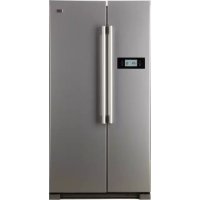
USER MANUAL HRF628DS7 HAIER
Refrigerator/Freezer Combo
User's Guide
HRF-628I*6
HRF-628I*7
HRF-628D*6
HRF-628D*7
^* =S,T,W,N,X,CR,BB,GW,GB,GR
Thank you very much for choosing to purchase a Haier-brand refrigerator. This User's Guide will help you properly install and operate your newly acquired appliance.
For future reference, please write down the model and serial number in the spaces provided below.
You can retrieve that information from the product label attached to the inside of the refrigerator.
Model number:
Serial number:
Date of purchase:
Contents
Before operation
Your refrigerator's features ....1
Components....2
Precautions 3-5
Preparations....6-8
Door removal....9-10
Setting up the Refrigerator/Freezer Combo 11
Start-up 12
Digital display operation 13-18
Notes on the refrigerator compartment
Refrigerator compartment....19-20
Notes on refrigeration....21
Tips on refrigeration....22
Notes on the freezer compartment
Freezer compartment....23
Notes on freezing....24
Ice maker and dispenser operation 25-26
Removing and installing the ice cube container 27
Dispenser operation....28
Dispenser precautions....29
Defrosting Cleaning Inoperation
Defrosting 30
Cleaning....30
Inoperation 31-32
Troubleshooting & Customer Service
Troubleshooting 33-34
Customer service 35-37
• Before start-up, be sure to read the User's Guide.
- Keep the User's Guide in a safe place.
- Keep ventilation openings, in the appliance enclosure or in the built-in structure, clear of obstruction.
- Do not use mechanical devices or other means to accelerate the defrosting process, other than those recommended by the manufacturer.
- Do not damage the refrigerant circuit.
- Do not use electrical appliances inside the food storage compartments of the appliance, unless they are of the type recommended by the manufacturer.
Your refrigerator's features
Your Haier-brand Refrigerator/Freezer Combo is equipped with numerous innovative, space-saving and energy-efficient features.
(1) Ice maker (only HRF-628I*)
Automatic ice cube maker, powerful ice crusher, cold water dispenser.
(2) Sliding glass shelves
Sliding shelves and baskets in the refrigerator and freezer compartments make storing foods easy. With the doors fully opened, all shelves can furthermore be removed for convenient cleaning.
(3) Slim profile with spacious interior
This Refrigerator/Freezer Combo was developed according to our customers' wishes. Thanks to the latest space-saving insulating materials, the freezer and refrigerator compartments now offer even more space. The shelves and baskets are made of high-grade safety glass.
(4) The freezer compartment is equipped with a user-friendly frost-free system and manages to freeze foods quickly and evenly.
(5) Pre-cooling function before defrost
(6) Automatic fault indicator
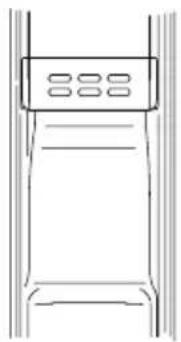
(7) This Refrigerator/Freezer Combo is equipped with a fan so that the cold air is circulated inside in order to achieve optimum cooling
(8) Buzzer warning when door is open
A buzzer sounds intermittently when the door is left open permanently or is not closed properly.
(9) Intelligent mode
Optimum cooling is automatically adjusted in relation to the interior and surrounding temperatures.
Components
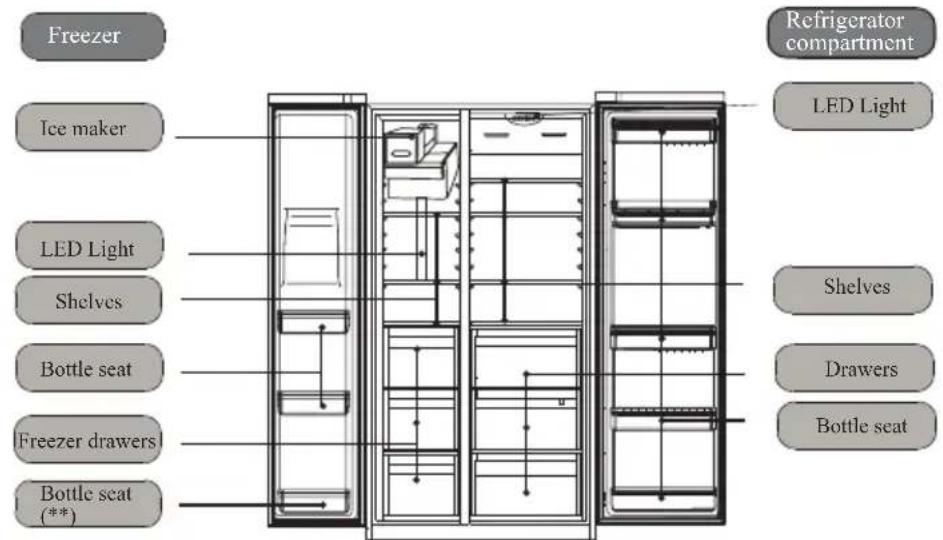
(HRF-6281*)
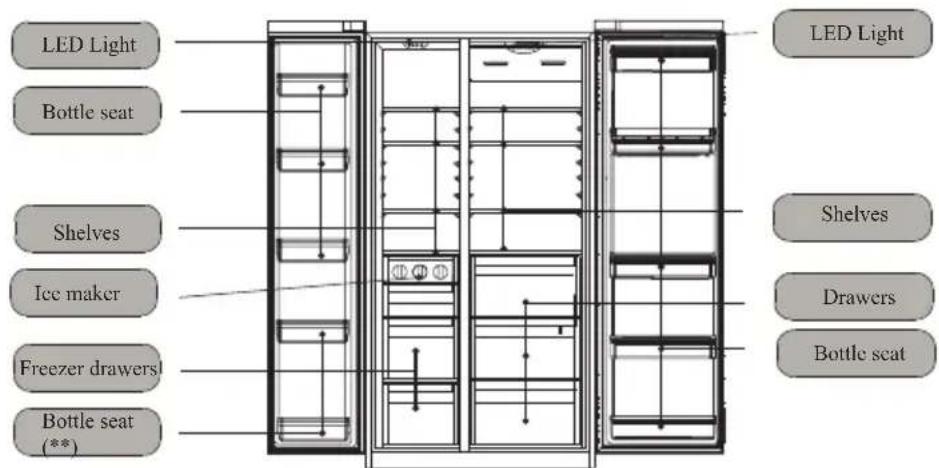
(HRF-628D*)
Note
- The power plug must remain accessible after setting up the appliance.
If the supply cable is damaged, it must be replaced by the manufacturer, its service agent or similarly qualified persons in order to avoid a hazard.
- Check the appliance for damage sustained during transportation. Do not connect the appliance if it is damaged. In case of damage, contact your supplier.
- Make sure that no part of the refrigerant circuit is damaged when transporting and setting up the appliance.
Should the refrigerant circuit have been damaged, keep away all sources of fire or sparks and thoroughly air the room.
- This appliance is not intended for use by persons (including children) with reduced physical, sensory or mental capabilities, or lack of experience and knowledge, unless they have been given supervision or instruction concerning use of the appliance by a person responsible for their safety
- Children should be supervised to ensure that they do not play with the appliance.
• To prevent damage to the appliance, its ventilation openings must not be covered or blocked.
- Do not use any mechanical or artificial devices or any tools other than those recommended by the maker in order to accelerate the defrosting process.
- Do not operate any electrical devices inside the food storage area, unless instructed to do so by the maker.
Our company continually thrives towards improving all models and versions. For that reason, we hope that you can accept our right to change their appearance, equipment or operation.
Precautions
This appliance requires a 220-240V/50Hz power supply.If the voltage is outside of the 187-242V range, malfunctions and damages of the controls, thermostat or compressor may result, unless a regulator of at least 750W was installed.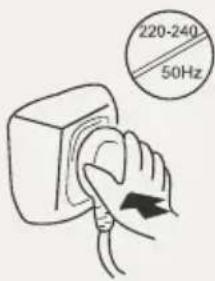 | A dedicated grounded outlet is required. The appliance is equipped with a standard shockproof plug, whose earth should not be disabled. The power plug of the appliance should always be accessible.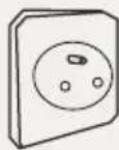 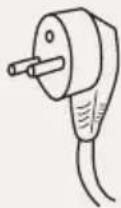  |
Do not damage the power cord.*Never pull the plug out by the cable; always grab and pull the plug*Do not place the power cable under the appliance or walk on it.*Be sure not to damage the power cable when moving the appliance away from the wall.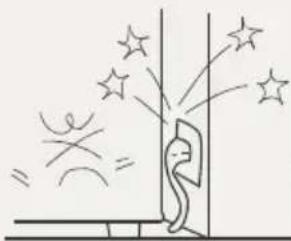 | If the power cable is damaged or the plug cracked or worn, the power cable must be replaced with a matching one, available from the maker or their customer service. The power cable may only be replaced by the maker, their customer service or an equally qualified person.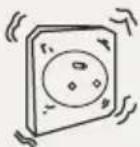 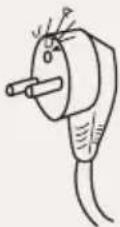 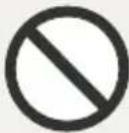 |
In the case of a gas or other flammable leak:*Close the valve.*Open the doors and windows.*Do not pull out or insert the power cable of the appliance.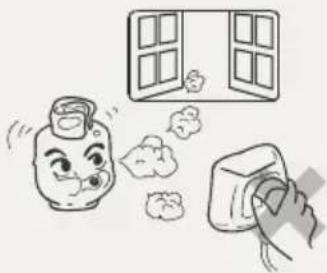 | Pull out the power plug:*Before cleaning or repair*When replacing a burned-out bulb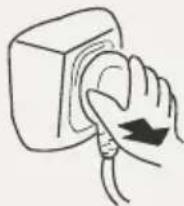  |
Precautions
Never place flammable, explosive or corrosive materials in the refrigerator.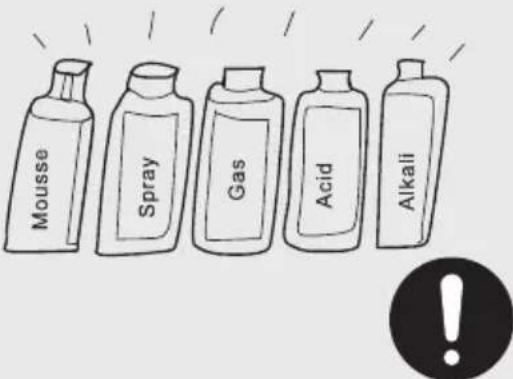 | This appliance is intended strictly for storing and freezing foods. It is not suitable for storing such things as vaccines, bacteria or chemical samples, which have demanding temperature requirements.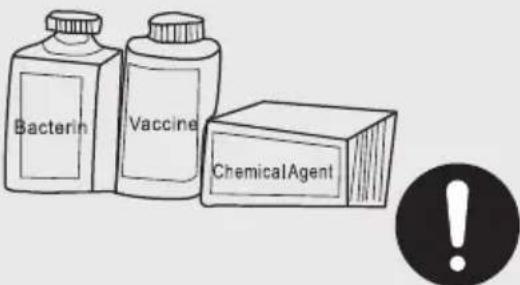 |
Do not store fuel and other flammable products near this appliance.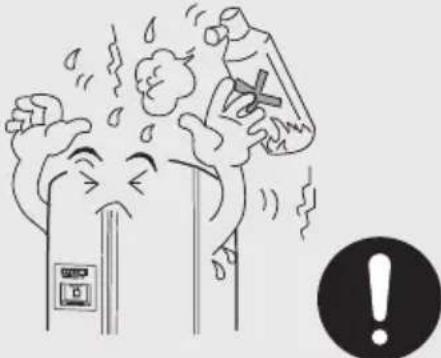 | Do not put microwave ovens, voltage regulators or power strips on this appliance. Do not operate electrical devices and such inside the refrigerator (except if instructed to do so by the maker).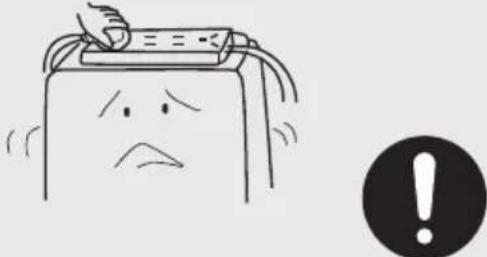 |
To avoid injuries, do not let children climb on or hang from the appliance door.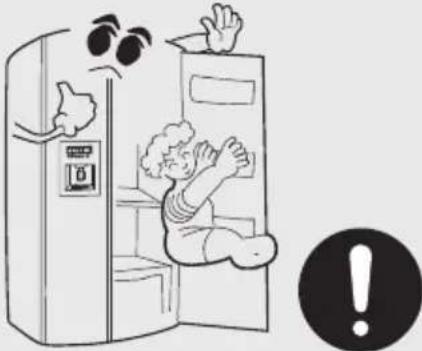 | Once the appliance has been started up, do not touch the inside of the freezer compartment with wet hands, otherwise they may get stuck on the surface.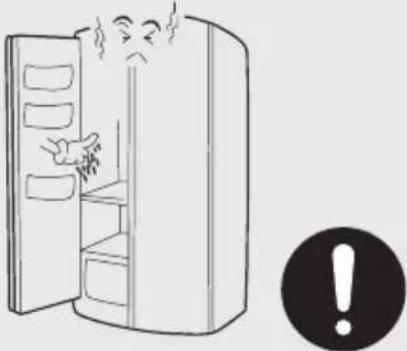 |
Precautions
To avoid injury, keep fingers away from the door crack when opening or closing the doors. Keep children away from the appliance doors being opened and closed. 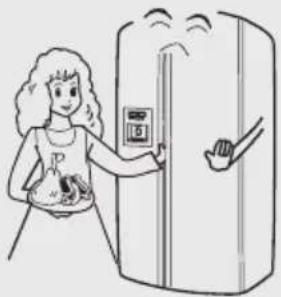 | Do not pour water onto the appliance or set it up in wet areas. 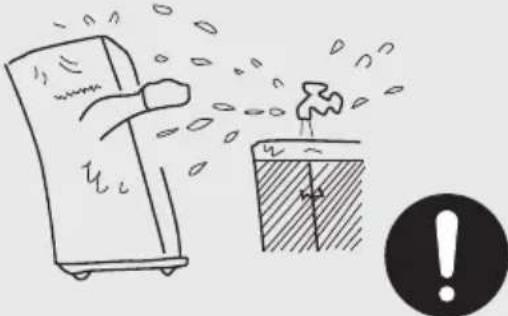 |
Refrigerators may only be repaired or altered by professionals. Improper repair may cause considerable damage. Please contact your dealer or our customer service should your appliance require repair or modification. 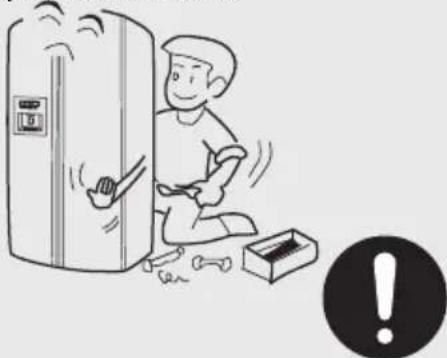 | Keep bottles and tins out of the freezer. They could burst when the content freezes. 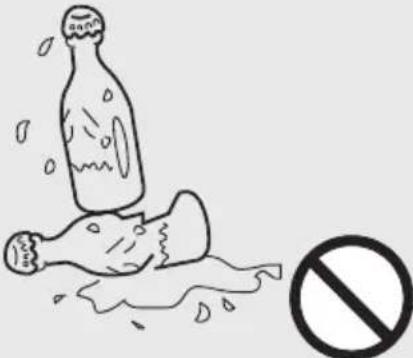 |
Pull out the power plug in the case of a power outage, repair or cleaning. 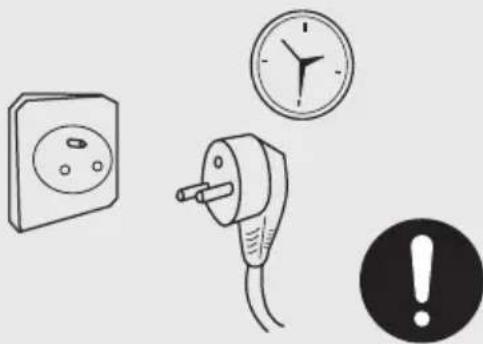 | When disposing of the appliance, remove the door or door seal and shelves to prevent playing children from locking themselves in and putting their lives at risk. 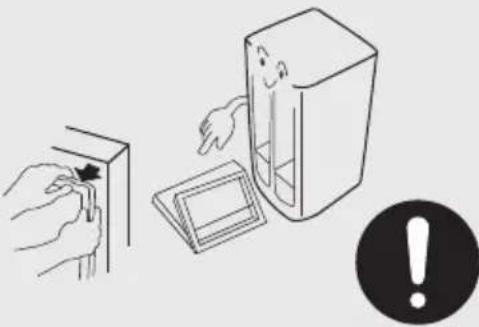 |
Preparations

Unpacking
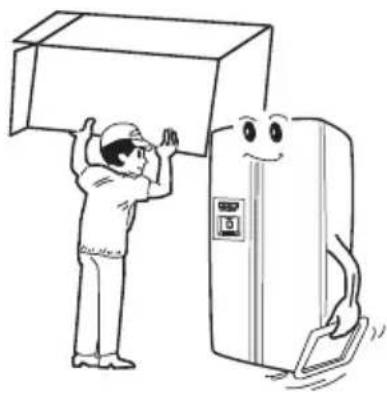
Remove the entire packing material, including the foam underlay and pieces of tape used to hold accessories in place.
natural_image
Cartoon illustration of a worker lifting a cardboard box next to a smiling refrigerator (no text or symbols)

Separate and count the included accessories.
Check the items in the box against the packing list.
In case of a mismatch, please contact your supplier.

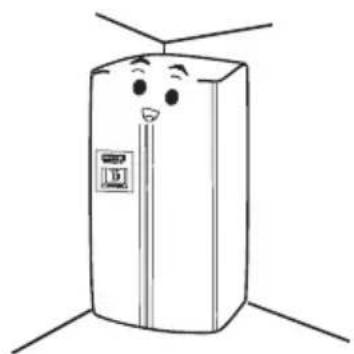
Set up the appliance in a suitable area.
(Details under Setting up.)
natural_image
Cartoon illustration of a smiling refrigerator with arms and legs, no text or symbols present

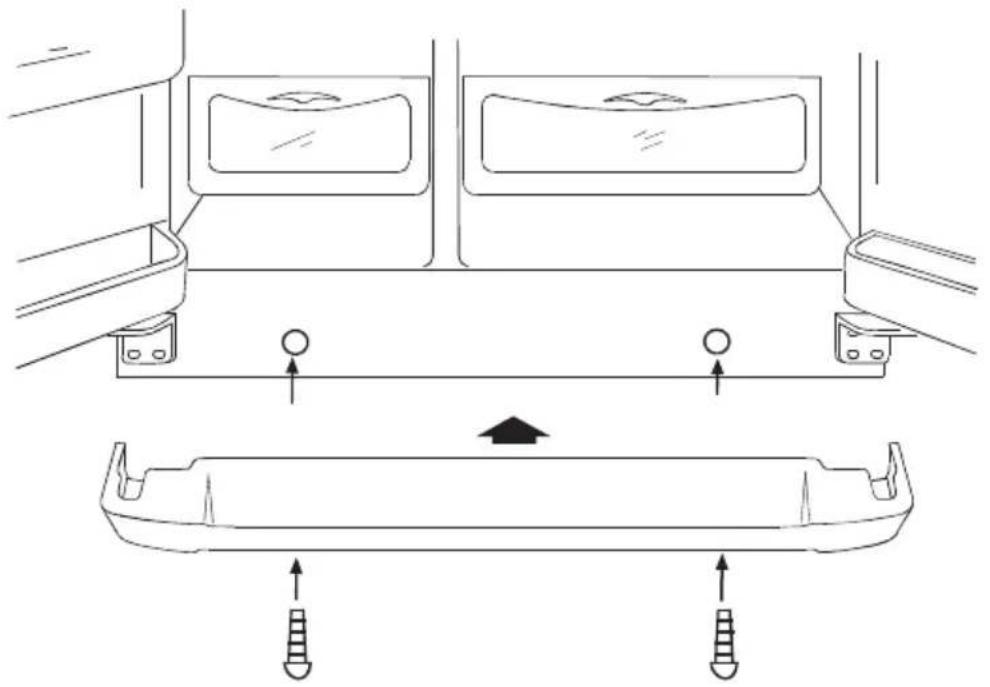
Attaching the toe moulding
Open the refrigerator and freezer doors, remove the moulding from the refrigerator compartment, and then fit it as shown in the illustration.
Preparations
natural_image
Technical line drawing of a vehicle interior showing structural components and movement arrows (no text or symbols)
Attaching the plinth

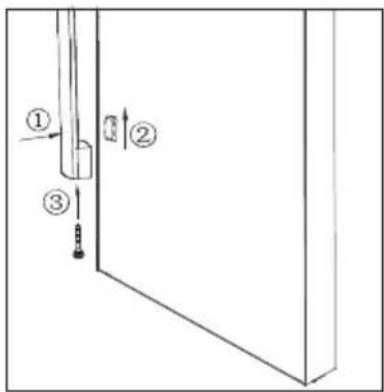
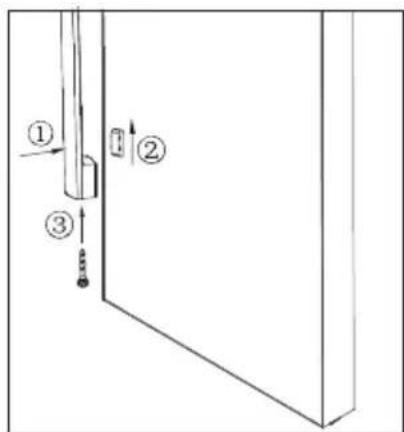
Assembly of the Door Handle
Please following the below operations when you are assembling the Door Handle:
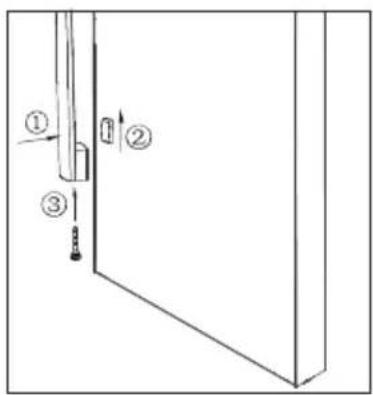
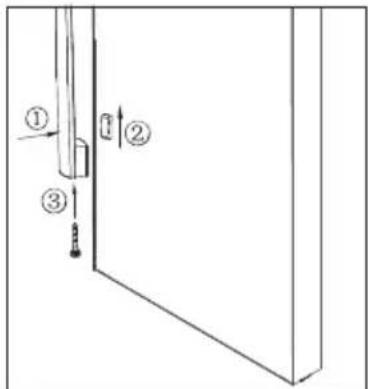
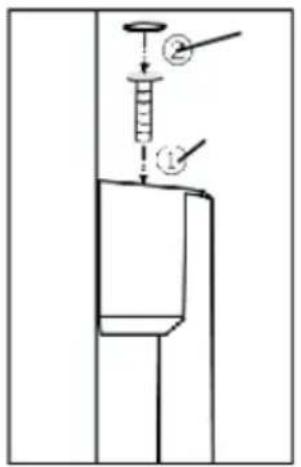
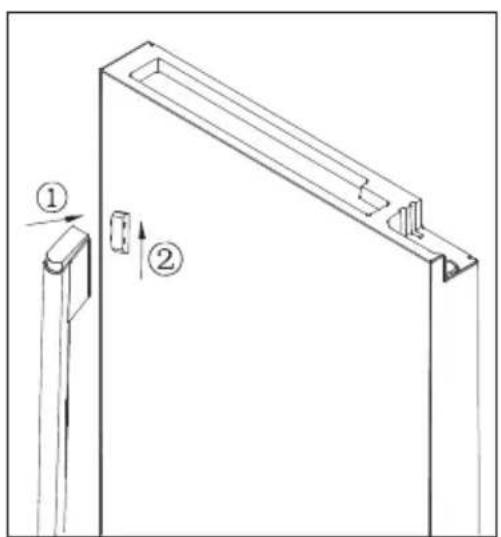
1) Put the Handle Connector into the right holes on the Refrigerator Door with the help of screwdriver. (as showing by the arrow 1 of illustration 1)
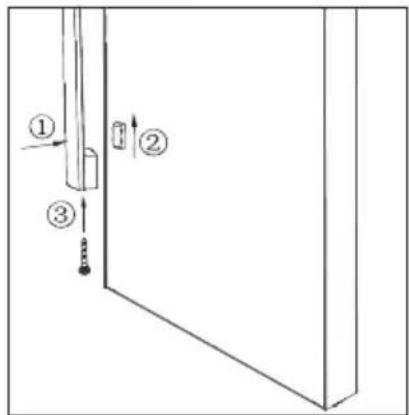
2) Put the Refrigerator Door Handle onto the handle holder, and keep the hole of the handle holder and the handle connector to the right position of the vertical direction. (as showing by the arrow 2 of illustration 2)
3) Insert the Connecting Bolt of the Handle into the two holes of the Handle Holder with the help of Six angle Screwdriver. (as showing by the arrow 1 of illustration 2)
4) Fix the cover of top bolts to the right position. (as showing by the arrow 2 of illustration 2)
5) When you are disassembling the Refrigerator door handle, please operate as the opposite way of assembling.
Attention:
Please do not disassemble the door handle. Any modifications must be done by a qualified technician.
Preparations
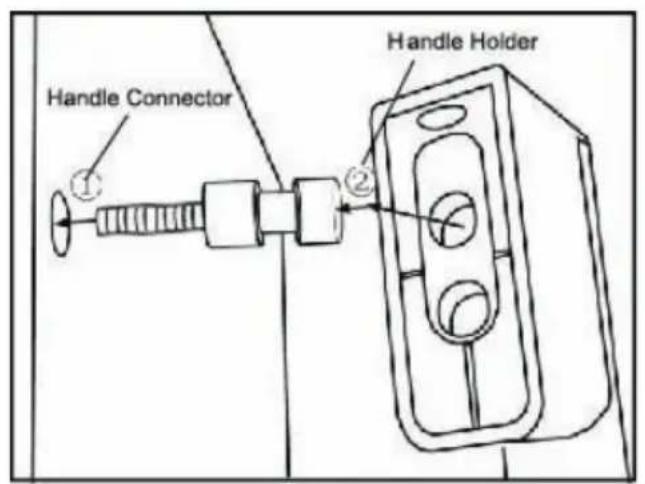
illustration 1
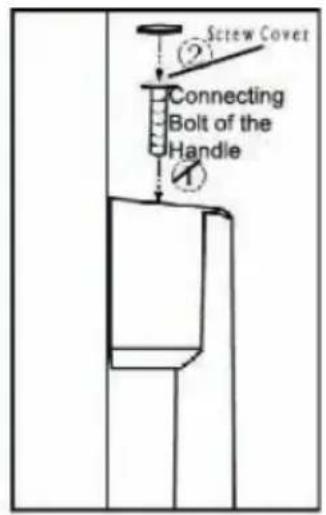
Illustration 2
Note:
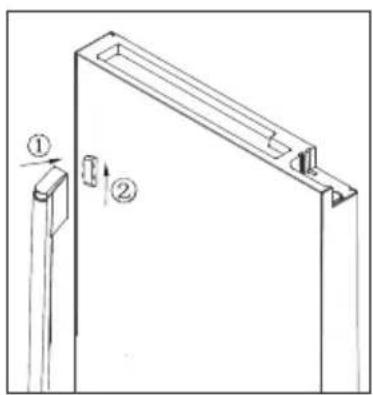
If you choose the models(HRF-628I*7), Please install handles as below.

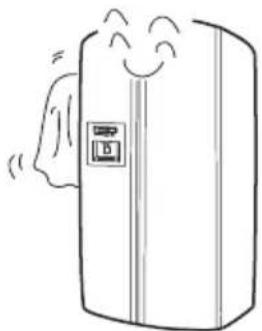
It is recommended to clean the interior before starting up the appliance. (Details under Cleaning.)
natural_image
Simple line drawing of a refrigerator with steam rising from its side (no text or symbols)
Standstill
After cleaning, let the appliance stand still for at least six hours before turning it on.
Allow the appliance to cool down before filling it with food.
natural_image
Simple line drawing of a refrigerator with a smiling face and a side panel (no text or symbols)
Door removal
Removing the door
If your house door is too narrow, remove the refrigerator door and carry the refrigerator in narrow side first.

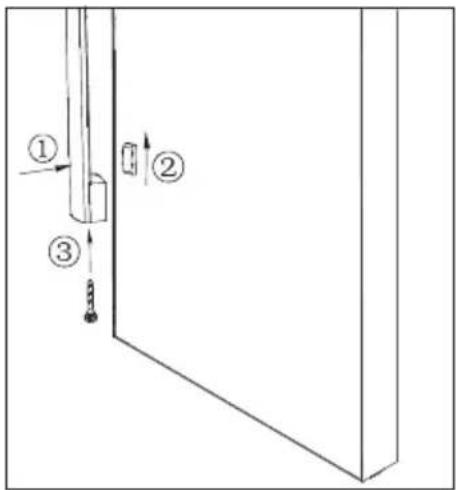
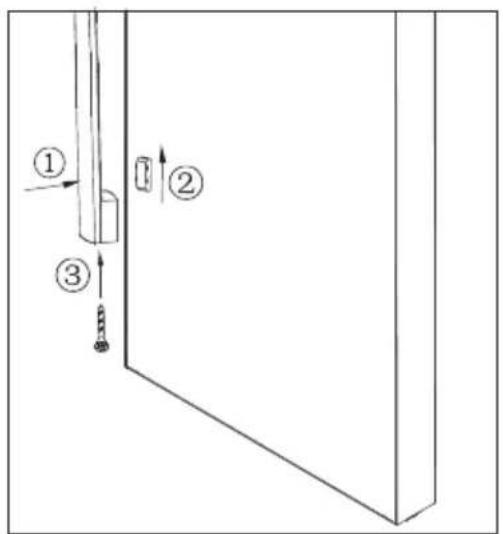
Remove the toe moulding, and then release the water coupler.
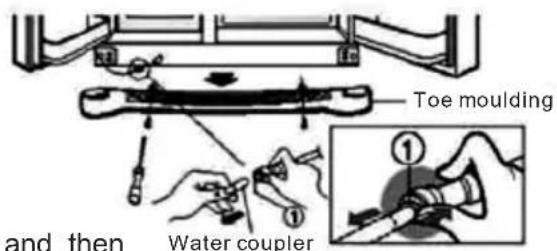
Slide the toe moulding up to remove it, and then release the water coupler while pressing on area (1) as shown in the illustration.

natural_image
Simple gray triangle shape with no text or symbols

Remove the freezer compartment door.
1) Unscrew the hinge covers. Disconnect all wires except for the grounding wire.
2) Remove the screws from the upper hinge following the direction as indicated by Arrow (1). Then remove the upper hinge following the direction as indicated by Arrow (2).
3) Lift the freezer compartment door to remove it. Next, lift the door enough to be able fully pull out the water line.
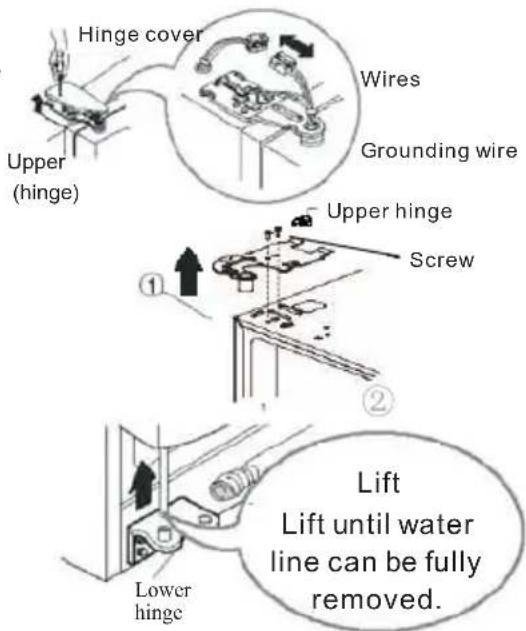
Door removal

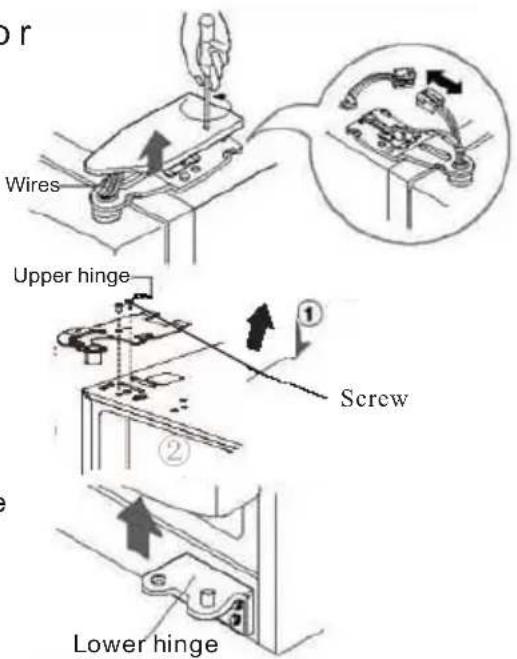
Remove the refrigerator compartment door.
This job requires 2 people.
1) Loosen the hinge cover bolts, and then remove the cover. Disconnect any wires except for the grounding wire.
2) Support the door and remove the screws from the upper hinge following the direction as indicated by Arrow (1). Then remove the upper hinge following the direction as indicated by Arrow (2).
3)Lift the refrigerator compartment door

natural_image
Simple gray arrow shape pointing downward to the right (no text or symbols)

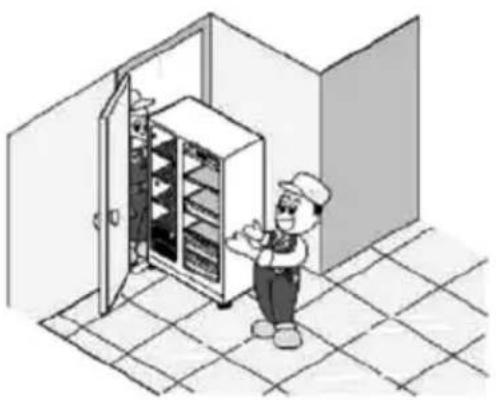
Slide the refrigerator through the door opening.
Slide the refrigerator through the door opening as shown in the illustration.
natural_image
Illustration of a chef inspecting an open refrigerator in a kitchen (no text or symbols)

Reinstall the door.
Bring the doors in the house, and then reinstall them by reversing the removal steps.
Setting up the Refrigerator/Freezer Combo
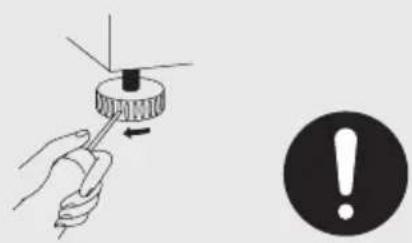
Be sure to choose a flat and level setup location.
Use sturdy and fireproof supports to correct an unevenness in the floor. Turning an appliance foot clockwise raises the appliance, turning it anticlockwise lowers the appliance.
natural_image
Illustration of a hand using a screwdriver to press a mechanical component, with an exclamation mark symbol nearby (no text or labels present)
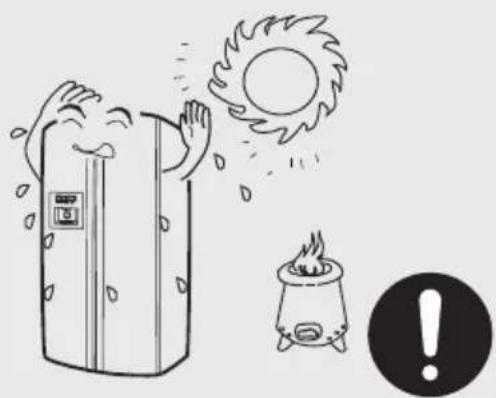
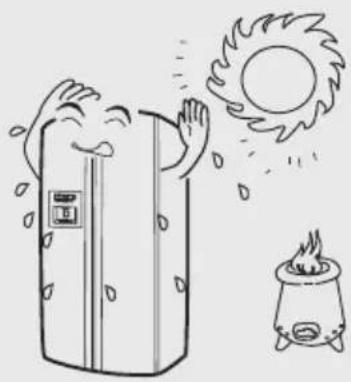
Protect the setup location against direct sunlight or heat sources.
natural_image
Illustration of a refrigerator with steam rising, sun falling, and a campfire with an exclamation mark (no text or symbols)
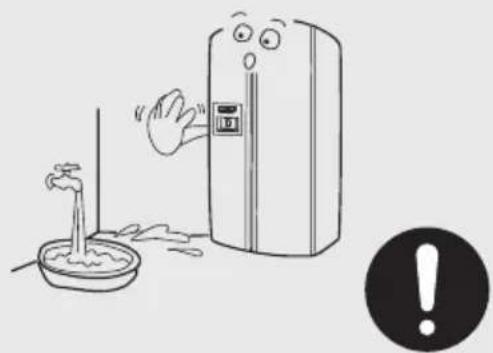
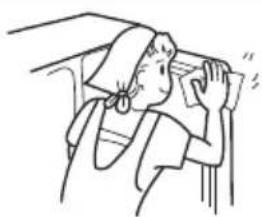
Avoid a damp setup location. Remove water and dirt with a soft rag.
natural_image
Illustration of a hand reaching toward a refrigerator with a warning symbol (no text or labels)
Door adjustment
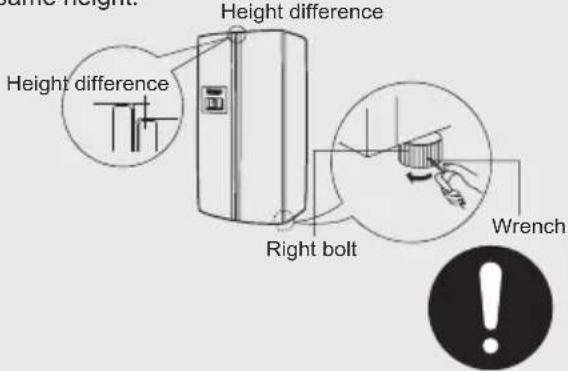
If the freezer compartment door is lower than that of the refrigerator compartment, insert the wrench in the groove of the left screw and turn it in the direction of the arrow until both doors are the same height. Height difference
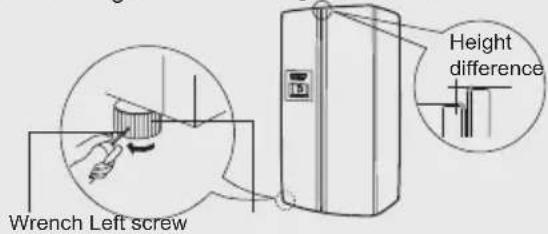
If the freezer compartment door is lower than that of the refrigerator compartment, insert the wrench in the groove of the left screw and turn it in the direction of the arrow until both doors are the same height. Height difference
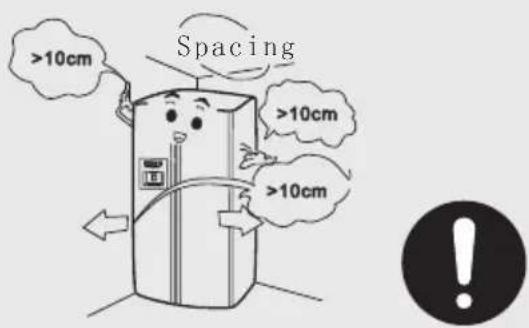
Be sure to leave at least 10 cm of space around the appliance. When installing the appliance in an enclosed area, leave at least 25 cm of space on the sides and 5 cm on the top and back.
Start-up

Power connection
After connecting it to the power, the appliance is automatically set to the Intelligent and Crushed Ice modes.
This appliance has a memory function which, in the event of a power failure, automatically stores the operating mode that was last used and restores it when the power is turned on again.
Operating modes
Recommendation:
The “fuzzy” mode allows the appliance to achieve optimal cooling temperatures, regardless of ambient temperature variations.
Choose one of the following two operating modes.
(1) Fuzzy mode: If there are no special requirements, it is recommended to choose the fuzzy operating mode. Press the fuzzy key once; the indicator lights up and the appliance is started automatically. (Details in the Features section.)
(2) Manual mode: Make manual temperature settings using the temperature adjustment keys.

Loading foods
Operate the refrigerator empty for a while.
Start loading the refrigerator with foods only after it has sufficiently cooled down.
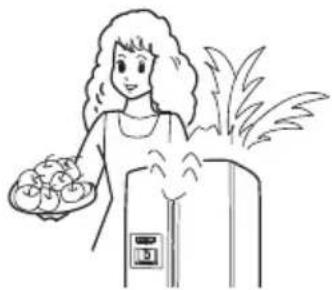
natural_image
Illustration of a woman holding a tray with food, next to an air conditioner unit (no text or symbols)
Please note that changes in the temperature settings come into effect slowly. This depends on variations of the ambient temperature, how frequently the door is opened and the amount of food loaded.
Digital display operation
(1) Control Screen
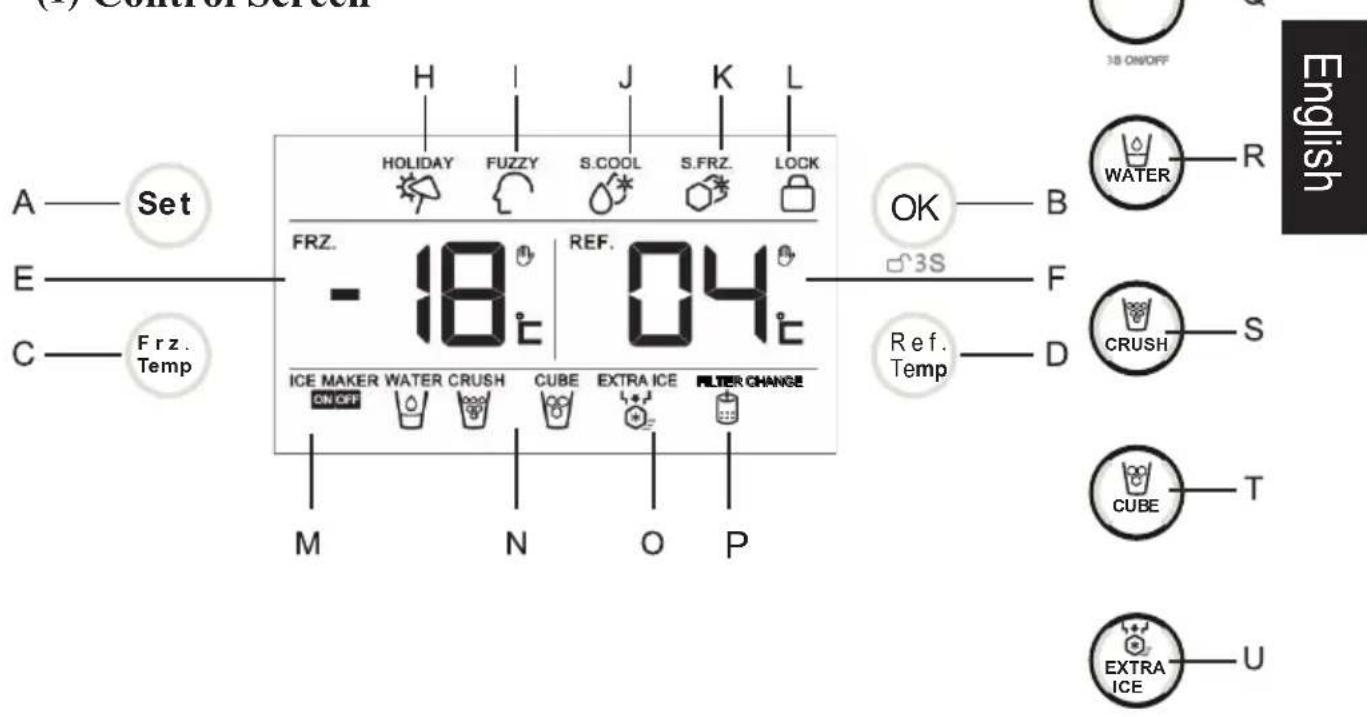
A. function selection button:
Select "HOLIDAY", "FUZZY", "S.COOL", "S.FRZ" functions;
Press 3 seconds to silence the alarm
B. function confirm: switch on or switch off all selected functions; press for 3 seconds to lock or unlock the control screen
C. freezer compartment adjusting button: adjust freezing temperature
D. refrigerator compartment adjusting button: adjust refrigeration temperature
E. freezing temperature display icon
F. refrigeration temperature di splay icon
H. holiday mode display icon
I. artificial intelligence display icon
J. quick cooling display icon
K. quick freezing display icon
L. lock display icon
M. ice maker on/off status display icon
N. dispenser status display icon
O. instant ice-making status display icon
P. Water filter indicator
Q. ice maker on/off button(Press 3 seconds to turn on / off the ice maker)
R. water collection setting button
S. Ice crush collection setting button
T. ice cube collection setting button
U. quick ice-making on/off button
Using the digital display
(2)Lock and Unlock Function Setting
Press "function confirm" button B for 3 seconds, the "lock display icon" L will turn on and the refrigerator will enter lock mode; Press "function confirm" button B for 3 seconds under lock mode, the "lock display icon" L will turn off, the refrigerator will quit lock mode. You can not adjust temperature and functions under lock mode; If you do try to adjust temperature and functions under lock mode, the lock display icon will blink following along with beep sound to indicate the lock mode.
(3) Holiday mode setting
Press "function selection" button A to select holiday mode, the "holiday mode display icon" H will blink. Then press "function confirm" button B, the "holiday mode display icon" H will turn on while the refrigerator will enter the holiday mode. If you would like to quit the holiday mode, please press the "function selection" button A to select the holiday mode. Now the "holiday mode display icon" H will blink. Then press the "function confirm" button B, the "holiday mode display icon" H will turn off while the refrigerator will quit the holiday mode.
Holiday mode is designed for you to adjust to the condition that you might leave the refrigeration compartment unused for quite a long time. Under holiday mode, the freezing compartment will function nomarly while the refrigeration compartment will automatically set on 17 degree centigrade, in order to keep your refrigeration compartment clean and clear under energy-efficient circumstance.
Attention
Please empty your refrigerator compartment before selecting holiday mode to prevent the food inside from deteriorating.
(4)"Fuzzy "Mode Setting
Press "function selection" button A to select Fuzzy function, the "Fuzzy display icon" I will blink. Then press the "function confirm" button B, the "Fuzzy display icon" I will turn on while the refrigerator will enter artificial intelligence mode. If you would like to quit the Fuzzy function, please press the "function selection" button A to select the Fuzzy function, the "Fuzzy display icon" I will blink. Then press the "function confirm" button B, the "Fuzzy display icon" I will turn off while the refrigerator will quit the Fuzzy mode. Under Fuzzy mode, the refrigerator will automatically adjust temperatures according to the temperatures inside and outside it without manual operation.
Attention
Under Fuzzy mode, you could not use "refrigerator temperature" button and "freezing temperature" button to adjust temperature mode.
Using the digital display
(5)Quick cooling Mode Setting
Press the "function selection" button A to select quick cooling function, the "quick cooling display icon" J will blink. Then press the "function confirm" button B, the "quick cooling display icon" J will turn on while the refrigerator will enter instant cooling mode. The quick cooling mode will automatically end when set temperature is reached. If you would like to quit the quick cooling mode with manual operation, please press the "function selection" button A to select the quick cooling mode and then the "quick cooling display icon" J will blink. Press the "function confirm" button B, the "quick cooling display icon" J will turn off while the refrigerator will quit quick cooling mode.
Quick cooling function is designed for food to reach the set temperature quickly in order to keep the food fresh for as long as possible when you put large quantities of food into the refrigeration. If you need to put large quantities of food into the fridge at a time please use this function before you put food into refrigerator compartment.
(6)Quick Freezing Mode Setting
Press the "function selection" button A to select the quick freezing function, the "quick freezing display icon" K will blink. Then press the "function confirm" button B, the "quick freezing display icon" K will turn on while the refrigerator will enter the quick freezing mode. The quick freezing mode will automatically end once the set temperature is reached. If you would like to end the quick freezing mode with manual operation, please press the "function selection" button A to select the quick freezing mode and then the "quick freezing display icon" K will blink. Press the "function confirm" button B, the "quick freezing display icon" K will turn off while the refrigerator will end the quick freezing mode.
Quick freezing function is designed for maintaining the nutritive value of the food preserved in freezing compartment. It could freeze the food as soon as possible. If you need to freeze large quantities of food at a time, you are highly recommended to set on instant freezing mode 12 hours in advance, in order to adjust the freezer compartment lower temperature before you add any food. By operating the refrigerator this way, you can freeze the food in a short period of time and preserve the nutritive value of the food effectively, which will contribute to better storage results.
Attention
Some certain modes, like "Fuzzy" function and "quick freezing" function can not operate at the same time due to their different control modes. When you choose one of these modes that can not function with the mode initialized before, the refrigerator will automatically end the former set mode automatically to enter the latter set mode.
(7) Temperature Setting and Adjusting Adjustment of Freezer Temperature
Press "freezer temperature adjusting button" C, the "freezer temperature display icon" E will start blinking, which means the refrigerator has entered freezer compartment temperature setting status. Then the freezer compartment will take on the following temperatures "-14, -15, -16, -17, -18, -19, -20, -21, -22, -23, -24, -14" in turn, every time you press the button C. Without further operation in 5 seconds, the blinking will stop and the temperature will stay. The temperature will also stay still at the time you press any other button during the blinking.
Attention
You can not adjust the setting temperature of the freezer chamber under quick freezing, Fuzzy or lock modes. If you try to do this under these modes, the hand-shaped icon and the special function icon beside the freezer temperature display icon will blink, following along with the beep sound to indicate that you can not adjust the setting temperature of the freezing compartment at that time.
Adjustment of Refrigerater Temperature
Press "refrigerator temperature adjusting button" D, the "refrigerator temperature display icon" F will start blinking, which means the refrigerator has entered refrigerator compartment temperature setting status. Then the refrigeration chamber will take on the following temperatures "09、08、07、06、05、04、03、02、01、09" in turn, every time you press the button D. Without further operation in 5 seconds, the blinking will stop and the temperature will stay. The temperature will also stay still at the time you press any other button during the blinking.
Attention
You can not adjust the setting temperature of the refrigerator chamber under quick freezing mode, Fuzzy, holiday or lock mode. If you try to do this under these modes, the hand-shaped icon and the special function icon beside the refrigerator temperature display icon will blink, following along with the beep sound to indicate that you can not adjust the setting temperature of the refrigeration compartment at this time.
(8)Alarm Function
Door-Opening Alarm Function
When you keep the door open for a long time or do not close the door inappropriately, the refrigerator will produce alarming beep at regular intervals, to remind you to closing the door.
Using the digital display
(9) Ice Maker On/Off Function Setting(only HRF-628I\*)
When the refrigerator first power on, the ice maker is on power-off status and the "ice maker on/off" status icon displays words as "ice maker" "off". When you need the ice maker to run, press "ice maker on/off button" for 3 seconds, it will display words as "ice maker" "on" and the ice maker will start working. If you press the "ice maker on/off button" for 3 seconds again, it will display words as "ice maker" "off" and the ice maker will stop working.
Attention
Please clean the ice cube in ice box and ice maker before you shut down the ice maker, otherwise the ice will melt.
(10)Dispenser Status Setting(only HRF-628I\*)
Press the "water collection setting button", the control screen will display the "water" icon while the refrigerator will provide cold water for you. Press the "ice crush collection setting button", the control screen will display "ice crush" icon while the refrigerator will provide small crushed ice for you. Press the "ice cube collection setting button", the screen will display "ice cube" icon while the refrigerator will provide bigger ice cube for you.
(11)Quick Ice-Making Function(only HRF-628I\*)
When you press the "quick ice-making switch button", the "quick ice-making status icon" will display while the refrigerator will enter quick ice-making status. Quick ice-making status will not stop before the ice storage box is full or after 24 hours of operation. If you need to quit quick ice-making status with manual operation, please press the "quick ice-making switch button". Then the "quick ice-making status icon" will turn off and the refrigerator will quit quick ice-making status.
Using the digital display
Attention
- When you start quick ice-making function, please make sure the ice maker is on. Because the refrigerator can not enter quick ice-making mode while the ice maker is off.
- When the refrigerator is in quick ice-making status and you turn off the ice maker, the refrigerator will automatically step quick ice-making mode and the ice maker will shut down too.
- When you turn on the quick ice-making mode under Fuzzy mode, the refrigerator will automatically end the Fuzzy mode. Also when you turn on artificial intelligence mode under instant ice-making mode, the refrigerator will automatically end the instant ice-making mode.
(12) Energy Saving Display Control Function
The display screen backlight will automatically turn off 30 seconds after manual operation, which is designed for energy saving purpose. If you press any button or open any door (including the bar counter), the display screen will light up.
(13)Power Off Memory Function
The refrigerator will momerize the working status just before the power off. It will go back to the exact working status after refrigerator once power is restarted.

Attention
The lock function is not memorable. The refrigerator will be under unlock status when you switch on.
(14)Changing the water filter
WhenthewaterfilterindicatorlightPcomeson,itisindicatingthatthewaterfilterrequires changing(approximatelyevery6months).Afterfinishingthechange,pressandholdbutton Afor3seconds,indicatorlightPwillldisappear.
Refrigerator compartment
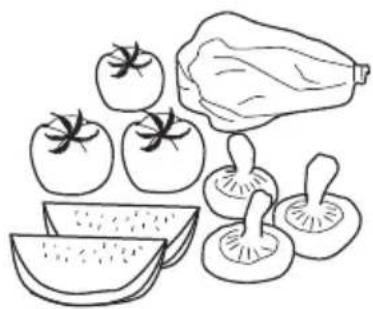
Use the refrigerator compartment for short-term food storage
The average refrigerator temperature of 1^ C- 10^ C is not low enough for long-term storage of foods; it is suitable only for short-term food storage.
It is recommended that the refrigerator compartment is set between 1^ C and 5^ C.
natural_image
Line drawing of various vegetables including tomatoes, lettuce, and mushrooms (no text or labels)
Adjusting the height of glass shelves
The shelves are height-adjustable to accommodate various item sizes.
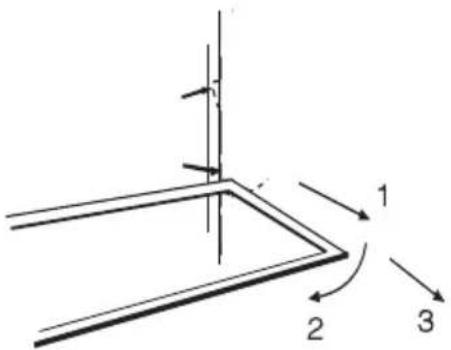
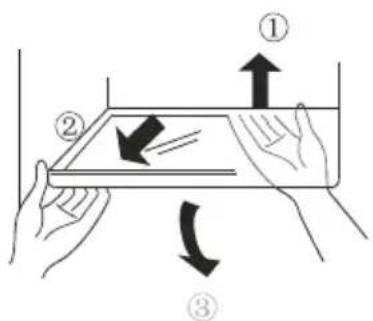
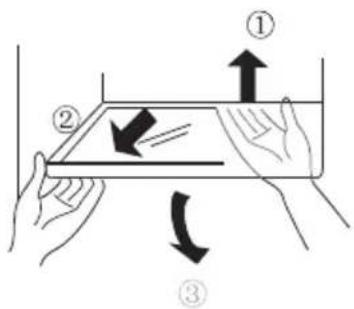
The shelves can be taken out for height adjustment and cleaning. To clean a shelf, pull it in direction 1, and then tilt it in direction 2 until it is in a vertical position. Finally, remove the shelf in direction 3. To remove a shelf, the appliance door must be open 90 degrees.
Adjusting and cleaning door bins and bottle racks
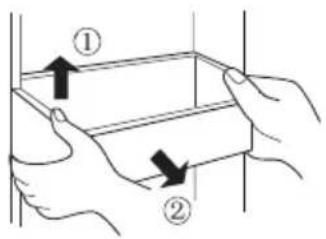
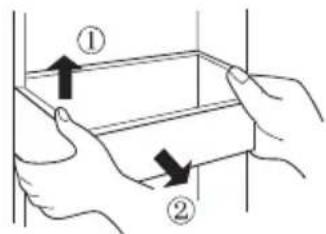
Hold both sides of the bottle rack and pull it out in directions (1) and (2).
Caution:
Frozen foods (such as ice cream) should not be placed in the bottle rack but rather inside the freezer compartment to avoid that they spoil as a result of being exposed to the temperature changes from opening and closing the door.
After cleaning, re-place the bottle rack or adjust its position.
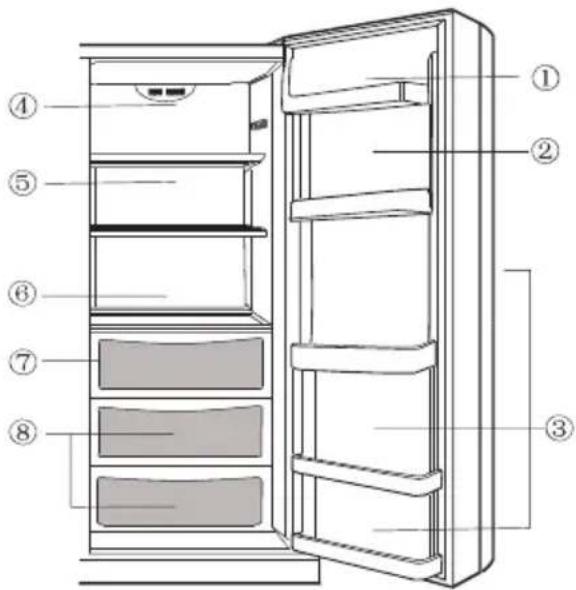
Refrigerator compartment
Stocking example
Foods should be grouped according to the various temperature ranges in the refrigerator compartment.
(1) Eggs, butter, cheese
(2) Tinned drinks and foods, seasonings
(3) Drinks, bottles
(4) Preserves
(5) Meats
(6) Flours, preserves, milk
(7) Processed meats, sausage
(8) Fruits, vegetables, lettuce
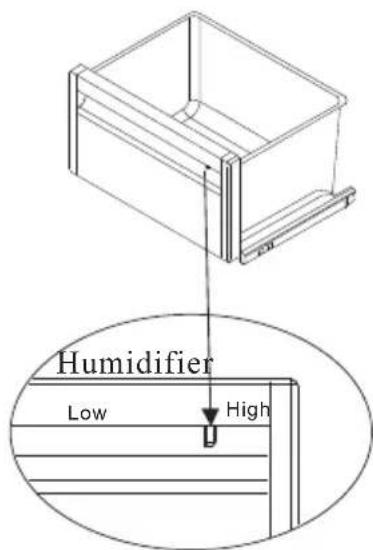
The Use and Adjustment of Fruit and Vegetables Box with Humidifier
This refrigerator is specially designed with a fruit and vegetable box. You can adjust the humidity inside the box according to different requirements of different food.
You can adjust the humidity control button in front of the box with humidifier to the High position, to keep the humidity inside the box on a high level, for storage of cucumber, grapes, kiwifruit, persimmon, Chinese cabbage etc.
You can adjust the humidity control button in front of the box with humidifier to the Low position, to keep the humidity inside the box on a low level, for storage of strawberry, tangerine, beans, garlic sprout, watermelon, plum, potato etc. When you need to take out the box, pull it out first and then lift it up.
Refrigeration Chamber Upper Lamp
Lamp parameter: DC 12V/3W
It is a LED lamp with high efficiency and long endurance. If you have any problem, please go to contact the after sales staff for home service.
Notes on refrigeration
Let warm foods and drinks cool down to room temperature before putting them in the refrigerator compartment.  | Wash and dry off fresh foods before storing them. 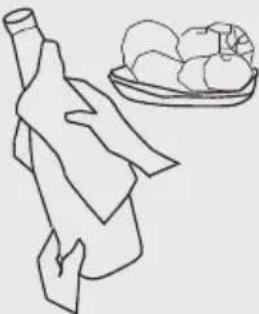 |
Pack and seal foods before storing them. This prevents drying and odour dissipation. 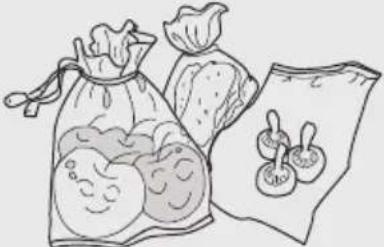 | Pack the food into portions suitable for your household. Place the foods that will be consumed the soonest towards the front so as not to leave the appliance door open longer than necessary. 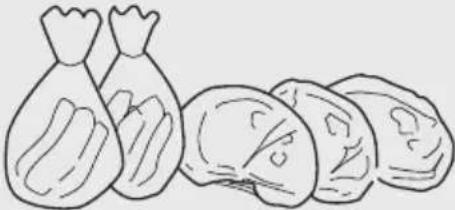 |
Do not overstock the refrigerator. Be sure to leave space between foods and between the foods and the interior compartment walls. 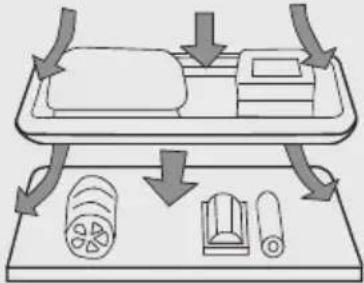 |
Tips on refrigeration
| Remove the leaves of root vegetables to prevent them from absorbing the nutrients. | Thawing frozen foods inside the refrigerator helps conserve energy. |
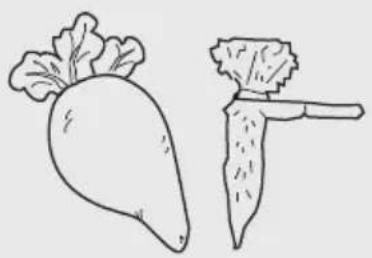 | 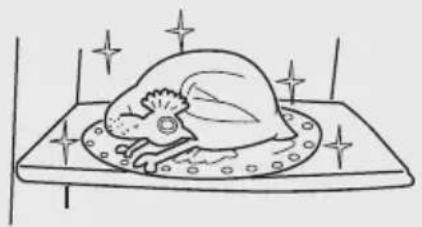 |
| Items not requiring refrigeration: Onions, peppers, garlic, ginger. | Items not suitable for refrigeration: Gourds, melons, bananas, pineapple. Refrigeration promotes their decomposition. Do refrigerate unripe fruits. |
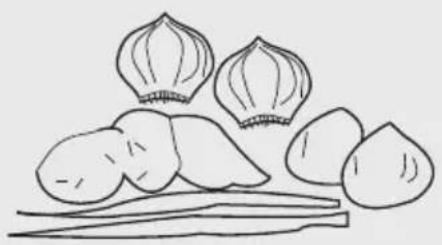 | 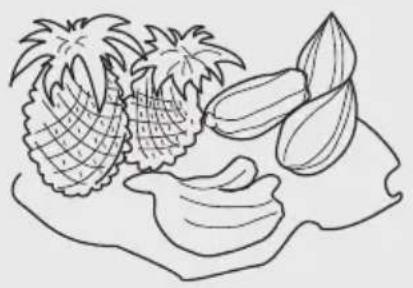 |
Caution: Do not use the egg tray as an ice cube tray and never place it in the freezer or Superfrost area to prevent it from cracking.
Freezer compartment
Use the freezer compartment for long-term food storage
A low temperature in the freezer compartment is necessary for long-term food storage. Do not exceed the maximum length of storage indicated on the package.
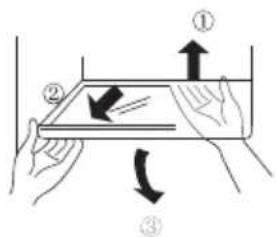
Removing and cleaning glass shelves
First, lift the rear of the shelf in direction (1), and then pull the shelf out in direction (2). Finally, tilt the shelf in direction (3) and remove it once the door is open 90.
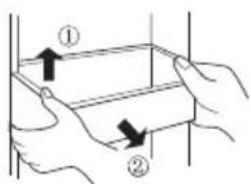
Adjusting and cleaning bottle rack
Hold both sides of the bottle rack and pull it out in directions (1) and (2). Clean the bottle rack, and then re-place it or adjust its position.
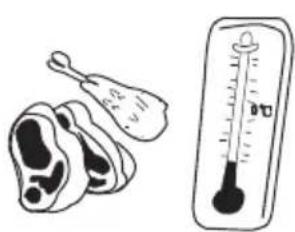
natural_image
Illustration of a chicken and a thermometer showing temperature readings (no text or symbols present)
English
Rear Lamp(only HRF-628I*)
Lamp parameter: DC 12V/3W
It is a LED lamp with high efficiency and long endurance. If you have any problem, please go to contact the after sales staff for home service.
Upper Lamp(only HRF-628D*)
Lamp parameter: DC 12V/1.5W
It is a LED lamp with high efficiency and long endurance. If you have any problem, please go to contact the after sales staff for home service.
Locker Rear Lamp(only HRF-6281*)
Lamp parameter: DC 12V/1W
It is a LED lamp with high efficiency and long endurance. If you have any problem, please go to contact the after sales staff for home service.
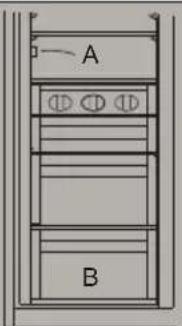
A. Please keep the distance more than 10mm between the food placed and the sensor to ensure the cooling effect.
■B. Please keep the lowest draw when the refrigerator working in order to ensure the cooling effect.
Caution:
Frozen foods (such as ice cream) should not be placed in the bottle rack but rather inside the freezer compartment to avoid that they spoil as a result of being exposed to the temperature changes from opening and closing the door.
Notes on freezing
Let warm foods and drinks cool down to room temperature before putting them in the freezer compartment.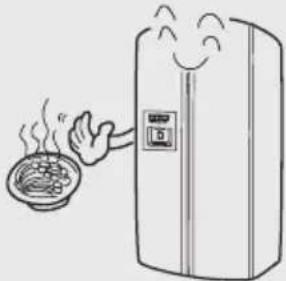 | Pack the food into portions of up to 2.5 kg suitable for your household. As a result, the portions will freeze faster and the quality after thawing remain optimal for preparation.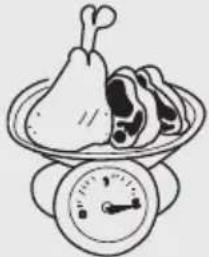 |
Package the food before freezing it. The packages should be dry to prevent their sticking together. Use only freezer-compatible packing material; this should be strong, taste-neutral, air-and watertight so as to minimize taste contamination and loss of quality.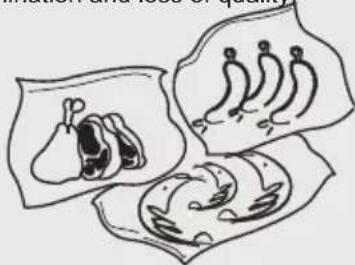 | Always write the content and freezing date on the packing, and do not exceed the recommended length of storage so as to prevent loss of quality.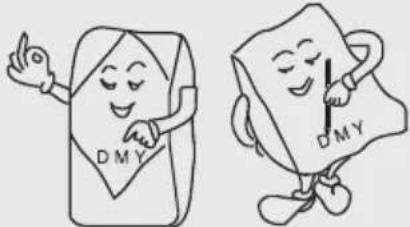 |
Remove only the required amount to be thawed. Thawed foods must never be frozen again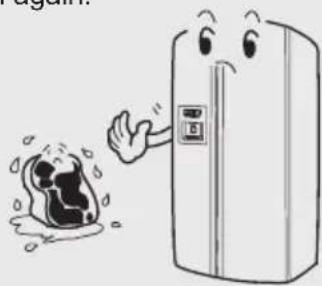 | Never place more fresh food in the freezer at one time than the maximum freezing capacity.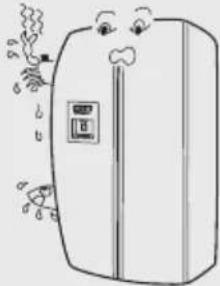 |
In the event of problems or of a power failure, the insulation of the provides 5 hours storage time from the beginning of such failures.
Ice maker and dispenser operation

Preparations before starting up the ice maker and dispenser The ice maker can be connected either directly to a water supply line if fitted with a filter (option A) or to a drinking water container if fitted with a water pump (option B).
- Cut the water line to the right length to prevent it from kinking. The recommended maximum length for the water line is 12 m. The pressure drop resulting from an excessively long water line could adversely affect the ice cube maker capacity. Keep the water line away from heat sources.
● The water supply line should be installed and checked by professionals.
- When using the refrigerated water for the first time, keep pressure on the dispenser lever for one minute several times until water flows out, in order to allow the water tank inside the appliance to fill up. Be sure not to hold the disp lever pressed for too long, otherwise the water valve may overheat.
Option A:
● Water supply line installation
The pressure of the cold water supplied to the ice maker should be within 0.6Mpa.
- It is recommended to use drinking water for producing ice cubes since the does not sterilise bacteria.
- Connect to potable water supply only.
Option B:
● The water pump must be connected to its own outlet and properly grounded.
- Removal or modification of the water pump and modification or repair of the water supply line by unauthorised persons are not permissible.
● To prevent fire, do not store or use flammable products such as fuel near the water pump.
- The water pump is to be used only with room temperature water; it is not suitable for use with chemicals, fruit juice or other drinks that contain bits or pulp, coffee or other hot liquids.
- If the water pump will not be used for en extended period of time, pull out its power plug.
- Periodically check the water tank to make sure that the water level is sufficient.
- Do not push, shake or knock the water pump.
- Place the water pump and drinking water container on a sturdy and level surface.
- After opening the small lid of the drinking water container, protect the opening with a dust cover. Guide one end of a hose to the bottom of the container and connect the other end to the water pump inlet (indicated by an INLET symbol). Connect one end of another hose to the water pump outlet (indicated by an OUTLET sy and the other end to the water valve inlet under the back of the refrigerator.
- Fill with drinking water only.
Automatic water system, do not manually add water.
If the ice maker is turned on but the appliance is not connected to water, the ice maker will not work.

Precautions
- Do not connect the ice maker water line when the temperature is below 0 C, otherwise the water line may freeze
- Open the valve and flush the water line to check the line connections for possible leaks. Close the valve again when the water is clean and clear.
- The ice maker does not become operational until the temperature has reached or below -15°C. (Do not consume the first batch of ice cubes.)
● After setting up the appliance, be sure to check that the water supply line is properly positioned so that it will not be pinched or damaged.
● The ice maker must be installed by an authorized representative.
● The ice maker must be connected to a standard cold water pipe.
- If the water dispenser indicator does not work, contact customer service or a qualified professional for repair.

Ice maker operation
Each cycle produces eight ice cubes. The ice cube production capacity depends on variations of the ambient temperature and how frequently the door is opened.
Caution: Let the appliance operate at least 24 hours before starting ice cube production.
Do not consume the first ice cubes after starting up the appliance for the first time or following a long period of inoperation.
Arrange the ice cubes manually to make sure that the container has been filled.
A few of the eight ice cubes produced in one ice maker cycle may stick together.

The ice making capacity is 1kg/24 hours(this figure is the test result in lab under the 32 °Cambient temperature condition). During the daily use of the appliance, due to the different ambient temperature and water pressure, the ice making capacity may differ a little.
Removing and installing the ice cube container
Removing the ice cube container
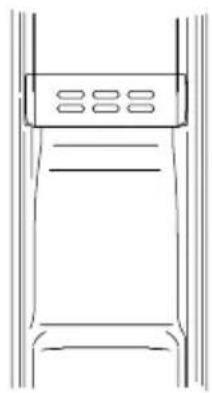
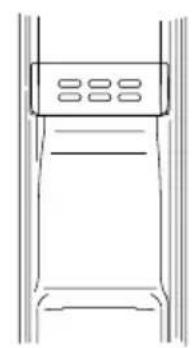
Press the middle section of the ice cube container in and pull it off its shelf.
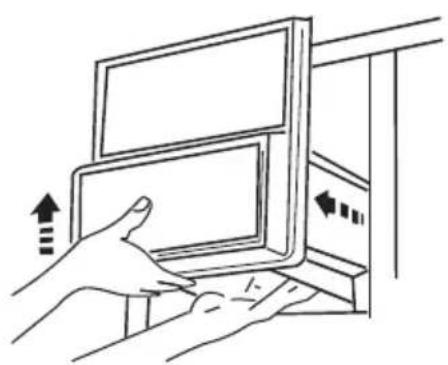
natural_image
Illustration of a hand pressing down on a computer monitor with directional arrows indicating action (no text or symbols)
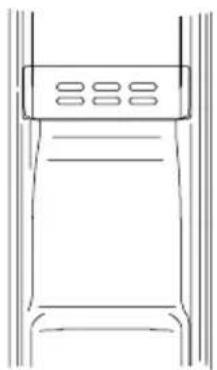
natural_image
Line drawing of a vertical shelf with horizontal bars and a top panel (no text or symbols)
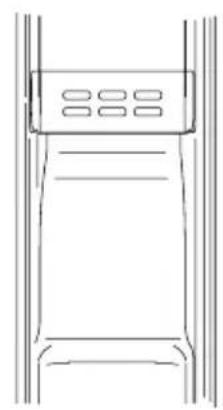
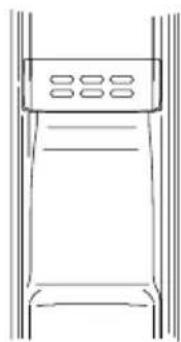
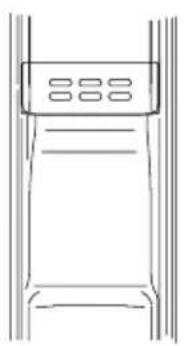
If you take out the ice bin, you will get extra space for food storage, please install the additionally provided bottle holder at the position above the ice inlet on the freezer door for easy food storage.
Re-placing the ice cube container
Slide the ice cube container in the channel on both sides of the inner sleeve until it is clasped into position.
If the ice cube container cannot be fit into position, take it out again, rotate the support by 90, and then re-insert the container so that the clamp locks with the channel.
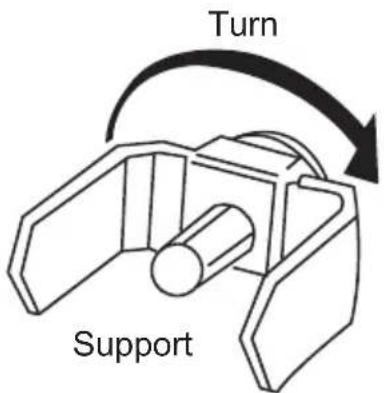
Dispenser operation
Dispenser operation
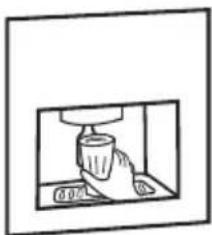
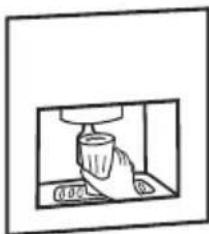
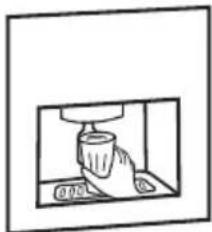
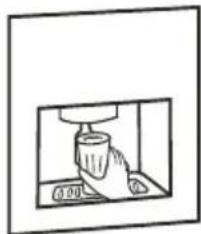
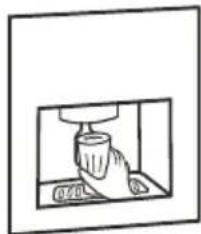
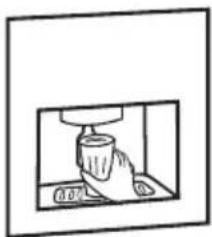
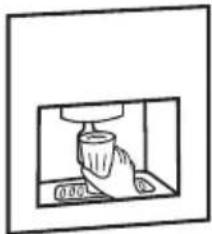
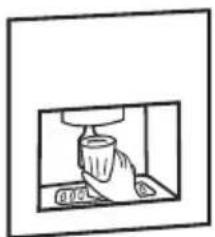
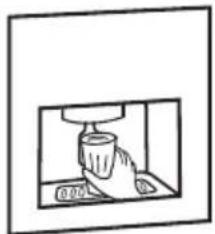
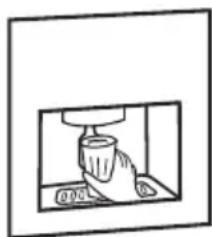
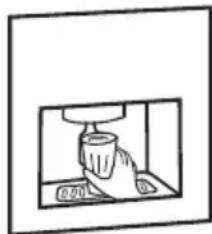
Choose crushed ice, refrigerated water or ice cubes. Slightly push a glass against the ice/water lever as shown in the illustration.
(1) Dispensing crushed ice
● Press the appropriate button so that the indicator for crushed ice lights up.
● Lightly press against the lever so that crushed ice is supplied.
(2) Dispensing ice cubes
- Press the appropriate button so that the indicator for ice cubes lights up.
● Lightly press against the lever so that ice cubes are supplied.
(3) Dispensing refrigerated water
● Press the appropriate button so that the indicator for refrigerated water lights up.
● Lightly press against the lever so that refrigerated water is supplied.
natural_image
Simple line drawing of a cup pouring liquid into a container (no text or symbols)
natural_image
Simple line drawing of a cup pouring liquid into a container (no text or symbols)
natural_image
Simple line drawing of a cup pouring liquid into a container (no text or symbols)
Dispensing crushed ice
● Even with the ice cube option selected, some crushed ice may be supplied simultaneously. It is also possible that the crushed ice supply is mingled with a few ice cubes.
- When crushed ice is frequently called for, it is normal for frost to build up around the outlet, but it will eventually evaporate.
- Keep the glass close to the dispenser to prevent ice from spilling.
Dispensing refrigerated water
Due to air in the water supply line, refrigerated water may not be available immediately after installation. In this case, hold the dispenser lever pressed in for as long as two minutes to evacuate any remaining air.
● After that, the supplied water will become increasingly cooler.
● Refrigerated water does not contain any ice cubes. If you want to lower the temperature of the refrigerated water, add crushed ice or ice cubes to it.
Caution: Keep fingers and objects away from the dispenser.
In order to avoid the ice spill out of the cup, we suggest to use cup with width over
80mm when taking ice from the appliance.
Dispenser precautions
Precautions
The following instructions refer only to products equipped with an ice cube maker, ice crusher and refrigerated water dispenser.
- Do not use very tall or short glasses.
- Hold the glass as close as possible to the ice cube outlet so as to prevent dropping ice cubes or jamming the ice cube supply.
● The outlet closes five seconds after ice cubes have been supplied.
- When helping yourself to ice cubes, hold the glass under the outlet for 2 to 3 seconds after releasing the switch, as more ice cubes may be delivered.
- When helping yourself to water, hold the glass under the outlet for 10 to 20 seconds after releasing the switch, as more water may be delivered.
● Regularly empty the water collection tray and wipe off water drops from the dispenser using a clean cloth.
- When selecting ice cubes after crushed ice was last dispensed, a few remaining pieces of crushed ice may be delivered.
- Remove any remaining ice shavings from the outlet to prevent jamming.
- Do not place drinks or other foods in the ice cube container, as this may damage the ice maker.
- To avoid injuries, do not touch the ice outlet with your hand and do not remove the ice maker cover.
- Do not consume the first seven or so glasses of water and 20 or so ice cubes after starting up the appliance for the first time or following a long period of inoperation.
- Do not place ice cubes other than the ones produced by the appliance in the ice cube container, as they may not be properly delivered or crushed.
- An insufficient water supply line may cause ice cubes to be too small. An excessive water supply line may cause ice cubes to be too large. Moreover, water may overflow into the ice cube container, causing the ice cubes to stick together. Adjust the tap accordingly to adjust the water pressure or contact an authorised professional.
Caution: The valve and relay may produce audible sounds while ice cubes are being supplied
Defrosting Cleaning
Defrosting
The appliance defrosts automatically.
Cleaning
Clean the refrigerator regularly to prevent odour build-up.
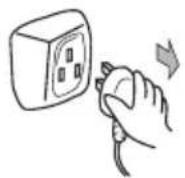
● For safety reasons, first unplug the power cord.
● Clean the appliance using a soft cloth or sponge and lukewarm water, to which you may add a little bit of a neutral dishwashing liquid.
● Dry off surface water with a clean cloth.
natural_image
Illustration of a refrigerator with steam rising, accompanied by two bottles labeled 'Bottle 1' and 'Bottle 2' (no text or symbols on the main objects)
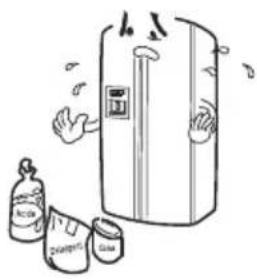
Caution: Do not use pointed objects, metal brushes or the following chemical solvents:
abrasive cleansers, varnish, amyl acetate, hot water, acid, alkaline cleaners, etc.
Caution: Do not pour water onto the appliance.
Use a cloth or sponge to clean and dry the controls and lights.
● Be sure to clean the door seal regularly.
natural_image
Simple line drawing of a person receiving a thumbs-up from a cup (no text or symbols)
Inoperation
In the event of a power failure
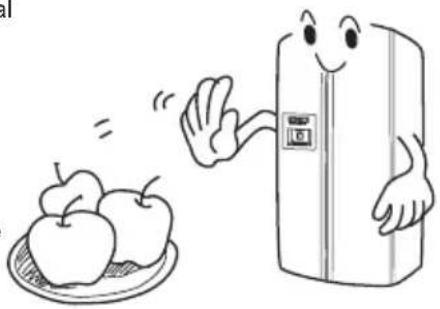
Even in the summer, foods can be kept cool for several hours during a power failure.
In the event of a power failure, refrain from adding foods to the appliance and opening the doors.
Caution:
● A temperature drop in the freezer compartment, caused by a power failure or other malfunction, reduces the storage life span and quality of the foods.
- If you know there will be a power failure, produce more ice cubes and place them in the top section of the refrigerator.
natural_image
Cartoon illustration of a smiling refrigerator with apples on a plate (no text or symbols)
Caution:
A temperature drop in the freezer compartment, caused by a power outage or other malfunction, reduces the storage life span and quality of the foods.
Putting the appliance out of operation
If the appliance is to remain idle for a long period of time, you must press the power button and unplug the power cord.
Clean the appliance as described. During the period of inoperation the doors must be left open to prevent odour build-up.
natural_image
Simple line drawing of an open refrigerator with a smiling face and cloud, no text or symbols present.
Caution: Avoid putting the appliance out of operation, as this will shorten its life expectancy.
Caution: Wait at least five minutes before turning on the appliance after turning it off.
Inoperation
When on vacation
● Before a long vacation, turn off the appliance, take out the food, remove the frost, clean the interior and leave the door open to prevent odour build-up.
natural_image
Cartoon illustration of a person cleaning a refrigerator with food items (no text or symbols)
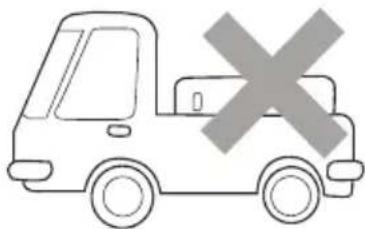
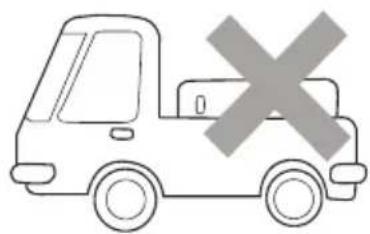
Transportation
● Unplug the power cord.
- Remove all foods from the refrigerator.
- Secure the shelves, drawers and baskets with tape.
- Close the appliance door and secure it with tape.
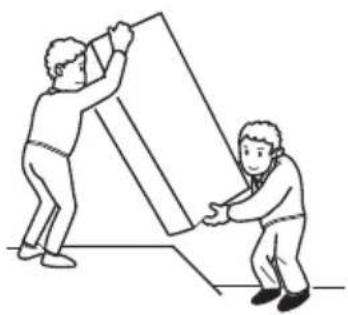
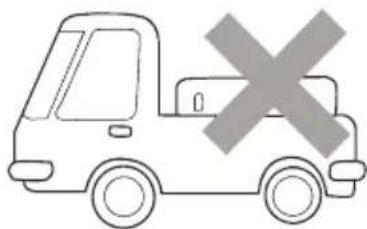
● During transportation, do not tilt the appliance more than 45 (in relation to the vertical position), otherwise malfunctions of the refrigeration system may be caused.
natural_image
Two people assembling a large geometric object, one lifting the other (no text or symbols visible)
natural_image
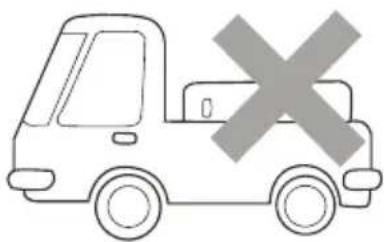
Simple line drawing of a delivery truck with a large 'X' symbol on the side (no text or labels)
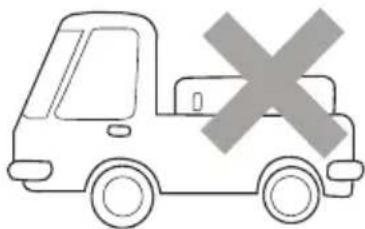
Caution:
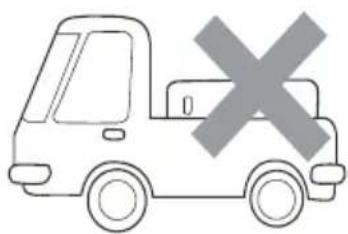
Do not carry the appliance or let it stand horizontally.
Troubleshooting
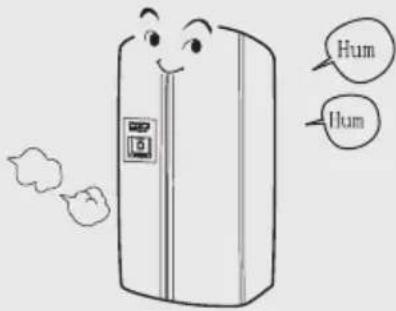
| Long operation time and a temperature increase of housing and compressor are normal during initial operation. | Some of the sounds produced during initial operation or at start-up will fade during normal operation. |
 | 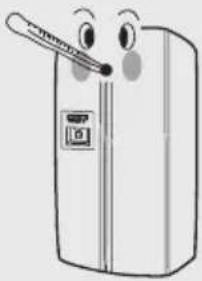 |
| During initial operation, the appliance housing may become warm to prevent condensation. | At start-up and during operation, the compressor may produce an audible sound when starting or stopping |
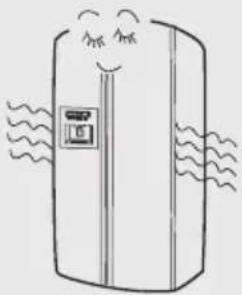 | 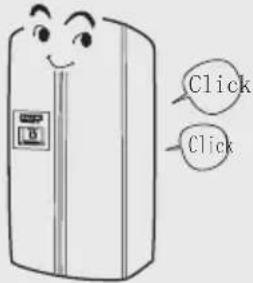 |
| The sound of the refrigerant flowing through the evaporator and compressor is normal. A continuous or intermittent flowing sound after operation is normal. | During the defrosting process, thaw water may drip onto the heating elements, causing audible sounds in the evaporator. |
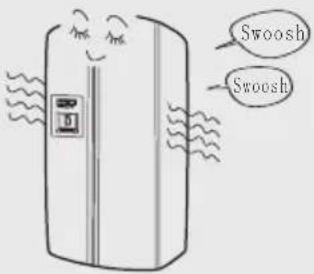 | 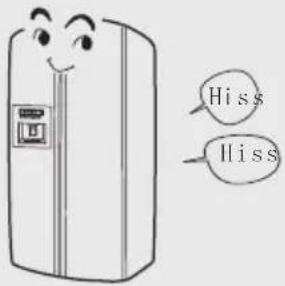 |
Troubleshooting
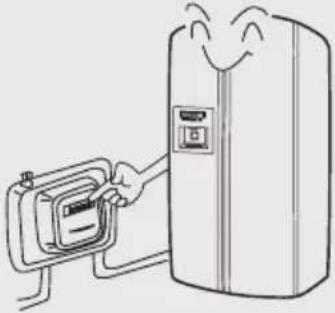
| When operating, the fan produces an audible sound. | The specified power consumption at an ambient temperature of 25°C with 5°C in the refrigerator and -18°C in the freezer after 24 hours of normal operation complies with government standards. Higher power consumption is normal with large amounts of food in the freezer and when the appliance door is opened frequently or for long times. |
 |  |
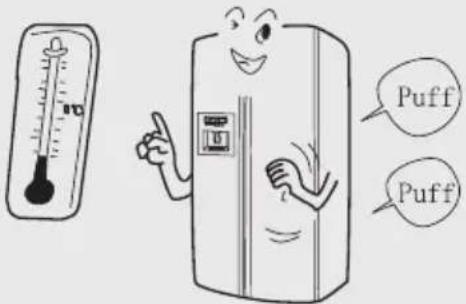
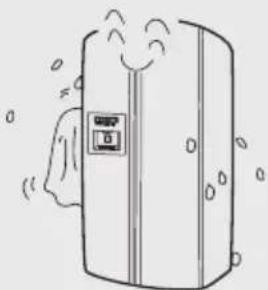
| The evaporator lines may produces audible sounds when the temperature is changing. | Wipe off any condensation that may form on the exterior housing and centre beam at high humidity with a soft cloth. |
 |  |
Customer service
Should a malfunction occur that you cannot resolve as described below, contact the nearest customer service. In such a case, please indicate the full model name, serial number at spare part register. (See the product label at the back of the appliance.)
Confirm the following before ordering a repair.
Unit does not cool
The appliance is not connected to the power (plug, outlet, fuse) or is switched off.
Voltage too low.
Light does not come on
Bulb is burned out.
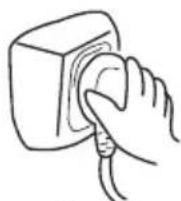
The appliance is not connected to the power.
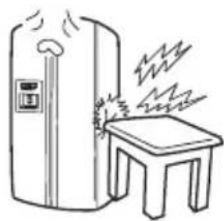
Unusual noises
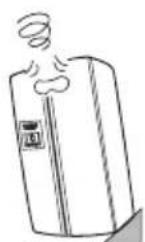
Caution: Do not carry The appliance is the appliance or let it touching the wall or stand horizontally. other object.
natural_image
Simple line drawing of a fire extinguisher next to a small table with steam rising (no text or symbols)
The appliance is touching the wall or other object.
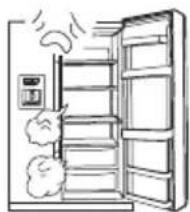
Temperature is not cold enough
natural_image
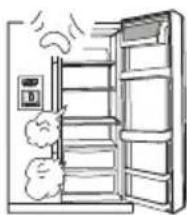
Line drawing of an open refrigerator with exhaust smoke rising (no text or symbols)
Appliance door not fully closed, opened too frequently or for too long.
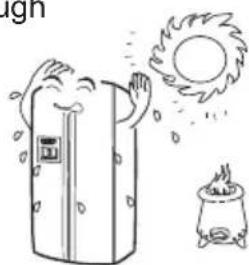
natural_image
Illustration of a refrigerator with steam rising and a sun falling, next to a portable stove (no text or symbols)
Exposed to direct sunshine, a stove or other heat source.
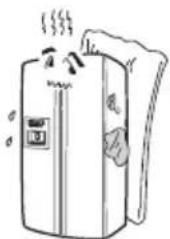
natural_image
Cartoon illustration of a refrigerator with steam rising (no text or symbols)
Poor ventilation. The back or sides of the appliance are blocked.
After-sales Service
Confirm the following before ordering a repair.
Compressor runs often or for a long time
● This is normal during initial operation.
● Normal after loading with large amounts of foods.
• Appliance door not fully closed.
• Appliance door is opened frequently.
- Ambient temperature is high.
- Wrong temperature setting. See Starting up.
- Poor ventilation
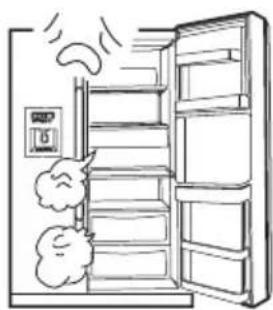
natural_image
Line drawing of an open refrigerator with exhaust smoke and a digital display (no text or symbols)
Foods are covered with frost or ice
● Normal if unpackaged food was placed in the freezer.
• Appliance door not fully closed.
● Appliance door is opened too frequently or for too long.
- Food placed too close to air outlet.
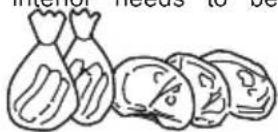
Unusual odour
● Strongly smelling food is not packed appropriately.
- Food has spoiled.
- The appliance interior needs to be cleaned.
Ice maker does not work properly.
● Ice cubes stick together. Take out the lump of ice cubes, crush it and return only the separated ice cubes to the ice cube container.
- Adjust the ice maker water supply if the ice cubes are too small or too large.
- Ice cubes may end up sticking together if stored for too long.
- In the case of a power outage, empty, clean, dry and re-place the ice cube container to avoid that the ice cubes melt and drip into the freezer compartment.
Customer service
Dispenser not supplying
- No ice cubes in the ice cube container. Wait until ice cubes are supplied.
● Freezer temperature is set too high. Lower t he freezer temperature to improve the performance of the ice cube maker.
● The water supply valve is closed. Open the water supply valve.
● The freezer or refrigerator door is not fully closed. Close all appliance doors.
Dispenser jammed
- Defrosting water has frozen on the spindle due to long period of idleness, large temperature swings or voltage peaks. Empty, clean, wipe and re-place the ice cube container.
● Ice cubes are jammed between the ice cube maker and container. Remove the ice cubes.
- Ice cubes are stuck together. Use the dispenser more frequently.
- Other ice cubes were placed in the dispenser. Only the ice cubes produced by the ice maker can be used by the dispenser
The symbol on the product or on its packaging indicates that this product is not to be treated as regular household waste. Instead, it must be taken to a recycling collection point for electrical and electronic equipment. By properly disposing of this product, you are contributing to the preservation of the environment and the wellbeing of your fellow citizens. Improper disposal is hazardous to health and environment. You can obtain further information on how to recycle this product from your municipality, your waste management service or the shop where you purchased it.
Haier
Inspiredliving
^* =S,T,W,N,X,CR,BB,GW,GB,GR
natural_image
Cartoon illustration of a person lifting a cardboard box next to a smiling refrigerator (no text or symbols)
natural_image
Cartoon illustration of a smiling refrigerator with arms and legs, no text or symbols present
natural_image
Technical diagram showing a mechanical assembly with two components and a supporting frame, no text or symbols present.

Abbildung 1
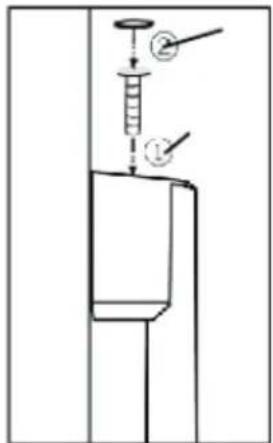
Abbildung 2
Anmerkung:
natural_image
Simple line drawing of a refrigerator with steam rising from its side (no text or symbols)

Stilllegen
natural_image
Simple line drawing of a smiling refrigerator with eyes and a front panel (no text or symbols)
Abbauen der Türen
Die Tür entfernen
natural_image
Illustration of a chef inspecting an open refrigerator in a kitchen (no text or symbols visible)

natural_image
Illustration of a hand holding a screwdriver with an exclamation mark symbol (no text or labels present)
natural_image
Illustration of a refrigerator emitting heat and a campfire with an exclamation mark (no text or symbols)
natural_image
Cartoon illustration of a refrigerator with a hand washing it, next to a beaker with liquid and a warning symbol (no text or labels)
Türeinstellung
natural_image
Illustration of a woman holding a plate of oranges and a refrigerator (no text or symbols)
natural_image
Line drawing of various vegetables including tomatoes, lettuce, and mushrooms (no text or labels)
Kühlraum
Einordnungsbeispiel
natural_image
Line drawing of a hand pressing down on a laptop screen (no text or symbols)
natural_image
Simple line drawing of a vertical shelf with a top panel and horizontal shelves (no text or symbols)

natural_image
Simple line drawing of a kitchen sink with a cup and pot (no text or symbols)
natural_image
Simple line drawing of a kitchen sink with a cup and steam rising (no text or symbols)
natural_image
Simple line drawing of a hand pressing down a cup into a container (no text or symbols)
Zufuhr von Brucheis
natural_image
Illustration of a refrigerator with steam rising, accompanied by bottles and cans (no text or symbols)

natural_image
Simple line drawing of a person receiving a medical or examination procedure (no text or symbols)
Außer Betrieb
Bei Stromausfall
natural_image
Cartoon illustration of a smiling refrigerator with two apples on a plate, waving (no text or symbols)

natural_image
Illustration of a smiling refrigerator with a cloud on the door (no text or symbols)
natural_image
Illustration of a child cleaning a refrigerator with a bowl nearby (no text or symbols)
Transport
natural_image
Two people assembling a large geometric shape, one lifting the other (no text or symbols)
natural_image
Simple line drawing of a van with a cross symbol on the side (no text or labels)

natural_image
Simple line drawing of a refrigerator with a table and smoke, no text or symbols present
natural_image
Illustration of a refrigerator with smoke and exhaust, showing no text or symbols
natural_image
Simple line drawing of a trash bin with crossed lines indicating no waste or plastic (no text or symbols)

^* =S,T,W,N,X,CR,BB,GW,GB,GR
Misehorsservice....32-33
natural_image
Cartoon illustration of a person lifting a cardboard box next to a smiling refrigerator (no text or symbols)
natural_image
Cartoon illustration of a smiling refrigerator with arms and legs, no text or symbols present
natural_image
Technical line drawing of a vehicle interior showing dashboard and seat components with directional arrows indicating movement (no text or symbols)
5
Assembly of the refrigerator door handle
l'illustration 1
l'illustration 2
Remarque:

natural_image
Simple line drawing of a refrigerator with steam rising from its side (no text or symbols)

Aurepos
natural_image
Simple line drawing of a refrigerator with a smiling face and a small door (no text or symbols)
Démontagedelaporte
Pourdémonterlaporte
natural_image
Cartoon illustration of a worker inspecting an open electrical cabinet in a room (no text or symbols)

Réinstallezlaporte.
natural_image
Illustration of a hand using a tool to lift a mechanical component (no text or symbols)

natural_image
Illustration of a refrigerator and a stovetted stove under a sunny sky (no text or symbols)

natural_image
Cartoon illustration of a hand reaching toward a refrigerator with a faucet nearby (no text or symbols)

natural_image
Illustration of a woman holding a plate of fruit next to an air conditioner unit (no text or symbols)
Veuilleznoterquedeschangementsdanslesréglagesdetempératurese stabilisentlentement.
natural_image
Line drawing of various vegetables including tomatoes, lettuce, and mushrooms (no text or labels)
natural_image
Line drawing of a hand pressing down on a computer monitor (no text or symbols)
natural_image
Pure line drawing of a vertical shelf with horizontal shelves and top panel (no text or symbols)
natural_image
Simple line drawing of a hand pressing down on a surface with a cup (no text or symbols)
natural_image
Simple line drawing of a hand pressing down on a surface with a cup (no text or symbols)
natural_image
Simple line drawing of a hand pressing down on a cup inside a container (no text or symbols)
Distributiondeglacepilée
natural_image
Illustration of a refrigerator with steam rising, accompanied by two smaller containers (no text or symbols)
natural_image
Simple line drawing of a person in bed with hands near head (no text or symbols)
Encasdecoupuredecourant
natural_image
Cartoon illustration of a smiling refrigerator with arms waving, accompanied by apples on a plate (no text or symbols)
Attention:
natural_image
Illustration of a smiling refrigerator with a cloud and smoke, no text or symbols present

natural_image
Simple line drawing of a child cleaning a refrigerator with food items nearby (no text or symbols)
Letransport
natural_image
Two people assembling a large 3D block (no text or symbols visible)
natural_image
Simple line drawing of a van with a cross symbol on the front (no text or labels)
Attention:
Netransportezpasl'appareilenpositionhorizontale
Dépannage
natural_image
Simple line drawing of a refrigerator with steam rising from a small table (no text or symbols)
natural_image
Illustration of an open refrigerator with exhaust smoke and cloud (no text or symbols)
natural_image
Illustration of a refrigerator with steam rising, a sun and a stove nearby (no text or symbols)
natural_image
Illustration of a refrigerator with steam rising, showing its doors and legs (no text or symbols)
natural_image
Illustration of an open refrigerator with smoke and cloud, no text or symbols present
^* =S,T,W,N,X,CR,BB,GW,GB,GR
natural_image
Simple line drawing of a person standing near a window with stars and motion lines, no text or symbols present.
natural_image
Illustration of a cartoon character reacting with a window and a hand holding a brush, surrounded by clouds (no text or symbols)
Estrarre la spina:
natural_image
Cartoon illustration of a person lifting a cardboard box next to a smiling refrigerator (no text or symbols)

natural_image
Cartoon illustration of a smiling refrigerator with arms and legs, no text or symbols present

natural_image
Technical line drawing of a vehicle interior showing structural components and movement arrows (no text or symbols)
fig. 1
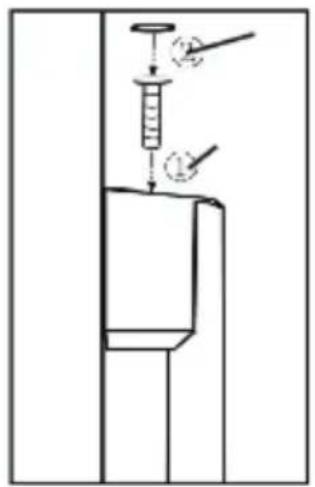
fig. 2
Attenzione:

natural_image
Simple line drawing of a refrigerator with steam rising from its side (no text or symbols)
Riposo
natural_image
Simple line drawing of a refrigerator with a smiling face and front panel (no text or symbols)

natural_image
Simple gray triangle shape pointing downward (no text or symbols)

natural_image
Illustration of a chef inspecting an open refrigerator in a kitchen (no text or symbols)

natural_image
Illustration of a hand using a screwdriver to press a mechanical component, with an exclamation mark symbol nearby (no text or labels present)
natural_image
Illustration of a refrigerator with sun and fire, a campfire, and an exclamation mark (no text or symbols)
natural_image
Cartoon illustration of a hand washing a refrigerator with a water bottle nearby, next to an exclamation mark (no text or symbols on main elements)
natural_image
Illustration of a woman holding a tray with fruit, next to an air conditioner unit (no text or symbols)
natural_image
Line drawing of various vegetables including tomatoes, lettuce, and mushrooms (no text or labels)
Comparto frigorifero
natural_image
Line drawing of a hand pressing down on a computer monitor with directional arrows indicating action (no text or symbols)
natural_image
Simple line drawing of a vertical shelf with a top panel and bottom shelf (no text or symbols)
natural_image
Simple line drawing of a hand pressing down on a surface with a tool, no text or symbols present
natural_image
Simple line drawing of a hand pressing down on a surface with a cup (no text or symbols)
natural_image
Simple line drawing of a kitchen sink with a cup and utensils (no text or symbols)
natural_image
Illustration of a refrigerator with hands cleaning and cleaning, accompanied by bottles labeled 'ADSL', 'DHS', and 'Cone' (no text or symbols on main objects)
natural_image
Illustration of a person wearing a headscarf and holding a device, with no visible text or symbols
Inattività
natural_image
Cartoon illustration of a smiling refrigerator with two apples on a plate, no text or symbols present
Avvertenza:
natural_image
Cartoon illustration of a refrigerator with a smiling face and cloud-like smoke (no text or symbols)
natural_image
Simple line drawing of a child standing beside a refrigerator with food items, no text or symbols present.
Trasporto
natural_image
Two people assembling a large geometric shape (no text or symbols visible)
natural_image
Simple line drawing of a delivery truck with a cross symbol on the side (no text or labels)
Avvertenza
natural_image
Simple line drawing of a refrigerator and a small table with steam rising (no text or symbols)
natural_image
Illustration of an open refrigerator with steam rising from the door (no text or symbols)
natural_image
Illustration of a refrigerator with steam rising, sun and stove nearby (no text or symbols)
natural_image
Simple line drawing of a refrigerator with steam rising (no text or symbols)
natural_image
Illustration of an open refrigerator with exhaust smoke and cloud (no text or symbols)
^* =S,T,W,N,X,CR,BB,GW,GB,GR
natural_image
Simple line drawing of a person standing near a window with stars emitting rays (no text or symbols)
natural_image
Illustration of a cartoon character reacting with noise and a window, next to a hand holding a device and an exclamation mark (no text or symbols)
Retire el enchufe:
natural_image
Cartoon illustration of a person loading a cardboard box to a smiling refrigerator (no text or symbols)


natural_image
Cartoon illustration of a refrigerator with facial features and a door, standing on three legs (no text or symbols)

natural_image
Technical line drawing of a mechanical assembly with two components and a base plate, showing alignment and force arrows (no text or symbols)
5

natural_image
Simple line drawing of a refrigerator with a smiling face and steam rising (no text or symbols)

Reposo
natural_image
Simple line drawing of a refrigerator with a smiling face and front panel (no text or symbols)
natural_image
Simple gray triangle shape pointing downward (no text or symbols)

natural_image
Simple gray triangle shape pointing downward (no text or symbols)

natural_image
Illustration of a chef inspecting an open refrigerator in a kitchen (no text or symbols)

natural_image
Illustration of a hand using a screwdriver to press a mechanical component, with an exclamation mark symbol nearby (no text or labels present)
natural_image
Illustration of a refrigerator emitting heat and a campfire with an exclamation mark (no text or symbols)
natural_image
Illustration of a hand washing a refrigerator with a water tap nearby, next to an exclamation mark (no text or symbols on main elements)
Ajuste de la puerta
natural_image
Illustration of a woman holding a tray with fruit and a refrigerator (no text or symbols)

natural_image
Line drawing of various vegetables including tomatoes, lettuce, and strawberries (no text or labels)
Compartimento de la nevera
natural_image
Line drawing of a hand pressing down on a computer monitor (no text or symbols)
natural_image
Simple line drawing of a vertical panel with a central control panel (no text or symbols)
natural_image
Simple line drawing of a hand pressing down a cup into a tray (no text or symbols)
(2) Dispensar cubitos de hielo
natural_image
Simple line drawing of a hand pressing down a cylindrical object into a container (no text or symbols)
(3) Dispensar agua refrigerada
natural_image
Simple line drawing of a hand pressing down on a surface within a container (no text or symbols)
natural_image
Illustration of a refrigerator with steam rising, accompanied by two smaller containers labeled 'Adder' and 'Clean Water', no text or symbols present.
natural_image
Line drawing of a person wearing a headscarf and holding a device, with no visible text or symbols
Desactivacin
En caso de apagn
natural_image
Cartoon illustration of a smiling refrigerator with two apples on a plate, waving hand (no text or symbols)

Precaucin:
natural_image
Illustration of a smiling refrigerator with open doors and cloud-like exhaust (no text or symbols)
Precaucin: Evite desconectar el electrodomstico, ya que acortar la vida del frigorfico.
natural_image
Simple line drawing of a child standing beside a refrigerator with food items, no text or symbols present.
Transporte
natural_image
Two cartoon figures assembling a large geometric shape (no text or symbols)
natural_image
Simple line drawing of a delivery truck with a cross symbol on the side (no text or labels)
Precaucin:
natural_image
Simple line drawing of a fire extinguisher next to a small table with steam rising (no text or symbols)
natural_image
Illustration of an open refrigerator with exhaust smoke and a control panel (no text or symbols)
natural_image
Illustration of a refrigerator with steam rising and a sun symbolizing the sun (no text or symbols)
natural_image
Illustration of a refrigerator with steam rising and cooling down (no text or symbols)
natural_image
Line drawing of an open refrigerator with exhaust smoke and cloud (no text or symbols)
La comida est cubierta de escarcha o hielo
^* =S,T,W,N,X,CR,BB,GW,GB,GR
natural_image
Simple line drawing of a person falling from above toward a wall with stars, no text or symbols present
*Abra as portas e as janelas.
natural_image
Illustration of a cartoon character reacting with noise and a window, next to a hand holding a device and an exclamation mark (no text or symbols)
Puxe a ficha de alimentao.
natural_image
Simple line drawing of a hand pressing down on a button (no text or symbols)
Precaues
natural_image
Cartoon illustration of a person loading a cardboard box to a smiling refrigerator (no text or symbols)


Coloque o electrodom stico numa zona adequada.
natural_image
Cartoon illustration of a refrigerator with facial features and a door, standing against a 3D cube (no text or symbols)
Preparao

natural_image
Technical diagram showing mechanical assembly with two components and directional arrows indicating motion (no text or symbols)
Preparations

Illustration 2
HRF-6281*7:
Preparao

natural_image
Simple line drawing of a smiling refrigerator with a door and wheels (no text or symbols)
Imobilizao
natural_image
Simple line drawing of a smiling refrigerator with eyes closed (no text or symbols)

Remoo da porta
Remover a porta
natural_image
Simple gray triangle shape pointing downward (no text or symbols)

natural_image
Simple gray triangle shape pointing downward (no text or symbols)

natural_image
Illustration of a chef inspecting an open refrigerator in a kitchen (no text or symbols)

Volte a instalar a porta.
natural_image
Hand holding a screwdriver with a mechanical component (no text or symbols visible)
Proteja o local contra luz solar directa ou fonte de calor.
natural_image
Illustration of a refrigerator and a stovetted stove under a sunny sky (no text or symbols)

natural_image
Cartoon illustration of a hand washing a refrigerator with a faucet nearby (no text or symbols)
Ajuste da porta
natural_image
Illustration of a woman holding a tray with food, next to an air conditioner unit (no text or symbols)

natural_image
Line drawing of various vegetables including tomatoes, lettuce, and mushrooms (no text or labels)
Ajustar a altura das prateleiras de vidro
natural_image
Line drawing of a hand pressing down on a computer monitor (no text or symbols)
natural_image
Simple line drawing of a vertical shelf with a top panel and bottom shelf (no text or symbols)
Voltar a colocar o contentor de cubos de gelo
natural_image
Simple line drawing of a hand pressing down on a surface with a cup (no text or symbols)
(2) Dispensar cubos de gelo
natural_image
Simple line drawing of a hand pressing down on a surface with a cup (no text or symbols)
(3) Dispensar gua fresca
natural_image
Simple line drawing of a hand pressing a cup into a container (no text or symbols)
Dispensar gelo picado
natural_image
Illustration of a refrigerator with steam rising, accompanied by two containers labeled ACSI and CAXA (no text or symbols on main objects)
natural_image
Illustration of a person receiving medical attention from a hand (no text or symbols)
Inactividade
natural_image
Cartoon illustration of a smiling refrigerator with apples on a plate (no text or symbols)
Cuidado:
natural_image
Illustration of a smiling refrigerator with open doors and cloud-like bushes (no text or symbols)
natural_image
Illustration of a person cleaning a refrigerator with a smiling face (no text or symbols)
Transporte
natural_image
Two people handling large geometric shapes, one lifting the other (no text or symbols)
natural_image
Simple line drawing of a van with a cross symbol on the front (no text or labels)
Cuidado:
No transporte nem deixe o electrodomstico na horizontal.
natural_image
Simple line drawing of a refrigerator with steam rising from its side to a table (no text or symbols)
Cuidado: N o transporte O electrodomstico est nem deixe na horizontal o a tocar na parede ou electrodomstico noutro objecto.
A temperatura no est suficientemente fria.
natural_image
Illustration of an open refrigerator with steam rising from the door (no text or symbols)
natural_image
Illustration of a refrigerator with steam and a sun, next to a portable stove (no text or symbols)
natural_image
Cartoon illustration of a refrigerator with steam rising (no text or symbols)
Ventila o deficiente. A traseira ou as laterais do electrodom stico esto bloqueadas.
Servio ps-venda
natural_image
Illustration of an open refrigerator with exhaust smoke and cloud (no text or symbols)
^* =S,T,W,N,X,CR,BB,GW,GB,GR
Vriescompartiment....23
natural_image
Illustration of a wall socket, a plug, and an exclamation mark (no text or symbols)
natural_image
Illustration of two electrical components: a socket with warning symbols and a plug with no prohibition sign (no text or labels)
natural_image
Illustration showing a cartoon character reacting with a window, a hand washing a box, and an exclamation mark (no text or symbols)
Haal de stekker eruit:
natural_image
Illustration of a hand pressing down on a device with an exclamation mark symbol (no text or labels)
natural_image
Cartoon illustration of a worker lifting a cardboard box next to a smiling refrigerator (no text or symbols)


natural_image
Cartoon illustration of a refrigerator with facial features and a door, no text or symbols present

natural_image
Technical line drawing of a vehicle interior showing dashboard and seat assembly with directional arrows (no text or symbols)

De deurgreep assembleren
Illustration 2
Opmerking:
natural_image
Simple line drawing of a refrigerator with a smiling face and steam lines (no text or symbols)
Uitschakelen
natural_image
Simple line drawing of a refrigerator with a smiling face and a door (no text or symbols)
De deur verwijderen
De deur verwijderen
natural_image
Simple gray triangle shape with no text or symbols

Bovenscharnier
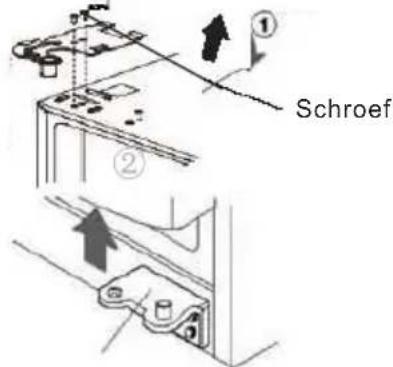
Onderscharnier

natural_image
Simple gray triangle shape pointing downward (no text or symbols)

natural_image
Illustration of a chef inspecting an open refrigerator in a kitchen (no text or symbols)

De deur er weer op bevestigen.
natural_image
Illustration of a hand using a screwdriver to press a mechanical component, with an exclamation mark symbol nearby (no text or labels present)
natural_image
Illustration of a refrigerator with steam rising, sun falling, and a campfire with an exclamation mark (no text or symbols)
natural_image
Cartoon illustration of a hand washing a refrigerator with a water tap nearby, next to an exclamation mark (no text or symbols on main elements)
De deur aanpassen
natural_image
Illustration of a woman holding a tray with food, next to an air conditioner unit (no text or symbols)
natural_image
Line drawing of various vegetables including tomatoes, lettuce, and mushrooms (no text or labels)
Koelkastcompartiment
natural_image
Line drawing of a hand pressing down on a computer monitor with directional arrows indicating action (no text or symbols)
natural_image
Simple line drawing of a vertical shelf with a top panel and horizontal shelves (no text or symbols)
natural_image
Simple line drawing of a hand pressing down on a surface with a cup (no text or symbols)
natural_image
Simple line drawing of a cup pouring liquid into a container (no text or symbols)
natural_image
Simple line drawing of a kitchen sink with a cup and knife (no text or symbols)
Vermalen ijs maken
natural_image
Illustration of a refrigerator with steam rising, accompanied by bottles and cans (no text or symbols)

natural_image
Line drawing of a person wearing a headscarf and holding a paper, with no visible text or symbols
natural_image
Cartoon illustration of a smiling refrigerator with apples on a plate (no text or symbols)
Waarschuwing:
natural_image
Cartoon illustration of a smiling refrigerator with a cloud on the door (no text or symbols)

natural_image
Simple line drawing of a child cleaning a refrigerator with a smiling face (no text or symbols)
Vervoeren
Haal de stekker eruit.
natural_image
Illustration of two people assembling a large geometric shape (no text or symbols)
natural_image
Simple line drawing of a delivery truck with a cross symbol on the front (no text or labels)
Waarschuwing:
natural_image
Simple line drawing of a refrigerator and a small table with steam rising (no text or symbols)
natural_image
Simple line drawing of an open refrigerator with smoke and a control panel (no text or symbols)
natural_image
Illustration of a refrigerator with steam rising, sun and stove nearby (no text or symbols)
natural_image
Simple line drawing of a refrigerator with steam rising (no text or symbols)
natural_image
Line drawing of an open refrigerator with exhaust smoke and cloud (no text or symbols)