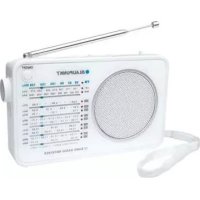
BWR401 - Radio BLAUPUNKT - Free user manual and instructions
Find the device manual for free BWR401 BLAUPUNKT in PDF.



| Product type | Portable analog radio receiver |
| Brand | Blaupunkt |
| Model | BWR401 |
| Power supply | 4 AA 1.5V batteries (not included) or 6V DC power adapter (not included) |
| Frequency bands | FM, MW, LW, SW (9 shortwave bands) |
| Antenna | Telescopic FM/SW antenna |
| Speaker | Built-in |
| Headphone jack | 3.5 mm jack |
| AUX IN jack | 3.5 mm jack |
| DC IN jack | 6V |
| ON/OFF button | Yes |
| Volume control | Volume knob |
| Tuning | Tuning knob with analog dial |
| Band selector | FM/MW/LW/SW switch |
| SW selector | 9 positions for shortwave bands |
| Band indicators | Light indicators |
| Ventilation | Ventilation slots, do not block |
| Operating temperature | Temperate climate |
| Included accessories | Wrist strap (strap attachment) |
| Safety | Do not expose to water, open flames; do not block ventilation |
| Maintenance | Clean with a dry cloth |
| Standards | CE |
Frequently Asked Questions - BWR401 BLAUPUNKT
User questions about BWR401 BLAUPUNKT
0 question about this device. Answer the ones you know or ask your own.
Ask a new question about this device
Download the instructions for your Radio in PDF format for free! Find your manual BWR401 - BLAUPUNKT and take your electronic device back in hand. On this page are published all the documents necessary for the use of your device. BWR401 by BLAUPUNKT.
USER MANUAL BWR401 BLAUPUNKT
USER MANUALS
Models: BWR-400 / BWR-401
| Page | 2 | German |
| Page | 5 | English |
| Page | 8 | French |
| Page | 11 | Italian |
| Page | 14 | Spanish |
| Page | 17 | Portuguese |
| Page | 20 | Dutch |
| Page | 23 | Swedish |
| Page | 26 | Danish |
| Page | 29 | Finnish |
| Page | 32 | Norwegian |
| Page | 35 | Russian |
| Page | 38 | Greek |
| Page | 40 | Turkish |
| Page | 43 | Polish |
| Page | 46 | Bulgarian |
| Page | 49 | Romanian |
| Page | 52 | Czech |
| Page | 55 | Hungarian |
| Page | 58 | Japanese |
| Page | 61 | Chinese |
| Page | 64 | Arabic |
Please read the instructions carefully before operating the unit.
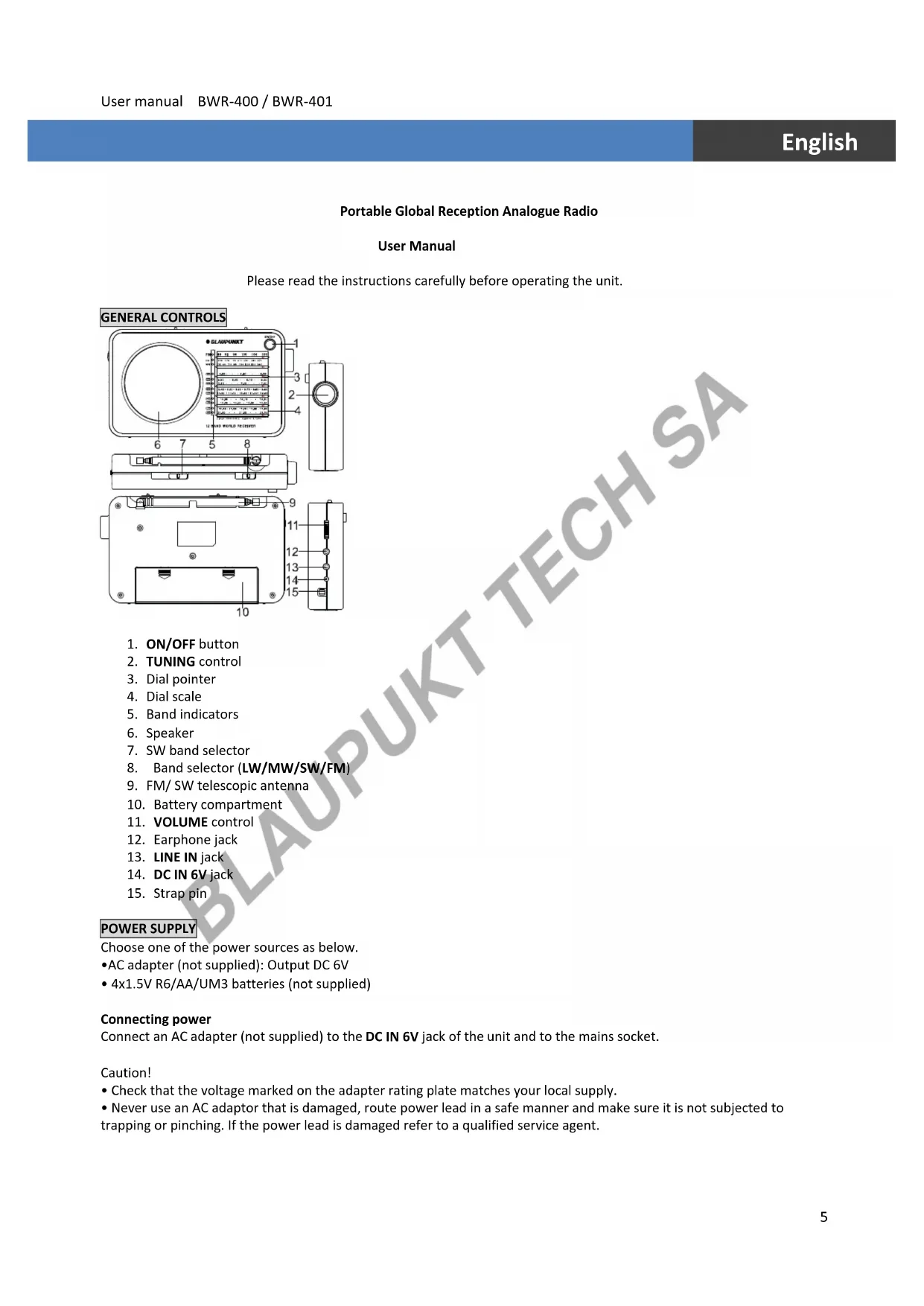
GENERAL CONTROLS
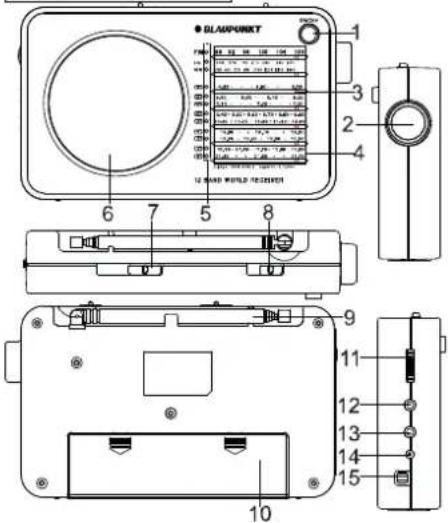
text_image
BLAMPURKT 1 2 3 4 5 6 7 8 9 10 11 12 13 14 15- ON/OFF button
- TUNING control
- Dial pointer
- Dial scale
- Band indicators
- Speaker
- SW band selector
- Band selector (LW/MW/SW/FM)
- FM/ SW telescopic antenna
- Battery compartment
- VOLUME control
- Earphone jack
- LINE IN jack
- DC IN 6V jack
- Strap pin
POWER SUPPLY
Choose one of the power sources as below.
• AC adapter (not supplied): Output DC 6V
- 4x1.5V R6/AA/UM3 batteries (not supplied)
Connecting power
Connect an AC adapter (not supplied) to the DC IN 6V jack of the unit and to the mains socket.
Caution!
- Check that the voltage marked on the adapter rating plate matches your local supply.
- Never use an AC adaptor that is damaged, route power lead in a safe manner and make sure it is not subjected to trapping or pinching. If the power lead is damaged refer to a qualified service agent.
- The AC adaptor is used as the disconnect device and it shall remain readily operable. To be completely disconnected from the power input, the AC adaptor shall be disconnected from the mains completely. The AC adaptor should not be obstructed or should be easily accessed during intended use.
Battery operation
- Remove the lid of the battery compartment by sliding it outward in the direction of the arrow.
- Insert 4 R6/AA/UM3 batteries into the compartment. Make sure to match their polarities (+/-) to the markings inside the compartment.
- Put the lid back into place
Notes on batteries (not supplied)
- Do not mix different types of batteries or old batteries with new ones.
- Never recharge the batteries, apply heat to them or take them apart.
- Batteries should not be exposed to excessive heat such as sunshine, fire or the like.
- Do not throw the batteries in fire!
- Attention should be drawn to the environmental aspects of battery disposal.
The batteries need to be replaced when: The volume decreases, or sound is distorted during operation.
- In order to avoid leakage, remove the batteries when unit will not be used for a long period of time.
- Please respect the environment. Before throwing any batteries away, consult your distributor who may be able to take them back for specific recycling.
CAUTION:
Danger of explosion if batteries are incorrectly replaced. Replace only with the same or equivalent type.
USING THE RADIO
- Press the ON/OFF button to turn on the radio.
- Use the band selector (LW/MW/SW/FM) to select band. When the band selector (LW/MW/SW/FM) is set to SW position, use the SW selector to select among the 9 short wave bands. The corresponding band indicator is illuminated.
- Use the Tuning control to tune to your desired radio station.
- Adjust the volume level.
- Press the ON/OFF button again to turn off the radio.
To enhance radio reception ability:
FM/ SW: Extend the telescopic antenna.
MW/LW: Rotate the unit horizontally for optimum reception.
CONNECTING LINE IN SOURCE
- Connect your LINE IN source (e.g. mp3 player) to the LINE IN jack on the left side of the unit, the unit will change to LINE IN function automatically.
- To stop playback, disconnect your LINE IN source from the LINE IN jack
LISTENING WITH EARPHONES
Connect earphones (not included) to the earphone jack on unit.

Continuous use of earphones at high volume can damage the user's hearing.
SAFETY INSTRUCTION
IMPORTANT!
- The ventilation should not be impeded by covering the openings with items such as newspapers, table-cloths, curtains, etc.
- No naked flame sources, such as lighted candles, should be placed on the apparatus.
- Use the apparatus in moderate climates.
- The apparatus should not be exposed to dripping or splashing.
- Ensure a minimum distance of 5cm around the apparatus for sufficient ventilation.
- Do not place objects filled with liquids, such as vases, on the apparatus.
- The rating plate is located at back of unit.
- Excessive sound pressure from earphones and headphones can cause hearing loss.
- Under the influence of electrical fast transient or/and electrostatic phenomenon, the product may malfunction and
require user to power reset.
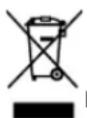
If at any time in the future you should need to dispose of this product please note that Waste electrical products should not be disposed of with household waste. Please recycle where facilities exist. Check with your Local Authority or retailer for recycling advice. (Waste Electrical and Electronic Equipment Directive)
Note: Design and specification are subject to change without notice.
© 2011 All rights reserved by Blaupunkt. This material may be reproduced, copied or distributed for personal use only.
CE
TajibPost, TajibPost, TajibPost, TajibPost, TajibPost, TajibPost, TajibPost, TajibPost, TajibPost, TajibPost, TajibPost, TajibPost, TajibPost, TajibPost, TajibPost, TajibPost, TajibPost, TajibPost, TajibPost, TajibPost, TajibPost, TajibPost, TajibPost, TajibPost, TajibPost, TajibPost