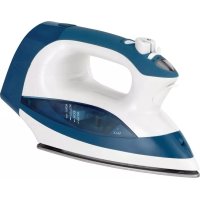
ST8225 - Iron TRISTAR - Free user manual and instructions
Find the device manual for free ST8225 TRISTAR in PDF.



| Product type | Steam iron |
| Brand | TriStar |
| Model | ST8225 |
| Power supply | 230 V ~ 50 Hz |
| Rated power | 2200 W (estimated) |
| Water tank capacity | 300 ml (estimated) |
| Soleplate type | Non-stick |
| Temperature control | Progressive fabric selector (polyamide, wool/silk, cotton/linen) |
| Steam function | Adjustable continuous steam with steam regulator |
| Steam jet function | Powerful steam jet (steam jet button) |
| Spray function | Moistening laundry by spraying |
| Automatic safety shut-off | Yes, after 8-15 min in vertical position or 20-30 sec flat |
| Anti-scale system | Self-cleaning function to be activated at least once a month |
| Dry ironing | Possible by setting the steam regulator to \"no steam\" position |
| Power cord | Retractable (automatic cord rewind) |
| Soleplate care | Clean with a soft cloth and a non-abrasive product |
| Recommended water type | Tap water; if very hard (>17°f), use distilled water |
| Included accessories | Measuring cup, user manual |
| Warranty | According to applicable legislation (consult retailer) |
Frequently Asked Questions - ST8225 TRISTAR
User questions about ST8225 TRISTAR
0 question about this device. Answer the ones you know or ask your own.
Ask a new question about this device
Download the instructions for your Iron in PDF format for free! Find your manual ST8225 - TRISTAR and take your electronic device back in hand. On this page are published all the documents necessary for the use of your device. ST8225 by TRISTAR.
USER MANUAL ST8225 TRISTAR
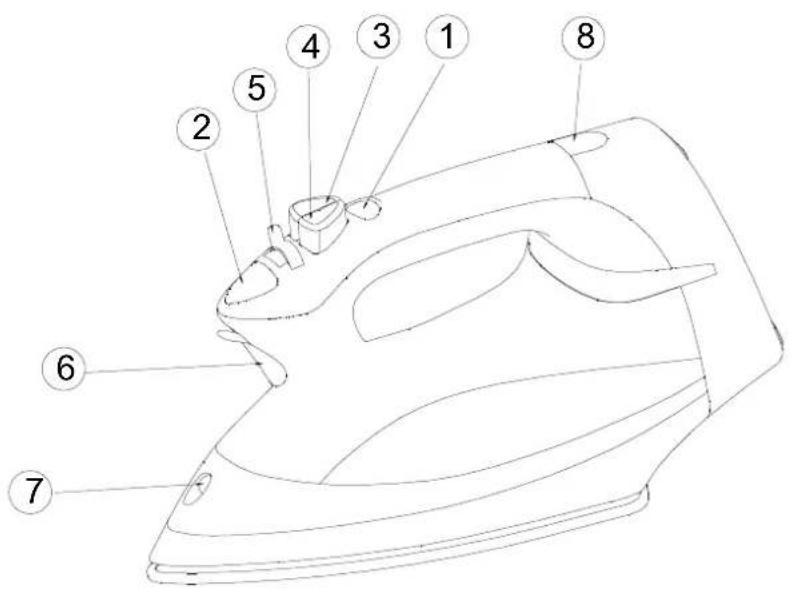
- Fabric Select Button
- Temperature Display
- Burst of Steam Button
- Spray Button
- Variable Steam Regulator
- Water Inlet Door
- Spray Nozzle
- Cord rewind button
Important!
- Please read these instructions in conjunction with the illustrations before using the appliance.
- Before using for the first time, check if the voltage rating on the typeplate corresponds to the mains voltage in your home.
- Never use the appliance if it is damaged in any way.
Take care that children cannot touch the iron when hot and that they cannot pull the mains cord. - Remove the plug from the socket before filling the iron with water or pouring out the remaining water after use.
- Never immerse the iron in water.
-
When you have finished ironing, and also when leaving the iron even for a short while
-
set the variable steam knob to position of no steam ;
- stand the iron upright;
- remove the mains plug from the wall socket.
Note: the soleplate may become damaged if the iron is stored with the soleplate facing downwards.
Some parts of the iron have been slightly greased and as a result the iron may smoke slightly when switched on for the first time. After a short while, however, this will cease.
Before using the first time remove any sticker or protective foil from the soleplate. Clean the soleplate with a soft cloth.
- Do not put vinegar or other descaling agents into the water reservoir.
- Do not use chemically descaled water.
- The cordset should not be allowed to touch the hot soleplate.
- Do not try to repair the iron, plug or power cord on your own.
- Do not operate the iron unattended while it is connected to the supply main.
- If supply cord is damaged, it must be replaced by the manufacturer or its service agent or a similarly qualified person in order to avoid a hazard.
- The iron must be used and rested on a stable surface.
- When placing the iron on its stand, ensure that the surface on which the stand is placed is stable.
The iron is not to be used if it has been dropped, if there are visible signs of damage or if it is leaking.
- Keep electrical appliances out of reach from Children or infirm persons. Do not let them use the appliances without supervision.
- The user must not leave the iron unattended while it is connected to the supply.
Filling With Water (for steam-ironing and spraying)
- Fill with normal tap water for first use.
- Subsequently, you can also use tapwater. However, if the water is very hard (hardness higher than 17^ dH), it is advisable to use distilled water.
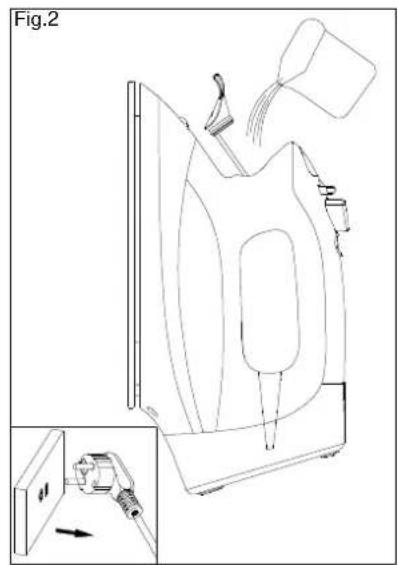
- Remove the mains plug from the wall socket before filling the iron. Set the variable steam regulator (5) to position of no steam.
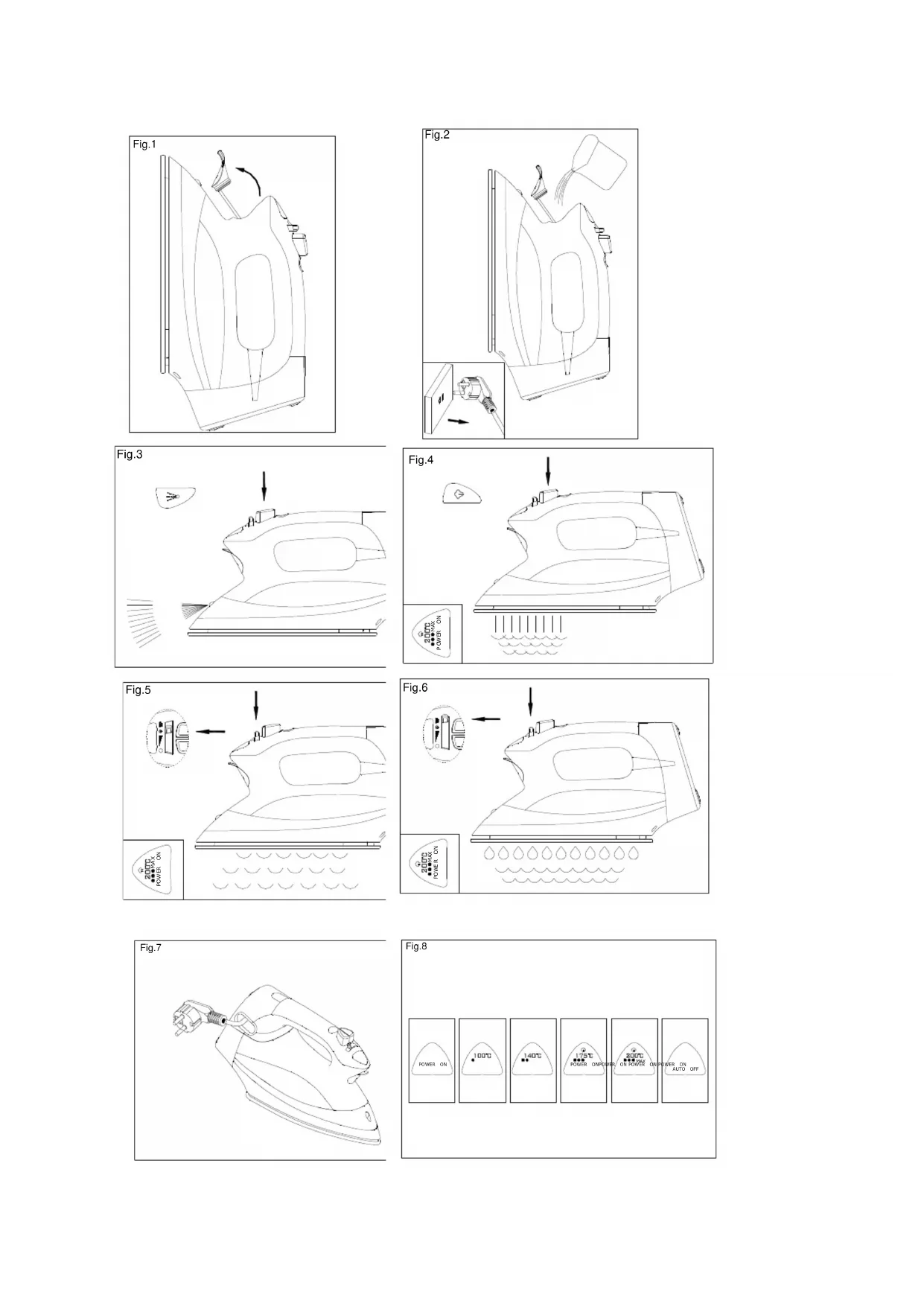
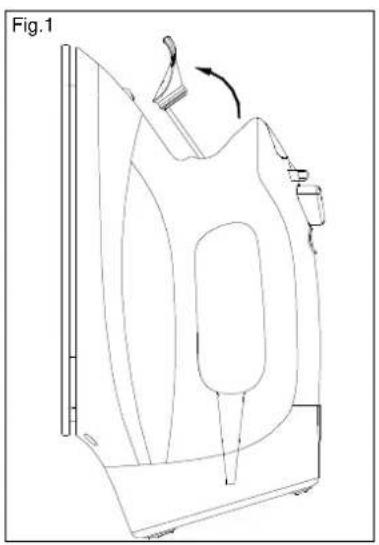
- Open water inlet cover (Fig. 1) and use measuring beaker provided for pouring water into the filling aperture (Fig. 2).
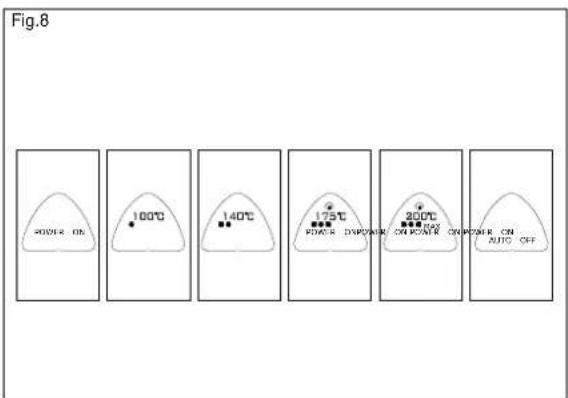
Setting Ironing Temperature (Fig. 8)
- Polyamide
- Wool / Silk
Cotton / Linen
- Stand the iron upright.
- Insert the mains plug into the mains supply.
- Press fabric select button (1) to correct ironing temperature.
- The LCD light will flash until it reaches selected temperature.
Steam Ironing
- Press fabric select button (1) to position **for moderate steam and position MAX. for maximum steam. With conventional steam irons, water may leak from the soleplate if a too low temperature has been selected.
- Ensure that there is enough water in the water reservoir.
- Stand the iron on its heel.
- Insert the mains plug into the wall socket and select correct ironing temperature.
- Wait a little while for the temperature reaches its selected temperature setting.
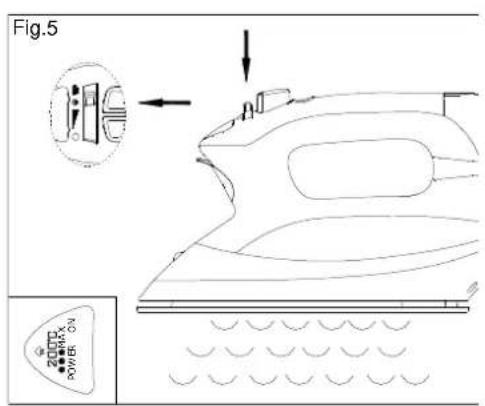
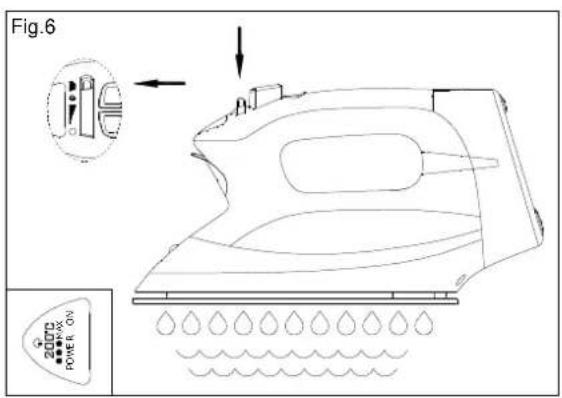
- Set the variable steam regulator (5) to adjust the steam, move toward to "0" position for reducing steam output and move forward to "0" for increasing steam output (Fig. 5).
Burst of Steam (Fig. 4)
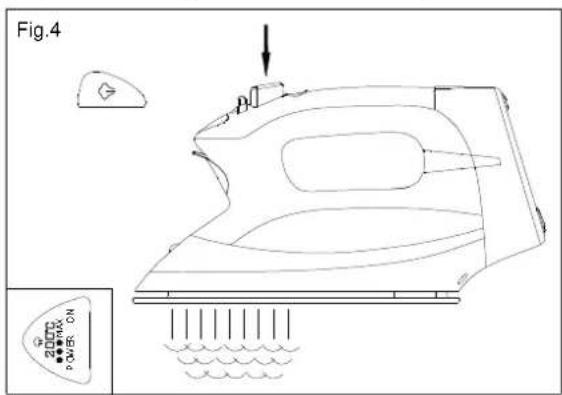
- By setting burst of steam button as per Fig. 4 and depressing button (3) an intense "Burst" of steam is emitted from the soleplate. To prevent water leaking from the soleplate, do not keep the steam control button depressed for more than 5 seconds.
Spray setting
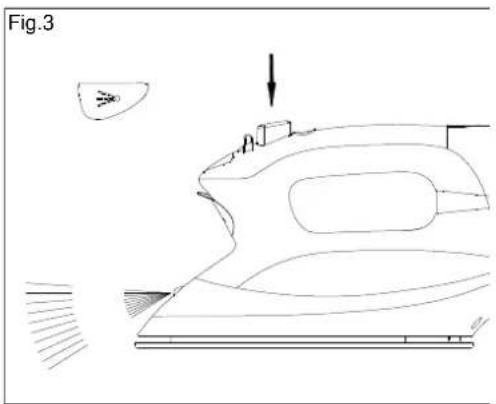
- At any temperature by pressing the spray button (4) a couple of times the laundry can be damped down (Fig. 3). Ensure that there is enough water in the water reservoir.
Dry ironing
- Turn the variable steam regulator (5) to the position of no steam.
"Auto stop" automatic safety shut-off
For safety reasons, your iron will automatically stop heating if it's left :
-
upright for 8-15 minutes, or
-
flat for 20-30 seconds.
The auto safe light will be on. To deactivate automatic shut off, stand iron on heel or shake gently, then the iron will switch on again.
Self-cleaning
In order to remove lime and dust particles, the self-cleaning system should be used at least once a month.
- Fill the measuring beaker provided half-full and then pour into the water reservoir.
- Set the variable steam regulator (5) to no steam position.
- Insert the mains plug into the wall socket.
- Press temperature select button (1) and set the temperature setting to maximum.
- Wait unit the LCD light has reached the preset temperature.
- Remove the plug from the wall socket.
- Hold the steam iron horizontally over a sink.
- Turn the variable steam regulator (5) to position “ 12 . Hot water and steam will be emitted from the soleplate. Swing the steam iron lightly to and fro to allow lime and dust particles to come out.
- When the water reservoir is empty, release the self-cleaning button and let it goes to "0" position completely.
- Stand the steam iron upright and insert the plug into the wall socket and set the ironing temperature to maximum.
- Move the steam iron over a clean cotton cloth to clean the soleplate and let remaining water on the plate evaporate.
Cleaning
- Before cleaning remove the mains plug from the wall socket and allow the iron to cool down sufficiently.
- Scale and other residue can be wiped off the soleplate with a damp cloth and some non-scratching (fluid) abrasive.
- From time to time clean the inside of the water reservoir filling with water and shaking. Then
pour the water out.
- The self-cleaning system should be used at lease once a month.
Storage
- Remove the mains plug from the wall socket.
- Pour any remaining water out of the water reservoir.
- Set the steam knob to no steam position.
- Stand the iron upright and let it cool down sufficiently.
Cord retractor
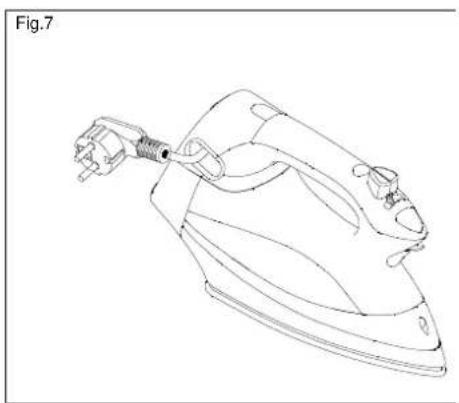
- The product is equipped with a retractable cord. Press the cord rewind button to engage cord storage. If the cord does not fully retract, pull it out again and then press on the cord rewind button.
★★★★★
Guidelines for protection of the environment
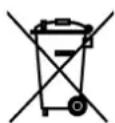
This appliance should not be put into the domestic garbage at the end of its useful life, but must be disposed of at a central point for recycling of electric and electronic domestic appliances. This symbol on appliance, instruction manual and packaging puts your attention to this important issue. The materials used in this appliance can be recycled. By recycling used domestic appliances you contribute an important push to the protection of our environment. Ask your local authorities for information regarding the point of recollection..