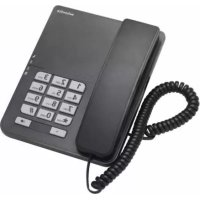
CP20 - Phone SWISSVOICE - Free user manual and instructions
Find the device manual for free CP20 SWISSVOICE in PDF.



| Product type | Analog corded telephone |
| Brand | Swissvoice |
| Model | CP20 |
| Box contents | Base unit, handset, line cord, handset cord, user manual |
| Installation | On flat surface (desk, table) or wall mounting |
| Ringer volume adjustment | 3 levels: high, medium, low, via switch |
| Dialing mode | Pulse (P) or Tone (T), selectable by switch |
| Flash function | To access operator services, adjustable duration via switch |
| Main functions | Call reception/transmission, redial, call waiting (Flash) |
| Safety | Do not expose to heat, sun, humidity, dust, fumes, corrosive liquids |
| Maintenance and cleaning | Clean with an antistatic cloth or slightly damp chamois, then dry |
| Spare parts and repairability | Legal warranty, standard repair or replacement by supplier |
| General information | CE approval, compliant with R&TTE directive 1999/5/EC |
Frequently Asked Questions - CP20 SWISSVOICE
User questions about CP20 SWISSVOICE
0 question about this device. Answer the ones you know or ask your own.
Ask a new question about this device
Download the instructions for your Phone in PDF format for free! Find your manual CP20 - SWISSVOICE and take your electronic device back in hand. On this page are published all the documents necessary for the use of your device. CP20 by SWISSVOICE.
USER MANUAL CP20 SWISSVOICE
Welcome to Swissvoice
Your CP-20 is a corded telephone designed for connection to an analog telephone network.
Please read these operating instructions carefully to familiarise yourself with and take full advantage of the benefits of your new CP-20.
Contents
Parts checklist .7
Installation 7
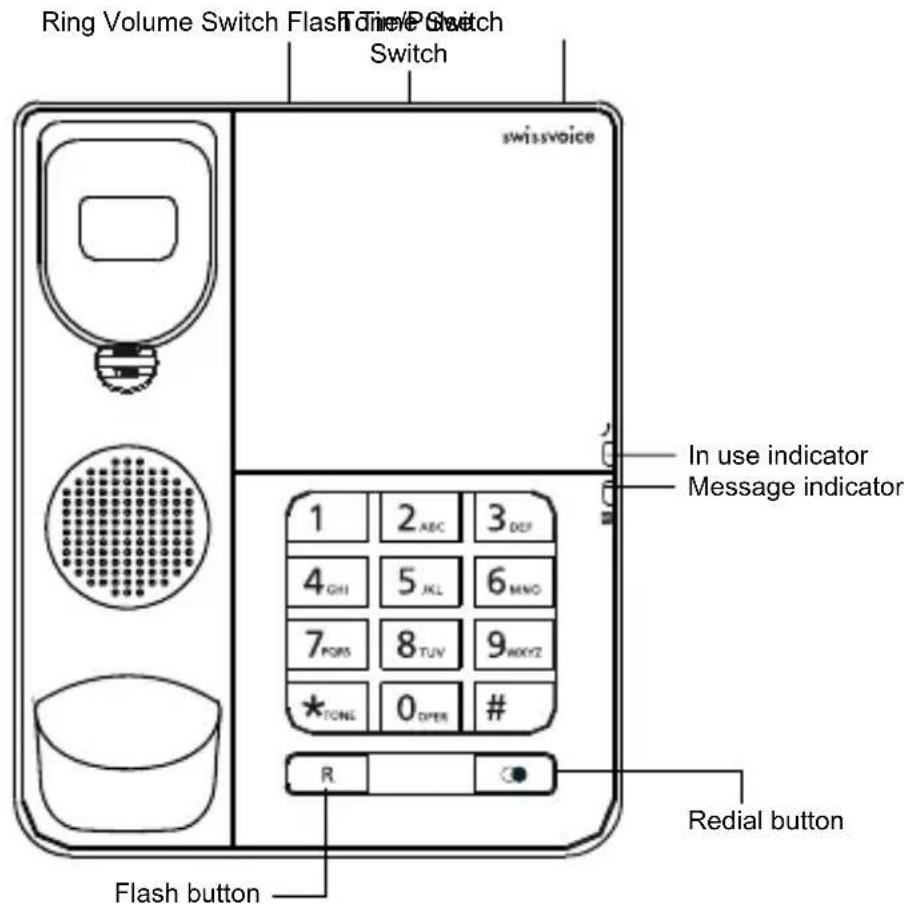
Keys 8
Telephone configuration 8
Phone operation 9
Safety instructions 10
Appendix 10
Parts checklist
-1base
-1 line cord
-1 handset
-1 handset cord
-1usermanual
Installation
Installing the phone
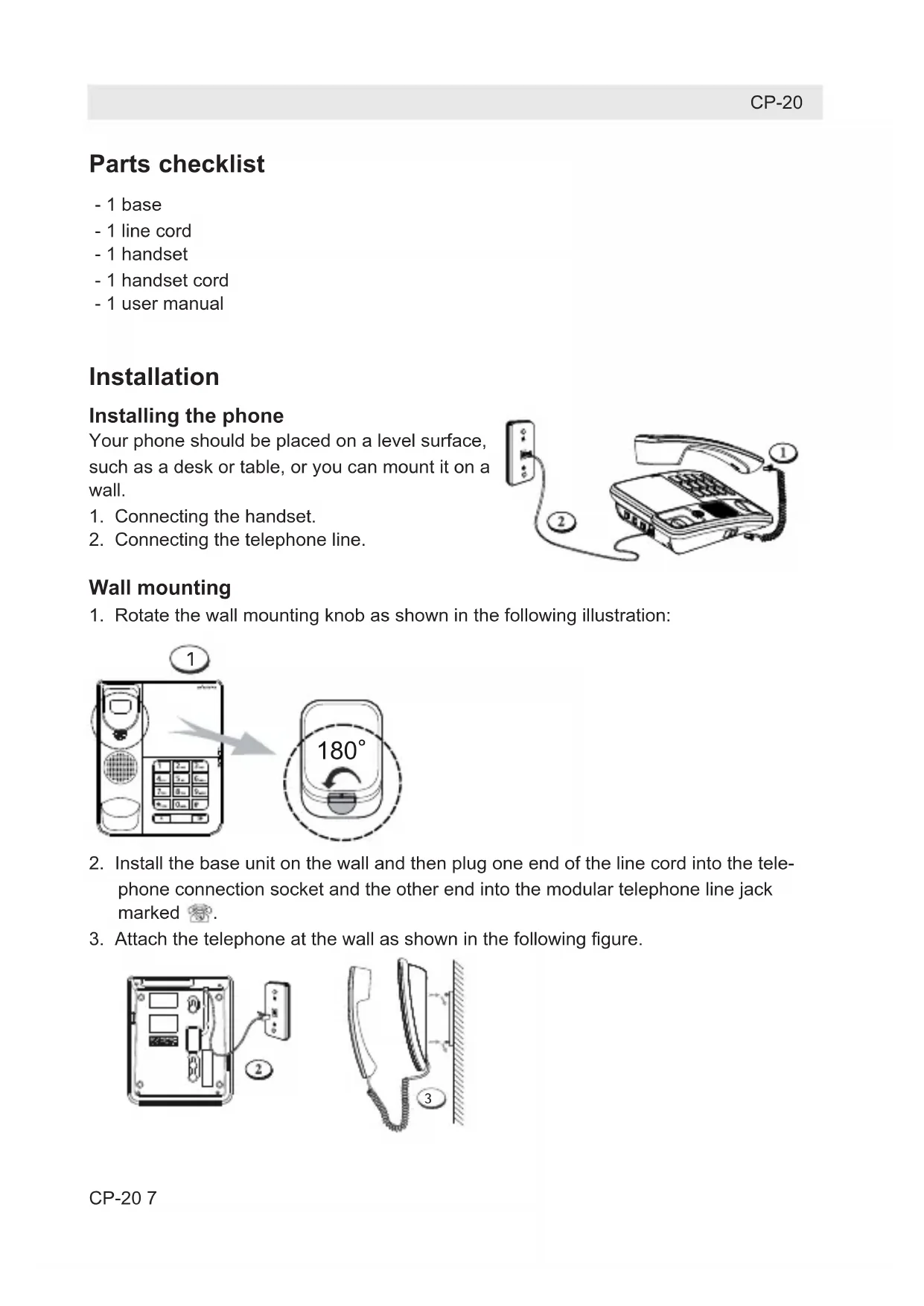
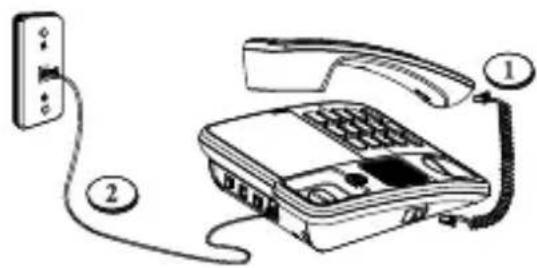
Your phone should be placed on a level surface, such as a desk or table, or you can mount it on a wall.
- Connecting the handset.
- Connecting the telephone line.
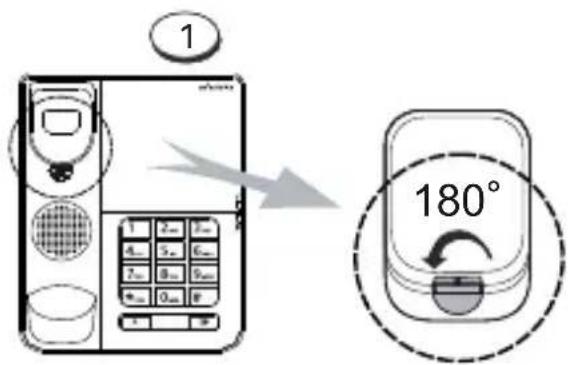
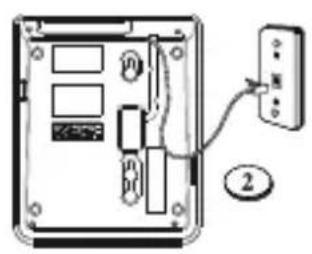
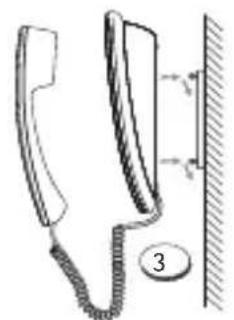
Wall mounting
- Rotate the wall mounting knob as shown in the following illustration:
- Install the base unit on the wall and then plug one end of the line cord into the telephone connection socket and the other end into the modular telephone line jack marked
- Attach the telephone at the wall as shown in the following figure.
Keys
Telephone configuration
Note : Immediately change the following factory settings.
Ringer volume level
The phone will ring when there is an incoming call. You can set the ringer volume to high, middle or low level. The ringer volume switch is indicated in the following illustration under A.
Pulse tone setting
You can select P (PULSE) or T(TONE) dialing mode according to the requirements from the local telephone operator. The T/P switch is indicated in the following illustration under B.
Flash time setting
You can use the Flash feature to access services provided by your telephone operator. The Flash time is dependent on the local telephone exchange. You can
change the setting using the switch indicated in the following illustration under C.
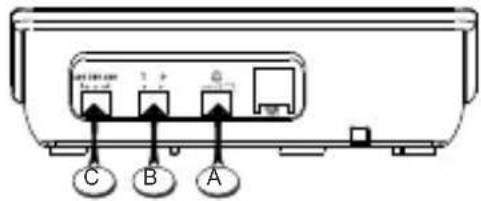
A - Ringer Volume Switch
B - Tone/Pulse Switch
C-Flash Time Switch
Phone operation Receiving a phone call
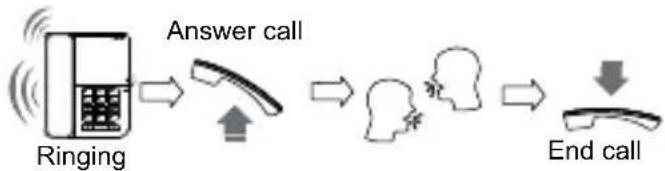
Making a phone call
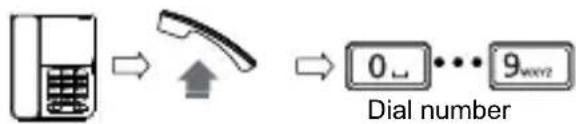
Redial
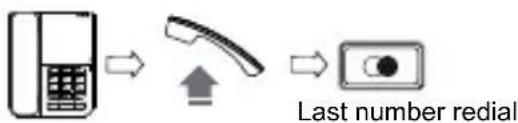
Access telephone operator services
During conversation, press button to interrupt momentarily the telephone conversation and to access your telephone operator's services.
Safety instructions
Please observe the following instructions:
- Place the phone at the appropriate distance:
from sources of heat,
from direct sunlight,
from other electrical appliances.
- Protect your phone from damp, dust, aggressive liquids and steam.
- Connect the cables only using the sockets provided.
- Connect only approved accessories.
- To clean the phone, use only a slightly damp cloth.
- Do not use your phone in damp rooms (for example, in the bath).
Appendix
Care
Your telephone is a sophisticated product in terms of design and construction, and should therefore be handled with care.
To clean the telephone, wipe first with an antistatic cloth or a damp, soft leather cloth and then dry using a dry cloth.
Recycling (environmental protection)

At the end of the product's life cycle, the telephone must not be disposed of in normal domestic waste. Please take it to a collection point for processing electrical and electronic equipment: see symbol on the product, in the user manual and/or packaging.
Some materials used in this product can be recycled if you take it to a recycling depot. By recycling parts or raw materials from used products you will be making an important contribution to environmental protection. Please contact your local authority if you require information about collection points in your neighbourhood.
Warranty conditions
Your telephone is subject to a guarantee from the date of purchase in accordance with the legal provisions of the country in which the telephone was purchased. As evidence of the date of purchase, please keep the receipt or the warranty card completed by the retailer. All defects attributable to material and manufacturing faults will be corrected free of charge within the warranty period, either by repairing or replacing the defective equipment.
The warranty does not cover expendable materials, defects which affect the value or use of the equipment only insignificantly, and damage caused by incorrect use, ordinary wear and tear, or manipulation by third parties.
This warranty does not cover consequential damage caused by the use, failure or defectiveness of the product. In particular, no liability whatsoever is accepted for damage to property and pecuniary loss.
To claim under this warranty, please contact the retailer where you purchased your telephone.
Approval and conformity
This corded analog telephone complies with the basic requirements contained in the R&TTE Directive 1999/5/EC on radio equipment and telecommunications terminal equipment and is suitable for connection and operation in the member state indicated on the base station and/or packaging.
The declaration of conformity may be viewed at: www.swissvoice.net.

The CE symbol confirms the conformity of the telephone with the above directive.
Bienvenue chez Swissvoice
Warranty Certificate
swissvoice
Warranty Certificate
Garantieschein, Bon de garantie, Certificato di garanzia, Garantiebewijs, Takuutodistus, Garantibevis, Garantisedel, Garantibevis, Certificado de Garantía, Talao de garantia
| device type: | (Geräteotyp, type d'appareil, tipo di apparecchio, toesteltype, laitetyppi, maskintype, apparattyp, apparattype, modelo del aparato, modelo do aparelho): |
| serial number: (Seriennummer, numero de série, numero di serie, serienummer, sarjanumero, serienummer, serienummer, serienummer, numero de series, numero de série): | |
| dealer's stamp: | (Händlerstempel, sceau du vendeur, timbro del rivenditore, stempel van de dealer, kauppiaan leima, forhandlerens stempel, fösäljarens stämpel, forhandlerstempel, sello del commerciante. carimbo do vendedor): |
| dealer's signature: | (Unterschrift des Händlers, signature du vendeur,irma del rivenditore, handtekening van de dealer, kauppiaan allekirjoitus, forhandlerens underskrift, fösäljarens underskrift, forhandlers underskrift,irma del commerciante, assinatura do vendedor): |
| date of purchase: | (Kaufdatum, date d'achat, data d'acquisto, datum van aankoop, OSTPÄiväys, kjøpsdato, datum für köpet, salgsdato, fecha de requisión, data de compra): |
Internet:
www.swissvoice.net
© Swissvoice SA 2010
20405695xx_ba_a0
SV 20405695