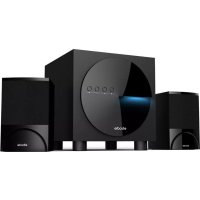
BTS21 - Loudspeaker EBODE - Free user manual and instructions
Find the device manual for free BTS21 EBODE in PDF.



| Product Type | 2.1 Wireless Audio System (subwoofer + 2 satellites) |
| Brand | ebode |
| Model | BTS21 |
| Category | Speaker |
| Output Power | Subwoofer: 15 W, Satellites: 2 x 10 W |
| Speakers | Subwoofer: 5 inches (12.7 cm), Satellite: 2.5 inches (6.35 cm) |
| Bluetooth Version | Bluetooth 2.1+EDR |
| Bluetooth Range | Up to 10 meters in open field |
| Bluetooth Memory | Up to 8 devices |
| Supported Bluetooth Profiles | A2DP, AVRCP |
| Connectivity | RCA audio input (3.5 mm to stereo RCA included) |
| Power Supply | Mains 230 V AC |
| Power Indicator | Blue LED |
| Box Contents | 1 subwoofer, 2 satellites, 1 RCA cable, 1 user manual |
| Controls | Volume, bass, ON/OFF switch, Bluetooth connection button |
| Compatibility | PC (Windows XP/Vista/7/8), Mac, smartphones, tablets with Bluetooth A2DP |
| Usage | Indoor only, avoid humidity and extreme temperatures |
| Safety | Disconnect during storms or prolonged non-use. Do not open the device. |
| Maintenance and Cleaning | Unplug before cleaning. Use a soft, dry cloth. |
| Spare Parts and Repairability | No user-serviceable parts. Contact a qualified technician. |
Frequently Asked Questions - BTS21 EBODE
User questions about BTS21 EBODE
0 question about this device. Answer the ones you know or ask your own.
Ask a new question about this device
Download the instructions for your Loudspeaker in PDF format for free! Find your manual BTS21 - EBODE and take your electronic device back in hand. On this page are published all the documents necessary for the use of your device. BTS21 by EBODE.
USER MANUAL BTS21 EBODE
Before using our product, please read this document carefully.
Contents
- CONFORMITY OF USE
- INTRODUCTION
- SPECIFICATIONS
- SET CONTENTS
5.PRODUCT OVERVIEW - PAIRING YOUR BLUETOOTH DEVICES
- CONTROL INSTRUCTIONS
- FREQUENTLY ASKED QUESTIONS
- SAFETY INSTRUCTIONS
- BLUETOOTH MEMORY
1. Conformity of Use
For carefree and safe use of this product, please read this manual and safety information carefully and follow the instructions. The unit is registered as a device that does not cause or suffer from radio-frequency interference. It is CE approved and it conforms with the Low Voltage Directory. The safety and installation instructions must be observed. Technical manipulation of the product, or any changes to the product, are forbidden, due to security and approval issues. Please take care to set up the device correctly - consult your user guide. Young children should use the device only under adult supervision. No guarantee or liability will be accepted for any damage caused due to incorrect use of the equipment supplied, other than indicated in this owner's manual.
SAFETYWARNINGS
- To prevent short circuits, this product (except if specified for outdoor usage) should only be used inside and only in dry spaces. Do not expose the components to rain or humidity.
- Only connect the power cord to the mains after checking whether the mains voltage is the same as the values on the rating labels. Never connect a power cord when it is damaged. In that case, contact your supplier. If there is any danger of a thunderstorm, it is a good precaution to unplug the power supply from the mains network in order to protect it from lightning. The same applies if the system is to be out of action for any length of time.
- Avoid strong mechanical tear and wear, extreme ambient temperatures, strong vibrations and atmospheric humidity.
- Do not disassemble any part of the product: the device contains live parts and no user-serviceable parts are inside. The product should only be repaired or serviced by qualified and authorized service personnel. Defected pieces must be replaced by original (spare) parts.
2. Introduction
The best music sound ever with the ebode BTS21! Stream your music from any Bluetooth device like Smartphone, tablet or laptop to the BTS21 and you are assured of great audio quality with this wireless 2.1 stereo set. The BTS21 speakers and subwoofer will give your music an extra dimension with powerful and clear sound. With the buttons on the BTS21 Sound Speaker Set you can adjust the settings the way you want. Whether you listen to your favorite rock song, classical music or trendy tunes, you will experience the ultimate listening experience. The BTS21 is extremely easy to install because it uses a Bluetooth connection, that also gives you a range up to 10 meters. Up to 8 users can be stored into the memory. From both the source and the BTS21 you can browse through your music and audio streaming from Spotify® and Youtube® is now also available. An RCA cable (included) connects the BTS21 Sound Speaker Set directly to sources link PC, CD player or MP4 devices.
3. Specifications
Output power: 15W + 10W x2
Driver Unit: 5 Inch Subwoofer 8Ω
2.5 Inch Satellite 4 Ω
Distortion: ≤0.5%@1W
Separation: ≥40dB(1KHz)
S/N: ≥70dB
Frequency: 80Hz-20KHz
Input voltage: 230V50Hz
Power Indicator Light: Blue lights
Range: Up to 10 metres open field
Support multiple pair: Up to 8 devices
4. Set Contents
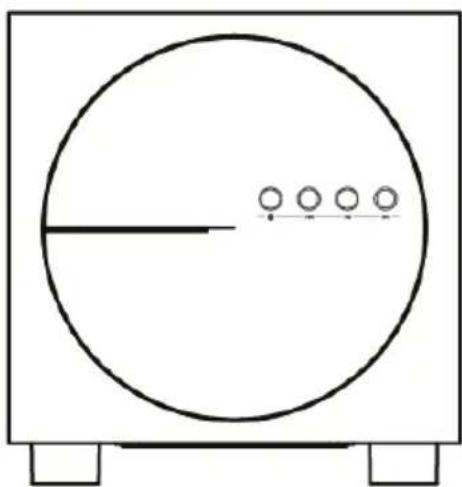
Subwoofer 1PCS

Manual 1PCS

RCA stereo cable 1PCS
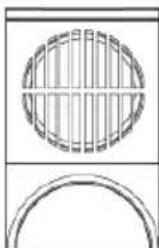
Satellite 2PCS
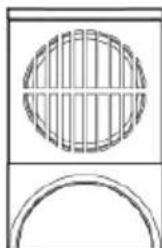
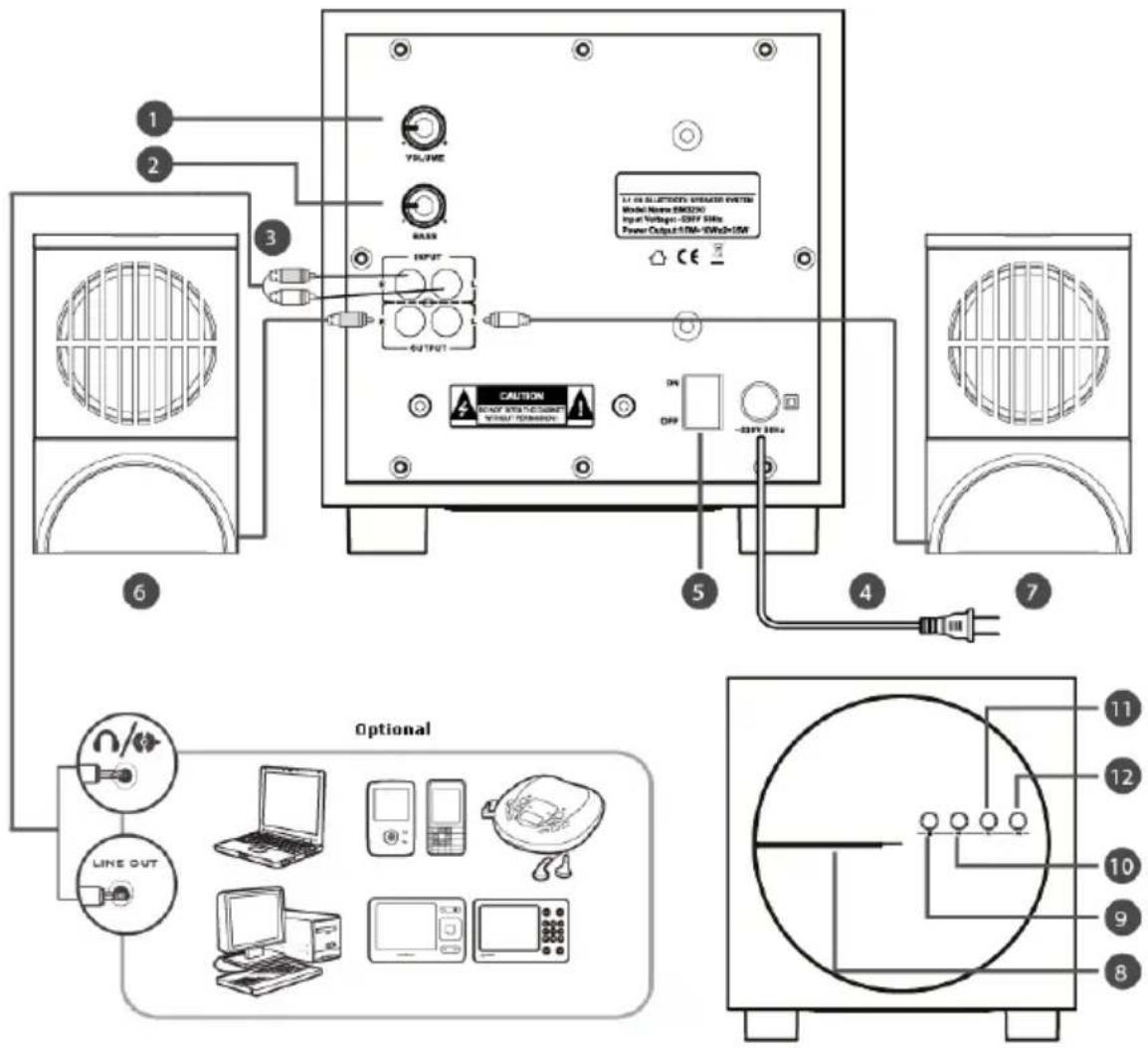
5. Product overview
Volume
Bass
3 RCA stereo cable 4 To Wall Outlet
5 ON/OFF Switch
Right speaker
7 Left speaker
8 LED status indicator
9 Bluetooth Connect button
| LED Status | Speaker Status |
| Lit steady | Idle(Powered ON, not connected to Bluetooth device) |
| LED rapid blinking | Pairing mode |
| LED blinks every 2 second | Connected to Bluetooth device |
10 Previous
11 Pause/Play
12 Next song
6. Pairing your Bluetooth devices
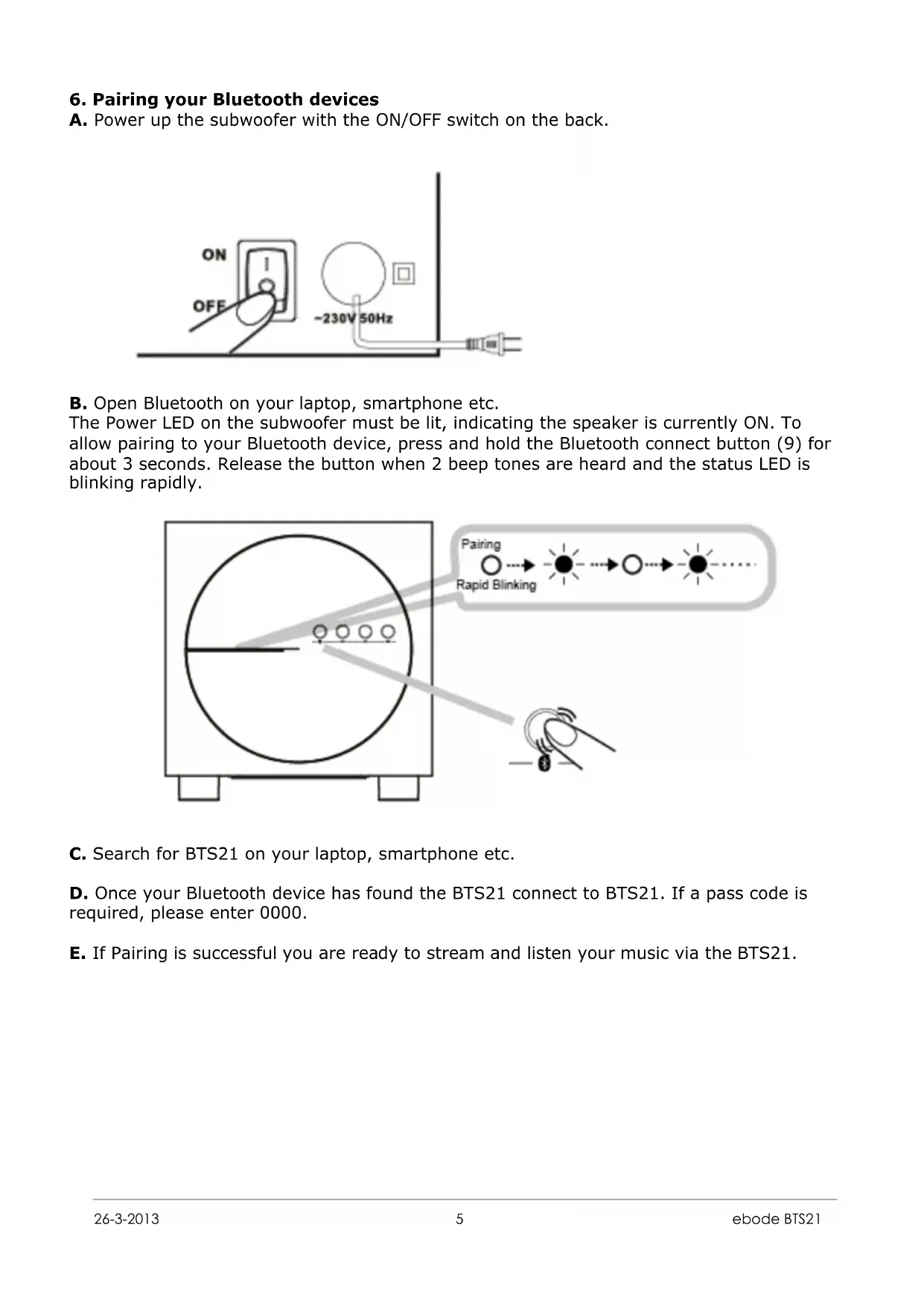
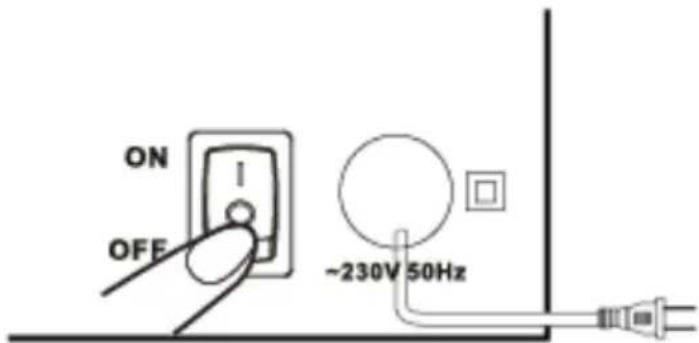
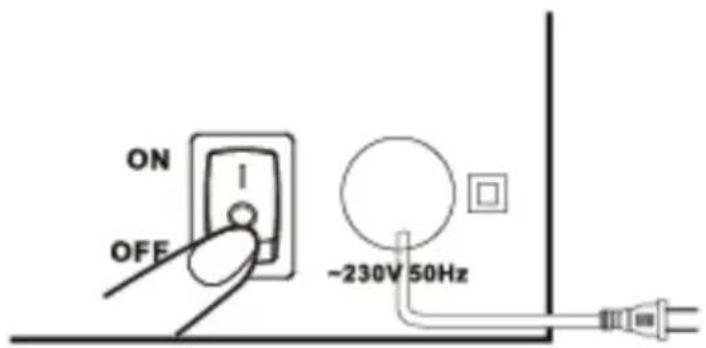
A. Power up the subwoofer with the ON/OFF switch on the back.
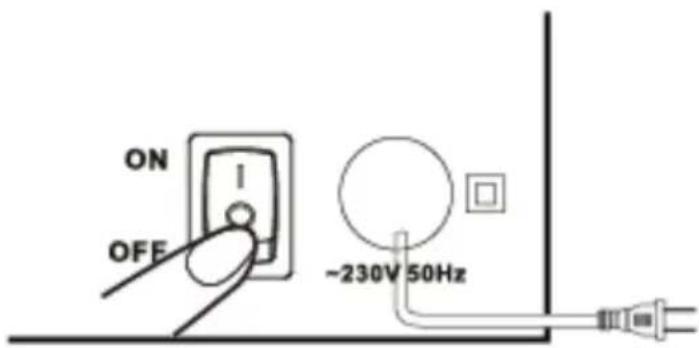
B. Open Bluetooth on your laptop, smartphone etc.
The Power LED on the subwoofer must be lit, indicating the speaker is currently ON. To allow pairing to your Bluetooth device, press and hold the Bluetooth connect button (9) for about 3 seconds. Release the button when 2 beep tones are heard and the status LED is blinking rapidly.
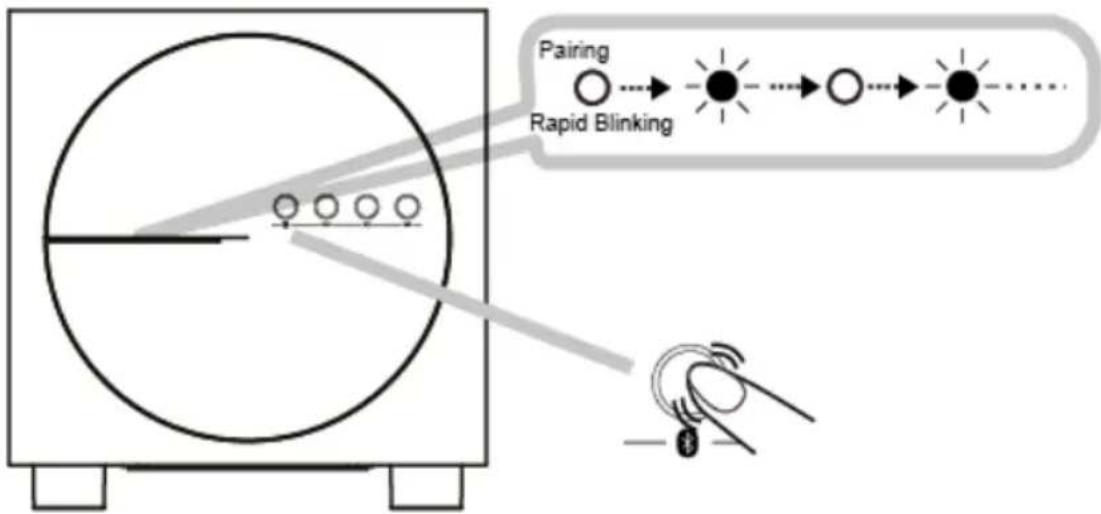
C. Search for BTS21 on your laptop, smartphone etc.
D. Once your Bluetooth device has found the BTS21 connect to BTS21. If a pass code is required, please enter 0000.
E. If Pairing is successful you are ready to stream and listen your music via the BTS21.
7. Control instructions
A. Volume: Move the volume wheel on the backside of the subwoofer up or down to increase or decrease the volume. You may also adjust your source (laptop, smartphone etc.) device volume to increase or decrease the volume of the BTS21. Play, Pause, Previous Track and Next Track can be done on both the subwoofer and your connected device.
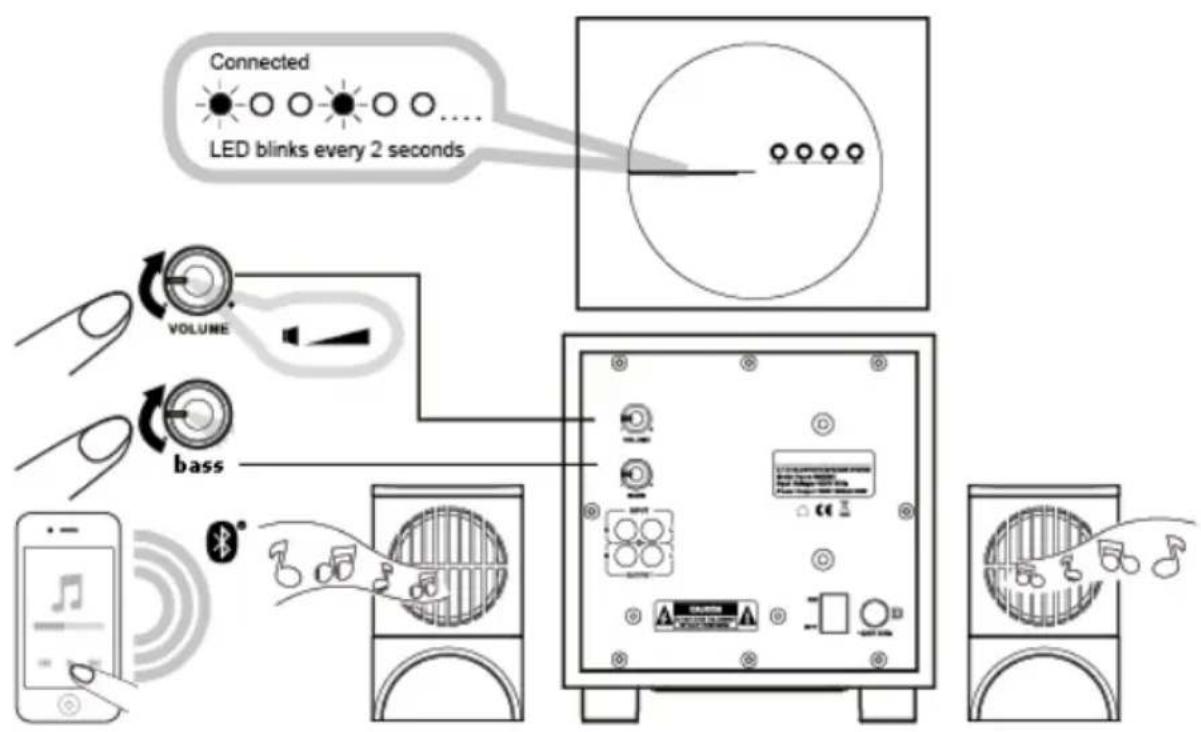
B. Reconnecting (with Bluetooth) to the BTS21:
You can and have to reconnect your paired Bluetooth device to your speaker manually when the connection is lost. Please enable Bluetooth (if not active) on your laptop, smartphone etc. and select 'BTS21' on your Bluetooth device to reconnect. There is no need to press the Bluetooth connect button (9) on the subwoofer if the BTS21 is already in your Bluetooth devices (laptop, smartphone etc.) memory.
C. Hardwire connection to the BTS21:
The BTS21 also has the possibility to hardwire an audio source such as CD, DVD, Blu-ray player, iPod, MP4, MP4, desktop computer, laptop etc. Use the included 3.5mm jack to RCA stereo cable to connect your device to the audio input (3) on the back of the subwoofer. The BTS21 can handle both a connected Bluetooth device as well as a hardwired device at the same time.
8. Frequently Asked Questions
Perform the following trouble-shooting steps before sending the BTS21 back for servicing.
Unit cannot be powered on. What should I do?
- Make sure that the AC cord is firmly connected to the unit and that the power outlet is turned on.
- Ensure that the Power ON / OFF Switch is in the ON position. When the speaker is powered ON, the LED Status Indicator will be lighted up.
There's no Bluetooth connection between my device and the BTS21. What should I do?
- Ensure that your Bluetooth enabled device supports the A2DP profile. Refer to its user's manual on how to enable (turn on) the Bluetooth functions and capabilities.
- Delete the BTS21 name entry from your Bluetooth device paired memory list and perform the steps in Section 4. (Pairing your Bluetooth devices) to re-connect your device with the BTS21.
- Ensure that both your Bluetooth device and the BTS21 are not connected to any other Bluetooth device.
- On some Bluetooth devices, you may need to select the BTS21 as your default output device after pairing is complete**.
A Bluetooth link is established and paired between the devices but there's no music. What should I do?
- Please check if the volume button on the back of the subwoofer is not turned down to 0 volume output.
- Please check your Bluetooth devices volume is not turned down to 0 volume output.
- Please check if your Bluetooth device is playing any music.
**With some built-in Bluetooth enabled computers, 3rd party USB Bluetooth dongles, smartphones or other devices, you may need to manually specify / set-up the audio output as the BTS21 (e.g., under sound and audio devices section on your computer's settings) Please consult your manufacturer's documentation for further information.
9. Safety Instructions
A. Please read the following before using the product:
To be completely disconnected from the power input, the mains plug has to be disconnected / detached from the mains.
Disconnect the mains plug when the device is expected to be unused for several days.
B. Additional guidelines for Bluetooth devices
The short wave radio frequency signals of a Bluetooth device may impair the operation of other electronic and medical devices.
Switch off the device where it is prohibited. Do not use the device in medical facilities, aircraft, refuelling points, close to automatic doors, automatic fire alarms or other automatically controlled devices.
Keep this device at least 20~cm from pacemakers and other medical devices. Radio waves may impair the operation of pacemakers and other medical devices.
C. Technical Specifications
Bluetooth Version: Bluetooth 2.1+EDR (Enhanced Data Rate)
Operation Frequency: 2402-2480 MHz
Supported Bluetooth Profiles: A2DP, AVRCP
Supported Codec: SBC
Operating Range: Up to 10 meters, measured in open space*
*Walls, steel, electrical wiring, WiFi, high power output devices and structures may affect range of device.
**Refer to your Bluetooth device (notebook, PC, or mobile device) manufacturer's documentation / website for supported profiles.
1 Compatible with PC (Windows XP / Vista / 7 / 8). Apple Macintoshes equipped with Bluetooth wireless stereo.
2 Compatible with most major brands of Bluetooth A2DP enabled mobile phones.
D. Compatibility Disclaimer
Wireless performance is dependent on your device's Bluetooth wireless technology. Refer to your device manufacturer's manual. Manufacturers will not be liable for any lost of data or leakages resulting from the use of these devices.
10. Bluetooth Memory
Connected Bluetooth devices would be able to re-connect to the BTS21 when the BTS21 is powered ON and not connected to any device.
Note: The BTS21 is able to remember up to 8 paired devices in its memory bank, eliminating the need to re-pair again should any of these devices connect to the BTS21. Should a 9th device be paired to the BTS21, the 1st device will be erased from the BTS21 memory banks. At any one time a maximum memory of 8 devices are being retained.
A. Toggle between last two connected Bluetooth devices
you can toggle between devices to enjoy your favourite music from another paired Bluetooth device by following these steps to establish connection: Press the Bluetooth connect button (9) once, the LED indicator goes off and blinks at every 2 second interval and the next device is ready to stream music.
Note: Ensure your next paired device's Bluetooth feature is on and ready to accept connections.
B. Return to default setting
you can return the BTS21 to default settings and erase its memory of paired devices by following these steps.
Press and hold the Bluetooth button for 8 seconds while the speaker is ON, after a long beep tone is heard LED Status Indicator blinks rapidly and the memory cleared. The BTS21 is back in "pairing mode" and ready to accept new connection from Bluetooth devices.
INHALT
| LED Status | Speaker Status |
| Lit steady | Idle(Powered ON, not connected to Bluetooth device) |
| LED rapid blinking | Pairing mode |
| LED blinks every 2 second | Connected to Bluetooth device |
10 Previous
11 Pause/Play
12 Next song
Bluetooth Version: Bluetooth 2.1 + EDR (Enhanced Data Rate)
VEILIGHEIDSWAARSCHUWINGEN
| LED Status | Speaker Status |
| Lit steady | Idle(Powered ON, not connected to Bluetooth device) |
| LED rapid blinking | Pairing mode |
| LED blinks every 2 second | Connected to Bluetooth device |
10 Previous
Pause/Play
12 Next song
6. Uw Bluetooth apparatus koppelen
| LED Status | Speaker Status |
| Lit steady | Idle(Powered ON, not connected to Bluetooth device) |
| LED rapid blinking | Pairing mode |
| LED blinks every 2 second | Connected to Bluetooth device |
10 Previous
Pause/Play
12 Next song
6. Sammankoppla dina Bluetooth enheter
A. Starta subwoofern med ON/OFF knappen pa baksidan.
Distortion: ≤0.5%@1W
Séparation: ≥40dB(1KHz)
S/N: ≥70dB
Frequence: 80Hz-20KHz
Alimentation d'entree: 230V50Hz
| LED Status | Speaker Status |
| Lit steady | Idle(Powered ON, not connected to Bluetooth device) |
| LED rapid blinking | Pairing mode |
| LED blinks every 2 second | Connected to Bluetooth device |
10 Previous
Pause/Play
12 Next song
| LED Status | Speaker Status |
| Lit steady | Idle(Powered ON, not connected to Bluetooth device) |
| LED rapid blinking | Pairing mode |
| LED blinks every 2 second | Connected to Bluetooth device |
10 Previous
Pause/Play
12 Next song
Distortion: ≤0.5%@1W
| LED Status | Speaker Status |
| Lit steady | Idle(Powered ON, not connected to Bluetooth device) |
| LED rapid blinking | Pairing mode |
| LED blinks every 2 second | Connected to Bluetooth device |
10 Previous
Pause/Play
12 Next song
6. Emparelhamento com dispositivos Bluetooth
A. Ligue o interruptor ON/OFF que se encontra na parte deTRS do subwoofer.
B. Re-coneço (Bluetooth) com o BTS21:
Distorsione: ≤ 0.5% @ 1W
| LED Status | Speaker Status |
| Lit steady | Idle(Powered ON, not connected to Bluetooth device) |
| LED rapid blinking | Pairing mode |
| LED blinks every 2 second | Connected to Bluetooth device |
10 Previous
Pause/Play
12 Next song
DECLARATION OF CONFORMITY
Hereby, ebode electronics, declares that this ebode BTS21 is in compliance with the essential requirements and other relevant provisions of the following Directives:
Directive 2004/108/EC of the European Parliament and of the Council of 15 December 2004 on the approximation of the laws of the Member States relating to electromagnetic compatibility
Directive 2006/95/EC of the European Parliament and of the Council of 12 December 2006 on the harmonization of the laws of Member States relating to electrical equipment designed for use within certain voltage limits
Directive 2002/95/EC of the European Parliament and of the Council of 27 January 2003 on the restriction of the use of certain hazardous substances in electrical and electronic equipment
Directive 2005/32/EC of the European Parliament and of the Council of 6 July 2005 establishing a framework for the setting of eco design requirements for energy-using
Technical data and copies of the original Declaration of Conformity are available and can be obtained from ebode electronics: PB 25, NL-4264ZG, the Netherlands.
CE
User Information for Consumer Products Covered by EU Directive 2002/96/EC on Waste Electric and Electronic Equipment (WEEE)
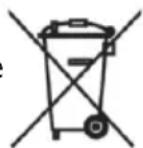
This document contains important information for users with regards to the proper disposal and recycling of ebode products. Consumers are required to comply with this notice for all electronic products bearing the following symbol:
Environmental Information for Customers in the European Union
European Directive 2002/96/EC requires that the equipment bearing this symbol on the product and/or its packaging must not be disposed of with unsorted municipal waste. The symbol indicates that this product should be disposed of separately from regular household waste streams.
It is your responsibility to dispose of this and other electric and electronic equipment via designated collection facilities appointed by the government or local authorities. Correct disposal and recycling will help prevent potential negative consequences to the environment and human health.
For more detailed information about the disposal of your old equipment, please contact your local authorities, waste disposal service, or the shop where you purchased the product.
DECLARATION OF CONFORMITY TO R&TTE DIRECTIVE 1999/5/EC for the European Community, Switzerland, Norway, Iceland and Liechtenstein
Product category: general consumer (category 3).
English: This equipment is in compliance with the essential requirements and other relevant provisions of the European R&TTE Directive 1999/5/EC
Also available from ebode: Bluetooth Speaker and Bluetooth receiver
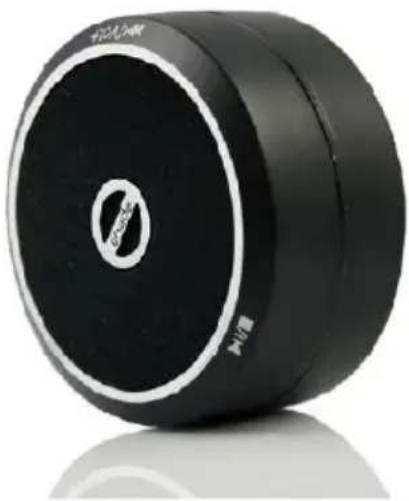
Bluetooth Speaker BTS30
Use the BT Sound to share the music on your smartphone, tablet or laptop wirelessly with your friends. As the BT Sound is small in size you can enjoy your favourite songs any place, any time, any where! Ideal for parties, festivals or while travelling.
Bluetooth Receiver BTR30
Transmit the music from you smartphone, tablet or laptop wireless to your BT Sound Receiver. You easily hook this up to your amplifier, stereo set or your car audio system. Enjoy your favourite songs with all your friends at home, and on the go!

ebode is focusing on wireless audio and video products, that are affordable, innovative and plug & play. The products provide you with comfort in your home, help you to avoid wires, and make sure you can stream your personal audio and video to where ever you want to look or listen to it. For more ebode products and information, please visit www.ebodeelectronics.eu.
Also available from ebode: Bluetooth Speaker and Bluetooth receiver

WideEye IP Camera IPV38WE
The indoor camera comes with a standard 6.0mm lens or you can choose the 3.6mm WIDEye lens. They are both pan and tilt and can be set as a motion detector which records videos, photos and sound. They have a build-in microphone and speaker.
Dome IP Camera IPV68
The dome camera is a waterproof camera for both outdoor and indoor use. The camera can Pant, Tilt, has 3x Optical Zoom and 640 x 480 pixels (300k) MPEG4 resolution. It has a metal housing, an easy user interface and is fully plug and play.

ebode is focusing on wireless audio and video products, that are affordable, innovative and plug & play. The products provide you with comfort in your home, help you to avoid wires, and make sure you can stream your personal audio and video to where ever you want to look or listen to it. For more ebode products and information, please visit www.ebodeelectronics.eu.
Also available from ebode: Bluetooth Speaker and Bluetooth receiver
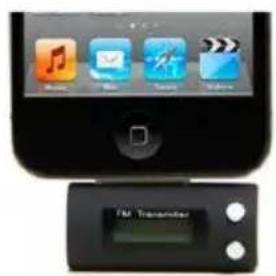

Free Frequency FM Transmitter
Plug the FM Sound in your Smartphone and send the music wireless to your (car)radio. Works with any free frequency. Available for iPod, iPhone, iPad, Android, and any other device with a 3.5mm plug.
Infrared Accessories
The ebode line offers accessories for infrared control, such as single, dual or triple infrared emitters, either in a blinking or non-blinking version. Our optiotal emitter shields prevent unwanted, external IR signals from passing through.

ebode is focusing on wireless audio and video products, that are affordable, innovative and plug & play. The products provide you with comfort in your home, help you to avoid wires, and make sure you can stream your personal audio and video to where ever you want to look or listen to it. For more ebode products and information, please visit www.ebodeelectronics.eu.
NOTES
ebode
www.ebodeelectronics.eu


- Contents
- Conformity of Use
- SAFETYWARNINGS
- Introduction
- Specifications
- Set Contents
- Pairing your Bluetooth devices
- Open Bluetooth on your laptop, smartphone etc.
- Control instructions
- Reconnecting (with Bluetooth) to the BTS21:
- Hardwire connection to the BTS21:
- Frequently Asked Questions
- Safety Instructions
- Technical Specifications
- Compatibility Disclaimer
- Bluetooth Memory
- Toggle between last two connected Bluetooth devices
- Return to default setting
- INHALT
- VEILIGHEIDSWAARSCHUWINGEN
- Uw Bluetooth apparatus koppelen
- Sammankoppla dina Bluetooth enheter
- Emparelhamento com dispositivos Bluetooth
- Re-coneço (Bluetooth) com o BTS21:
- DECLARATION OF CONFORMITY
- CE
- User Information for Consumer Products Covered by EU Directive 2002/96/EC on Waste Electric and Electronic Equipment (WEEE)
- Environmental Information for Customers in the European Union
- DECLARATION OF CONFORMITY TO R&TTE DIRECTIVE 1999/5/EC for the European Community, Switzerland, Norway, Iceland and Liechtenstein
- Also available from ebode: Bluetooth Speaker and Bluetooth receiver
- Bluetooth Speaker BTS30
- Bluetooth Receiver BTR30
- WideEye IP Camera IPV38WE
- Dome IP Camera IPV68
- Free Frequency FM Transmitter
- Infrared Accessories
- ebode
Brand : EBODE
Model : BTS21
Category : Loudspeaker