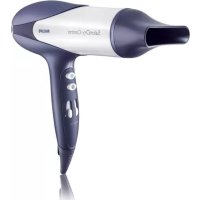
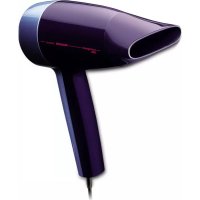
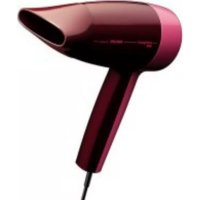
SalonDry Control HP4981 - Hair dryer PHILIPS - Free user manual and instructions
Find the device manual for free SalonDry Control HP4981 PHILIPS in PDF.

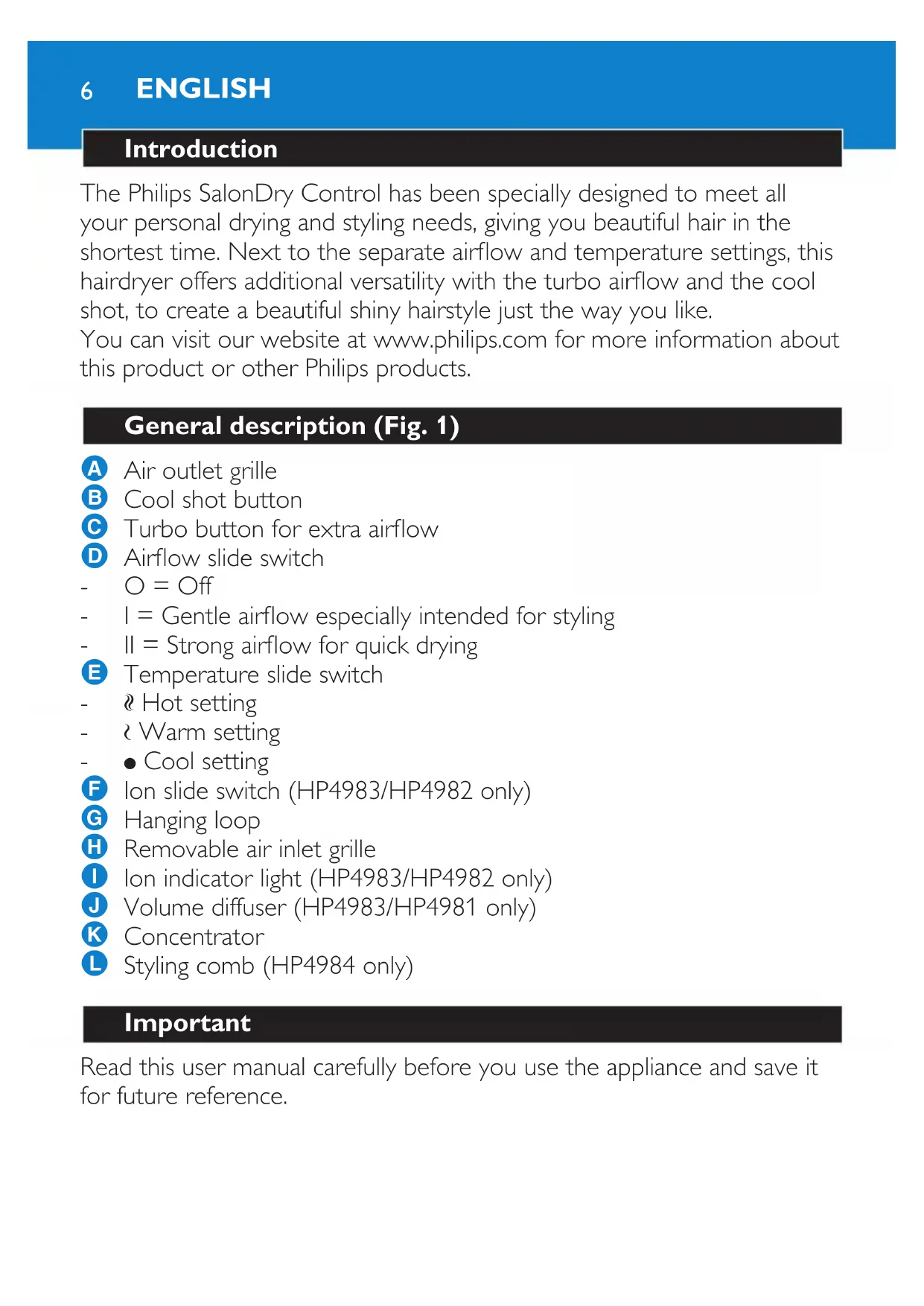


| Product type | Hair dryer |
| Brand | Philips |
| Model | SalonDry Control HP4981 |
| Power | 2200 W (estimation) |
| Voltage | 220-240 V |
| Frequency | 50-60 Hz |
| Speed settings | 2 speeds (I: gentle, II: powerful) |
| Temperature settings | 3 positions: cool, warm, hot |
| Cool shot function | Yes, dedicated button |
| Turbo function | Yes, button for more powerful airflow |
| Ionic system | No (only on HP4982/HP4983) |
| Included accessories | Concentrator, volume diffuser |
| Hanging loop | Yes |
| Removable air inlet grille | Yes, for cleaning |
| Overheat protection | Automatic shut-off in case of overheating |
| Cord length | 1.8 m (estimation) |
| Dimensions (W x D x H) | 20 x 8 x 25 cm (estimation) |
| Weight | 0.55 kg (estimation) |
| Maintenance | Clean the air inlet grille regularly; do not immerse |
| Warranty | 2 years (standard Philips) |
Frequently Asked Questions - SalonDry Control HP4981 PHILIPS
User questions about SalonDry Control HP4981 PHILIPS
0 question about this device. Answer the ones you know or ask your own.
Ask a new question about this device
Download the instructions for your Hair dryer in PDF format for free! Find your manual SalonDry Control HP4981 - PHILIPS and take your electronic device back in hand. On this page are published all the documents necessary for the use of your device. SalonDry Control HP4981 by PHILIPS.
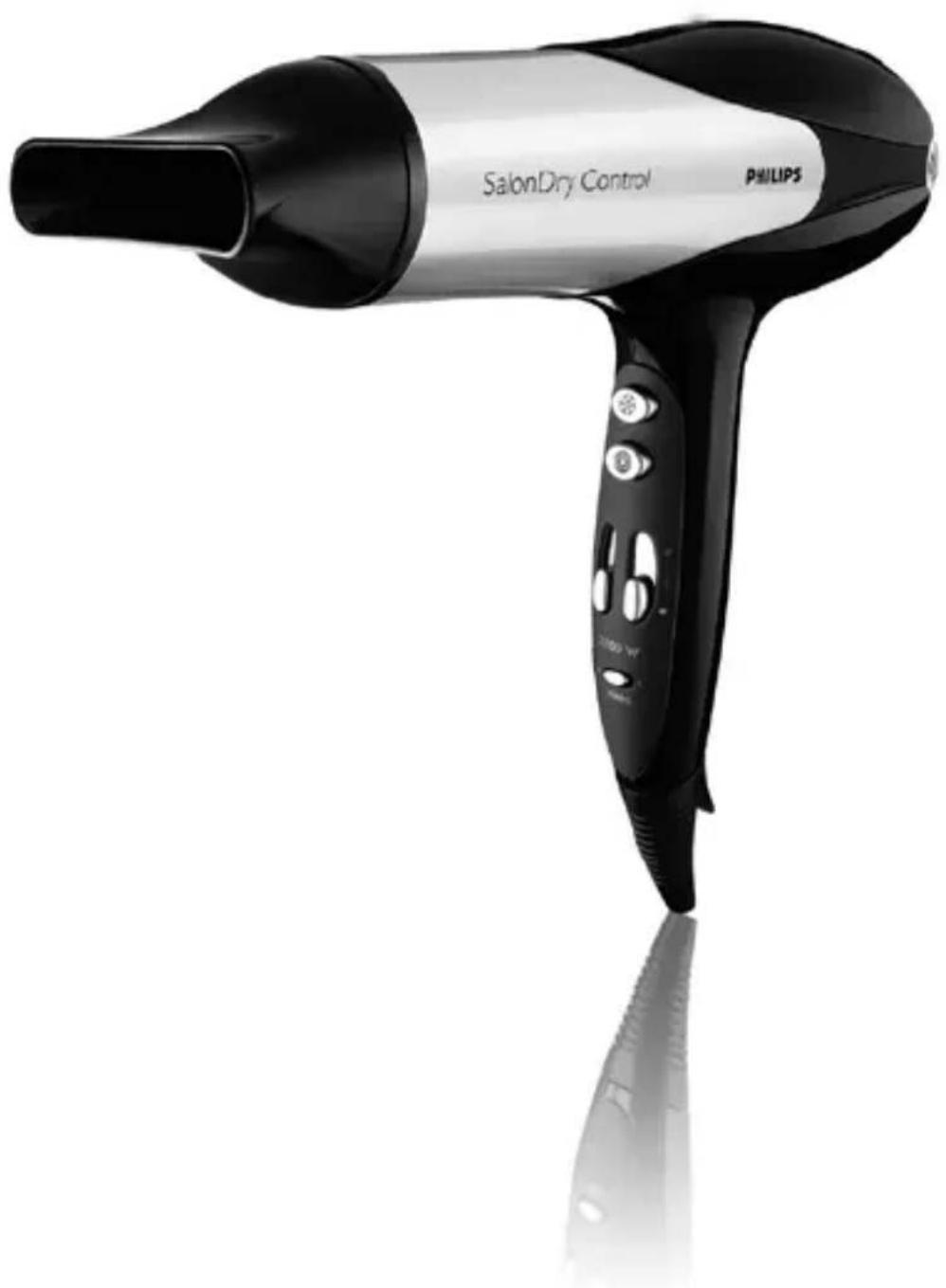
USER MANUAL SalonDry Control HP4981 PHILIPS
HP4984, HP4983, HP4982, HP4981, HP4980
1
ENGLISH 6
FRANÇAIS 13
PORTUGUES DO BRASIL 20
SΔAOB = 12 dot OB dot AB = 12 × 102
38
Introduction
The Philips SalonDry Control has been specially designed to meet all your personal drying and styling needs, giving you beautiful hair in the shortest time. Next to the separate airflow and temperature settings, this hairdryer offers additional versatility with the turbo airflow and the cool shot, to create a beautiful shiny hairstyle just the way you like.
You can visit our website at www.philips.com for more information about this product or other Philips products.
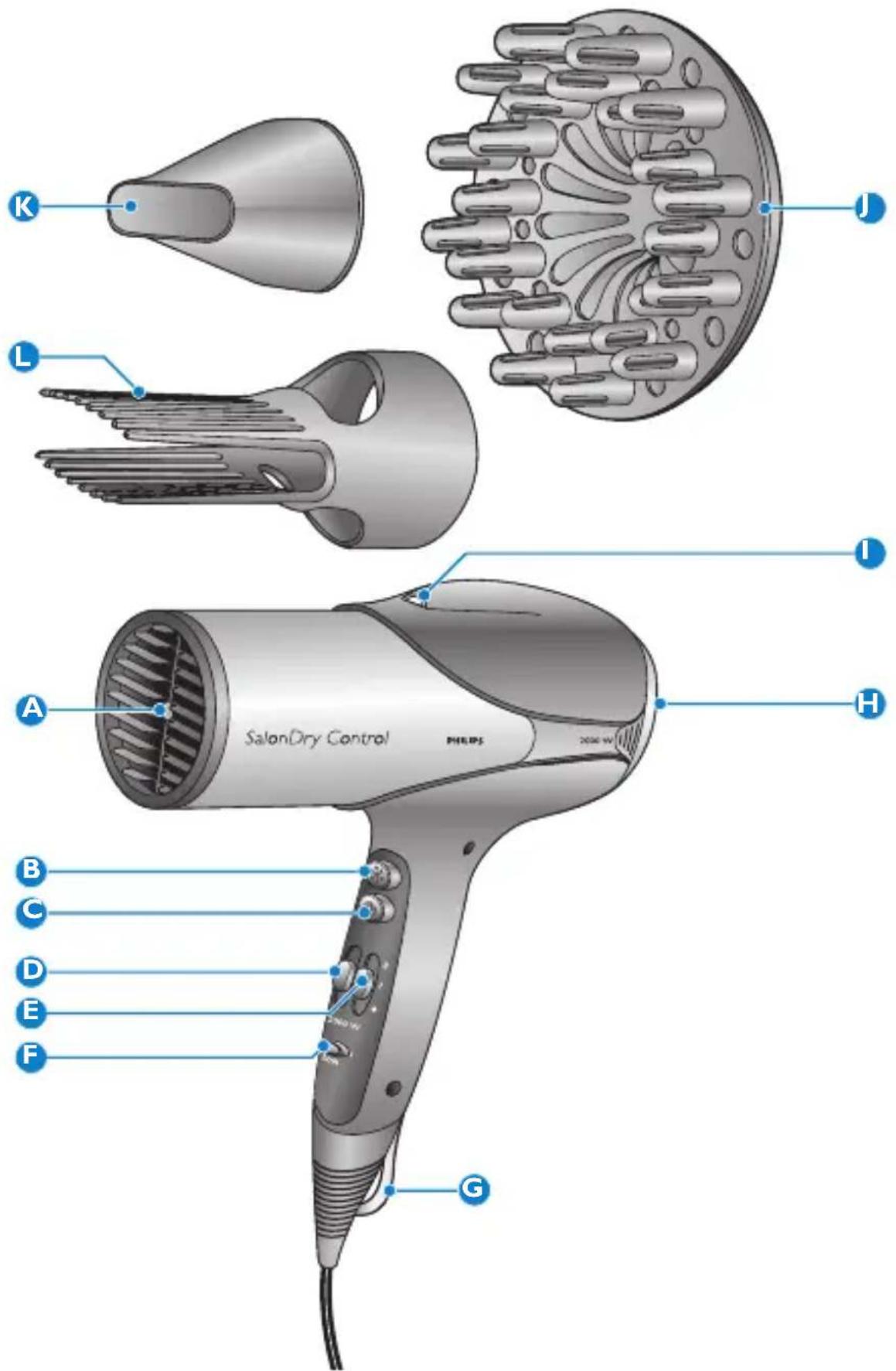
General description (Fig. 1)
Air outlet grille
Cool shot button
Turbo button for extra airflow
Airflow slide switch
- O = O ff
- I = Gentle airflow especially intended for styling
- II = Strong airflow for quick drying
E Temperature slide switch
Hot setting
- Warm setting
Cool setting
F Ion slide switch (HP4983/HP4982 only)
G Hanging loop
H Removable air inlet grille
Ion indicator light (HP4983/HP4982 only)
J Volume diffuser (HP4983/HP4981 only)
K Concentrator
L Styling comb (HP4984 only)
Important
Read this user manual carefully before you use the appliance and save it for future reference.
Danger
- Keep the appliance away from water. Do not use it near or over water contained in baths, washbasins, sinks etc. When you use the appliance in a bathroom, unplug it after use. The proximity of water presents a risk, even when the appliance is switched off.
- Do not insert metal objects into the air grilles to avoid electric shock.
- Never use any accessories or parts from other manufacturers or that are not specifically advised by Philips. If you use such accessories or parts, your guarantee becomes invalid.
Warning
- Check if the voltage indicated on the appliance corresponds to the local mains voltage before you connect the appliance.
- Check the condition of the mains cord regularly. Do not use the appliance if the plug, the cord or the appliance itself is damaged.
- If the mains cord is damaged, you must have it replaced by Philips, a service centre authorised by Philips or similarly qualified persons in order to avoid a hazard.
- This appliance is not intended for use by persons (including children) with reduced physical, sensory or mental capabilities, or lack of experience and knowledge, unless they have been given supervision or instruction concerning use of the appliance by a person responsible for their safety.
- Children should be supervised to ensure that they do not play with the appliance.
Caution
- For additional protection, we advise you to install a residual current device (RCD) in the electrical circuit that supplies the bathroom. This RCD must have a rated residual operating current not higher than 30mA . Ask your installer for advice.
- Never block the air grilles.
- If the appliance overheats, it switches off automatically. Unplug the appliance and let it cool down for a few minutes. Before you switch the appliance back on, check the grilles to make sure they are not blocked by fluff, hair, etc.
ENGLISH8
- Always switch off the appliance before you put it down, even if it is only for a moment.
Always unplug the appliance after use. - Do not wind the mains cord round the appliance.
- You may notice a characteristic odour when you use this hairdryer. This odour is caused by the ions that are generated and is not harmful to the human body (HP4982/87,HP4982/07 only).
- Do not probe the ion generator with metal objects (HP4982/87,HP4982/07 only).
- Do not use the appliance on artificial hair.
- Never use any accessories or parts from other manufacturers or that are not specifically advised by Philips. If you use such accessories or parts, your guarantee becomes invalid.
Electromagnetic fields (EMF)
This Philips appliance complies with all standards regarding electromagnetic fields (EMF). If handled properly and according to the instructions in this user manual, the appliance is safe to use based on scientific evidence available today.
Using the appliance
Drying
1 Put the plug in the wall socket.
2 Select the desired airflow setting to switch on the appliance.
- Set the slide switch to airflow setting II for ultra-quick drying.
- Set the slide switch to airflow setting I for drying short hair or styling your hair.
Tip: You can also use the turbo button for an extra powerful airflow.
3 Set the temperature slide switch to the cool, warm or hot setting.
- The hot setting allows you to dry shower-wet hair very quickly and safely until it is damp.
-
The warm setting is especially suitable for drying damp hair until it is almost dry.
-
The cool setting allows you to gently dry hair that is almost dry and helps to seal in shine.
Tip: Press the cool shot button and direct the cool airflow at your hair to fix your style and to add shine.
4 HP4983/HP4982 only: switch the ion function on or off with the ion slide switch.
The ion indicator light goes on to indicate that the ion function has been activated.
The ion function provides additional shine and reduces frizz and static electricity. It is particularly suitable for dry and almost-dry hair.
5 Dry your hair by making brushing movements with the hairdryer at a small distance from your hair (Fig. 2).
Concentrator
With the concentrator, you can direct the airflow straight at the brush or comb with which you are styling your hair.
1 Snap the concentrator onto the appliance (Fig. 3).
To disconnect the concentrator, pull it off the appliance.
Volume diffuser (HP4983/HP4981 only)
The volume diffuser has been specially developed to gently dry both straight and curly or wavy hair.
- The volume diffuser emits a gentle airflow and allows you to give your style volume and bounce (Fig. 4).
1 To connect the volume diffuser, snap it onto the appliance and align the arrows on the diffuser with those on the appliance. (Fig. 5)
To disconnect the volume diffuser, pull it off the appliance.
2 To add volume at the roots, insert the pins into your hair in such a way that they touch your scalp (Fig. 6).
3 Make rotating movements with the appliance to distribute the warm air evenly through your hair (Fig. 7).
ENGLISH10
Curly or wavy hair
1 When you are styling curly or wavy hair, hold the diffuser at a distance of 10-15cm from your head to let the hair dry gradually (Fig. 8).
In the meantime, you can style your hair with your free hand or with a comb.
- You can also scrunch locks of hair in your hand to model the curls and waves while drying. This prevents the curls from sagging or becoming frizzy.
Long hair
1 To dry long hair, you can spread out locks of hair on top of the diffuser (Fig. 9).
2 Alternatively, you can comb the hair downwards with the pins of the diffuser while drying (Fig. 10).
Styling comb (HP4984 only)
The styling comb has been specially designed to lift, straighten and smooth curly Afro hair while drying.
1 Snap the styling comb onto the appliance (Fig. 11).
To disconnect the styling comb, pull it off the appliance.
Cleaning
Always unplug the appliance before you clean it.
Do not immerse the appliance in water or any other liquid, nor rinse it under the tap.
1 Remove the concentrator from the appliance before you clean it.
2 Clean the appliance with a dry cloth.
3 Take the air inlet grille off the appliance to remove hairs and dust. (Fig. 12)
- To remove the air inlet grille, press the thumbrests on the left and the right side of the air inlet grille simultaneously and pull the air inlet grille off the appliance.
- To reattach the air inlet grille, press the thighbrests on the left and the right side of the air inlet grille simultaneously and press the inlet grille onto the appliance.
4 Clean the concentrator with a moist cloth or rinse it under the tap.
5 Make sure the concentrator is dry before you use or store it.
Storage
Always unplug the appliance after use.
Do not wind the mains cord round the appliance.
1 Put the appliance in a safe place and let it cool down. You can store the appliance by hanging it from its hanging loop.
Environment
- Do not throw away the appliance with the normal household waste at the end of its life, but hand it in at an official collection point for recycling. By doing this, you help to preserve the environment (Fig. 13).
Guarantee and service
If you need information or if you have a problem, please visit the Philips website at www.philips.com or contact the Philips Customer Care Centre in your country (you find its phone number in the worldwide guarantee leaflet). If there is no Customer Care Centre in your country, go to your local Philips dealer or contact the Service Department of Philips Domestic appliances and Personal Care BV.
Troubleshooting
If problems arise with your hairdryer and you are unable to solve them with the information below, contact the nearest Philips service centre or the Philips Customer Care Centre in your country.
Problem Solution
The appliance does not work at all.
Perhaps the socket to which the appliance is connected is not live. Make sure the socket is live.
The appliance may have overheated and switched itself off. Unplug the appliance and let it cool down for a few minutes. Before you switch on the appliance again, check the grilles to make sure they are not blocked by fluff, hair, etc.
The appliance may not be suitable for the voltage to which it has been connected. Make sure that the voltage indicated on the type plate of the appliance corresponds to the local mains voltage.
The mains cord of the appliance may be damaged. If the mains cord is damaged, you must have it replaced by Philips, a service centre authorised by Philips or similarly qualified persons in order to avoid a hazard.
Introduction
.HP4982/07.HP4982/87
HP4982/07.HP4982/87
iSi oJinol gjinoo (s0 s0)
Philips 15
Jy JbI Laiu, 50
EMF)
EMF j Philips
y
sui j 1
1
1
1
1 1
山
1
Lai 1
1
1 1
1 1
HP4983/HP4982
g
4.1.2
JL 1000000000000000000000000000000000000000000000000000000000000000000000000000000
(1)
100
di 1
1
100
j11
1
1
PS = 110( 2 - 1)
HP4983/HP4982 1
1s
HP4983/HP4982 1
HP4983/HP4981
(HP4984)
图
s
#
iill lcc jll iil jll aogai gai aiil bina pao
(1)
14.11 1
华
aai jia j4j 1e aie
EMF) 11 Jy jlll lalil alil lalil lalil lalil
j4
OE BC
1
y
aesslll 1gll lss! 1s jiaaii
aegll gla ege jie jgauu turbo jll pliaui liai dias a
()hotg(j)cooly
1
Lolai Lg jyj 100000000000000000000000000000000000000000
1 1
yuiu yiu yiu yiu yiu yiu yiu yiu yiu yiu yiu yiu yiu yiu yiu yiu yiu yiu yiu yiu yiu yiu yiu yiu yiu yiu yiu yiu yiu yiu yiu yiu yiu yiu yiu yiu yiu yiu yiu yiu yiu yiu yiu
(jON) j
Uu (OFF)
y
4
J 1
a
()
φ ≤ a
aaii iiaaii aiee aieae eae eae eae eae eae eae eae eae eae eae eae eae eae eae eae eae eae eae eae eae eae eae eae eae eae eae eae eae eae eae eae eae eae eae eae eae eae eae eae eae eae eae eae eae eae eae
y 1
Philips 1
L 1
J 1
1
i 1
14
i Philips 10
1
y
p1j1111111111111111111111
y
jlll ppee e no sllll jabla jol
中
(RCD)
i 1
1
y
i
1
y
aaii 1
Jaaaiy
J 1
1ie jaii iipui iie jia jia
HP4982/87 jnnn nn nnnnnnnnnnnnnnnnnnnnnnnnnnnnnnnnnnnnnnnnnnnnnnnnnnnnnnnnnnnnnnnnnnnnnnnnnnnnnnnnnnnnnnnnnnnnnnnnnnnnnnnnnnnnnnnnnnnnnnn
HP4982/07
HP4982/07,HP4982/87;J 1
(bii)
()
. Philips 4y
L 1
山
i Philips sSalonDry Control 4
Jaiilalaglll jyI yIyIyIyIyIyIyIyIyIyIyIyIyIyIyIyIyIy
Lgaii i 5
glll jy Philips 1
.ww.philips.com
(1)
10412
1
1g 1
山
j1i
1
i 1
1
111111111=
HP4983/HP4982 jL)
1
HP4983/HP4982 1
HP4983/HP4981 j
a + b = 3
HP4984j1
pL
Jiiaaiallglllgljy jiljgllp 1
- Introduction
- General description (Fig. 1)
- Important
- Danger
- Warning
- Caution
- ENGLISH8
- Electromagnetic fields (EMF)
- Using the appliance
- Drying
- Concentrator
- Volume diffuser (HP4983/HP4981 only)
- ENGLISH10
- Curly or wavy hair
- Long hair
- Styling comb (HP4984 only)
- Cleaning
- Storage
- Environment
- Guarantee and service
- Troubleshooting
- Problem Solution
- (1)
- #
Brand : PHILIPS
Model : SalonDry Control HP4981
Category : Hair dryer