GW21827 - Thermostat Gewiss - Free user manual and instructions
Find the device manual for free GW21827 Gewiss in PDF.

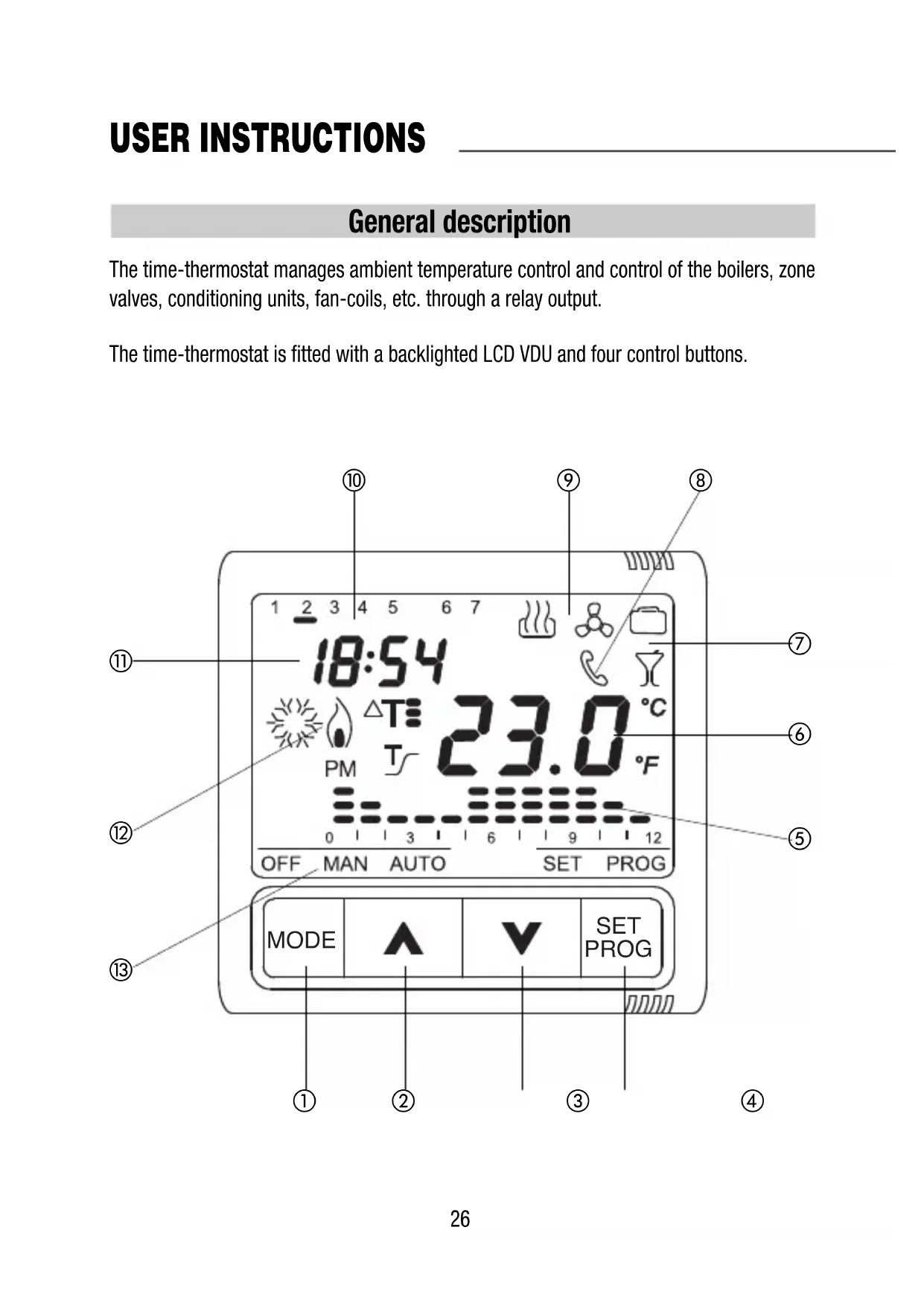


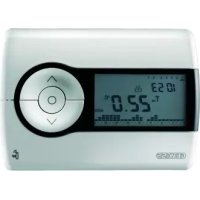
| Product type | Flush-mount relay chronothermostat |
| Brand | Gewiss |
| Model | GW21827 |
| Power supply | 230 V AC / rechargeable battery ML1220 3 V (backup) |
| Format | 2 modules System-Playbus |
| Main functions | Heating and air conditioning, AUTO/MAN/OFF modes, weekly programming, temporary override |
| Operating modes | Automatic, Manual, Off/Antifreeze (high temperature protection in A/C) |
| Programming | Weekly, up to 4 changes per hour, 15-minute steps |
| Temperature levels | 3 levels (T1, T2, T3) adjustable from 5 to 40 °C |
| Antifreeze temperature | Adjustable from 2 to 7 °C |
| High temperature protection | Adjustable from 30 to 40 °C |
| Differential adjustment | Adjustable from 0.2 to 2 °C |
| Party function | Timer from 1 to 23 hours with custom temperature |
| Holiday function | Timer from 1 to 99 days with custom temperature |
| Self-learning | Adjustable up to 2 hours advance (heating) |
| Remote control | Via GSM system GW90821 (not supplied) |
| Display | Backlit LCD with program icons |
| Measurement accuracy | ±0.5 °C at 20 °C |
| Operating temperature | -5 °C to +45 °C |
| Maintenance and cleaning | Clean with a soft dry cloth |
| Safety | Installation according to IEC 60364 standard |
| Spare parts and repairability | Rechargeable backup battery (ML1220) replaceable |
Frequently Asked Questions - GW21827 Gewiss
User questions about GW21827 Gewiss
0 question about this device. Answer the ones you know or ask your own.
Ask a new question about this device
Download the instructions for your Thermostat in PDF format for free! Find your manual GW21827 - Gewiss and take your electronic device back in hand. On this page are published all the documents necessary for the use of your device. GW21827 by Gewiss.
USER MANUAL GW21827 Gewiss
CRONOTERMOSTATO A RELÉ DA INCASSO
INSET TIME- THERMOSTAT WITH RELAY
CHRONOTHERMOSTATÀRELAIIS,ENCASTRABL
CRONOTERMOSTATO DE RELÉ EMPOTRADO
RELAIS-ZEITTHERMOSTAT FÜR UTERPUTZMONTAGE

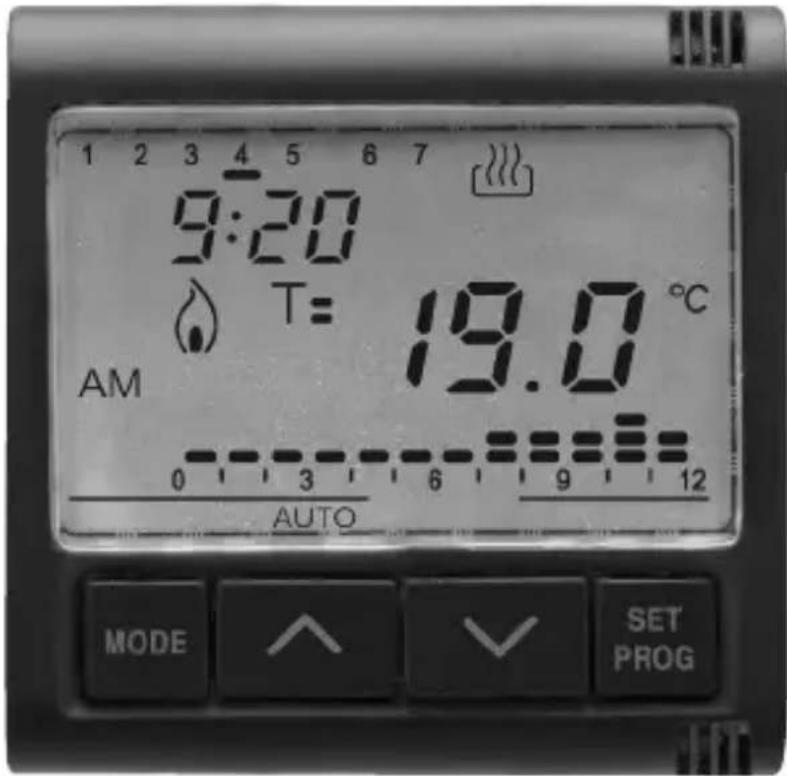
SYSTEM: GW 20 827 - GW 21 827
PLAYBUS: GW 30 706
Inset time-thermostat with relay
ATTENTION - IMPORTANT
Warning! The safety of this appliance is only guaranteed if all the instructions given here are followed scrupulously.
These should be read thoroughly and kept in a safe place.
System-Playbus products can be installed in environments which are dust-free and where no special protection against the penetration of water is required.
They shall be installed in compliance with the requirements for household devices set out by the national standards and rules applicable to low-voltage electrical installations which are in force in the country where the products are installed, or, when there are none, following the international standard for low-voltage electrical installations IEC 60364, or the European harmonization document HD 60364.
GEWISS sales organization is ready to provide full explanations and technical data on request.
USER INSTRUCTIONS
pag.
- General description 26
- Control description 27
-Operating modes 28 - Setting parameters 30
- Personalising the daily program 35
- The Party/Holiday function 37
- Manual operation 38
- Remote control 39
-Operating in the case of a blackout. 39 - Preset program 40
- Preset parameters 41
INSTALLATION INSTRUCTIONS
Assembly 42
- Terminal description 43
-Battery removal. 43
FUNCTIONAL FEATURES/TECHNICAL DATA 44
General description
The time-thermostat manages ambient temperature control and control of the boilers, zone valves, conditioning units, fan-coils, etc. through a relay output.
The time-thermostat is fitted with a backlighted LCD VDU and four control buttons.
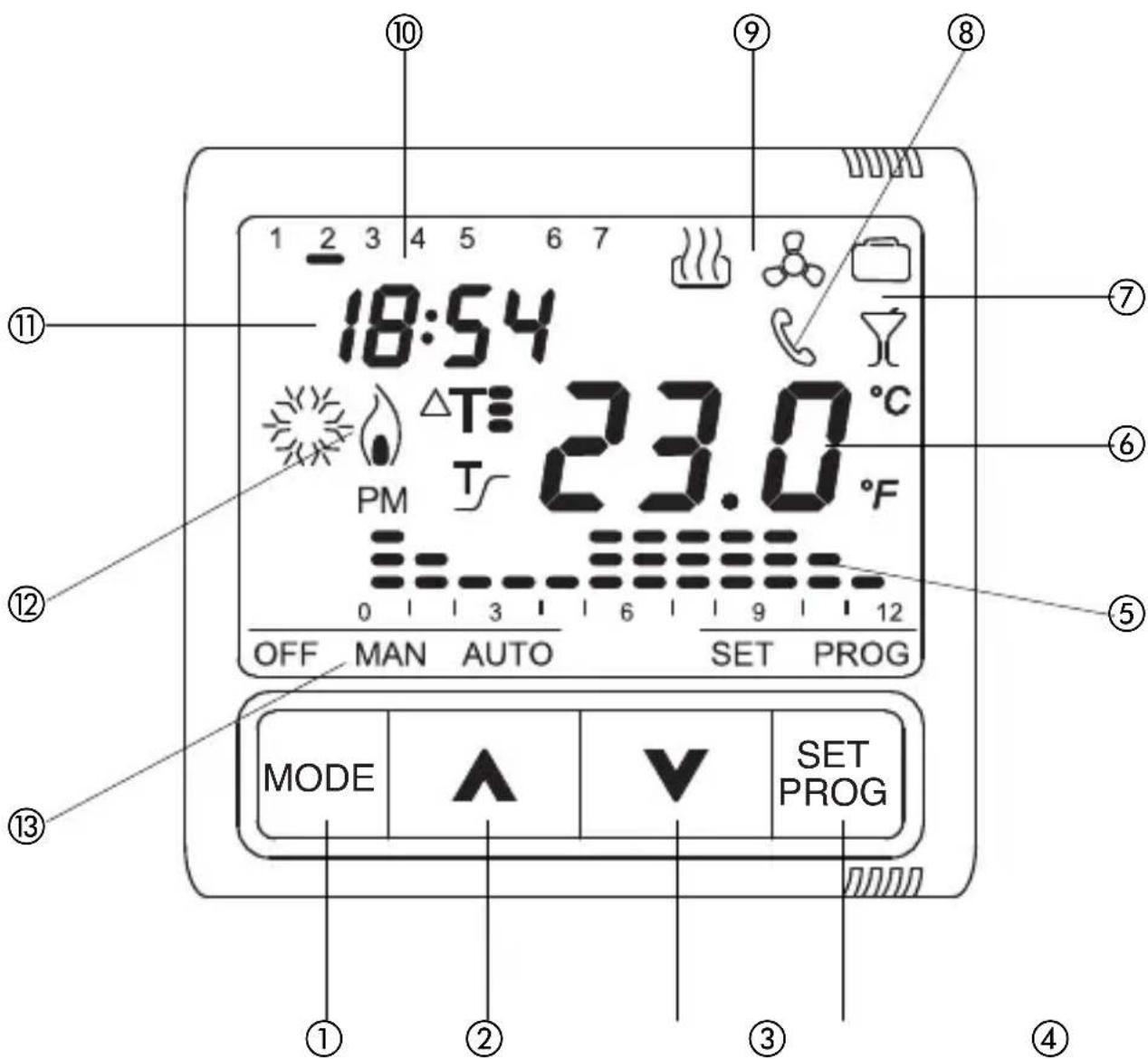
Control description
CONTROL BUTTONS
① MODE: select mode
(2) Increment/Select parameters
③ Decrement/Select parameters
(4) SET/PROG: Program setting/Programming
Symbol
MODE

SET/PROG
VDU SIGNALS
(5) Daily program profile
⑥ Measured ambient temperature
(7) HOLIDAY and PARTY functions
⑧ Signal of activation via GSM remote control unit
Operating type (heating/air conditioning)
10 Day
⑪ Hour
Heating/air conditioning activation
⑬ Operating mode
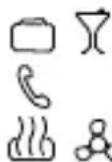

OFF MAN AUTO
Operating modes
The time-thermostat provides three different operating modes:
- AUTOMATIC
- MANUAL
- OFF/ANTIFREEZE/HIGH TEMPERATURE PROTECTION
Use the MODE key to switch from one mode to another.
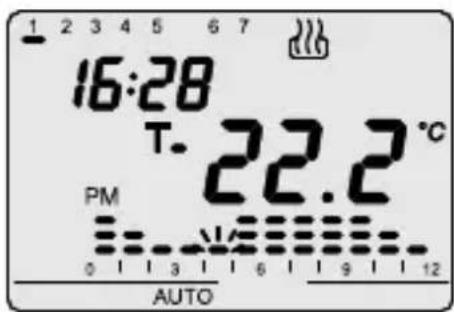
In automatic operation the time-thermostat uses a program that can be set by the user and which can also be different for each day of the week. The message "AUTO", the measured ambient temperature and the set point symbol relative to the current quarter-hour are displayed on the VDU.
The column relative to the current time with the representation of the active set point blinks in the time profile.
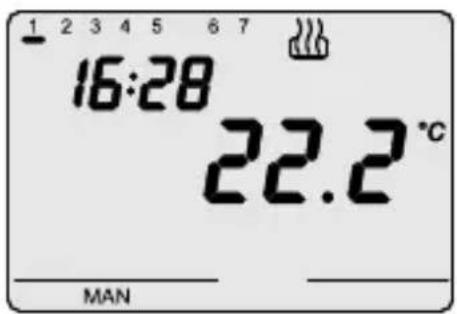
In manual operation the time-thermostat permanently uses a temperature set point that can be freely set using the Keys. The message "MAN" and the measured ambient temperature are displayed on the VDU.
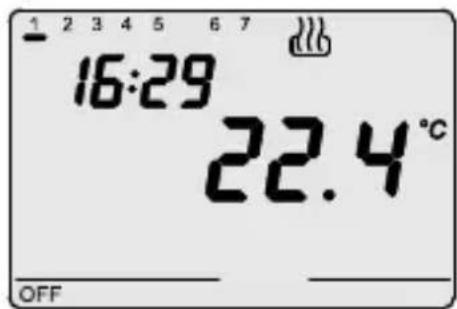
The antifreeze/high temperature protection operations are active in heating and air conditioning mode respectively.
In these two cases the time-thermostat uses the antifreeze/high temperature protection temperature set point that has been set.
The message "OFF" and the measured ambient temperature are displayed on the VDU.
Operating modes
During operation the closing of the output contact (heating/air conditioning activation) is signalled in the following way:
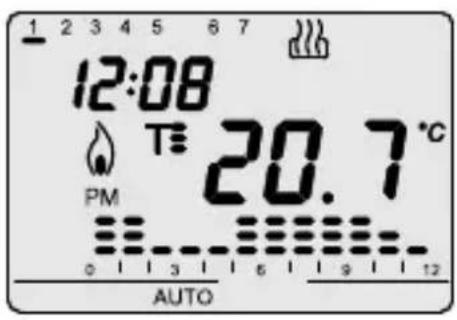
Heating
Symbol shows heating switch-on.
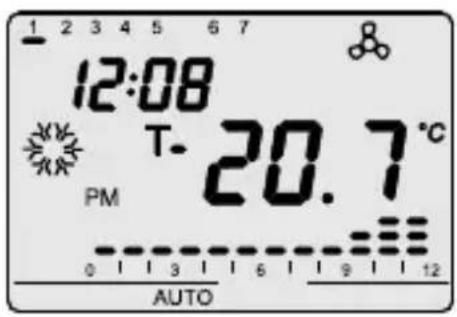
Air conditioning
Symbol shows air conditioning switch-on.
Setting parameters
Press the SET/PROG key once to set the parameters.
The message "SET" is displayed on the VDU.
The symbol d starts to blink at the same time.
At this point the following can be modified in sequence:
- air conditioning/heating operating type
- the day of the week
hours - minutes
- temperature unit of measurement
- Set point T1
- Set point T2
- Set point T3
- antifreeze/high temperature protection temperature value
- self-learning activation (only available in "heating" operating mode)
- differential regulation value
The value of each parameter is confirmed by pressing the MODE key.
Exit from the setting phase is done by pressing the SET key again or, automatically, 30 seconds after the last key entry.
Setting parameters
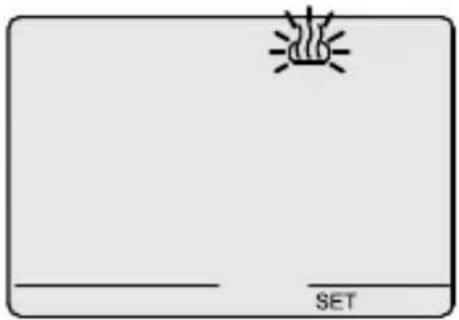
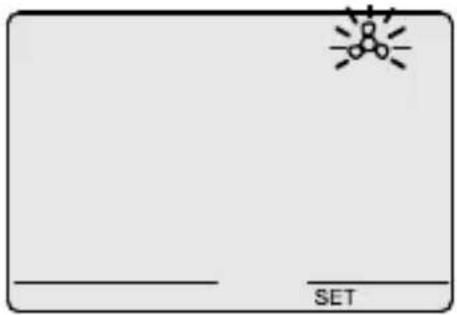
Selecting heating/air conditioning
When the symbol blinks it is possible to select the operating type using the keys. Press the MODE key within 30 seconds to confirm.
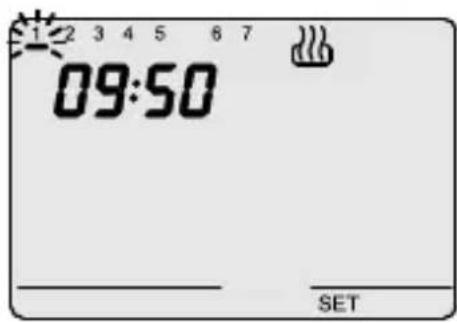
Setting the day of the week
When the day of the week bar blinks, select the current day using the keys Monday=1, Tuesday=2.... Sunday=7).
Press the MODE key within 30 seconds to confirm the value set.
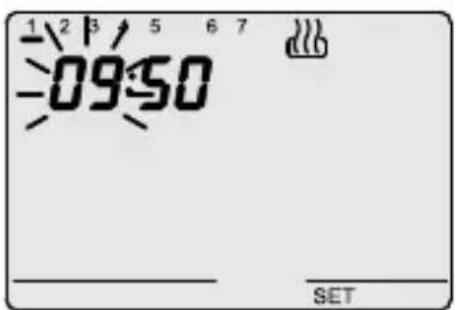
Setting the hour
When the hour figures blink, set the time using the AV keys.
Press the MODE key within 30 seconds to confirm the values set.
Setting parameters
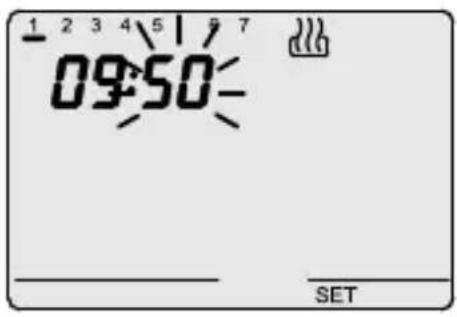
Setting the minutes
When the minutes figures blink, set the minutes using the key.
Press the MODE key within 30 seconds to confirm the values set.
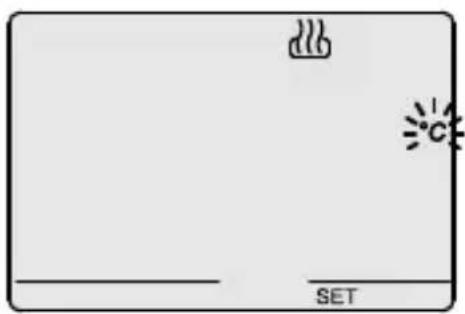
Setting the temperature unit of measurement
When the irc C or irc F starts to blink, select the unit of measurement using the key.
Press the MODE key within 30 seconds to confirm the values set.
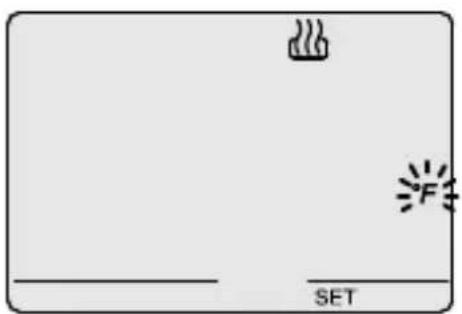
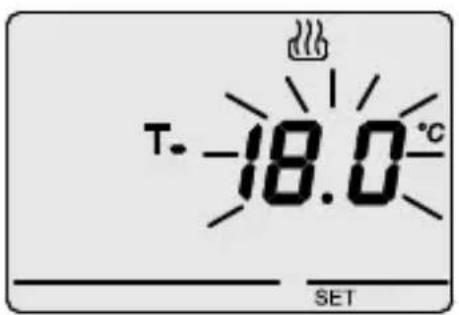
Setting set point T1
The temperature value starts to blink when the symbol appears.
Adjust the value of T1 using the keys
Press the MODE key within 30 seconds to confirm the value set.
Setting parameters
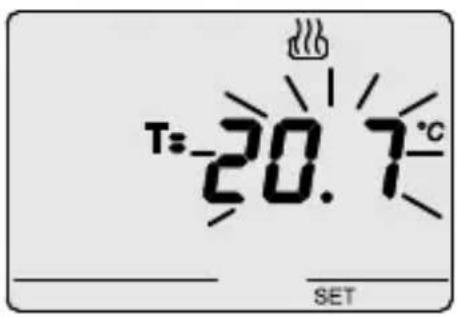
Setting set point T2
The temperature value starts to blink when the Tsymbol appears.
Adjust the value of T2 using the keys
Press the MODE key within 30 seconds to confirm the value set.
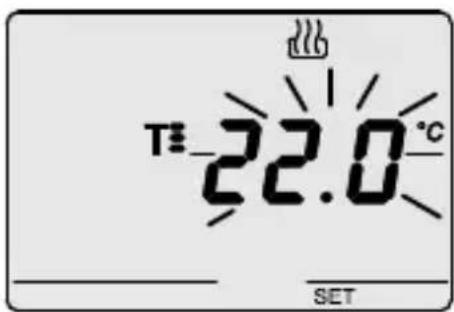
Setting set point T3
The temperature value starts to blink when the Tsymbol appears.
Adjust the value of T3 using the keys
Press the MODE key within 30 seconds to confirm the value set.
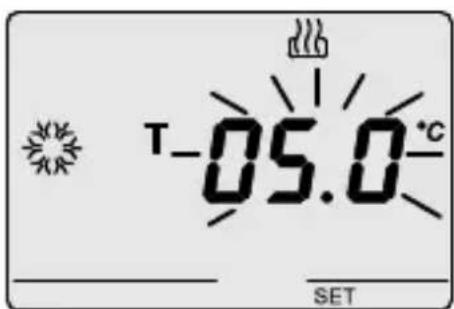
Setting the antifreeze/high temperature protection temperature value
The temperature value starts to blink.
Depending on the type of operation (heating/air conditioning), the antifreeze/high temperature protection temperature value can be adjusted using the keys
Press the MODE key within 30 seconds to confirm the value set.
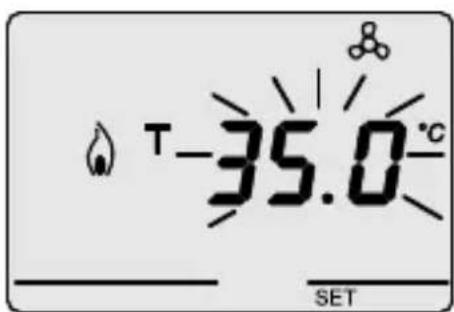
There are the following constraints for the set point values: Heating: T antifreeze < T1 < T2 < T3 -
Air conditioning: T1 < T2 < T3 < T high temperature
Setting parameters
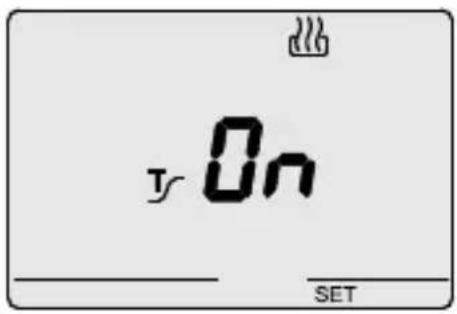
Activating self-learning (heating operating type only)
When the symbol appears, activate (ON) or deactivate (OFF) the function using the keys.
Press the MODE key within 30 seconds to confirm the value set.
Self-learning is used to optimise the advance (max. 2 hours) for activating the heating.
The time-thermostat manages the advance automatically, so as to guarantee the set temperature at the beginning of every period of the programmed profile.
This function is activated in heating, in automatic operating mode only.
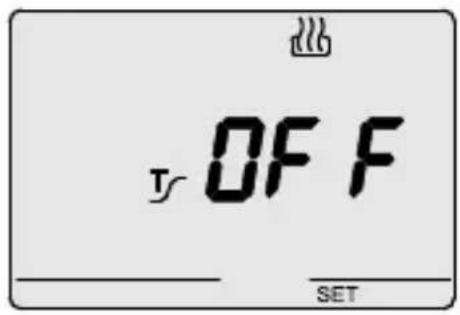
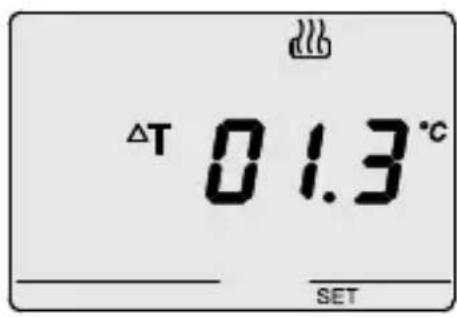
Setting the differential regulation value
When the symbol appears, set the differential regulation value using the keys.
Press the MODE key within 30 seconds to confirm the value set.
This value is differentiated by operation type (heating/ air conditioning) and represents the displacement between the set point set and the actual activation temperature.
It is recommended to retain the preset values except in special situations.
Personalising the daily program
Press the SET/PROG key twice to personalise the preset daily program or modify it.
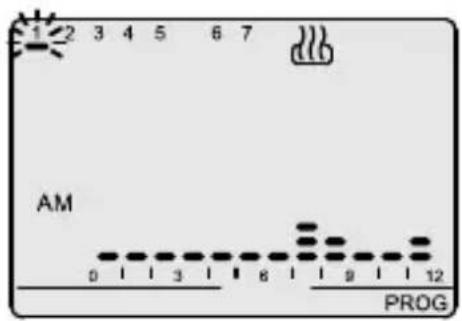
The message "PROG" is displayed on the VDU, while the bar of the first day of the week starts to blink. Select the required day using the keys
Press the MODE key within 30 seconds to confirm the selection.
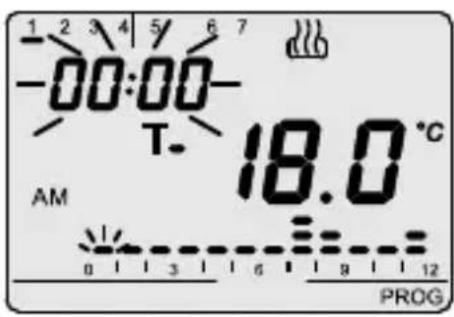
After confirmation of the day, the current profile, relative to the day selected, is displayed on the VDU.
The time will start to blink. Use the keys to increment the time until the time for modifying the proposed profile is reached: the column relative to the time selected will blink during the increment of the time profile.
Press the MODE key within 30 seconds to confirm the selection.
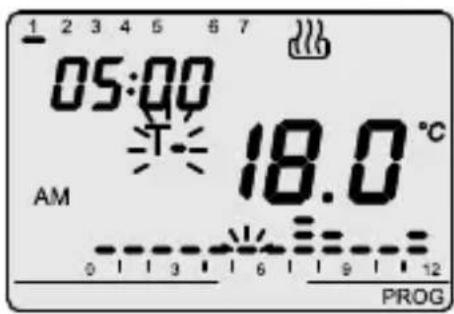
One of the symbols, Tt will link on the VDU and the value corresponding to the selected set point is displayed.
The keys are then used to select the new set point, which will be applied up to the next variation present in the program.
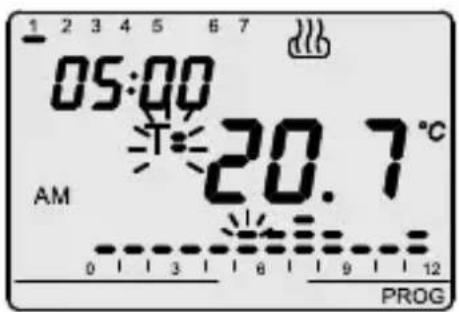
Pressing the MODE key again makes it possible to select another time, starting from which a new set point can be selected in the way just described.
Personalising the daily program
The time is decremented/incremented in steps of 15 minutes each time the keys are pressed, so it is possible to define up to 4 programming periods each hour. Press the MODE key for an extended period to confirm the programming, there will be an automatic move to programming for the next day.
Copying the program
If it is required to copy the program to the next day, confirm the programming done by pressing the keys simultaneously within 30 seconds.
Press the SET/PROG key on completion of weekly programming to return to normal operating.
To activate the program, select AUTO operating mode by pressing the MODE key until the message "AUTO" is displayed on the VDU.
Temporary temperature forcing
It is possible to temporarily force the active temperature set point in AUTO operating mode by using the keys to set the required value. Confirm the value by pressing the MODE key or waiting for 5 seconds.
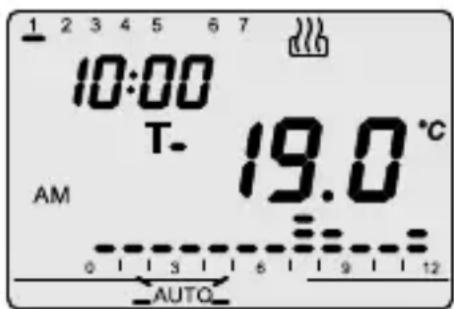
Activation of the forcing is signalled on the VDU by the blinking of the AUTO message.
The forcing remains active until the first variation of the profile present in the program.
The time profile relative to the fraction of the current day (AM/PM) is displayed in AUTO operating mode.
Simultaneously pressing the keys displays the profile relative to the other fraction of the day.
This indication is active for 5 seconds, after which the current profile reappears.
Party/Holiday function
The party function is used to temporarily exclude the set program (AUTO mode) or the manual set point (MAN mode) by inserting a different temperature set point for a period of between 1 and 23 hours.
This function can be used, for example, to extend the comfort period during a supper, a party, etc.
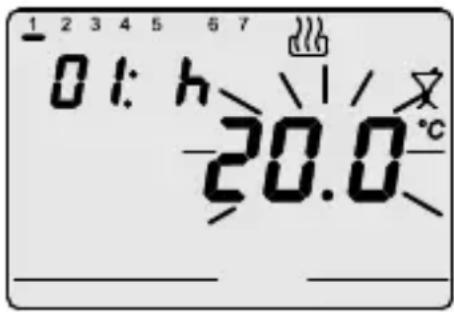
Press the MODE key for 5 seconds to activate the function: the symbol displayed on the VDU and the set point value active at that time starts to blink.
The keys are used to set the new temperature set point value.
Pressing the MODE key moves on to setting the number of hours of activation, which is displayed on the VDU. This regulation is done using the keys.
Press the MODE key or wait 5 seconds to confirm the setting made.
When the function is active it is still possible to modify the set point value and the period of activation in the same way as described above.
The party function remains active until the set period elapses.
The count of the hours is decremented during operation.
It is possible to deactivate the party function at any time, restoring the previous mode, by pressing the MODE key twice for an extended period.
The holiday function is used to temporarily exclude the weekly set program (AUTO mode) or the manual set point (MAN mode) by manually inserting a different temperature set point for a period of between 1 and 99 days.
This function can be used, for example, to program an economy period during a holiday and reactivating the program on the day of return.
Party/Holiday function
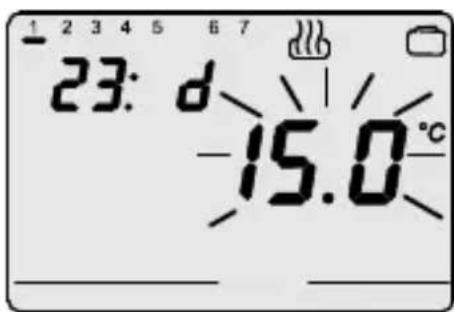
The function is activated by pressing the MODE key for an extended period (PARTY function) and then pressing the MODE key again (HOLIDAY function).
The symbol is displayed on the VDU.
The keys are used to set the new temperature set point value. Pressing the MODE key moves on to setting the number of days of activation, which is displayed on the VDU.
This regulation is done using the keys.
Press the MODE key or wait 5 seconds to confirm the setting made.
When the function is active it is still possible to modify the set point and the period of activation value in the same way as described above. The HOLIDAY function remains active until the set period elapses. The count of the days is decremented during operation. It is possible to deactivate the holiday function at any time, restoring the previous mode, by pressing the MODE key for an extended period.
Manual operation
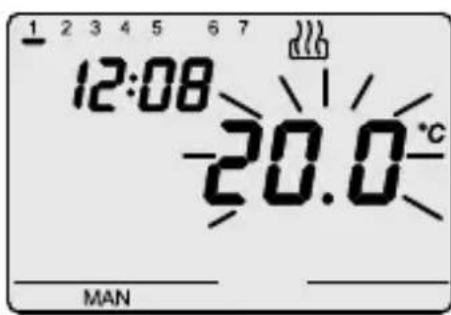
To activate manual operating mode the MODE key is pressed until the message "MAN" is displayed on the VDU. The temperature set point begins to blink for about 2 seconds. The keys are used to set the required set point value. Press the MODE key or wait 5 seconds to confirm the setting.
Visual Display Unit (VDU)
The LCD VDU is equipped with backlighting that is active for 5 seconds whenever a key is pressed. In SET or PROG modes the backlighting remains active during parameter setting and during programming. It is deactivated on exit from these modes.
Remote control
The time-thermostat has a serial connection for connecting to the GSM GW 90 821 remote control unit. Using SMS command (e.g. from a cellular telephone) it is possible to:
- set the type of operation (air conditioning/heating)
- set the operating mode (manual/automatic/OFF)
- set the operating set point (MAN mode only)
- request the current status
The device replies to each command SMS sent with a confirmatory SMS (with a predefined, non-configurable text); the status request message will generate a reply that includes the following information:
- current type of operation (heating/air conditioning)
- current operating mode (OFF/AUTO/MAN)
- currently set set point temperature
- measured ambient temperature
- output status (ON/OFF)
The symbol is displayed on the VDU whenever the operating type or mode are modified using the remote control unit.
Operating in the case of a blackout
The device is fitted with a backup battery that guarantees updating of the time and the day of the week in the case of a blackout. There is an autonomy of 24 hours under the following conditions when the power supply is provided exclusively by the battery:
- display time active
measure and temperature display not active (dashes are displayed) - backlighting not active
- relay switching not enabled (the relay contact is open)
- front keys not active (except the simultaneous pressing of all four keys). In the absence of the power supply the simultaneous pressing of all four front keys causes disconnection of the backup battery inside the device.
This function is used to conserve the efficiency of the battery when the device is not used for a long period. The battery is automatically reconnected once the device is connected to the electricity mains network. The set programs are not lost either in the case of a blackout or in the case of battery disconnection.
Preset programs
The time-thermostat has two preset programs, one for heating and one for air conditioning.
HEATING PROGRAM

Monday - Friday
AM

PM
Saturday - Sunday

AM

PM
Preset programs
Preset programs
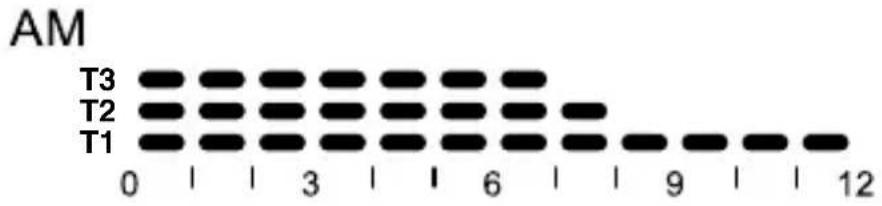
Every day of the week
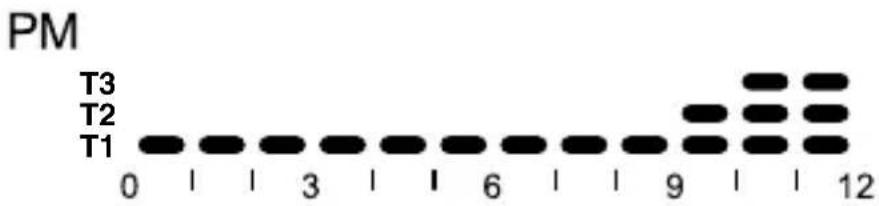
These preset programs can be modified and personalised according to one's own requirements. Follow the instructions contained in the "Personalising the daily program" paragraph to make the modifications.
Preset parameters
| Day of the week | 1: Monday |
| Time | 00:00 |
| Heating temperature set points T1 16 °C | |
| T2 18 °C | |
| T3 20 °C | |
| Tantifreeze 5 °C | |
| Air conditioning temperature set points T1 24 °C | |
| T2 26 °C | |
| T3 28 °C | |
| Tprotection 35 °C | |
| Self-learning Function disabled | |
| Regulation differential Heating 0.2 °C | |
| Air conditioning 0.5 °C | |
| Temperature unit of measurement | °C |
INSTALLATION INSTRUCTIONS
Reset and restore the preset values
Pressing the 4 keys simultaneously with mains power present performs a complete reset of the timer-thermostat.
N.B.: all parameters set and personalized programs will be cancelled.
When the timer-thermostat is switched on again, it uses the parameters and programs preset in the factory. The timer-thermostat goes into heating in OFF mode. The Party and Holiday functions are not active.
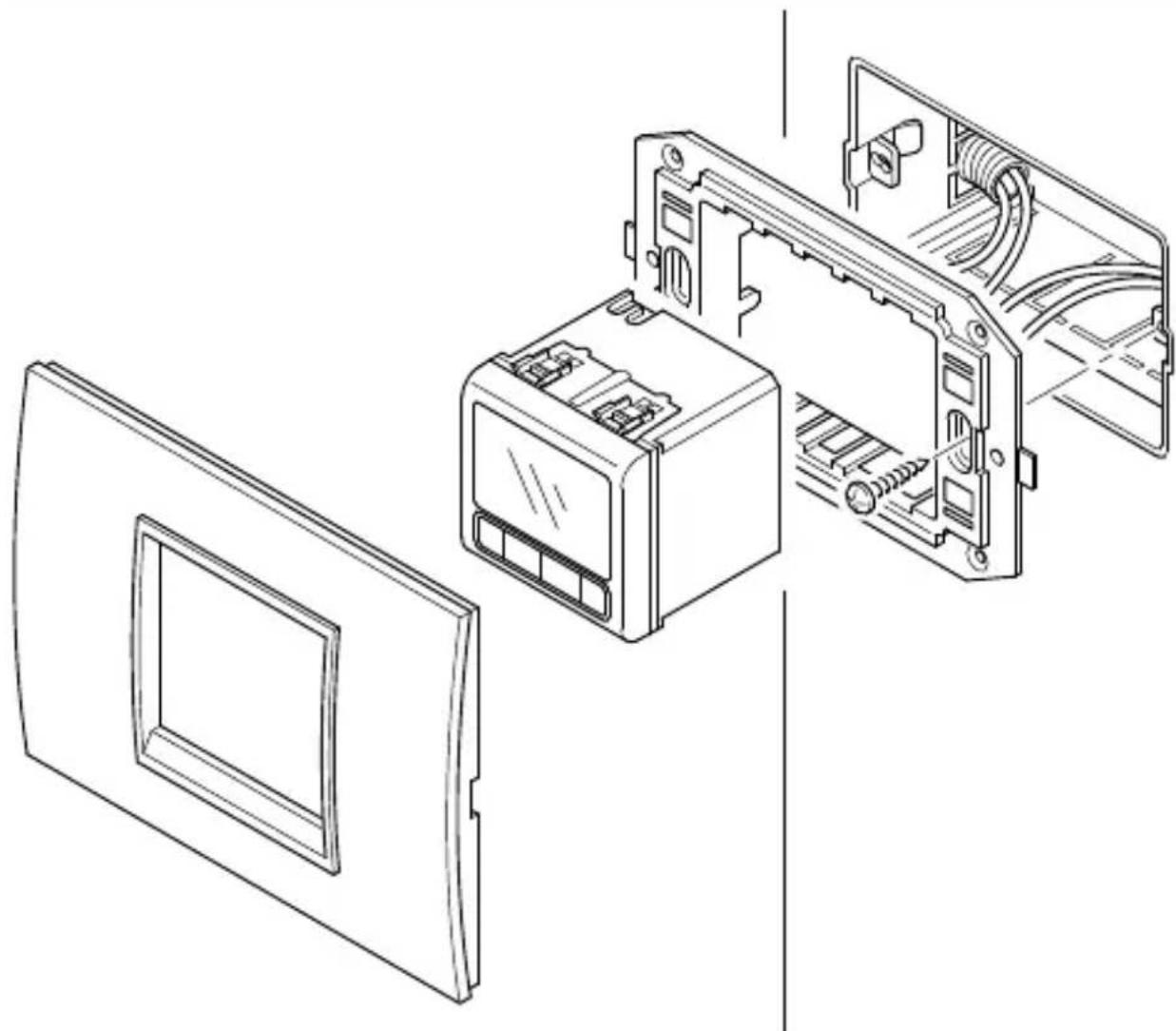
Assembly
Terminal description
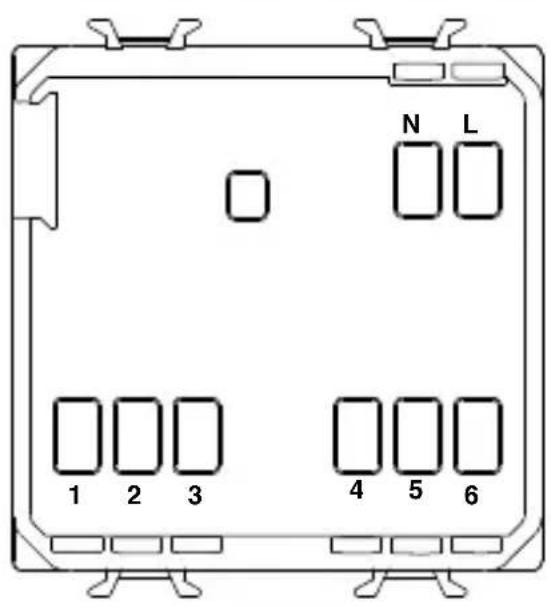
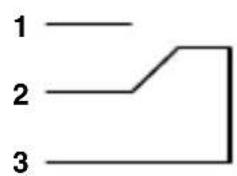
Cabling terminals
Power supply
L - Phase
N - Neutral
Output relay
1 - NA contact
2 - NC contact
3 - Common
Serial line
4 - TX (output data)
5 - GND (common)
6 - RX (input data)
Battery removal
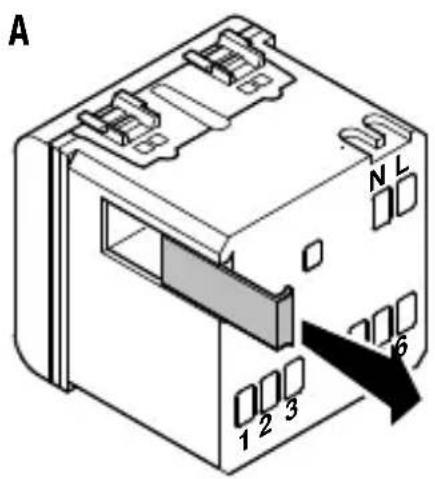
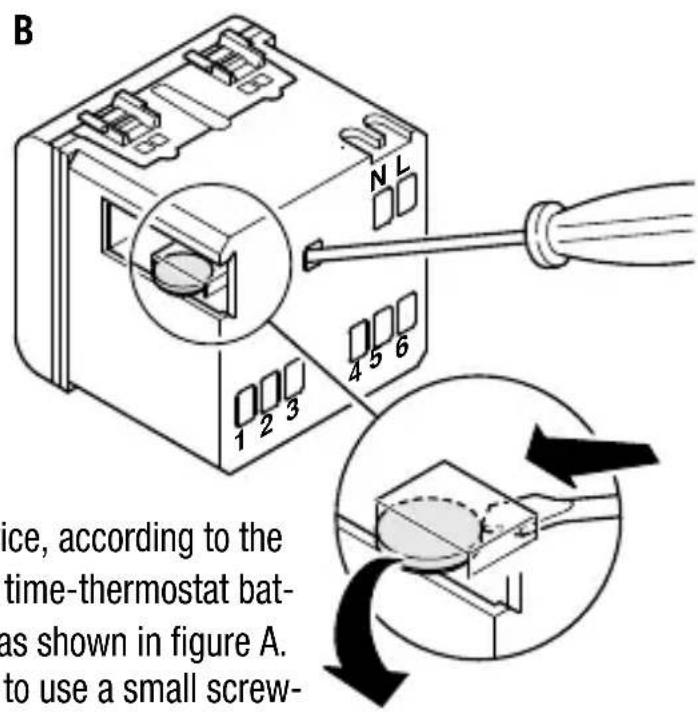
If necessary (e.g. having to scrap the device, according to the dispositions of the WEEE regulations) the time-thermostat battery is accessible by removing the cover as shown in figure A. To extract the battery it is recommended to use a small screwdriver as shown in figure B.
FUNCTIONAL FEATURES / TECHNICAL DATA
Type of operation: heating and air conditioning
Operating modes: automatic, manual,
antifreeze/high temperature protection
Operating temperature: -5ircC ÷ +45ircC
Measured temperature: 0ircC ÷ +45ircC
Temperature probe: NTC, 100kΩ at 25°C
Measurement accuracy: ± 0.5ircC to 20ircC
Preset programs: nirc2 weekly programs
Time programming resolution: 15 minutes
Max. nirc of temperature changes: 4 per hour
Temperature levels: nirc3 levels (T1, T2, T3), programmable from 5 to 40ircC
differentiated between air conditioning and heating
Temperature set point resolution: 0.1ircC
Antifreeze temperature: adjustable from 2 to 7ircC
High temperature protection level: adjustable from 30 to 40ircC
Manual temperature: adjustable from 5 to 40ircC
Regulation differential: adjustable from 0.2 to 2ircC
Party function: timed from 1 to 23 hours
Holiday function: timed from 1 to 99 days
Temporary temperature forcing: settable
Self-learning thermal gradient: selectable with max. 2 hours advance
Unit of measure: irc C or irc F
Interval between two successive
measurements: 1 minute
Remote control: with GSM GW90821 remote control unit (not supplied)
Output contact: relay, without potential
1 NA/NC 5A (AC1)/2A (AC15), 250V ac
Power supply: mains (230V ac) - normal operation - ML1220 3V
rechargeable battery-in the case of a power blackout
Dimensions: 2 System-Playbus modules
FRANÇAIS
Programmation du set-point T1
Programmation du set-point T2
1-Contact NA
2-Contact NC
3 - Commun
Ligne sérieelle
Resolution set point temperature:
0,1°C
Temperatura anticongelante:
regulable de 2 a 7ircC


- CRONOTERMOSTATO A RELÉ DA INCASSO
- Inset time-thermostat with relay
- ATTENTION - IMPORTANT
- USER INSTRUCTIONS
- INSTALLATION INSTRUCTIONS
- General description
- Control description
- CONTROL BUTTONS
- Symbol
- VDU SIGNALS
- Operating modes
- Heating
- Air conditioning
- Setting parameters
- Selecting heating/air conditioning
- Setting the day of the week
- Setting the hour
- Setting the minutes
- Setting the temperature unit of measurement
- Setting set point T1
- Setting set point T2
- Setting set point T3
- Setting the antifreeze/high temperature protection temperature value
- Activating self-learning (heating operating type only)
- Setting the differential regulation value
- Personalising the daily program
- Copying the program
- Temporary temperature forcing
- Party/Holiday function
- Manual operation
- Visual Display Unit (VDU)
- Remote control
- Operating in the case of a blackout
- Preset programs
- HEATING PROGRAM
- Reset and restore the preset values
- Terminal description
- Cabling terminals
- Battery removal
- FUNCTIONAL FEATURES / TECHNICAL DATA
- FRANÇAIS
- Programmation du set-point T1
- Programmation du set-point T2
Brand : Gewiss
Model : GW21827
Category : Thermostat