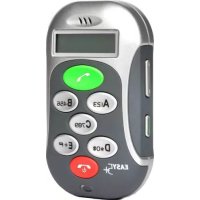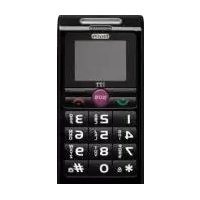
EasyLife S - Smartphone ITTM - Free user manual and instructions
Find the device manual for free EasyLife S ITTM in PDF.


| Product Type | Smartphone |
| Brand | ITTM |
| Model | EasyLife S |
| Dimensions (approx.) | 120 x 60 x 15 mm |
| Weight (approx.) | 100 g |
| Screen Type | LCD color |
| Power Supply | Rechargeable Li-ion battery, 5V mains charger |
| Main Functions | Calls, SMS, SOS, alarm, directory, calculator, calendar, ring modes, remote configuration via SMS |
| Maintenance and Cleaning | Use a soft, dry cloth. Avoid liquids, chemicals, and solvents. |
| Safety | Follow guidelines for pacemakers, hearing aids, explosive areas, aircraft, driving. |
| Spare Parts and Repairability | Use only approved accessories. Do not disassemble yourself. Contact the retailer in case of malfunction. |
| General Information | Complies with CE standards. Max SAR: 0.70 W/kg. Recycling according to WEEE directive. |
Frequently Asked Questions - EasyLife S ITTM
User questions about EasyLife S ITTM
0 question about this device. Answer the ones you know or ask your own.
Ask a new question about this device
Download the instructions for your Smartphone in PDF format for free! Find your manual EasyLife S - ITTM and take your electronic device back in hand. On this page are published all the documents necessary for the use of your device. EasyLife S by ITTM.
USER MANUAL EasyLife S ITTM
Create (Nouveau contact)
Delete all (Tout supprimer)
Delete all (Tout supprimer)
Profiles (Mode) Type (Type)
12.3 Delete all (Tout supprimer)
- Send to many (Envoi multiple)
13.4 Drafts (Brouillons)
13.5 Delete all (Tout supprimer)
14. JOURNAL D'APPELS
14.1 Incoming calls (Appels reçus)
-On/Off (Activer/Désactiver)
-Snooze (Répartition)
You can select the times of: 10 Second/20 Seconds/ 30 Seconds/40 Seconds.
Time Format: Press the *Key or #Key to select 12-hour or 24-hour.
Date Format: To set date format press the *Key or #Key to select YYYY-MM-DD, MM DD,YYYY, DD-MM-YYYY, DD/MM/YYYY,MM/DD/YYYY,YYYY/MM/DD. then press the Menu Key or Talk Key to save.
—Power on PIN1 (Code PIN1 ON)
—Change PIN2 (Changer code PIN2)