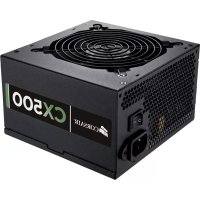
CX500 V2 - Power Supply (PC) CORSAIR - Free user manual and instructions
Find the device manual for free CX500 V2 CORSAIR in PDF.


| Product type | PC Power Supply |
| Brand | Corsair |
| Model | CX500 V2 |
| Form factor | ATX |
| Dimensions (L x W x H) | 150 x 86 x 140 mm |
| MTBF | 100,000 hours |
| AC Input Voltage | 90 - 264 V (universal) |
| Input Current | 8 - 4 A (depending on voltage) |
| Input Frequency | 47 - 63 Hz |
| Total Power | 500 W |
| +12V Rail | 34 A, 408 W (single rail) |
| +5V Rail | 20 A, 130 W |
| +3.3V Rail | 25 A, 130 W |
| -12V Rail | 0.8 A, 9.6 W |
| +5Vsb Rail | 3 A, 15 W |
| Energy Efficiency | ≥ 80% (80 PLUS certified) |
| Power Factor Correction | Active PFC (≥ 0.99) |
| Fan | 120 mm, ultra-quiet, thermal control |
| Protections | Overvoltage, overload, undervoltage, short circuit |
| ATX Compatibility | ATX12V 2.3, backward compatible with 2.2 and 2.01 |
| Main Cables | ATX 24-pin (detachable 4-pin), EPS12V 8-pin (detachable 4-pin) |
| PCI-E Cables | 2 cables, 1 connector each, length 600 mm |
| SATA Cables | 2 cables, 3 connectors each, length 700+550 mm |
| Peripheral Cables | 1 cable, 5 connectors, length 1050 mm (including floppy connector) |
| Warranty | 3 years (lifetime technical support) |
Frequently Asked Questions - CX500 V2 CORSAIR
User questions about CX500 V2 CORSAIR
0 question about this device. Answer the ones you know or ask your own.
Ask a new question about this device
Download the instructions for your Power Supply (PC) in PDF format for free! Find your manual CX500 V2 - CORSAIR and take your electronic device back in hand. On this page are published all the documents necessary for the use of your device. CX500 V2 by CORSAIR.
USER MANUAL CX500 V2 CORSAIR
B U I L D E R S E R I E S
CX430V2
CX500V2
CX600V2
CXV2 POWER SUPPLY
MANUAL·MANUEL·MANUALE·MANUELLE
Congratulations on the purchase of your new Corsair Builder Series V2 power supply (model CX430 V2, CX500 V2, or CX600 V2).
This User Agreement (the "Agreement") is a legal agreement between you ("You"), and Corsair Memory, Inc ("Corsair"). You are agreeing to be bound by the terms of this agreement, as defined below, by using the Corsair Builder Series CX430 V2, CX500 V2, or CX600 V2 power supply ("Product"). If you have any questions or concerns about the terms of this agreement, please contact us at http://corsair.com. If, prior to using the Product, you decide you are unwilling to agree to the terms of this agreement, promptly return the Product and the accompanying items (including written materials and binders or other containers) to Corsair or the Corsair authorized distributor from whom you obtained the Product and accompanying items. If you have already paid for the Product, provide us with your proof of purchase and we will refund to you the fees you have paid for these items.
Corsair Limited Warranty
Corsair provides a warranty to the original purchaser only that this genuine Corsair power supply, purchased from an authorized Corsair reseller, will be free from defects in material and workmanship for three (3) years from the date of purchase.
Except where prohibited by applicable local law, this warranty is limited to the original purchaser and is non-transferable. This warranty provides you with specific legal rights, and you may have additional rights that vary under local laws.
In general, this warranty means your Corsair power supply is guaranteed to operate, as specified by its datasheet and/or product documentation, and in the operating environment for which it was intended, for the life of the product or the extent of the warranty.
Remedies
Corsair's entire liability and your exclusive remedy for any breach of warranty shall be, at Corsair's exclusive discretion: 1) to repair or replace the hardware, or 2) to refund the price paid, provided that the hardware is returned to the original place of purchase, or another place as directed by Corsair, with the original sales receipt (or a valid copy thereof). You may be required to pay shipping and handling charges, as well as any applicable tariffs, duties, taxes, or other fees, except where prohibited by applicable local law. Corsair may, at its exclusive discretion, use new, or used/refurbished parts in good working condition, to repair or replace the hardware.
Any repaired or replacement hardware will be warranted for the remainder of the original warranty period, or thirty (30) days, whichever is greater, or for any additional period of time that is specified by law in your local jurisdiction.
Obsolete or Discontinued Products
Whenever possible, an obsolete or discontinued product will be replaced with the same product. If Corsair is unable to replace your obsolete or discontinued product with the same product, Corsair will replace that product with a new product of similar function and equal or greater value.
Exclusions
This warranty does not cover problems or damage resulting from, but not limited to, any of the following:
- Wear and tear associated with normal use
-
Any modification, abuse, accident, disassembly, misapplication, or unauthorized repair
-
Removal of any manufacturer label(s) or sticker(s)
- Any improper operation, including any use not in accordance with any supplied product instructions
- Connection to any improper voltage supply
- Use of consumables, such as replacement batteries, not supplied by Corsair, except where such restriction is prohibited by applicable local law.
- Any other cause which does not relate to a product defect in materials or workmanship
Also excluded from this warranty are counterfeit products; that is, products that Corsair, at its sole discretion, determines were not manufactured by Corsair or any of its authorized manufacturing partners.
Limitation of Liability
CORSAIR SHALL NOT BE LIABLE FOR ANY SPECIAL, INCIDENTAL, INDIRECT, OR CONSEQUENTIAL DAMAGES WHATSOEVER, INCLUDING BUT NOT LIMITED TO LOSS OF PROFITS, REVENUE, OR DATA (WHETHER DIRECT OR INDIRECT) OR COMMERCIAL LOSS FOR BREACH OF ANY EXPRESS OR IMPLIED WARRANTY ON YOUR PRODUCT EVEN IF CORSAIR HAS BEEN ADVISED PREVIOUSLY OF THE POSSIBILITY OF SUCH DAMAGES. Some local laws do not allow the exclusion or limitation of special, indirect, incidental or consequential damages, so this limitation or exclusion may not apply in your jurisdiction.
Duration of Implied Warranties
EXCEPT AS PROHIBITED BY APPLICABLE LAW, ANY IMPLIED WARRANTY OR CONDITION OF MERCHANTABILITY OR FITNESS FOR A PARTICULAR PURPOSE ON THIS HARDWARE PRODUCT IS LIMITED IN DURATION TO THE DURATION OF THE APPLICABLE LIMITED WARRANTY PERIOD FOR YOUR PRODUCT. Some local laws do
not allow limitations on how long an implied warranty may last, so this limitation may not apply in your jurisdiction.
National Statutory Rights
Consumers may have legal rights under applicable national legislation governing the sale of consumer goods. Such rights are not affected by the warranties in this Limited Warranty.
No Other Warranties
No Corsair employee, dealer, or other agent is authorized to make any modification, extension, or addition to this warranty.
How to Make a Warranty Claim
Before submitting a warranty claim, we suggest you contact our technical support group or visit corsair.com and review the support section for technical assistance. A simple fix for your problem may be found there.
Generally, valid warranty claims should be processed through your original point of purchase during the first thirty (30) days after purchase. This period may vary depending on where you purchased your product; please verify the return policy with the retailer where you purchased your product. Any warranty claims that cannot be processed through your original point of purchase should be addressed directly to Corsair. Our customer service contact information can be found on the web at corsair.com/contact or in the documentation included with your product.
Introduction
Ideal for Home and Office Use
The Corsair Builder Series of PSUs are designed for worry-free compatibility for your home desktop PC system build or upgrade. With features usually reserved for premium power supplies, it's a great choice for systems where continuous and reliable power delivery and low noise are essential.
Corsair Advantages
Your Corsair Builder Series power supply is packed with the latest technology and features:
- It supports the latest ATX12V 2.3 standard and is backward compatible with ATX12V 2.2 and ATX12V 2.01 systems.
- An ultra-quiet 120mm fan delivers excellent airflow at an exceptionally low noise level by varying fan speed in response to temperature.
- 80%+ energy efficiency at 20% , 50% and 100% load conditions means less heat generation and lower energy bills.
- 0.99 Active Power Factor Correction provides clean and reliable power.
- Universal AC input from 90~264V. No more hassle of flipping that tiny red switch to select the voltage input!
- A dedicated single +12V rail offers maximum compatibility with the latest components.
- Over-voltage and over-power protection, under-voltage protection, and short circuit protection provide maximum safety to your critical system components.
- Extra long fully-sleeved cables support full tower chassis. A three year warranty and lifetime access to Corsair's legendary technical support and customer service.
Power Supply Specifications
- Dimensions: 150 mm( W) × 86 mm( H) × 140 mm( L)
MTBF: 100,000 hours
| MODEL CX430 V2 CX500 V2 CX600 V2 | ||||||
| AC Input Rating | ||||||
| AC Input 90-264V | ||||||
| Input Current 6-3A 8-4A 10-5A | ||||||
| Frequency 47Hz-63Hz | ||||||
| DC Output Rating | ||||||
| Max Load | Max Output | Max Load | Max Output | Max Load | Max Output | |
| +3.3V 20A | 120W | 25A | 130W | 25A | 150W | |
| +5V 20A 20A 25A | ||||||
| +12V | 28A | 336W | 34A | 408W | 40A | 480W |
| -12V | 0.8A | 9.6W | 0.8A | 9.6W | 0.8A | 9.6W |
| +5Vsb | 3A | 15W | 3A | 15W | 3A | 15W |
| Total Power | 430W | 500W | 600W | |||
Package Contents
- Corsair Builder Series power supply unit
- AC power cord
Cable ties - Mounting screws
Corsair Cable Configuration
| MODEL CX430 V2 CX50 | O V2 CX600 V2 | |||
| ATX Cable(24-pin) | Qty. | 111 | ||
| Connectors per Cable | 111 | |||
| Length | 600mm 600mm | 600mm | ||
| EPS12VCPUCable(8-pin) | Qty. | 111 | ||
| Connectors per Cable | 111 | |||
| Length | 600mm 600mm | 600mm | ||
| PCI-E Cable | Qty. | 122 | ||
| Connectors per Cable | 111 | |||
| Length | 600mm 600mm | 600mm | ||
| SATA Cable | Qty. | 2112 | ||
| Connectors per Cable | 2233 | |||
| Length | 550mm 550mm | 700mm | 550mm | |
| Peripheral Cable | Qty. | 111 | ||
| Connectors per Cable | 4 | 55 | ||
| Length | 850mm 1050mm | 1050mm | ||
Notes:
- Floppy connectors are attached to the end of the peripheral cable.
- The ATX power connector has a detachable 4-pin mechanism in order to support either a 24-pin or a 20-pin socket on the motherboard.
- The EPS12V power connector has a detachable 4-pin mechanism in order to support either an 8-pin socket or a 4-pin "P4/12V" socket on the motherboard.
Installation
Before proceeding with installation, please read this manual in its entirety.
Step A: Removing your existing power supply
If you are building a new system, skip to Step B.
- Disconnect the AC power cord from your wall outlet or UPS and from the existing power supply.
- Disconnect all the power cables from your video card, motherboard and all other peripherals.
- Follow the directions in your chassis manual and uninstall your existing power supply.
- Proceed to Step B.
Step B: Installing the Corsair Builder Series power supply
- Make sure the power supply's AC power cable is not connected.
- Follow the directions in your chassis manual and install the power supply with the screws provided.
- Connect the main 24-pin power cable. The main 24-pin power cable has a detachable 4-pin mechanism in order to support either a 24-pin or a 20-pin socket on the motherboard.
a. If your motherboard has a 24-pin socket, you may connect the 24-pin main power cable from the power supply directly to your motherboard.
b. If your motherboard has a 20-pin socket, you must detach the 4-pin cable from the 24-pin connector, and then plug the 20-pin cable onto your motherboard without connecting the 4-pin connector.
- Connect the 8-pin +12V (EPS12V) cable.
a. If your motherboard has an 8-pin +12V socket, connect the 8-pin cable directly to your motherboard.
b. If your motherboard has a 4-pin socket, detach the 4-pin from the 8-pin cable, and then plug this 4-pin cable directly to your motherboard.
WARNING: The detachable 4-pin from the 24-pin main connector is not a "P4" or "+"V" connector. Serious damage can be caused if you use it in place of a "P4" or "+"V" connector.
- Connect the peripheral cables, PCI-Express cables, and SATA cables.
a. Connect the peripheral cables to your hard drive and CD-ROM/DVD-ROM power sockets.
b. Connect the SATA cables to your SATA SSD or hard drive's power sockets.
c. Connect the PCI-Express cables to the power sockets of your PCI-Express video cards if required.
d. Connect the peripheral cables to any peripherals requiring a small 4-pin connector.
e. Make sure all the cables are tightly connected.
6. Connect the AC power cord to the power supply and turn it on by pushing the switch to the ON position (marked with "l").
Congratulations! You have completed installation of your new Corsair Builder Series power supply and your system is ready to go!
Important Safety Information CAUTION ELECTRIC SHOCK HAZARD!

- Install in accordance with all manufacturer instructions and safety warnings. Failure to do so may result in damage to your power supply or system, and may cause serious injury or death.
- High voltages are present in the power supply. Do not open the power supply case or attempt to repair the power supply; there are no user-serviceable components.
- This product is designed for indoor use only.
- Do not use the power supply near water, or in high temperature or high humidity environments.
- Do not install near any heat sources such as radiators, heat registers, stoves, or other apparatus that produce heat.
- Do not insert any objects into the open ventilation or fan grill area of the power supply.
- Do not modify the cables and/or connectors included with this power supply.
- If this power supply uses modular cables, use only manufacturer supplied cables. Other cables might not be compatible and could cause serious damage to your system and power supply.
- The 24-pin main power connector has a detachable 4-pin connector. This 4-pin connector is not a P4 or ATX 12V connector. Do not force this cable in the P4 or ATX +12V socket on the motherboard.
- Failure to comply with any manufacturer instructions and/or any of these safety instructions will immediately void all warranties and guarantees.
Safety and Agency Approvals
FCC FCC Rules Part 15, Class B
ICES ICES-003
CE EN 55022:2006 + A1:2007.Class B
EN61000-3-2:2006 Class D
EN61000-3-3: 1995 + A1:2001 + A2:2005
EN55024:1998 + A1:2001 + A2:2003
IEC61000-4-2:1995 + A1:1998 + A2:2000
IEC61000-4-3:2006
IEC61000-4-4:2004
IEC61000-4-5:2005
IEC61000-4-6:2003 + A1:2004 + A2:2006
IEC61000-4-8:1993 + A1:2000
IEC61000-4-11:2004
UL/CUL UL 60950-1
CSA C22.2 NO.60950-1
C-TICK AS/NZS CISPR 22:2006, CLASS B
TUV EN 60950-1
CB IEC 60950-1
CCC GB4943
GB9254
GB17625.1
CNS14336
CNS13438
GOST R IEC 60950-1-2005
R 51318.22-99
R5131824-99
R 51317.3.2-2006
R 51317.3.3-99
ROHS 2002/95/EC, Restriction of Hazardous Substances Directive
WEEE 2002/96/EC, Waste Electrical and Electronic Equipment Directive
ROHS China Order No.39, Administration on the Control of Pollution
(China) Caused By Electronic Information Products
ROHS 2002/95/EC, Restriction of Hazardous Substances Directive
WEEE 2002/96/EC, Waste Electrical and Electronic Equipment Directive
ROHS China Order No. 39, "Administration on the Control of Pollution
(China) Caused By Electronic Information Products" (Gesetz zur Eindammung
CpeIcTBa IOpnIuYeCKo3aunTbI
06uouoBcHIO 08bem OTBeCTBHeOCTN KOMnHn Corsair n Baue NCKIouHTeHbHOe CpeCTBO opnduueckOn 3aunTbB Cnyae Hapuyehn rapaHTn COCTaBnREt, NO yCMOTpeHIO KOMnHn Corsair, cneUooee: 1) pEmOH Tnn 3aMeHa annapaTHOrO oecneueHn nn 2) BO3BpaT BvIINaueHHo ueHb, npu ycNOBn BO3Bpata annapatHoro oecneueHn B oprHnAHLbHOe MeTO NOKyIKn, IIN dpYroE MeTO, Yka3aHHOe KOMnHnei Corsair, cOprrnaHbHbIM TObApHbIM YekOM (IIN erO deNCTBnTeHbON KOHN).OT Bac MoXET Notpe6OBaTBcR ONlATA CTOnMOCTN DOCTABKn IOBpa6OTK, a TAKKe JIO6bIX npimeHMbIX TapNoF, NowIn, HAnorOB IIN dpyrNX Bblnat, 3a NCKIouHHeM CnyaeB, KORda 3TO 3aPpeHcHO MeCTHBm 3aKOHOaTeJbCTBOM. KOMnHn Corsair MOxET NO CBOeMy NCKIouHTeNBHomY cMOTpeHIO NcNOlb3OBA Tb HObIe IIN NcNOlb3OBAHHble/ BOCCTAHOBnEHhble DeTann B XopoWem pa6Ouem CoCTOAHN Dnra peMOHTa IIN 3aMeHbI annapatHoro oecneueHn.
Ha oTpeMoHTnpOBaHHoe nIIN 3aMeHeHHe aannapatHoe o6ecneueHne npedocTabnreTcraPHTnHa OCTaBwNcC pOK oprInHaJIbHO rapaHTnHOro rapaHTnHOro nepNoDa nII HA cPOK 30 (TpnuTaTb)DHe, B 3aBNCIMOCtN OT TORO, YTO 6OJIbWe, INI Ha IIO6oI dOnOIHNTeJbHbI NepNOB BpemeH,ONpeDeHnbl 3aKOHOdaTeJBCTBOM BaWeM MeCHOH IOpncnKuIN.
YcTapeBwne nn CHaTbIe c npOn3BOdCTBa npOdyKtbl
EcnI 3TO BO3MOxHIO, yCTapeBwne nIN CHrTbIe C npOn3BOcCTBa npOyKTbI 6yUyt 3aMeHehbl npOyKTAMn ToJ Xe MoDen. EcnI KOMNaHnA Corsair He MoxKet 3aMeHHTb Bau yCTapeBwIn Nnn CHrTbI C pON3BOcCTBa npOyKT dpyrIM npOyKTOM ToJ Xe MoDen, OHa 3aMeHIT 3OT npOyKT HObIM npOyKTOM CO CXoHNbIMN fYHKUHOHaJIbHbIMN BO3MOxHOCCTaMn IN paBHOn IIN 60nee BBICOKO CTOnMOCTbIO.
NCKJIIOUeHnA
HaTcTaHra rapaHTn He paCnpocTpahreTc H na npo6IeMbI nII NOBpeKJeHn, BO3NkaIOuHe, B YactHOCTn, NO CLEdyUOUM npuHAm:
- n3HOC BCNECTBHe HOpMaJIbHOJ 3KcJIpyTaUIN;
- IIO6oe n3MeHeHne, HApUeHne nCnOJIb3OBaHnA, ABapn, pa36OpKa, HeNPaBnIbHOe NOkJIIOUeHne IIN peMOHT HeyONHOMOeHHbIMN JInCaMn;
3.ydaneHne MapKnpOBKn HnHaKJIeek N3rTOBNTeIa; - lio6bIe cnyaH He npabunbHOJ 3KcnpyatauH, BKNIOUaY IcNOB3OBaHne C hapyuHHeM npINOxKeHHbIX K npOdykTu INCTpyKtui;
- NOKJIIOUeHHe N IcTOUHNy TOKa C HecOoTBeTCTByIOuN M HAnpJxKeHnEM;
- Исторыхя соконь Матерпалов, наширимец Смених батуков, Когда.Takoe orpaанчehne 3anpeшwo MeCTbIM 3aKOHODaTeJIbCTBOM;
- IIO6bIe IpyrIe CnyuAn, KOtOpBIE He CBra3aHbI C HauNHyem DeΦeKToB B MaTePnAJaX IIIN IpnO3BOJCTBe IpoDyKTa.
Kpome TOrO, daHHa rapaHTnHa paCnpocTpaHareTcHa KOHTpaKaTHbIe npOdyKtbl, To eCTb Ha npOdyKtbl, KOtOpBie KOMNaHn Corsair no CBOemy co6CTbeHHomy yCMOTpeHnIO onpeDenAeT KaK He n3rOToBnEHHbIe Corsair nn IIO6bIM n3 ee aBTOPI3OBaHHbIX napThepoB NO npOn3BOJCTBy.
OrpaHnueHne OTBeTCTBeHHOCTN
KOMNAHINCORSAIRHE HECETOTBETCTBEHHOCTN3A CNEUHAHBIE,CUYAHHBIE, KOCBEHHbIE NIN NOCLENDYIOUIE YbItKN IIOBOTOPODA,B TOM YNCJE BKJIIOUAR YTPATY PnIBIIN,DOXODA INI DAHHbIX (Byb TO IIPRAMYIO INI KOCBEHHYIO)
IJI KOMMEPUECKNE YbBITK, Bbl3BAHhbIE HAPUHEHEM IIOBOJ RBOH NJI IOPA3YMEBAEMO IAPAHTUN HA BAII PNOyKT. DAXE ECJI KOMTAHNCRSAIR
6bJIa 3APAHEE INPEdYINPEXKeHA O BO3MOXHOCTN TAKNX YbBITKOB. HeKOToPbIMN
MeCTHbIMn 3aKoHOdaTeJIbCTBaMn He dOnyckaetcNckIouheHne NnOrpaHueHne CneuaJIbHbIX, KocBeHHbIX, cnyaHbIX nII NocLeNyUOuX y6bITKOB, NOtOMy daHHoe OrpaHueHne Nn NCKIIOueHne MoKeT 6bITb HnPImeHMo B BaWe IOpNCdIKcnn.
Cpok deiCTBna noDpa3yMeBaembix rapaHTn
3A NCKJIIOUeyHnEM CnyAEB, KOrIa 3TO 3ANPEUHO INPIMEHmblIM 3AKOHODATEJIbCTBOM, IIObIE IOJPA3yMEBAEMbIE TAPAHTN UIN YCIOBNA TOBAPHORO COCTOAHNIA UIN PNIROHOCTN DIA KOHKPETHORO NCNOJIb3OBAHNA DAHHORO ANIAPATHORO IPOdykTA OPGAHNUBAOTcB TEYEHNE CPOKA DEICTBnA
PIMEMHMOI OPAHUEHHO IAPAHTM HA BAU NPOyKT. HeKOTOpbIM MeCThBM
3aKoHOdaTeNbCTbAMn He IOnyCKaETcra OpaHnueHne npOdoJInxTebHoCTn cPoka DeIcTBnRA
IOpa3yMeBaEMr rapaHTnn, NO3ToMy daHHoe orpaHnueHne MoKeT 6bITb HEnpImeHmO B BaWei
IopncDnKcun.
IpaBa no HaunHOHaJIbHOMy 3aKoHOJaTeJIbCTBy
Iotpbe6nteMOryT mEmtB IopuNueckne npaba No npImeHmOMy HaunohbHOMy 3aKoHOnateJIbCTBy, peYnnpuyOeMy npOdaJy nOpAky nOpTeJBcknx TObApOB. Hactoiaj OrpahnueHHa rapaHTn He 3atpaHnBaet TaKe npaba.
OTka3 OT dpyrx rapaHTn
Hn Oun Hn3 COtpyDnKOB, DnIepoB nnn npyrnx areHTOB KOMnaHn Corsair He nMeet nonHomouh BHOCTb N3MeHeHn, paCUnpeHn nn DoabNeHH B HactOaIyU rapaHTNo.
OTnpaBka Tpe6ObaHn no rapaHTnn
IpeoTnpaBkoTpe6obAHnnoRapaHTmMbpeKOMeHnyemBaMCBa3aTbCnHaWe cnJx6oB TeHNuecko NpOdepkKnnnNoCeNTbBe6-caTcorsair.com nN3yUHTb MaTePnaJIbIO TexHNuecko NpOdepkKe.Bo3MOXHO,3TO NOMoXeT BaM HaHTn PpOCToe peweHne Bo3HNKwe np06JeMbI.
KaK npaBnIO, Tpe6oBaHnI NO rapaHTnI DOJXHbI 6bITb O6pa6OtaHbI MeCTOM opuHaJIbHOI npOJaKn npOdykTA B TeueHne nepBbIX 30 (TpUdcaTN) dHei C MOMeHTa npNo6peTeHnI.
IpoDOnJHKTeJIbHOCtB 3TOrO nepNoJa MOKeT N3MeHrTcB R 3aBcIMoCTn OT MeTa npNo6peTeHn IpoDyKtA. Y3HaIe T y npOaBaU npaBnla Bo3BpTa npOdyKtA. Bce Tpe6oBaHn rno rapaHTn, KOTOpBie He MOryt 6bITb 6pa6oTaHb B MeCte OpiRnHaJIbHO nPoJaXn, D0JIxHbI 6bl TpePaHbI HEnocpeDCTBeHHo KOMNaHm Corsair. KoHTaKTHyIO INΦopMauN Ho HaWe cnyK6bl NOdepJxKn MoJxHo NaHa Be6-caTe Corsair.com/contact nIN B DOkymeHTaun K BaWemy npOdyKtY.
BVeDHeHne
IdeaneH Iy nCnoB3OBAHn Doma N Ha pa6oTe
Pn pa3pa6OKe 6nokOB nHTAHn cepu Corsair Builder oc6oe BnHMaHne ydenaocb nx COBMeCTUMoCTn npC03aHN nnMoDEPHN3aun HactOnbHbIX PIK. O6naJaX xaPAKTepNCtKamU, O6bIyHO CBOJCTBEHHbIMn IINsb 6nOKAM npemnaIbHoro KlaCCa, OHN ABJIOTc NdeAIBbIM Bbl6OpOM DnI CNCTeM, Ige BaXhbl HepepbHObE n HaedXHoe 3JeKTPoNTaHne n Hn3Kn yPOBeH yMa.
IpenmyeCTBa 6loKOB nHTaHn Corsair
Bnok nntanr Corsair cepnn Builder co3dH ha ochobe HObeiux texhoonm no6naaet cambimcoBepseHHbIMXapaKTePncTnKaMn.
- Пдержka Новшero стандраТА ATX12V 2.3 n obpaTHЯ COBmecTUMOCTb cсчtemamN ATX12V 2.2 n ATX12V 2.01.
- PpaKTnueckn 6ecuMhbl 120mm BeHTnIaTOp co n peryInpmyoCKopocTBbO BpaueHn8 o6./mH. B 3aBNCIMOCnT OT TempePaTypb, o6ecneuBaHOuN OToHbI O6dyB npn NCKJIOUHTeJIbHO Hn3KOM yPOBHe uMa.
3HePRO3ΦΦeKTHBHOCTb 60Jee 80% npn pa6Ote c 20%, 50% n 100% Harpy3Ko, MeHbWn HArpeB 6OpydoBaHHa, MeHbWne 3aTpaTbHa onNaTy 3NeKTo3Heprn. - AktuBnaKopkeKuaJphiakTopaMoUHocTn(APFC)cKo3ΦfNueHTom0.99, o6ecneuBaIouaTa6bNbHyIOHaJeKHyIONoaCyPiTuHnA.
- YHnBepcaIbHaN noDpejKka BXoJHO rHaPjaKeHr: 90~264B.BoJIbIe HnKaKnx KpaChbIX nepeKnOuateJe!
BbIeHnHa eHnHa nHa nTaHn +12B dJa MaKcMaJbHOJ COBmCTMOCtN C HOBeIMUM KOMNoHEHTAMU.
MaKcImaIbHna Cta6nIbHoCTb 3HeproCha6KeHn KpUtnueckn BaxKbIX CNTeMHbIX KOMNoHErTOB, 3aUHTa OT IpeBbIeHn HaPraJxHn NIN MOUHOCTN, NOHxHn HAnPraJxHn N KOPOTKO 3AmbKaHn.
CbepxnnnHbIe Ka6eIINcNoB3OBaHnC nONHopa3MepHbIMn Kopnycamn full tower.
TpI rOa rapaHTn n IocTyn K yCnyram OTInuHNo 3apeKomeHDoBaBwee ce6y cny6bTeXHHueCKo NODepkKn N NOcIeNpOdaXHoro O6CnyKbAHnK KomnaHn Corsair.
TexHueckme xapaKTepeNtKN 6Ioka nHTaHn
Pa3mepb:150mm (L) x 86mm (B) x 140mm (F)
CpeHHeBpem6e30Ka3HoNpa60Tb:100,000yacOB
(KHP) 3NEKTPOHHO-UNHOPMaUOHHbIMN pOdyKTAM
Safety and Agency Approvals
FCC FCC规则第15部分,B类
ICES ICES-003
CE EN 55022:2006 + A1:2007, B 类
EN61000-3-2:2006D类
EN61000-3-3: 1995 + A1:2001 + A2:2005
EN55024:1998 + A1:2001 + A2:2003
IEC61000-4-2:1995 + A1:1998 + A2:2000
IEC61000-4-3:2006
IEC61000-4-4:2004
IEC61000-4-5:2005
IEC61000-4-6:2003 + A1:2004 + A2:2006
IEC6100-4-8:1993 + A1:2000
IEC61000-4-11:2004
UL/CUL UL 60950-1
FCC FCC Rules Part 15, Class B
ICES ICES-003
CE EN 55022:2006 + A1:2007, Class B
EN61000-3-2:2006 Class D
EN61000-3-3: 1995 + A1:2001 + A2:2005
EN55024:1998 + A1:2001 + A2:2003
IEC61000-4-2:1995 + A1:1998 + A2:2000
IEC61000-4-3:2006
IEC61000-4-4:2004
IEC61000-4-5:2005
IEC61000-4-6:2003 + A1:2004 + A2:2006
IEC61000-4-8:1993 + A1:2000
IEC61000-4-11:2004
UL/CUL UL 60950-1
CSA C22.2 NO.60950-1
C-TICK AS/NZS CISPR 22:2006,CLASS B
TUV EN 60950-1
CB IEC 60950-1
CCC GB4943
GB9254
GB17625.1
BSMI CNS14336
CNS13438
GOST R IEC 60950-1-2005
R 51318.22-99
R 51318.24-99
R 51317.3.2-2006
R51317.3.3-99
ROHS 2002/95/EC,特定有害物质除去)指令
EMAIL: support@corsair.com
FACEBOOK: facebook.com/corsair
BLOG: blog.corsair.com

FORUM:forum.corsair.com
TWITTER: twitter.com/corsairmemory
AUDIO PAGE: corsair.com/audio
USA and CANADA: (800) 205-7657 INTERNATIONAL: (510) 657-8747 | FAX: (510) 657-8748

CORSAIR
46221 Landing Parkway • Fremont • California • 94538 • USA