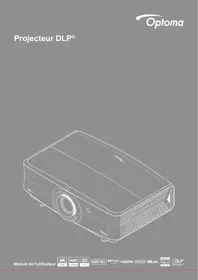
UHZ68LV - Projector OPTOMA - Free user manual and instructions
Find the device manual for free UHZ68LV OPTOMA in PDF.


| Product type | DLP laser projector 4K UHD |
| Native resolution | 3840 x 2160 (4K UHD) |
| Light source | Class 1 laser (compliant with IEC/EN 60825-1:2014) |
| Brightness | Up to 300 W in Bright mode |
| Lens | Zoom 1.6x, motorized lens shift (vertical ±60%, horizontal ±23%) |
| Image size | 30.6" to 301.1" (optimized at 82") |
| Projection distance | 1.0 m to 10 m |
| HDMI connectivity | 3 inputs (2x HDMI 2.0, 1x HDMI 2.1 with support for 4K@120Hz, HDR10+, Dolby Vision) |
| Other inputs/outputs | USB-A (3x), RJ45 (LAN), RS232, S/PDIF, 3.5mm audio output, 12V trigger (x2), 3D sync |
| Speakers | 2 x 5W |
| Dimensions (W x D x H) | 498.1 x 331.1 x 171 mm (with feet) |
| Weight | 8.9 kg ±0.3 kg |
| Power consumption (standby mode) | < 0.5 W (Eco mode) |
| Power consumption (Bright mode) | 300 W (typical), 345 W max. (110 VAC) |
| Operating temperature | 0°C to 40°C, humidity 10% to 80% non-condensing |
| Installation | Front, rear, ceiling (with kit), free 360° rotation |
| Lens cleaning | Use a special lens cloth and compressed air; do not touch with fingers |
| Security | Password protection, keypad lock, child safety (installation out of reach) |
| Spare parts / repairability | Light source not user-replaceable; contact Optoma customer service for any repair |
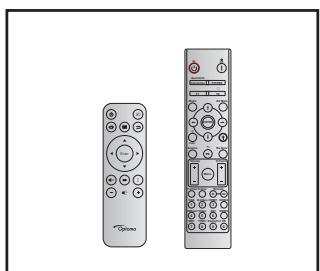
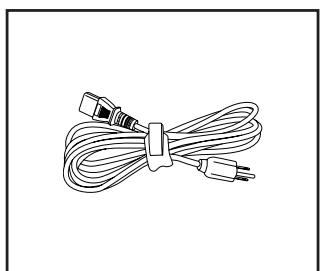
| Included accessories | Power cable, quick start guide, remote control with AAA batteries |
| Warranty | Consult the dealer; warranty card provided in some regions |
Frequently Asked Questions - UHZ68LV OPTOMA
User questions about UHZ68LV OPTOMA
0 question about this device. Answer the ones you know or ask your own.
Ask a new question about this device
Download the instructions for your Projector in PDF format for free! Find your manual UHZ68LV - OPTOMA and take your electronic device back in hand. On this page are published all the documents necessary for the use of your device. UHZ68LV by OPTOMA.
USER MANUAL UHZ68LV OPTOMA
natural_image
Line drawing of a projector with visible internal components and ventilation grille (no text or symbols)TABLE DES MATIÈRES
SÉCURITÉ .... 4
- INGESTION HAZARD: This product contains a button cell or coin battery.
- DEATH or serious injury can occur if ingested.
- A swallowed button cell or coin battery can cause Internal Chemical Burns in as little as 2 hours.
- KEEP new and used batteries OUT OF REACH of CHILDREN
- Seek immediate medical attention if a battery is suspected to be swallowed or inserted inside any part of the body.

Nettoyer l'objectif
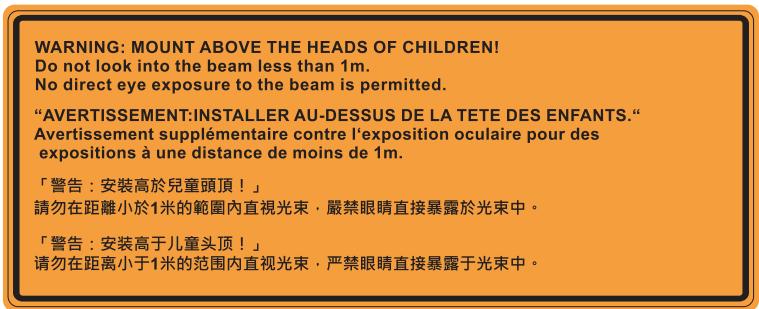
IEC 60825-1:2014, EN 60825-1:2014+A11:2021, EN 50689:2021 CLASS 1 CONSUMER LASER PRODUCT RISK GROUP 2, Complies with 21 CFR 1040.10 and 1040.11 except for conformance as a Risk Group 2 LIP as defined in IEC 62471-5:Ed.1.0. For more information see Laser Notice No. 57, dated May 8, 2019. IEC 60825-1:2014 等級1雷射產品RG2危險等級 IEC 60825-1:2014 1类激光产品RG2危险等级
This Class B digital apparatus complies with Canadian ICES-003.
natural_image
Illustration of a projector with a circular lens and ventilation grille (no text or symbols)Projecteur
natural_image
Two remote control devices shown in line drawing style (no text or symbols visible)Télécommande
natural_image
Line drawing of a bundle of cables with connectors (no text or symbols)https://www.optoma.com/support/download
natural_image
Line drawing of a person sitting in a chair watching a projector on a small table (no text or symbols)natural_image
Line drawing of a person sitting in a chair facing a projector mounted on a wall, with no text or symbols present.natural_image
Line drawing of a person sitting in a chair watching a projector on a desk (no text or symbols)natural_image
Line drawing of a person sitting in a chair observing a projector mounted on a wall (no text or symbols)natural_image
Two stacked shopping carts with a red 'X' symbol crossed out, no text or symbols present
natural_image
Diagram showing a mechanical component with red arrows indicating motion or force direction (no text or symbols)
MISE EN GARDE :
Marche
natural_image
Abstract digital artwork with flowing light curves and glowing orange streaks on a dark background, no text or symbols present.UTILISER LE PROJECTEUR
[Écran d'installation du dongle Wi-Fi (suite)]
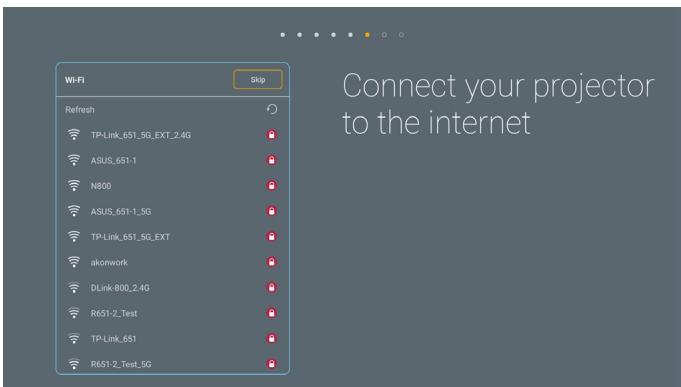
[Écran réseau]
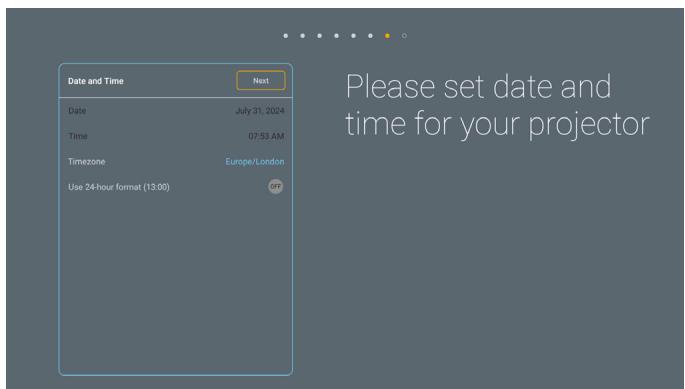
UTILISER LE PROJECTEUR
UTILISER LE PROJECTEUR
Administrateur
UTILISER LE PROJECTEUR
Optoma Technology, Inc.
47697 Westinghouse Drive.
Fremont, Ca 94539
888-289-6786
510-996-4794
services@optoma.com
Canada
Optoma Technology, Inc.
47697 Westinghouse Drive.
Fremont, Ca 94539
888-289-6786
510-996-4794
services@optoma.com
Amérique Latine
Optoma Technology, Inc.
47697 Westinghouse Drive.
Fremont, Ca 94539
888-289-6786
510-996-4794
services@optoma.com
Europe
1 Bourne End Mills
Hemel Hempstead
Hertfordshire
HP1 2UJ
Royaume-Uni
www.optoma.eu
service@tsc-europe.com
France
Bâtiment E
81-83 avenue Edouard Vaillant
92100 Boulogne Billancourt, France
+31 (0) 36 8200 250
+31 (0) 36 548 9052
+33 1 41 46 12 20
+33 1 41 46 94 35
savoptoma@optoma.fr
Espagne
C/ José Hierro, 36 Of. 1C 28529 Rivas
https://www.optoma.com/kr/
Japon
https://www.optoma.com/jp/
Taiwan
https://www.optoma.com/tw/
Chine
Room 2001, 20F, Building 4,
No.1398 Kaixuan Road,
Changning District
Shanghai, 200052, Chine
Australie
https://www.optoma.com/au/

+86-21-62947376
+86-21-62947375
www.optoma.com.cn


Brand : OPTOMA
Model : UHZ68LV
Category : Projector