USER MANUAL ILS Command Chauvet
Scan the QR code to access the product page, warranty terms, and the complete User Manual
Safety Notes
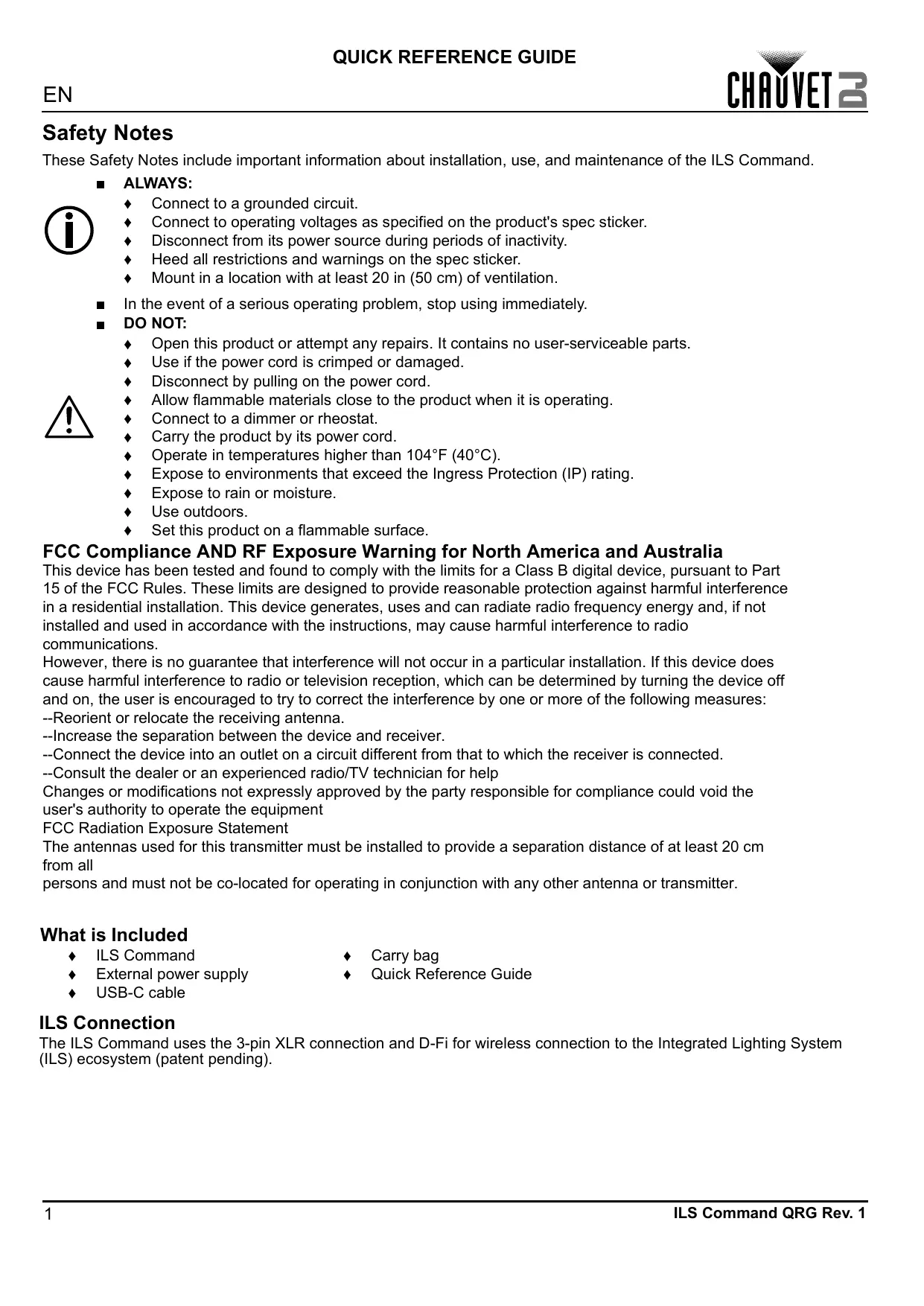
These Safety Notes include important information about installation, use, and maintenance of the ILS Command.
ALWAYS:

Connect to a grounded circuit.
Connect to operating voltages as specified on the product's spec sticker.
Disconnect from its power source during periods of inactivity.
Heed all restrictions and warnings on the spec sticker.
Mount in a location with at least 20 in (50 cm) of ventilation.
In the event of a serious operating problem, stop using immediately.
DO NOT:
Open this product or attempt any repairs. It contains no user-serviceable parts.
Use if the power cord is crimped or damaged.
Disconnect by pulling on the power cord.
Allow flammable materials close to the product when it is operating.
Connect to a dimmer or rheostat.
Carry the product by its power cord.
Operate in temperatures higher than 104ircF (40ircC)
Expose to environments that exceed the Ingress Protection (IP) rating.
Expose to rain or moisture.
Use outdoors.
Set this product on a flammable surface.
FCC Compliance AND RF Exposure Warning for North America and Australia
This device has been tested and found to comply with the limits for a Class B digital device, pursuant to Part 15 of the FCC Rules. These limits are designed to provide reasonable protection against harmful interference in a residential installation. This device generates, uses and can radiate radio frequency energy and, if not installed and used in accordance with the instructions, may cause harmful interference to radio communications.
However, there is no guarantee that interference will not occur in a particular installation. If this device does cause harmful interference to radio or television reception, which can be determined by turning the device off and on, the user is encouraged to try to correct the interference by one or more of the following measures:
--Reorient or relocate the receiving antenna.
--Increase the separation between the device and receiver.
--Connect the device into an outlet on a circuit different from that to which the receiver is connected.
--Consult the dealer or an experienced radio/TV technician for help
Changes or modifications not expressly approved by the party responsible for compliance could void the user's authority to operate the equipment
FCC Radiation Exposure Statement
The antennas used for this transmitter must be installed to provide a separation distance of at least 20 cm from all
persons and must not be co-located for operating in conjunction with any other antenna or transmitter.
What is Included
ILS Command
External power supply
USB-C cable
Carry bag
Quick Reference Guide
ILS Connection
The ILS Command uses the 3-pin XLR connection and D-Fi for wireless connection to the Integrated Lighting System (ILS) ecosystem (patent pending).
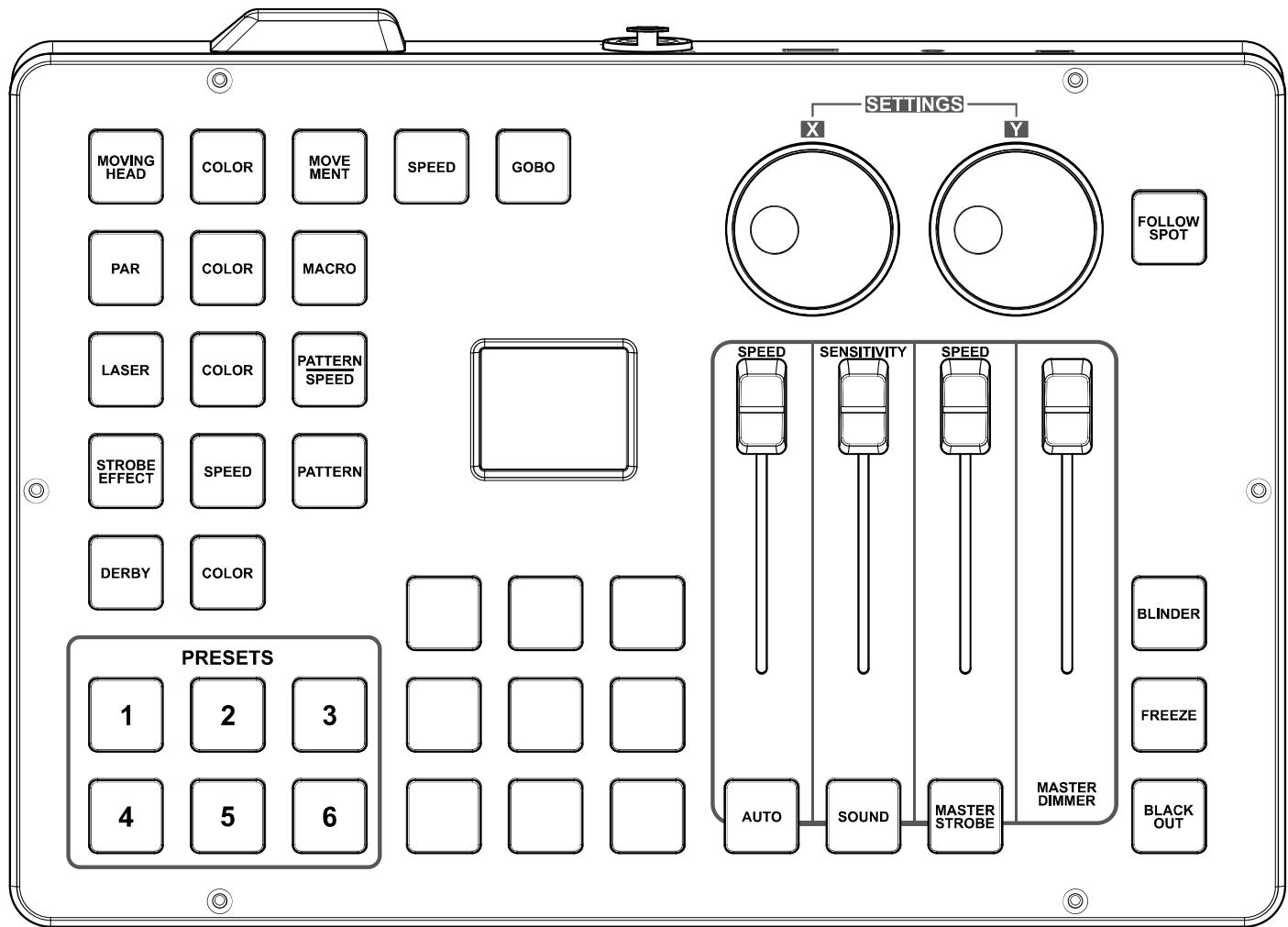
Control Panel Overview
Control Panel Description
| Label/Color | Type | Function |
| <X> | Encoder | Press to access menu, enable the currently displayed menu, or set the currently selected value into the selected functionPress and hold for 3 seconds to lock and unlock the ILS CommandRotate to navigate through the menu list, to increase or decrease numeric values in a function, and to program the pan of moving heads for follow spot mode |
| <Y> | Encoder | Press to exit from the current menu or functionPress and hold for 3 seconds to lock and unlock the ILS Command except for the <PRESENT> buttonsRotate to program the tilt of moving heads for follow spot mode |
| <FOLLOW SPOT> | Button | Press to activate and deactivate follow spot modePress and hold to program follow spot mode positions, colors, and gobos (Use the <amber>, <green>, <cyan>, and <white> buttons with the <X> and <Y> encoders to program)Press and hold again to finish programming, then use the <X> encoder to save or cancel |
| <AUTO SPEED> | Fader | Adjust to set the speed of automatic/preset programs and macros |
| <SENSITIVITY> | Fader | Adjust to set the sensitivity of the microphone or aux input in sound mode |
| <STROBE SPEED> | Fader | Adjust to set the strobe speed |
| <MASTER DIMMER> | Fader | Adjust to set the master dimmer value |
| <AUTO> | Button | Press to activate automatic mode |
| <SOUND> | Button | Press to activate sound mode |
| <MASTER STROBE> | Button | Press to trigger/toggle all effects to strobe |
| <BLINDER> | Button | Press to trigger/toggle blinder effect (all effects white at full output) |
| <FREEZE> | Button | Press to toggle freeze (hold all output at the current setting) |
| <BLACK OUT> | Button | Press to toggle black out |
| <Red> | Button | Press to toggle all output to red |
| <Amber> | Button | Press to toggle all output to amber and to select a parameter when programming follow spot mode |
| <Yellow> | Button | Press to toggle all output to yellow |
| <Green> | Button | Press to toggle all output to green and to select a parameter when programming follow spot mode |
| <Blue> | Button | Press to toggle all output to blue |
| <Cyan> | Button | Press to toggle all output to cyan and to select a parameter when programming follow spot mode |
| <Magenta> | Button | Press to toggle all output to magenta |
| <White> | Button | Press to toggle all output to white and to select a parameter when programming follow spot mode |
| <UV> | Button | Press to toggle all output to ultraviolet |
| <MOVING HEAD> | Button | Press to activate moving heads, to set moving heads to default, and to deactivate moving heads |
| <PAR> | Button | Press to activate pars, to set pars to default, and to deactivate pars |
| <LASER> | Button | Press to activate laser control, to set lasers to default, and to deactivate lasers |
| <STROBE EFFECT> | Button | Press to activate strobes, to set strobes to default, and to deactivate strobes |
| <DERBY> | Button | Press to activate derbies/kintas, to set deries/kintas to default, and to deactivate derbies/kintas |
| <COLOR> | Button | Press to cycle through colors for the associated effect |
| <MOVEMENT> | Button | Press to cycle through movement macros for moving heads |
| <SPEED> | Button | Press to cycle through speeds for the associated effect |
| <GOBO> | Button | Press to cycle through gobo effects for moving heads |
| <MACRO> | Button | Press to activate and cycle through macros for pars |
| <PATTERN|SPEED> | Button | Press to cycle through patterns/speeds for lasers |
| <PATTERN> | Button | Press to cycle through patterns for strobes |
| <PRESENT 1-6> | Button | Press and hold to save settings to the preset slot, then use the <X> encoder to name the preset and assign a button color
Press to activate and deactivate the preset |
Notas de seguridad
Visit the applicable website above to verify our contact information and instructions to request support. Outside the U.S., U.K., Ireland, Mexico, France, Germany, or Benelux, contact the dealer of record.
ILS Command QRG ML6 Rev. 1
Copyright 2023 Chauvet
All rights reserved



RoHS