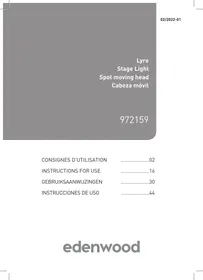
WASH 7 LEDS - Spotlight EDENWOOD - Free user manual and instructions
Find the device manual for free WASH 7 LEDS EDENWOOD in PDF.


| Product type | LED spot with pan and tilt movement |
| Brand | EDENWOOD |
| Model | WASH 7 LEDS (972159) |
| Light source | 7 × 10 W RGBW 4-in-1 LED |
| Beam angle | 45° |
| LED lifespan | 60,000 hours |
| Pan rotation | 540° (adjustable: 180°, 360°, 540°) |
| Tilt | 180° (adjustable: 90°, 180°) |
| Dimmer | 0–100% |
| Control modes | Auto, Audio, Master/Slave, DMX-512 |
| DMX channels | 9 channels or 14 channels |
| Power supply voltage | 110–240 V ~, 50/60 Hz |
| Power consumption | 53 W |
| Fuse | T1A |
| Dimensions (L × W × H) | 175 × 175 × 240 mm |
| Weight | 2.8 kg |
| Mounting | Mounting bracket with suspension hook |
| Connections | DMX input/output, power input with fuse compartment |
| Display | Digital screen for mode selection |
| Cleaning | Unplug, use vacuum cleaner or lint-free cloth with glass cleaner |
| Maintenance | Check screws, cable, insulation every 3 months |
| Warranty | 2 years (upon presentation of receipt) |
Frequently Asked Questions - WASH 7 LEDS EDENWOOD
User questions about WASH 7 LEDS EDENWOOD
0 question about this device. Answer the ones you know or ask your own.
Ask a new question about this device
Download the instructions for your Spotlight in PDF format for free! Find your manual WASH 7 LEDS - EDENWOOD and take your electronic device back in hand. On this page are published all the documents necessary for the use of your device. WASH 7 LEDS by EDENWOOD.
USER MANUAL WASH 7 LEDS EDENWOOD
Thank you for choosing this EDENWOOD product. EDENWOOD products are chosen, tested, and recommended by ELECTRO DEPOT, so you can be sure you are getting a top-quality, easy-to-use product that won't let you down.
We're confident your new device will be a pleasure to use every day!
Welcome to ELECTRO DEPOT.
Table of Contents

Regulatory instructions
Safety instructions
Disposing of your old device

Product overview
Parts
Product overview
Specifications

Product usage
Use
DMX

Cleaning and maintenance
Cleaning and maintenance
Storage
A Regulatory instructions

Read the user manual after reading this regulatory warning booklet.
Safety instructions
- Please read the instructions carefully before using the unit and keep them for future reference. Should the unit be given to someone else, please include this user manual too.
- This product is only suitable for indoor use, yet should also not be used in any mould-prone areas, such as bathrooms.
- The light should be placed on a flat, dry and clean surface. Do not cover the light and keep it away from curtains, bedding, etc.
- It is forbidden to put anything on the product or hang anything from certain parts.
- Warning! Make sure that the cable is correctly positioned in such a way that it does not pose any danger (prevent the cable from being slack, forming loops or getting pulled/trapped somewhere).
- The light can be cleaned with a clean, dry cloth. Do not immerse it in water.
- To avoid the risk of an electric shock, do not touch the "ON/OFF" switch. Should the switch become loose or damaged, the product must be disposed of.
- If the power cable is damaged, it must be replaced by a cable or special set available from the manufacturer or their after-sales service.
The product must be placed at least 1 m away from the surface to be illuminated. - Install the product in a well-ventilated location to ensure a good ventilation. Leave a gap of at least 0.5m between the product and any wall.
- Do not look directly into the light beam.
- Regularly check the safety glass for cracks or other signs of damage. Should the glass become damaged, please dispose of the product.
A Regulatory instructions
- The light source contained in this light fitting should only be replaced by the manufacturer, its service agent or a similarly qualified person.
Disposing of your old device
SEPARATE COLLECTIONS FOR ELECTRONIC AND ELECTRICAL DEVICES

m = 311 ;
This product must not be disposed of or recycled with other household waste when it reaches the end of its useful life.


The product and its packaging should be collected and recycled separately from other waste.
WHAT SHOULD I DO WITH MY WASTE?
Please dispose of your waste in accordance with the advice below to reduce the impact of your new purchase on the environment.
You are legally responsible for separating the waste associated with this product (and any accessories) so that it can be recycled, including any instructions or/or packaging.
Electric and electronic appliances should not be sorted or recycled together with other household waste.
Keep used products and packaging out of the reach of children, as they can pose a safety hazard. Please retain the instructions and any other notices throughout the service life of the device, and include these documents with the device if it is passed on to third party.
For packaging and other notices, please refer to the recycling instructions on the main packaging, and to the advice available on the Internet.
For the product itself, please refer to the instructions available on the Internet.
If you do not have Internet access, please contact your local authority for advice on how to sort and recycle your waste.
For your children's safety, please store your old devices in a safe place outside your home until they are collected.
Parts

LED lens

Display (indicates the number of the selected mode)

Control panel

Detachable power cable with plug


Switches between different modes/exit mode

Mounting bracket and metal hook


Increases the values

OUTPUT Connector


Decreases the values

INPUT Connector


Confirms the settings

POWER/ Power connector
FUSE (and fuse compartment)
Product overview
- Unpack the product. Remove all the labels from the product. Check that it is complete and in a good condition. If the unit is damaged or faulty, do not use it and take it to your retailer or after-sales service centre.
- Keep all packaging out of the reach of children. There is a risk of accidents if children play with packaging materials.
Specifications
| Model: | 972159 |
| Operating voltage: | 110-240 V ~, 50/60 Hz |
| Power consumption: | 53 W |
| Light sources: | 7 x 10 W LEDs (RGBW 4 IN 1) |
| Operating time: | 60,000 hours |
| Beam angle: | 45° |
| Command method: | audio activation, auto, master/slave, DMX-512 |
| DMX channels: | 2-channel modes (9 channels and 14 channels) |
| Pan/Tilt rotation: | 540°/180°, adjustable speed |
| Dimmer: | 0-100% |
| Fuse: | T1A |
| Dimensions/Weight: | 175 x 175 x 240 mm/2.8 kg |
Use
1 Place the light on a level surface.
To assemble
WARNING
- Always unplug the power plug from the mains socket before assembling the product.
- Use a live wire detector to ensure that no electric cables are running behind or through the surface.
2 Loosen the 2 screws on the light's base. Install the mounting bracket on the unit's base. Always secure the unit by means of a hook-compatible safety rope (not supplied).
3 Attach a hanging hook (included) to the unit's mounting bracket.
Hang the hook with the unit fixed to the base, then secure the hook in place with a suitable screw and nut (not included).
5 Connect the unit's power cable to an appropriate mains socket. After a few seconds, the unit will be ready for use.

Note : The appropriate fastening systems vary according to the mounting surface's composition.
Numerical values indicated on the display
| Display | Description | Further information |
| Auto | Automatic mode | |
| ← Slou | Slow | The unit works in automatic mode at either a slow or fast speed. |
| ← FAST | Fast | |
| SoUn | Sound | The unit displays a rhythmic sequence of colours over the sound. |
| ← Sound | Sound | |
| Slav | Slave mode | |
| ← chili | Child | Child: The unit copies the movements and effects of a connected Master unit. |
| ← mast | Master | |
| DMH | DMX | Select and confirm a DMX address. |
| ← d001...d512 | DMX | Make sure that this number matches the configuration of your DMX controller. |
| rESt | Reset | |
| ← rSt | Mechanical reset | All old settings will be deleted. |
| ← Fact | Restores to the default factory settings | |
| Pro | Expert mode | |
| ← diSP | Display direction | |
| ← ndS | Normal display | |
| ← rdS | Inverted display | |
| ← dmch | DMX channel | |
| ← 9CH | ||
| ← 14CH | Expert mode allows you to manually adjust the tilt, pan, angles and any other movement or behaviour. | |
| ← PAn | Maximum rotation angle | |
| ← P180 | 180° | |
| ← P360 | 360° | If you would like to control the unit via a DMX controller, you can also choose between the 9-channel and 14-channel settings (see "DMX control: 9 channels/14 channels"). |
| ← P540 | 540° | |
| ← Pdir | Panning direction | |
| ← nPan | Normal panning direction | |
| ← rPan | Reverse panning direction | |
| ← tilt | Maximum tilt angle | |
| ← t90 | 90° | |
| ← t180 | 180° | |
| ← tdir | Tilt direction | |
| ← ntil | Normal tilt direction | |
| ← rtil | Reverse direction |
DMX
Accessories required (not included):
Interconnect cable (signal cable)
DMX controller
6 Connect a signal cable from the controller output to the first light's INPUT.
- Connect another signal cable from the OUTPUT of the first light to the INPUT of the second light.
- Repeat the above step to connect all the slave lights.
Master/slave mode
Accessories required (not included):
Interconnect cable (signal cable)
Master/slave is an operating mode that allows one light to act as a master and therefore, control all the other lights as slaves.
7 Connect the signal cable to the OUTPUT connector of the first master light and the INPUT connector of the second slave light.
- Repeat the step to connect all the slave lights.
- Set AUTO or AUDIO mode on the master light.

Please note : Only one light can be set as the master.
DMX command
9 channels
| Channel | Value | Description |
| 1 CH | 0-255 | Panning rotation |
| 2 CH | 0-255 | Tilt rotation |
| 3 CH | 0-134 | Total dimming (dark-bright) |
| 135-239 | Strobe (slow-fast) | |
| 240-255 | Medallion | |
| 4 CH | 0-255 | Red dimming settings (dark-bright) |
| 5 CH | 0-255 | Green dimming settings (dark-bright) |
| 6 CH | 0-255 | Blue dimming settings (dark-bright) |
| 7 CH | 0-255 | White dimming settings (dark-bright) |
| 8 CH | 0-255 | Motor speed adjustment |
| 9 CH | 0-249 | No function |
| 250-255 | Reset |
14 channels
| Channel | Value | Description |
| 1 CH | 0-255 | Panning rotation |
| 2 CH | 0-255 | Panning adjustment |
| 3 CH | 0-255 | Tilt rotation |
| 4 CH | 0-255 | Tilt adjustment |
| 5 CH | 0-255 | Motor speed adjustment |
| 6 CH | 0-134 | Total dimming (dark-bright) |
| 135-239 | Strobe (slow to fast) | |
| 240-255 | Medallion | |
| 7 CH | 0-255 | Red dimming settings (dark-bright) |
| 8 CH | 0-255 | Green dimming settings (dark-bright) |
| 9 CH | 0-255 | Blue dimming settings (dark-bright) |
| 10 CH | 0-255 | White dimming settings (dark-bright) |
| 11 CH | 0-21 | No function |
| 22-77 | Selecting the colour (RGBW) | |
| 78-231 | Colour mixing | |
| 232-255 | Colour changing | |
| 12 CH | 0-255 | Colour-changing speed adjustment (slow-fast) |
| 13 CH | 0-7 | No effect |
| 8-127 | Automatic | |
| 128-255 | Sound | |
| 14 CH | 0-249 | No function |
| 250-255 | Reset |
Cleaning and maintenance

WARNING
Always unplug the power plug from the mains socket before carrying out any maintenance or cleaning operations. Let everything cool completely.
Cleaning

Note : We recommend cleaning the product every 2 weeks.
- Unplug the power plug from the mains socket.
- Use a vacuum cleaner or an air compressor and a soft brush to remove any dust that has accumulated on the external vents.
- Clean all the lenses with a dilute solution of glass cleaner or isopropyl alcohol by means of a soft lint-free cloth or a special lens cloth.
- Apply the solution to a rag or piece of cloth and slide the dirt and grime towards the outside of the lenses.
- Gently buff the optical lenses until they are streak and lint-free.
- Never use corrosive cleaners, wire brushes, abrasive scouring pads or metal/sharp tools to clean your unit.
- Thoroughly dry the unit after cleaning it.
- Store the unit in a cool, dry place, out of the reach of children and pets.
Maintenance
- Check everything on a regular basis and tighten the screws mounted on the light fitting.
- Replace any corroded screws with new ones.
-
Check the condition of the surface upon which the light fitting has been installed and whether or not it is still sturdy. Make sure that there are no signs of damage or deformation.
-
Check and make sure that the power cable and insulation layer have not been damaged.
- Make sure that all the circuit components have been connected correctly. Perform a thorough lighting inspection every 3 months.
Storage
- Always unplug the unit before storing it.
- Store the unit in a fresh, dry and dust-free place, out of the reach of children and pets.
- Please retain the packaging and use it to store your unit when it is not in use for an extended period of time.

Bedankt!
WAT DOE IK MET MIJN AFVAL?

m = 311 ;
This product is guaranteed against faults caused by defects in manufacturing or the materials used for a period of two years, starting from the date of purchase.* This warranty does not cover defects or damage caused by failure to install the device correctly, incorrect use of the product, or excessive wear and tear.
*proof of purchase required.
NL
GARANTIEVOORWAARDEN

- Table of Contents
- A Regulatory instructions
- Read the user manual after reading this regulatory warning booklet.
- Safety instructions
- Disposing of your old device
- SEPARATE COLLECTIONS FOR ELECTRONIC AND ELECTRICAL DEVICES
- WHAT SHOULD I DO WITH MY WASTE?
- Parts
- Product overview
- Specifications
- Use
- To assemble
- WARNING
- DMX
- Master/slave mode
- DMX command
- Cleaning and maintenance
- Cleaning
- Maintenance
- Storage
- Bedankt!
- WAT DOE IK MET MIJN AFVAL?
- NL
- GARANTIEVOORWAARDEN
Brand : EDENWOOD
Model : WASH 7 LEDS
Category : Spotlight