Skipper SP - CARE - Rowing Machine CARE FITNESS - Free user manual and instructions
Find the device manual for free Skipper SP - CARE CARE FITNESS in PDF.



| Product type | Rowing machine |
| Brand | CARE FITNESS |
| Model | Skipper SP - CARE |
| Power supply | 2 x 1.5V batteries (AA type) |
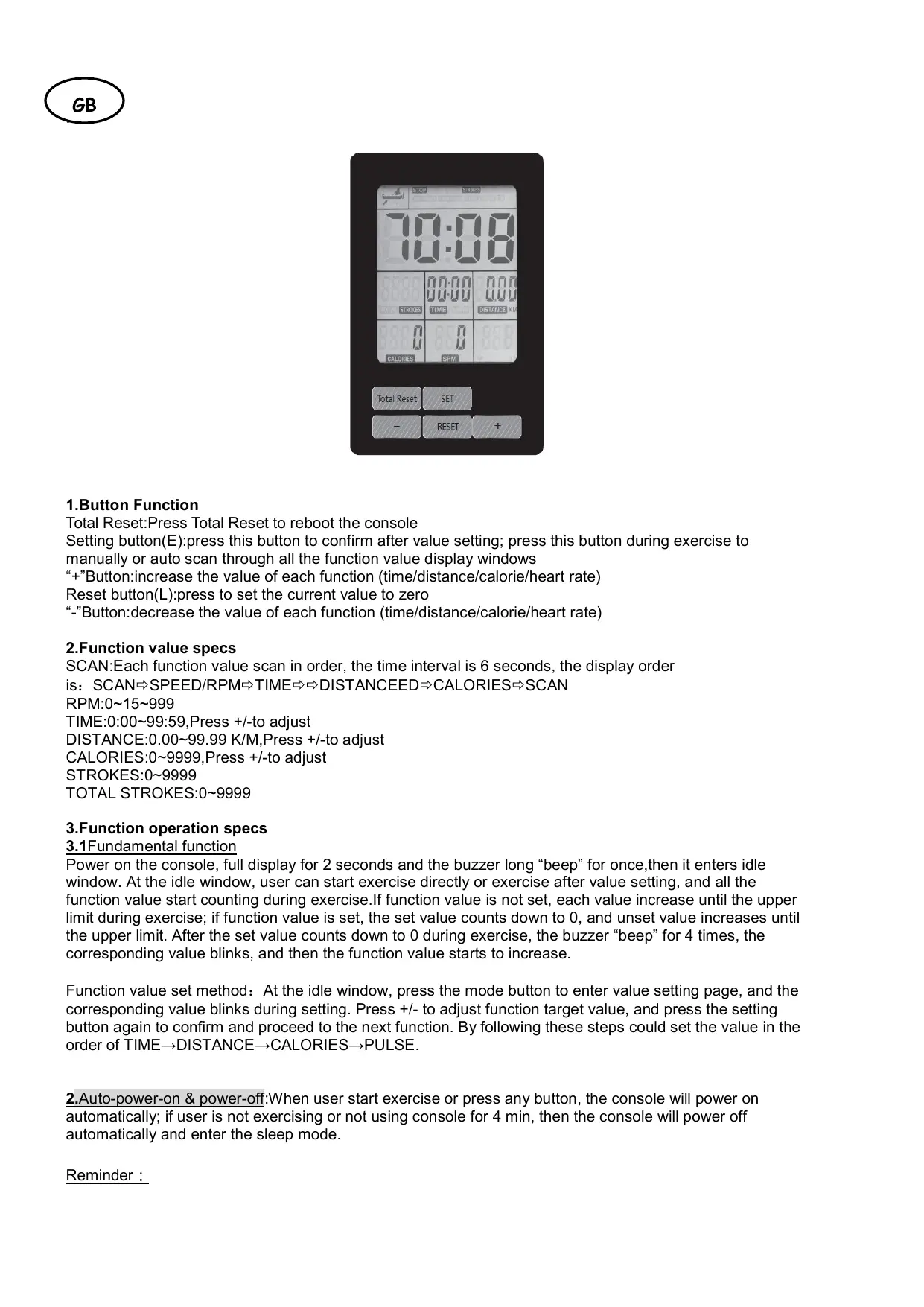
| Display | SCAN, TPM, Time, Distance, Calories, Strokes |
| Stroke rate range (TPM) | 0 ~ 999 (SCAN displays 0~15~999) |
| Time range | 0:00 ~ 99:59 |
| Distance range | 0.00 ~ 99.99 km |
| Calorie range | 0 ~ 9999 kcal |
| Stroke range | 0 ~ 9999 |
| Value adjustment | SET, +, - buttons |
| Reset | RESET button (zero reset) and Total reset (console restart) |
| Auto sleep | After 4 minutes of inactivity |
| Auto start | When exercising or pressing a button |
| Sound signal | Long beep at start, 4 beeps at end of countdown |
| Full display duration at start | 2 seconds |
| Spare parts | Contact customer service with product reference and manufacturing number |
| After-sales service | CARE Service, 18/22 rue Bernard - Z.I. les Vignes, 93012 BOBIGNY Cedex |
| Customer service phone | 0820 821 167 (Mon-Fri 10am-12pm, 2pm-5pm) |
| Console maintenance | Keep away from humid environments |
| Intended use | Home physical exercise |
Frequently Asked Questions - Skipper SP - CARE CARE FITNESS
User questions about Skipper SP - CARE CARE FITNESS
0 question about this device. Answer the ones you know or ask your own.
Ask a new question about this device
Download the instructions for your Rowing Machine in PDF format for free! Find your manual Skipper SP - CARE - CARE FITNESS and take your electronic device back in hand. On this page are published all the documents necessary for the use of your device. Skipper SP - CARE by CARE FITNESS.
USER MANUAL Skipper SP - CARE CARE FITNESS
TOTAL DES MOUVEMENTS:0\~9999
E mail: sav@carefitness.com
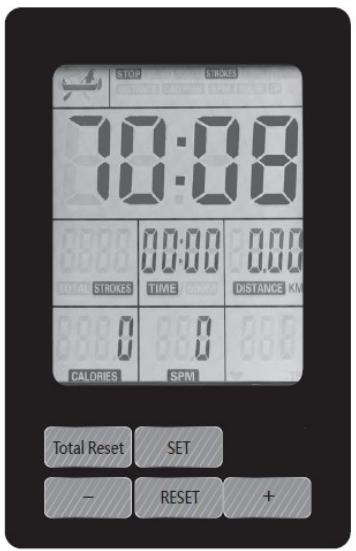
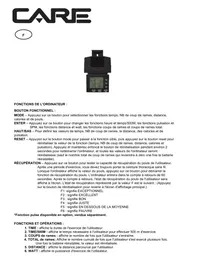
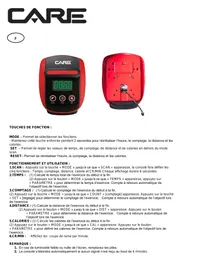
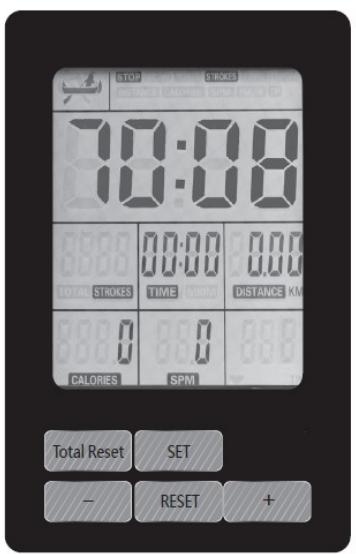
1.Button Function
Total Reset:Press Total Reset to reboot the console
Setting button(E):press this button to confirm after value setting; press this button during exercise to manually or auto scan through all the function value display windows
+Button:increase the value of each function (time/distance/calorie/heart rate)
Reset button(L):press to set the current value to zero
"-"Button:decrease the value of each function (time/distance/calorie/heart rate)
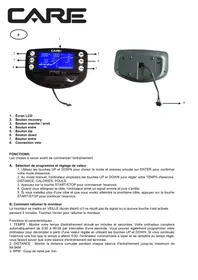
2.Function value specs
SCAN:Each function value scan in order, the time interval is 6 seconds, the display order
is: SCAN SPEED/RPM TIME DISTANCEED CALORIES SCAN
RPM:0~15~999
TIME:0:00~99:59,Press +/-to adjust
DISTANCE:0.00~99.99 K/M,Press +/-to adjust
CALORIES:0~9999,Press +/-to adjust
STROKES:0~9999
TOTAL STROKES:0~9999
3.Function operation specs
3.1 Fundamental function
Power on the console, full display for 2 seconds and the buzzer long "beep" for once, then it enters idle window. At the idle window, user can start exercise directly or exercise after value setting, and all the function value start counting during exercise. If function value is not set, each value increase until the upper limit during exercise; if function value is set, the set value counts down to 0, and unset value increases until the upper limit. After the set value counts down to 0 during exercise, the buzzer "beep" for 4 times, the corresponding value blinks, and then the function value starts to increase.
Function value set method: At the idle window, press the mode button to enter value setting page, and the corresponding value blinks during setting. Press +/- to adjust function target value, and press the setting button again to confirm and proceed to the next function. By following these steps could set the value in the order of TIME DISTANCE CALORIES PULSE.
2.Auto-power-on & power-off: When user start exercise or press any button, the console will power on automatically; if user is not exercising or not using console for 4 min, then the console will power off automatically and enter the sleep mode.
Reminder :
- Please use 2 pieces of 1.5V batteries
- Keep the console away from humid environment
To order spare parts
To guarantee an efficient service, make sure you have the following items before you contact our After Sales Service:
The name or reference of the product.
The manufacturing number shown on the main chassis and on the packing box.
The number of the missing or faulty part shown on the exploded view of the product described in this manual.
After Sales Service
Email: service-uk@carefitness.com
1. Tastenfunktionen
E-mail: service-nl@carefitness.com