CARE - Elancy - Rowing Machine CARE FITNESS - Free user manual and instructions
Find the device manual for free CARE - Elancy CARE FITNESS in PDF.


User questions about CARE - Elancy CARE FITNESS
0 question about this device. Answer the ones you know or ask your own.
Ask a new question about this device
Download the instructions for your Rowing Machine in PDF format for free! Find your manual CARE - Elancy - CARE FITNESS and take your electronic device back in hand. On this page are published all the documents necessary for the use of your device. CARE - Elancy by CARE FITNESS.
USER MANUAL CARE - Elancy CARE FITNESS
https://www.carefitness.com/sav
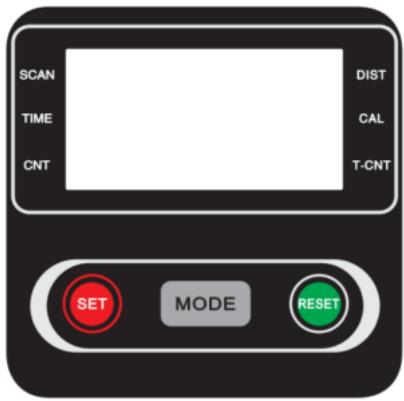
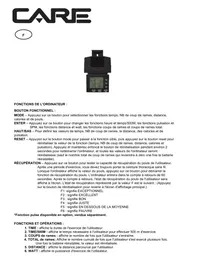
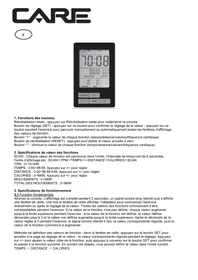
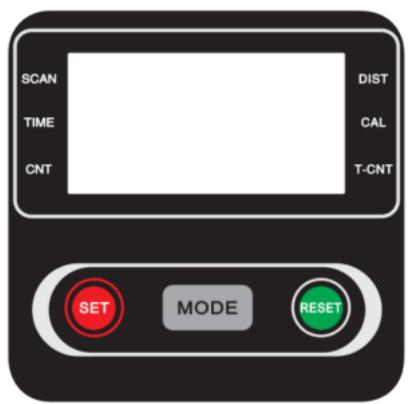
FUNCTIONAL BUTTONS:
MODE : Press MODE to select functions. If you hold down the MODE button for a long time to reset the time , number of strokes and calories.
SET : To define the time , number of strokes and calories values when you are not in scan mode
RESET : Press RESET to reset time, number of strokes and calories.
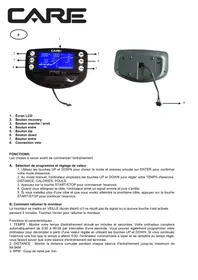
FUNCTION AND OPERATIONS:
1.SCAN : Press "MODE" button until "SCAN" appears, 5 functions appear one after the other : Time , DIST , CAL , T.Count , TCNT , each display will be held for 4 seconds.
2 TIME : (1) Count the total time from start to finish of the exercise. (2) Press the "MODE" button until "TIME" appears, press the "SET" button to set the exercise time. When the "SET" is zero, the computer will shut down 1 second after the start of the hour.
3.CNT: (1) Accumulate steps during exercise. (2) Press "MODE" button until "Count" appears, press "SET" button to set the number of exercises. When the "SET" is zero, the computer will stop approximately 1 second after the start of time.
4.TCNT : view the steps you have practiced
5.DIST : (1) Count the distance from start to finish of the exercise. (2) Press the "MODE" button until "DIST" appears, press the "SET" button to set the exercise distance. When the "SET" is zero, the computer will alarm 10 seconds.
6.CAL: (1) Count the total number of calories from the beginning to the end of the exercise. (2) Press "MODE" button until "CAL" appears, press "SET" button to set exercise calories. When the "SET" is zero, the computer will shut down approximately 1 second after the start of the hour.
NOTE :
- If the screen is dim or does not show any numbers, please replace the batteries.
- The computer will automatically shut down if no signal is received after 4 minutes.
- The computer will turn on automatically when you start to exercise the push button with signal input.
- The monitor will automatically start calculating when you start exercising and stop calculating when you stop exercising for 4 seconds.
FEATURES:
| FUNCTION | AUTOMATIC SCAN | Every 4 seconds |
| TIME | 00:00'~99:59' | |
| COUNT | 0-9999 | |
| T.COUNT | 0-9999 | |
| CALORIES | 0.0 ~ 999.9 kCAL | |
| DISTRIBUTION | 0.00-9999 | |
| BATTERY TYPE | 2 pieces of SIZE -AAA | |
| OPERATING TEMPERATURE | 0°C ~ +40°C | |
To order spare parts
To guarantee an efficient service, make sure you have the following items before you contact our After Sales Service:
The name or reference of the product.
The manufacturing number shown on the main chassis and on the packing box.
The number of the missing or faulty part shown on the exploded view of the product described in this manual.
After Sales Service
Email: service-uk@carefitness.com
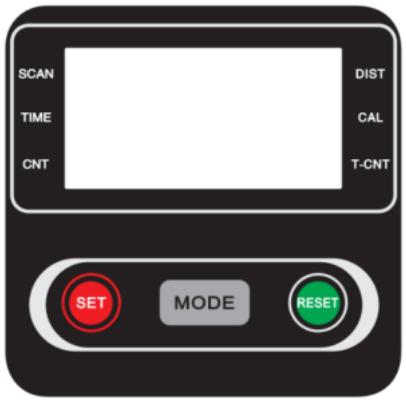
FUNKTIONSTASTEN:
E mail: service-de@carefitness.com

BOTONES FUNCIONALES:
E mail: service-it@carefitness.com
NL
FUNCTIONELE KNOPPEN:
E-mail: service-nl@carefitness.com