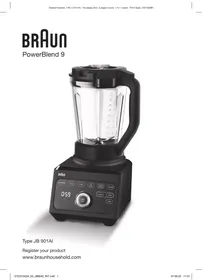
USER MANUAL JB9040 BRAUN
De'Longhi Braun Household GmbH
Carl-Ulrich-Straße 4
63263 Neu-Isenburg/Germany
DE Please read the safety instructions (separate booklet) carefully and completely before using the appliance. EN Please read safety instructions (separate booklet) carefully and completely before using the appliance. FR Please read the safety instructions (separate booklet) carefully and completely before using the appliance. ES Please read the safety instructions (separate booklet) carefully and completely before using the appliance. PT Please read the safety instructions (separate booklet) carefully and completely before using the appliance. IT Please read the safety instructions (separate booklet) carefully and completely before using the appliance. NL Please read the safety instructions (separate booklet) carefully and completely before using the appliance. DK Please read the safety instructions (separate booklet) carefully and completely before using the appliance. NO Please read the safety instructions (separate booklet) carefully and completely before using the appliance. SE Please read the safety instructions (separate booklet) carefully and completely before using the appliance. FI Please read the safety instructions (separate booklet) carefully and completely before using the appliance. PL Please read the safety instructions (separate booklet) carefully and completely before using the appliance. CZ Please read the safety instructions (separate booklet) carefully and completely before using the appliance. SK Please read the safety instructions (separate booklet) carefully and completely before using the appliance. HU Please read the safety instructions (separate booklet) carefully and completely before using the appliance. HR Please read the safety instructions (separate booklet) carefully and completely before using the appliance. SL Please read the safety instructions (separate booklet) carefully and completely before using the appliance. TR Please read the safety instructions (separate booklet) carefully and completely before using the appliance. RO Please read the safety instructions (separate booklet) carefully and completely before using the appliance. GR Please read the safety instructions (separate booklet) carefully and completely before using the appliance. KZ Please read the safety instructions (separate booklet) carefully and completely before using the appliance. RU Please read the safety instructions (separate booklet) carefully and completely before using the appliance. UA Please read the safety instructions (separate booklet) carefully and completely before using the appliance. AR Please read the safety instructions (separate booklet) carefully and completely before using the appliance.
* certain models only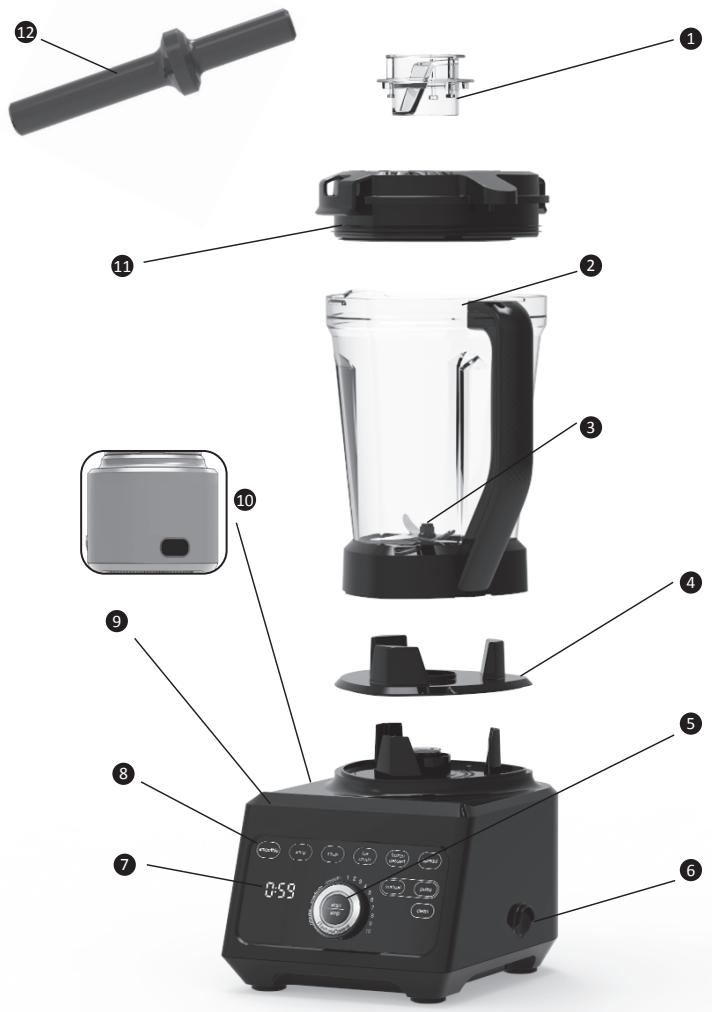
13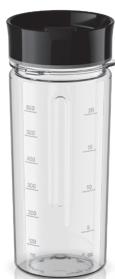
14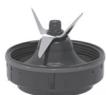
15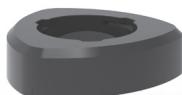




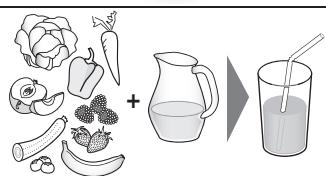
C smoothie soup chop ice crush frozen dessert spread
clean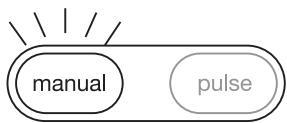
permanent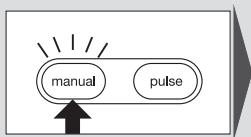
permanent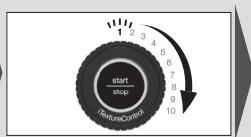
permanent flashing/flashing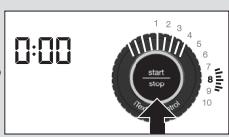
permanent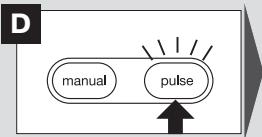
permanent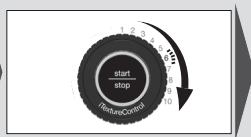
flashing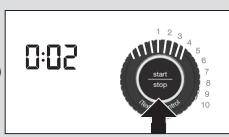
E.a.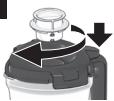
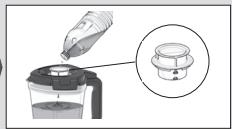
E.b.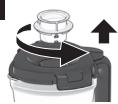
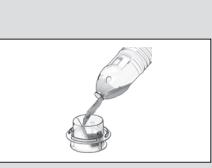
F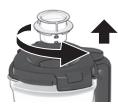

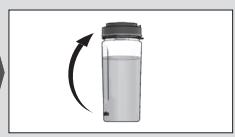
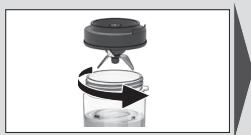
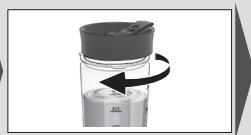
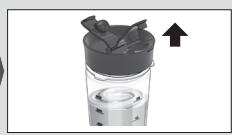
flashing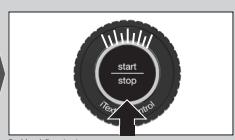
permanent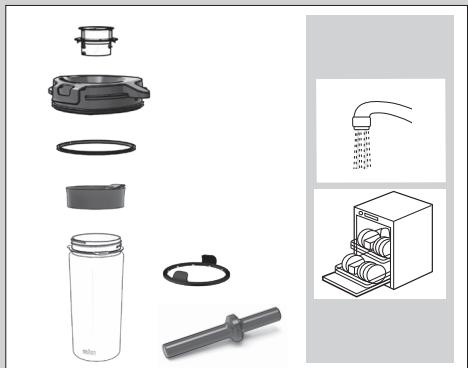
| MAX | Program | L
6
7
8
9
10
Coarse medium smooth 1 2 3 4
start
stop
(IntrusiveControl) | L
sec. | |
| 2000 ml | smoothie | smooth
medium
coarse | AUTO | |
| 2000 ml | smoothie | 2x smooth | AUTO | |
| <25°C | 1800 ml | soup | smooth
(hot soup
function)* | AUTO |
| + | 1800 ml | soup | medium
coarse | AUTO |
| 1000 g | chop | smooth
medium
coarse | AUTO |
| 600 g | chop | smooth
medium
coarse | AUTO |
| 3 cm | 250 g | chop | 2x smooth
2x medium
2x coarse | AUTO |
DE *see corresponding chapter / EN *see dedicated chapter / FR *voir le chapitre dédié / ES *ver capítulo específico / PT *ver o capítulo correspondente / IT *vedere capitolo dedicato / NL *zie specifiek hoofdstuk / DK *se kapitlet, som omhandler dette / NO *se eget kapittel / SE *se dedikerat kapitel / FI *katso erillinen luku / GR *βλ. οικείο Κεφάλαιο / PL *patrz dedykowany rozdział / CZ *viz příslušná kapitola / SK *pozrite príslušnú kapitolu / HU *lásd az erről szóló külön fejezet / HR *pogledajte odgovarajuće poglavlje / SI *Glejte zadevno poglavje. / TR *ait olduğu bölüme bakın / RO *vezi capitolul dedicat / RU *см. соответствующий раздел / KK *тиісті тарауды қараңыз / UA *див. відповідний розділ / AR
| MAX | Program | L
6
7
8
9
10 | L
6
7
8
9
10 | L
6
7
8
9
10 |
| 200 g
- 400 g | chop | 2x smooth
2x medium
2x coarse | AUTO | |
| 3 cm | 600 g | chop | 2x smooth
2x medium
2x coarse | AUTO |
| 12x | ice
crush | smooth
medium
coarse | AUTO | |
| 2000 ml | ice
crush | smooth
medium
coarse | AUTO | |
| 400 g
- 800 g | frozen
dessert | smooth
medium
coarse | AUTO | |
| 600 g | spread | smooth
medium
coarse | AUTO | |
| 500 ml | manual | 1.) 1 - 3
+ 2.) 7 | 60
+ 60 | |
| 1800 ml | manual | 1 - 10 | 45
- 60 | |

Program

sec.

| 500 g
-
1000 g | pulse | 6 | 10 - 15x pulse | |
| 15 g
-
30 g | pulse | 10 | 5 - 10x pulse | |
| 100 g
-
300 g | pulse | 6 | 5 - 10x pulse | |
1

Program

sec.
max 200 g
smoothie
smooth medium coarse
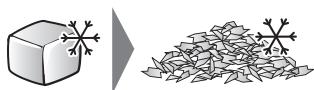
4x

ice crush
smooth medium coarse
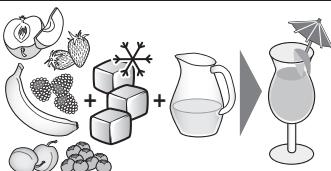
600 ml
ice crush
smooth medium coarse
AUTO
AUTO
DEUTSCH
Description
- Measuring cap
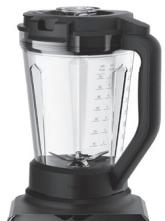
- Jug
- PrecisionEdge blade
- Centering pad
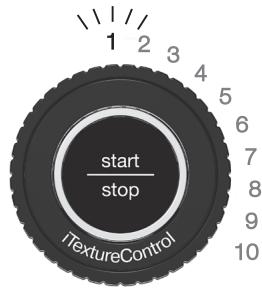
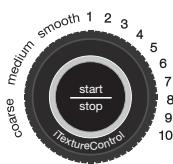
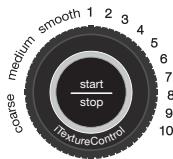
- TextureControl dial + START/STOP button
- On/Off switch
- Timer
- Illuminated touch display
- Motor base
- Cord storage (on back side)
- Lid incl. gasket
- Tamper
Smoothie2Go blending set consisting of:
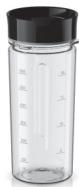
- 600 ml Smoothie2Go bottle incl. drinking lid
- Smoothie2Go blade group incl. gasket
- Smoothie2Go adapter
Before First Use
Clean all parts before using the blender for the first time – refer to "Care and Cleaning".
(A) Using the Jug
When switched on (6) and any container (2/13) is assembled, MANUAL lights up and the START/STOP button (5) is flashing, indicating the appliance is ready to use.
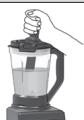
By removing the measuring cap (1), you can add additional ingredients or liquids at low speed (Fig. A).
Caution:
- Never attempt to operate the appliance without the centering pad (4).
- Be careful when blending hot liquids in the jug using the manual mode. Start blending on speed 1 to avoid possible burns due to escaping steam and splashes. The maximum
allowed amount of hot liquid ingredients in the jug is 1500 ml.
- The coupling seat may be hot after running – do not touch.
(B) Automatic Food Programs & Texture Modes
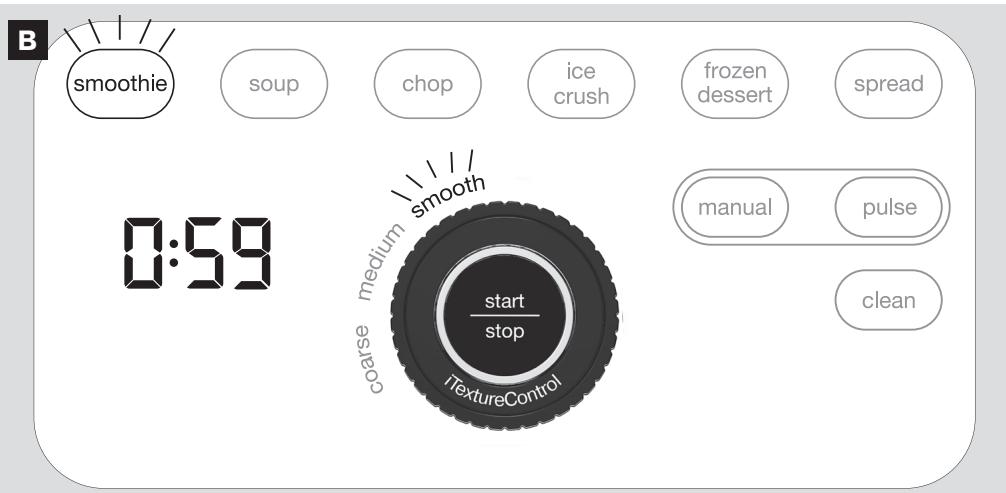
First, select one of the 6 automatic food programs (8) and then select your desired texture (5) to deliver your preferred consistency. Once you press START (5), the timer (7) shows the total blending time and counts down (Fig. B). The program stops automatically when the countdown ends. To stop the program in advance, press any button.
For detailed processing instructions refer to table I.
Pause
To pause the program press START/STOP (5). The timer (7) and the dial (5) start flashing indicating the pause mode. To continue the program press START/STOP again.
Hot Soup Function
When using the program "soup" + texture "smooth" the blades in the jug reach speeds fast enough to bring cold ingredients to steaming hot in about 6 minutes.
Caution: Do not insert hot ingredients (warmer than 25°C) when using this function. When preparing soups with hot pre-cooked ingredients use medium/coarse texture.
(C) Manual Mode
To start or stop blending, press the START/STOP (5) button. The timer (7) counts up (Fig. C).
For detailed processing instructions refer to table I.
(D) Pulse Mode
The pulse mode can be used to break apart larger pieces of food or to control the texture of food when chopping. Pulse at desired speed.
Duration depends on how long you press the START/STOP button (Fig. D).
(E) Using the Double Function Measuring Cap
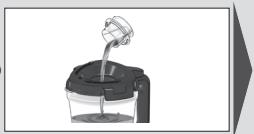
During operation use the measuring cap (1) to slowly add oil through the dripping hole to emulsify sauces and dressings (Fig. E.a) or easily add small amounts of liquids (Fig. E.b).
(F) Using the Tamper
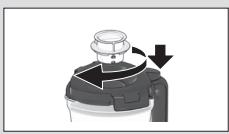
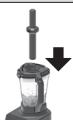
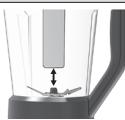
It helps to push unmixed ingredients down from the jug wall and to bring thick mixtures into the blades while blending. The supplied tamper (12) will not touch the blade when used through the opening of the measuring cap (1) (Fig. F).
Note: It must be used only when the main part of the lid is in place.
(G) Blending with the Smoothie2Go Bottle (optionally available)
Note: When using the Smoothie2Go bottle the programs smoothie and ice crush are available for use. The Smoothie2Go bottle must not be used to blend hot foods or carbonated liquids. To avoid damage, do not fill the container past the "max" marking.
When preparing protein shakes or drinks with alcohol, do not fill beyond max. 400 ml.
For detailed processing instructions refer to table II.
Auto Off
The appliance assembled with the jug (2) stops blending automatically after 6 minutes processing time in manual mode and assembled with the Smoothie2Go bottle (13) after 2 minutes. To re-start operation, press START/STOP (5).
Stand-By
If no speed or mode is selected the appliance enters into stand-by mode automatically after 2 minutes and all indicator lights are switched off, only the timer (7) is dimmed and shows ... ... . To re-activate the blender press any button or move the dial (5).
Thermal Motor Protection
The blender is equipped with a thermal protector which protects the motor from overheating. If the motor shuts down during operation, unplug the blender and let it cool down for a minimum of 30 minutes before continuing blending.
For Best Results
- If blending action stops during blending there may be not enough liquid to blend efficiently. Add some more liquid or insert the tamper and stir slowly.
- For preparing small amounts of food use a low speed level.
- When chopping nuts, cheese and meat we recommend running the selected program/ texture twice to achieve desired results.
- When chopping vegetables, we recommend adding a small amount of water to improve the circulation. After finishing, strain your chopped ingredients.
- Fill the jug in the following order: Liquids, dry goods, leafy greens, soft ingredients, hard or frozen ingredients, ice cubes. Fill the ingredients in the reverse order into the Smoothie2Go bottle.
- If blending in manual mode, always start on speed 1 and slowly increase to the desired speed.
- When chopping solid ingredients (such as parmesan, chocolate or meat) cut them up into small pieces (3 cm).
(H) Care and Cleaning
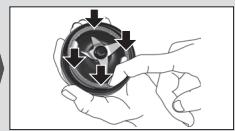
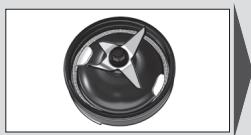
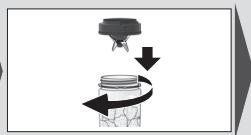
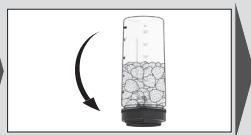
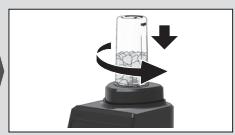
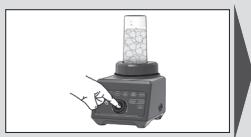
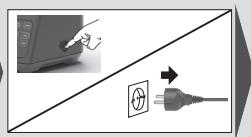
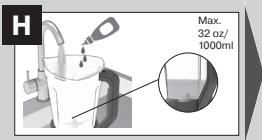
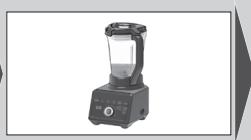
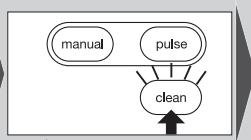
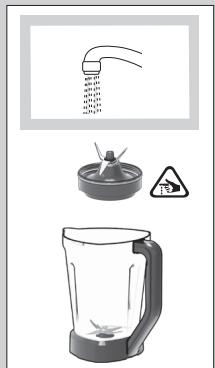
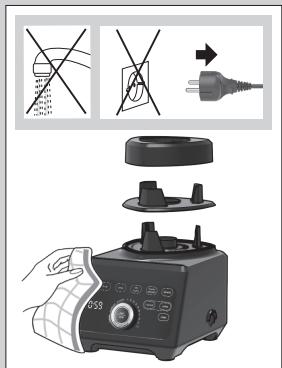
We recommend cleaning the jug by using the CLEAN program to prolong its lifetime. The program will automatically stop once it completes the cycle.
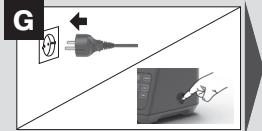
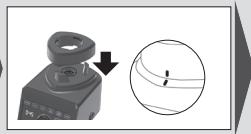
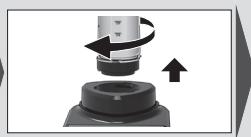
Fill the jug (2) halfway with water, add a few drops of dishwashing soap and follow the steps as described (Fig. H).
The same procedure applies for the Smoothie2Go bottle (13).
For best results, run the CLEAN program immediately after use. Make sure to thoroughly rinse and air-dry the jug after completion of the program.
Deep Cleaning
We recommend to perform a deep cleaning of the jug on a monthly basis using a vinegar solution to remove food residues and stains.
Prepare the vinegar solution in the jug : dilute 500 ml of vinegar (5% acid) in 500 ml of water (1:1 ratio) and start the CLEAN program. Allow the mixture to stand in the jug for maximum 5 minutes. Rinse the jug well after each deep cleaning and allow it to air dry.
Warranty and Service
For detailed information see separate warranty and service leaflet or visit www.braunhousehold.com.
Troubleshooting Guide
| Problem | Potential causes | Solution |
| Blender does not operate | No power supply | Check the fuse/circuit breaker in your home. If none of the above works, contact Braun Customer Service |
| Jug or Smoothie2Go attachment is not attached properly. Timer shows three dashes (- - - ) | Check the correct position of the attachment |
| Liquid is splashing out of the jug | Gasket is not mounted properly, loose, or even torn | Ensure that gasket is mounted properly |
| Jug lid or measuring cap are not closed properly | Close the lid and measuring cap |
| Jug is overfilled | Follow the maximum quantity recommendation in the processing table |
| Motor base is moving on the countertop | Rubber feet are not clean | Clean the rubber feet to ensure a good grip |
| Error code is shown on the Timer Display (E01,E02,E03,E04,E05) | E01 Overload protection | Turn the blender off, remove the container from the motor unit and check if the blade is blocked. Follow the recommended speed, max. filling capacity or mode in the processing table. |
| E02/E03 The thermal protection is activated to protect the drive unit from overheating | Turn the blender off, unplug and wait at least 30 minutes before resuming operation. If the error code does not disappear contact Braun Customer Service |
| E04/E05 | Turn the blender off and on again. If the error code does not disappear contact Braun Customer Service |
FRENCH
Description
| Акayльк | ыктумал себeбi | Шewimi |
| Бленьер жуmbic ictemeиdi | Су келмейdi | Уйderi саКтандьрFBышТы/TOK,
жыратКышТыTekсерінiz.
Еер жоfarыдыFBылардын,
ewskaисы жуmbic ictemece,
Braun komпанясынbɪн,
тусы hyшларды колдay
Кызmetihe xáбарласынzi3 |
| Куман hemece Smoot-
tie2Go кондьрмасы дурьс
бекітілмereн. ТаймэрDE уш
Кыlicka сыЗык (- - - ) керінedi | Куманнын, дурьс
орнасылfaнынTekсерінiz3 |
| КуMaHHaN cUyIbIKTbIK
шaMbipaiDbi | ТыFcI3daybIsh Дурьс
орнaТьлмаФан,бocаФан
hemece TiINTiЖыртьлмaн | ТыFcI3daybIshТы Дурьс
орнaТьИнБi3 |
| КуMaHHbIh KaKnaFbI Hemece
элшер КaknakShaДурьс
жыблмаФан | КуMaHHbIh KaKnaFbI Мeн
элшER KacnakShaHbI
жыбИиь3 |
| КуMaH shaMaДaH TbIC ToJIfAaH | Пайдалану костесинde
берilген снКоп мeлшер
бoьынSHA UcынБICTamalapDы
opbyIdaHbI3 |
| КоЗFaJIТКыШТын TуБыры
устелde XbIлЖи Берedi | Pezeнcke tipeynepi таза emec | Бetк Ka6atpen JxakCы
устayы Yшin pezeнcke
tipeynepiн тazalaHbI3 |
| Таймер окранында кателik
коны керінін Тур (E01, E02,
E03, E04, E05) | E01
Аckын чукteунen корfay | Бlenderdi ewipin, cayltbI
КозfaJIТКыш Tуьырbingan
алыныз дa, пьшakТын
БугтallafhanbIнTekcepiniz.
Пайдалану костесинde
Жыл damdik, сн.Yнkeн
ТOLТырУкелEMSнЕ
рекIM bOьынSHA Берілren
усыныICTamalapDы
opbyIdaHbI3. |
| E02/E03
Жетек solotbIsh ackbln
Кызbln KeTuДEN KOPfay Yшin
ыICTbIKTahn KOPfay KypalbI icKe
КOCblnabl | Бlenderdi ewipinizдe,
ЖуMbICTы kaitya bactap
алында кеминde 30
Minhyt Ktytɪñiz.Еркaitelik
Коны кOFaIbI N ketпees,
Braun kompanyaСынbln
ТуТынЧыларды КОлдан
КызMetihe xabapnaLbI3. |
| E04, E05 | Бlenderdi ewipinizd
дe, кaytaдан icKe
КOCblnbl3.Еркaitelik
Коны кOFaIbI N ketпees,
Braun kompanyaСынbln
ТуТынЧыларды КОлдан
КызMetihe xabapnaLbI3. |
Tel.: +7 (495) 781-26-76
Safety precautions: important
Warranty: subject to the terms of the warranty card
Disposal: The product must not be disposed of with household waste.
Sales terms: Sales terms are indicated, but they are subject to legal, state and international regulations and standards.
Manufacturer:
De'Longhi Braun Household GmbH, Carl-Ulrich-Strasse 4, 63263 Neu Isenburg, Germany
Russian
Description
- Measuring cup
- Jug
- PrecisionEdge knife
- Central element
- iTextureControl regulator + START/STOP button
- Switch on/off
- Timer
- Backlit display
- Motor block
- Cord storage compartment (rear)
- Lid with seal
- Timer
Smoothie2Go kit includes:
- Smoothie2Go bottles 600 ml with drinking lids
- Smoothie2Go blade with seal
- Smoothie2Go adapter
It is used for blending unprocessed ingredients close to the walls of the jug and pushing thick mixtures towards the blades during operation. The timer (12) included in the kit will not touch the blade provided it is inserted through the opening of the measuring cup (1) (Fig. F).
Note: It can only be used with the main part of the lid installed.
(G) Blending using the Smoothie2Go bottle (available as an option)
Use: When using the Smoothie2Go bottle, the following programs are available
Do not use the Smoothie2Go blender for mixing fruits or carbonated liquids. To avoid damage, do not exceed the maximum fill level indicated on the container.
When preparing protein shakes or drinks containing alcohol, do not fill more than 400 ml.
Note: Use only when the main part of the lid is installed.
(G) Blending with the Smoothie2Go blade (available on request)
Note: When using the Smoothie2Go bottle, programs smoothie (smoothie) and ice crush (crushed ice) are available. The Smoothie2Go bottle cannot be used for mixing hot products or carbonated liquids. To avoid damage, do not fill the container above the "Max." mark.
When preparing protein shakes or alcoholic drinks, do not fill above the max. mark of 400 ml.
Detailed preparation instructions are given in Table II.
Automatic shutdown
The appliance with the lid (2) installed automatically stops blending after 6 minutes in manual mode, and with the Smoothie2Go blade (13) after 2 minutes. To stop the process, press the START/STOP button (5).
Standby mode
If no liquid or mode is selected, after 2 minutes the appliance automatically switches to standby mode; all indicators turn off, only the timer (7) lights up dimly and displays "--:--". To start the blender, press any button or move the switch (5).
Thermal protection
JU! J 10000000 CLEAN
jlo joo bga aai 2
goljglz. gbi.(2) aogslgblgblgglblg
.(Smoothie2Go (13 4
CLEAN jolj JdJtJdJd
a 10000000000000000000000000000000000000
.
JUdUs 1uus uusu wulw uusu uusu uusu uusu gosi
gJgIgIgJIgIgIg
(5%)JdJ 500
当山 山山山山山山山山山山山山山山山山山山山山 500
www.braunhousehold.com
| اللّب | الإستعمال | الإستعمال |
| اللّب
اللّب
اللّب
اللّب
اللّب
اللّب
اللّب
اللّب
اللّب
اللّب
اللّب
اللّب
اللّب
اللّب
اللّب
اللّب
اللّب
اللّب
اللّب
اللّب
اللّب | اللّب
اللّب
اللّب
اللّب
اللّب
اللّب
اللّب
اللّب
اللّب
اللّب
اللّب
اللّب
اللّب
اللّب
اللّب
اللّب
اللّب
اللّب
اللّب
اللّpio
اللّpio
اللّpio
اللّpio
اللّpio
اللّpio
اللّpio
اللّpio
اللّpio
اللّpio
اللّpio
اللّpio
اللّpio
اللّpio
اللّpio
اللّpio
اللّpio
اللّpio
اللّpio
اللّpio
اللّ PIO
اللّpio
اللّpio
اللّpio
اللّpio
اللّpio
اللّpio
اللّpio
اللّpio
اللّpio
اللّpio
اللّpio
اللّpio
اللّpio
اللّpio
اللّpio
اللّpio
اللّpio
اللّpio
اللّpio
اللّPIO
اللّpio
اللّpio
اللّpio
اللّpio
اللّpio
اللّpio
اللّpio
اللّpio
اللّpio
اللّpio
اللّpio
اللّpio
اللّpio
اللّpio
اللّpio
اللّpio
اللّpio
اللّpio
اللّpio
اللّcio
اللّpio
اللّpio
اللّpio
اللّpio
اللّpio
اللّpio
اللّpio
اللّpio
اللّpio
اللّpio
اللّpio
اللّpio
اللّpio
اللّpio
اللّpio
اللّpio
اللّpio
اللّpio
اللّpio
اللّdio
اللّpio
اللّpio
اللّpio
اللّpio
اللّpio
اللّpio
اللّpio
اللّpio
اللّpio
اللّpio
اللّpio
اللّpio
اللّpio
اللّpio
اللّpio
اللّpio
اللّpio
اللّpio
اللّpio
اللّPDO
اللّPDO
اللّPDO
اللّPDO
اللّPDO
اللّPDO
اللّPDO
اللّPDO
اللّPDO
اللّPDO
اللّPDO
اللّPDO
اللّPDO
اللّPDO
اللّPDO
اللّPDO
اللّPDO
اللّPDO
اللّPDO
اللّPDO
اللّ PDO
ال�د
ال�د
ال�د
ال�د
ال�د
ال�د
ال�د
ال�د
ال�د
ال�د
ال�د
ال�د
ال�د
ال�د
ال�د
ال�د
ال�د
ال�د
ال�د
ال�د
ال�د
ال�د
ال�د
ال�د
ال�د
ال��
ال�د
ال�د
ال�د
ال�د
ال�د
ال�د
ال�د
ال�د
ال�د
ال�د
ال�د
ال�د
ال�د
ال�د
ال�د
ال�د
ال�د
ال�د
ال�د
ال�د
ال�د
ال�د
ال�د
ال�د
ال�dle
ال�dle
ال�dle
ال�dle
ال�dle
ال�dle
ال�dle
ال�dle
ال�dle
ال�dle
ال�dle
ال�dle
ال�dle
ال�dle
ال�dle
ال�dle
ال�dle
ال�dle
ال�dle
ال�dle
ال�dle
ال�dle
ال�dle
ال�dle
ال�dle
ال�lle
ال�lle
ال�lle
ال�lle
ال�lle
ال�lle
ال�lle
ال�lle
ال�lle
ال�lle
ال�lle
ال�lle
ال�lle
ال�lle
ال�lle
ال�lle
ال�lle
ال�lle
ال�lle
ال�lle
ال�lle
ال�lle
ال�lle
ال�lle
ال�lle
ال�ville
ال�ville
ال�ville
ال�ville
ال�ville
ال�ville
ال�ville
ال�ville
ال�ville
ال�ville
ال�ville
ال�ville
ال�ville
ال�ville
ال�ville
ال�ville
ال�ville
ال�ville
ال�ville
ال�ville
ال�ville
ال�ville
ال�ville
ال�ville
ال�ville
ال�ille
ال�ille
ال�ille
ال�ille
ال�ille
ال�ille
ال�ille
ال�ille
ال�ille
ال�ille
ال�ille
ال�ille
ال�ille
ال�ille
ال�ille
ال�ille
ال�ille
ال�ille
ال�ille
ال�ille
ال�ille
ال�ille
ال�ille
ال�ille
ال�ille
ال�ville
ال�ville
ال�ville
ال�ville
ال�ville
ال�ville
ال�ville
ال�ville
ال�ville
ال�ville
ال�ville
ال�ville
ال�ville
ال�ville
ال�ville
ال�ville
ال�ville
ال�ville
ال�ville
ال�ville
ال�ville
ال�ville
ال�ville
ال�ville
ال�ationale
ال�ationale
ال�ationale
ال�ationale
ال�ationale
ال�ationale
ال�ationale
ال�ationale
ال�ationale
ال�ationale
ال�ationale
ال�ationale
ال�ationale
ال�ationale
ال�ationale
ال�ationale
ال�ationale
ال�ationale
ال�ationale
ال�ationale
ال�ationale
ال�ationale
ال�ationale
ال�ationale
ال�ationale
ال� rationale
ال� rationale
ال� rationale
ال� rationale
ال� rationale
ال� rationale
ال� rationale
ال� rationale
ال� rationale
ال� rationale
ال� rationale
ال� rationale
ال� rationale
ال� rationale
ال� rationale
ال� rationale
ال� rationale
ال� rationale
ال� rationale
ال� rationale
ال� rationale
ال� rationale
ال� rationale
ال� rationale
ال� rationale
ال�ationale
ال� rationale
ال� rationale
ال� rationale
ال� rationale
ال� rationale
ال� rationale
ال� rationale
ال� rationale
ال� rationale
ال� rationale
ال� rationale
ال� rationale
ال� rationale
ال� rationale
ال� rationale
ال� rationale
ال� rationale
ال� rationale
ال� rationale
ال� rationale
ال� rationale
ال� rationale
ال� rationale
ال�ationale
ال�ationale
ال�ationale
ال�ationale
ال�ationale
ال�ationale
ال�ationale
ال�ationale
ال�ationale
ال�ationale
ال�ationale
ال�ationale
ال�ationale
ال�ationale
ال�ationale
ال�ationale
ال�ationale
ال�ationale
ال�ationale
ال�ationale
ال�ationale
ال�ationale
ال�ationale
ال�ationale
ال�vale
ال�vale
ال�vale
ال�vale
ال�vale
ال�vale
ال�vale
ال�vale
ال�vale
ال�vale
ال�vale
ال�vale
ال�vale
ال�vale
ال�vale
ال�vale
ال�vale
ال�vale
ال�vale
ال�vale
ال�vale
ال�vale
ال�vale
ال�vale
ال�vale
ال� vale
ال�vale
ال�vale
ال�vale
ال�vale
ال�vale
ال�vale
ال�vale
ال�vale
ال�vale
ال�vale
ال�vale
ال�vale
ال�vale
ال�vale
ال�vale
ال�vale
ال�vale
ال�vale
ال�vale
ال�vale
ال�vale
ال�vale
ال�vale
ال�vale
ال� vile
ال� vile
ال� vile
ال� vile
ال� vile
ال� vile
ال� vile
ال� vile
ال� vile
ال� vile
ال� vile
ال� vile
ال� vile
ال� vile
ال� vile
ال� vile
ال� vile
ال� vile
ال� vile
ال� vile
ال� vile
ال� vile
ال� vile
ال� vile
ال� vile
ال�vale
ال�vale
ال�vale
ال�vale
ال�vale
ال�vale
ال�vale
ال�vale
ال�vale
ال�vale
ال�vale
ال�vale
ال�vale
ال�vale
ال�vale
ال�vale
ال�vale
ال�vale
ال�vale
ال�vale
ال�vale
ال�vale
ال�vale
ال�vale
ال�iale
ال�iale
ال�iale
ال�iale
ال�iale
ال�iale
ال�iale
ال�iale
ال�iale
ال�iale
ال�iale
ال�iale
ال�iale
ال�iale
ال�iale
ال�iale
ال�iale
ال�iale
ال�iale
ال�iale
ال�iale
ال�iale
ال�iale
ال�iale
ال�iale
ال�vale
ال�vale
ال�vale
ال�vale
ال�vale
ال�vale
ال�vale
ال�vale
ال�vale
ال�vale
ال�vale
ال�vale
ال�vale
ال�vale
ال�vale
ال�vale
ال�vale
ال�vale
ال�vale
ال�vale
ال�vale
ال�vale
ال�vale
ال�vale
ال�ationale
ال�ationale
ال�ationale
ال�ationale
ال�ationale
ال�ationale
ال�ationale
ال�ationale
ال�ationale
ال�ationale
ال�ationale
ال�ationale
ال�ationale
ال�ationale
ال�ationale
ال�ationale
ال�ationale
ال�ationale
ال�ationale
ال�ationale
ال�ationale
ال�ationale
ال�ationale
ال�ationale
ال�iale
ال�iale
ال�iale
ال�iale
ال�iale
ال�iale
ال�iale
ال�iale
ال�iale
ال�iale
ال�iale
ال�iale
ال�iale
ال�iale
- - - - - - - - - - - - - - - - - - - - - - - - - - - - - - - - - - - - - - - - - - - - - - - - - - - - - - - - - - - - - - - - - - - - - - - - - - - - - - - - - - - - - - - - - - - - - - - - - - - - - -
- - - - - - - - - - - - - - - - - - - - - - - - - - - - - - - - - - - - - - - - - - - - - - - - - - - - - - - - - - - - - - - - - - - - - - - - - - - - - - - - - - - - - - - - - - - - - - - - - - - -
- - - - - - - - - - - - - - - - - - - - - - - - - - - - - - - - - - - - - - - - - - - - - - - - - - - - - - - - - - - - - - - - - - - - - - - - - - - - - - - - - - - - - - - - - - - - - - - - - - --
- - - - - - - - - - - - - - - - - - - - - - - - - - - - - - - - - - - - - - - - - - - - - - - - - - - - - - - - - - - - - - - - - - - - - - - - - - - - - - - - - - - - - - - - - - - - - - - - - - -
- - - - - - - - - - - - - - - - - - - - - - - - - - - - - - - - - - - - - - - - - - - - - - - - - - - - - - - - - - - - - - - - - - - - - - - - - - - - - - - - - - - - - - - - - - - - - - - - - -
- - - - - - - - - - - - - - - - - - - - - - - - - - - - - - - - - - - - - - - - - - - - - - - - - - - - - - - - - - - - - - - - - - - - - - - - - - - - - - - - - - - - - - - - - - - - - - - - - -
01
-02
-03
-04
-05 | |